audio MITSUBISHI OUTLANDER III 2018 User Guide
[x] Cancel search | Manufacturer: MITSUBISHI, Model Year: 2018, Model line: OUTLANDER III, Model: MITSUBISHI OUTLANDER III 2018Pages: 441, PDF Size: 13.71 MB
Page 113 of 441
Free-hand Advanced
Security Transmitter (F.A.S
.T.-key) (if so equipped)
5
The buzzer answerback function can beturned ON or OFF as required.
N00544601141
The door and liftgate
unlock function can be
set to the following two conditions.Each time the door and
liftgate unlock func-
tion is set, a chime wi
ll sound to tell you the
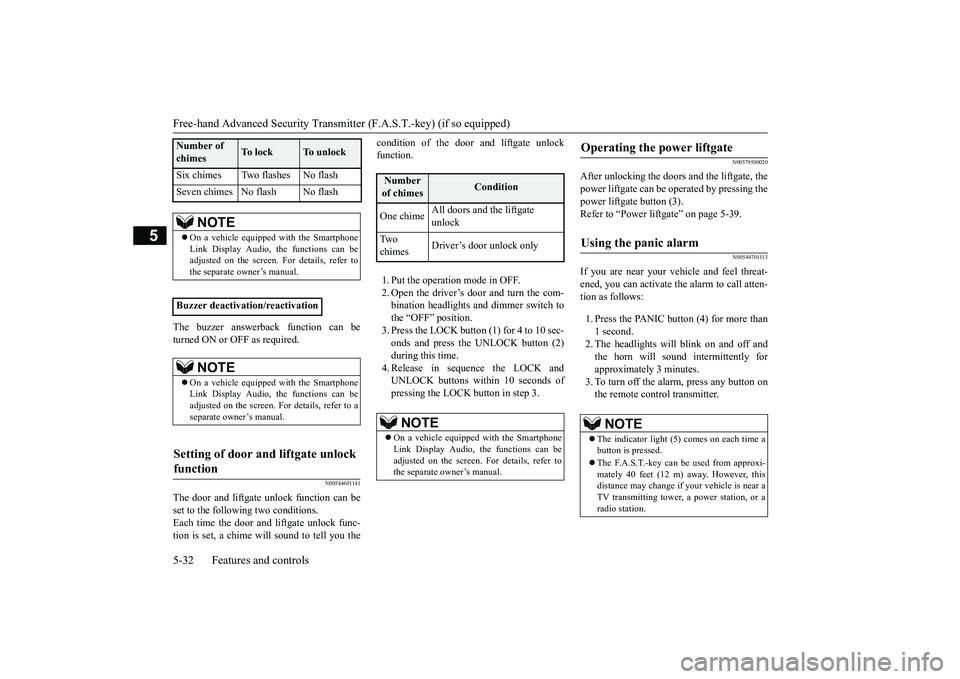
condition of the door and liftgate unlockfunction.1. Put the operation mode in OFF.2. Open the driver’s door and turn the com-bination headlights and dimmer switch tothe “OFF” position.3. Press the LOCK button (1) for 4 to 10 sec-onds and press the UNLOCK button (2)during this time.4. Release in sequence the LOCK andUNLOCK buttons within 10 seconds ofpressing the LOCK button in step 3.
N00579500020
After unlocking the doors and the liftgate, thepower liftgate can be operated by pressing thepower liftgate button (3).Refer to “Power lift
gate” on page 5-39.
N00544701113
If you are near your vehicle and feel threat-ened, you can activate the alarm to call atten-tion as follows:1. Press the PANIC button (4) for more than1 second.2. The headlights will blink on and off andthe horn will sound intermittently forapproximately 3 minutes.3. To turn off the alarm, press any button onthe remote control transmitter.
Six chimes Two flashes No flashSeven chimes No flash No flash
NOTE
On a vehicle equippe
d with the Smartphone
Link Display Audio, the functions can beadjusted on the screen. For details, refer tothe separate owner’s manual.
Buzzer deactivation/reactivation
NOTE
On a vehicle equippe
d with the Smartphone
Link Display Audio, the functions can beadjusted on the screen. For details, refer to aseparate owner’s manual.
Setting of door and liftgate unlock function
Number of chimes
To l o c k
To unlock
Number of chimes
Condition
One chime
All doors and the liftgate unlock
Tw o chimes
Driver’s door unlock only
NOTE
On a vehicle equipped with the SmartphoneLink Display Audio, the functions can beadjusted on the screen. For details, refer tothe separate owner’s manual.
Operating the power liftgate
Using the panic alarm
NOTE
The indicator light (5) comes on each time abutton is pressed.The F.A.S.T.-key can be used from approxi-mately 40 feet (12 m) away. However, thisdistance may change if
your vehicle is near a
TV transmitting tower,
a power station, or a
radio station.
BK0249100US.book 32 ページ 2017年5月10日 水曜日 午前8時49分
Page 114 of 441
Free-hand Advanced Securi
ty Transmitter (F.A.S.T.-key) (if so equipped)
Features and controls 5-33
5
N00562001062
N00562101076
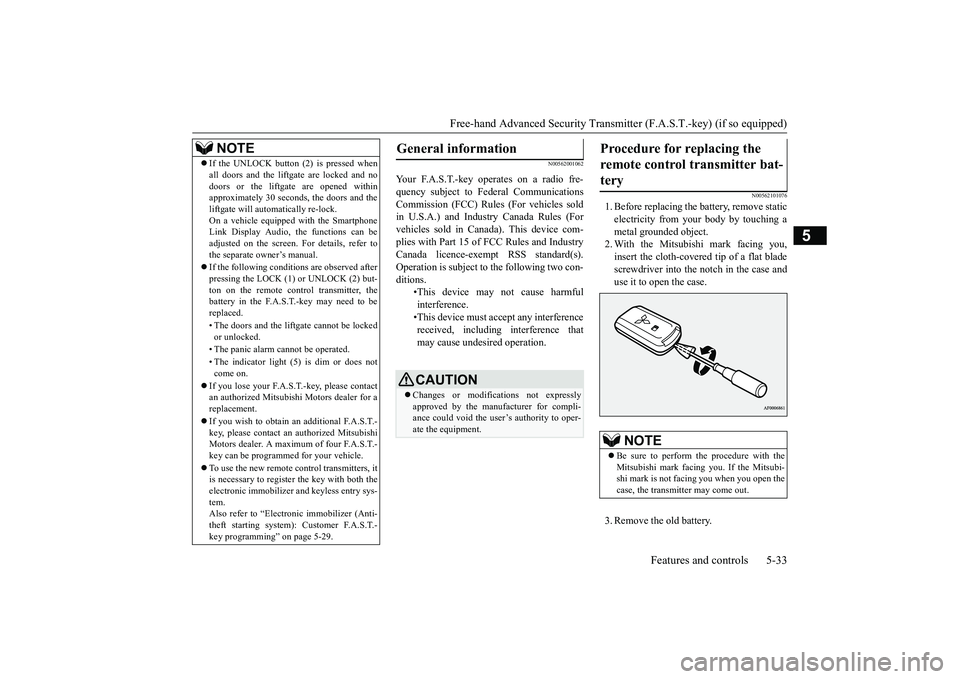
1. Before replacing the battery, remove staticelectricity from your body by touching ametal grounded object.2. With the Mitsubishi mark facing you,insert the cloth-covered tip of a flat bladescrewdriver into the notch in the case anduse it to open the case.3. Remove the old battery.
If the UNLOCK button (2) is pressed whenall doors and the liftgate are locked and nodoors or the liftgate are opened withinapproximately 30 seconds, the doors and theliftgate will automatically re-lock.On a vehicle equipped with the SmartphoneLink Display Audio, the functions can beadjusted on the screen. For details, refer tothe separate owner’s manual.If the following conditions are observed afterpressing the LOCK (1) or UNLOCK (2) but-ton on the remote control transmitter, thebattery in the F.A.S.T.-key may need to bereplaced.• The doors and the liftgate cannot be lockedor unlocked.• The panic alarm
cannot be operated.
• The indicator light
(5) is dim or does not
come on.
If you lose your F.A.S.T.-key, please contactan authorized Mitsubishi Motors dealer for areplacement.If you wish to obtain an additional F.A.S.T.-key, please contact an
authorized Mitsubishi
Motors dealer. A maximum of four F.A.S.T.-key can be programmed for your vehicle.To use the new remote control transmitters, itis necessary to register the key with both theelectronic immobilizer
and keyless entry sys-
tem.Also refer to “Electr
onic immobilizer (Anti-
theft starting system): Customer F.A.S.T.-key programming” on page 5-29.NOTE
General information
Your F.A.S.T.-key operates on a radio fre-quency subject to Fe
deral Communications
Commission (FCC) Rules (For vehicles soldin U.S.A.) and Industr
y Canada Rules (For
vehicles sold in Canada). This device com-plies with Part 15 of FCC Rules and IndustryCanada licence-exem
pt RSS standard(s).
Operation is subject to
the following two con-
ditions.
•This device may
not cause harmful
interference.•This device must ac
cept any interference
received, including interference thatmay cause undesired operation.CAUTIONChanges or modifica
tions not expressly
approved by the manufacturer for compli-ance could void the user’s authority to oper-ate the equipment.
Procedure for replacing the remote control transmitter bat-tery
NOTE
Be sure to perform the procedure with theMitsubishi mark facing you. If the Mitsubi-shi mark is not facing you when you open thecase, the transmitter may come out.
BK0249100US.book 33 ページ 2017年5月10日 水曜日 午前8時49分
Page 118 of 441
Child safety locks for rear doorFeatures and controls 5-37
5
N00563401180
All doors and the liftg
ate will unlock when
the ignition switch is turned to the “OFF” or“LOCK” position or the operation mode isput in OFF.
All doors and the liftgate will unlock whenthe selector lever is moved to the “P” (PARK)position with the ignition
switch or the opera-
tion mode in ON.
N00509401298
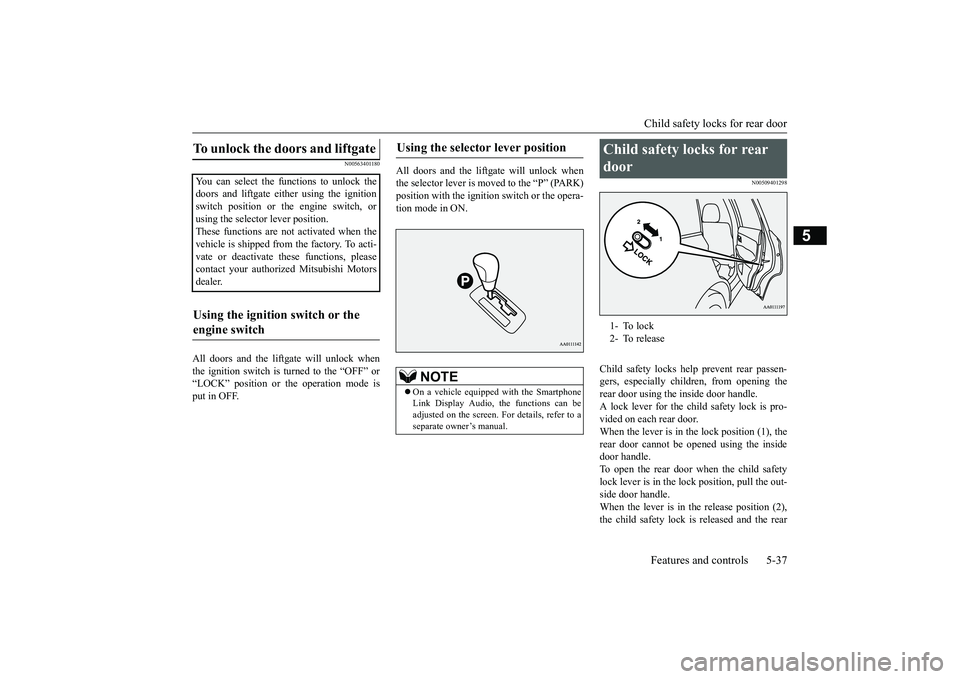
Child safety locks help prevent rear passen-gers, especially children, from opening therear door using the inside door handle.A lock lever for the child safety lock is pro-vided on each rear door.When the lever is in the lock position (1), therear door cannot be opened using the insidedoor handle.To open the rear door when the child safetylock lever is in the lock position, pull the out-side door handle.When the lever is in the release position (2),the child safety lock is released and the rear
To unlock the doors and liftgate You can select the functions to unlock thedoors and liftgate eith
er using the ignition
switch position or the engine switch, orusing the selector lever position.These functions are not activated when thevehicle is shipped from the factory. To acti-vate or deactivate th
ese functions, please
contact your authori
zed Mitsubishi Motors
dealer.Using the ignition switch or the engine switch
Using the selector lever position
NOTE
On a vehicle equipped with the SmartphoneLink Display Audio, the functions can beadjusted on the screen. For details, refer to aseparate owner’s manual.
Child safety locks for rear door 1- To lock2- To release
BK0249100US.book 37 ページ 2017年5月10日 水曜日 午前8時49分
Page 129 of 441
Theft-alarm system5-48 Features and controls
5
N00582500040
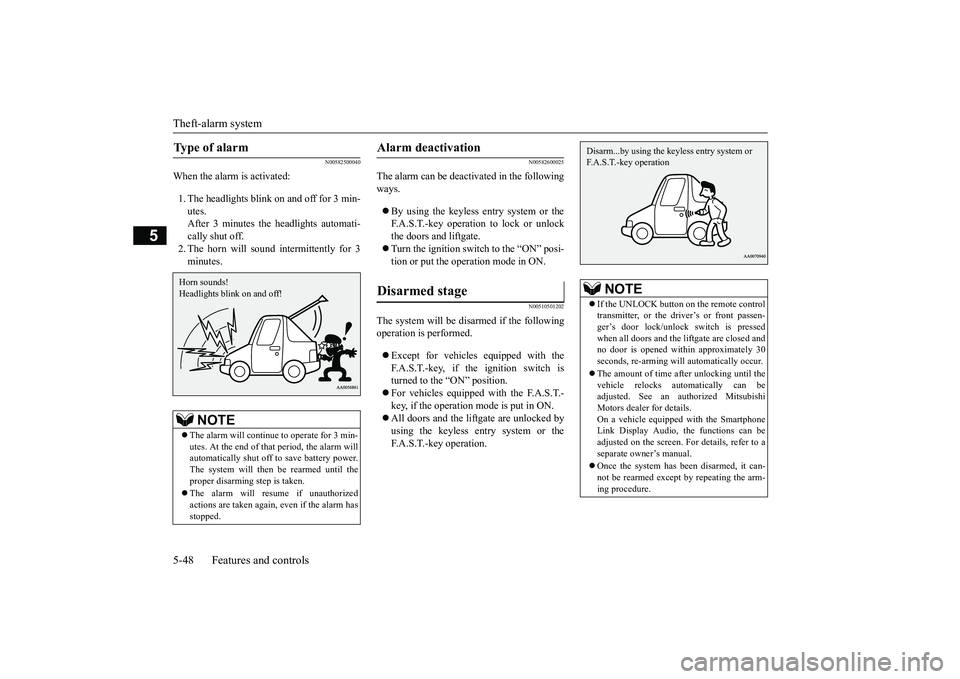
When the alarm is activated:1. The headlights blink on and off for 3 min-utes.After 3 minutes the headlights automati-cally shut off.2. The horn will sound intermittently for 3minutes.
N00582600025
The alarm can be deacti
vated in the following
ways.By using the keyless entry system or theF.A.S.T.-key operation to lock or unlockthe doors and liftgate.Turn the ignition switch to the “ON” posi-tion or put the operation mode in ON.
N00510501202
The system will be disarmed if the followingoperation is performed.Except for vehicles equipped with theF.A.S.T.-key, if the ignition switch isturned to the “ON” position.For vehicles equipped with the F.A.S.T.-key, if the operation mode is put in ON.All doors and the lift
gate are unlocked by
using the keyless entry system or theF.A.S.T.-key operation.
Type of alarm
NOTE
The alarm will continue
to operate for 3 min-
utes. At the end of that
period, the alarm will
automatically shut off
to save battery power.
The system will then be rearmed until theproper disarming step is taken.The alarm will resu
me if unauthorized
actions are taken again, even if the alarm hasstopped.Horn sounds!Headlights blink on and off!
Alarm deactivation Disarmed stage
NOTE
If the UNLOCK button on the remote controltransmitter, or the driver’s or front passen-ger’s door lock/unlock switch is pressedwhen all doors and the li
ftgate are closed and
no door is opened with
in approximately 30
seconds, re-arming will
automatically occur.
The amount of time after unlocking until thevehicle relocks automatically can beadjusted. See an authorized MitsubishiMotors dealer for details.On a vehicle equipped with the SmartphoneLink Display Audio, the functions can beadjusted on the screen. For details, refer to aseparate owner’s manual.Once the system has been disarmed, it can-not be rearmed except
by repeating the arm-
ing procedure.Disarm...by using the keyless entry system or F.A.S.T.-key operation
BK0249100US.book 48 ページ 2017年5月10日 水曜日 午前8時49分
Page 143 of 441
Outside rearview mirrors5-62 Features and controls
5
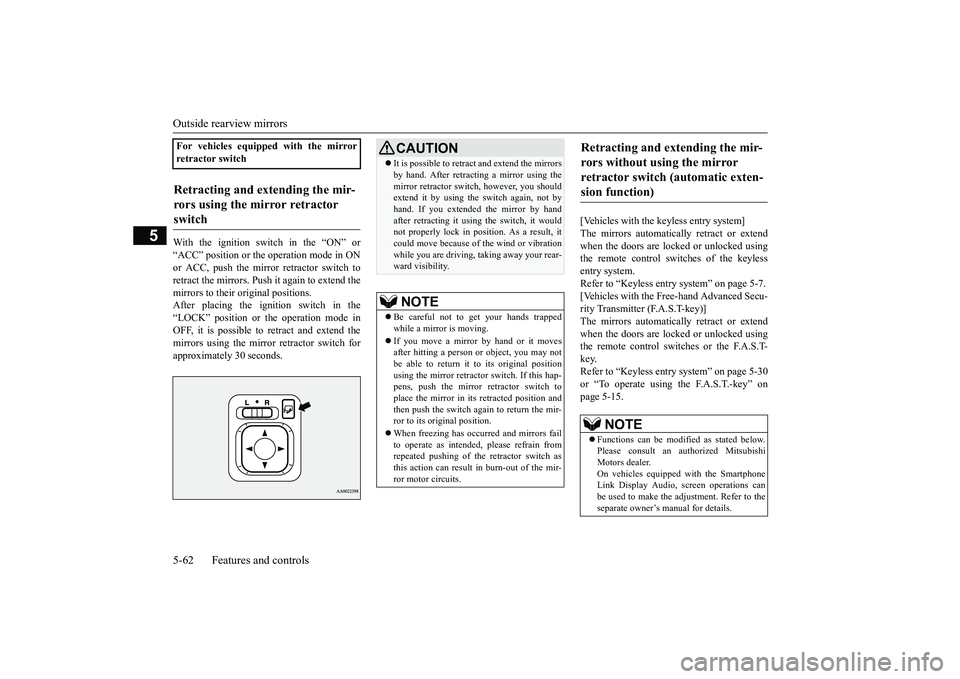
With the ignition switch in the “ON” or“ACC” position or the
operation mode in ON
or ACC, push the mirror retractor switch toretract the mirrors. Push it again to extend themirrors to their original positions.After placing the ignition switch in the“LOCK” position or the operation mode inOFF, it is possible to
retract and extend the
mirrors using the mirror retractor switch forapproximately 30 seconds.
[Vehicles with the keyless entry system]The mirrors automatically retract or extendwhen the doors are locked or unlocked usingthe remote control switches of the keylessentry system.Refer to “Keyless entry system” on page 5-7.[Vehicles with the Free-hand Advanced Secu-rity Transmitter (F.A.S.T-key)]The mirrors automatically retract or extendwhen the doors are locked or unlocked usingthe remote control switches or the F.A.S.T-key.Refer to “Keyless entry system” on page 5-30or “To operate using the F.A.S.T.-key” onpage 5-15.
For vehicles equipped with the mirrorretractor switchRetracting and extending the mir-rors using the mirror retractor switch
CAUTIONIt is possible to retract and extend the mirrorsby hand. After retracti
ng a mirror using the
mirror retractor switch, however, you shouldextend it by using the switch again, not byhand. If you extended the mirror by handafter retracting it using
the switch, it would
not properly lock in pos
ition. As a result, it
could move because of the wind or vibrationwhile you are driving, taking away your rear-ward visibility.NOTE
Be careful not to get your hands trappedwhile a mirror is moving.If you move a mirror by hand or it movesafter hitting a person or object, you may notbe able to return it to its original positionusing the mirror retractor switch. If this hap-pens, push the mirror retractor switch toplace the mirror in its
retracted position and
then push the switch again to return the mir-ror to its original position.When freezing has occurred and mirrors failto operate as intended,
please refrain from
repeated pushing of the retractor switch asthis action can result in burn-out of the mir-ror motor circuits.
Retracting and extending the mir-rors without using the mirror retractor switch (automatic exten-sion function)
NOTE
Functions can be modified as stated below.Please consult an authorized MitsubishiMotors dealer.On vehicles equippe
d with the Smartphone
Link Display Audio, sc
reen operations can
be used to make the adjustment. Refer to theseparate owner’s
manual for details.
BK0249100US.book 62 ページ 2017年5月10日 水曜日 午前8時49分
Page 144 of 441

Ignition switch (if so equipped)Features and controls 5-63
5
N00549301299
When the rear window defogger switch ispressed with the engine running, the outsiderearview mirrors are defogged or defrosted.Current will flow through the heater elementinside the mirrors, thus clearing away frost orcondensation.The indicator light (A) will illuminate whilethe defogger is on.The heater will be turned off automatically inapproximately 15 to 20 minutes depending onthe outside temperature.
N00512401742
[For vehicles equipped with the Free-handAdvanced Security Tr
ansmitter (F.A.S.T.-
key).]For information on operations for vehiclesequipped with the Free-hand Advanced Secu-rity Transmitter (F.A
.S.T.-key), refer to
“Free-hand Advanced
Security Transmitter
(F.A.S.T.-key):Engine switch” on page 5-18.[Except for vehicles equipped with theFree-hand Advanced Security Transmit-ter (F.A.S.T.-key).]
• Automatically extend when the ignitionswitch is turned to the “ON” position or theoperation mode is put in ON with thedriver’s door closed, and automaticallyretract when the ignition switch is turned tothe “LOCK” position or the operation modeis put in OFF with the driver’s door opened.• Automatically extend when the vehiclespeed reaches approximately 19 mph (30km/h).• Deactivate the automatic extension func-tion.
The outside rearvi
ew mirrors can be
retracted or extended
by the following opera-
tions, even if changing to the any of above.After pressing the LOCK
button on the key
to lock the doors and liftgate, if the LOCKbutton is pressed again twice in a row withinapproximately 30 seconds
, the outside rear-
view mirrors will retract.After pressing the
UNLOCK button on the
key to unlock the doors and liftgate, if theUNLOCK button is pressed again twice in arow within approximately 30 seconds, theoutside rearview mirro
rs will extend again.
NOTE
Heated outside rearview mirror
(if so equipped)
NOTE
The heated outside re
arview mirror can be
turned on automatically.For further informati
on, please contact your
authorized Mitsubish
i Motors dealer.
On vehicles equipped with the SmartphoneLink Display Audio, sc
reen operations can
be used to make the adjustment.Refer to the separate owner’s manual fordetails.
Ignition switch
(if so equipped)
BK0249100US.book 63 ページ 2017年5月10日 水曜日 午前8時49分
Page 145 of 441
Ignition switch (if so equipped)5-64 Features and controls
5
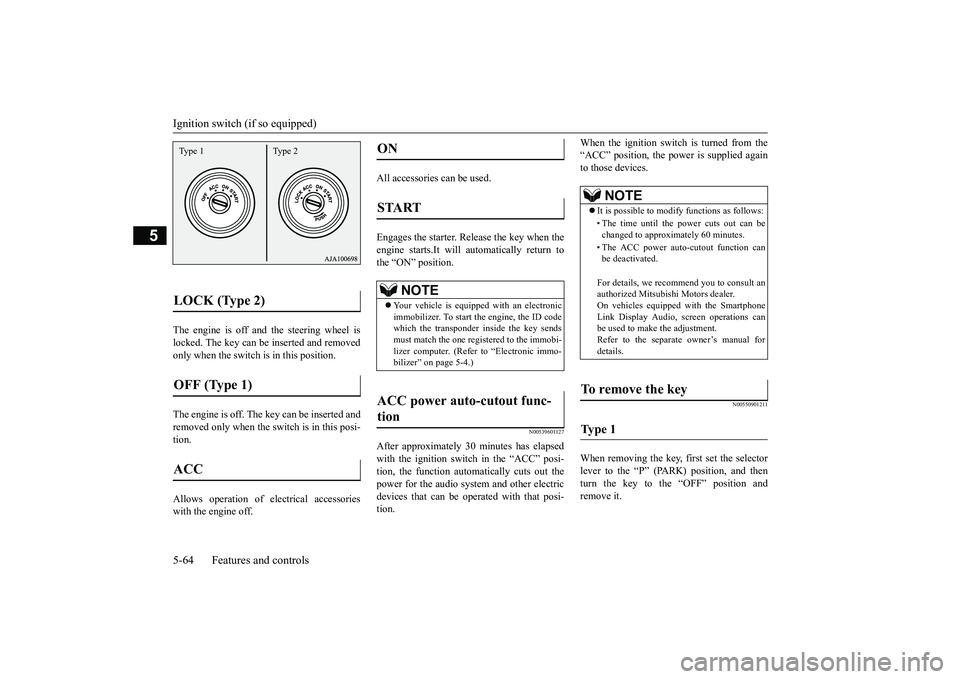
The engine is off a
nd the steering wheel is
locked. The key can be inserted and removedonly when the switch is in this position.The engine is off. The
key can be inserted and
removed only when the sw
itch is in this posi-
tion.Allows operation of electrical accessorieswith the engine off.
All accessories can be used.Engages the starter. Release the key when theengine starts.It will automatically return tothe “ON” position.
N00539601127
After approximately 30
minutes has elapsed
with the ignition switch in the “ACC” posi-tion, the function automatically cuts out thepower for the audio syst
em and other electric
devices that can be op
erated with that posi-
tion.
When the ignition switch is turned from the“ACC” position, the power is supplied againto those devices.
N00550901211
When removing the key, first set the selectorlever to the “P” (PARK) position, and thenturn the key to the “OFF” position andremove it.
LOCK (Type 2)
OFF (Type 1)
ACC
Type 1 Type 2
ON
START
NOTE
Your vehicle is equippe
d with an electronic
immobilizer. To start the engine, the ID codewhich the transponder inside the key sendsmust match the one registered to the immobi-lizer computer. (Refer to “Electronic immo-bilizer” on page 5-4.)
ACC power auto-cutout func-tion
NOTE
It is possible to modify functions as follows:• The time until the power cuts out can bechanged to approximately 60 minutes.• The ACC power auto
-cutout function can
be deactivated.For details, we recommend you to consult anauthorized Mitsubishi Motors dealer.On vehicles equippe
d with the Smartphone
Link Display Audio, sc
reen operations can
be used to make the adjustment.Refer to the separate
owner’s manual for
details.
To remove the key
Ty p e 1
BK0249100US.book 64 ページ 2017年5月10日 水曜日 午前8時49分
Page 223 of 441
Rear-view camera (if so equipped)5-142 Features and controls
5
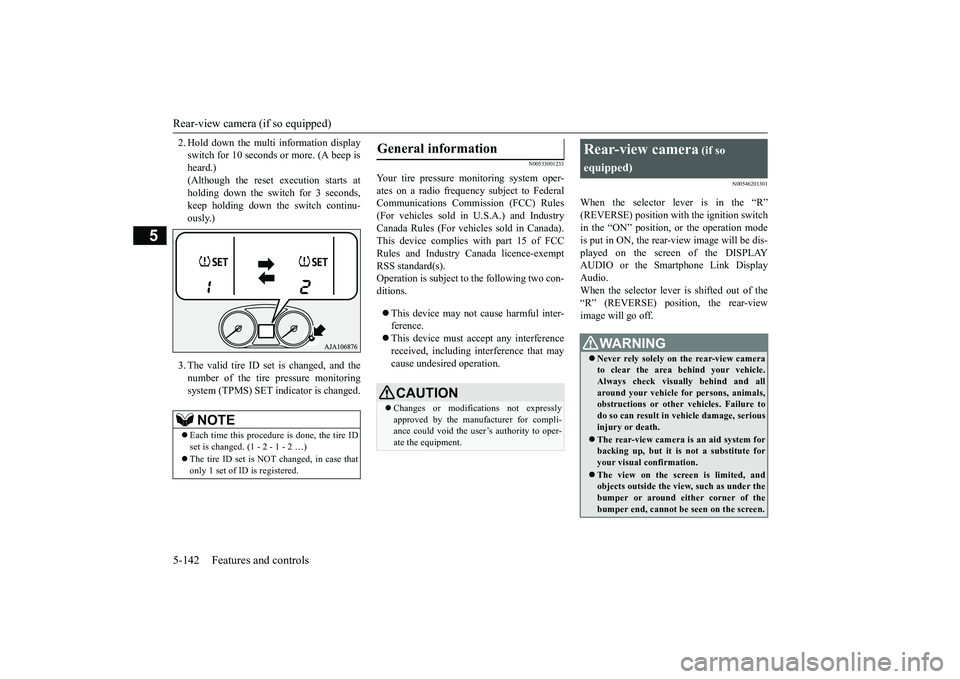
2. Hold down the multi information displayswitch for 10 seconds or more. (A beep isheard.)(Although the reset execution starts atholding down the switch for 3 seconds,keep holding down the switch continu-ously.)3. The valid tire ID set is changed, and thenumber of the tire
pressure monitoring
system (TPMS) SET i
ndicator is changed.
N00533001233
Your tire pressure monitoring system oper-ates on a radio frequency subject to FederalCommunications Comm
ission (FCC) Rules
(For vehicles sold in U.S.A.) and IndustryCanada Rules (For vehicles sold in Canada).This device complies with part 15 of FCCRules and Industry Ca
nada licence-exempt
RSS standard(s).Operation is subject to the following two con-ditions.This device may not
cause harmful inter-
ference.This device must ac
cept any interference
received, including interference that maycause undesired operation.
N00546201301
When the selector lever is in the “R”in the “ON” position,
or the operation mode
is put in ON, the rear-view image will be dis-played on the screen of the DISPLAYAUDIO or the Smartphone Link DisplayAudio.When the selector lever is shifted out of the“R” (REVERSE) position, the rear-viewimage will go off.
NOTE
Each time this procedure is done, the tire IDset is changed. (1 - 2 - 1 - 2 …)only 1 set of ID is registered.
General information
CAUTIONChanges or modifica
tions not expressly
approved by the manufacturer for compli-ance could void the user’s authority to oper-ate the equipment.
Rear-view camera
(if so
equipped)Never rely solely on the rear-view camerato clear the area behind your vehicle.Always check visua
lly behind and all
around your vehicle fo
r persons, animals,
obstructions or other vehicles. Failure todo so can result in
vehicle damage, serious
injury or death.The rear-view camera is an aid system forbacking up, but it is not a substitute foryour visual confirmation.The view on the scre
en is limited, and
objects outside the view, such as under thebumper or around either corner of thebumper end, cannot be seen on the screen.
BK0249100US.book 142 ページ 2017年5月10日 水曜日 午前8時49分
Page 225 of 441
Multi Around Monitor (if so equipped)
5
N00587200055
The Multi Around Monitor system uses fourcameras, “Front-view camera”, “Side-viewcameras (right and le
ft)” and “Rear-view
camera”, and displays
composite views from
those cameras on a screen in the DISPLAYAUDIO or the Smartphone Link DisplayAudio.The Multi Around Monitor
system wi
ll assist
the driver to park the vehicle in a narrow orparallel parking space.
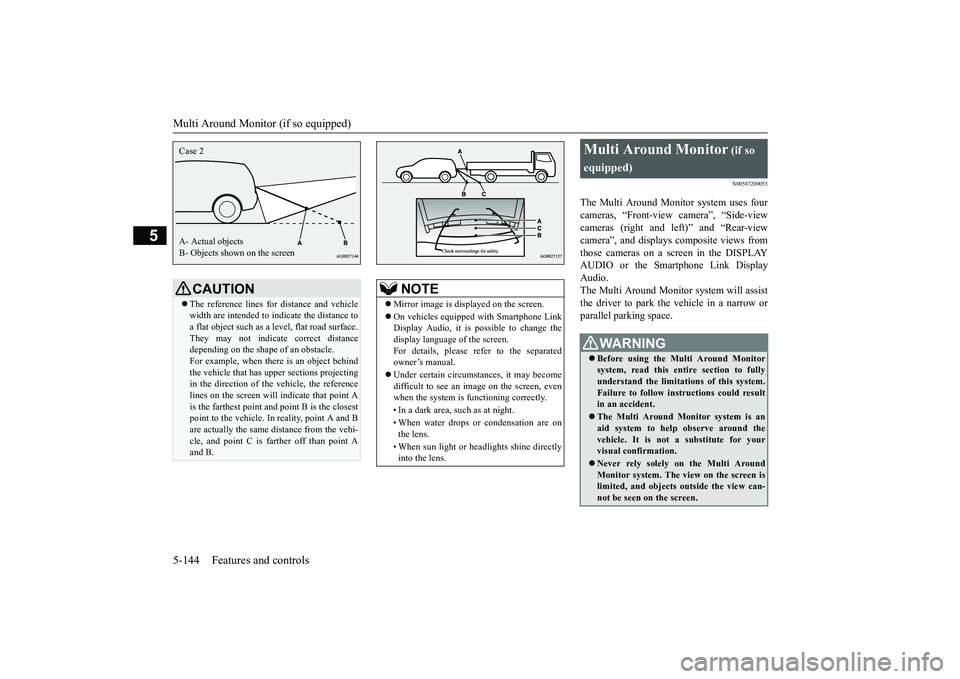
CAUTIONThe reference lines for
distance and vehicle
width are intended to i
ndicate the distance to
a flat object such as a level, flat road surface.They may not indicate correct distancedepending on the shape of an obstacle.For example, when there is an object behindthe vehicle that has u
pper sections projecting
in the direction of the
vehicle, the reference
lines on the screen will
indicate that point A
is the farthest point an
d point B is the closest
point to the vehicle. In
reality, point A and B
are actually the same distance from the vehi-cle, and point C is fa
rther off than point A
and B.Case 2A- Actual objectsB- Objects shown on the screen
NOTE
Mirror image is displayed on the screen.On vehicles equipped with Smartphone LinkDisplay Audio, it is possible to change thedisplay language of the screen.For details, please refer to the separatedowner’s manual.Under certain circumst
ances, it may become
difficult to see an image on the screen, evenwhen the system is functioning correctly. • In a dark area, such as at night. • When water drops or
condensation are on
the lens. • When sun light or he
adlights shine directly
into the lens.
Multi Around Monitor
(if so
equipped)Before using the Multi Around Monitorsystem, read this entire section to fullyunderstand the limitations of this system.Failure to follow instructions could resultin an accident.The Multi Around Monitor system is anaid system to help observe around thevehicle. It is not a substitute for yourvisual confirmation.Never rely solely on the Multi AroundMonitor system. The view on the screen islimited, and objects
outside the view can-
not be seen on the screen.
BK0249100US.book 144 ページ 2017年5月17日 水曜日 午後2時31分
Page 229 of 441
Multi Around Monitor (if so equipped)
5
N00587500045
The Multi Around Monitor can only be usedwhen the operation mode is put in ON.When you move the selector lever to the “R”(REVERSE) position, the bird’s eye-view/rear-view is displayed on the screen ofthe DISPLAY AUDIO or the SmartphoneLink Display Audio. When you move theselector lever to any
other position, the dis-
play disappears.
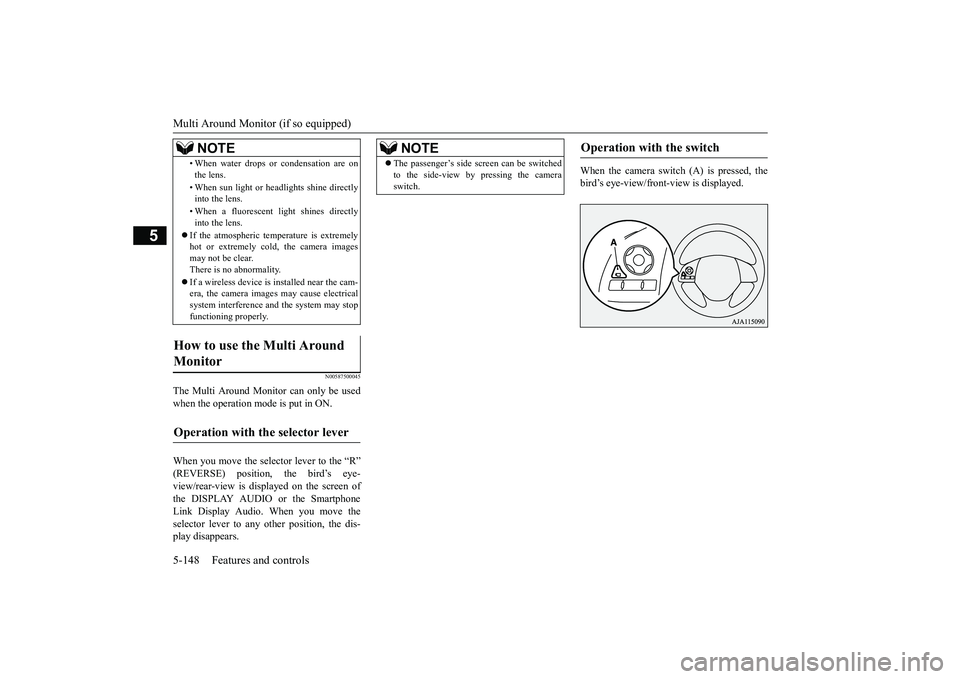
When the camera switch (A) is pressed, thebird’s eye-view/front-view is displayed.
• When water drops or condensation are onthe lens.• When sun light or he
adlights shine directly
into the lens.• When a fluorescent light shines directlyinto the lens.
If the atmospheric temperature is extremelyhot or extremely cold, the camera imagesmay not be clear.There is no abnormality.If a wireless device is installed near the cam-era, the camera images may cause electricalsystem interference and the system may stopfunctioning properly.
How to use the Multi Around Monitor
Operation with the selector lever
NOTE
NOTE
The passenger’s side sc
reen can be switched
to the side-view by pressing the cameraswitch.
Operation with the switch
SC00000500-3.fm 148 ページ 2017年5月22日 月曜日 午前10時46分