ECU MITSUBISHI OUTLANDER III 2018 Workshop Manual
[x] Cancel search | Manufacturer: MITSUBISHI, Model Year: 2018, Model line: OUTLANDER III, Model: MITSUBISHI OUTLANDER III 2018Pages: 441, PDF Size: 13.71 MB
Page 141 of 441
Outside rearview mirrors5-60 Features and controls
5
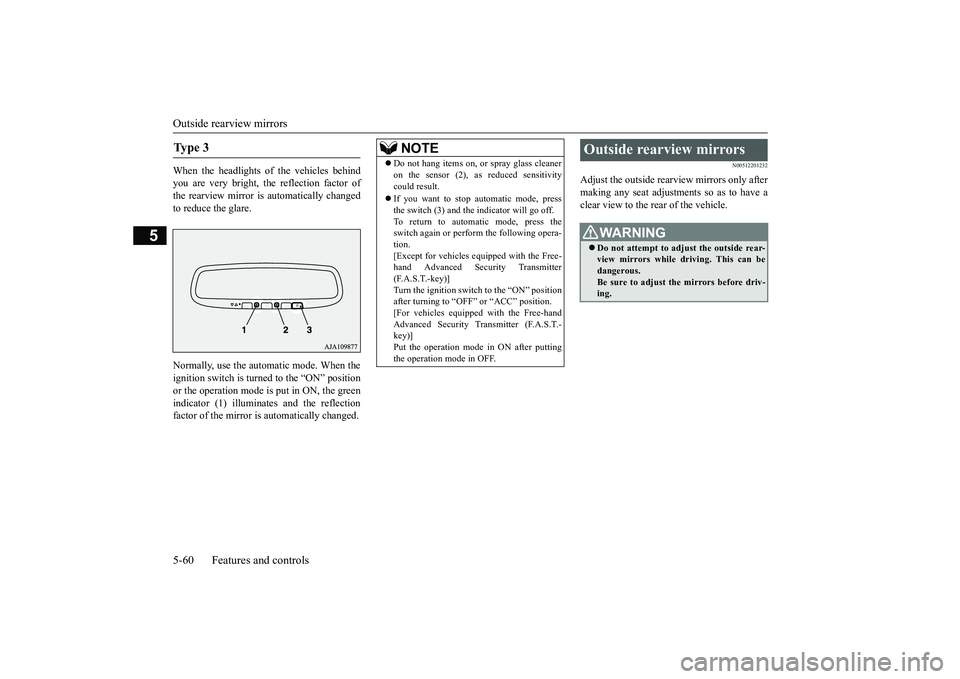
When the headlights of the vehicles behindyou are very bright, the reflection factor ofthe rearview mirror is automatically changedto reduce the glare.Normally, use the automatic mode. When theignition switch is turned to the “ON” positionor the operation mode is put in ON, the greenindicator (1) illuminates and the reflectionfactor of the mirror is automatically changed.
N00512201232
Adjust the outside rearview mirrors only aftermaking any seat adjustme
nts so as to have a
clear view to the rear of the vehicle.
Ty p e 3
NOTE
Do not hang items on,
or spray glass cleaner
on the sensor (2), as
reduced sensitivity
could result.If you want to stop automatic mode, pressthe switch (3) and the indicator will go off.To return to automatic mode, press theswitch again or perfor
m the following opera-
tion.[Except for vehicles e
quipped with the Free-
hand Advanced Secu
rity Transmitter
(F.A.S.T.-key)]Turn the ignition switch to the “ON” positionafter turning to “OFF” or “ACC” position.[For vehicles equipped with the Free-handAdvanced Security Transmitter (F.A.S.T.-key)]Put the operation mode
in ON after putting
the operation mode in OFF.
Outside rearview mirrors
WA R N I N GDo not attempt to adjust the outside rear-view mirrors while driving. This can bedangerous.Be sure to adjust the mirrors before driv-ing.
BK0249100US.book 60 ページ 2017年5月17日 水曜日 午後2時31分
Page 143 of 441
Outside rearview mirrors5-62 Features and controls
5
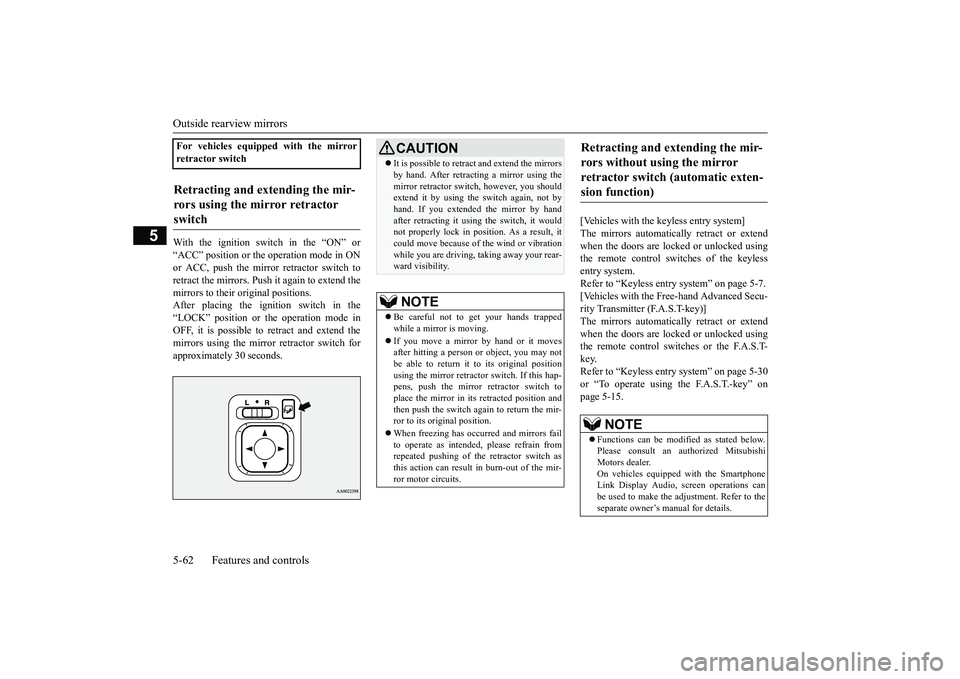
With the ignition switch in the “ON” or“ACC” position or the
operation mode in ON
or ACC, push the mirror retractor switch toretract the mirrors. Push it again to extend themirrors to their original positions.After placing the ignition switch in the“LOCK” position or the operation mode inOFF, it is possible to
retract and extend the
mirrors using the mirror retractor switch forapproximately 30 seconds.
[Vehicles with the keyless entry system]The mirrors automatically retract or extendwhen the doors are locked or unlocked usingthe remote control switches of the keylessentry system.Refer to “Keyless entry system” on page 5-7.[Vehicles with the Free-hand Advanced Secu-rity Transmitter (F.A.S.T-key)]The mirrors automatically retract or extendwhen the doors are locked or unlocked usingthe remote control switches or the F.A.S.T-key.Refer to “Keyless entry system” on page 5-30or “To operate using the F.A.S.T.-key” onpage 5-15.
For vehicles equipped with the mirrorretractor switchRetracting and extending the mir-rors using the mirror retractor switch
CAUTIONIt is possible to retract and extend the mirrorsby hand. After retracti
ng a mirror using the
mirror retractor switch, however, you shouldextend it by using the switch again, not byhand. If you extended the mirror by handafter retracting it using
the switch, it would
not properly lock in pos
ition. As a result, it
could move because of the wind or vibrationwhile you are driving, taking away your rear-ward visibility.NOTE
Be careful not to get your hands trappedwhile a mirror is moving.If you move a mirror by hand or it movesafter hitting a person or object, you may notbe able to return it to its original positionusing the mirror retractor switch. If this hap-pens, push the mirror retractor switch toplace the mirror in its
retracted position and
then push the switch again to return the mir-ror to its original position.When freezing has occurred and mirrors failto operate as intended,
please refrain from
repeated pushing of the retractor switch asthis action can result in burn-out of the mir-ror motor circuits.
Retracting and extending the mir-rors without using the mirror retractor switch (automatic exten-sion function)
NOTE
Functions can be modified as stated below.Please consult an authorized MitsubishiMotors dealer.On vehicles equippe
d with the Smartphone
Link Display Audio, sc
reen operations can
be used to make the adjustment. Refer to theseparate owner’s
manual for details.
BK0249100US.book 62 ページ 2017年5月10日 水曜日 午前8時49分
Page 144 of 441

Ignition switch (if so equipped)Features and controls 5-63
5
N00549301299
When the rear window defogger switch ispressed with the engine running, the outsiderearview mirrors are defogged or defrosted.Current will flow through the heater elementinside the mirrors, thus clearing away frost orcondensation.The indicator light (A) will illuminate whilethe defogger is on.The heater will be turned off automatically inapproximately 15 to 20 minutes depending onthe outside temperature.
N00512401742
[For vehicles equipped with the Free-handAdvanced Security Tr
ansmitter (F.A.S.T.-
key).]For information on operations for vehiclesequipped with the Free-hand Advanced Secu-rity Transmitter (F.A
.S.T.-key), refer to
“Free-hand Advanced
Security Transmitter
(F.A.S.T.-key):Engine switch” on page 5-18.[Except for vehicles equipped with theFree-hand Advanced Security Transmit-ter (F.A.S.T.-key).]
• Automatically extend when the ignitionswitch is turned to the “ON” position or theoperation mode is put in ON with thedriver’s door closed, and automaticallyretract when the ignition switch is turned tothe “LOCK” position or the operation modeis put in OFF with the driver’s door opened.• Automatically extend when the vehiclespeed reaches approximately 19 mph (30km/h).• Deactivate the automatic extension func-tion.
The outside rearvi
ew mirrors can be
retracted or extended
by the following opera-
tions, even if changing to the any of above.After pressing the LOCK
button on the key
to lock the doors and liftgate, if the LOCKbutton is pressed again twice in a row withinapproximately 30 seconds
, the outside rear-
view mirrors will retract.After pressing the
UNLOCK button on the
key to unlock the doors and liftgate, if theUNLOCK button is pressed again twice in arow within approximately 30 seconds, theoutside rearview mirro
rs will extend again.
NOTE
Heated outside rearview mirror
(if so equipped)
NOTE
The heated outside re
arview mirror can be
turned on automatically.For further informati
on, please contact your
authorized Mitsubish
i Motors dealer.
On vehicles equipped with the SmartphoneLink Display Audio, sc
reen operations can
be used to make the adjustment.Refer to the separate owner’s manual fordetails.
Ignition switch
(if so equipped)
BK0249100US.book 63 ページ 2017年5月10日 水曜日 午前8時49分
Page 146 of 441
Steering wheel lock (if so equipped)
Features and controls 5-65
5
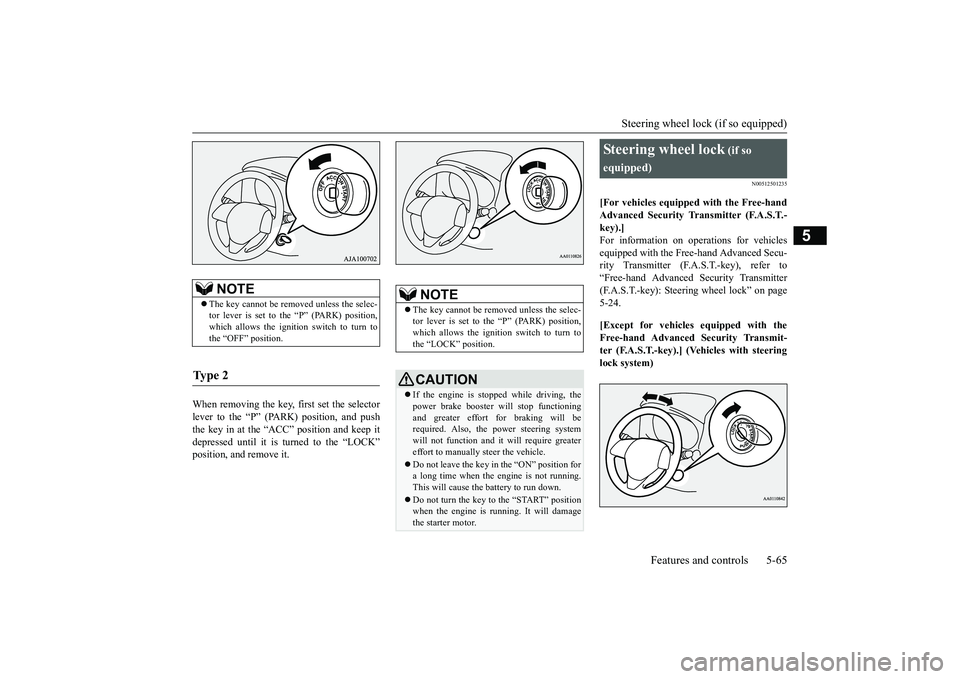
When removing the key, first set the selectorlever to the “P” (PARK) position, and pushthe key in at the “ACC” position and keep itdepressed until it is turned to the “LOCK”position, and remove it.
N00512501235
[For vehicles equipped with the Free-handAdvanced Security Tr
ansmitter (F.A.S.T.-
key).]For information on operations for vehiclesequipped with the Free-hand Advanced Secu-rity Transmitter (F.A
.S.T.-key), refer to
“Free-hand Advanced
Security Transmitter
(F.A.S.T.-key): Steering wheel lock” on page5-24.[Except for vehicles equipped with theFree-hand Advanced Security Transmit-ter (F.A.S.T.-key).] (Vehicles with steeringlock system)
NOTE
The key cannot be rem
oved unless the selec-
tor lever is set to the “P” (PARK) position,which allows the ignition switch to turn tothe “OFF” position.
Ty p e 2
NOTE
The key cannot be rem
oved unless the selec-
tor lever is set to the “P” (PARK) position,which allows the ignition switch to turn tothe “LOCK” position.CAUTIONIf the engine is stoppe
d while driving, the
power brake booster will stop functioningand greater effort for braking will berequired. Also, the power steering systemwill not function and it
will require greater
effort to manually steer the vehicle.Do not leave the key in
the “ON” position for
a long time when the engine is not running.This will cause the battery to run down.Do not turn the key to the “START” positionwhen the engine is ru
nning. It will damage
the starter motor.
Steering wheel lock
(if so
equipped)
BK0249100US.book 65 ページ 2017年5月10日 水曜日 午前8時49分
Page 147 of 441
Starting the engine5-66 Features and controls
5
Remove the key at
the “LOCK” position.
Turn the steering wheel until it is locked.Turn the key to the “ACC” position whilemoving the steering
wheel slightly.
N00512601858
[For vehicles equipped with the Free-handAdvanced Security Transmitter (F.A.S.T.-key).]For information on operation for vehiclesequipped with the Free-hand Advanced Secu-rity Transmitter (F.A.S.T.-key), refer to
“Free-hand Advanced
Security Transmitter
(F.A.S.T.-key): Starting” on page 5-13.[Except for vehicles equipped with theFree-hand Advanced Se
curity Transmit-
ter (F.A.S.T.-key).]Do not operate the starter motor continu-ously for longer than 15 seconds as thiscould run the battery
down or damage the
starter motor. If the engine does not start,turn the ignition switch back to the “OFF”or “LOCK” position, wait a few seconds,and then try again. Trying repeatedly withthe engine or starter motor still turningwill damage the starter mechanism.If the engine will not
start because the bat-
tery is weak or discharged, refer to“Jump-starting the engine” (on page 8-2)for instructions.A longer warm up period will only con-sume extra fuel. The engine is warmed upenough for driving when the bar graph ofengine coolant temper
ature display starts
to move or the low coolant temperatureindicator goes out. Refer to “Engine cool-ant temperature display” on page 5-161 or“Low coolant temper
ature indicator” on
page 5-202.
This model is equipped with an electronicallycontrolled fuel injection system. This is a sys-tem that automatically controls fuel injection.There is usually no need to depress the accel-erator pedal when starting the engine.The starter should not be run for more than 15seconds at a time.To prevent battery drain, wait a few secondsbetween attempts to restart the engine.1. Make sure all occupants are properlyseated with seat belts fastened.
To l o c k
To u n l o c k
CAUTIONRemove the key when leaving the vehicle.NOTE
If the front wheels are turned, the anti-theftlock may sometimes make it difficult to turnthe key from “LOCK” to “ACC”. Firmlyturn the steering wheel to the left or to theright as you turn the key.
Starting the engine
Tips for starting
WA R N I N GNever run the engine in
a closed or poorly
ventilated area any longer than is neededto move your vehicle
out of the area. Car-
bon monoxide gas, wh
ich is odorless and
extremely poisonous, could build up andcause serious injury or death.CAUTIONDo not push-start the vehicle.Do not run the engine at high rpms or driveat high speeds until
the engine has had a
chance to warm up.Release the ignition sw
itch as soon as the
engine starts. Otherwis
e, the starter motor
will be damaged
Starting the engine
BK0249100US.book 66 ページ 2017年5月10日 水曜日 午前8時49分
Page 154 of 441
Automatic transaxle (if so equipped)
Features and controls 5-73
5
N00538801180
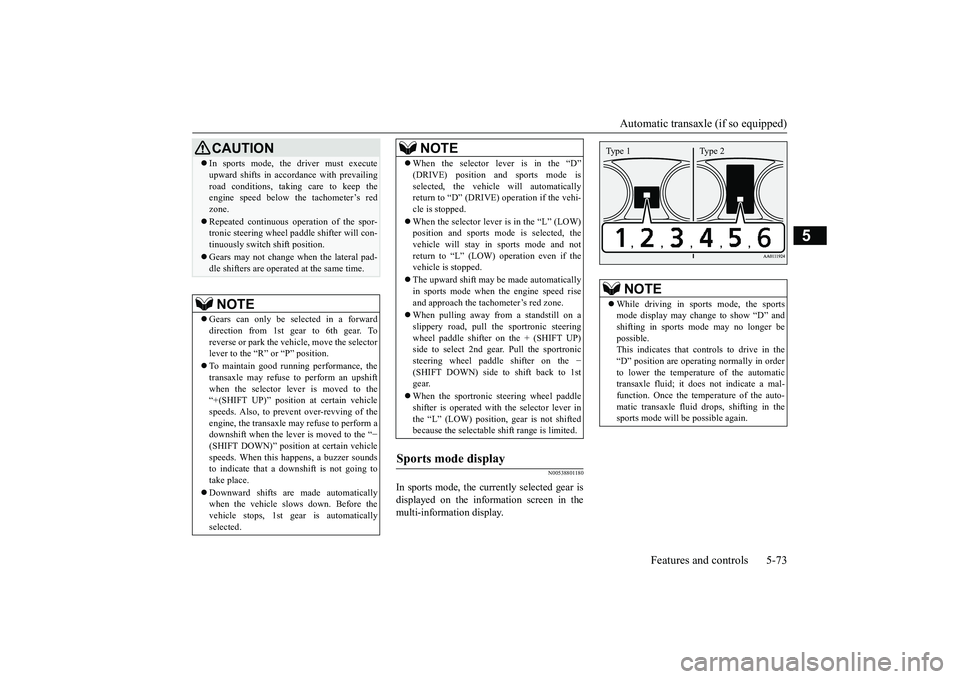
In sports mode, the currently selected gear isdisplayed on the information screen in themulti-information display.
CAUTIONIn sports mode, the driver must executeupward shifts in accordance with prevailingroad conditions, taking care to keep theengine speed below the tachometer’s redzone.Repeated continuous ope
ration of the spor-
tronic steering wheel pa
ddle shifter will con-
tinuously switch shift position.Gears may not change when the lateral pad-dle shifters are operate
d at the same time.
NOTE
Gears can only be selected in a forwarddirection from 1st gear to 6th gear. Toreverse or park the vehi
cle, move the selector
lever to the “R” or “P” position.To maintain good running performance, thetransaxle may refuse to perform an upshiftwhen the selector lever is moved to the“+(SHIFT UP)” positi
on at certain vehicle
speeds. Also, to prevent over-revving of theengine, the transaxle may refuse to perform adownshift when the lever is moved to the “
−
(SHIFT DOWN)” positi
on at certain vehicle
speeds. When this happens, a buzzer soundsto indicate that a dow
nshift is not going to
take place.Downward shifts are made automaticallywhen the vehicle slow
s down. Before the
vehicle stops, 1st gear
is automatically
selected.
When the selector lever is in the “D”selected, the vehicle will automaticallyreturn to “D” (DRIVE)
operation if the vehi-
cle is stopped.When the selector lever is in the
Page 161 of 441
Continuously variable transmission (CVT) (if so equipped)5-80 Features and controls
5
This position is for driving up very steep hillsand for engine braking at low speeds whendriving down steep hills.
N00560701094
While the vehicle is stopped or being drivenwith the selector lever in the “D” (DRIVE),sports mode can be se
lected by pulling one of
the sportronic steering wheel paddle shiftertowards you.In sports mode, rapid
shifting is possible sim-
ply by operating the sportronic steering wheelpaddle shifter.
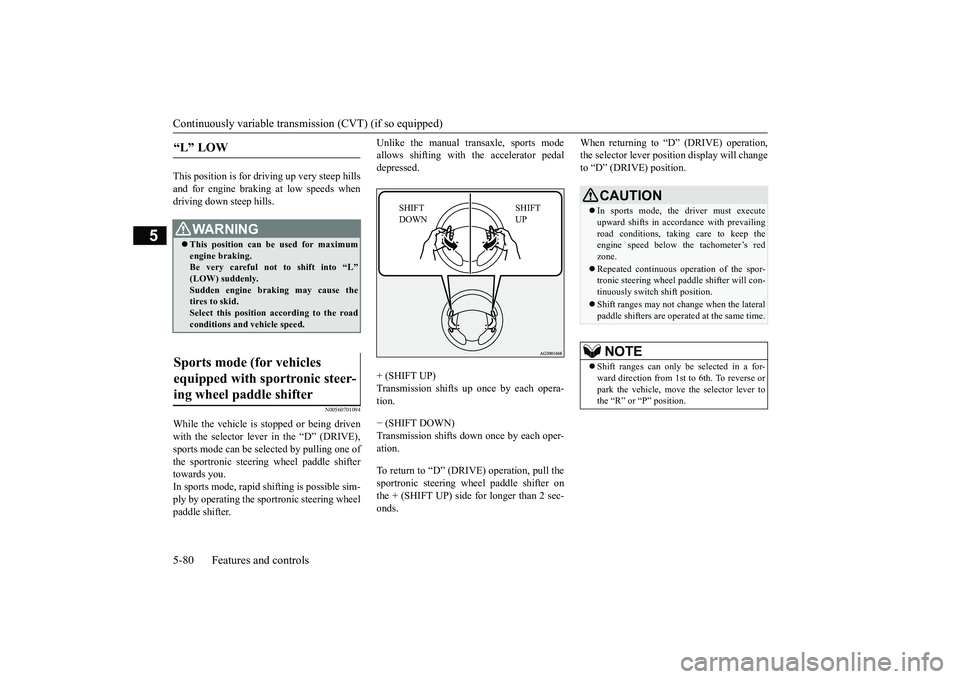
Unlike the manual transaxle, sports modeallows shifting with the accelerator pedaldepressed.+ (SHIFT UP)
up once by each opera-
tion.− (SHIFT DOWN)Transmission shifts down once by each oper-ation.To return to “D” (DRIVE) operation, pull thesportronic steering wheel paddle shifter onthe + (SHIFT UP) side for longer than 2 sec-onds.
When returning to “D” (DRIVE) operation,the selector lever posit
ion display will change
to “D” (DRIVE) position.
“L” LOW
WA R N I N GThis position can be used for maximumengine braking.Be very careful not to shift into “L”Sudden engine brak
ing may cause the
tires to skid.Select this position according to the roadconditions and vehicle speed.
Sports mode (for vehicles equipped with sportronic steer-ing wheel paddle shifter
SHIFT UP
SHIFT DOWN
CAUTIONIn sports mode, the driver must executeupward shifts in accordance with prevailingroad conditions, taking care to keep theengine speed below the tachometer’s redzone.Repeated continuous ope
ration of the spor-
tronic steering wheel pa
ddle shifter will con-
tinuously switch shift position.Shift ranges may not change when the lateralpaddle shifters are opera
ted at the same time.
NOTE
Shift ranges can only be
selected in a for-
ward direction from 1st to 6th. To reverse orpark the vehicle, move
the selector lever to
the “R” or “P” position.
BK0249100US.book 80 ページ 2017年5月10日 水曜日 午前8時49分
Page 173 of 441
Service brake5-92 Features and controls
5
N00517500275
Overuse of the brake can cause weakening,resulting in poor brake response and prema-ture wear of the brake pads.When driving down a long or steep hill, useengine braking
by downshifting.
N00517600364
Your vehicle is equipped with power brakesfor more braking force with less brake pedaleffort.Your brakes are designed to operate at fullcapacity, even if the power assist is not beingused.If the power assist is not being used, the effortneeded to press the brake pedal is greater.If you should lose the power assist for somereason, the brakes will still work.If the power brake unit or either of the twobrake hydraulic systems stops working prop-erly, the rest of the brake system will stillwork, but the vehicle will not slow down asquickly.You will know this has happened if you findyou need to press the brake down farther, orharder when slowing down or stopping, or ifthe brake warning light and the warning dis-play in the multi-information display comeon.
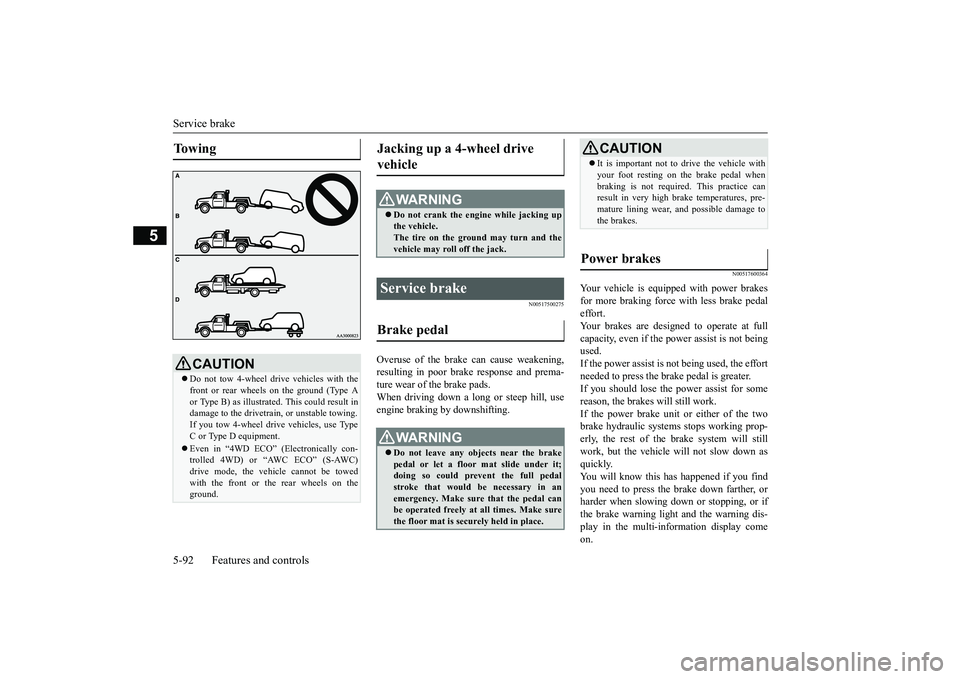
To w i n g
CAUTIONDo not tow 4-wheel drive vehicles with thefront or rear wheels on the ground (Type Aor Type B) as illustrate
d. This could result in
damage to the drivetrain, or unstable towing.If you tow 4-wheel drive vehicles, use TypeC or Type D equipment.Even in “4WD ECO” (Electronically con-trolled 4WD) or “AWC ECO” (S-AWC)drive mode, the vehicle cannot be towedwith the front or the rear wheels on theground.
Jacking up a 4-wheel drive vehicle
WA R N I N GDo not crank the engine while jacking upthe vehicle.The tire on the ground may turn and thevehicle may roll off the jack.
Service brake Brake pedal
WA R N I N GDo not leave any objects near the brakepedal or let a floor mat slide under it;doing so could prevent the full pedalstroke that would be necessary in anemergency. Make sure that the pedal canbe operated freely at all times. Make surethe floor mat is securely held in place.
CAUTIONIt is important not to drive the vehicle withyour foot resting on the brake pedal whenbraking is not required.
This practice can
result in very high brake temperatures, pre-mature lining wear, a
nd possible damage to
the brakes.
Power brakes
BK0249100US.book 92 ページ 2017年5月10日 水曜日 午前8時49分
Page 223 of 441
Rear-view camera (if so equipped)5-142 Features and controls
5
2. Hold down the multi information displayswitch for 10 seconds or more. (A beep isheard.)(Although the reset execution starts atholding down the switch for 3 seconds,keep holding down the switch continu-ously.)3. The valid tire ID set is changed, and thenumber of the tire
pressure monitoring
system (TPMS) SET i
ndicator is changed.
N00533001233
Your tire pressure monitoring system oper-ates on a radio frequency subject to FederalCommunications Comm
ission (FCC) Rules
(For vehicles sold in U.S.A.) and IndustryCanada Rules (For vehicles sold in Canada).This device complies with part 15 of FCCRules and Industry Ca
nada licence-exempt
RSS standard(s).Operation is subject to the following two con-ditions.This device may not
cause harmful inter-
ference.This device must ac
cept any interference
received, including interference that maycause undesired operation.
N00546201301
When the selector lever is in the “R”in the “ON” position,
or the operation mode
is put in ON, the rear-view image will be dis-played on the screen of the DISPLAYAUDIO or the Smartphone Link DisplayAudio.When the selector lever is shifted out of the“R” (REVERSE) position, the rear-viewimage will go off.
NOTE
Each time this procedure is done, the tire IDset is changed. (1 - 2 - 1 - 2 …)only 1 set of ID is registered.
General information
CAUTIONChanges or modifica
tions not expressly
approved by the manufacturer for compli-ance could void the user’s authority to oper-ate the equipment.
Rear-view camera
(if so
equipped)Never rely solely on the rear-view camerato clear the area behind your vehicle.Always check visua
lly behind and all
around your vehicle fo
r persons, animals,
obstructions or other vehicles. Failure todo so can result in
vehicle damage, serious
injury or death.The rear-view camera is an aid system forbacking up, but it is not a substitute foryour visual confirmation.The view on the scre
en is limited, and
objects outside the view, such as under thebumper or around either corner of thebumper end, cannot be seen on the screen.
BK0249100US.book 142 ページ 2017年5月10日 水曜日 午前8時49分
Page 224 of 441
Rear-view camera (if so equipped)
Features and controls 5-143
5
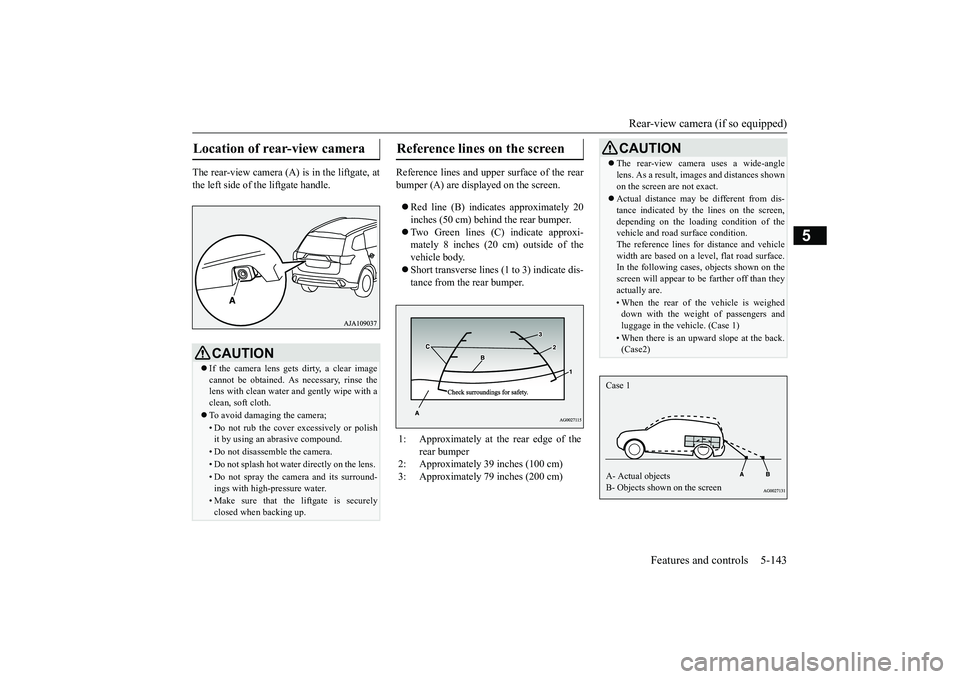
The rear-view camera (A) is in the liftgate, atthe left side of
the liftgate handle.
Reference lines and uppe
r surface of the rear
bumper (A) are displayed on the screen. Red line (B) indicates approximately 20inches (50 cm) behind the rear bumper.Two Green lines (C) indicate approxi-mately 8 inches (20 cm) outside of thevehicle body.Short transverse lines (1
to 3) indicate dis-
tance from the rear bumper.
Location of rear-view camera
CAUTIONIf the camera lens gets
dirty, a clear image
cannot be obtained. As
necessary, rinse the
lens with clean water a
nd gently wipe with a
clean, soft cloth.To avoid damaging the camera;• Do not rub the cover excessively or polishit by using an abrasive compound. • Do not disassemble the camera.• Do not splash hot wate
r directly on the lens.
• Do not spray the camera and its surround-ings with high-
pressure water.
• Make sure that the liftgate is securelyclosed when backing up.
Reference lines on the screen
1: Approximately at the rear edge of the
rear bumper
2: Approximately 39 inches (100 cm) 3: Approximately 79 inches (200 cm)
CAUTIONThe rear-view camera uses a wide-anglelens. As a result, images and distances shownon the screen are not exact.Actual distance may be different from dis-tance indicated by the
lines on the screen,
depending on the loadi
ng condition of the
vehicle and road surface condition.The reference lines for distance and vehiclewidth are based on a level, flat road surface.In the following cases, objects shown on thescreen will appear to
be farther off than they
actually are.• When the rear of th
e vehicle is weighed
down with the weight of passengers andluggage in the vehicle. (Case 1)• When there is an upward slope at the back.(Case2)
Case 1A- Actual objectsB- Objects shown on the screen
BK0249100US.book 143 ページ 2017年5月10日 水曜日 午前8時49分