ECU MITSUBISHI OUTLANDER III 2018 Repair Manual
[x] Cancel search | Manufacturer: MITSUBISHI, Model Year: 2018, Model line: OUTLANDER III, Model: MITSUBISHI OUTLANDER III 2018Pages: 441, PDF Size: 13.71 MB
Page 226 of 441

Multi Around Monitor (if so equipped)
Features and controls 5-145
5
CAUTIONBefore using the Multi Around Monitor,make sure that all doors and the liftgate areclosed and the outside
mirrors are unfolded.
If an outside mirror is folded and/or if a frontdoor and/or the liftgate
is open, the areas dis-
played on the Multi Around Monitor will notbe appropriate.
Location of each camera
A- Rear-view cameraB- Front-view cameraC- Side-view cameraCAUTIONIf the camera lens gets
dirty, a clear image
cannot be obtained. As
necessary, rinse the
lens with clean water a
nd gently wipe with a
clean, soft cloth.
To avoid damaging the camera;• Do not rub the cover excessively or polishit by using an abrasive compound.• Do not disassemble the camera.• Do not splash hot wate
r directly on the lens.
• Do not spray the camera and its surround-ings with high-pressure water.• Make sure that the liftgate is securelyclosed when backing up.
Do not attach anythi
ng on the camera and/or
surrounding areas. Doing
so will disturb the
camera.CAUTION
BK0249100US.book 145 ページ 2017年5月10日 水曜日 午前8時49分
Page 265 of 441
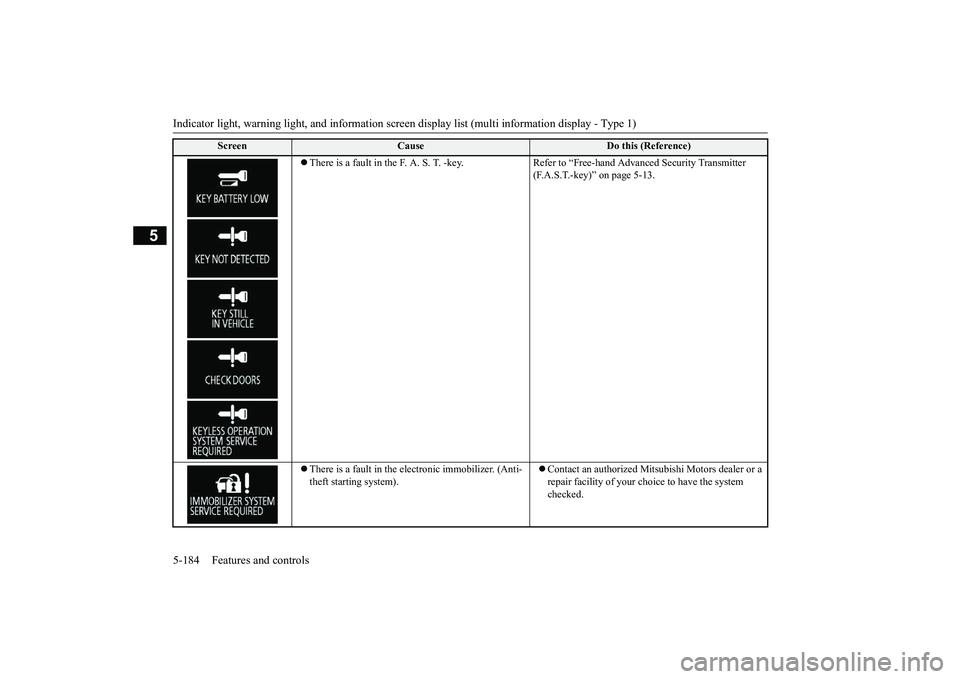
Indicator light, warning light, and information screen display list (multi information display - Type 1)
5
There is a fault in the F. A. S. T. -key. Refer to “Free-hand Advanced Security Transmitter
(F.A.S.T.-key)” on page 5-13.
There is a fault in the electronic immobilizer. (Anti-theft starting system).
Contact an authorized Mits
ubishi Motors dealer or a
repair facility of your c
hoice to have the system
checked.
Screen
Cause
Do this (Reference)
BK0249100US.book 184 ページ 2017年5月10日 水曜日 午前8時49分
Page 312 of 441
HomeLink® Wireless Control System (if so equipped)
Features and controls 5-231
5
N00554301040
HomeLink
® Wireless Control System is a
registered trademark of Gentex Corporation.HomeLink
® provides a convenient way to
replace up to 3 hand-held radio-frequency(RF) transmitters used
to activate devices
such as gate operators, garage door openers,entry door locks, securi
ty systems, even home
lighting. Addi
tional HomeLink
® information
can be found at www.homelink.com,www.youtube.com/HomeL
inkGentex, or by
calling the toll-free HomeLink
®-Hotline at 1-
800-355-3515.
N00584600029
Some garage door openers manufacturedafter 1995 have “rollin
g code protection”.
To program a garage door openerequipped with “rolli
ng code protection”;
you will need to access the garage dooropener motor to press the motor’s “Learn”a ladder and another person to assist you.It is recommended that a new battery beplaced in the hand-held transmitter of thedevice being programmed to HomeLink
®
for quicker training and accurate trans-mission of the radio-frequency signal.
HomeLink
® Wireless Con-
trol System
(if so equipped)
Do not use HomeLink
® with any garage
door opener that lacks safety stop andreverse features as re
quired by U.S. Fed-
eral Regulations.
A garage door opener
which cannot detect an object in the pathof a closing garage d
oor and then auto-
matically stop and reverse, does not meetcurrent U.S. Federal Regulations. Using agarage door opener wi
thout these features
increases the risk of serious injury ordeath.
During programming, your garage dooror gate may open or cl
ose. Make sure that
people and ob
jects are clear of the garage
door or gate that you are programming.NOTE
Once HomeLink
® is programmed, retain the
original transmitter for future programmingprocedures (for exam
ple, new vehicle pur-
chases). Upon sale of the vehicle, the pro-grammed HomeLink
® buttons should be
erased for security purposes. Refer to“Cleaning the programmed information” onpage 5-235.You can program a maximum of 3 devices.To change or replace any of the 3 devicesafter it has been in
itially programmed, you
must first erase the current settings.See “Cleaning the programmed information”on page 5-235 or “Reprogramming a singleHomeLink
® button” on page 5-235.
WA R N I N G
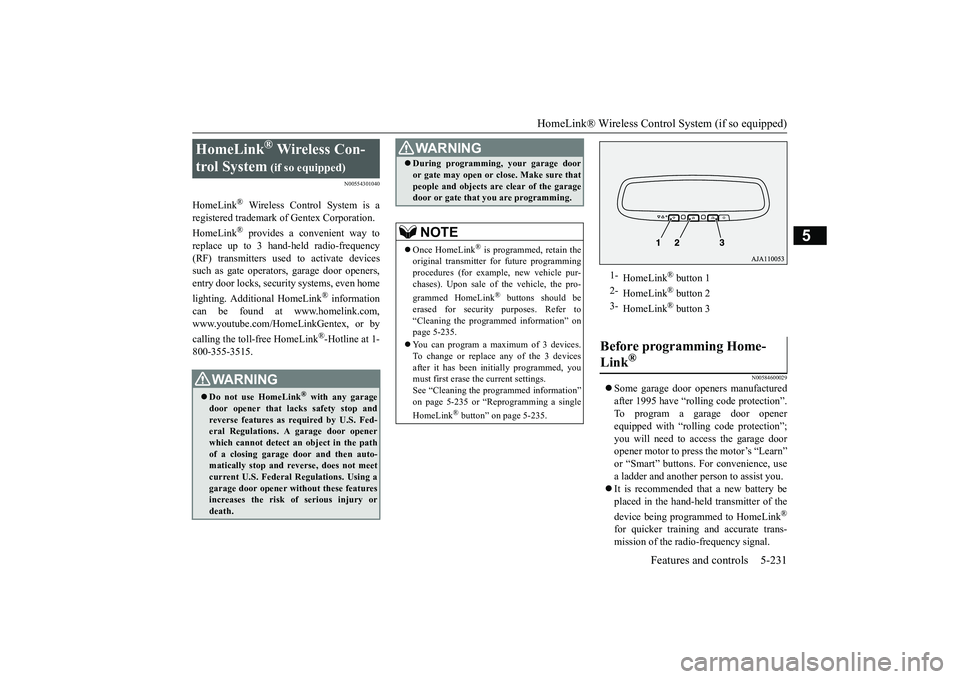
1-
HomeLink
® button 1
2-
HomeLink
® button 2
3-
HomeLink
® button 3
Before programming Home-Link
®
BK0249100US.book 231 ページ 2017年5月10日 水曜日 午前8時49分
Page 315 of 441
HomeLink® Wireless Control System (if so equipped)5-234 Features and controls
5
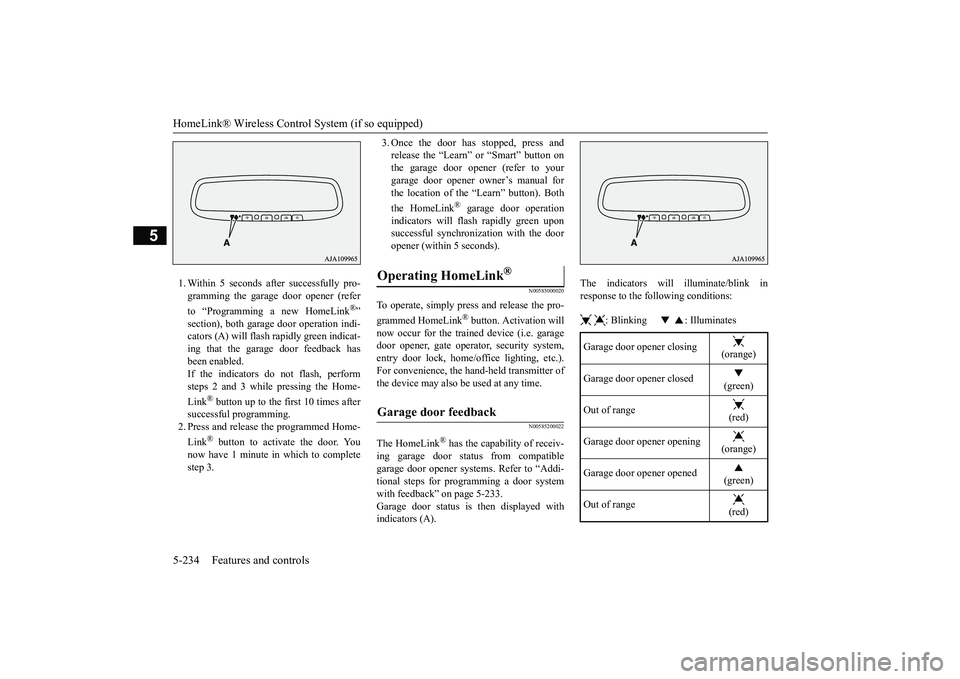
1. Within 5 seconds after successfully pro-gramming the garage door opener (referto “Programming a new HomeLink
®”
section), both garage
door operation indi-
cators (A) will flash
rapidly green indicat-
ing that the garage door feedback hasbeen enabled.If the indicators do not flash, performsteps 2 and 3 while pressing the Home-Link
® button up to the first 10 times after
successful programming.2. Press and release
the programmed Home-
Link
® button to activate the door. You
now have 1 minute in which to completestep 3.
3. Once the door has stopped, press andrelease the “Learn” or “Smart” button onthe garage door opener (refer to yourgarage door opener owner’s manual forthe location of the “Learn” button). Boththe HomeLink
® garage door operation
indicators will fl
ash rapidly green upon
successful synchronization with the dooropener (within 5 seconds).
N00585000020
To operate, simply press and release the pro-grammed HomeLink
® button. Activation will
now occur for the trained device (i.e. garagedoor opener, gate opera
tor, security system,
entry door lock, home/office lighting, etc.).For convenience, the ha
nd-held transmitter of
the device may also be
used at any time.
N00585200022
The HomeLink
® has the capability of receiv-
ing garage door status from compatiblegarage door opener systems. Refer to “Addi-tional steps for programming a door systemwith feedback” on page 5-233.Garage door status is
then displayed with
indicators (A).
The indicators will illuminate/blink inresponse to the following conditions: : Blinking : Illuminates
Operating HomeLink
®
Garage door feedback
Garage door opener closing
(orange)
Garage door opener closed
(green)
Out of range
(red)
Garage door opener opening
(orange)
Garage door opener opened
(green)
Out of range
(red)
BK0249100US.book 234 ページ 2017年5月10日 水曜日 午前8時49分
Page 323 of 441
Cup holders5-242 Features and controls
5
N00502601086
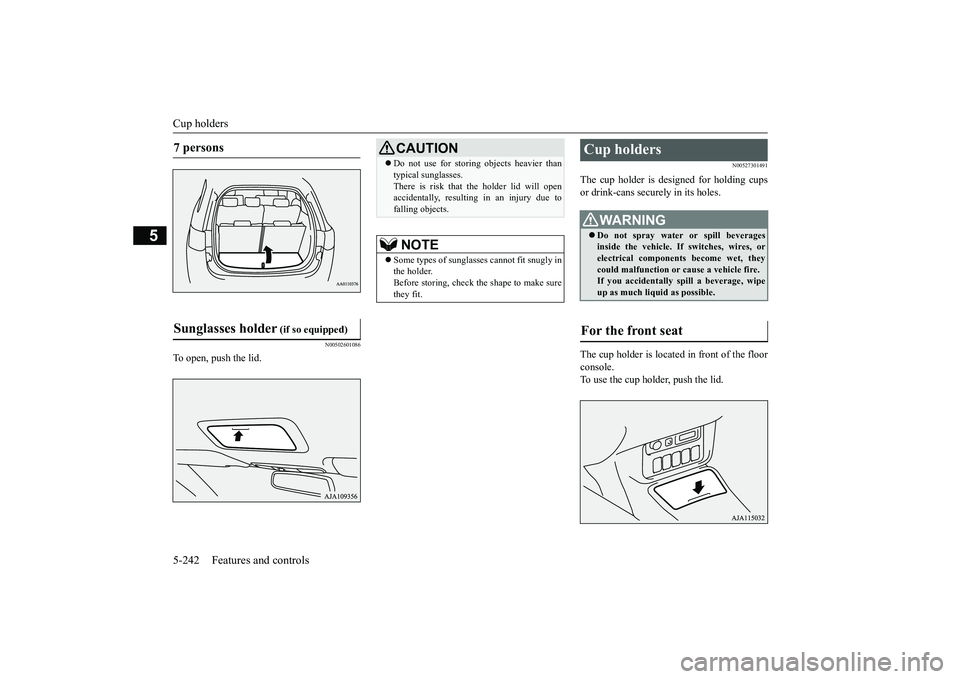
To open, push the lid.
N00527301491
The cup holder is de
signed for holding cups
or drink-cans secu
rely in its holes.
The cup holder is located in front of the floorconsole.To use the cup holder, push the lid.
7 persons Sunglasses holder
(if so equipped)
CAUTIONDo not use for storing objects heavier thantypical sunglasses.There is risk that the holder lid will openaccidentally, resulting in an injury due tofalling objects.NOTE
Some types of sungla
sses cannot fit snugly in
the holder.Before storing, check the shape to make surethey fit.
Cup holders
WA R N I N GDo not spray water
or spill beverages
inside the vehicle. If switches, wires, orelectrical components become wet, theycould malfunction or cause a vehicle fire.If you accidentally
spill a beverage, wipe
up as much liquid as possible.
For the front seat
BK0249100US.book 242 ページ 2017年5月10日 水曜日 午前8時49分
Page 326 of 441
Cargo area cover (if so equipped)
Features and controls 5-245
5
2. After changing the position, gently shakethe entire cargo area cover to make sure itis securely retained.
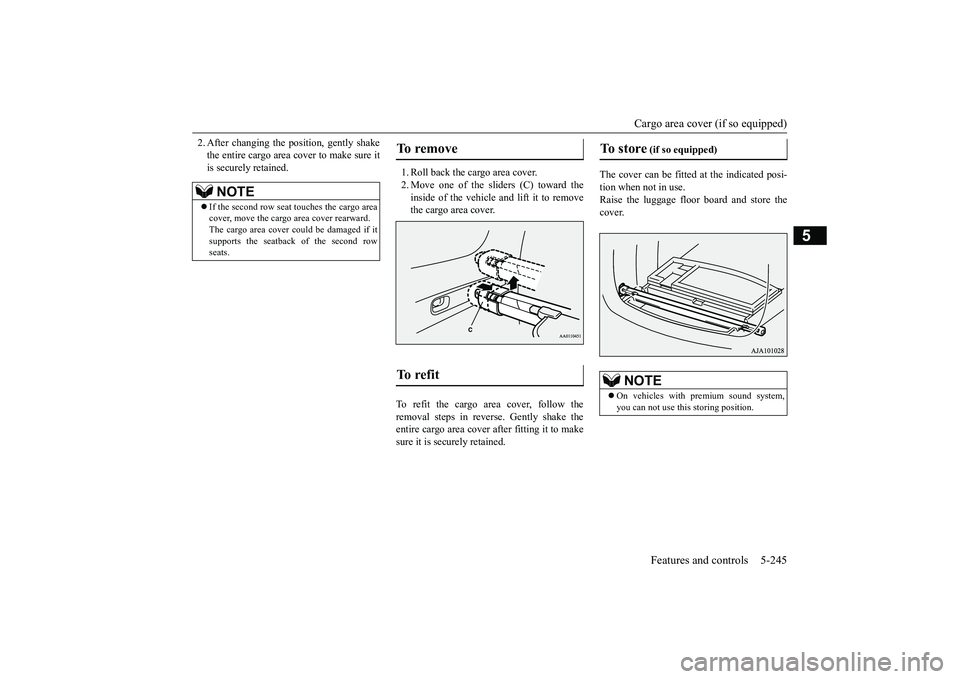
1. Roll back the cargo area cover.2. Move one of the sliders (C) toward theinside of the vehicle
and lift it to remove
the cargo area cover.
To refit the cargo area cover, follow theremoval steps in reverse. Gently shake theentire cargo area cover after fitting it to makesure it is securely retained.
The cover can be fitted at the indicated posi-tion when not in use.Raise the luggage floor
board and store the
cover.
NOTE
If the second row seat touches the cargo areacover, move the cargo area cover rearward.The cargo area cover c
ould be damaged if it
supports the seatback of the second rowseats.
To remove To r e f i t
To store
(if so equipped)
NOTE
On vehicles with premium sound system,you can not use this storing position.
BK0249100US.book 245 ページ 2017年5月10日 水曜日 午前8時49分
Page 327 of 441
Assist grips5-246 Features and controls
5
N00559001084
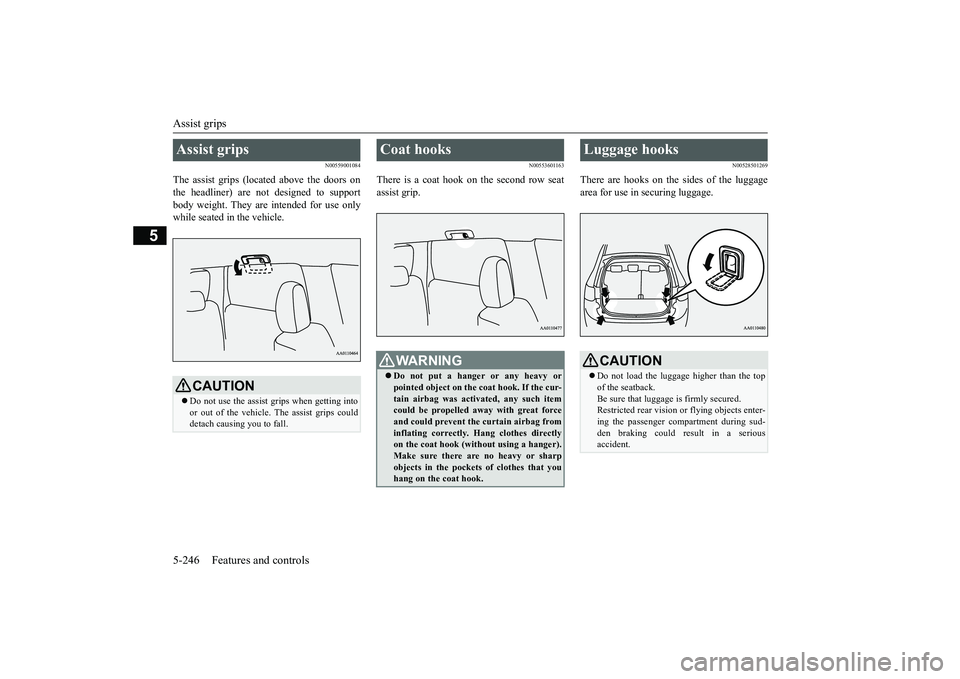
The assist grips (located above the doors onthe headliner) are not designed to supportbody weight. They are intended for use onlywhile seated in the vehicle.
N00553601163
There is a coat hook on the second row seatassist grip.
N00528501269
There are hooks on the sides of the luggagearea for use in securing luggage.
Assist grips
CAUTIONDo not use the assist grips when getting intoor out of the vehicle.
The assist grips could
detach causing you to fall.
Coat hooks
WA R N I N GDo not put a hanger or any heavy orpointed object on the
coat hook. If the cur-
tain airbag was activated, any such itemcould be propelled away with great forceand could prevent the curtain airbag frominflating correctly.
Hang clothes directly
on the coat hook (without using a hanger).Make sure there ar
e no heavy or sharp
objects in the pocket
s of clothes that you
hang on the coat hook.
Luggage hooks
CAUTIONDo not load the luggage higher than the topof the seatback.Be sure that luggage
is firmly secured.
Restricted rear vision or
flying objects enter-
ing the passenger compartment during sud-den braking could result in a seriousaccident.
BK0249100US.book 246 ページ 2017年5月10日 水曜日 午前8時49分
Page 332 of 441
Floor mat
Driving safety 6-3
6
Similarly, prescription and nonprescriptiondrugs affect your alertness, perception andreaction time. Consu
lt with your doctor or
pharmacist before driving while under theinfluence of any of these medications.
N00628600033
The original equipment floor mat providedwith your vehicle was
specifically designed
for your vehicle.Always properly positio
n the floor mat and
assure it does not inte
rfere with operation of
the pedals. Always use the retaining clip onthe driver’s floorboard to secure the floormat. When used, this clip will help preventthe floor mat from moving forward and possi-bly interfering with the operation of the ped-als. To prevent the floor mat from movingforward and possibly interfering with theoperation of the pedals, Mitsubishi genuinefloor mats are recommended.
N00628700050
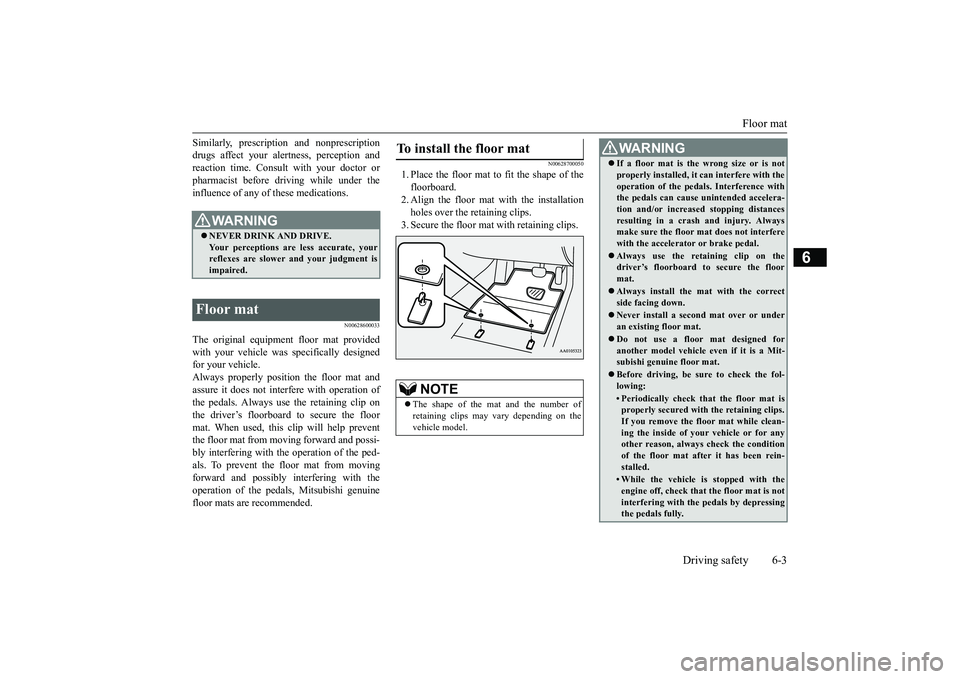
1. Place the floor mat to fit the shape of thefloorboard.2. Align the floor mat with the installationholes over the retaining clips.3. Secure the floor mat with retaining clips.
WA R N I N GNEVER DRINK AND DRIVE.Your perceptions are
less accurate, your
reflexes are slower and your judgment isimpaired.
Floor mat
To install the floor mat
NOTE
The shape of the mat and the number ofretaining clips may vary depending on thevehicle model.
WA R N I N GIf a floor mat is the wrong size or is notproperly installed, it can interfere with theoperation of the pedals. Interference withthe pedals can cause unintended accelera-tion and/or increase
d stopping distances
resulting in a cras
h and injury. Always
make sure the floor mat does not interferewith the accelerator or brake pedal.Always use the retaining clip on thedriver’s floorboard to secure the floormat.Always install the mat with the correctside facing down.Never install a second mat over or underan existing floor mat.Do not use a floor mat designed foranother model vehicle ev
en if it is a Mit-
subishi genuine floor mat.Before driving, be sure to check the fol-lowing:• Periodically check that the floor mat isproperly secured with the retaining clips.If you remove the fl
oor mat while clean-
ing the inside of you
r vehicle or for any
other reason, always
check the condition
of the floor mat afte
r it has been rein-
stalled.• While the vehicle is stopped with theengine off, check that
the floor mat is not
interfering with the pedals by depressingthe pedals fully.
BK0249100US.book 3 ページ 2017年5月10日 水曜日 午前8時49分
Page 340 of 441
Trailer towing
Driving safety 6-11
6
N00630601112
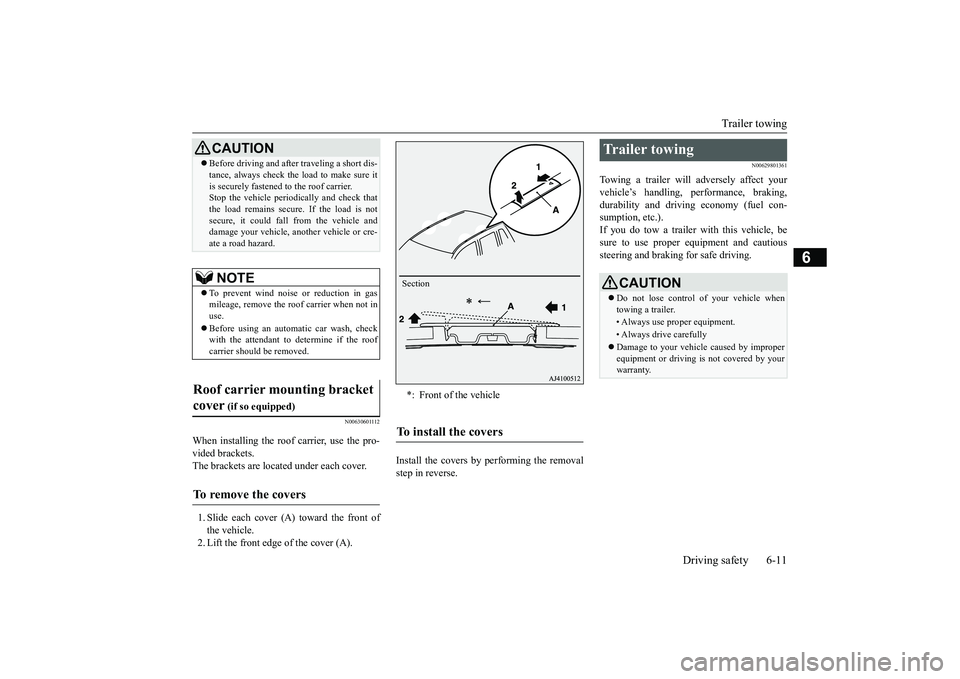
When installing the roof carrier, use the pro-vided brackets.The brackets are located under each cover.1. Slide each cover (A) toward the front ofthe vehicle.2. Lift the front edge of the cover (A).
Install the covers by performing the removalstep in reverse.
N00629801361
Towing a trailer will adversely affect yourvehicle’s handling, performance, braking,durability and driving economy (fuel con-sumption, etc.).If you do tow a trailer
with this vehicle, be
sure to use proper e
quipment and cautious
steering and braking for safe driving.
Before driving and after traveling a short dis-tance, always check the load to make sure itis securely fastened to the roof carrier.Stop the vehicle periodi
cally and check that
the load remains secure. If the load is notsecure, it could fall from the vehicle anddamage your vehicle,
another vehicle or cre-
ate a road hazard.NOTE
To prevent wind noise or reduction in gasmileage, remove the roof carrier when not inuse.Before using an automatic car wash, checkwith the attendant to determine if the roofcarrier should be removed.
Roof carrier mounting bracket cover
(if so equipped)
To remove the covers
CAUTION
*: Front of the vehicleTo install the covers
Section
Trailer towing
CAUTIONDo not lose control of your vehicle whentowing a trailer.• Always use proper equipment.• Always drive carefullyDamage to your vehicle caused by improperequipment or driving is not covered by yourwarranty.
BK0249100US.book 11 ページ 2017年5月10日 水曜日 午前8時49分
Page 342 of 441
Trailer towing
Driving safety 6-13
6
Tongue loads can be adjusted by proper dis-tribution of the load in the trailer. This can bechecked by separately
weighing the loaded
trailer and then the tongue.The GAWRs are printed on the certificationlabel which is riveted on the door sill on thedriver’s side.Refer to “Vehicle labeling” on page 11-2.Choose a proper hitch and ball, and makesure it is installed at a height that is compati-ble with the trailer.Use a good equalizing hitch which uniformlydistributes the trailer tongue load throughoutthe frame.
A safety chain must al
ways be used between
the towing vehicle and the trailer. Leave suf-ficient slack in the chain for turns. The chainshould cross under the trailer tongue to pre-vent the tongue from dropping to the groundin case it becomes damaged or separated.For correct safety chai
n procedures, consult
your authorized Mitsub
ishi Motors dealer.
Your vehicle will need service more oftenwhen you’re towing a trailer. Refer to “WAR-RANTY AND MAINTENANCE MAN-UAL”. Especially important in traileroperation are automatic transaxle fluid,engine oil, rear axle
oil, belt, c
ooling system
and brake system. Each
of these is covered in
this manual.For details, please refer to the “Vehicle careand maintenance” section.Check periodically to see that all hitch nutsand bolts are tight.Mitsubishi Motors recommends that anytrailer having a total we
ight of 1,250 lbs (567
kg) or more (2400 models), 1,400 lbs (635kg) or more (3000 mode
ls) be equipped with
its own electric or surge-type brakes.If you choose electric br
akes, be sure they are
electrically actuated. Do not attempt to tapinto your vehicle’s hydraulic system. No mat-ter how successful it
may seem, any attempt
to attach trailer brakes to your vehicle’shydraulic system will lower braking effec-tiveness and create a potential hazard.
Gross axle weight rating (GAWR) Trailer hitches
WA R N I N GIf you make any holes in the body of yourvehicle for installing
a trailer hitch, be
sure to seal the holes later when youremove the hitch. If
you don’t seal them,
deadly carbon monoxide (CO) from yourexhaust can enter your vehicle. Refer to“Exhaust system” on page 9-24.
NOTE
Mitsubishi Motors recommends that swaycontrol be used whenever you are towing, toimprove towing stability.For further informati
on, please contact your
authorized Mitsubishi Motors dealer.
Safety chains
CAUTIONNever tow a trailer wi
thout using a safety
chain securely attached to both the trailerand the vehicle. If the
coupling unit or hitch
ball experiences a probl
em, the trailer may
separate from
your vehicle.
Maintenance when trailer tow-ing Trailer brakes
BK0249100US.book 13 ページ 2017年5月10日 水曜日 午前8時49分