ESP MITSUBISHI OUTLANDER PHEV 2016 (in English) Owner's Guide
[x] Cancel search | Manufacturer: MITSUBISHI, Model Year: 2016, Model line: OUTLANDER PHEV, Model: MITSUBISHI OUTLANDER PHEV 2016Pages: 490, PDF Size: 22.02 MB
Page 181 of 490
lThe vehicle speed exceeds 8 km/h
(5 mph) with the parking brake applied.CAUTIONl In the situations listed below, brake perform-
ance may be compromised or the vehicle may become unstable if brakes are applied
suddenly; consequently, avoid driving at
high speeds or applying the brakes suddenly. Furthermore, the vehicle should be brought
to a stop in a safe location and to have it
checked.
• The brake warning lamp does not illumi-
nate when the parking brake is applied ordoes not turn off when the parking brake is released.
• The ABS warning lamp and brake warn-
ing lamp illuminate at the same time
For details, refer to “ABS warning lamp”
on page 7-29.
• The brake warning lamp remains illumi-
nated during driving.
l The vehicle should be brought to a halt in
the following manner when brake perform- ance has deteriorated.
• Depress the brake pedal harder than usual.
Even if the brake pedal moves down to
the very end of its possible stroke, keep it
pressed down hard.
• Should the brakes fail, use regenerative
braking to reduce your speed and careful- ly pull the parking brake lever.
Depress the brake pedal to operate the
stop lamp to alert the vehicles behind you.Check engine warning lamp
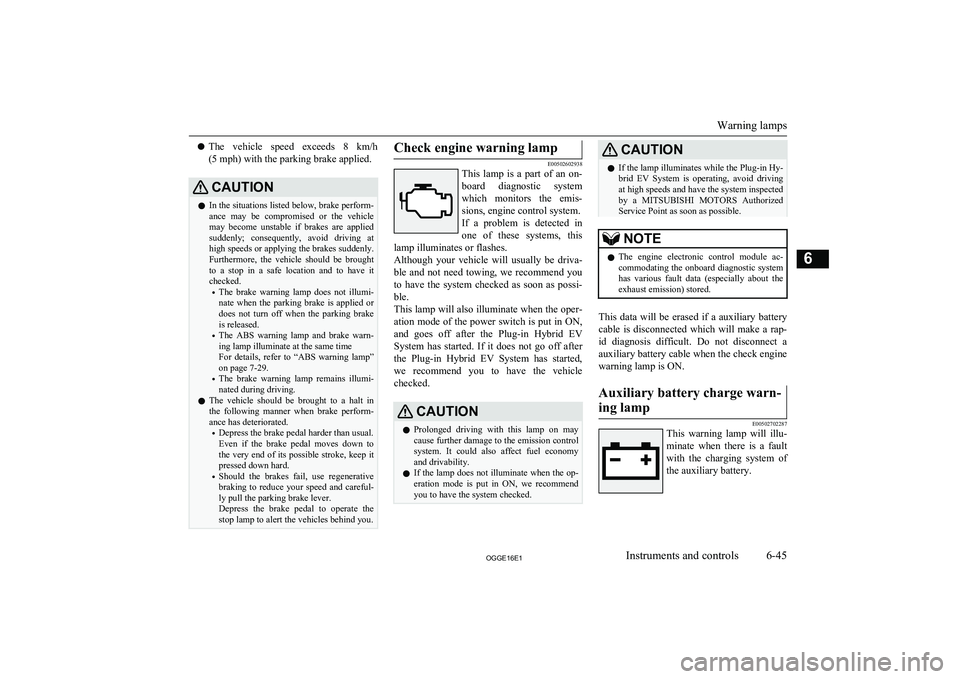
E00502602938
This lamp is a part of an on-
board diagnostic system
which monitors the emis-
sions, engine control system. If a problem is detected in one of these systems, this
lamp illuminates or flashes.
Although your vehicle will usually be driva-
ble and not need towing, we recommend you
to have the system checked as soon as possi- ble.
This lamp will also illuminate when the oper-
ation mode of the power switch is put in ON,
and goes off after the Plug-in Hybrid EV
System has started. If it does not go off after the Plug-in Hybrid EV System has started,
we recommend you to have the vehicle checked.
CAUTIONl Prolonged driving with this lamp on may
cause further damage to the emission control
system. It could also affect fuel economy and drivability.
l If the lamp does not illuminate when the op-
eration mode is put in ON, we recommend
you to have the system checked.CAUTIONl If the lamp illuminates while the Plug-in Hy-
brid EV System is operating, avoid driving
at high speeds and have the system inspected by a MITSUBISHI MOTORS Authorized
Service Point as soon as possible.NOTEl The engine electronic control module ac-
commodating the onboard diagnostic system has various fault data (especially about the
exhaust emission) stored.
This data will be erased if a auxiliary battery
cable is disconnected which will make a rap- id diagnosis difficult. Do not disconnect a
auxiliary battery cable when the check engine
warning lamp is ON.
Auxiliary battery charge warn-
ing lamp
E00502702287
This warning lamp will illu- minate when there is a fault with the charging system of
the auxiliary battery.
Warning lamps
6-45OGGE16E1Instruments and controls6
Page 193 of 490
CAUTION•When cleaning the outside surface of the
windscreen, if you touch on top of the
rain sensor.
• When cleaning the outside surface of the
windscreen, if you wipe with a cloth on
top of the rain sensor.
• When using an automatic car wash.
• A physical shock is applied to the wind-
screen.
• A physical shock is applied to the rain
sensor.NOTEl To protect the rubber parts of the wipers,
this operation of the wipers does not take
place even if the lever is put in the “AUTO” position when the vehicle is stationary and
the ambient temperature is about 0 °C or
lower.
l Do not cover the sensor by affixing a sticker
or label to the windscreen. Also, do not put any water-repellent coating on the wind-screen. The rain sensor would not be able to
detect the extent of rain, and the wipers
might stop working normally.
l In the following cases, the rain sensor may
be malfunctioning.
For further information, we recommend you
to consult a MITSUBISHI MOTORS Au-
thorized Service Point.
• When the wipers operate at a constant in-
terval despite changes in the extent of
rain.NOTE• When the wipers do not operate even
though it is raining.
l The wipers may automatically operate when
things such as insects or foreign objects are affixed to the windscreen on top of the rainsensor or when the windscreen is frozen.
Objects affixed to the windscreen will stop
the wipers when the wipers cannot remove them. To operate the wipers again, move the
lever in the “LO” or “HI” position.
Also, the wipers may operate automatically due to strong direct sunlight or electromag-
netic wave. To stop the wipers, place the lever in the “OFF” position.
l Contact a
MITSUBISHI MOTORS Author-
ized Service Point when replacing the wind- screen or reinforcing the glass around the
sensor.To adjust the sensitivity of the rain sensor
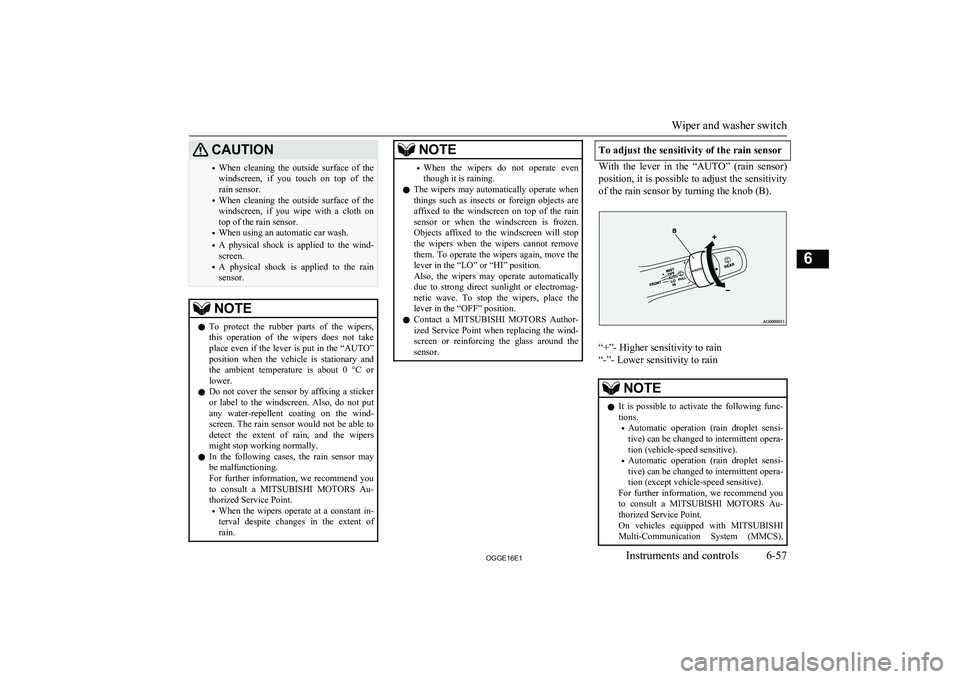
With the lever in the “AUTO” (rain sensor)
position, it is possible to adjust the sensitivity of the rain sensor by turning the knob (B).
“+”- Higher sensitivity to rain
“-”- Lower sensitivity to rain
NOTEl It is possible to activate the following func-
tions.
• Automatic operation (rain droplet sensi-
tive) can be changed to intermittent opera-
tion (vehicle-speed sensitive).
• Automatic operation (rain droplet sensi-
tive) can be changed to intermittent opera-
tion (except vehicle-speed sensitive).
For further information, we recommend you to consult a MITSUBISHI MOTORS Au-
thorized Service Point.
On vehicles equipped with MITSUBISHI
Multi-Communication System (MMCS),
Wiper and washer switch
6-57OGGE16E1Instruments and controls6
Page 202 of 490
Economical drivingE00600102220
For economical driving, there are some tech- nical requirements that have to be met. Theprerequisite for low fuel consumption is a
properly adjusted engine. In order to achieve longer life of the vehicle and the most eco- nomical operation, we recommend you tohave the vehicle checked at regular intervals in accordance with the service standards.
Fuel economy and generation of exhaust gas
and noise are highly influenced by personal
driving habits as well as the particular operat- ing conditions. The following points shouldbe observed in order to minimize wear of
brakes, tyres and engine as well as to reduce
environmental pollution.
Starting and acceleration
Avoid driving when the accelerator pedal ispushed way down, such as for unnecessarily sudden starts, acceleration and deceleration.
Smoothly depress the accelerator pedal.
Observe the speed limit and keep the speed
as constant as possible while driving.
Idling
Parking for a long period with the ready indi-
cator illuminated will shorten the cruising
range.
Speed
The higher the vehicle speed, the more drive
battery is consumed. Avoid driving at full speed. Even a slight release of the accelerator
pedal will save a significant amount of drive battery.
Tyre inflation pressure
Check the tyre inflation pressures at regular intervals. Low tyre inflation pressure increa-ses road resistance and fuel consumption. In addition, low tyre pressures adversely affect
tyre wear and driving stability.
Cargo loads
Do not drive with unnecessary articles in the
luggage compartment. Especially during city
driving where frequent starting and stopping is necessary, the increased weight of the ve-
hicle will greatly affect fuel consumption. Al- so avoid driving with unnecessary luggage or carriers, etc., on the roof; the increased air re- sistance will increase fuel consumption.
Air conditioning
Too much cooling/heating can affect the cruising range, so maintain an appropriatetemperature to extend the cruising range.
Driving, alcohol and drugs
E00600200070
Driving after drinking alcohol is one of the
most frequent causes of accidents.
Your driving ability can be seriously im- paired even with blood alcohol levels far be-
low the legal minimum. If you have been drinking, don’t drive. Ride with a designated non-drinking driver, call a cab or a friend, or
use public transportation. Drinking coffee or
taking a cold shower will not make you so- ber.
Similarly, prescription and nonprescription
drugs affect your alertness, perception and re- action time. Consult with your doctor or
pharmacist before driving while under the in- fluence of any of these medications.WARNINGl NEVER DRINK AND DRIVE.
Your perceptions are less accurate, your
reflexes are slower and your judgment is impaired.Safe driving techniques
E00600301775
Driving safety and protection against injury
cannot be fully ensured. However, we recom- mend that you pay extra attention to the fol-
lowing:
Economical driving
7-02OGGE16E1Starting and driving7
Page 218 of 490
CAUTIONlDo not over-rely on the S-AWC. Even the S-
AWC cannot prevent the natural laws of
physics from acting on the vehicle. This sys- tem, like any other system, has limits and
cannot help you to maintain traction and
control of the vehicle in all circumstances. Reckless driving may lead to accidents. It is the driver’s responsibility to drive carefully.
This means taking into account the traffic,
road and environmental conditions.
Twin Motor 4WD
This system improves vehicle stability per-
formance and fuel economy performanceduring acceleration and deceleration by mo-
tors provided at front and rear wheels, re- spectively, controlling the distribution of a
drive force between the front and rear wheels optimal for the operation of the driver.
Active yaw control system
(AYC)
E00622801044
The AYC is a system, with a left-right differ- ential limiting function and yaw control func-
tion, that controls the left-right driving/brak-
ing force by managing the brake.
CAUTIONl Control of the braking force does not en-
hance the stopping performance of the vehi-
cle, therefore, pay careful attention to the safety of your surroundings when driving.
Left-right differential limiting
function
The left-right differential limiting function is
a function that enhances driving performance and vehicle stability by preventing idle spin-
ning of a wheel when driving on a slippery road or when the road surfaces of left andright wheels are different.
Yaw control function
The yaw control function is a function thatenhances vehicle cornering performance and vehicle stability with management of vehicle
turning power (yaw moment) by controlling the brake force when the vehicle does not
turn in response to steering input, such as
when the steering wheel is turned quickly or when driving on a slippery road.
4WD lock switch
E00637000047
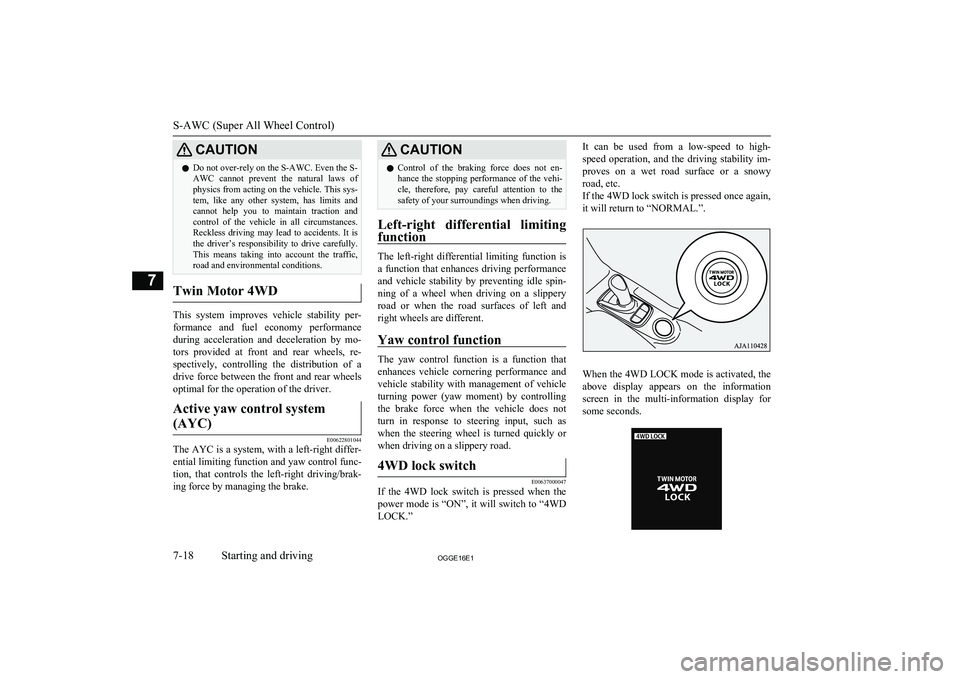
If the 4WD lock switch is pressed when the
power mode is “ON”, it will switch to “4WD LOCK.”
It can be used from a low-speed to high-
speed operation, and the driving stability im- proves on a wet road surface or a snowyroad, etc.
If the 4WD lock switch is pressed once again, it will return to “NORMAL.”.
When the 4WD LOCK mode is activated, the
above display appears on the information
screen in the multi-information display for some seconds.
S-AWC (Super All Wheel Control)
7-18OGGE16E1Starting and driving7
Page 220 of 490
It is particularly important to note that 4-
wheel drive may not give sufficient hill climbing ability with the regenerative brakeon steep slopes. You should try to avoid driv-
ing on steep slopes.
Also, you must exercise caution when driving on sand and mud and when driving through
water because sufficient traction may not be available in certain circumstances.
Please avoid driving the vehicle through
areas where the tyres may get stuck in deep
sand or mud.WARNINGl Do not over-rely on the 4-wheel drive ve-
hicles. Even 4-wheel drive vehicles have limits to the system and ability to main-tain control and traction. Reckless driving
may lead to accidents. Always drive care- fully, taking account of the road condi-
tions.
l Improperly operating this vehicle on or
off-paved roads can cause an accident or
rollover in which you and your passengers
could be seriously injured or killed.
• Follow all instructions and guidelines in
the owner’s manual.
• Keep your speed low and do not drive
faster than conditions allow you to.NOTEl Driving on rough roads can be hard on a ve-
hicle. Before you leave paved roads, be sure all scheduled maintenance and service has
been done, and that you have inspected your vehicle. Pay special attention to the condi- tion of the tyres, and check the tyre pres-
sures.
l MITSUBISHI
MOTORS is not responsible
to the operator for any damage or injury caused or liability incurred by improper and
negligent operation of a vehicle. All techni- ques of vehicle operation depend on the skill and experience of the operator and other par-
ticipating parties. Any deviation from the recommended operating instructions above
is at their own risk.
l Note that the stopping distance required of a
4-wheel drive vehicle differs very little from
that of a 2-wheel drive vehicle. When driv-
ing on a snow-covered road or a slippery, muddy surface, make sure that you keep a
sufficient distance between your vehicle and the one ahead of you.
l The driving posture should be more upright;
adjust the seat to a good position for easy
steering and pedal operation. Be sure to wear
the seat belt.
l After driving on rough roads, check each
part of the vehicle and wash it thoroughlywith water. Refer to the “Inspection andmaintenance following rough road opera-
tion” section and “Maintenance” section.Climbing/descending sharp
grades
Your vehicle may not provide sufficient hill
climbing ability and regenerative brake on steep slope. Avoid driving on steep slopes
even though the vehicle is a 4-wheel drive vehicle.
Inspection and maintenance
following rough roadoperation E00606701407
After operating the vehicle in rough road
conditions, be sure to perform the following inspection and maintenance procedures:
l Check that the vehicle has not been dam-
aged by rocks, gravel, etc.
l Carefully wash the vehicle with water.
Drive the vehicle slowly while lightly
depressing the brake pedal in order to dry out the brakes. If the brakes still do
not function properly, we recommend you to have the brakes checked as soon
as possible.
l Remove the insects, dried grass, etc.
clogging the radiator core.
l Check the inside of the vehicle. If water
entry is found, dry the carpet etc.
Inspection and maintenance following rough road operation
7-20OGGE16E1Starting and driving7
Page 225 of 490
BrakingE00607002967
All the parts of the brake system are critical
to safety. We recommend you to have the ve- hicle checked at regular intervals according
to the service booklet.CAUTIONl Avoid driving habits that cause heavy brak-
ing and never “ride” the brakes by resting
your foot on the brake pedal while driving.
It causes brake overheating and fade.
Brake system
The service brake is divided into two brake
circuits. And your vehicle is equipped with
power brakes. If one brake circuit fails, the other is available to stop the vehicle. If you
should lose the power assist for some reason, the brakes will still work. In these situations,
even if the brake pedal moves down to the very end of its possible stroke or resists being
depressed, keep depressing the brake pedal
down harder and further than usual; stop
driving as soon as possible and have the brake system repaired.
WARNINGl Do not turn off the Plug-in Hybrid EV
System while your vehicle is in motion. If
you turn off the Plug-in Hybrid EV Sys- tem while driving, the power assistancefor the braking system will stop working
and your brakes will not work effectively.
l If the power assist is lost or if either brake
hydraulic system stops working properly,
have your vehicle checked immediately.
Warning display
The brake warning lamp illuminates to indi-
cate a fault in the braking system. A warning
is also displayed on the multi information display. Refer to “Brake warning lamp and Brake warning display” on pages 6-44, 6-46.
When brakes are wet
Check the brake system while driving at a
low speed immediately after starting, espe- cially when the brakes are wet, to confirmthey work normally.
A film of water can be formed on the brake
discs and prevent normal braking after driv-
ing in heavy rain or through large puddles, or after the vehicle is washed. If this occurs, dry the brakes out by driving slowly while lightly
depressing the brake pedal.
When driving downhillWARNINGl Do not leave any objects near the brake
pedal or let a floor mat slide under it; do- ing so could prevent the full pedal stroke
that would be necessary in an emergency. Make sure that the pedal can be operated freely at all times. Make sure that thefloor mat is securely held in place.CAUTIONl Put the selector lever to “B” position accord-
ing to the grade of a slope or the speed in along downward slope, and use the regenera-
tive brake together.
If you depress the brake pedal and slowing down is repeated frequently, the foot brake
may be overheated and effectiveness may worsen.
Braking
7-25OGGE16E1Starting and driving7
Page 232 of 490
Active stability control
(ASC) E00616701468
The Active Stability Control (ASC) takes
overall control of the anti-lock brake system, traction control function and stability control
function to help maintain the vehicle’s con-
trol and traction. Please read this section in conjunction with the page on the anti-lock
brake system, traction control function and stability control function.
Anti-lock brake system (ABS) ® p. 7-28
Traction control function ® p. 7-32
Stability control function ® p. 7-32CAUTIONl Do not over-rely on the ASC. Even the ASC
cannot prevent the natural laws of physics
from acting on the vehicle.
This system, like any other system, has lim-
its and cannot help you to maintain traction and control of the vehicle in all circumstan- ces. Reckless driving may lead to accidents. It is the driver’s responsibility to drive care-
fully. This means taking into account the traffic, road and environmental conditions.
l Be sure to use the same specified type and
size of tyre on all 4 wheels. Otherwise, the ASC may not work properly.CAUTIONl Do not install any aftermarket limited-slip
differential (LSD) on your vehicle. The ASC
may stop functioning properly.NOTEl An operation noise may be emitted from the
Plug-in Hybrid EV System compartment in
the following situations. The sound is asso- ciated with checking the operations of the ASC. At this time, you may feel a shock
from the brake pedal if you depress it. These
do not indicate a malfunction.
• When the operation mode is put in ON.
• When the vehicle is driven for a while af-
ter the Plug-in Hybrid EV System is
turned on.
l When the ASC is activated, you may feel a
vibration in the vehicle body or hear a whin-
ing sound from the Plug-in Hybrid EV Sys- tem compartment.
This indicates that the system is operating normally. It does not indicate a malfunction.
l When the anti-lock brake system warning
lamp is illuminated, the ASC is not active.Traction control function
E00619000087
On slippery surfaces, the traction control
function prevents the drive wheels from ex-
cessive spinning, thus helping the vehicle to
start moving from a stopped condition. It also
provides sufficient driving force and steering performance as the vehicle turns while press-
ing the acceleration pedal.
CAUTIONl When driving a vehicle on a snowy or icy
road, be sure to install snow tyres and drive
the vehicle at moderate speeds.Stability control function
E00619101098
The stability control function is designed to
help the driver maintain control of the vehicle
on slippery roads or during rapid steering ma-
noeuvres. It works by controlling the Plugin
Hybrid EV System output and the brake on
each wheel.
NOTEl The stability control function operates at
speeds of about 15 km/h (9 mph) or higher.
Active stability control (ASC)
7-32OGGE16E1Starting and driving7
Page 242 of 490
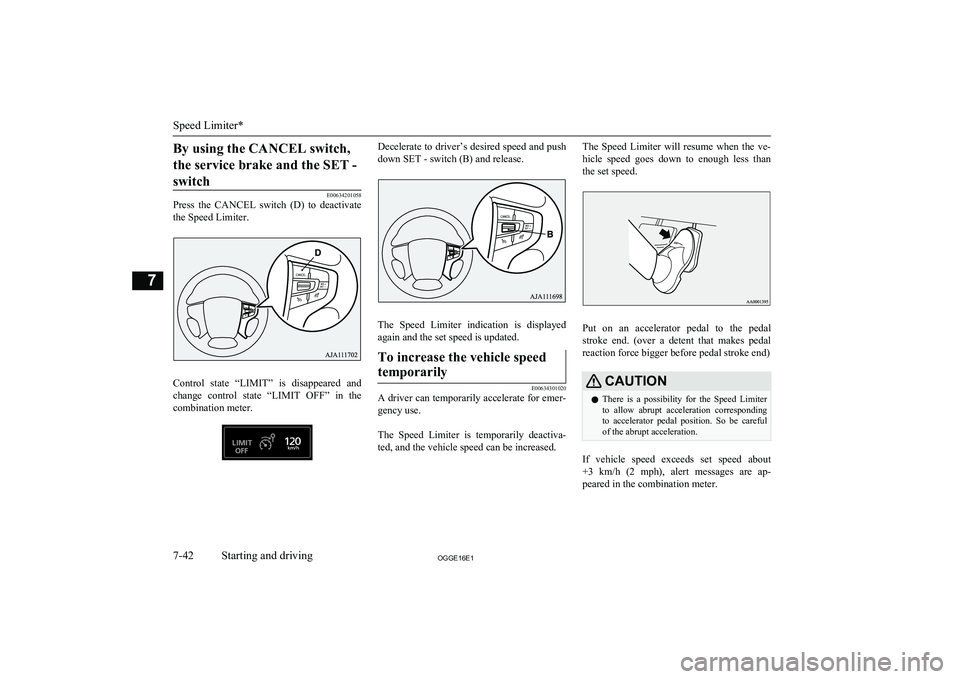
By using the CANCEL switch,the service brake and the SET - switch
E00634201058
Press the CANCEL switch (D) to deactivate
the Speed Limiter.
Control state “LIMIT” is disappeared and
change control state “LIMIT OFF” in the combination meter.
Decelerate to driver’s desired speed and push
down SET - switch (B) and release.
The Speed Limiter indication is displayed
again and the set speed is updated.
To increase the vehicle speed
temporarily
E00634301020
A driver can temporarily accelerate for emer-
gency use.
The Speed Limiter is temporarily deactiva-
ted, and the vehicle speed can be increased.
The Speed Limiter will resume when the ve-
hicle speed goes down to enough less than
the set speed.
Put on an accelerator pedal to the pedal
stroke end. (over a detent that makes pedal reaction force bigger before pedal stroke end)
CAUTIONl There is a possibility for the Speed Limiter
to allow abrupt acceleration corresponding
to accelerator pedal position. So be careful
of the abrupt acceleration.
If vehicle speed exceeds set speed about
+3 km/h (2 mph), alert messages are ap- peared in the combination meter.
Speed Limiter*
7-42OGGE16E1Starting and driving7
Page 243 of 490
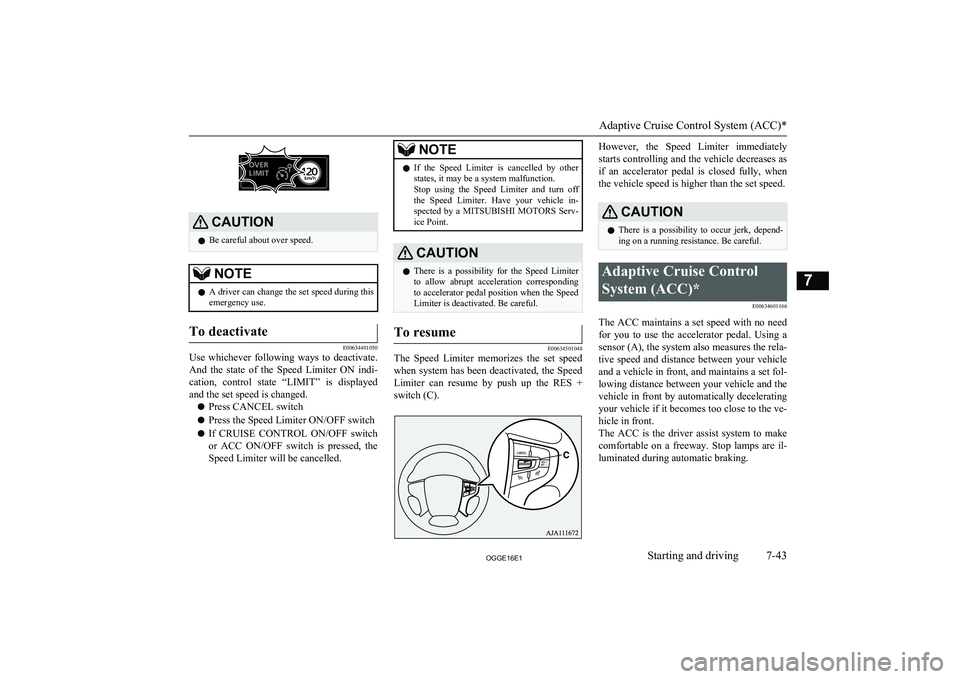
CAUTIONlBe careful about over speed.NOTElA driver can change the set speed during this
emergency use.To deactivate
E00634401050
Use whichever following ways to deactivate.
And the state of the Speed Limiter ON indi-
cation, control state “LIMIT” is displayed and the set speed is changed.
l Press CANCEL switch
l Press the Speed Limiter ON/OFF switch
l If CRUISE CONTROL ON/OFF switch
or ACC ON/OFF switch is pressed, the
Speed Limiter will be cancelled.
NOTEl If the Speed Limiter is cancelled by other
states, it may be a system malfunction.
Stop using the Speed Limiter and turn off
the Speed Limiter. Have your vehicle in-
spected by a MITSUBISHI MOTORS Serv-
ice Point.CAUTIONl There is a possibility for the Speed Limiter
to allow abrupt acceleration corresponding
to accelerator pedal position when the Speed Limiter is deactivated. Be careful.To resume
E00634501048
The Speed Limiter memorizes the set speed
when system has been deactivated, the Speed
Limiter can resume by push up the RES +
switch (C).
However, the Speed Limiter immediately
starts controlling and the vehicle decreases as if an accelerator pedal is closed fully, whenthe vehicle speed is higher than the set speed.CAUTIONl There is a possibility to occur jerk, depend-
ing on a running resistance. Be careful.Adaptive Cruise Control
System (ACC)* E00634601166
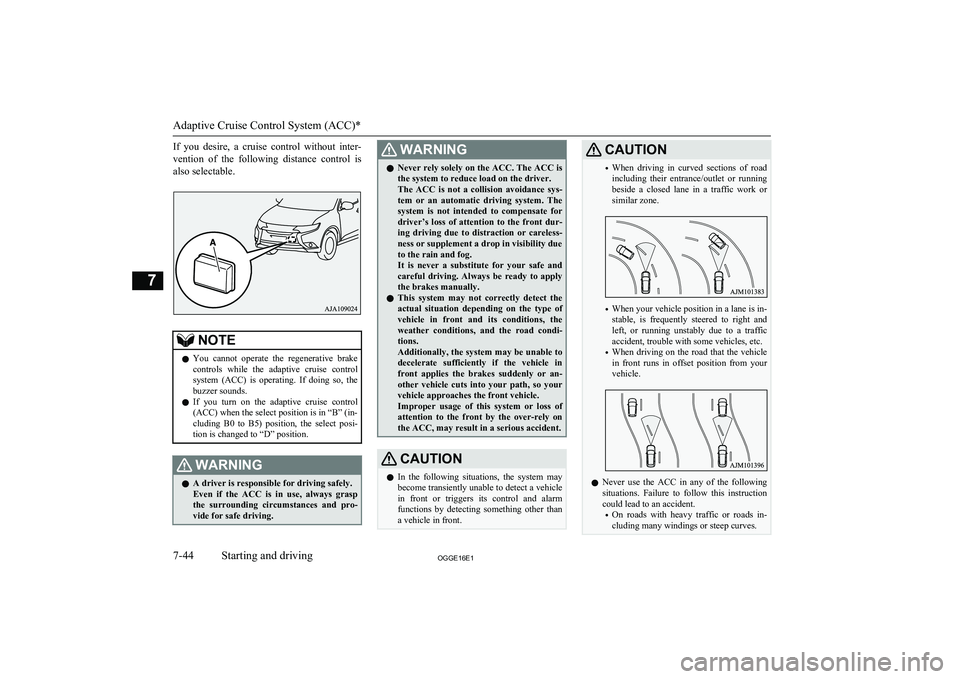
The ACC maintains a set speed with no needfor you to use the accelerator pedal. Using a
sensor (A), the system also measures the rela- tive speed and distance between your vehicle
and a vehicle in front, and maintains a set fol- lowing distance between your vehicle and thevehicle in front by automatically decelerating
your vehicle if it becomes too close to the ve-
hicle in front.
The ACC is the driver assist system to make comfortable on a freeway. Stop lamps are il-luminated during automatic braking.
Adaptive Cruise Control System (ACC)*
7-43OGGE16E1Starting and driving7
Page 244 of 490
If you desire, a cruise control without inter-
vention of the following distance control is
also selectable.NOTEl You cannot operate the regenerative brake
controls while the adaptive cruise control
system (ACC) is operating. If doing so, the
buzzer sounds.
l If you turn on the adaptive cruise control
(ACC) when the select position is in “B” (in-
cluding B0 to B5) position, the select posi-
tion is changed to “D” position.WARNINGl A driver is responsible for driving safely.
Even if the ACC is in use, always grasp the surrounding circumstances and pro- vide for safe driving.WARNINGl Never rely solely on the ACC. The ACC is
the system to reduce load on the driver.
The ACC is not a collision avoidance sys-
tem or an automatic driving system. The system is not intended to compensate for
driver’s loss of attention to the front dur-
ing driving due to distraction or careless-
ness or supplement a drop in visibility due
to the rain and fog.
It is never a substitute for your safe and careful driving. Always be ready to applythe brakes manually.
l This system may not correctly detect the
actual situation depending on the type of vehicle in front and its conditions, theweather conditions, and the road condi-
tions.
Additionally, the system may be unable to
decelerate sufficiently if the vehicle in front applies the brakes suddenly or an- other vehicle cuts into your path, so yourvehicle approaches the front vehicle.Improper usage of this system or loss of
attention to the front by the over-rely on the ACC, may result in a serious accident.CAUTIONl In the following situations, the system may
become transiently unable to detect a vehicle in front or triggers its control and alarm
functions by detecting something other than a vehicle in front.CAUTION• When driving in curved sections of road
including their entrance/outlet or running beside a closed lane in a traffic work or
similar zone.
• When your vehicle position in a lane is in-
stable, is frequently steered to right and left, or running unstably due to a trafficaccident, trouble with some vehicles, etc.
• When driving on the road that the vehicle
in front runs in offset position from your
vehicle.
l Never use the ACC in any of the following
situations. Failure to follow this instructioncould lead to an accident.
• On roads with heavy traffic or roads in-
cluding many windings or steep curves.
Adaptive Cruise Control System (ACC)*
7-44OGGE16E1Starting and driving7