settings Menu MITSUBISHI OUTLANDER SPORT 2016 3.G Owners Manual
[x] Cancel search | Manufacturer: MITSUBISHI, Model Year: 2016, Model line: OUTLANDER SPORT, Model: MITSUBISHI OUTLANDER SPORT 2016 3.GPages: 398, PDF Size: 14.63 MB
Page 161 of 398
Multi-information display
Features and controls 5-99
5
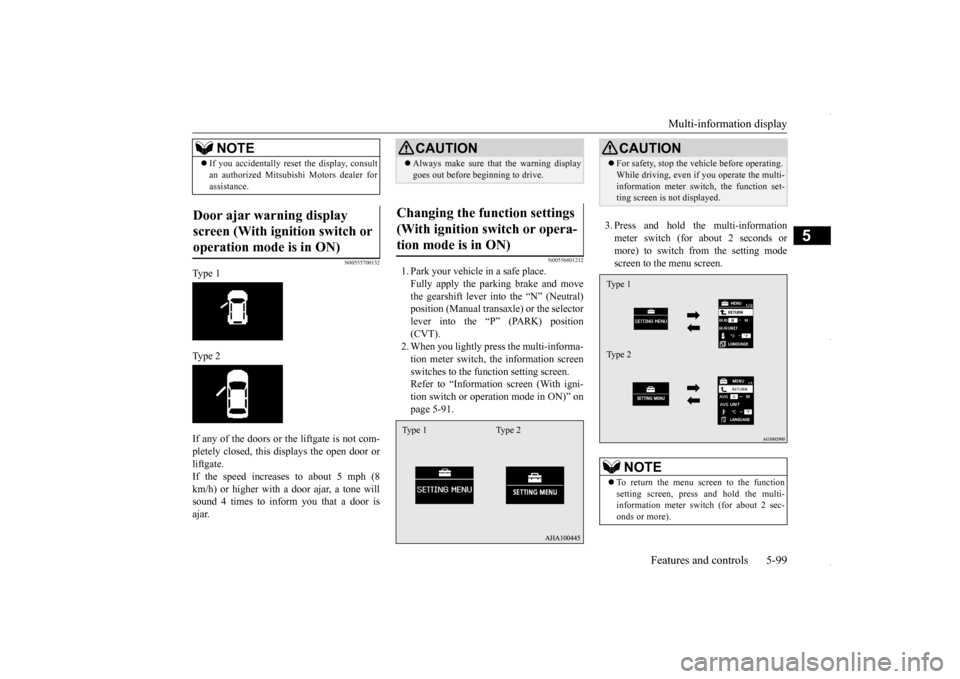
N00555700132
Type 1 Type 2 If any of the doors or the liftgate is not com- pletely closed, this displays the open door or liftgate. If the speed increases to about 5 mph (8km/h) or higher with
a door ajar, a tone will
sound 4 times to inform you that a door is ajar.
N00556801212
1. Park your vehicle in a safe place.Fully apply the parking brake and movethe gearshift lever into the “N” (Neutral) position (Manual transaxle) or the selector lever into the “P” (PARK) position(CVT). 2. When you lightly press the multi-informa- tion meter switch, the information screenswitches to the function setting screen. Refer to “Information screen (With igni- tion switch or operation mode in ON)” onpage 5-91.
3. Press and hold the multi-information meter switch (for about 2 seconds or more) to switch from the setting modescreen to the menu screen.
If you accidentally reset the display, consult an authorized Mitsubishi Motors dealer for assistance.
Door ajar warning display screen (With ignition switch or operation mode is in ON)
NOTE
CAUTION Always make sure that the warning display goes out before beginning to drive.
Changing the function settings (With ignition switch or opera-tion mode is in ON) Type 1 Type 2
CAUTION For safety, stop the vehicle before operating. While driving, even if you operate the multi- information meter switch, the function set- ting screen is not displayed.NOTE
To return the menu screen to the function setting screen, press and hold the multi-information meter switch (for about 2 sec- onds or more).Type 1 Type 2
BK0229600US.bo
ok 99 ページ 2015年10月1日 木曜日 午後2時29分
Page 162 of 398
Multi-information display 5-100 Features and controls
5
4. Select the item to change on the menu screen and change to the desired setting.For further details on the operation meth- ods, refer to the following sections. Refer to “Changing the reset mode for average fuel consum
ption and average
speed” on page 5-100. Refer to “Changing the fuel consumptiondisplay unit” on page 5-101. Refer to “Changing the temperature unit” on page 5-102.Refer to “Changing the display language” on page 5-102. Refer to “Operation sound setting” onpage 5-103. Refer to “Changing the time until “REST REMINDER” is displayed” on page5-103. Refer to “Changing the turn signal sound” on page 5-104.Refer to “Changing the momentary fuel consumption display (Type 2)” on page 5-104.Refer to “Returning to the factory set- tings” on page 5-105.
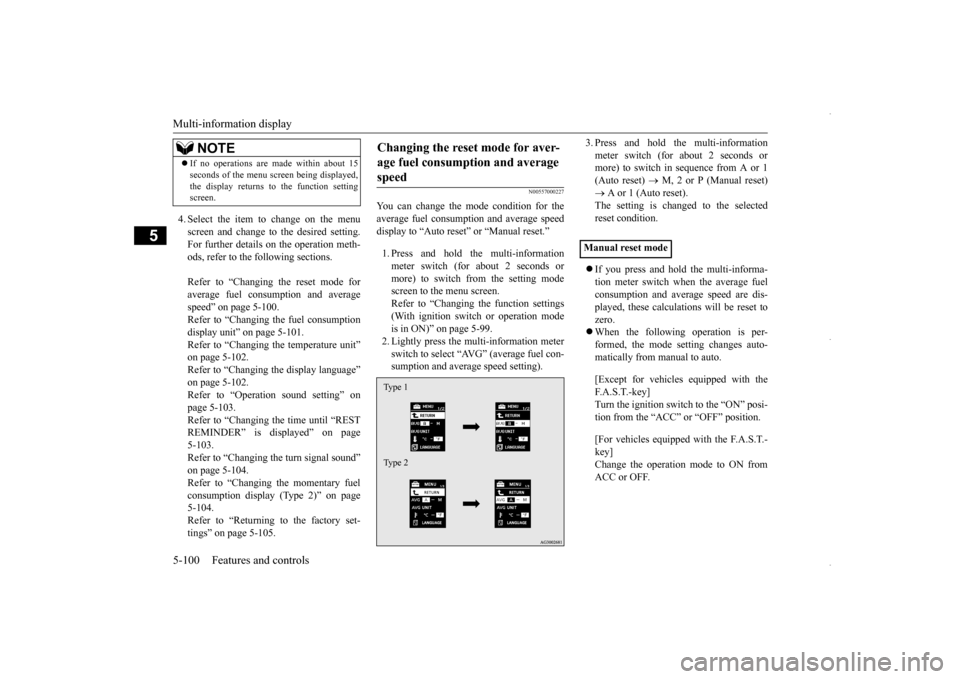
N00557000227
You can change the mode condition for the average fuel consumption and average speed display to “Auto reset” or “Manual reset.” 1. Press and hold the multi-information meter switch (for about 2 seconds ormore) to switch from the setting modescreen to the menu screen. Refer to “Changing the function settings (With ignition switch or operation modeis in ON)” on page 5-99. 2. Lightly press the multi-information meter switch to select “AVG” (average fuel con-sumption and average speed setting).
3. Press and hold the multi-information meter switch (for about 2 seconds or more) to switch in sequence from A or 1 (Auto reset)
M, 2 or P (Manual reset)
A or 1 (Auto reset). The setting is changed to the selected reset condition. If you press and hold the multi-informa- tion meter switch when the average fuelconsumption and average speed are dis- played, these calculations will be reset to zero. When the following operation is per- formed, the mode setting changes auto- matically from manual to auto. [Except for vehicles equipped with the F. A . S . T. - k e y ] Turn the ignition switch to the “ON” posi- tion from the “ACC” or “OFF” position. [For vehicles equipped with the F.A.S.T.- key] Change the operation mode to ON from ACC or OFF.
If no operations are made within about 15 seconds of the menu screen being displayed, the display returns to the function setting screen.NOTE
Changing the reset mode for aver- age fuel consumption and average speed Type 1 Type 2
Manual reset mode
BK0229600US.book
100 ページ 2015年10月1日 木曜日 午後2時29分
Page 163 of 398
Multi-information display
Features and controls 5-101
5
When the average fuel consumption and average speed are being displayed, if you hold down the multi-information meter switch, these calculations will be reset tozero. When the engine switch or the operation mode is in the following conditions, theaverage fuel consumption display and the average speed display will automatically reset. [Except for vehicles equipped with the F. A . S . T. - k e y ]The ignition switch has been set to the “ACC” or “OFF” position for about 4 hours or more. [For vehicles equipped with the F.A.S.T.- key] The operation mode has been in ACC or OFF for about 4 hours or more.
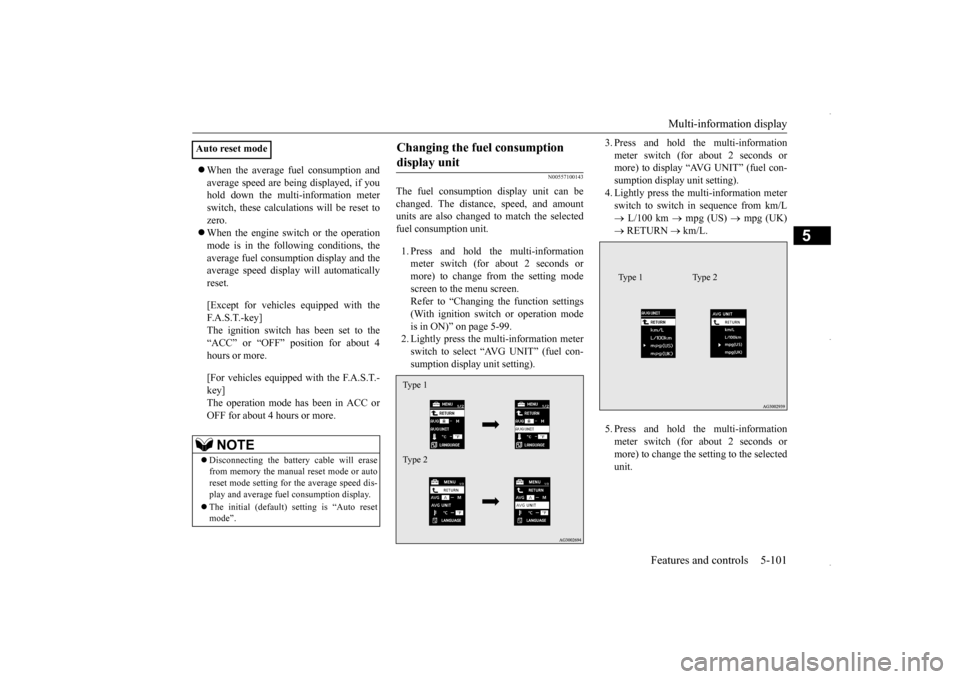
N00557100143
The fuel consumption display unit can be changed. The distance, speed, and amount units are also changed to match the selectedfuel consumption unit. 1. Press and hold the multi-information meter switch (for about 2 seconds or more) to change from the setting modescreen to the menu screen.Refer to “Changing the function settings (With ignition switch or operation mode is in ON)” on page 5-99.2. Lightly press the multi-information meter switch to select “AVG UNIT” (fuel con- sumption display unit setting).
3. Press and hold the multi-information meter switch (for about 2 seconds or more) to display “AVG UNIT” (fuel con- sumption display unit setting).4. Lightly press the multi-information meter switch to switch in sequence from km/L L/100 km
mpg (US)
mpg (UK)
RETURN
km/L.
5. Press and hold the multi-information meter switch (for about 2 seconds or more) to change the setting to the selected unit.
Auto reset mode
NOTE
Disconnecting the battery cable will erase from memory the manual reset mode or autoreset mode setting for the average speed dis- play and average fuel consumption display. The initial (default) setting is “Auto reset mode”.
Changing the fuel consumption display unit Type 1 Type 2
Type 1 Type 2
BK0229600US.book
101 ページ 2015年10月1日 木曜日 午後2時29分
Page 164 of 398
Multi-information display 5-102 Features and controls
5
The distance and speed units are also changed in the following combinations to match theselected fuel consumption unit.
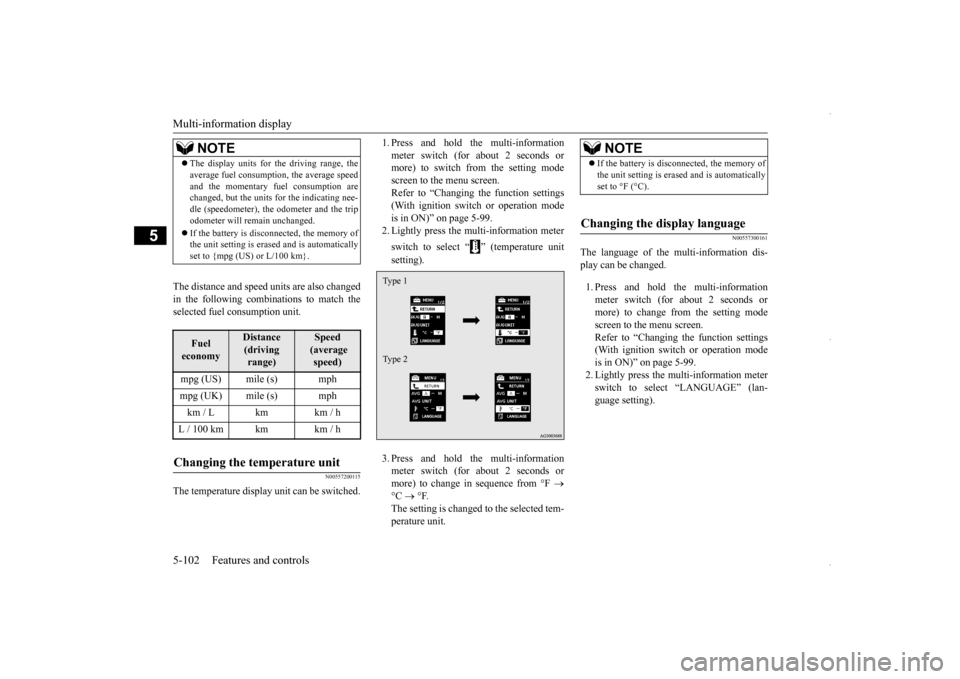
N00557200115
The temperature display unit can be switched.
1. Press and hold the multi-information meter switch (for about 2 seconds or more) to switch from the setting mode screen to the menu screen.Refer to “Changing the function settings (With ignition switch or operation mode is in ON)” on page 5-99.2. Lightly press the multi-information meter switch to select “ ” (temperature unit setting). 3. Press and hold the multi-information meter switch (for about 2 seconds or more) to change in sequence from °F
°C
°F.
The setting is changed to the selected tem- perature unit.
N00557300161
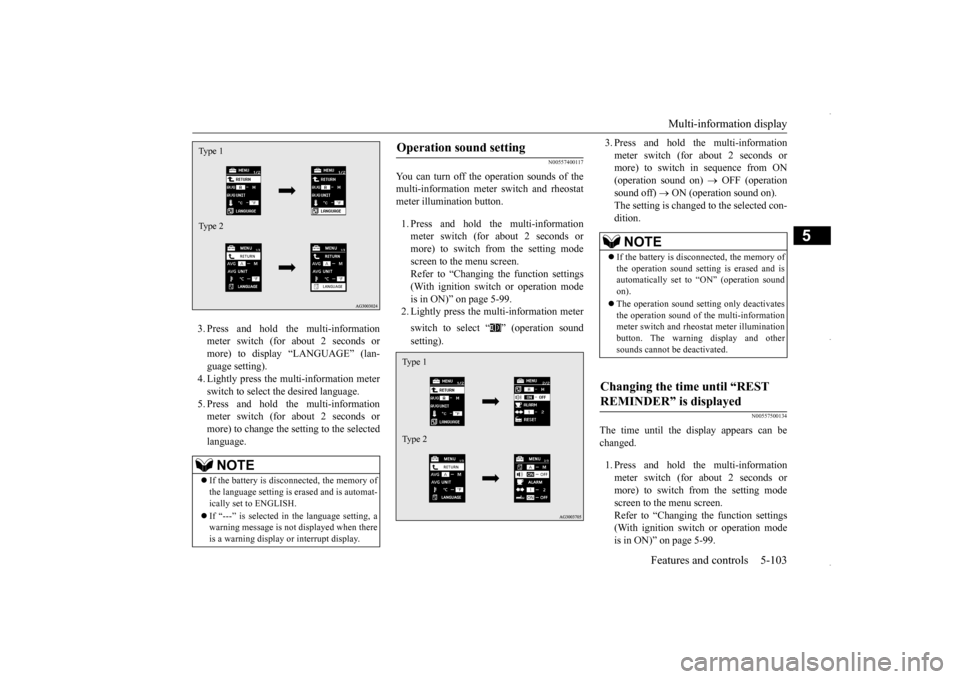
The language of the multi-information dis-play can be changed. 1. Press and hold the multi-information meter switch (for about 2 seconds or more) to change from the setting mode screen to the menu screen.Refer to “Changing the function settings (With ignition switch or operation mode is in ON)” on page 5-99.2. Lightly press the multi-information meter switch to select “LANGUAGE” (lan- guage setting).
NOTE
The display units for the driving range, the average fuel consumption, the average speed and the momentary fuel consumption are changed, but the units for the indicating nee- dle (speedometer), the odometer and the tripodometer will remain unchanged. If the battery is disconnected, the memory of the unit setting is erased and is automatically set to {mpg (US) or L/100 km}.Fuel economy
Distance (driving range)
Speed (average speed)
mpg (US) mile (s) mphmpg (UK) mile (s) mphkm / L km km / hL / 100 km km km / hChanging the temperature unit
Type 1 Type 2
NOTE
If the battery is disconnected, the memory of the unit setting is erased and is automatically set to °F (°C).
Changing the display language
BK0229600US.book
102 ページ 2015年10月1日 木曜日 午後2時29分
Page 165 of 398
Multi-information display
Features and controls 5-103
5
3. Press and hold the multi-information meter switch (for about 2 seconds or more) to display “LANGUAGE” (lan-guage setting). 4. Lightly press the multi-information meter switch to select the desired language.5. Press and hold the multi-information meter switch (for about 2 seconds or more) to change the setting to the selectedlanguage.
N00557400117
You can turn off the operation sounds of themulti-information meter switch and rheostatmeter illumination button. 1. Press and hold the multi-information meter switch (for about 2 seconds or more) to switch from the setting modescreen to the menu screen. Refer to “Changing the function settings (With ignition switch or operation modeis in ON)” on page 5-99.2. Lightly press the multi-information meter switch to select “ ” (operation sound setting).
3. Press and hold the multi-information meter switch (for about 2 seconds or more) to switch in sequence from ON (operation sound on)
OFF (operation
sound off)
ON (operation sound on).
The setting is changed to the selected con- dition.
N00557500134
The time until the display appears can bechanged. 1. Press and hold the multi-information meter switch (for about 2 seconds or more) to switch from the setting mode screen to the menu screen.Refer to “Changing the function settings (With ignition switch or operation mode is in ON)” on page 5-99.
NOTE
If the battery is disconnected, the memory of the language setting is erased and is automat-ically set to ENGLISH. If “---” is selected in the language setting, a warning message is not displayed when there is a warning display or interrupt display.Type 1 Type 2
Operation sound setting Type 1 Type 2
NOTE
If the battery is disconnected, the memory of the operation sound setting is erased and is automatically set to “ON” (operation sound on). The operation sound setting only deactivates the operation sound of the multi-informationmeter switch and rheostat meter illumination button. The warning display and other sounds cannot be deactivated.
Changing the time until “REST REMINDER” is displayed
BK0229600US.book
103 ページ 2015年10月1日 木曜日 午後2時29分
Page 166 of 398
Multi-information display 5-104 Features and controls
5
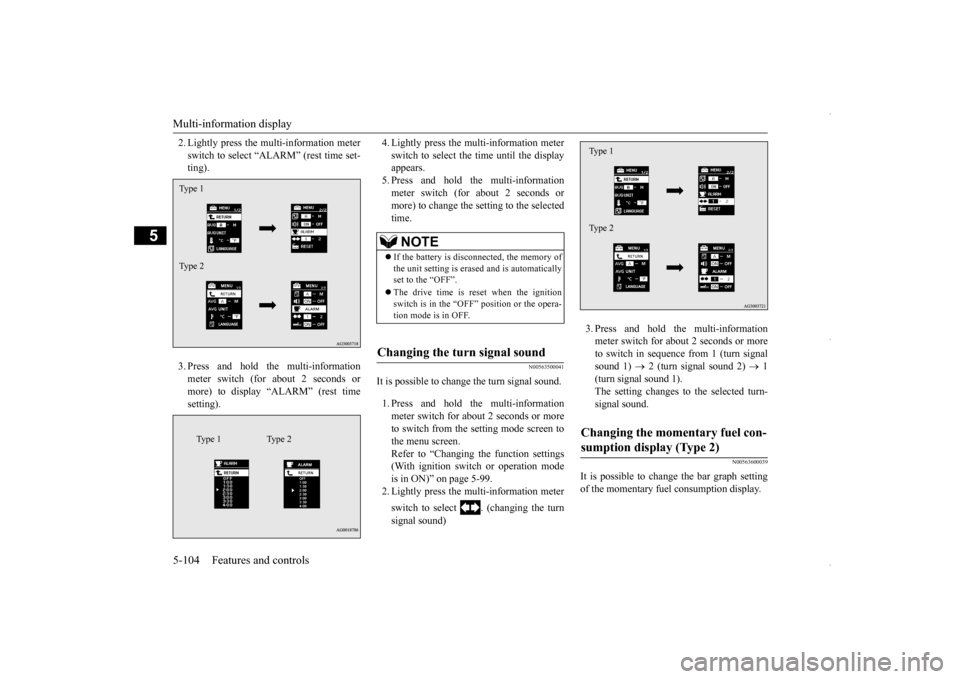
2. Lightly press the multi-information meter switch to select “ALARM” (rest time set- ting). 3. Press and hold the multi-information meter switch (for about 2 seconds or more) to display “ALARM” (rest timesetting).
4. Lightly press the multi-information meter switch to select the time until the display appears. 5. Press and hold the multi-informationmeter switch (for about 2 seconds or more) to change the setting to the selected time.
N00563500041
It is possible to change the turn signal sound. 1. Press and hold the multi-information meter switch for about 2 seconds or more to switch from the setting mode screen to the menu screen.Refer to “Changing the function settings (With ignition switch or operation mode is in ON)” on page 5-99.2. Lightly press the multi-information meter switch to select . (changing the turn signal sound)
3. Press and hold the multi-information meter switch for about 2 seconds or more to switch in sequence from 1 (turn signalsound 1)
2 (turn signal sound 2)
1
(turn signal sound 1). The setting changes to the selected turn-signal sound.
N00563600039
It is possible to change the bar graph settingof the momentary fuel consumption display.
Type 1 Type 2
Type 1 Type 2
NOTE
If the battery is disconnected, the memory of the unit setting is erased and is automatically set to the “OFF”. The drive time is reset when the ignition switch is in the “OFF” position or the opera- tion mode is in OFF.
Changing the turn signal sound
Changing the momentary fuel con- sumption display (Type 2) Type 1 Type 2
BK0229600US.book
104 ページ 2015年10月1日 木曜日 午後2時29分
Page 167 of 398
Multi-information display
Features and controls 5-105
5
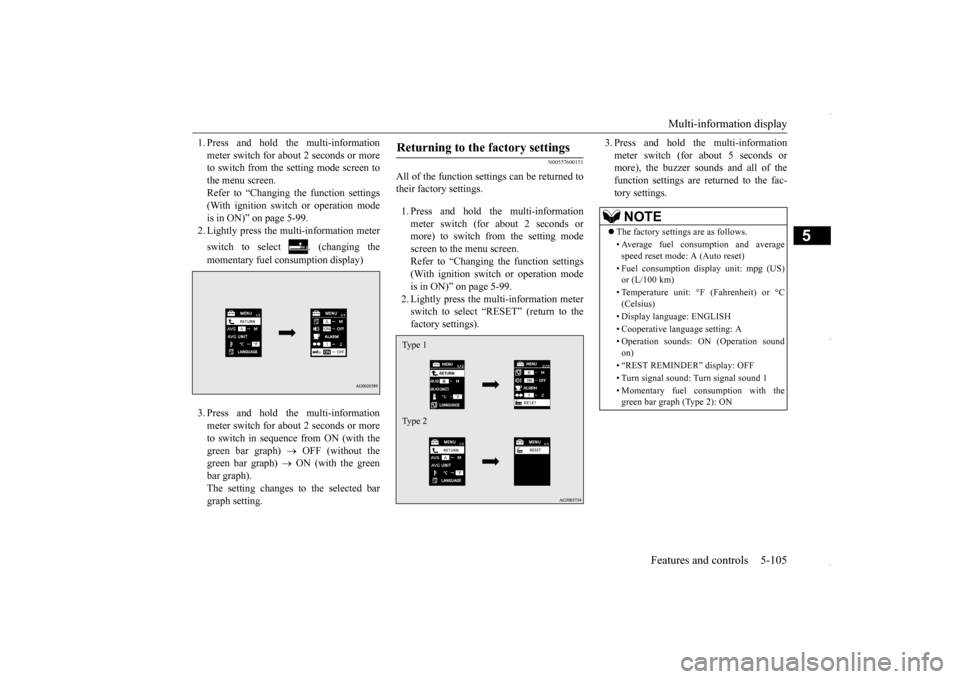
1. Press and hold the multi-information meter switch for about 2 seconds or more to switch from the setting mode screen to the menu screen.Refer to “Changing the function settings (With ignition switch or operation mode is in ON)” on page 5-99.2. Lightly press the multi-information meter switch to select . (changing the momentary fuel consumption display) 3. Press and hold the multi-information meter switch for about 2 seconds or more to switch in sequence from ON (with thegreen bar graph)
OFF (without the
green bar graph)
ON (with the green
bar graph).The setting changes to the selected bargraph setting.
N00557600151
All of the function settings can be returned totheir factory settings. 1. Press and hold the multi-information meter switch (for about 2 seconds or more) to switch from the setting mode screen to the menu screen.Refer to “Changing the function settings (With ignition switch or operation mode is in ON)” on page 5-99.2. Lightly press the multi-information meterswitch to select “RESET” (return to the factory settings).
3. Press and hold the multi-information meter switch (for about 5 seconds or more), the buzzer sounds and all of the function settings are returned to the fac-tory settings.
Returning to the factory settings Type 1 Type 2
NOTE
The factory settings are as follows. • Average fuel consumption and average speed reset mode: A (Auto reset) • Fuel consumption display unit: mpg (US) or (L/100 km) • Temperature unit: °F (Fahrenheit) or °C (Celsius) • Display language: ENGLISH • Cooperative language setting: A• Operation sounds: ON (Operation sound on) • “REST REMINDER” display: OFF • Turn signal sound: Turn signal sound 1 • Momentary fuel consumption with the green bar graph (Type 2): ON
BK0229600US.book
105 ページ 2015年10月1日 木曜日 午後2時29分
Page 203 of 398

Bluetooth® 2.0 interface (if so equipped)
Features and controls 5-141
5
N00564401057
There are 2 cancel functions. If you are at the main menu, say “Cancel” to exit from the Bluetooth
® 2.0 interface.
If you are anywhere else within the system, say “Cancel” to return to the main menu.
N00564501045
The Bluetooth
® 2.0 interface is equipped
with a confirmation function. With the confirmation function activated, you are given more opportunities than normal toconfirm a command when making various settings to the Bluetooth
® 2.0 interface. This
allows you to decrease the possibility that asetting is accidentally changed. The confirmation function can be turned on or off by following the steps below. 1. Press the SPEECH button (except for vehicles with Mitsubishi Multi-Commu- nication System) or PICK-UP button (for vehicles with Mitsubishi Multi-Commu-nication System).
2. Say “Setup.” 3. Say “Confirmation prompts.” 4. The voice guide will say “Confirmation prompts are
N00564601150
It is possible to use a passcode as a security function by setting a passcode of your choice for the Bluetooth
® 2.0 interface.
When the security function is turned on, it is necessary to make a voice input of a 4-digit passcode in order to use all functions of the Bluetooth
® 2.0 interface, except when receiv-
ing calls. Use the following procedure to turn on the security function by setting a passcode. 1. Press the SPEECH button (except for vehicles with Mits
ubishi Multi-Commu-
nication System) or PICK-UP button (forvehicles with Mits
ubishi Multi-Commu-
nication System).
2. Say “Setup.” 3. Say “Passcode.” 4. The voice guide will say “Passcode is dis- abled. Would you like to enable it?”Answer “Yes.” Answer “No” to cancel the setting of the passcode and return to the main menu. 5. The voice guide will say “Please say a 4- digit passcode. Remember this passcode. It will be required to use this system.” Say a 4-digit number which you want toset as a passcode. 6. For confirmation purposes, the voice guide will say “Passcode <4-digit pass-code>. Is this correct?” Answer “Yes.” Answer “No” to return to the passcode input in Step 5. 7. When the registration of the passcode is completed, the voice guide will say “Pass- code is enabled” and the system willreturn to the main menu.
Canceling
NOTE
You can return to the previous menu by say- ing “Go Back.” (if so equipped)
Confirmation function setting
Security function
Setting the passcode
NOTE
Passcode will be required to access the sys- tem after the next ignition cycle.
BK0229600US.book
141 ページ 2015年10月1日 木曜日 午後2時29分
Page 216 of 398

Bluetooth® 2.0 interface (if so equipped) 5-154 Features and controls
5
5. When the name has been registered, the voice guide will say “home, work, mobile, or other?” Say the location for which you want to register a telephonenumber. 6. The voice guide will say “Number please.” Say the telephone number to reg- ister it.
7. The voice guide will repeat the telephone number you have just read, and then reg- ister the number.When the telephone number has been reg-istered, the voice guide will say “Number saved. Would you like to add another number for this entry?”To add another telephone number for a new location for the current entry, answer “Yes.” The system will return to locationselection in Step 5. Answer “No” to end the registration pro- cess and return to the main menu.
N00580700077
You can select 1 phonebook entry from the phonebook of the cellular phone and register it in the vehicle phonebook. 1. Press the SPEECH button (except for vehicles with Mitsubishi Multi-Commu-nication System) or PICK-UP button (for vehicles with Mitsubishi Multi-Commu- nication System).
NOTE
If the maximum number of entries are already registered, the voice guide will say “The phonebook is full. Would you like to delete a name?” Say “Yes” if you want to delete a registered name.If you say “No,” the system will return to the main menu.NOTE
When the confirmation function is on, the voice guide will say “
NOTE
In the case of English, the system will recog- nize both “zero” and “oh” (Letter “o”) for the number “0.”NOTE
When the confirmation function is on, after repeating the telephone number you haveread, the voice guide will ask “Is this cor- rect?” Answer “Yes.” Answer “No” to return to telephone number registration in step 6.
To select and transfer one phone- book entry from the phonebook of the cellular phone NOTE
Transfer is not permitt
ed unless the vehicle
is parked. Before transferring, make sure thatthe vehicle is parked in a safe location. All or part of data may not be transferred, even when the cellular phone supports Blue- tooth
®, depending on the compatibility of
the device. The maximum supported telephone number length is 19 digits. Any telephone number of 20 digits or more will be truncated to the first 19 digits. If telephone numbers contain characters other than 0 to 9,
*, # or +, these characters
are deleted before the transfer. For the connection settings on the cellular phone side, refer to the instructions for the cellular phone.
BK0229600US.book
154 ページ 2015年10月1日 木曜日 午後2時29分
Page 221 of 398
Bluetooth® 2.0 interface (if so equipped)
Features and controls 5-159
5
1. Press the SPEECH button (except for vehicles with Mitsubishi Multi-Commu-nication System) or PICK-UP button (for vehicles with Mitsubishi Multi-Commu- nication System).2. Say “Phonebook.”3. The voice guide will say “Select one of the following: new entry, edit number, edit name, list names, delete, erase all, orimport contact.” Say “Import contact.”
4. The voice guide will say “Would you like to import a single entry or all contacts?” Say “All contacts.” 5. The voice guide will say “Importing thecontact list from the mobile phonebook. This may take several minutes to com- plete. Would you like to continue?”Answer “Yes,” transferring to the mobile phonebook the phonebook stored in the cellular phone will start.Answer “No,” the system will return tothe main menu.
6. When the transfer is complete, the voice guide will say “Import complete” and then the system will return to the main menu.
N00566301089
MODEL: MMC FCC ID: CB2MDGMY10IC: 279B-MDGMY10 Your Bluetooth
® 2.0 interface operates on a
radio frequency subject to Federal Communi- cations Commission (FCC) Rules (For vehi- cles sold in U.S.A.) and Industry CanadaRules (For vehicles sold in Canada). This device complies with Part 15 of the FCC Rules and RSS-210 of the Industry CanadaRules. Operation is subject to the following two conditions: This device may not cause harmful inter- ference. This device must accept any interference received, including interference that may cause undesired operation.
The already stored phonebook in the mobile phonebook is overwritten by the stored phonebook in the cellular phone. All or part of data may not be transferred, even when the cellular phone supports Blue- tooth
®, depending on the compatibility of
the device. Only a home, a work, and a mobile number can be imported. The maximum supported telephone number length is 19 digits. Any telephone number of20 digits or more will be truncated to the first 19 digits. If telephone numbers contain characters other than 0 to 9,
*, # or +, these characters
are deleted before the transfer. For the connection settings on the cellular phone side, refer to the instructions for the cellular phone.NOTE
NOTE
The transfer may take some time to complete depending on the number of contacts. If the Bluetooth
® 2.0 interface could not be
connected to the Bluetooth
® compatible cel-
lular phone, the voice guide will say “Unable to transfer contact list from phone” and then the system will return to the main menu. If you press the HANG-UP button or press and hold the SPEECH button during the datatransfer, the transfer will be cancelled and the system will return to the main menu. If an error occurs during the data transfer, all transfers will be cancelled and the voice guide will say “Unable to complete thephonebook import” and then the system will return to the main menu. If there are no contacts in the phonebook, the voice guide will say “There are no contacts on the connected phone.”
General information
CAUTION Changes or modifications made to this equipment not expressly approved by themanufacturer may void the FCC authoriza- tion to operate this equipment.
BK0229600US.book
159 ページ 2015年10月1日 木曜日 午後2時29分