change time MITSUBISHI PAJERO IV 2011 User Guide
[x] Cancel search | Manufacturer: MITSUBISHI, Model Year: 2011, Model line: PAJERO IV, Model: MITSUBISHI PAJERO IV 2011Pages: 377, PDF Size: 29.43 MB
Page 108 of 377
3. After setting, press the “INFO” button to re-
turn to the information display. Changing the language
It is possible
to set the display language of the cen-
tre information display to English, Spanish,
French, German, or Italian (Portuguese).
Depending on the regions, this may be set to Italian
or Portuguese.
l To change the display language to English
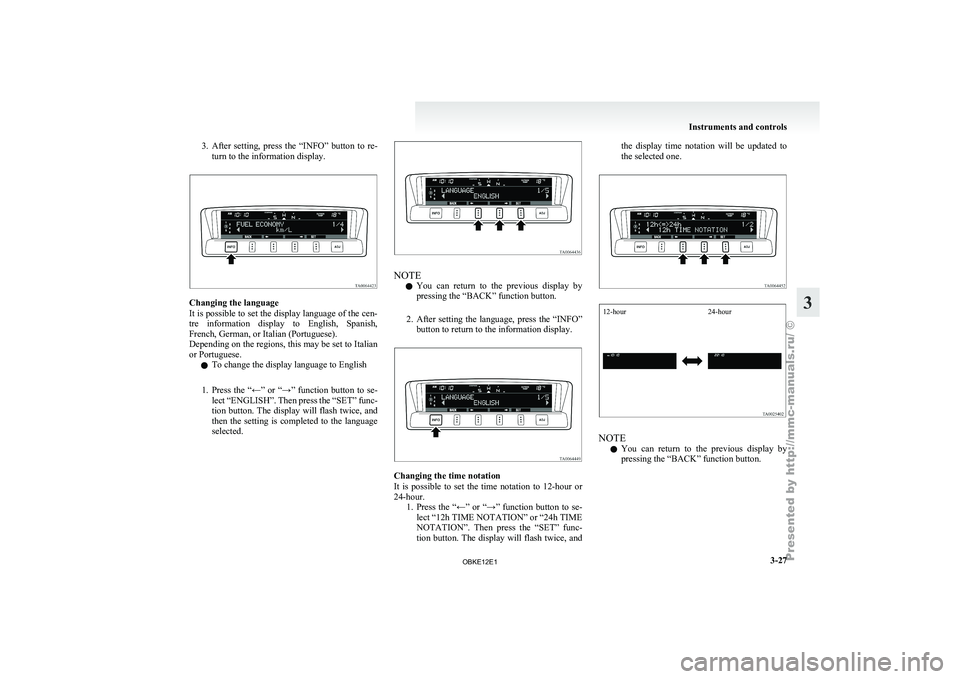
1. Press the “←” or “→” function button to se- lect “ENGLISH”. Then press the “SET” func-
tion button. The display will flash twice, and
then the setting is completed to the language
selected. NOTE
l You
can return
to the previous display by
pressing the “BACK” function button.
2. After setting the language, press the “INFO” button to return to the information display. Changing the time notation
It is
possible
to set the time notation to 12-hour or
24-hour. 1. Press the “←” or “→” function button to se-lect “12h TIME NOTATION” or “24h TIME
NOTATION”. Then press the “SET” func-
tion button. The display will flash twice, and the display time notation will be updated to
the selected one.
12-hour
24-hour NOTE
l You
can return
to the previous display by
pressing the “BACK” function button. Instruments and controls
3-27 3
OBKE12E1
Page 113 of 377
Daytime running lamp*
When the ignition
switch is in the “ON” position
and the lamp switch is set to the “OFF” position,
the low beam of the headlamps, tail lamps, etc.,
will illuminate.
Lamps (headlamps, fog lamp, etc.) au-
to-cutout function E00532700178
l If the ignition
key is turned to the “LOCK”
or “ACC” position or removed from the igni-
tion switch, and without opening the driver’s
door for 3 minutes with the lamp switch in
the “ ” position, the lamps will turn off au-
tomatically.
l If the
ignition
key is turned to the “LOCK”
or “ACC” position or removed from the igni-
tion switch and the driver’s door is opened
within 3 minutes with the lamp switch in the
“ ” position, a buzzer will sound to warn
the driver
that the lamps have not been
turned off, and these lamps will automatical-
ly turn off.
NOTE l The lamp auto-cutout will not function when
the lamp switch is in the “ ” position
l When the
ignition
key has been turned to ei-
ther the “LOCK” or “ACC” position or re-
moved from the ignition switch with the
lamp switch in the “ ” position, and the
lamp switch
is returned to the “OFF” within
approximately 3 minutes, the auto-cutout
function will not be activated. When you want to keep the lamps on:
l Turn the
lamp
switch in the “OFF” position
while the ignition switch is in the “LOCK”
or “ACC” position.
l Turn on the lamps with the switch in the
“ ” or “ ” position again, then the
lamps will remain on.
l Remove the ignition key.
NOTE l For further
information, we recommend you
to consult a MITSUBISHI MOTORS Author-
ized Service Point.
Lamp monitor buzzer E00506100256
If the driver’s door is opened when the key is in the
“LOCK” or “ACC”
position or removed from the
ignition switch while the lamps are on, a buzzer
will sound to remind the driver to turn off the lamps.
When the lamp auto-cutout function acts, the buz-
zer will stop automatically. Dipper (High/Low beam change)
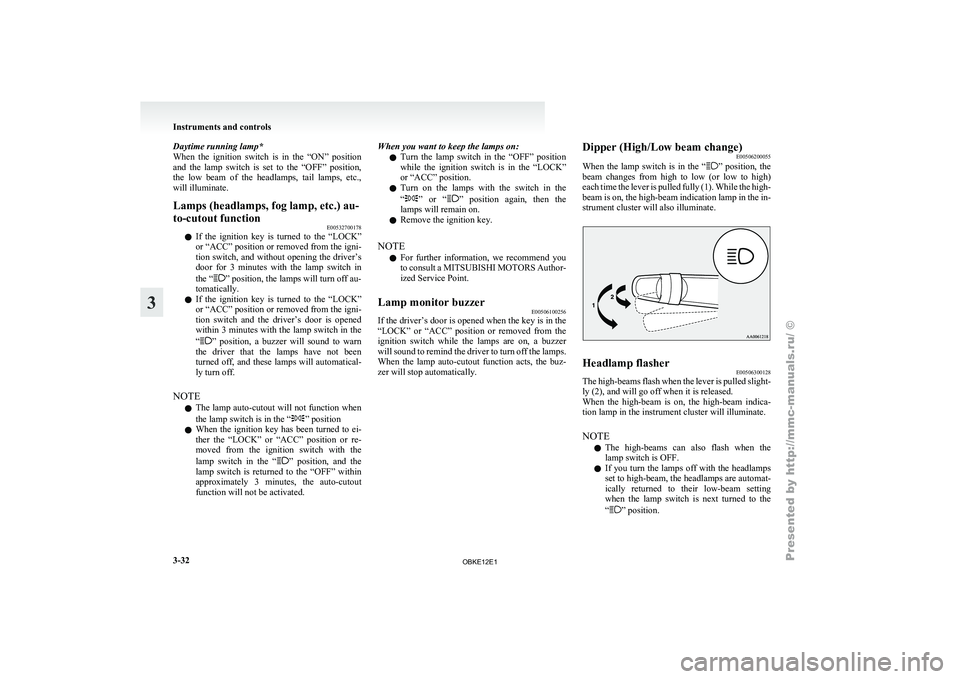
E00506200055
When the lamp
switch is in the “ ” position, the
beam changes
from high to low (or low to high)
each time the lever is pulled fully (1). While the high-
beam is on, the high-beam indication lamp in the in-
strument cluster will also illuminate. Headlamp flasher
E00506300128
The high-beams flash when the lever is pulled slight-
ly (2), and will go off when it is released.
When the high-beam
is on, the high-beam indica-
tion lamp in the instrument cluster will illuminate.
NOTE
l The high-beams can also flash when the
lamp switch is OFF.
l If you turn the lamps off with the headlamps
set to high-beam, the headlamps are automat-
ically returned to their low-beam setting
when the lamp switch is next turned to the
“ ” position.Instruments and controls
3-32
3
OBKE12E1
Page 116 of 377
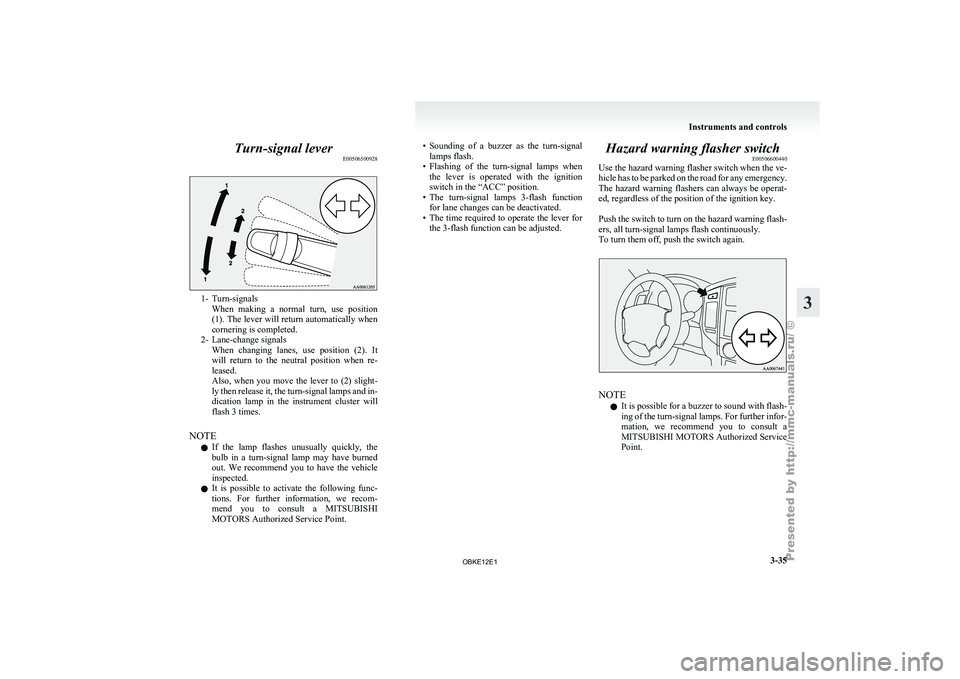
Turn-signal lever
E005065009281- Turn-signals
When making a
normal turn, use position
(1). The lever will return automatically when
cornering is completed.
2- Lane-change signals When changing lanes, use position (2). It
will return to the neutral position when re-
leased.
Also, when you move the lever to (2) slight-
ly then release it, the turn-signal lamps and in-
dication lamp in the instrument cluster will
flash 3 times.
NOTE l If the lamp flashes unusually quickly, the
bulb in a turn-signal lamp may have burned
out. We recommend you to have the vehicle
inspected.
l It is possible to activate the following func-
tions. For further information, we recom-
mend you to consult a MITSUBISHI
MOTORS Authorized Service Point. • Sounding
of a buzzer as the turn-signal
lamps flash.
• Flashing
of the turn-signal lamps when
the lever is operated with the ignition
switch in the “ACC” position.
• The turn-signal lamps 3-flash function for lane changes can be deactivated.
• The time required to operate the lever for the 3-flash function can be adjusted. Hazard warning flasher switch
E00506600440
Use the hazard
warning flasher switch when the ve-
hicle has to be parked on the road for any emergency.
The hazard warning flashers can always be operat-
ed, regardless of the position of the ignition key.
Push the switch to turn on the hazard warning flash-
ers, all turn-signal lamps flash continuously.
To turn them off, push the switch again. NOTE
l It
is possible
for a buzzer to sound with flash-
ing of the turn-signal lamps. For further infor-
mation, we recommend you to consult a
MITSUBISHI MOTORS Authorized Service
Point. Instruments and controls
3-35 3
OBKE12E1
Page 122 of 377
Rear window wiper and washer
E00507300994
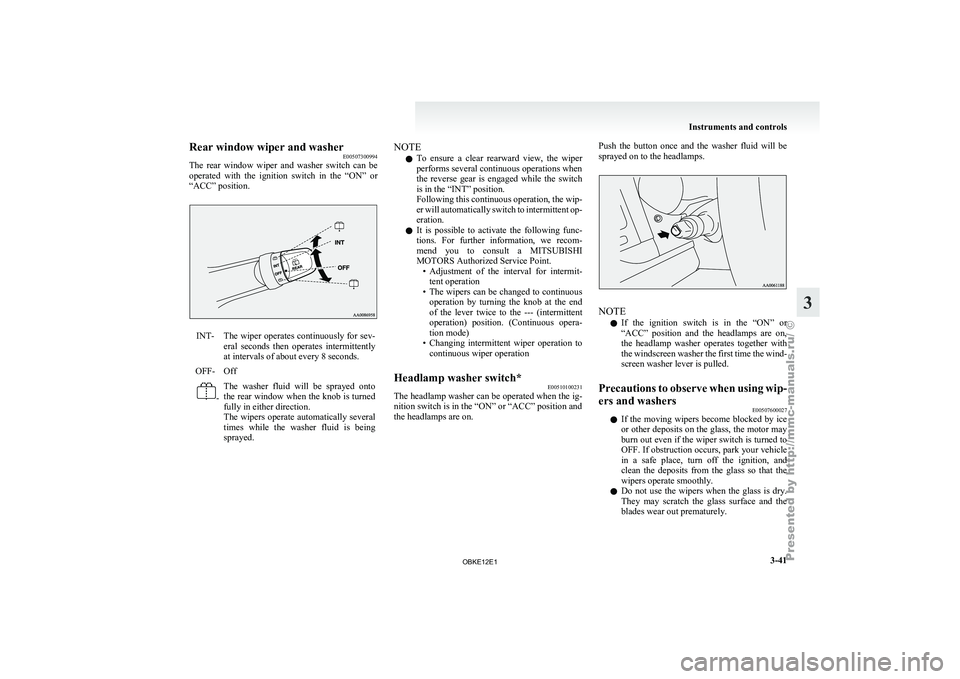
The rear window
wiper and washer switch can be
operated with the ignition switch in the “ON” or
“ACC” position. INT- The wiper operates continuously for sev-
eral seconds then
operates intermittently
at intervals of about every 8 seconds.
OFF- Off -
The washer fluid will be sprayed onto
the
rear window
when the knob is turned
fully in either direction.
The wipers operate automatically several
times while the washer fluid is being
sprayed. NOTE
l To
ensure a
clear rearward view, the wiper
performs several continuous operations when
the reverse gear is engaged while the switch
is in the “INT” position.
Following this continuous operation, the wip-
er will automatically switch to intermittent op-
eration.
l It is possible to activate the following func-
tions. For further information, we recom-
mend you to consult a MITSUBISHI
MOTORS Authorized Service Point.
• Adjustment of the interval for intermit-tent operation
• The wipers can be changed to continuous operation by turning the knob at the end
of the lever twice to the --- (intermittent
operation) position. (Continuous opera-
tion mode)
• Changing intermittent wiper operation to continuous wiper operation
Headlamp washer switch* E00510100231
The headlamp washer can be operated when the ig-
nition switch is in the “ON” or “ACC” position and
the headlamps are on. Push the button once and the washer fluid will be
sprayed on to the headlamps.
NOTE
l If
the ignition
switch is in the “ON” or
“ACC” position and the headlamps are on,
the headlamp washer operates together with
the windscreen washer the first time the wind-
screen washer lever is pulled.
Precautions to observe when using wip-
ers and washers E00507600027
l If the
moving
wipers become blocked by ice
or other deposits on the glass, the motor may
burn out even if the wiper switch is turned to
OFF. If obstruction occurs, park your vehicle
in a safe place, turn off the ignition, and
clean the deposits from the glass so that the
wipers operate smoothly.
l Do not use the wipers when the glass is dry.
They may scratch the glass surface and the
blades wear out prematurely. Instruments and controls
3-41 3
OBKE12E1
Page 137 of 377
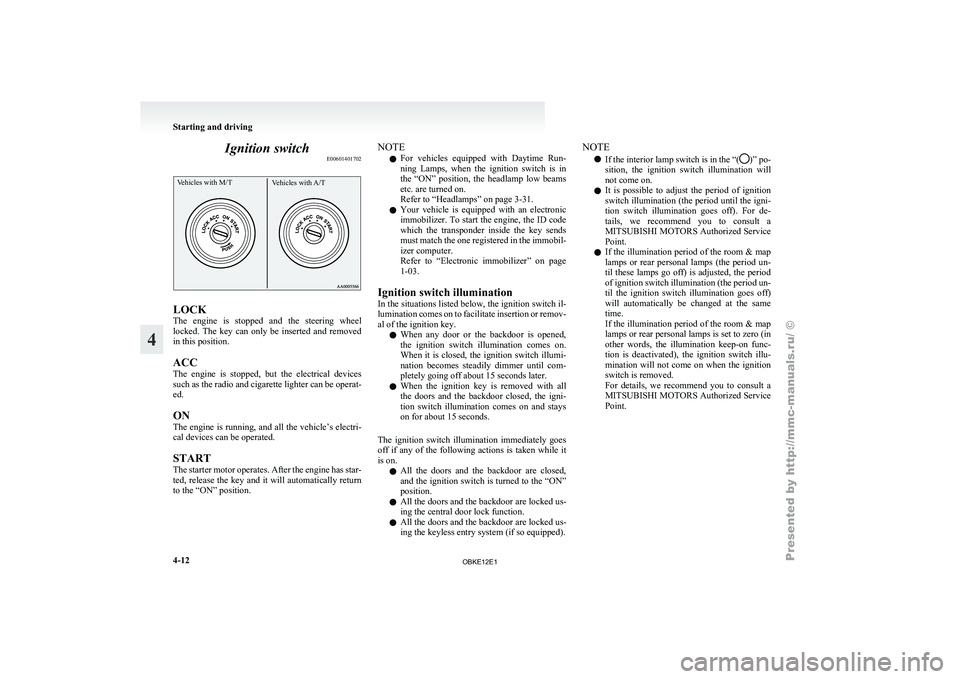
Ignition switch
E00601401702Vehicles with M/T Vehicles with A/TLOCK
The
engine is
stopped and the steering wheel
locked. The key can only be inserted and removed
in this position.
ACC
The engine is stopped, but the electrical devices
such as the radio and cigarette lighter can be operat-
ed.
ON
The engine is running, and all the vehicle’s electri-
cal devices can be operated.
START
The starter motor operates. After the engine has star-
ted, release the key and it will automatically return
to the “ON” position. NOTE
l For
vehicles equipped
with Daytime Run-
ning Lamps, when the ignition switch is in
the “ON” position, the headlamp low beams
etc. are turned on.
Refer to “Headlamps” on page 3-31.
l Your vehicle is equipped with an electronic
immobilizer. To start the engine, the ID code
which the transponder inside the key sends
must match the one registered in the immobil-
izer computer.
Refer to “Electronic immobilizer” on page
1-03.
Ignition switch illumination
In the situations listed below, the ignition switch il-
lumination comes on to facilitate insertion or remov-
al of the ignition key. l When any door or the backdoor is opened,
the ignition switch illumination comes on.
When it is closed, the ignition switch illumi-
nation becomes steadily dimmer until com-
pletely going off about 15 seconds later.
l When the ignition key is removed with all
the doors and the backdoor closed, the igni-
tion switch illumination comes on and stays
on for about 15 seconds.
The ignition switch illumination immediately goes
off if any of the following actions is taken while it
is on. l All the doors and the backdoor are closed,
and the ignition switch is turned to the “ON”
position.
l All the doors and the backdoor are locked us-
ing the central door lock function.
l All the doors and the backdoor are locked us-
ing the keyless entry system (if so equipped). NOTE
l If the interior
lamp switch is in the “( )” po-
sition, the ignition
switch illumination will
not come on.
l It is possible to adjust the period of ignition
switch illumination (the period until the igni-
tion switch illumination goes off). For de-
tails, we recommend you to consult a
MITSUBISHI MOTORS Authorized Service
Point.
l If the illumination period of the room & map
lamps or rear personal lamps (the period un-
til these lamps go off) is adjusted, the period
of ignition switch illumination (the period un-
til the ignition switch illumination goes off)
will automatically be changed at the same
time.
If the illumination period of the room & map
lamps or rear personal lamps is set to zero (in
other words, the illumination keep-on func-
tion is deactivated), the ignition switch illu-
mination will not come on when the ignition
switch is removed.
For details, we recommend you to consult a
MITSUBISHI MOTORS Authorized Service
Point. Starting and driving
4-12
4
OBKE12E1
Page 140 of 377
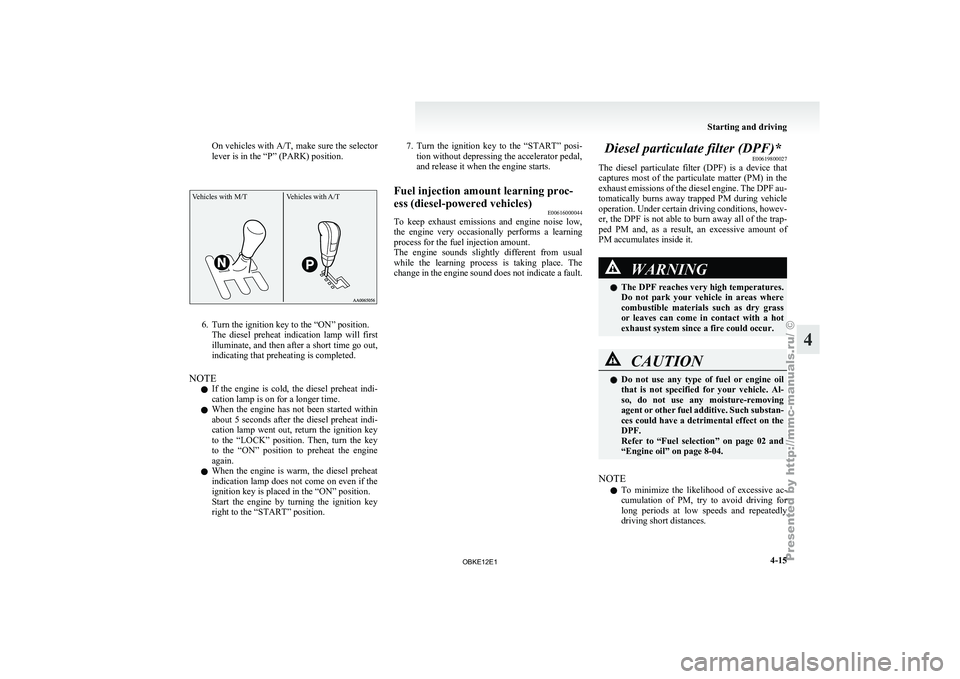
On vehicles with A/T, make sure
the selector
lever is in the “P” (PARK) position.
Vehicles with M/T Vehicles with A/T6. Turn the ignition key to the “ON” position.
The diesel preheat
indication lamp will first
illuminate, and then after a short time go out,
indicating that preheating is completed.
NOTE l If the engine is cold, the diesel preheat indi-
cation lamp is on for a longer time.
l When the engine has not been started within
about 5 seconds after the diesel preheat indi-
cation lamp went out, return the ignition key
to the “LOCK” position. Then, turn the key
to the “ON” position to preheat the engine
again.
l When the engine is warm, the diesel preheat
indication lamp does not come on even if the
ignition key is placed in the “ON” position.
Start the engine by turning the ignition key
right to the “START” position. 7. Turn the ignition key to the “START” posi-
tion without depressing the accelerator pedal,
and release it when the engine starts.
Fuel injection amount learning proc-
ess (diesel-powered vehicles) E00616000044
To keep
exhaust emissions and engine noise low,
the engine very
occasionally performs a learning
process for the fuel injection amount.
The engine sounds slightly different from usual
while the learning process is taking place. The
change in the engine sound does not indicate a fault. Diesel particulate filter (DPF)*
E00619800027
The diesel particulate
filter (DPF) is a device that
captures most of the particulate matter (PM) in the
exhaust emissions of the diesel engine. The DPF au-
tomatically burns away trapped PM during vehicle
operation. Under certain driving conditions, howev-
er, the DPF is not able to burn away all of the trap-
ped PM and, as a result, an excessive amount of
PM accumulates inside it. WARNING
l The DPF reaches very high temperatures.
Do not
park
your vehicle in areas where
combustible materials such as dry grass
or leaves can come in contact with a hot
exhaust system since a fire could occur. CAUTION
l
Do not use
any type of fuel or engine oil
that is not specified for your vehicle. Al-
so, do not use any moisture-removing
agent or other fuel additive. Such substan-
ces could have a detrimental effect on the
DPF.
Refer to “Fuel selection” on page 02 and
“Engine oil” on page 8-04.
NOTE l To
minimize the
likelihood of excessive ac-
cumulation of PM, try to avoid driving for
long periods at low speeds and repeatedly
driving short distances. Starting and driving
4-15 4
OBKE12E1
Page 159 of 377
l
Driving over
roads in coastal areas or roads
on which anti-skid preparations have been
spread can cause rust on the vehicle; wash
the vehicle thoroughly as soon as possible af-
ter such use.
Climbing sharp grades
Set the transfer shift lever to the “4LLc” position to
maximize the engine torque. WARNING
l Go
straight
up.
Do not try to traverse
across a steep slope.
l If you begin to lose traction, ease off the
accelerator pedal and gently turn the
steering wheel alternatively left and right
to regain adequate traction again.
NOTE l Choose
as smooth
a slope as possible with
few stones or other obstacles.
l Before attempting to drive up the slope, walk
it up to confirm that the vehicle can handle
the grade.
Descending sharp grades
Set the transfer shift lever to the “4LLc” position,
use the engine brake (downshifting) and descend
slowly. WARNING
l Avoid
snaking
down
a sharp grade. De-
scend the grade as straight as possible. NOTE
l When descending a sharp grade, if the brakes
are
applied suddenly
because of an obstacle
encountered, control of the vehicle could be
lost. Before descending the slope, walk it
down and confirm the path.
l Before descending a grade, it is necessary to
choose the appropriate gear. Avoid changing
gears or depressing the clutch while descend-
ing the grade.
l MITSUBISHI MOTORS is not responsible
to the operator for any damage or injury
caused or liability incurred by improper and
negligent operation of a vehicle. All techni-
ques of vehicle operation described herein de-
pend on the skill and experience of the opera-
tor and other participating parties and any de-
viation from the recommended operation in-
structions above is at their own risk.
Turning sharp corners
When turning a sharp corner in the “4HLc” or
“4LLc” position at low speed, a slight difference in
steering may be experienced similar to as if the
brakes were applied. This is called tight corner brak-
ing and results from each of the 4 tyres being at a
different distance from the corner.
The phenomenon is peculiar to 4-wheel drive vehi-
cles. If this occurs, either straighten the steering
wheel, or change to rear-wheel drive.
Crossing a stream
4-wheel drive vehicles are not necessarily water-
proof. If the electrical circuits become wet, further
operation of the vehicle will be impossible; there-
fore, avoid crossing streams unless absolutely nec-
essary. If crossing a stream is unavoidable, use the
following procedure: 1. Check depths of a stream and geographical
features before
attempting to cross a stream
and ford the stream where the water is as shal-
low as practicable.
2. Cross at a place where the water is less than 70 cm deep.
3. Set the transfer shift lever to the “4LLc” po- sition.
4. Drive slowly at a speed of approximately 5 km/h (3 mph) to avoid splashing too much
water. CAUTION
l
Do not
attempt
to cross a stream at a
place where the water is more than 70 cm
deep.
l Cross a stream temporarily for emergen-
cies and avoid doing so for a long period
of time.
l After crossing a stream, apply the brakes
to be sure they are functioning properly.
If the brakes are wet and not functioning
properly, dry them out by driving slowly
while lightly depressing the brake pedal.
Inspect each part of the vehicle carefully.
NOTE l Because
the inside
of the vehicle is flooded
with water when crossing at a place where
the water is more than 50 cm deep, we recom-
mend you to have your vehicle inspected.
l Frequent crossing of streams can adversely af-
fect the life span of the vehicle; we recom-
mend you to take the necessary measures to
prepare, inspect, and repair the vehicle. Starting and driving
4-34
4
OBKE12E1
Page 175 of 377
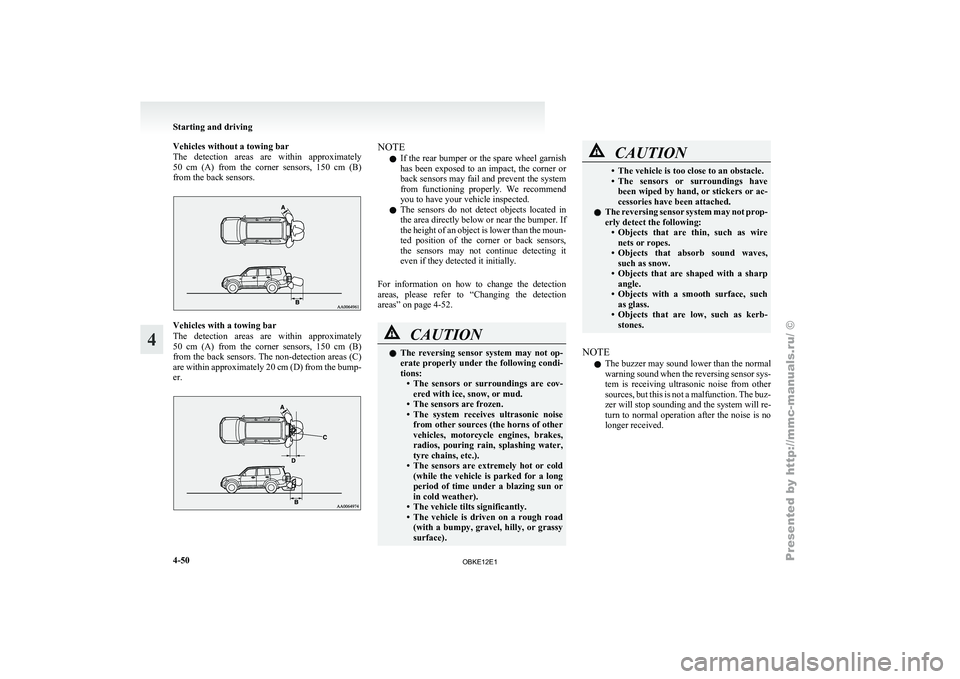
Vehicles without a towing bar
The detection areas
are within approximately
50 cm (A) from the corner sensors, 150 cm (B)
from the back sensors. Vehicles with a towing bar
The detection
areas
are within approximately
50 cm (A) from the corner sensors, 150 cm (B)
from the back sensors. The non-detection areas (C)
are within approximately 20 cm (D) from the bump-
er. NOTE
l If
the rear
bumper or the spare wheel garnish
has been exposed to an impact, the corner or
back sensors may fail and prevent the system
from functioning properly. We recommend
you to have your vehicle inspected.
l The sensors do not detect objects located in
the area directly below or near the bumper. If
the height of an object is lower than the moun-
ted position of the corner or back sensors,
the sensors may not continue detecting it
even if they detected it initially.
For information on how to change the detection
areas, please refer to “Changing the detection
areas” on page 4-52. CAUTION
l
The reversing
sensor
system may not op-
erate properly under the following condi-
tions: • The sensors or surroundings are cov-ered with ice, snow, or mud.
• The sensors are frozen.
• The system receives ultrasonic noise from other sources (the horns of other
vehicles, motorcycle engines, brakes,
radios, pouring rain, splashing water,
tyre chains, etc.).
• The sensors are extremely hot or cold (while the vehicle is parked for a long
period of time under a blazing sun or
in cold weather).
• The vehicle tilts significantly.
• The vehicle is driven on a rough road (with a bumpy, gravel, hilly, or grassy
surface). CAUTION
• The vehicle is too close to an obstacle.
• The sensors
or
surroundings have
been wiped by hand, or stickers or ac-
cessories have been attached.
l The reversing sensor system may not prop-
erly detect the following:
• Objects that are thin, such as wirenets or ropes.
• Objects that absorb sound waves, such as snow.
• Objects that are shaped with a sharp angle.
• Objects with a smooth surface, such as glass.
• Objects that are low, such as kerb- stones.
NOTE l The
buzzer may
sound lower than the normal
warning sound when the reversing sensor sys-
tem is receiving ultrasonic noise from other
sources, but this is not a malfunction. The buz-
zer will stop sounding and the system will re-
turn to normal operation after the noise is no
longer received. Starting and driving
4-50
4
OBKE12E1
Page 178 of 377
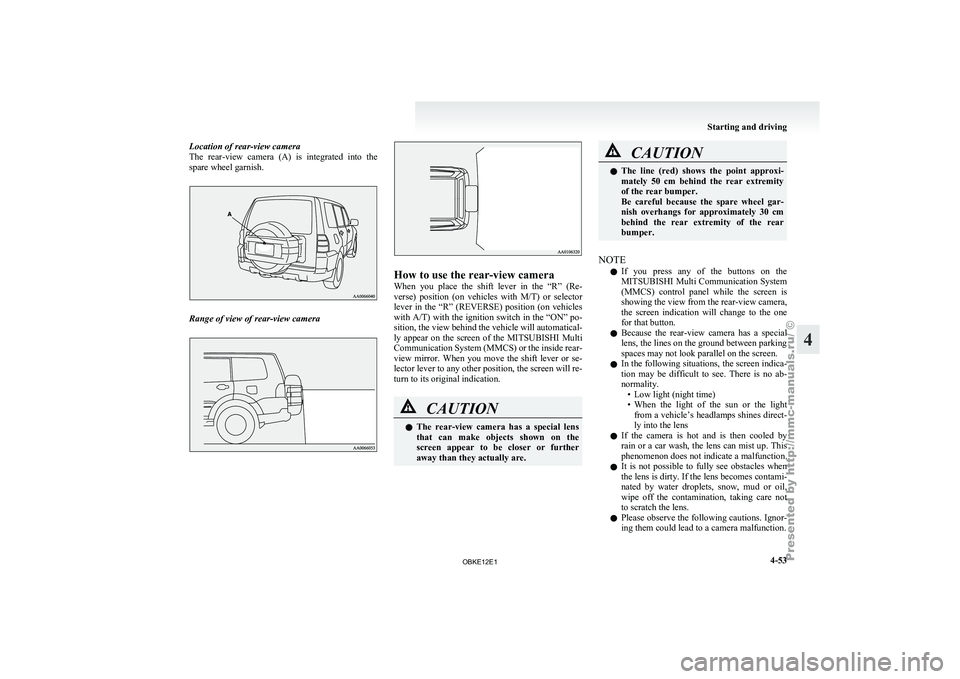
Location of rear-view camera
The rear-view camera
(A) is integrated into the
spare wheel garnish. Range of view of rear-view camera How to use the rear-view camera
When you
place
the shift lever in the “R” (Re-
verse) position (on vehicles with M/T) or selector
lever in the “R” (REVERSE) position (on vehicles
with A/T) with the ignition switch in the “ON” po-
sition, the view behind the vehicle will automatical-
ly appear on the screen of the MITSUBISHI Multi
Communication System (MMCS) or the inside rear-
view mirror. When you move the shift lever or se-
lector lever to any other position, the screen will re-
turn to its original indication. CAUTION
l
The rear-view
camera
has a special lens
that can make objects shown on the
screen appear to be closer or further
away than they actually are. CAUTION
l
The line (red)
shows the point approxi-
mately 50 cm behind the rear extremity
of the rear bumper.
Be careful because the spare wheel gar-
nish overhangs for approximately 30 cm
behind the rear extremity of the rear
bumper.
NOTE l If
you press
any of the buttons on the
MITSUBISHI Multi Communication System
(MMCS) control panel while the screen is
showing the view from the rear-view camera,
the screen indication will change to the one
for that button.
l Because the rear-view camera has a special
lens, the lines on the ground between parking
spaces may not look parallel on the screen.
l In the following situations, the screen indica-
tion may be difficult to see. There is no ab-
normality.
• Low light (night time)
• When the light of the sun or the lightfrom a vehicle’s headlamps shines direct-
ly into the lens
l If the camera is hot and is then cooled by
rain or a car wash, the lens can mist up. This
phenomenon does not indicate a malfunction.
l It is not possible to fully see obstacles when
the lens is dirty. If the lens becomes contami-
nated by water droplets, snow, mud or oil,
wipe off the contamination, taking care not
to scratch the lens.
l Please observe the following cautions. Ignor-
ing them could lead to a camera malfunction. Starting and driving
4-53 4
OBKE12E1
Page 180 of 377
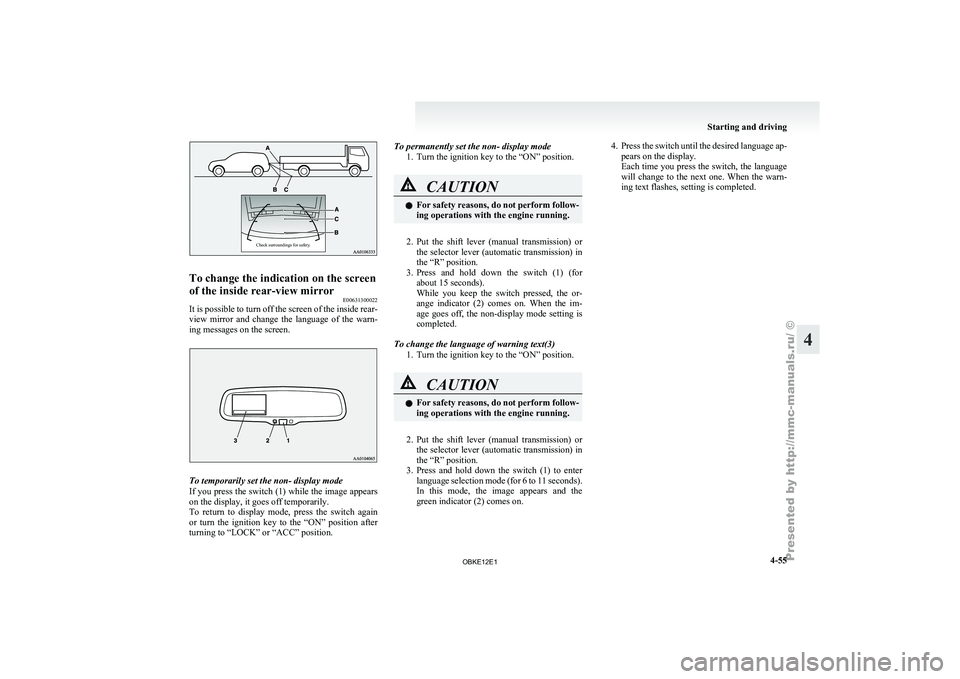
Check surroundings for safety.To change the indication on the screen
of the inside rear-view mirror
E00631300022
It is possible to turn off the screen of the inside rear-
view mirror and
change the language of the warn-
ing messages on the screen. To temporarily set the non- display mode
If you
press
the switch (1) while the image appears
on the display, it goes off temporarily.
To return to display mode, press the switch again
or turn the ignition key to the “ON” position after
turning to “LOCK” or “ACC” position. To permanently set the non- display mode
1. Turn the ignition key to the “ON” position. CAUTION
l
For safety
reasons,
do not perform follow-
ing operations with the engine running.
2. Put the shift lever (manual transmission) or
the selector
lever (automatic transmission) in
the “R” position.
3. Press and hold down the switch (1) (for about 15 seconds).
While you keep the switch pressed, the or-
ange indicator (2) comes on. When the im-
age goes off, the non-display mode setting is
completed.
To change the language of warning text(3) 1. Turn the ignition key to the “ON” position. CAUTION
l
For safety
reasons,
do not perform follow-
ing operations with the engine running.
2. Put the shift lever (manual transmission) or
the selector
lever (automatic transmission) in
the “R” position.
3. Press and hold down the switch (1) to enter language selection mode (for 6 to 11 seconds).
In this mode, the image appears and the
green indicator (2) comes on. 4. Press the switch until the desired language ap-
pears on the display.
Each time
you press the switch, the language
will change to the next one. When the warn-
ing text flashes, setting is completed. Starting and driving
4-55 4
OBKE12E1