sensor MITSUBISHI PAJERO IV 2011 User Guide
[x] Cancel search | Manufacturer: MITSUBISHI, Model Year: 2011, Model line: PAJERO IV, Model: MITSUBISHI PAJERO IV 2011Pages: 377, PDF Size: 29.43 MB
Page 166 of 377
Inspection following snowy road oper-
ation
E00618300012
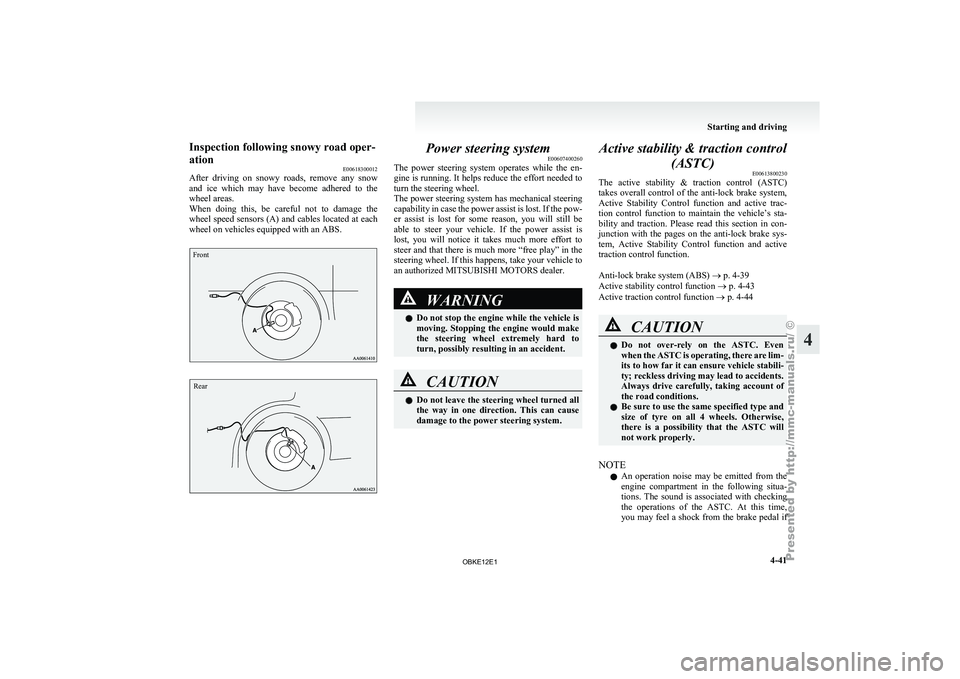
After driving on
snowy roads, remove any snow
and ice which may have become adhered to the
wheel areas.
When doing this, be careful not to damage the
wheel speed sensors (A) and cables located at each
wheel on vehicles equipped with an ABS.
Front
Rear Power steering system
E00607400260
The power steering
system operates while the en-
gine is running. It helps reduce the effort needed to
turn the steering wheel.
The power steering system has mechanical steering
capability in case the power assist is lost. If the pow-
er assist is lost for some reason, you will still be
able to steer your vehicle. If the power assist is
lost, you will notice it takes much more effort to
steer and that there is much more “free play” in the
steering wheel. If this happens, take your vehicle to
an authorized MITSUBISHI MOTORS dealer. WARNING
l Do not
stop
the engine while the vehicle is
moving. Stopping the engine would make
the steering wheel extremely hard to
turn, possibly resulting in an accident. CAUTION
l
Do not leave
the steering wheel turned all
the way in one direction. This can cause
damage to the power steering system. Active stability & traction control
(ASTC) E00613800230
The active stability
& traction control (ASTC)
takes overall control of the anti-lock brake system,
Active Stability Control function and active trac-
tion control function to maintain the vehicle’s sta-
bility and traction. Please read this section in con-
junction with the pages on the anti-lock brake sys-
tem, Active Stability Control function and active
traction control function.
Anti-lock brake system (ABS) ® p. 4-39
Active stability control function ® p. 4-43
Active traction control function ® p. 4-44 CAUTION
l
Do not
over-rely
on the ASTC. Even
when the ASTC is operating, there are lim-
its to how far it can ensure vehicle stabili-
ty; reckless driving may lead to accidents.
Always drive carefully, taking account of
the road conditions.
l Be sure to use the same specified type and
size of tyre on all 4 wheels. Otherwise,
there is a possibility that the ASTC will
not work properly.
NOTE l An
operation noise
may be emitted from the
engine compartment in the following situa-
tions. The sound is associated with checking
the operations of the ASTC. At this time,
you may feel a shock from the brake pedal if Starting and driving
4-41 4
OBKE12E1
Page 174 of 377
To resume the set speed
E00609800460
If the set
speed driving is deactivated by the condi-
tion described in “To deactivate” on page 4-48,
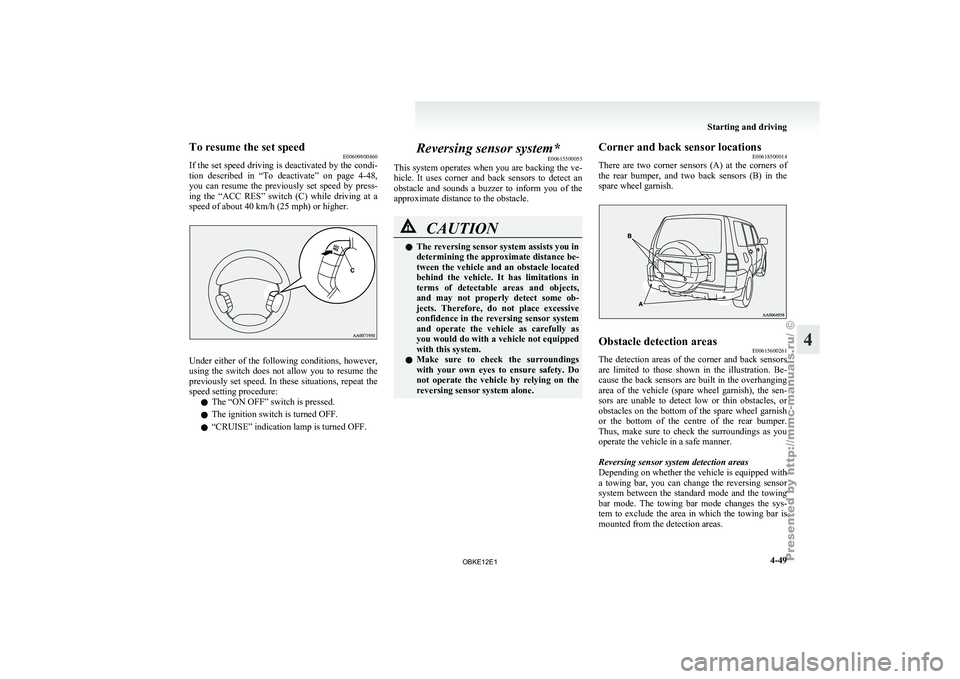
you can resume the previously set speed by press-
ing the “ACC RES” switch (C) while driving at a
speed of about 40 km/h (25 mph) or higher. Under either of the following conditions, however,
using the
switch
does not allow you to resume the
previously set speed. In these situations, repeat the
speed setting procedure:
l The “ON OFF” switch is pressed.
l The ignition switch is turned OFF.
l “CRUISE” indication lamp is turned OFF. Reversing sensor system*
E00615500055
This system operates
when you are backing the ve-
hicle. It uses corner and back sensors to detect an
obstacle and sounds a buzzer to inform you of the
approximate distance to the obstacle. CAUTION
l
The reversing sensor system assists you in
determining the approximate distance be-
tween the
vehicle
and an obstacle located
behind the vehicle. It has limitations in
terms of detectable areas and objects,
and may not properly detect some ob-
jects. Therefore, do not place excessive
confidence in the reversing sensor system
and operate the vehicle as carefully as
you would do with a vehicle not equipped
with this system.
l Make sure to check the surroundings
with your own eyes to ensure safety. Do
not operate the vehicle by relying on the
reversing sensor system alone. Corner and back sensor locations
E00618500014
There are two
corner sensors (A) at the corners of
the rear bumper, and two back sensors (B) in the
spare wheel garnish. Obstacle detection areas
E00615600261
The detection areas of the corner and back sensors
are limited to
those shown in the illustration. Be-
cause the back sensors are built in the overhanging
area of the vehicle (spare wheel garnish), the sen-
sors are unable to detect low or thin obstacles, or
obstacles on the bottom of the spare wheel garnish
or the bottom of the centre of the rear bumper.
Thus, make sure to check the surroundings as you
operate the vehicle in a safe manner.
Reversing sensor system detection areas
Depending on whether the vehicle is equipped with
a towing bar, you can change the reversing sensor
system between the standard mode and the towing
bar mode. The towing bar mode changes the sys-
tem to exclude the area in which the towing bar is
mounted from the detection areas. Starting and driving
4-49 4
OBKE12E1
Page 175 of 377
Vehicles without a towing bar
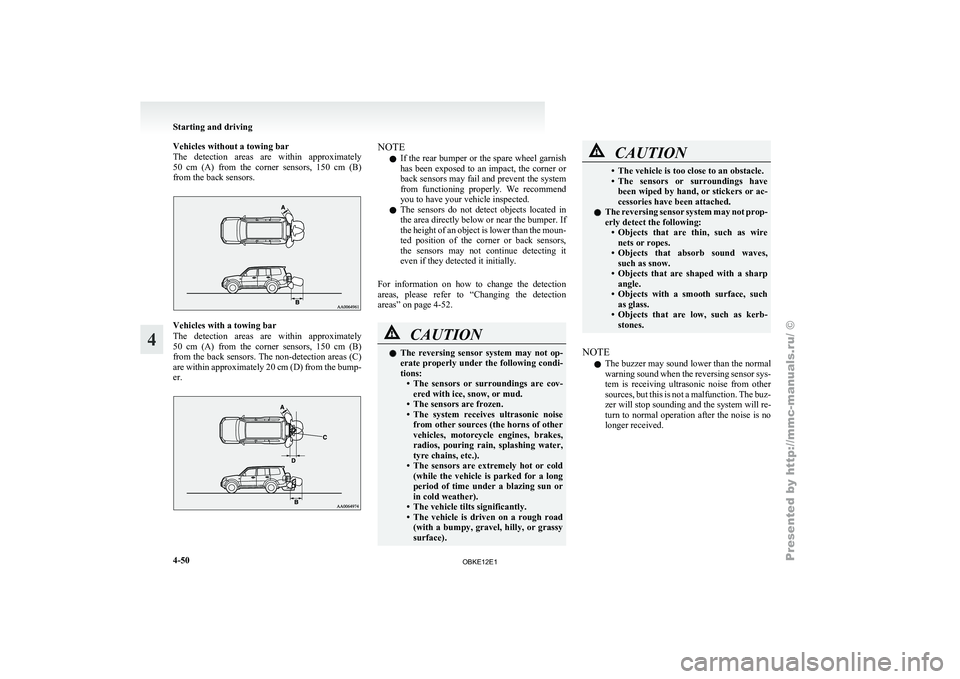
The detection areas
are within approximately
50 cm (A) from the corner sensors, 150 cm (B)
from the back sensors. Vehicles with a towing bar
The detection
areas
are within approximately
50 cm (A) from the corner sensors, 150 cm (B)
from the back sensors. The non-detection areas (C)
are within approximately 20 cm (D) from the bump-
er. NOTE
l If
the rear
bumper or the spare wheel garnish
has been exposed to an impact, the corner or
back sensors may fail and prevent the system
from functioning properly. We recommend
you to have your vehicle inspected.
l The sensors do not detect objects located in
the area directly below or near the bumper. If
the height of an object is lower than the moun-
ted position of the corner or back sensors,
the sensors may not continue detecting it
even if they detected it initially.
For information on how to change the detection
areas, please refer to “Changing the detection
areas” on page 4-52. CAUTION
l
The reversing
sensor
system may not op-
erate properly under the following condi-
tions: • The sensors or surroundings are cov-ered with ice, snow, or mud.
• The sensors are frozen.
• The system receives ultrasonic noise from other sources (the horns of other
vehicles, motorcycle engines, brakes,
radios, pouring rain, splashing water,
tyre chains, etc.).
• The sensors are extremely hot or cold (while the vehicle is parked for a long
period of time under a blazing sun or
in cold weather).
• The vehicle tilts significantly.
• The vehicle is driven on a rough road (with a bumpy, gravel, hilly, or grassy
surface). CAUTION
• The vehicle is too close to an obstacle.
• The sensors
or
surroundings have
been wiped by hand, or stickers or ac-
cessories have been attached.
l The reversing sensor system may not prop-
erly detect the following:
• Objects that are thin, such as wirenets or ropes.
• Objects that absorb sound waves, such as snow.
• Objects that are shaped with a sharp angle.
• Objects with a smooth surface, such as glass.
• Objects that are low, such as kerb- stones.
NOTE l The
buzzer may
sound lower than the normal
warning sound when the reversing sensor sys-
tem is receiving ultrasonic noise from other
sources, but this is not a malfunction. The buz-
zer will stop sounding and the system will re-
turn to normal operation after the noise is no
longer received. Starting and driving
4-50
4
OBKE12E1
Page 176 of 377
To operate
E00615700581
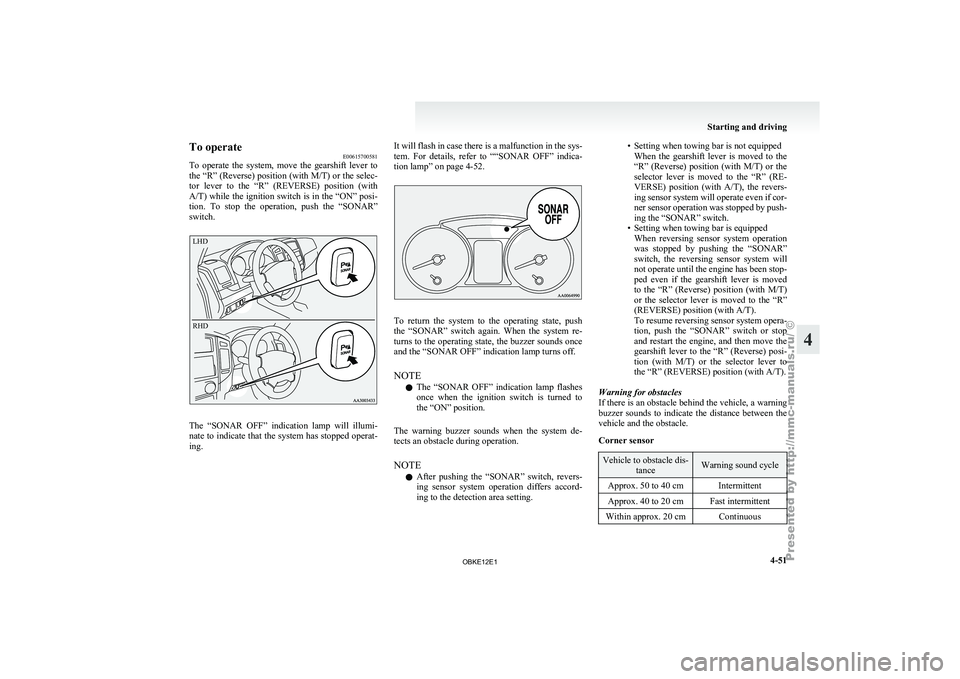
To operate the
system, move the gearshift lever to
the “R” (Reverse) position (with M/T) or the selec-
tor lever to the “R” (REVERSE) position (with
A/T) while the ignition switch is in the “ON” posi-
tion. To stop the operation, push the “SONAR”
switch.
LHD
RHD The “SONAR OFF” indication lamp will illumi-
nate to
indicate
that the system has stopped operat-
ing. It will flash in case there is a malfunction in the sys-
tem. For
details,
refer to ““SONAR OFF” indica-
tion lamp” on page 4-52. To return the system to the operating state, push
the “SONAR” switch
again. When the system re-
turns to the operating state, the buzzer sounds once
and the “SONAR OFF” indication lamp turns off.
NOTE
l The “SONAR OFF” indication lamp flashes
once when the ignition switch is turned to
the “ON” position.
The warning buzzer sounds when the system de-
tects an obstacle during operation.
NOTE l After pushing the “SONAR” switch, revers-
ing sensor system operation differs accord-
ing to the detection area setting. • Setting when towing bar is not equipped
When the gearshift
lever is moved to the
“R” (Reverse) position (with M/T) or the
selector lever is moved to the “R” (RE-
VERSE) position (with A/T), the revers-
ing sensor system will operate even if cor-
ner sensor operation was stopped by push-
ing the “SONAR” switch.
• Setting when towing bar is equipped When reversing sensor system operation
was stopped by pushing the “SONAR”
switch, the reversing sensor system will
not operate until the engine has been stop-
ped even if the gearshift lever is moved
to the “R” (Reverse) position (with M/T)
or the selector lever is moved to the “R”
(REVERSE) position (with A/T).
To resume reversing sensor system opera-
tion, push the “SONAR” switch or stop
and restart the engine, and then move the
gearshift lever to the “R” (Reverse) posi-
tion (with M/T) or the selector lever to
the “R” (REVERSE) position (with A/T).
Warning for obstacles
If there is an obstacle behind the vehicle, a warning
buzzer sounds to indicate the distance between the
vehicle and the obstacle.
Corner sensor Vehicle to obstacle dis-
tance Warning sound cycle
Approx. 50 to 40 cm Intermittent
Approx. 40 to 20 cm Fast intermittent
Within approx. 20 cm Continuous Starting and driving
4-51 4
OBKE12E1
Page 177 of 377
Back sensor (vehicles without a towing bar)
Vehicle to obstacle dis-
tance Warning sound cycle
Approx. 150 to 80 cm Intermittent Approx. 80 to 40 cm Fast intermittent
Within approx. 40 cm Continuous Back sensor (vehicles with a towing bar)
Vehicle to obstacle dis-
tance Warning sound cycle
Approx. 150 to 120 cm Intermittent Approx. 120 to 60 cm Fast intermittentWithin approx. 60 cm Continuous CAUTION
l
The distances given are to be used for ref-
erence
only, as
errors may be caused by
various factors, such as temperature, hu-
midity, or the shape of the obstacles.
Changing the detection areas E00615800032
The detection areas can be changed as follows:
Vehicles with a towing bar
While the operation
of the system is stopped at the
“SONAR” switch, push the “SONAR” switch ap-
proximately 3 seconds or more, and release it. The
buzzer sounds twice to indicate that the detection
area has been changed. Vehicles without a towing bar
While the
operation
of the system is stopped at the
“SONAR” switch, push the “SONAR” switch ap-
proximately 3 seconds or more, and release it. The
buzzer sounds once to indicate that the detection
area has been changed.
NOTE
l The detection area will not change if you
keep the “SONAR” switch pushed for 10 sec-
onds or more.
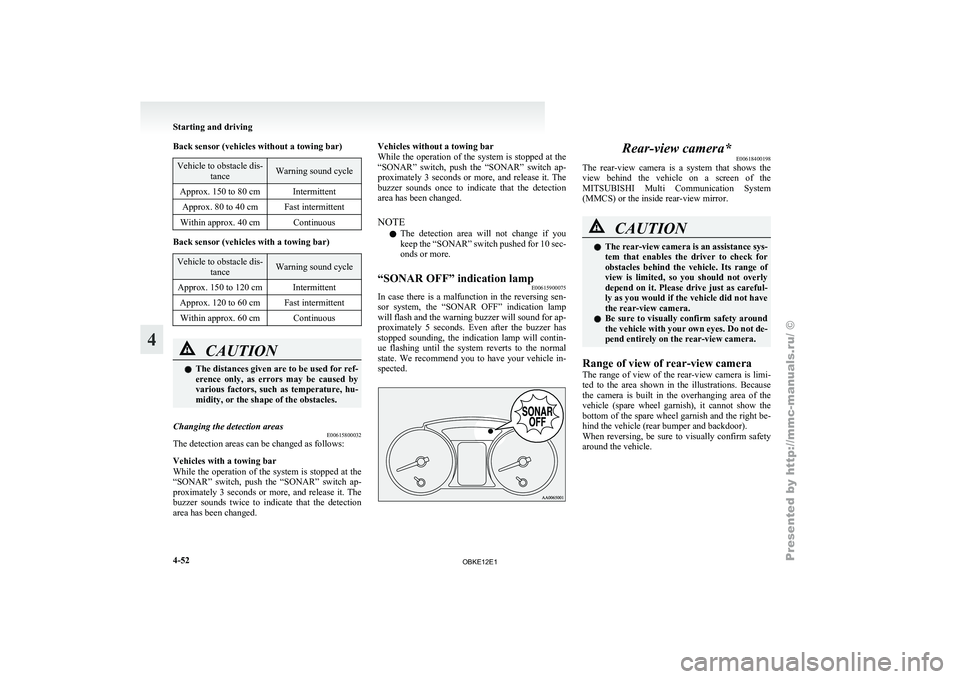
“SONAR OFF” indication lamp E00615900075
In case there is a malfunction in the reversing sen-
sor system, the
“SONAR OFF” indication lamp
will flash and the warning buzzer will sound for ap-
proximately 5 seconds. Even after the buzzer has
stopped sounding, the indication lamp will contin-
ue flashing until the system reverts to the normal
state. We recommend you to have your vehicle in-
spected. Rear-view camera*
E00618400198
The rear-view camera
is a system that shows the
view behind the vehicle on a screen of the
MITSUBISHI Multi Communication System
(MMCS) or the inside rear-view mirror. CAUTION
l
The rear-view
camera
is an assistance sys-
tem that enables the driver to check for
obstacles behind the vehicle. Its range of
view is limited, so you should not overly
depend on it. Please drive just as careful-
ly as you would if the vehicle did not have
the rear-view camera.
l Be sure to visually confirm safety around
the vehicle with your own eyes. Do not de-
pend entirely on the rear-view camera.
Range of view of rear-view camera
The range of
view of the rear-view camera is limi-
ted to the area shown in the illustrations. Because
the camera is built in the overhanging area of the
vehicle (spare wheel garnish), it cannot show the
bottom of the spare wheel garnish and the right be-
hind the vehicle (rear bumper and backdoor).
When reversing, be sure to visually confirm safety
around the vehicle. Starting and driving
4-52
4
OBKE12E1
Page 188 of 377
NOTE
l There
is an
interior air temperature sensor
(A) in the illustrated position.
Never place anything on top of the sensor,
since doing so will prevent it from function-
ing properly. Blower speed selection dial
E00702800198
Select the blower speed by turning the blower
speed selection dial
clockwise or anticlockwise.
The blower speed will gradually increase as the di-
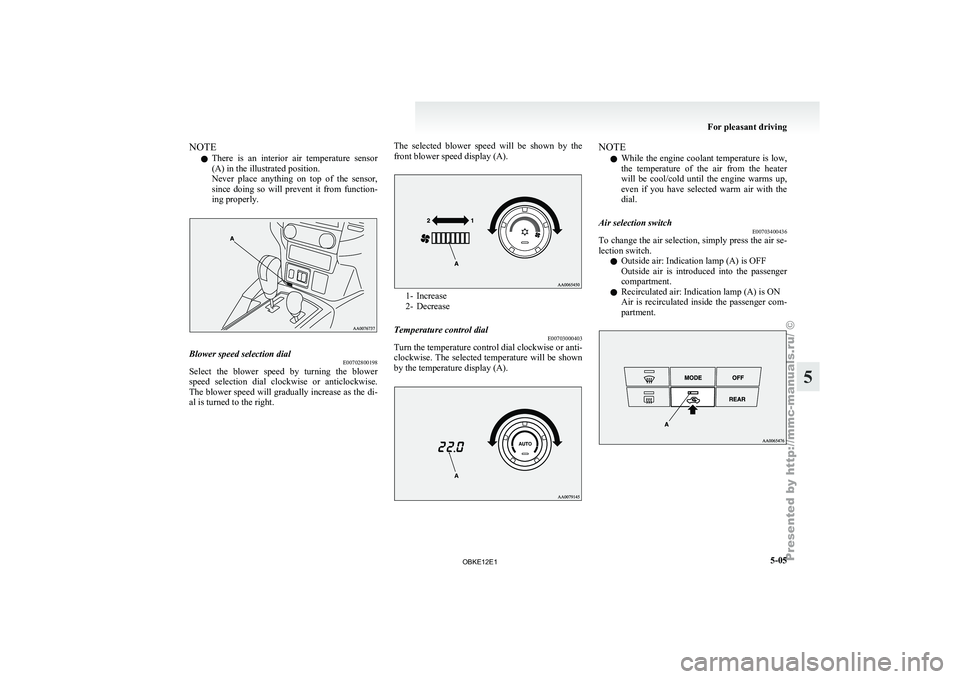
al is turned to the right. The selected blower speed will be shown by the
front blower speed display (A). 1- Increase
2- Decrease
Temperature control dial E00703000403
Turn the temperature control dial clockwise or anti-
clockwise. The selected
temperature will be shown
by the temperature display (A). NOTE
l While
the engine
coolant temperature is low,
the temperature of the air from the heater
will be cool/cold until the engine warms up,
even if you have selected warm air with the
dial.
Air selection switch E00703400436
To change the air selection, simply press the air se-
lection switch.
l Outside air: Indication lamp (A) is OFF
Outside
air
is
introduced into the passenger
compartment.
l Recirculated air: Indication lamp (A) is ON
Air is recirculated inside the passenger com-
partment. For pleasant driving
5-05 5
OBKE12E1
Page 304 of 377
NOTE
l If
genuine leather
is wet with water or is wash-
ed in water, wipe off water as quickly as pos-
sible with a dry, soft cloth. If left damp, mil-
dew may grow.
l The genuine leather surface may be damaged
if a nylon brush or synthetic fibre is rubbed
hard against it.
l Organic solvents such as benzine, kerosene,
alcohol and petrol, acid or alkaline solvents
may discolour the genuine leather surface.
Be sure to use neutral detergents.
l Remove dirty patches or oil substances quick-
ly as they can stain genuine leather.
l The genuine leather surface may harden and
shrink if it is exposed to direct sun for long
hours. When your vehicle is parked, place it
in the shade as much as possible.
l When the temperature of the vehicle interior
rises in summer, vinyl products left on the
genuine leather seat may deteriorate and
stick to the seat. Cleaning the exterior of your
vehicle E00900700195
If the
following
is left on your vehicle, it may
cause corrosion, discolouration and stains, wash
the vehicle as soon as possible.
l Seawater, road deicing products.
l Soot and dust, iron powder from factories,
chemical substance (acids, alkalis, coal-tar,
etc.).
l Droppings from birds, carcasses of insects,
tree sap, etc.
Washing E00900901875
Chemicals contained in the dirt and dust picked up
from the road
surface can damage the paint coat
and body of your vehicle if left in prolonged contact.
Frequent washing and waxing is the best way to pro-
tect your vehicle from this damage. This will also
be effective in protecting it from environmental el-
ements such as rain, snow, salt air, etc.
Do not wash the vehicle in direct sunlight. Park the
vehicle in the shade and spray it with water to re-
move dust. Next, using an ample amount of clean
water and a car washing brush or sponge, wash the
vehicle from top to bottom.
Use a mild car washing soap if necessary. Rinse
thoroughly and wipe dry with a soft cloth. After
washing the vehicle, carefully clean the joints and
flanges of the doors, bonnet, etc., where dirt is like-
ly to remain. CAUTION
l
When washing the
under side of your ve-
hicle or wheel, be careful not to injure
your hands.
l If your vehicle has rain sensor wipers,
place the wiper switch lever in the “OFF”
position to deactivate the rain sensor be-
fore washing the vehicle. Otherwise, the
wipers will operate in the presence of wa-
ter spray on the windscreen and may get
damaged as a result.
l Refrain from excessively using a car wash
as its brushes may scratch the paint sur-
face, causing it to lose its gloss.
Scratches will be especially visible on
darker coloured vehicles.
l Never spray or splash water on the electri-
cal components in the engine compart-
ment, as this may adversely affect engine
starting.
Exercise caution also when washing the
underbody; be careful not to spray water
into the engine compartment.
l Some types of hot water washing equip-
ment apply high pressure and heat to the
vehicle. They may cause heat distortion
and damage to the vehicle resin parts and
may result in flooding of the vehicle inte-
rior. Therefore;
• Maintain a distance of approx. 50 cmor more between the vehicle body and
the washing nozzle.
• When washing around the door glass, hold the nozzle at a distance of more
than 50 cm and at right angles to the
glass surface. Vehicle care
7-03 7
OBKE12E1
Page 305 of 377
CAUTION
l
After washing the vehicle, drive the vehi-
cle slowly while lightly depressing the
brake pedal several times in order to dry
out the brakes.
Leaving the brakes wet could result in re-
duced braking performance. Also, there
is a possibility that they could freeze up
or become inoperative due to rust, render-
ing the vehicle unable to move.
l When using an automatic car wash, pay
attention to the following items, referring
to the operation manual or consulting a
car wash operator. If the following proce-
dure is not followed, it could result in dam-
age to your vehicle.
• The outside mirrors are retracted.
• The wiper arm assembly is taped.
• If your vehicle is equipped with a reardeflector or roof rails, consult a car
wash operator before using the car
wash.
• If your vehicle has rain sensor wipers, place the wiper switch lever in the
“OFF” position to deactivate the rain
sensor.
During cold weather
Salt and other
chemicals spread on the roads in
some areas in winter can have a harmful effect on
the vehicle body. You should therefore wash the ve-
hicle as often as possible in accordance with our
care-instructions. It is recommended to have a pres-
ervative applied and the underfloor protection
checked before and after the cold weather season. After washing your vehicle, wipe off all water-
drops from
the
rubber parts around the doors to pre-
vent the doors from freezing.
NOTE
l To prevent freezing of the weatherstripping
on the doors, bonnet, etc., they should be trea-
ted with silicone spray.
Waxing E00901000560
Waxing the vehicle will help prevent the adherence
of dust and
road chemicals to the paintwork. Apply
a wax solution after washing the vehicle, or at least
once every three months to assist displacing of water.
Do not wax your vehicle in direct sunlight. You
should wax after the surfaces have cooled. CAUTION
l
Waxes containing
high
abrasive com-
pounds should not be used. Such waxes re-
move rust and stains effectively from the
paintwork but they are harmful to the lus-
tre on the painted surface and the plated
surface.
Further, they are harmful to glossy surfa-
ces such as grille, garnish, mouldings, etc.
l Do not use petrol or paint thinners to re-
move road tar or other contamination to
the vehicle surface.
l Do not apply wax on the areas having
black mat coating as it can cause uneven
discolouration, patches, blurs, etc. If
stained with wax, immediately wipe off
with a piece of soft cloth and warm water. CAUTION
l
On vehicles with
a sunroof, be careful
when waxing the area around the sunroof
opening, not to put any wax on the weath-
erstrip (black rubber). If stained with
wax, the weatherstrip cannot maintain a
weatherproof seal with the sunroof.
Polishing E00901100024
The vehicle should only be polished if the paint-
work has become stained or lost its lustre. Matt-fin-
ish parts and
plastic bumpers must not be polished,
polishing these parts will stain them or damage
their finish.
Damaged paint E00901200155
Small cracks and scratches in the paint coat should
be touched up
as soon as possible with
MITSUBISHI touch-up paint to prevent corrosion.
Check body areas facing the road or the tyres care-
fully for damage to the paint coat caused by flying
stones, etc. The paint code number for your vehicle
can be found on the vehicle information code plate.
(Refer to “Vehicle information code plate” on page
9-02.)
Cleaning plastic parts E00901300619
Use a sponge or chamois leather.
If a car
wax adheres on a grey or black rough sur-
face of the bumper, moulding or lamps, the surface
becomes white. In such a case, wipe it off using
lukewarm water and soft cloth or chamois leather. Vehicle care
7-04
7
OBKE12E1
Page 360 of 377
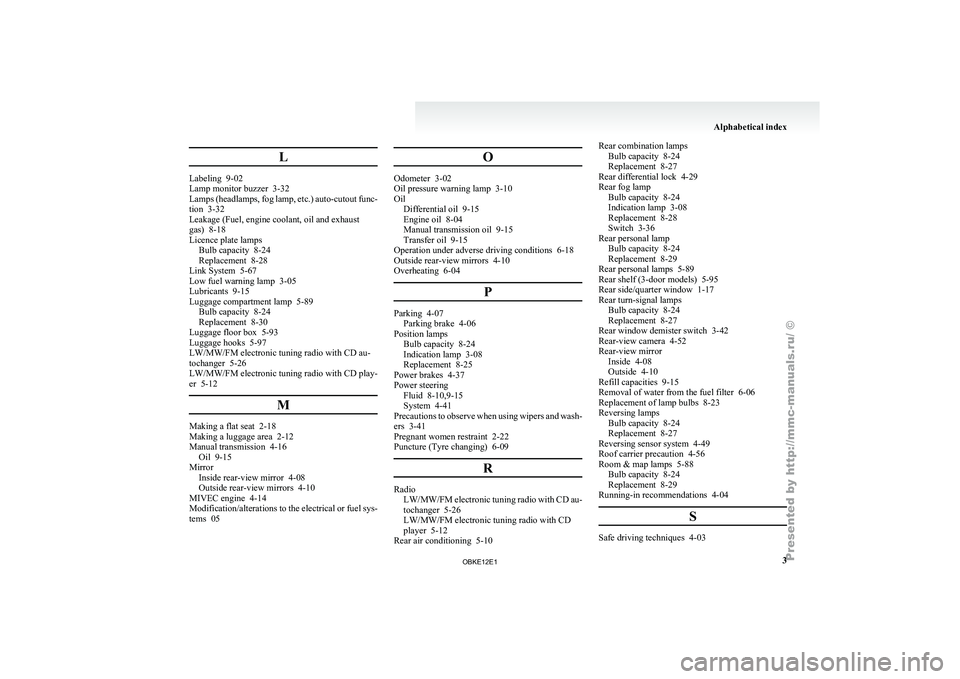
L
Labeling 9-02
Lamp monitor buzzer 3-32
Lamps
(headlamps,
fog lamp, etc.) auto-cutout func-
tion 3-32
Leakage (Fuel, engine coolant, oil and exhaust
gas) 8-18
Licence plate lamps Bulb capacity 8-24
Replacement 8-28
Link System 5-67
Low fuel warning lamp 3-05
Lubricants 9-15
Luggage compartment lamp 5-89 Bulb capacity 8-24
Replacement 8-30
Luggage floor box 5-93
Luggage hooks 5-97
LW/MW/FM electronic tuning radio with CD au-
tochanger 5-26
LW/MW/FM electronic tuning radio with CD play-
er 5-12
MMaking a flat seat 2-18
Making a luggage area 2-12
Manual transmission 4-16
Oil 9-15
Mirror Inside rear-view mirror 4-08
Outside rear-view mirrors 4-10
MIVEC engine 4-14
Modification/alterations to
the electrical or fuel sys-
tems 05 OOdometer 3-02
Oil pressure warning lamp 3-10
Oil
Differential oil 9-15
Engine oil 8-04
Manual transmission oil 9-15
Transfer oil 9-15
Operation under adverse driving conditions 6-18
Outside rear-view mirrors 4-10
Overheating 6-04
P Parking 4-07
Parking brake 4-06
Position lamps Bulb capacity 8-24
Indication lamp 3-08
Replacement
8-25
Power brakes 4-37
Power steering Fluid 8-10,9-15
System 4-41
Precautions to observe when using wipers and wash-
ers 3-41
Pregnant women restraint 2-22
Puncture (Tyre changing) 6-09
R Radio
LW/MW/FM electronic tuning
radio with CD au-
tochanger 5-26
LW/MW/FM electronic tuning radio with CD
player 5-12
Rear air conditioning 5-10 Rear combination lamps
Bulb capacity 8-24
Replacement 8-27
Rear differential lock
4-29
Rear fog lamp Bulb capacity 8-24
Indication lamp 3-08
Replacement 8-28
Switch 3-36
Rear personal lamp Bulb capacity 8-24
Replacement 8-29
Rear personal lamps 5-89
Rear shelf (3-door models) 5-95
Rear side/quarter window 1-17
Rear turn-signal lamps Bulb capacity 8-24
Replacement 8-27
Rear window demister switch 3-42
Rear-view camera 4-52
Rear-view mirror Inside 4-08
Outside 4-10
Refill capacities 9-15
Removal of water from the fuel filter 6-06
Replacement of lamp bulbs 8-23
Reversing lamps Bulb capacity 8-24
Replacement 8-27
Reversing sensor system 4-49
Roof carrier precaution 4-56
Room & map lamps 5-88 Bulb capacity 8-24
Replacement 8-29
Running-in recommendations 4-04
S Safe driving techniques 4-03 Alphabetical index
3
OBKE12E1