ESP MITSUBISHI PAJERO IV 2011 Owner's Manual
[x] Cancel search | Manufacturer: MITSUBISHI, Model Year: 2011, Model line: PAJERO IV, Model: MITSUBISHI PAJERO IV 2011Pages: 377, PDF Size: 29.43 MB
Page 162 of 377
Braking
E00607001524
All the parts
of the brake system are critical to safe-
ty. We recommend you to have the vehicle
checked at regular intervals according to the serv-
ice booklet. CAUTION
l
Avoid driving
habits
that cause heavy
braking and never “ride” the brakes by
resting your foot on the brake pedal
while driving.
It causes brake overheating and fade.
Brake system
The service brake
is divided into two brake circuits
so that when one brake circuit fails, the other is
available to stop the vehicle. In this situation, even
if the brake pedal moves down to the very end of
its possible stroke, keep depressing the brake pedal
down harder than usual; stop driving as soon as pos-
sible and have the brake system repaired.
For details, refer to “Brake warning lamp” on page
3-09.
Power brakes
The power brakes use brake fluid pressurized by
the pump to power-assist the brake. If the brake sys-
tem fails during driving, the brake warning lamp
comes on and a buzzer sounds continuously. In this
case, the brake may not work properly.
If this buzzer should continue to sound, park your
vehicle in a safe place and have the system checked.
Refer to “Brake warning lamp” on page 3-09. CAUTION
l
Bring the vehicle
to halt in a safe location
by applying the brakes gently. Applying
the brakes rapidly or driving at high
speed may make the vehicle unstable.
NOTE l Depressing
the brake
pedal repeatedly may
turn on the brake warning lamp, ABS warn-
ing lamp and brake warning buzzer. (The
ASTC indication lamp and Active Stability
Control function OFF indication lamp also
turn on.) It is normal if the lamp goes out
and the buzzer stops sounding after a few sec-
onds.
l In certain cases immediately after the engine
has been started or when the brake pedal is
depressed repeatedly, a noise generated by op-
eration of brake devices may be heard com-
ing from the engine compartment, or the
brake pedal vibration may be felt. This type
of noise or vibration is normal and there is
no need for concern. In fact, it indicates that
the corresponding devices are operating nor-
mal. WARNING
l Do not
turn
off the engine while your ve-
hicle is in motion. If you turn off the en-
gine while driving, the power assistance
for the braking system will stop working
and your brakes will not work effectively. WARNING
l If the power
assist is lost or if either
brake hydraulic system stops working
properly, have your vehicle checked im-
mediately.
Warning lamp l The
brake warning
lamp illuminates to indi-
cate a fault in the braking system. Read
“Brake warning lamp” on page 3-09.
l On vehicles with the rear differential lock,
the active stability & traction control
(ASTC) and anti-lock brake system (ABS)
functions are suspended while the rear differ-
ential lock is activated. ASTC indication
lamp, Active Stability Control function OFF
indication lamp, ABS warning lamp and
brake warning lamp are illuminated while
these functions are suspended. It does not in-
dicate a problem. When the rear differential
lock is disengaged, these lamps go out and
function again.
Refer to “Brake warning lamp” on page 3-09,
“ABS warning lamp” on page 4-40, “ASTC
indication lamp” on page 4-42, “Active sta-
bility control function OFF indication lamp”
on page 4-43.
When brakes are wet
Check the brake system while driving at a low
speed immediately after starting, especially when
the brakes are wet, to confirm they work normally.
A film of water can be formed on the brake discs
and prevent normal braking after driving in heavy
rain or through large puddles, or after the vehicle is
washed. If this occurs, dry the brakes out by driv-
ing slowly while lightly depressing the brake pedal. Starting and driving
4-37 4
OBKE12E1
Page 168 of 377
Driving hints
E00618100036
When extricating the
vehicle from mud, sand or
fresh snow with the transfer shift lever in the “2H”,
“4H”, or “4HLc” position, you may find that opera-
tion of the ASTC prevents the engine speed from in-
creasing in response to depression of the accelera-
tor pedal. If this happens and the vehicle remains
stuck as a result, place the transfer shift lever in the
“4LLc” position or turn the Active Stability Con-
trol switch OFF. The vehicle will then be easier to
extricate. (Brake control of the active traction con-
trol function is still working to prevent wheel spins
when ASC OFF switch “OFF” or “4LLc” position
selected.)
NOTE
l If the vehicle speed increases to about
120 km/h (75 mph) with the Active Stability
Control function deactivated, the Active Sta-
bility Control function automatically starts op-
erating. To subsequently stop the Active Sta-
bility Control function, stop the vehicle and
press the ASC OFF switch again.
Active stability control function E00613900097
The Active Stability Control function is designed
to help maintain
the vehicle’s control in slippery
conditions, or during rapid steering manoeuvres. It
works by controlling the engine output and brake
on each wheel. NOTE
l The
Active Stability
Control function does
not operate when the transfer shift lever is in
the “4LLc” position.
When the Active Stability Control function
is operating with the transfer shift lever in
the “2H”, “4H” or “4HLc” position, moving
the shift lever to the “4LLc” position makes
the Active Stability Control function deacti-
vate automatically.
l On vehicles with rear differential lock, the Ac-
tive Stability Control function does not oper-
ate when the rear differential lock is activated.
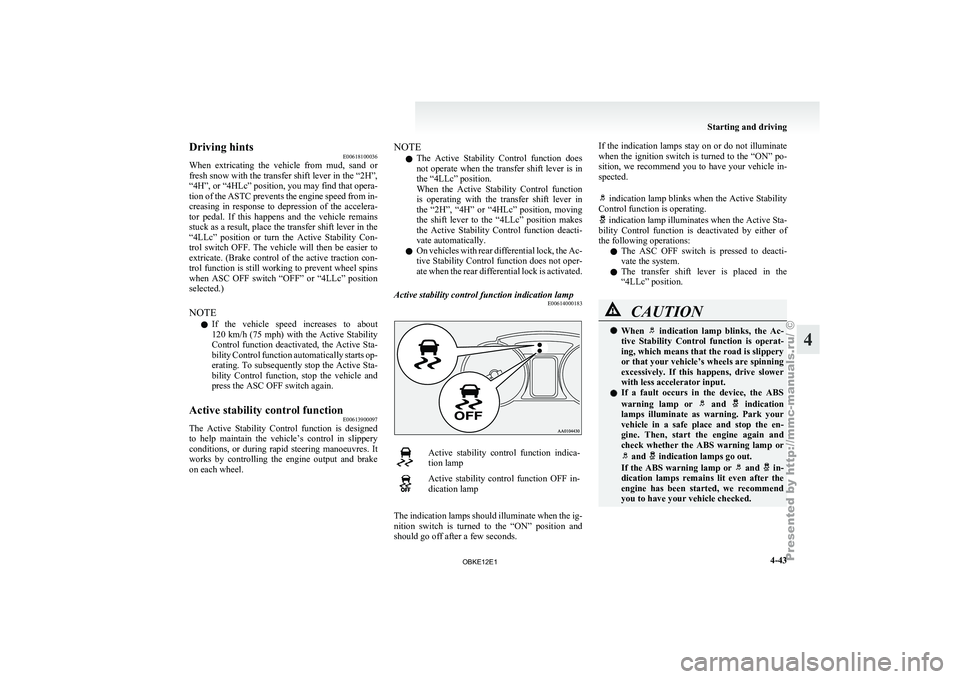
Active stability control function indication lamp E00614000183 Active stability control function indica-
tion lamp
Active stability control function OFF in-
dication lamp
The indication lamps should illuminate when the ig-
nition switch is
turned to the “ON” position and
should go off after a few seconds. If the indication lamps stay on or do not illuminate
when the
ignition
switch is turned to the “ON” po-
sition, we recommend you to have your vehicle in-
spected.
indication lamp blinks when the Active Stability
Control function is operating. indication lamp illuminates when the Active Sta-
bility Control function
is deactivated by either of
the following operations:
l The ASC OFF switch is pressed to deacti-
vate the system.
l The transfer shift lever is placed in the
“4LLc” position. CAUTION
l
When indication lamp blinks, the Ac-
tive Stability Control
function is operat-
ing, which means that the road is slippery
or that your vehicle’s wheels are spinning
excessively. If this happens, drive slower
with less accelerator input.
l If a fault occurs in the device, the ABS
warning lamp or and indication
lamps illuminate as
warning. Park your
vehicle in a safe place and stop the en-
gine. Then, start the engine again and
check whether the ABS warning lamp or and indication lamps go out.
If the ABS
warning lamp or and in-
dication lamps remains
lit even after the
engine has been started, we recommend
you to have your vehicle checked. Starting and driving
4-43 4
OBKE12E1
Page 196 of 377
Volume and tone control panel
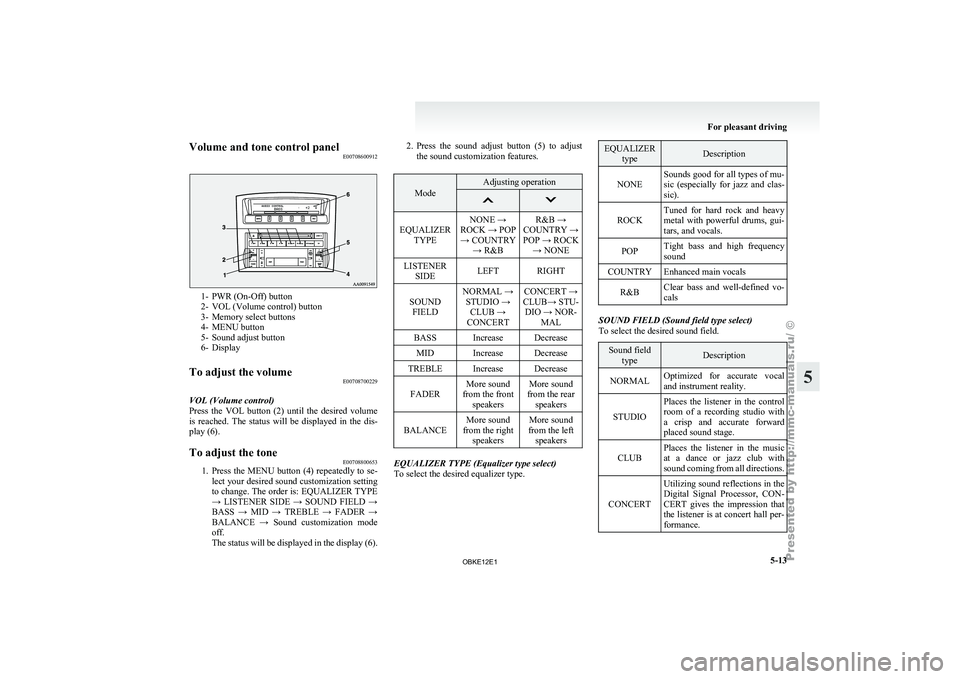
E007086009121- PWR (On-Off) button
2- VOL (Volume control) button
3-
Memory select buttons
4-
MENU button
5- Sound adjust button
6- Display
To adjust the volume E00708700229
VOL (Volume control)
Press the VOL
button (2) until the desired volume
is reached. The status will be displayed in the dis-
play (6).
To adjust the tone E00708800653
1. Press the MENU button (4) repeatedly to se-
lect your
desired sound customization setting
to change. The order is: EQUALIZER TYPE
→ LISTENER SIDE → SOUND FIELD →
BASS → MID → TREBLE → FADER →
BALANCE → Sound customization mode
off.
The status will be displayed in the display (6). 2. Press
the sound adjust button (5) to adjust
the sound customization features. Mode Adjusting operation
EQUALIZER
TYPE NONE →
ROCK → POP → COUNTRY → R&B R&B →
COUNTRY →
POP → ROCK → NONE
LISTENER SIDE LEFT RIGHT
SOUND FIELD NORMAL →
STUDIO → CLUB →
CONCERT CONCERT →
CLUB→ STU- DIO → NOR- MAL
BASS Increase Decrease MID Increase Decrease
TREBLE Increase Decrease
FADER More sound
from the front speakers More sound
from the rear speakers
BALANCE More sound
from the right speakers More sound
from the left speakers EQUALIZER TYPE (Equalizer type select)
To select the desired equalizer type. EQUALIZER
type Description
NONE Sounds good for all types of mu-
sic (especially for
jazz and clas-
sic).
ROCK Tuned for hard rock and heavy
metal with powerful
drums, gui-
tars, and vocals.
POP Tight bass and high frequency
sound
COUNTRY Enhanced main vocals
R&B Clear bass and well-defined vo-
cals SOUND FIELD (Sound field type select)
To select the desired sound field.
Sound field
type Description
NORMAL Optimized for accurate vocal
and instrument reality.
STUDIO Places the listener in the control
room of
a
recording studio with
a crisp and accurate forward
placed sound stage.
CLUB Places the listener in the music
at a dance
or jazz club with
sound coming from all directions.
CONCERT Utilizing sound reflections in the
Digital Signal Processor,
CON-
CERT gives the impression that
the listener is at concert hall per-
formance. For pleasant driving
5-13 5
OBKE12E1
Page 199 of 377
To listen to the radio
E00709000388
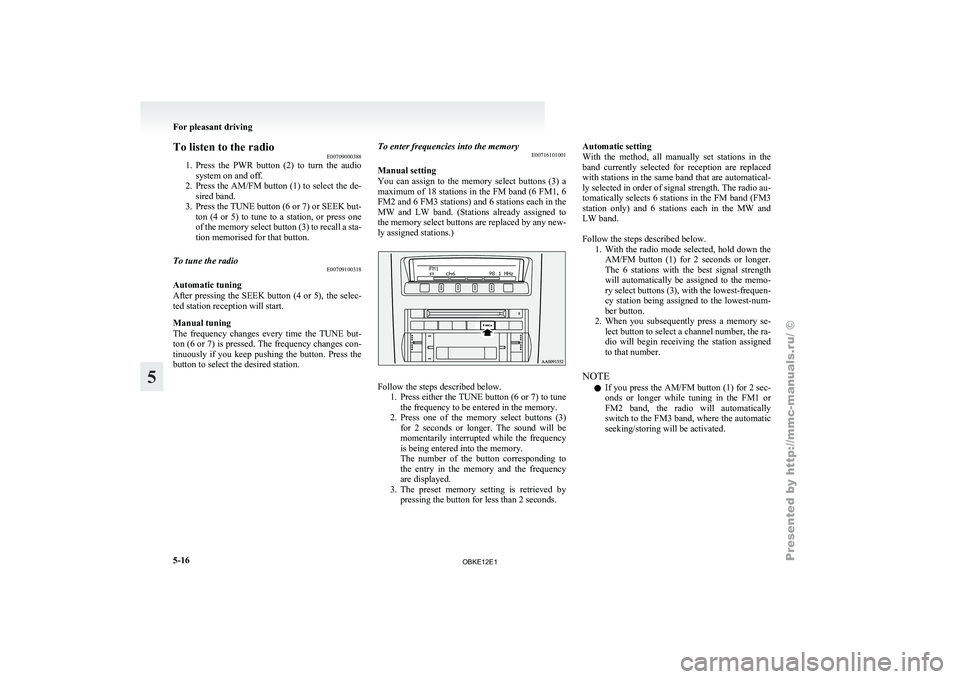
1. Press the PWR
button (2) to turn the audio
system on and off.
2. Press the AM/FM button (1) to select the de- sired band.
3. Press the TUNE button (6 or 7) or SEEK but- ton (4 or 5) to tune to a station, or press one
of the memory select button (3) to recall a sta-
tion memorised for that button.
To tune the radio E00709100318
Automatic tuning
After pressing
the
SEEK button (4 or 5), the selec-
ted station reception will start.
Manual tuning
The frequency changes every time the TUNE but-
ton (6 or 7) is pressed. The frequency changes con-
tinuously if you keep pushing the button. Press the
button to select the desired station. To enter frequencies into the memory
E00716101001
Manual setting
You can
assign
to the memory select buttons (3) a
maximum of 18 stations in the FM band (6 FM1, 6
FM2 and 6 FM3 stations) and 6 stations each in the
MW and LW band. (Stations already assigned to
the memory select buttons are replaced by any new-
ly assigned stations.) Follow the steps described below.
1. Press either the
TUNE button (6 or 7) to tune
the frequency to be entered in the memory.
2. Press one of the memory select buttons (3) for 2 seconds or longer. The sound will be
momentarily interrupted while the frequency
is being entered into the memory.
The number of the button corresponding to
the entry in the memory and the frequency
are displayed.
3. The preset memory setting is retrieved by pressing the button for less than 2 seconds. Automatic setting
With the
method,
all manually set stations in the
band currently selected for reception are replaced
with stations in the same band that are automatical-
ly selected in order of signal strength. The radio au-
tomatically selects 6 stations in the FM band (FM3
station only) and 6 stations each in the MW and
LW band.
Follow the steps described below. 1. With the radio mode selected, hold down theAM/FM button (1) for 2 seconds or longer.
The 6 stations with the best signal strength
will automatically be assigned to the memo-
ry select buttons (3), with the lowest-frequen-
cy station being assigned to the lowest-num-
ber button.
2. When you subsequently press a memory se- lect button to select a channel number, the ra-
dio will begin receiving the station assigned
to that number.
NOTE l If you press the AM/FM button (1) for 2 sec-
onds or longer while tuning in the FM1 or
FM2 band, the radio will automatically
switch to the FM3 band, where the automatic
seeking/storing will be activated. For pleasant driving
5-16
5
OBKE12E1
Page 202 of 377
NOTE
l If
the SEEK
button (5 or 6) is pressed for
less than 1 second,the radio will try to find
out another broadcast of the same program
type as currently selected.
l If no station is found with your desired PTY,
the display will show “EMPTY” for about
5 seconds and the radio will return to the pre-
vious station.
How to enter PTYs in the memory E00721400089
As many as 6 PTYs can be entered in the memory.
Follow the steps described below.
1. Press either
the
TUNE button (7 or 8) to tune
the PTY to be entered in the memory.
2. Press one of the memory select buttons (3) for 2 seconds or longer. The sound will be
momentarily interrupted while the PTY is be-
ing entered into the memory. The number of
the button corresponding to the entry into the
memory and the PTY are displayed.
3. The preset memory setting is retrieved by pressing the button and then releasing it with-
in about 2 seconds.
Traffic information E00721600195
The radio will automatically tune in to traffic infor-
mation broadcasts while
receiving FM broadcasts
or playing compact discs.
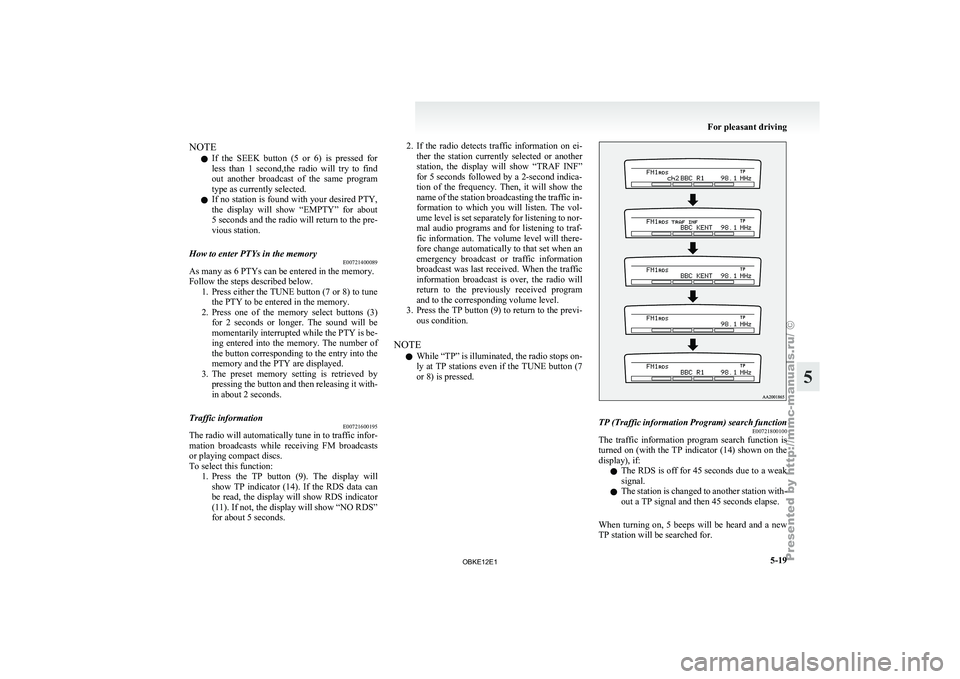
To select this function: 1. Press the TP button (9). The display willshow TP indicator (14). If the RDS data can
be read, the display will show RDS indicator
(11). If not, the display will show “NO RDS”
for about 5 seconds. 2. If the radio detects traffic information on ei-
ther the
station currently selected or another
station, the display will show “TRAF INF”
for 5 seconds followed by a 2-second indica-
tion of the frequency. Then, it will show the
name of the station broadcasting the traffic in-
formation to which you will listen. The vol-
ume level is set separately for listening to nor-
mal audio programs and for listening to traf-
fic information. The volume level will there-
fore change automatically to that set when an
emergency broadcast or traffic information
broadcast was last received. When the traffic
information broadcast is over, the radio will
return to the previously received program
and to the corresponding volume level.
3. Press the TP button (9) to return to the previ- ous condition.
NOTE l While “TP” is illuminated, the radio stops on-
ly at TP stations even if the TUNE button (7
or 8) is pressed. TP (Traffic information Program) search function
E00721800100
The traffic information program search function is
turned on (with
the TP indicator (14) shown on the
display), if:
l The RDS is off for 45 seconds due to a weak
signal.
l The station is changed to another station with-
out a TP signal and then 45 seconds elapse.
When turning on, 5 beeps will be heard and a new
TP station will be searched for. For pleasant driving
5-19 5
OBKE12E1
Page 203 of 377
Emergency broadcasts
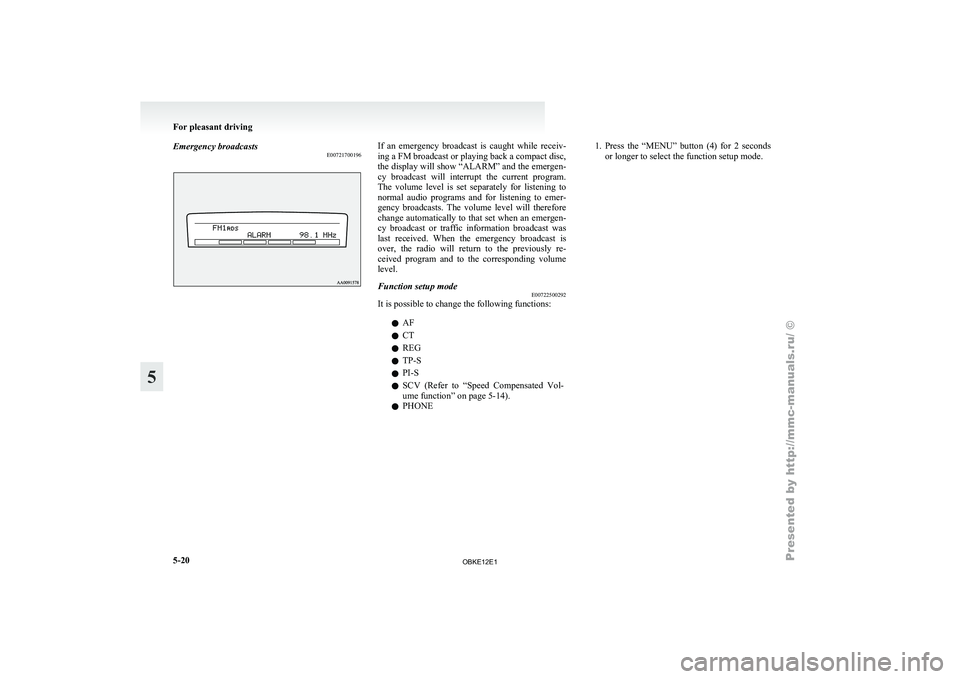
E00721700196 If an emergency broadcast is caught while receiv-
ing a FM broadcast or playing back a compact disc,
the display will
show “ALARM” and the emergen-
cy broadcast will interrupt the current program.
The volume level is set separately for listening to
normal audio programs and for listening to emer-
gency broadcasts. The volume level will therefore
change automatically to that set when an emergen-
cy broadcast or traffic information broadcast was
last received. When the emergency broadcast is
over, the radio will return to the previously re-
ceived program and to the corresponding volume
level.
Function setup mode E00722500292
It is possible to change the following functions:
lAF
l CT
l REG
l TP-S
l PI-S
l SCV (Refer
to
“Speed Compensated Vol-
ume function” on page 5-14).
l PHONE 1. Press
the “MENU” button (4) for 2 seconds
or longer to select the function setup mode. For pleasant driving
5-20
5
OBKE12E1
Page 210 of 377
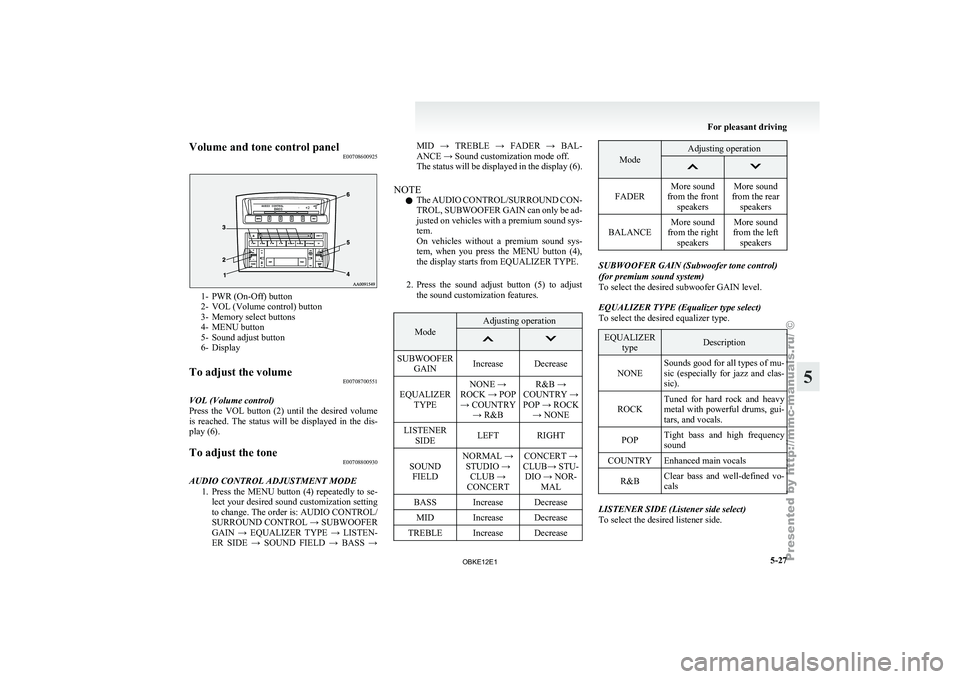
Volume and tone control panel
E007086009251- PWR (On-Off) button
2- VOL (Volume control) button
3-
Memory select buttons
4-
MENU button
5- Sound adjust button
6- Display
To adjust the volume E00708700551
VOL (Volume control)
Press the VOL
button (2) until the desired volume
is reached. The status will be displayed in the dis-
play (6).
To adjust the tone E00708800930
AUDIO CONTROL ADJUSTMENT MODE 1. Press the MENU
button (4) repeatedly to se-
lect your desired sound customization setting
to change. The order is: AUDIO CONTROL/
SURROUND CONTROL → SUBWOOFER
GAIN → EQUALIZER TYPE → LISTEN-
ER SIDE → SOUND FIELD → BASS → MID → TREBLE → FADER → BAL-
ANCE → Sound customization mode off.
The
status
will
be displayed in the display (6).
NOTE l The AUDIO CONTROL/SURROUND CON-
TROL, SUBWOOFER GAIN can only be ad-
justed on vehicles with a premium sound sys-
tem.
On vehicles without a premium sound sys-
tem, when you press the MENU button (4),
the display starts from EQUALIZER TYPE.
2. Press the sound adjust button (5) to adjust the sound customization features. Mode Adjusting operation
SUBWOOFER
GAIN Increase Decrease
EQUALIZER TYPE NONE →
ROCK → POP → COUNTRY → R&B R&B →
COUNTRY →
POP → ROCK → NONE
LISTENER SIDE LEFT RIGHT
SOUND FIELD NORMAL →
STUDIO → CLUB →
CONCERT CONCERT →
CLUB→ STU- DIO → NOR- MAL
BASS Increase Decrease MID Increase Decrease
TREBLE Increase Decrease Mode Adjusting operation
FADER
More sound
from the front speakers More sound
from the rear speakers
BALANCE More sound
from the right speakers More sound
from the left speakers SUBWOOFER GAIN (Subwoofer tone control)
(for premium sound system)
To select the desired subwoofer GAIN level.
EQUALIZER TYPE (Equalizer type select)
To select the desired equalizer type.
EQUALIZER
type Description
NONE Sounds good for all types of mu-
sic (especially
for
jazz and clas-
sic).
ROCK Tuned for hard rock and heavy
metal with powerful
drums, gui-
tars, and vocals.
POP Tight bass and high frequency
sound
COUNTRY Enhanced main vocals
R&B Clear bass and well-defined vo-
cals LISTENER SIDE (Listener side select)
To select the desired listener side. For pleasant driving
5-27 5
OBKE12E1
Page 214 of 377

To listen to the radio
E00709000418
1. Press the PWR
button (2) to turn the audio
system on and off.
Press the AM/FM button (1) to turn on the ra-
dio if a CD is being played.
2. Press the AM/FM button (1) to select the de- sired band.
3. Press the TUNE button (6 or 7) or SEEK but- ton (4 or 5) to tune to a station, or press one
of the memory select buttons (3) to recall a
station memorised for that button.
To tune the radio E00709100350
Automatic tuning
After pressing
the
SEEK button (4 or 5), the selec-
ted station reception will start.
Manual tuning
The frequency changes every time the TUNE but-
ton (6 or 7) is pressed. The frequency changes con-
tinuously if you keep pushing the button. Press the
button to select the desired station. To enter frequencies into the memory
E00716101014
Manual setting
You can
assign
to the memory select buttons (3) a
maximum of 18 stations in the FM band (6 FM1, 6
FM2 and 6 FM3 stations) and 6 stations each in the
MW and LW band. (Stations already assigned to
the memory select buttons are replaced by any new-
ly assigned stations.)
Follow the steps described below.
1. Press either the
TUNE button (6 or 7) to tune
the frequency to be entered in the memory.
2. Press one of the memory select buttons (3) for 2 seconds or longer. The sound will be
momentarily interrupted while the frequency
is being entered into the memory.
The number of the button corresponding to
the entry in the memory and the frequency
are displayed.
3. The preset memory setting is retrieved by pressing the button for less than 2 seconds. Automatic setting
With the
method,
all manually set stations in the
band currently selected for reception are replaced
with stations in the same band that are automatical-
ly selected in order of signal strength. The radio au-
tomatically selects 6 stations in the FM band (FM3
station only) and 6 stations each in the MW and
LW band.
Follow the steps described below. 1. With the radio mode selected, hold down theAM/FM button (1) for 2 seconds or longer.
The 6 stations with the best signal strength
will automatically be assigned to the memo-
ry select buttons (3), with the lowest-frequen-
cy station being assigned to the lowest-num-
ber button.
2. When you subsequently press a memory se- lect button to select a channel number, the ra-
dio will begin receiving the station assigned
to that number.
NOTE l If you press the AM/FM button (1) for
2 seconds or longer while tuning in the FM1
or FM2 band, the radio will automatically
switch to the FM3 band, where the automatic
seeking/storing will be activated. For pleasant driving
5-31 5
OBKE12E1
Page 217 of 377
NOTE
l If
the SEEK
button (5 or 6) is pressed for
less than 1 second, the radio will try to find
out another broadcast of the same program
type as currently selected.
l If no station is found with your desired PTY,
the display will show “EMPTY” for about 5
seconds and the radio will return to the previ-
ous station.
How to enter PTYs in the memory E00721400092
As many as 6 PTYs can be entered in the memory.
Follow the steps described below.
1. Press either
the
TUNE button (7 or 8) to tune
the PTY to be entered in the memory.
2. Press one of the memory select buttons (3) for 2 seconds or longer. The sound will be
momentarily interrupted while the PTY is be-
ing entered into the memory. The number of
the button corresponding to the entry into the
memory and the PTY are displayed.
3. The preset memory setting is retrieved by pressing the button and then releasing it with-
in about 2 seconds.
Traffic information E00721600212
The radio will automatically tune in to traffic infor-
mation broadcasts while
receiving FM broadcasts
or playing compact discs.
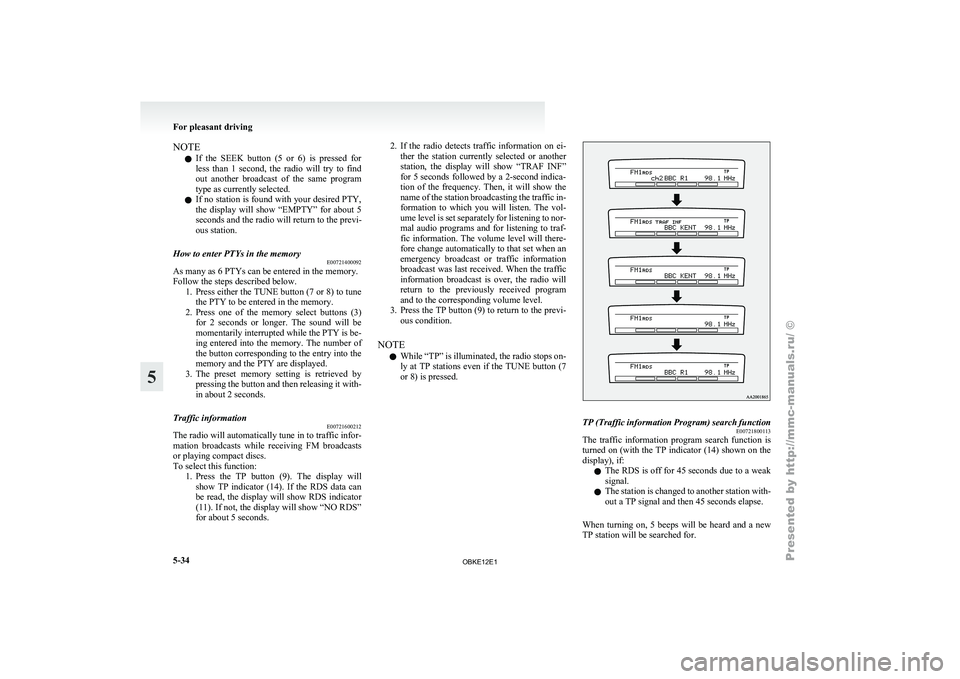
To select this function: 1. Press the TP button (9). The display willshow TP indicator (14). If the RDS data can
be read, the display will show RDS indicator
(11). If not, the display will show “NO RDS”
for about 5 seconds. 2. If the radio detects traffic information on ei-
ther the
station currently selected or another
station, the display will show “TRAF INF”
for 5 seconds followed by a 2-second indica-
tion of the frequency. Then, it will show the
name of the station broadcasting the traffic in-
formation to which you will listen. The vol-
ume level is set separately for listening to nor-
mal audio programs and for listening to traf-
fic information. The volume level will there-
fore change automatically to that set when an
emergency broadcast or traffic information
broadcast was last received. When the traffic
information broadcast is over, the radio will
return to the previously received program
and to the corresponding volume level.
3. Press the TP button (9) to return to the previ- ous condition.
NOTE l While “TP” is illuminated, the radio stops on-
ly at TP stations even if the TUNE button (7
or 8) is pressed. TP (Traffic information Program) search function
E00721800113
The traffic information program search function is
turned on (with
the TP indicator (14) shown on the
display), if:
l The RDS is off for 45 seconds due to a weak
signal.
l The station is changed to another station with-
out a TP signal and then 45 seconds elapse.
When turning on, 5 beeps will be heard and a new
TP station will be searched for. For pleasant driving
5-34
5
OBKE12E1
Page 218 of 377

Emergency broadcasts
E00721700200 If an emergency broadcast is caught while receiv-
ing a FM broadcast or playing back a compact disc,
the display will
show “ALARM” and the emergen-
cy broadcast will interrupt the current program.
The volume level is set separately for listening to
normal audio programs and for listening to emer-
gency broadcasts. The volume level will therefore
change automatically to that set when an emergen-
cy broadcast or traffic information broadcast was
last received. When the emergency broadcast is
over, the radio will return to the previously re-
ceived program and to the corresponding volume
level.
Function setup mode E00722500306
It is possible to change the following functions:
lAF
l CT
l REG
l TP-S
l PI-S
l SCV (Refer
to
“Speed Compensated Vol-
ume function” on page 5-29).
l PHONE 1. Press
the “MENU” button (4) for 2 seconds
or longer to select the function setup mode. For pleasant driving
5-35 5
OBKE12E1