light MITSUBISHI PAJERO IV 2011 Owner's Manual
[x] Cancel search | Manufacturer: MITSUBISHI, Model Year: 2011, Model line: PAJERO IV, Model: MITSUBISHI PAJERO IV 2011Pages: 377, PDF Size: 29.43 MB
Page 99 of 377
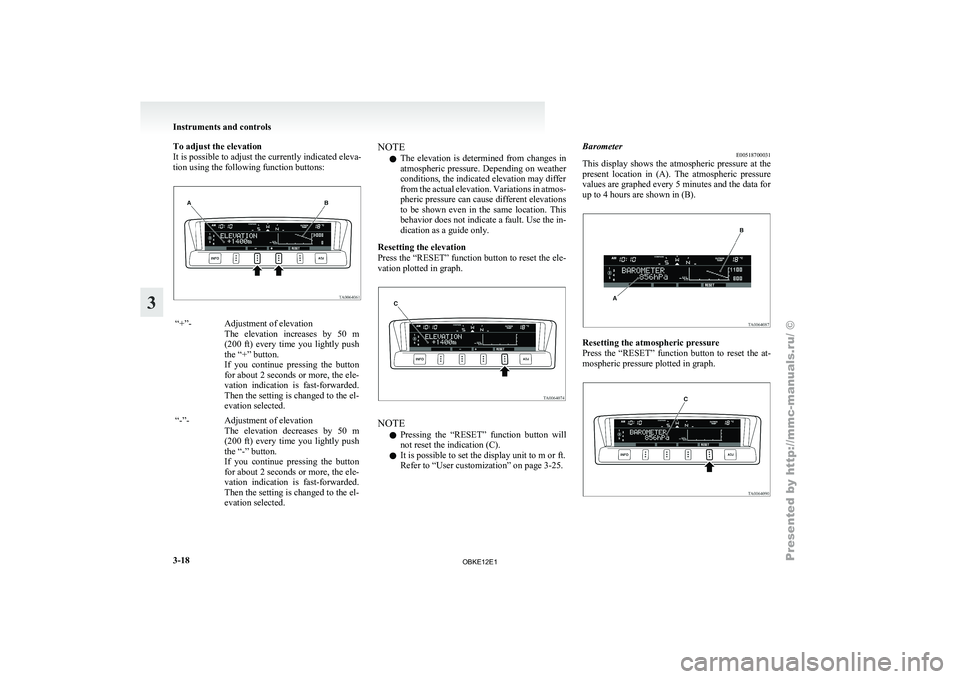
To adjust the elevation
It is possible to adjust the currently indicated eleva-
tion using the following function buttons:
“+”- Adjustment of elevation
The elevation increases
by 50 m
(200 ft) every time you lightly push
the “+” button.
If you continue pressing the button
for about 2 seconds or more, the ele-
vation indication is fast-forwarded.
Then the setting is changed to the el-
evation selected.
“-”- Adjustment of elevation The elevation decreases
by 50 m
(200 ft) every time you lightly push
the “-” button.
If you continue pressing the button
for about 2 seconds or more, the ele-
vation indication is fast-forwarded.
Then the setting is changed to the el-
evation selected. NOTE
l The
elevation is
determined from changes in
atmospheric pressure. Depending on weather
conditions, the indicated elevation may differ
from the actual elevation. Variations in atmos-
pheric pressure can cause different elevations
to be shown even in the same location. This
behavior does not indicate a fault. Use the in-
dication as a guide only.
Resetting the elevation
Press the “RESET” function button to reset the ele-
vation plotted in graph. NOTE
l Pressing
the “RESET”
function button will
not reset the indication (C).
l It is possible to set the display unit to m or ft.
Refer to “User customization” on page 3-25. Barometer
E00518700031
This display shows
the atmospheric pressure at the
present location in (A). The atmospheric pressure
values are graphed every 5 minutes and the data for
up to 4 hours are shown in (B). Resetting the atmospheric pressure
Press the
“RESET”
function button to reset the at-
mospheric pressure plotted in graph. Instruments and controls
3-18
3
OBKE12E1
Page 100 of 377
NOTE
l Pressing
the “RESET”
function button will
not reset the indication (C).
l It is possible to set the display unit to hPa,
mb, kPa, or inHg.
Refer to “User customization” on page 3-25.
Calendar E00518800029
The date is shown. The calendar pattern can be
changed to your desired setting.
Refer to
“Changing
the calendar setting” on page
3-24. Clock-only
E00518900017
Only the clock
is shown. The time notation can be
changed to your desired setting. (12 hour/24 hour)
Refer to “User customization” on page 3-25. Blank
E00519000015
The whole display can be turned into blank. In this
case, buttons remain illuminated. NOTE
l If
you operate
the audio system, the audio dis-
play pops up.
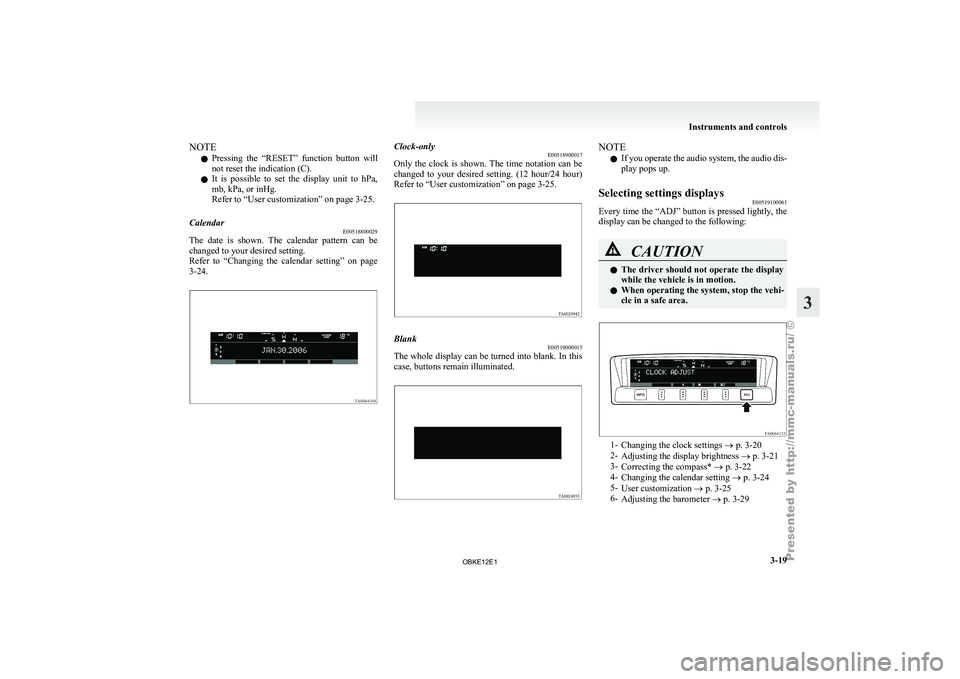
Selecting settings displays E00519100061
Every time the “ADJ” button is pressed lightly, the
display can be changed to the following: CAUTION
l
The driver
should
not operate the display
while the vehicle is in motion.
l When operating the system, stop the vehi-
cle in a safe area. 1-
Changing the clock settings ®
p. 3-20
2- Adjusting the display brightness ® p. 3-21
3- Correcting the compass* ® p. 3-22
4- Changing the calendar setting ® p. 3-24
5- User customization ® p. 3-25
6- Adjusting the barometer ® p. 3-29 Instruments and controls
3-19 3
OBKE12E1
Page 101 of 377
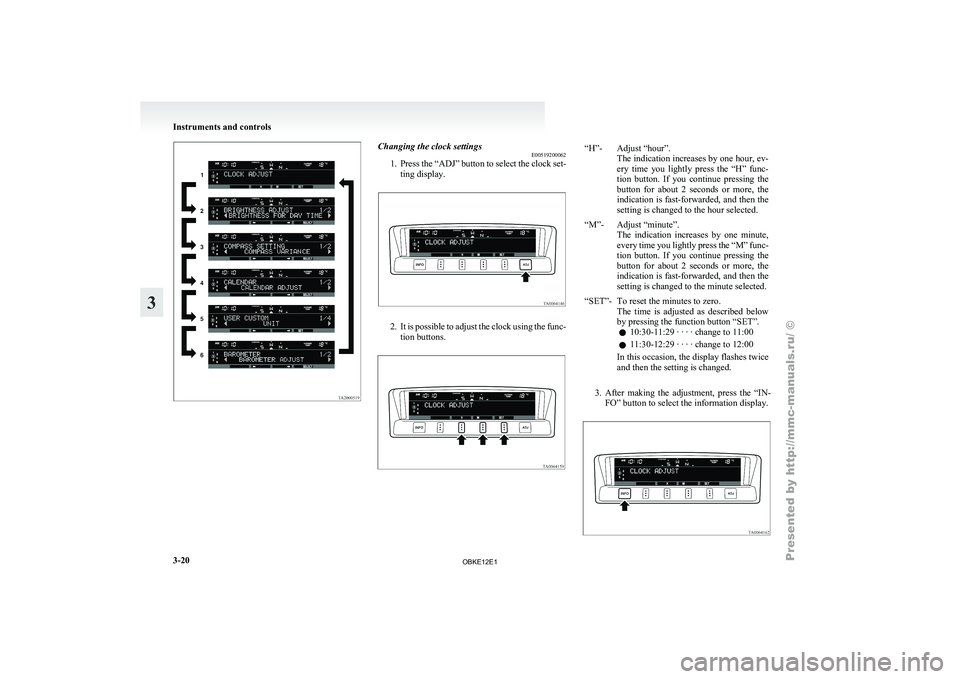
Changing the clock settings
E00519200062
1. Press the “ADJ”
button to select the clock set-
ting display. 2. It is possible to adjust the clock using the func-
tion buttons. “H”- Adjust “hour”.
The indication increases by one hour, ev-
ery time you lightly press the “H” func-
tion button. If you continue pressing the
button for about 2 seconds or more, the
indication is fast-forwarded, and then the
setting is changed to the hour selected.
“M”- Adjust “minute”. The indication increases
by one minute,
every time you lightly press the “M” func-
tion button. If you continue pressing the
button for about 2 seconds or more, the
indication is fast-forwarded, and then the
setting is changed to the minute selected.
“SET”- To reset the minutes to zero. The time is
adjusted as described below
by pressing the function button “SET”.
l 10:30-11:29 · · · · change to 11:00
l 11:30-12:29 · · · · change to 12:00
In this occasion, the display flashes twice
and then the setting is changed.
3. After making the adjustment, press the “IN- FO” button to select the information display. Instruments and controls
3-20
3
OBKE12E1
Page 102 of 377
NOTE
l Vehicles
equipped with
the MITSUBISHI
Multi Communication System (MMCS) also
have a clock indication, but the time shown
by the MMCS may differ from that shown
by the centre information display because dif-
ferent sources of data are used for automatic
adjustment.
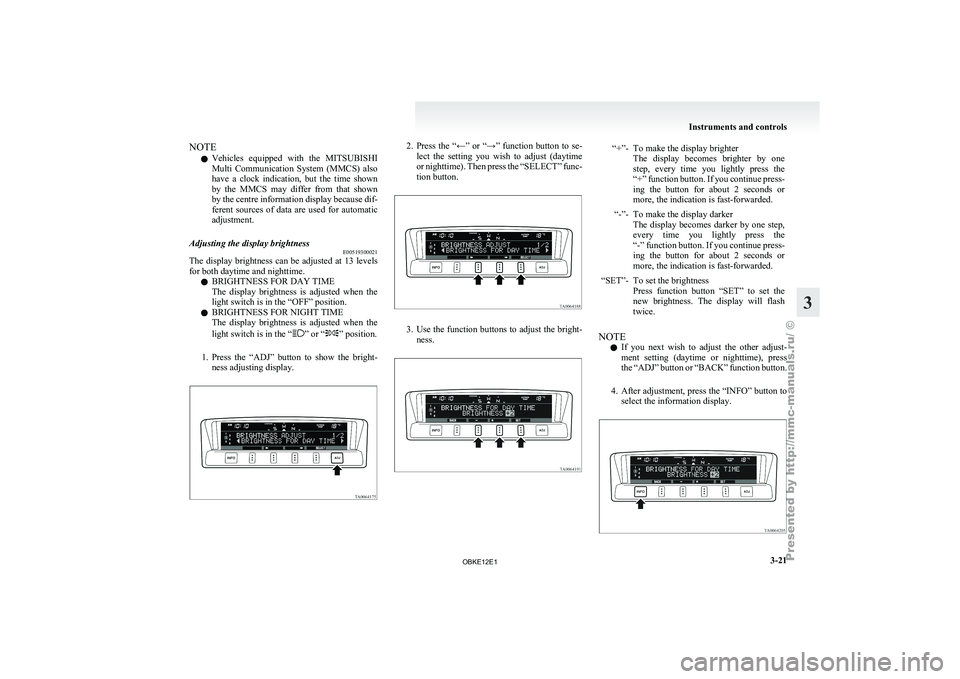
Adjusting the display brightness E00519300021
The display brightness can be adjusted at 13 levels
for both daytime and nighttime.
l BRIGHTNESS FOR DAY TIME
The
display
brightness
is adjusted when the
light switch is in the “OFF” position.
l BRIGHTNESS FOR NIGHT TIME
The display brightness is adjusted when the
light switch is in the “ ” or “ ” position.
1. Press the “ADJ”
button to show the bright-
ness adjusting display. 2. Press the “←” or “→” function button to se-
lect the
setting you wish to adjust (daytime
or nighttime). Then press the “SELECT” func-
tion button. 3. Use the function buttons to adjust the bright-
ness. “+”- To make the display brighter
The display becomes brighter by one
step, every time you lightly press the
“+” function button. If you continue press-
ing the button for about 2 seconds or
more, the indication is fast-forwarded.
“-”- To make the display darker The display becomes
darker by one step,
every time you lightly press the
“-” function button. If you continue press-
ing the button for about 2 seconds or
more, the indication is fast-forwarded.
“SET”- To set the brightness Press function button
“SET” to set the
new brightness. The display will flash
twice.
NOTE l If
you next
wish to adjust the other adjust-
ment setting (daytime or nighttime), press
the “ADJ” button or “BACK” function button.
4. After adjustment, press the “INFO” button to select the information display. Instruments and controls
3-21 3
OBKE12E1
Page 105 of 377
NOTE
l The
“Completed the
calibration”. message
may be displayed even if you terminate the
turn before it is complete and return to the ve-
hicle’s original direction. The compass may
not be properly calibrated in this case, so you
must turn the vehicle through at least
360 degrees.
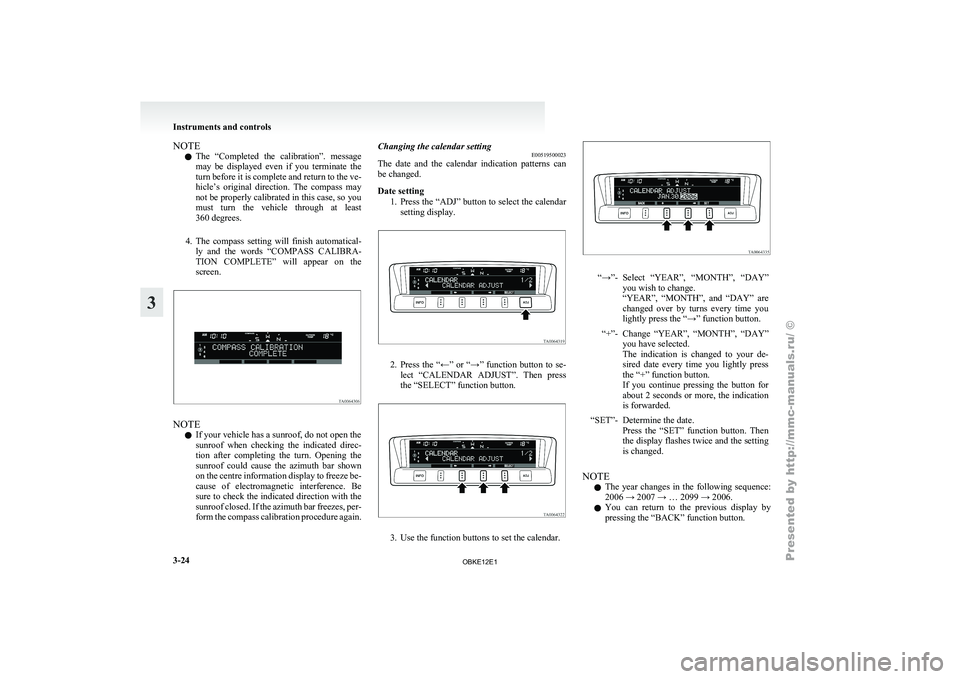
4. The compass setting will finish automatical- ly and the words “COMPASS CALIBRA-
TION COMPLETE” will appear on the
screen. NOTE
l If your vehicle has a sunroof, do not open the
sunroof
when checking
the indicated direc-
tion after completing the turn. Opening the
sunroof could cause the azimuth bar shown
on the centre information display to freeze be-
cause of electromagnetic interference. Be
sure to check the indicated direction with the
sunroof closed. If the azimuth bar freezes, per-
form the compass calibration procedure again. Changing the calendar setting
E00519500023
The date and
the calendar indication patterns can
be changed.
Date setting
1. Press the “ADJ” button to select the calendarsetting display. 2. Press
the “←” or “→” function button to se-
lect “CALENDAR
ADJUST”. Then press
the “SELECT” function button. 3. Use the function buttons to set the calendar. “→”- Select “YEAR”, “MONTH”, “DAY”
you wish to change.
“YEAR”, “MONTH”, and
“DAY” are
changed over by turns every time you
lightly press the “→” function button.
“+”- Change “YEAR”, “MONTH”, “DAY” you have selected.
The indication is
changed to your de-
sired date every time you lightly press
the “+” function button.
If you continue pressing the button for
about 2 seconds or more, the indication
is forwarded.
“SET”- Determine the date. Press the “SET”
function button. Then
the display flashes twice and the setting
is changed.
NOTE l The
year changes
in the following sequence:
2006 → 2007 → … 2099 → 2006.
l You can return to the previous display by
pressing the “BACK” function button. Instruments and controls
3-24
3
OBKE12E1
Page 112 of 377
Combination headlamps and
dipper switch E00506001513
Headlamps
NOTE l Do
not leave
the lamps on for a long time
while the engine is stationary (not running).
A rundown battery could result.
l When it rains, or when the vehicle has been
washed, the inside of the lens sometimes be-
comes foggy, but this does not indicate a func-
tional problem.
When the lamp is switched on, the heat will
remove the fog. However, if water gathers in-
side the lamp, we recommend you to have it
checked.
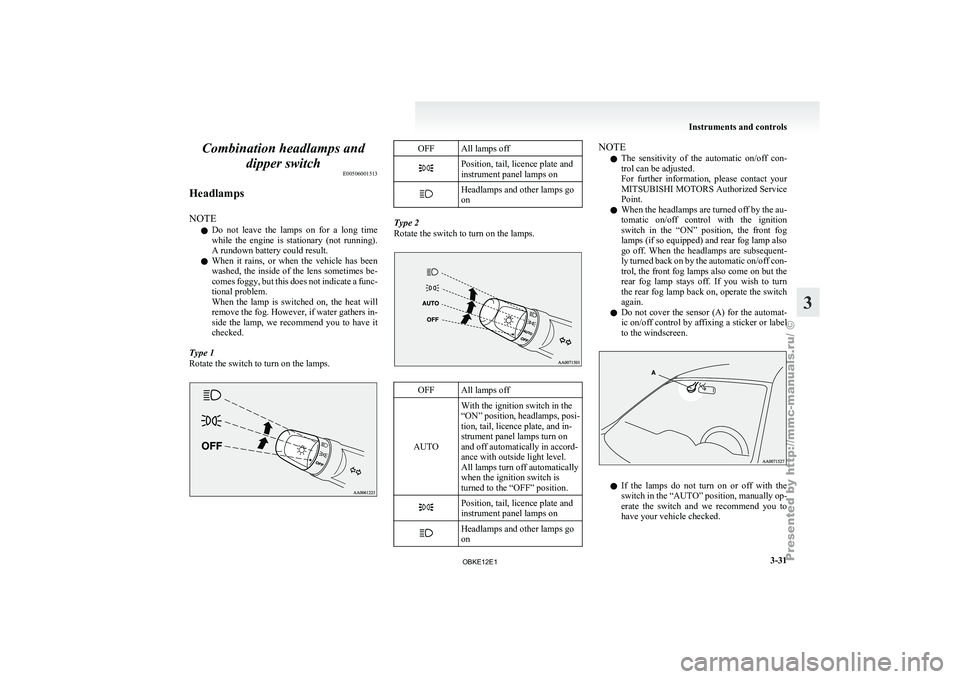
Type 1
Rotate the switch to turn on the lamps. OFF All lamps off
Position, tail, licence plate and
instrument panel lamps on
Headlamps and other lamps go
on
Type 2
Rotate the switch to turn on the lamps.
OFF All lamps off
AUTO With the ignition switch in the
“ON” position, headlamps,
posi-
tion, tail, licence plate, and in-
strument panel lamps turn on
and off automatically in accord-
ance with outside light level.
All lamps turn off automatically
when the ignition switch is
turned to the “OFF” position. Position, tail, licence plate and
instrument panel lamps on
Headlamps and other lamps go
on NOTE
l The
sensitivity of
the automatic on/off con-
trol can be adjusted.
For further information, please contact your
MITSUBISHI MOTORS Authorized Service
Point.
l When the headlamps are turned off by the au-
tomatic on/off control with the ignition
switch in the “ON” position, the front fog
lamps (if so equipped) and rear fog lamp also
go off. When the headlamps are subsequent-
ly turned back on by the automatic on/off con-
trol, the front fog lamps also come on but the
rear fog lamp stays off. If you wish to turn
the rear fog lamp back on, operate the switch
again.
l Do not cover the sensor (A) for the automat-
ic on/off control by affixing a sticker or label
to the windscreen. l
If
the
lamps
do not turn on or off with the
switch in the “AUTO” position, manually op-
erate the switch and we recommend you to
have your vehicle checked. Instruments and controls
3-31 3
OBKE12E1
Page 113 of 377
Daytime running lamp*
When the ignition
switch is in the “ON” position
and the lamp switch is set to the “OFF” position,
the low beam of the headlamps, tail lamps, etc.,
will illuminate.
Lamps (headlamps, fog lamp, etc.) au-
to-cutout function E00532700178
l If the ignition
key is turned to the “LOCK”
or “ACC” position or removed from the igni-
tion switch, and without opening the driver’s
door for 3 minutes with the lamp switch in
the “ ” position, the lamps will turn off au-
tomatically.
l If the
ignition
key is turned to the “LOCK”
or “ACC” position or removed from the igni-
tion switch and the driver’s door is opened
within 3 minutes with the lamp switch in the
“ ” position, a buzzer will sound to warn
the driver
that the lamps have not been
turned off, and these lamps will automatical-
ly turn off.
NOTE l The lamp auto-cutout will not function when
the lamp switch is in the “ ” position
l When the
ignition
key has been turned to ei-
ther the “LOCK” or “ACC” position or re-
moved from the ignition switch with the
lamp switch in the “ ” position, and the
lamp switch
is returned to the “OFF” within
approximately 3 minutes, the auto-cutout
function will not be activated. When you want to keep the lamps on:
l Turn the
lamp
switch in the “OFF” position
while the ignition switch is in the “LOCK”
or “ACC” position.
l Turn on the lamps with the switch in the
“ ” or “ ” position again, then the
lamps will remain on.
l Remove the ignition key.
NOTE l For further
information, we recommend you
to consult a MITSUBISHI MOTORS Author-
ized Service Point.
Lamp monitor buzzer E00506100256
If the driver’s door is opened when the key is in the
“LOCK” or “ACC”
position or removed from the
ignition switch while the lamps are on, a buzzer
will sound to remind the driver to turn off the lamps.
When the lamp auto-cutout function acts, the buz-
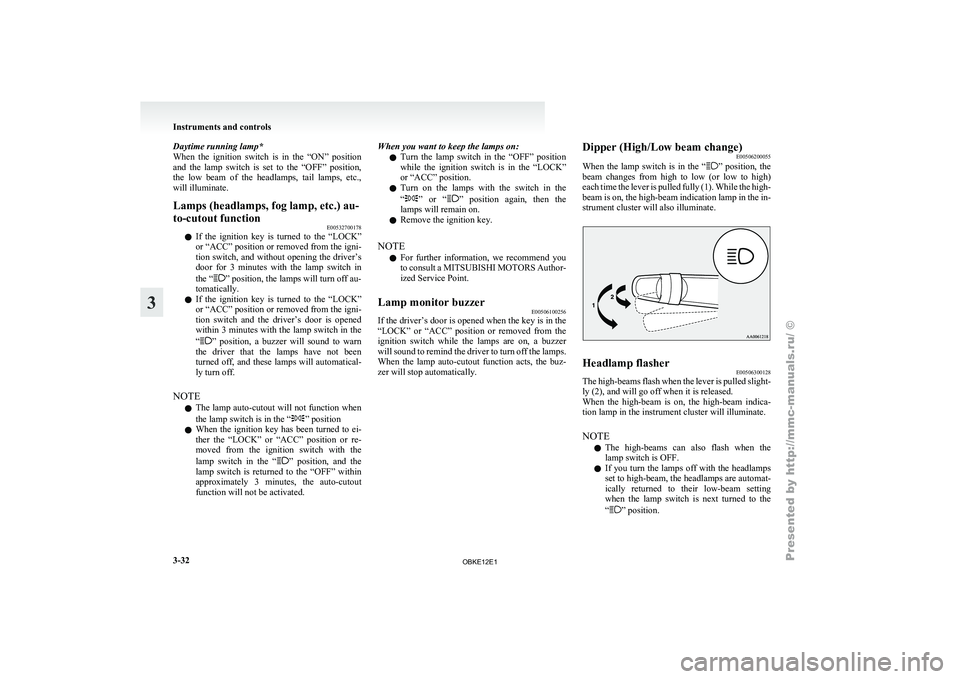
zer will stop automatically. Dipper (High/Low beam change)
E00506200055
When the lamp
switch is in the “ ” position, the
beam changes
from high to low (or low to high)
each time the lever is pulled fully (1). While the high-
beam is on, the high-beam indication lamp in the in-
strument cluster will also illuminate. Headlamp flasher
E00506300128
The high-beams flash when the lever is pulled slight-
ly (2), and will go off when it is released.
When the high-beam
is on, the high-beam indica-
tion lamp in the instrument cluster will illuminate.
NOTE
l The high-beams can also flash when the
lamp switch is OFF.
l If you turn the lamps off with the headlamps
set to high-beam, the headlamps are automat-
ically returned to their low-beam setting
when the lamp switch is next turned to the
“ ” position.Instruments and controls
3-32
3
OBKE12E1
Page 116 of 377
Turn-signal lever
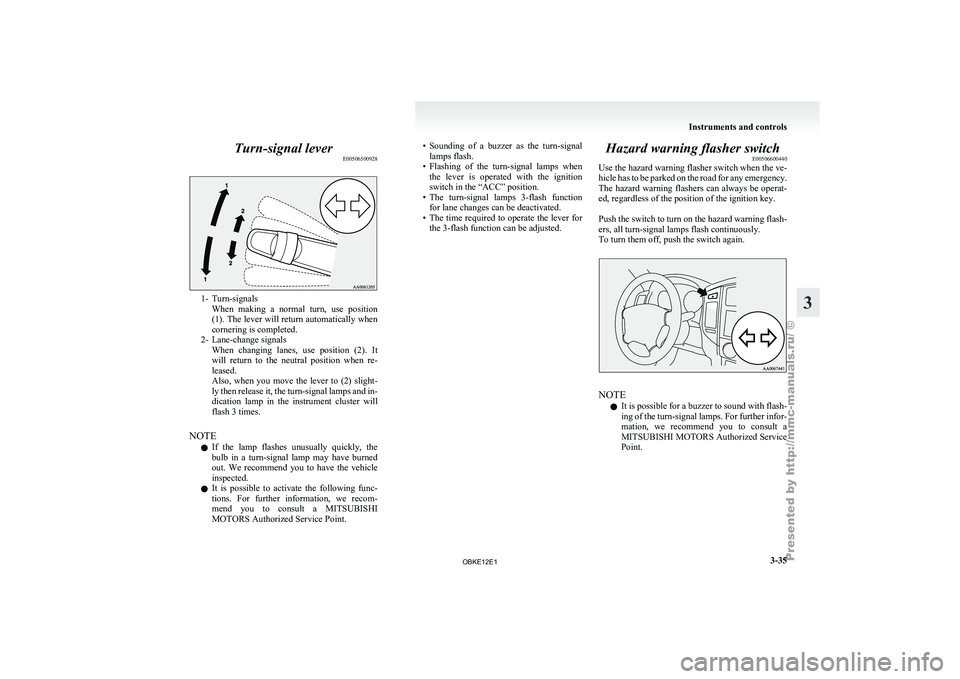
E005065009281- Turn-signals
When making a
normal turn, use position
(1). The lever will return automatically when
cornering is completed.
2- Lane-change signals When changing lanes, use position (2). It
will return to the neutral position when re-
leased.
Also, when you move the lever to (2) slight-
ly then release it, the turn-signal lamps and in-
dication lamp in the instrument cluster will
flash 3 times.
NOTE l If the lamp flashes unusually quickly, the
bulb in a turn-signal lamp may have burned
out. We recommend you to have the vehicle
inspected.
l It is possible to activate the following func-
tions. For further information, we recom-
mend you to consult a MITSUBISHI
MOTORS Authorized Service Point. • Sounding
of a buzzer as the turn-signal
lamps flash.
• Flashing
of the turn-signal lamps when
the lever is operated with the ignition
switch in the “ACC” position.
• The turn-signal lamps 3-flash function for lane changes can be deactivated.
• The time required to operate the lever for the 3-flash function can be adjusted. Hazard warning flasher switch
E00506600440
Use the hazard
warning flasher switch when the ve-
hicle has to be parked on the road for any emergency.
The hazard warning flashers can always be operat-
ed, regardless of the position of the ignition key.
Push the switch to turn on the hazard warning flash-
ers, all turn-signal lamps flash continuously.
To turn them off, push the switch again. NOTE
l It
is possible
for a buzzer to sound with flash-
ing of the turn-signal lamps. For further infor-
mation, we recommend you to consult a
MITSUBISHI MOTORS Authorized Service
Point. Instruments and controls
3-35 3
OBKE12E1
Page 120 of 377
CAUTION
l
With the ignition switch in the “ON” posi-
tion and the lever in the “AUTO” posi-
tion, the wipers may automatically oper-
ate in the situations described below.
If your hands get trapped, you could suf-
fer injuries or the wipers could malfunc-
tion. Be sure to turn the ignition switch to
the “OFF” position or move the lever to
the “OFF” position to deactivate the rain
sensor. • When cleaning the outside surface ofthe windscreen, if you touch the rain
sensor.
• When cleaning the outside surface of the windscreen, if you wipe with a
cloth the rain sensor.
• When using an automatic car wash.
• A physical shock is applied to the wind- screen.
• A physical shock is applied to the rain sensor.
NOTE l To
protect the
rubber parts of the wipers, this
operation of the wipers does not take place
when the vehicle is stationary and the ambi-
ent temperature is about 0 °C or lower.
l Do not cover the sensor by affixing a sticker
or label to the windscreen. Also, do not put
any water-repellent coating on the wind-
screen. The rain sensor would not be able to
detect the extent of rain, and the wipers
might stop working normally. l
In the
following
cases, the rain sensor may
be malfunctioning.
Have the vehicle inspected at a
MITSUBISHI MOTORS Authorized Service
Point. • When the wipers operate at a constant in-terval despite changes in the extent of rain.
• When the wipers do not operate even though it is raining.
l The wipers may automatically operate when
things such as insects or foreign objects are
affixed to the windscreen on top of the rain
sensor or when the windscreen is frozen. Ob-
jects affixed to the windscreen will stop the
wipers when the wipers cannot remove them.
To make the wipers operate again, place the
lever in the “LO” or “HI” position.
Also, the wipers may operate automatically
due to strong direct sunlight or electromag-
netic wave. To stop the wipers, place the lev-
er in the “OFF” position.
l Contact a MITSUBISHI MOTORS Author-
ized Service Point when replacing the wind-
screen or reinforcing the glass around the sen-
sor. To adjust the sensitivity of the rain sensor
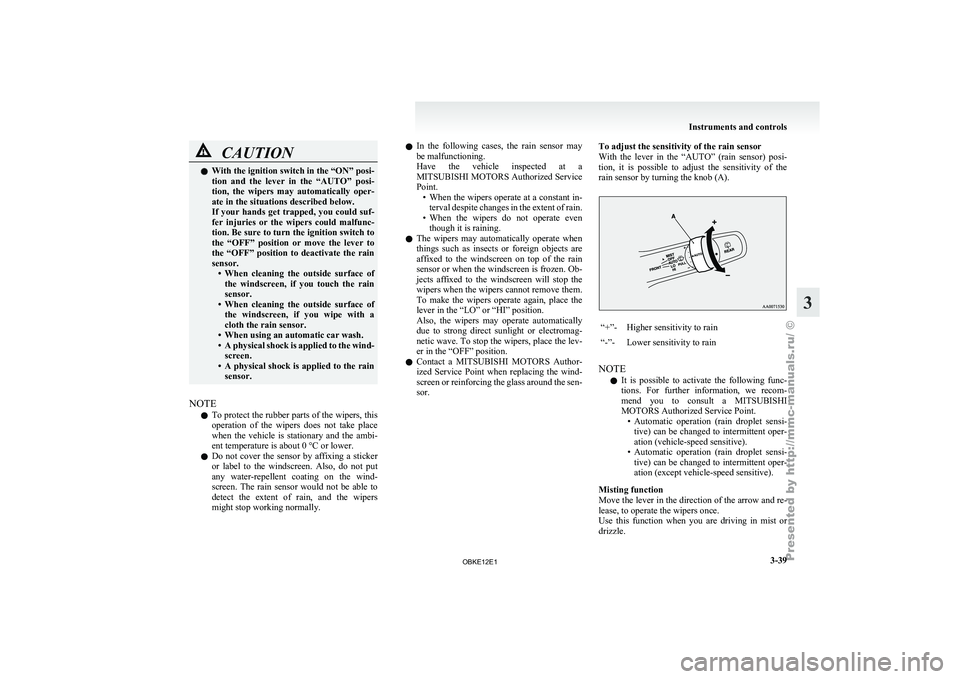
With the
lever
in the “AUTO” (rain sensor) posi-
tion, it is possible to adjust the sensitivity of the
rain sensor by turning the knob (A). “+”- Higher sensitivity to rain
“-”- Lower sensitivity to rain
NOTE l It
is possible
to activate the following func-
tions. For further information, we recom-
mend you to consult a MITSUBISHI
MOTORS Authorized Service Point. • Automatic operation (rain droplet sensi-tive) can be changed to intermittent oper-
ation (vehicle-speed sensitive).
• Automatic operation (rain droplet sensi- tive) can be changed to intermittent oper-
ation (except vehicle-speed sensitive).
Misting function
Move the lever in the direction of the arrow and re-
lease, to operate the wipers once.
Use this function when you are driving in mist or
drizzle. Instruments and controls
3-39 3
OBKE12E1
Page 127 of 377
Economical driving
E00600100561
For economical driving,
there are some technical re-
quirements that have to be met. The prerequisite
for low fuel consumption is a properly adjusted en-
gine. In order to achieve longer life of the vehicle
and the most economical operation, we recommend
you to have the vehicle checked at regular intervals
in accordance with the service standards.
Fuel economy and generation of exhaust gas and
noise are highly influenced by personal driving hab-
its as well as the particular operating conditions.
The following points should be observed in order
to minimize wear of brakes, tyres and engine as
well as to reduce environmental pollution.
Starting
Avoid rapid acceleration and sudden starts; such op-
eration will result in higher fuel consumption.
Shifting
Shift only at an appropriate speed and engine
speed. Always use the highest gear possible.
The transfer shift lever should be set to “2H” when
driving on normal roads and express ways to obtain
best possible fuel economy.
City traffic
Frequent starting and stopping increases the aver-
age fuel consumption. Use roads with smooth traf-
fic flow whenever possible. When driving on con-
gested roads, avoid use of a low gear at high en-
gine speeds.
Idling
The vehicle consumes fuel even during idling.
Avoid extended idling whenever possible. Speed
At higher
vehicle
speed, more fuel is consumed.
Avoid driving at full speed. Even a slight release of
the accelerator pedal will save a significant amount
of fuel.
Tyre inflation pressure
Check the tyre inflation pressures at regular inter-
vals. Low tyre inflation pressure increases road re-
sistance and fuel consumption. In addition, low
tyre pressures adversely affect tyre wear and driv-
ing stability.
Load
Do not drive with unnecessary articles in the lug-
gage compartment. Especially during city driving
where frequent starting and stopping is necessary,
the increased weight of the vehicle will greatly af-
fect fuel consumption. Also avoid driving with un-
necessary luggage or carriers, etc., on the roof; the
increased air resistance will increase fuel consump-
tion.
Cold engine starting
Starting of a cold engine consumes more fuel.
Unnecessary fuel consumption is also caused by
keeping a hot engine running. After the engine is
started, commence driving as soon as possible.
Air conditioning
The use of the air conditioning will increase the
fuel consumption. Driving, alcohol and drugs
E00600200067
Driving after drinking
alcohol is one of the most fre-
quent causes of accidents.
Your driving ability can be seriously impaired even
with blood alcohol levels far below the legal mini-
mum. If you have been drinking, don’t drive. Ride
with a designated non-drinking driver, call a cab or
a friend, or use public transportation. Drinking cof-
fee or taking a cold shower will not make you sober.
Similarly, prescription and nonprescription drugs af-
fect your alertness, perception and reaction time.
Consult with your doctor or pharmacist before driv-
ing while under the influence of any of these medi-
cations. WARNING
l NEVER DRINK AND DRIVE.
Your perceptions
are
less accurate, your
reflexes are slower and your judgment is
impaired. Starting and driving
4-02
4
OBKE12E1