steering MITSUBISHI PAJERO IV 2011 Owner's Manual
[x] Cancel search | Manufacturer: MITSUBISHI, Model Year: 2011, Model line: PAJERO IV, Model: MITSUBISHI PAJERO IV 2011Pages: 377, PDF Size: 29.43 MB
Page 166 of 377
Inspection following snowy road oper-
ation
E00618300012
After driving on
snowy roads, remove any snow
and ice which may have become adhered to the
wheel areas.
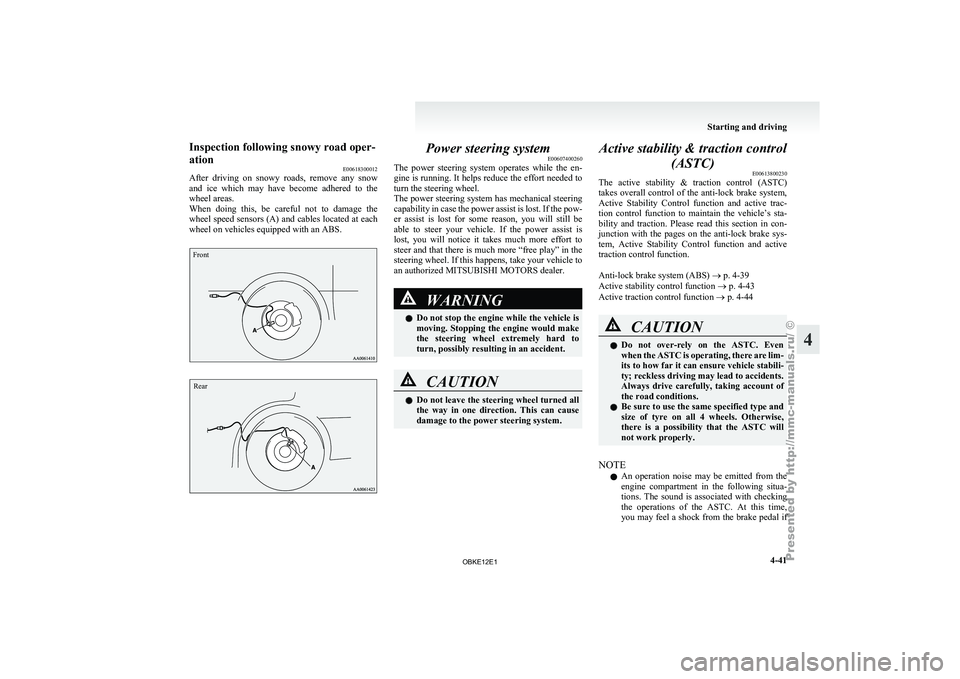
When doing this, be careful not to damage the
wheel speed sensors (A) and cables located at each
wheel on vehicles equipped with an ABS.
Front
Rear Power steering system
E00607400260
The power steering
system operates while the en-
gine is running. It helps reduce the effort needed to
turn the steering wheel.
The power steering system has mechanical steering
capability in case the power assist is lost. If the pow-
er assist is lost for some reason, you will still be
able to steer your vehicle. If the power assist is
lost, you will notice it takes much more effort to
steer and that there is much more “free play” in the
steering wheel. If this happens, take your vehicle to
an authorized MITSUBISHI MOTORS dealer. WARNING
l Do not
stop
the engine while the vehicle is
moving. Stopping the engine would make
the steering wheel extremely hard to
turn, possibly resulting in an accident. CAUTION
l
Do not leave
the steering wheel turned all
the way in one direction. This can cause
damage to the power steering system. Active stability & traction control
(ASTC) E00613800230
The active stability
& traction control (ASTC)
takes overall control of the anti-lock brake system,
Active Stability Control function and active trac-
tion control function to maintain the vehicle’s sta-
bility and traction. Please read this section in con-
junction with the pages on the anti-lock brake sys-
tem, Active Stability Control function and active
traction control function.
Anti-lock brake system (ABS) ® p. 4-39
Active stability control function ® p. 4-43
Active traction control function ® p. 4-44 CAUTION
l
Do not
over-rely
on the ASTC. Even
when the ASTC is operating, there are lim-
its to how far it can ensure vehicle stabili-
ty; reckless driving may lead to accidents.
Always drive carefully, taking account of
the road conditions.
l Be sure to use the same specified type and
size of tyre on all 4 wheels. Otherwise,
there is a possibility that the ASTC will
not work properly.
NOTE l An
operation noise
may be emitted from the
engine compartment in the following situa-
tions. The sound is associated with checking
the operations of the ASTC. At this time,
you may feel a shock from the brake pedal if Starting and driving
4-41 4
OBKE12E1
Page 168 of 377
Driving hints
E00618100036
When extricating the
vehicle from mud, sand or
fresh snow with the transfer shift lever in the “2H”,
“4H”, or “4HLc” position, you may find that opera-
tion of the ASTC prevents the engine speed from in-
creasing in response to depression of the accelera-
tor pedal. If this happens and the vehicle remains
stuck as a result, place the transfer shift lever in the
“4LLc” position or turn the Active Stability Con-
trol switch OFF. The vehicle will then be easier to
extricate. (Brake control of the active traction con-
trol function is still working to prevent wheel spins
when ASC OFF switch “OFF” or “4LLc” position
selected.)
NOTE
l If the vehicle speed increases to about
120 km/h (75 mph) with the Active Stability
Control function deactivated, the Active Sta-
bility Control function automatically starts op-
erating. To subsequently stop the Active Sta-
bility Control function, stop the vehicle and
press the ASC OFF switch again.
Active stability control function E00613900097
The Active Stability Control function is designed
to help maintain
the vehicle’s control in slippery
conditions, or during rapid steering manoeuvres. It
works by controlling the engine output and brake
on each wheel. NOTE
l The
Active Stability
Control function does
not operate when the transfer shift lever is in
the “4LLc” position.
When the Active Stability Control function
is operating with the transfer shift lever in
the “2H”, “4H” or “4HLc” position, moving
the shift lever to the “4LLc” position makes
the Active Stability Control function deacti-
vate automatically.
l On vehicles with rear differential lock, the Ac-
tive Stability Control function does not oper-
ate when the rear differential lock is activated.
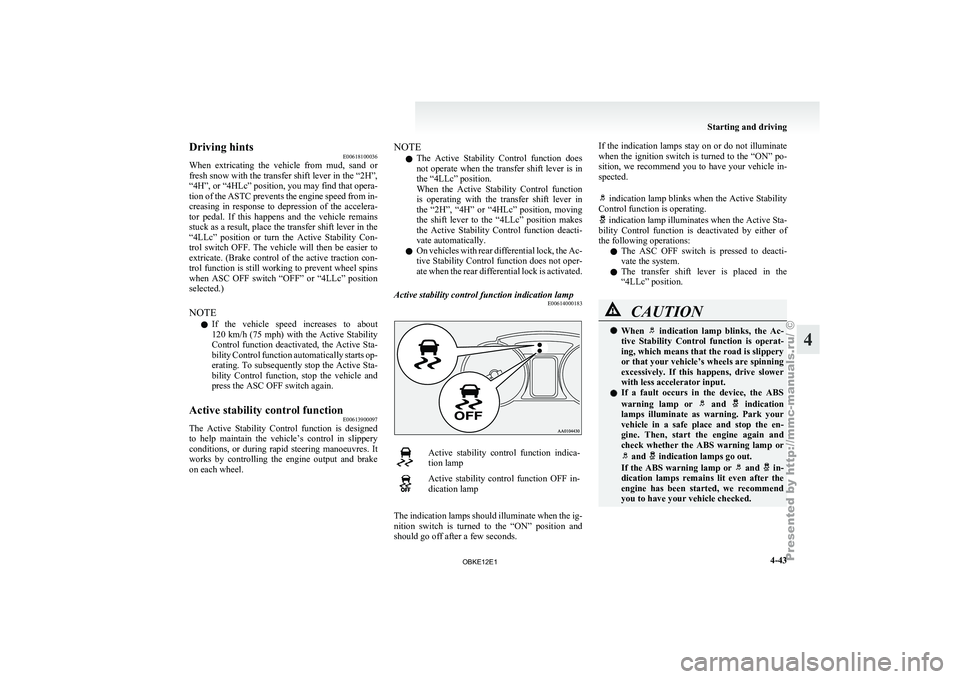
Active stability control function indication lamp E00614000183 Active stability control function indica-
tion lamp
Active stability control function OFF in-
dication lamp
The indication lamps should illuminate when the ig-
nition switch is
turned to the “ON” position and
should go off after a few seconds. If the indication lamps stay on or do not illuminate
when the
ignition
switch is turned to the “ON” po-
sition, we recommend you to have your vehicle in-
spected.
indication lamp blinks when the Active Stability
Control function is operating. indication lamp illuminates when the Active Sta-
bility Control function
is deactivated by either of
the following operations:
l The ASC OFF switch is pressed to deacti-
vate the system.
l The transfer shift lever is placed in the
“4LLc” position. CAUTION
l
When indication lamp blinks, the Ac-
tive Stability Control
function is operat-
ing, which means that the road is slippery
or that your vehicle’s wheels are spinning
excessively. If this happens, drive slower
with less accelerator input.
l If a fault occurs in the device, the ABS
warning lamp or and indication
lamps illuminate as
warning. Park your
vehicle in a safe place and stop the en-
gine. Then, start the engine again and
check whether the ABS warning lamp or and indication lamps go out.
If the ABS
warning lamp or and in-
dication lamps remains
lit even after the
engine has been started, we recommend
you to have your vehicle checked. Starting and driving
4-43 4
OBKE12E1
Page 184 of 377
Ventilators
.................................................................................... 5-02
Front automatic air conditioning ..................................................5-03
Rear air conditioning* .................................................................. 5-10
Important operation tips for the air conditioning.......................... 5-11
Air purifier (with deodorizing function) .......................................5-12
LW/MW/FM electronic tuning radio with CD player* ................5-12
LW/MW/FM electronic tuning radio with CD autoch- anger*
....................................................................................... 5-26
To play tracks from USB device* ................................................5-43
To play tracks from a Bluetooth ®
device (vehicles with
Bluetooth ®
2.0 interface).......................................................... 5-53
To use the external audio input function* ....................................5-56
To listen to a disc in the rear-seat display (vehicles with rear-seat display) .............................................................. 5-57
Steering wheel remote control switch* ........................................5-57
Error codes.................................................................................... 5-59
Error codes (iPod)......................................................................... 5-61
Error codes (USB memory device) ..............................................5-63
Handling of compact discs ........................................................... 5-65
Antenna......................................................................................... 5-66
Link System* ................................................................................ 5-67
Bluetooth ®
2.0 interface* ............................................................. 5-67
USB input terminal* ..................................................................... 5-82
Sun visors..................................................................................... 5-84
Ashtray*........................................................................................ 5-85
Cigarette lighter* .......................................................................... 5-86
Accessory socket.......................................................................... 5-86
Interior lamps ................................................................................5-87
Storage spaces............................................................................... 5-91
Cup holder.................................................................................... 5-94 Rear shelf (3-door models)*
......................................................... 5-95
Cargo area cover (5-door models)* ..............................................5-96
Convenient hooks (5-door models)* ............................................5-96
Luggage hooks.............................................................................. 5-97
Coat hooks.................................................................................... 5-97
Installation position for warning triangle .....................................5-98For pleasant driving
5
OBKE12E1
Page 240 of 377

CAUTION
l
Do not operate the connected audio equip-
ment while driving.
This could distract you and an accident
might occur.
NOTE l The
connected audio
equipment cannot be op-
erated with the vehicle’s audio system.
l Depending on the connected audio equip-
ment, it may produce noise from the speakers.
l Use the connected audio equipment’s own
power source, such as its battery.
Noise may be produced from the speakers if
the connected audio equipment is used while
charging it using the accessory socket of the
vehicle.
l Do not activate the external audio input
mode when no audio equipment is connected.
Otherwise, noise may be produced from the
speakers.
l Connect audio equipment when the external
audio input mode is deactivated or lower the
vehicle’s speaker volume before connecting it.
Noise may be produced from the speakers if
audio equipment is connected after the exter-
nal audio input mode is activated.
l For information on how to connect and oper-
ate the audio equipment, refer to the owner’s
manual for the equipment. To listen to a disc in the rear-seat
display (vehicles with rear-seat display) E00755100096
It is possible
to listen to the audio from the rear-
seat display using the vehicle’s speakers.
Press the CD button to select the rear-seat display
mode. The word “REAR” will appear at the top-
left of the display.
Each push of the CD button changes the mode to
the next one in the following sequence: CD mode
→ Rear-seat display mode → CD mode.
The following operation of the rear-seat display is
possible from the audio system. Source Operation
CD Track selection
MP3/WMA Folder/Track selection Video CD Track/Scene selection
DVD video Title/Chapter selection
DVD audio Group/Track selection To make your desired selection, use the TRACK
button or the FOLDER button on the audio system.Steering wheel remote control
switch* E00710000665
The remote control
switches are located on the left
side of the steering wheel.
These switches can be used when the ignition
switch is in the “ON” or “ACC” position. 1- Volume up button
2- Volume down button
3-
PWR (ON-OFF)/Mode change button
4-
Seek up/Track up/File up/Fast-forward button
5- Seek down/Track down/File down/Fast-re- verse button
NOTE l Do not push two or more of the steering
wheel remote control switches at the same
time.
To turn on the power
PWR (ON-OFF) button - 3
When the power is off, press this button to turn the
power on. To turn the power off, press this button
for 2 seconds or longer. For pleasant driving
5-57 5
OBKE12E1
Page 250 of 377

Link System*
E00764500012
The Link System
takes overall control of the devi-
ces connected via the USB input terminal or the
Bluetooth ®
2.0 interface allowing the connected de-
vices to be operated by using the switches in the ve-
hicle or voice commands.
See the following section for details on how to op-
erate.
Refer to “Bluetooth ®
2.0 interface” on page 5-67.
Refer to “USB input terminal” on page 5-82.
Refer to “To play tracks from USB device” on
page 5-43.
Refer to “To play tracks from a Bluetooth ®
device”
on page 5-53.
Refer to “To use the external audio input function”
on page 5-56.
Bluetooth ®
is a registered trademark of BLUE-
TOOTH SIG, INC.
Link System End User Licence Agree-
ment E00764600013
You have acquired a device that includes software
licensed by MITSUBISHI
MOTORS CORPORA-
TION from JOHNSON CONTROLS Inc (the auto-
motive experience business unit), and their subse-
quent 3 rd
party suppliers. For a complete list of
these 3 rd
party products and their end user licence
agreements, please go to the following website.
http://www.jciblueconnect.com/faq/fulldisclo-
sure.pdf Bluetooth
®
2.0 interface*
E00726000572
The Bluetooth ®
2.0 interface
allows for making/re-
ceiving hands-free calls in the vehicle using a Blue-
tooth ®
compatible cellular phone based on the wire-
less communication technology commonly known
as Bluetooth ®
. It also allows the user to play mu-
sic, saved in a Bluetooth ®
music player, from the
vehicle’s speakers.
The system is equipped with a voice recognition
function, which allows you to make hands-free
calls by simple switch operations and voice com-
mand operations using a defined voice tree.
The Bluetooth ®
2.0 interface can be used when the
ignition switch is in the “ON” or “ACC” position.
Before you can use the Bluetooth ®
2.0 interface,
you must pair the Bluetooth ®
device and Blue-
tooth ®
2.0 interface. Refer to “Connecting the Blue-
tooth® 2.0 interface and Bluetooth® device” on
page 5-71.
Bluetooth ®
is a registered trademark of BLUE-
TOOTH SIG, INC. WARNING
l Although the
Bluetooth®
2.0 interface al-
lows you to make hands-free calls, if you
choose to use the cellular phone while driv-
ing, you must not allow yourself to be dis-
tracted from the safe operation of your ve-
hicle. Anything, including cellular phone
usage, that distracts you from the safe op-
eration of your vehicle increases your
risk of an accident. WARNING
l Refer to and
comply with all state and lo-
cal laws in your area regarding cellular
phone usage while driving.
NOTE l The Bluetooth ®
2.0
interface cannot be used
if the Bluetooth ®
device has a flat battery or
the device power is turned off.
l Hands-free calls will not be possible if your
phone does not have service available.
l If you place the Bluetooth ®
device in the ve-
hicle’s third seat or luggage compartment,
you may not be able to use the Bluetooth ®
2.0 interface.
l Some Bluetooth ®
devices are not compatible
with the Bluetooth ®
2.0 interface.
l For details on the Bluetooth ®
2.0 interface,
you can see them by accessing the
MITSUBISHI MOTORS website.
Please read and agree on the “Warning about
Links to the Web Sites of Other Companies”
because it connects to other than
MITSUBISHI MOTORS website.
http://www.mitsubishi-motors.com/en/prod-
ucts/index.html
Steering control switch ® p. 5-68
Voice recognition function ® p. 5-68
Useful voice commands ® p. 5-69
Speaker enrollment function ® p. 5-70
Connecting the Bluetooth® 2.0 interface and Blue-
tooth® device ® p. 5-71
Operating a music player connected via Blue-
tooth® ® p. 5-74 For pleasant driving
5-67 5
OBKE12E1
Page 251 of 377
How to make or receive hands-free
calls ® p. 5-74
Phone book function ® p. 5-76
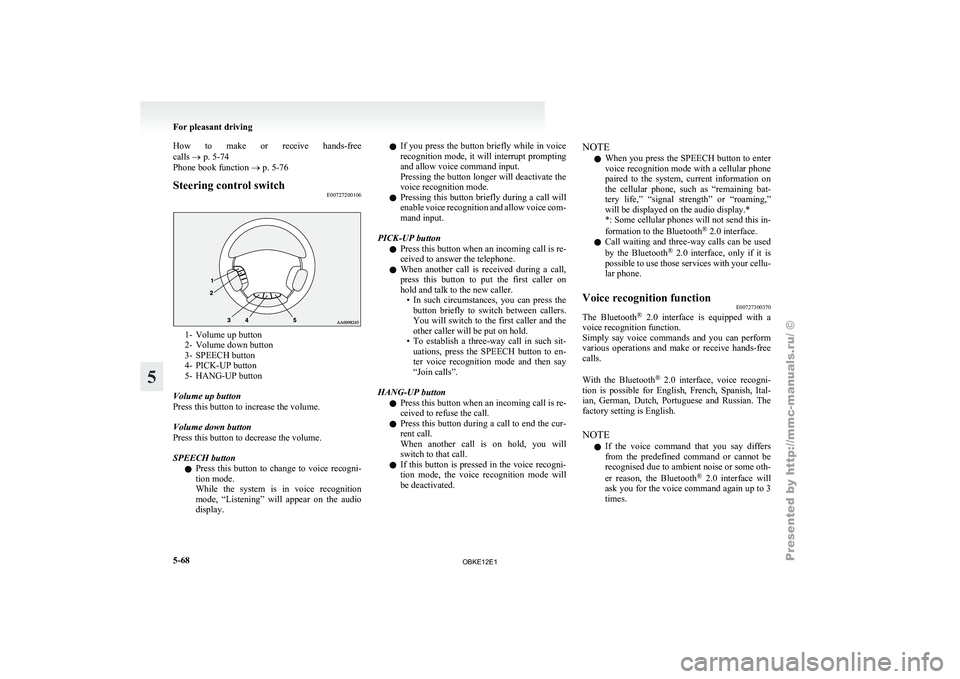
Steering control switch
E007272001061- Volume up button
2- Volume down button
3-
SPEECH button
4-
PICK-UP button
5- HANG-UP button
Volume up button
Press this button to increase the volume.
Volume down button
Press this button to decrease the volume.
SPEECH button l Press this button to change to voice recogni-
tion mode.
While the system is in voice recognition
mode, “Listening” will appear on the audio
display. l
If you
press
the button briefly while in voice
recognition mode, it will interrupt prompting
and allow voice command input.
Pressing the button longer will deactivate the
voice recognition mode.
l Pressing this button briefly during a call will
enable voice recognition and allow voice com-
mand input.
PICK-UP button l Press this button when an incoming call is re-
ceived to answer the telephone.
l When another call is received during a call,
press this button to put the first caller on
hold and talk to the new caller.
• In such circumstances, you can press thebutton briefly to switch between callers.
You will switch to the first caller and the
other caller will be put on hold.
• To establish a three-way call in such sit- uations, press the SPEECH button to en-
ter voice recognition mode and then say
“Join calls”.
HANG-UP button l Press this button when an incoming call is re-
ceived to refuse the call.
l Press this button during a call to end the cur-
rent call.
When another call is on hold, you will
switch to that call.
l If this button is pressed in the voice recogni-
tion mode, the voice recognition mode will
be deactivated. NOTE
l When
you press
the SPEECH button to enter
voice recognition mode with a cellular phone
paired to the system, current information on
the cellular phone, such as “remaining bat-
tery life,” “signal strength” or “roaming,”
will be displayed on the audio display.*
*: Some cellular phones will not send this in-
formation to the Bluetooth ®
2.0 interface.
l Call waiting and three-way calls can be used
by the Bluetooth ®
2.0 interface, only if it is
possible to use those services with your cellu-
lar phone.
Voice recognition function E00727300370
The Bluetooth ®
2.0 interface
is equipped with a
voice recognition function.
Simply say voice commands and you can perform
various operations and make or receive hands-free
calls.
With the Bluetooth ®
2.0 interface, voice recogni-
tion is possible for English, French, Spanish, Ital-
ian, German, Dutch, Portuguese and Russian. The
factory setting is English.
NOTE
l If the voice command that you say differs
from the predefined command or cannot be
recognised due to ambient noise or some oth-
er reason, the Bluetooth ®
2.0 interface will
ask you for the voice command again up to 3
times. For pleasant driving
5-68
5
OBKE12E1
Page 258 of 377

NOTE
l If
you say
“Call” when the vehicle phone
book and the mobile phone book are empty,
the voice guide will say “The vehicle phone
book is empty. Would you like to add a new
entry now?”
Answer “Yes,” and the voice guide will say
“Entering the phone book - new entry
menu.” You can now create data in the vehi-
cle phone book.
Answer “No,” to return to the main menu.
3. After the voice guide says “Name please,” say the name you want to call, from those reg-
istered in the phone book.
4. If there is only one match, the system pro- ceeds to Step 5.
If there are two or more matches, the voice
guide will say “More than one match was
found, would you like to call
call, answer “Yes.”
Answer “No,” and the name of the next match-
ing person will be uttered by the voice guide.
NOTE l If you say “No” to all names read by the sys-
tem, the voice guide will say “Name not
found, returning to main menu” and the sys-
tem will return to the main menu.
5. If only one telephone number is registered un- der the name you just said, the voice guide
proceeds to Step 6.
If two or more telephone numbers are regis-
tered that match the name you just said, the
voice guide will say “Would you like to call
er]?” Select the location to call.
NOTE l If
the name
you selected has matching data
in the vehicle phone book but no telephone
number is registered under the selected loca-
tion, the voice guide will say “{home/work/
mobile/other} not found for
Would you like to add location or try again?”
Say “Try again,” and the system will return
to Step 3.
Say “Add location” and you can register an
additional telephone number under the selec-
ted location.
l If the name you selected has matching data
in the mobile phone book but no telephone
number is registered under the selected loca-
tion, the voice guide will say “{home/work/
mobile/other} not found for
Would you like to try again?”
Answer “Yes,” and the system will return to
Step 3.
Answer “No,” and the call will be cancelled.
Start over again from Step 1.
6. The voice guide will say “Calling
telephone number.
NOTE l When the confirmation function is on, the sys-
tem will ask if the name and location of the
receiver are correct.
If the name is correct, answer “Yes.”
If you want to change the name or location to
call, answer “No.” The system will return to
Step 3. Redialing
You can redial
the last number called, based on the
history of dialed calls in the paired cellular phone.
Use the following procedure to redial. 1. Press the SPEECH button.
2. Say “Redial.”
SEND function E00761300035
During a call, press the SPEECH button to enter
voice recognition mode,
then say “
SEND” to generate DTMF tones.
For example, if during a call you need to simulate
the press of a phone button as a response to an auto-
mated system, press the SPEECH button and speak
“1 2 3 4 pound SEND” and the 1234# will be sent
on your cellular phone.
Receiving calls E00761600012
If an incoming phone call is received while the ig-
nition switch is in the “ACC” or “ON” position, the
audio system will
be automatically turned on and
switched to the incoming call, even when the audio
system was originally off.
The voice guide announcement for the incoming
call will be output from the front passenger’s seat
speaker.
If the CD player or radio was playing when the in-
coming call was received, the audio system will
mute the sound from the CD player or radio and out-
put only the incoming call.
To receive the call, press the PICK-UP button on
the steering wheel control switch.
When the call is over, the audio system will return
to its previous state. For pleasant driving
5-75 5
OBKE12E1
Page 283 of 377
If the vehicle breaks down
E00800101179
If the vehicle
breaks down on the road, move it to
the shoulder and use the hazard warning flashers and/
or the warning triangle etc. Refer to “Hazard warn-
ing flasher switch” on page 3-35.
If the engine stops/fails
Vehicle operation and control are affected if the en-
gine stops. Before moving the vehicle to a safe
area, be aware of the following:
l The brake booster becomes inoperative and
the pedal effort will increase. Press down the
brake pedal harder than usual.
l Since the power steering pump is no longer
operative, the steering wheel feels heavy
when turning it. Emergency starting
E00800502587
If the engine
cannot be started because the battery
is weak or dead, the battery from another vehicle
can be used with jumper cables to start the engine. WARNING
l To start
the
engine using jumper cables
connected to another vehicle, perform the
correct procedures according to the in-
struction below. Incorrect procedures
could result in a fire or explosion or dam-
age to the vehicles. CAUTION
l
Do not attempt
to start the engine by pull-
ing or pushing the vehicle. It could dam-
age your vehicle.
l Always wear protective eye goggles when
working near the battery.
l Keep the battery out of the reach of chil-
dren.
1. Get the vehicles close enough so the jumper
cables can
reach, but be sure the vehicles
aren’t touching each other. CAUTION
l
Check the
other
vehicle. It must have a 12-
volt battery.
If the other system isn’t 12-volt, shorting
can damage both vehicles. 2. Set the parking brake firmly on each vehicle.
Put an
A/T in “P” (PARK) or a M/T in “N”
(Neutral). Turn off the ignition switch. WARNING
l Turn off
the
ignition on both vehicles be-
forehand. Make sure that the cables or
your clothes cannot be caught by the fan
or drive belt. Personal injury could result.
3. Turn off all lamps, heater and other electrical
loads.
4. Make
sure battery electrolyte is at the proper
level. Refer to “Battery” on page 8-10. WARNING
l If electrolyte
fluid
is not visible, or ap-
pears to be frozen, Do Not Attempt Jump
Starting!
A battery might rupture or explode if the
temperature is below the freezing point
or if it is not filled to the proper level.
5. Connect one end of one jumper cable to the
positive (+)
terminal of the discharged bat-
tery (A or B), and the other end to the posi-
tive (+) terminal of the booster battery (C). For emergencies
6-02
6
OBKE12E1
Page 296 of 377
CAUTION
l
After
changing
the tyre and driving the ve-
hicle about 1,000 km (620 miles), retight-
en the wheel nuts to make sure that they
have not come loose.
l If the steering wheel vibrates when driv-
ing after changing the tyre, we recom-
mend you to have the tyres checked for
balance.
l Do not mix one type of tyre with another
or use a different size from the one listed.
This would cause early wear and poor han-
dling.
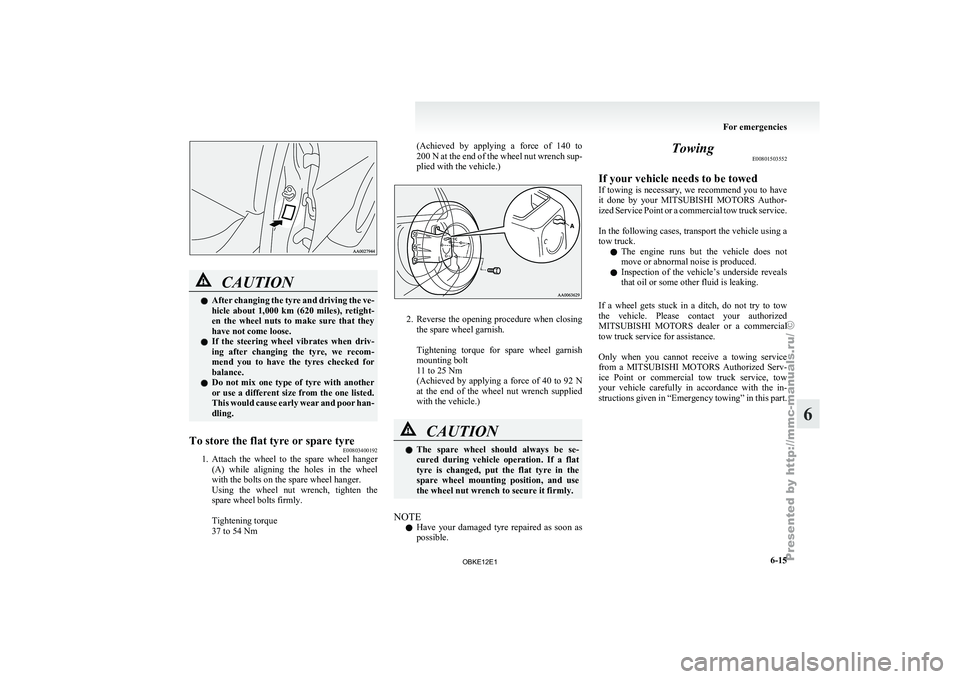
To store the flat tyre or spare tyre E00803400192
1. Attach the wheel to the spare wheel hanger
(A) while
aligning the holes in the wheel
with the bolts on the spare wheel hanger.
Using the wheel nut wrench, tighten the
spare wheel bolts firmly.
Tightening torque
37 to 54 Nm (Achieved by applying a force of 140 to
200 N
at the end of the wheel nut wrench sup-
plied with the vehicle.) 2. Reverse the opening procedure when closing
the spare wheel garnish.
Tightening torque
for spare wheel garnish
mounting bolt
11 to 25 Nm
(Achieved by applying a force of 40 to 92 N
at the end of the wheel nut wrench supplied
with the vehicle.) CAUTION
l
The spare
wheel
should always be se-
cured during vehicle operation. If a flat
tyre is changed, put the flat tyre in the
spare wheel mounting position, and use
the wheel nut wrench to secure it firmly.
NOTE l Have
your damaged
tyre repaired as soon as
possible. Towing
E00801503552
If your vehicle needs to be towed
If towing
is
necessary, we recommend you to have
it done by your MITSUBISHI MOTORS Author-
ized Service Point or a commercial tow truck service.
In the following cases, transport the vehicle using a
tow truck.
l The engine runs but the vehicle does not
move or abnormal noise is produced.
l Inspection of the vehicle’s underside reveals
that oil or some other fluid is leaking.
If a wheel gets stuck in a ditch, do not try to tow
the vehicle. Please contact your authorized
MITSUBISHI MOTORS dealer or a commercial
tow truck service for assistance.
Only when you cannot receive a towing service
from a MITSUBISHI MOTORS Authorized Serv-
ice Point or commercial tow truck service, tow
your vehicle carefully in accordance with the in-
structions given in “Emergency towing” in this part.
For emergencies
6-15 6
OBKE12E1
Page 298 of 377
Towing with rear wheels off the ground (Type C)
Place the gearshift
lever in the “N” (Neutral) posi-
tion (M/T) or the selector lever in the “N” (NEU-
TRAL) position (A/T). Turn the ignition key to the
“ACC” position and secure the steering wheel in a
straight ahead position with a rope or tie-down
strap. Never place the ignition switch in the
“LOCK” position when towing.
Emergency towing
If towing service is not available in an emergency,
your vehicle may be temporarily towed by a rope
secured to the towing hook.
If your vehicle is to be towed by another vehicle or
if your vehicle tows another vehicle, pay careful at-
tention to the following points:
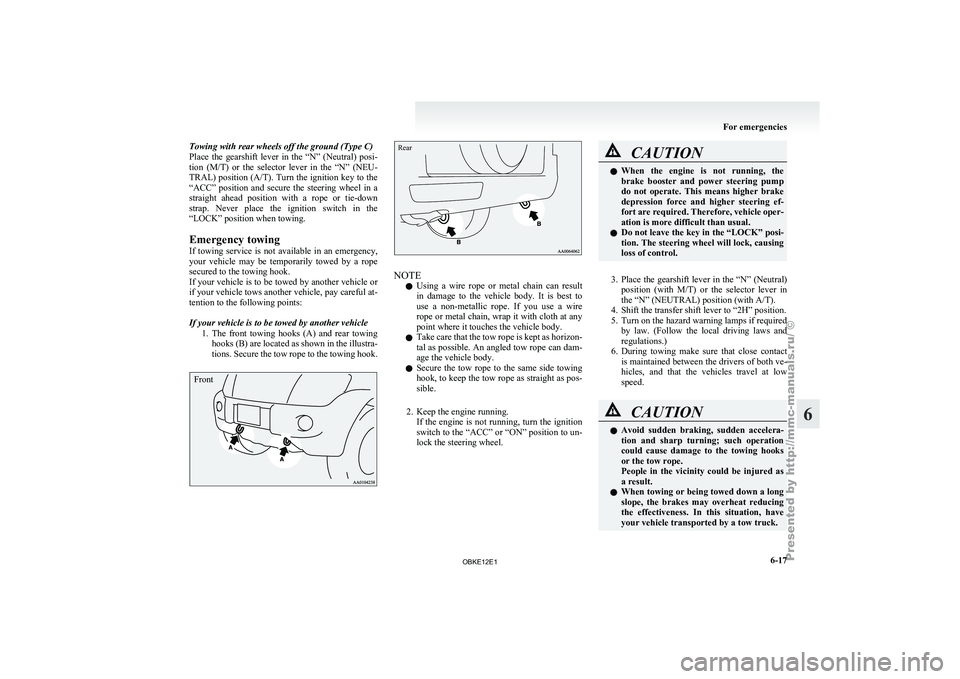
If your vehicle is to be towed by another vehicle
1. The front towing hooks (A) and rear towinghooks (B) are located as shown in the illustra-
tions. Secure the tow rope to the towing hook.
Front
Rear NOTE
l Using
a wire
rope or metal chain can result
in damage to the vehicle body. It is best to
use a non-metallic rope. If you use a wire
rope or metal chain, wrap it with cloth at any
point where it touches the vehicle body.
l Take care that the tow rope is kept as horizon-
tal as possible. An angled tow rope can dam-
age the vehicle body.
l Secure the tow rope to the same side towing
hook, to keep the tow rope as straight as pos-
sible.
2. Keep the engine running. If the engine is not running, turn the ignition
switch to the “ACC” or “ON” position to un-
lock the steering wheel. CAUTION
l
When the engine
is not running, the
brake booster and power steering pump
do not operate. This means higher brake
depression force and higher steering ef-
fort are required. Therefore, vehicle oper-
ation is more difficult than usual.
l Do not leave the key in the “LOCK” posi-
tion. The steering wheel will lock, causing
loss of control.
3. Place the gearshift lever in the “N” (Neutral)
position (with
M/T) or the selector lever in
the “N” (NEUTRAL) position (with A/T).
4. Shift the transfer shift lever to “2H” position.
5. Turn on the hazard warning lamps if required by law. (Follow the local driving laws and
regulations.)
6. During towing make sure that close contact is maintained between the drivers of both ve-
hicles, and that the vehicles travel at low
speed. CAUTION
l
Avoid sudden braking,
sudden accelera-
tion and sharp turning; such operation
could cause damage to the towing hooks
or the tow rope.
People in the vicinity could be injured as
a result.
l When towing or being towed down a long
slope, the brakes may overheat reducing
the effectiveness. In this situation, have
your vehicle transported by a tow truck. For emergencies
6-17 6
OBKE12E1