lock MITSUBISHI SHOGUN 2008 (in English) Owner's Guide
[x] Cancel search | Manufacturer: MITSUBISHI, Model Year: 2008, Model line: SHOGUN, Model: MITSUBISHI SHOGUN 2008Pages: 538, PDF Size: 25.09 MB
Page 34 of 538
1-14 Locking and unlocking
1
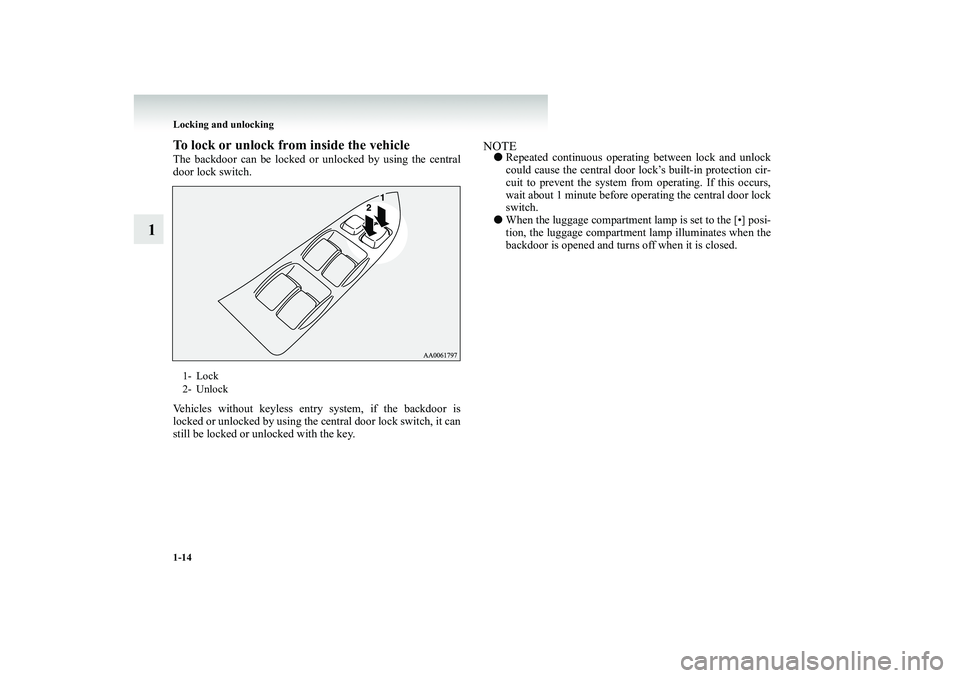
To lock or unlock from
inside the vehicle
The backdoor can be locked or
unlocked by using the central
door lock switch. Vehicles without keyless entry system, if the backdoor is locked or unlocked by using the central door lock switch, it can still be locked or unlocked with the key.
NOTE●
Repeated continuous operating between lock and unlock could cause the central door lo
ck’s built-in protection cir-
cuit to prevent the system from
operating. If this occurs,
wait about 1 minute before op
erating the central door lock
switch.
●
When the luggage compartment lamp is set to the [•] posi- tion, the luggage compartment lamp illuminates when thebackdoor is opened and turns off when it is closed.
1- Lock 2- Unlock
BK-BK2008E1ENUK.en-uk-Section4.fm Page
14 Wednesday, January 9, 2008 4:22 PM
Page 35 of 538
Locking and unlocking
1-15
1
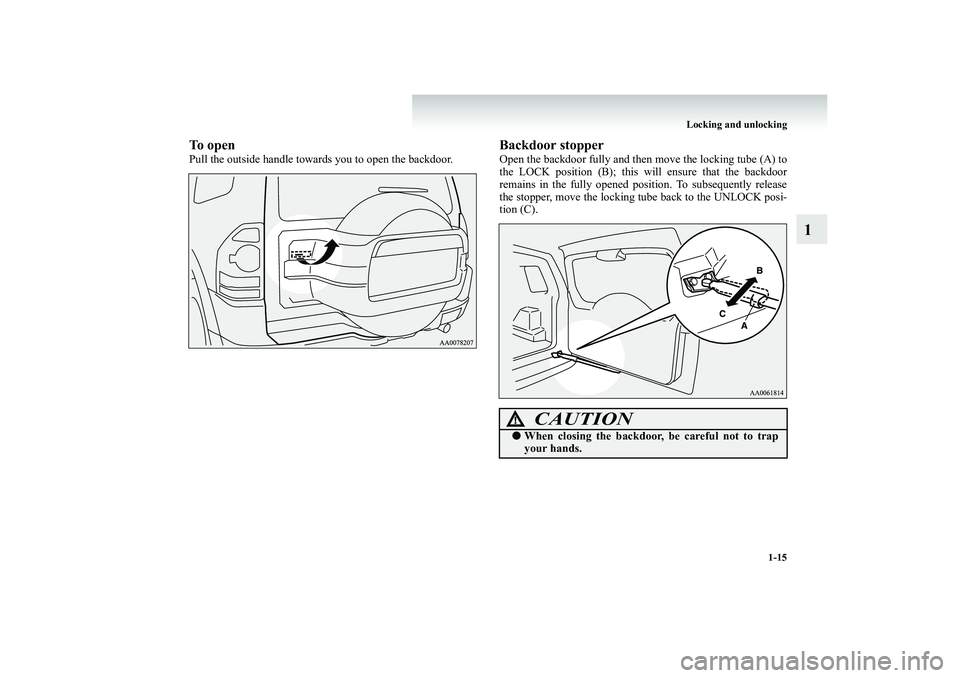
To openPull the outside handle towards you to open the backdoor.
Backdoor stopperOpen the backdoor fully and then
move the locking tube (A) to
the LOCK position (B); this will ensure that the backdoorremains in the fully opened position. To subsequently release the stopper, move the locking
tube back to the UNLOCK posi-
tion (C).
CAUTION
!●
When closing the backdoor
, be careful not to trap
your hands.
BK-BK2008E1ENUK.en-uk-Section4.fm Page
15 Wednesday, January 9, 2008 4:22 PM
Page 36 of 538
1-16 Locking and unlocking
1
Electric window control
E00302200185
The electric windows can only be operated with the ignition switch in the “ON” position.Electric window control switch
E00302300766
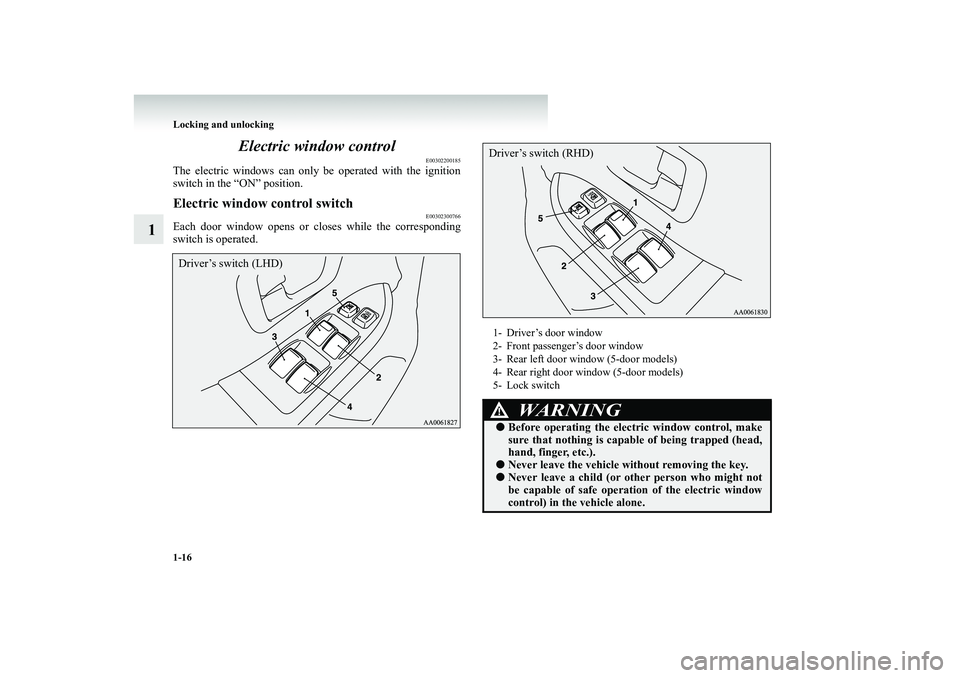
Each door window opens or
closes while the corresponding
switch is operated.Driver’s switch (LHD)
1- Driver’s door window 2- Front passenger’s door window 3- Rear left door window (5-door models) 4- Rear right door window (5-door models)5- Lock switch
WARNING
!●
Before operating the elect
ric window control, make
sure that nothing is capable of being trapped (head, hand, finger, etc.).
●
Never leave the vehicle without removing the key.
●
Never leave a child (or ot
her person who might not
be capable of safe operati
on of the el
ectric window
control) in the vehicle alone.
Driver’s switch (RHD)
BK-BK2008E1ENUK.en-uk-Section4.fm Page
16 Wednesday, January 9, 2008 4:22 PM
Page 37 of 538
Locking and unlocking
1-17
1
NOTE●
Repeated operation with the engine stopped will run down the battery. Operate the window switches only while the engine is running.
Driver’s switchesThe driver’s switches can be us
ed to operate a
ll door windows.
A window can be opened or closed by operating the corre- sponding switch. Press the switch down to open the window, and pull up theswitch to close it. If the switch is fully pressed down/pulled up, the door window automatically opens/closes completely.If you want to stop the window movement, operate the switch lightly.
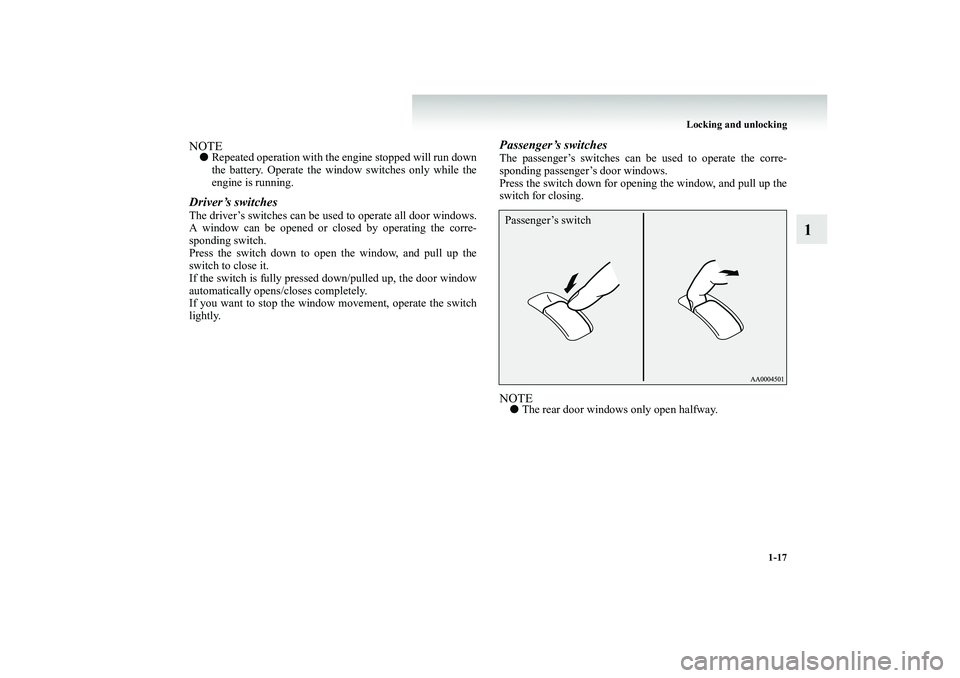
Passenger’s switchesThe passenger’s switches can be used to operate the corre- sponding passenger’s door windows. Press the switch down for opening the window, and pull up the switch for closing.NOTE●
The rear door windows only open halfway.
Passenger’s switch
BK-BK2008E1ENUK.en-uk-Section4.fm Page
17 Wednesday, January 9, 2008 4:22 PM
Page 38 of 538
1-18 Locking and unlocking
1
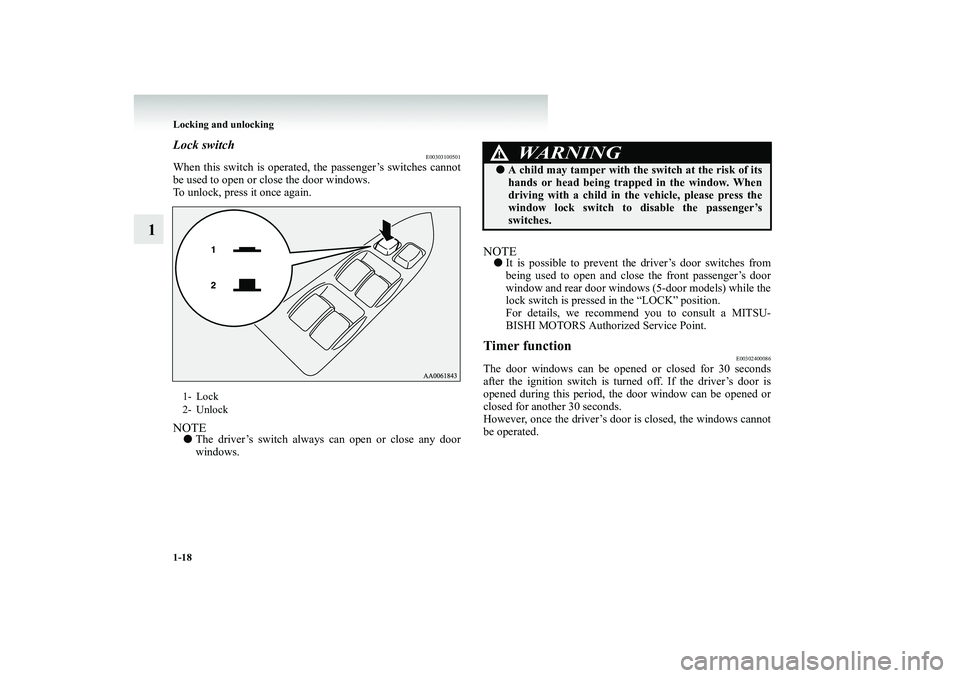
Lock switch
E00303100501
When this switch is operated, the passenger’s switches cannot be used to open or close the door windows. To unlock, press it once again.NOTE●
The driver’s switch always can open or close any door windows.
NOTE●
It is possible to prevent the driver’s door switches from being used to open and close the front passenger’s door window and rear door windows (5-door models) while thelock switch is pressed in the “LOCK” position. For details, we recommend you to consult a MITSU- BISHI MOTORS Authorized Service Point.
Timer function
E00302400086
The door windows can be opened or closed for 30 seconds after the ignition switch is turned off. If the driver’s door is opened during this period, the door window can be opened orclosed for another 30 seconds. However, once the driver’s door is closed, the windows cannot be operated.
1- Lock 2- Unlock
WARNING
!●
A child may tamper with the sw
itch at the risk of its
hands or head being trapped in the window. Whendriving with a child in the vehicle, please press the window lock switch to
disable the passenger’s
switches.
BK-BK2008E1ENUK.en-uk-Section4.fm Page
18 Wednesday, January 9, 2008 4:22 PM
Page 39 of 538
Locking and unlocking
1-19
1
Safety mechanism
E00302500218
If a hand or head is trapped in the closing window, it will lower automatically. Nonetheless, make sure that nobody puts their head or hand out of the window when closing a window.The lowered window will become
operational after a few sec-
onds.
NOTE●
The safety mechanism can be
activated if the driving con-
ditions or other circumstances cause the door windows to be subjected to a physical shock similar to that caused by a trapped hand or head.
●
If the safety mechanism is ac
tivated three or more times in
a row, the safety mechanism will be cancelled and the door window will not close correctly.In such a case, the following
procedure should be imple-
mented to rectify this situation. If the window is open, repeatedly raise the appropri
ate window switch until that
window has been fully closed. Following this, release the switch, raise the switch once again and hold it in this con- dition for at least 1 second, then release it. You shouldnow be able to operate all windows in the normal fashion.
WARNING
!●
If the safety mechanism is activated three or more times successively, the safety mechanism will be tem- porarily cancelled.If a hand or head got trap
ped, a serious injury could
result.CAUTION
!●
The safety mechanism is cancelled just before the window is fully closed. This allows the window toclose completely. Therefore
be especially careful that
no fingers are trapped in the window.
BK-BK2008E1ENUK.en-uk-Section4.fm Page
19 Wednesday, January 9, 2008 4:22 PM
Page 40 of 538
1-20 Locking and unlocking
1
Rear side/quarter window
E00302600091
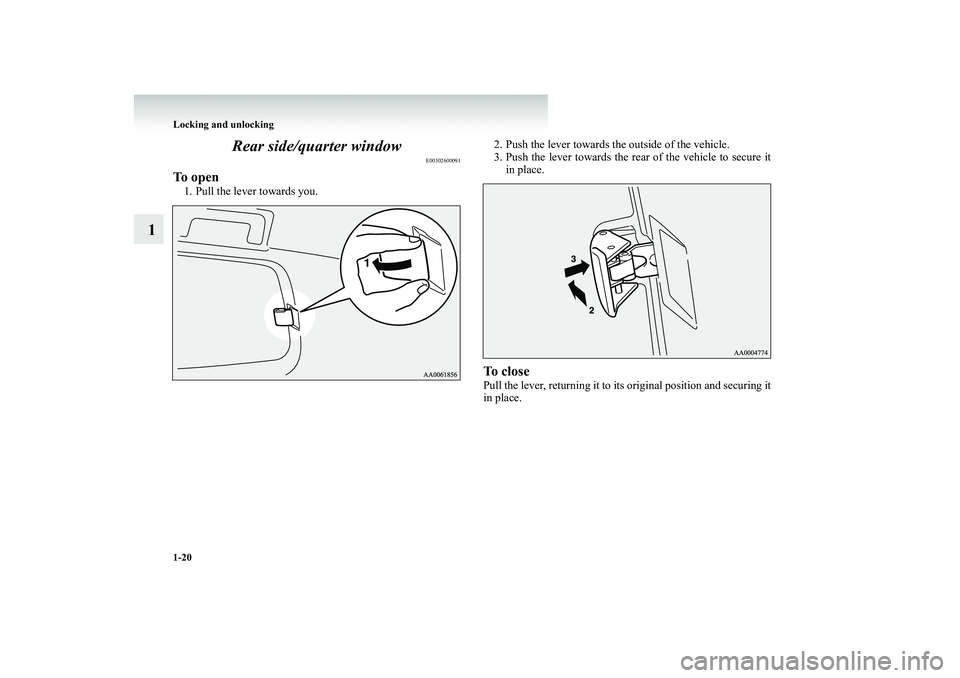
To open1. Pull the lever towards you.
2. Push the lever towards the outside of the vehicle. 3. Push the lever towards the rear
of the vehicle to secure it
in place.
To closePull the lever, returning it to its original position and securing it in place.
BK-BK2008E1ENUK.en-uk-Section4.fm Page
20 Wednesday, January 9, 2008 4:22 PM
Page 41 of 538
Locking and unlocking
1-21
1
Sunroof
*
E00302700832
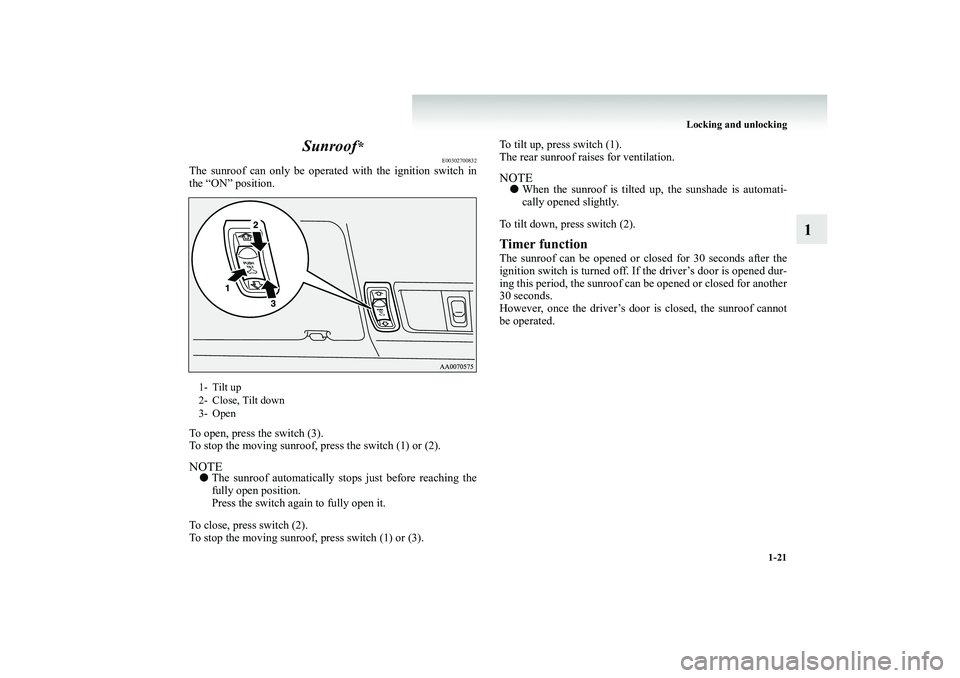
The sunroof can only be operated with the ignition switch in the “ON” position. To open, press the switch (3). To stop the moving sunroof, press the switch (1) or (2).NOTE●
The sunroof automatically stop
s just before reaching the
fully open position. Press the switch again to fully open it.
To close, press switch (2). To stop the moving sunroof, press switch (1) or (3).
To tilt up, press switch (1). The rear sunroof raises for ventilation.NOTE●
When the sunroof is tilted up, the sunshade is automati- cally opened slightly.
To tilt down, press switch (2).Timer functionThe sunroof can be opened or closed for 30 seconds after the ignition switch is turned off. If the driver’s door is opened dur- ing this period, the sunroof can be opened or closed for another 30 seconds.However, once the driver’s door is closed, the sunroof cannot be operated.
1- Tilt up 2- Close, Tilt down3- Open
BK-BK2008E1ENUK.en-uk-Section4.fm Page
21 Wednesday, January 9, 2008 4:22 PM
Page 42 of 538
1-22 Locking and unlocking
1
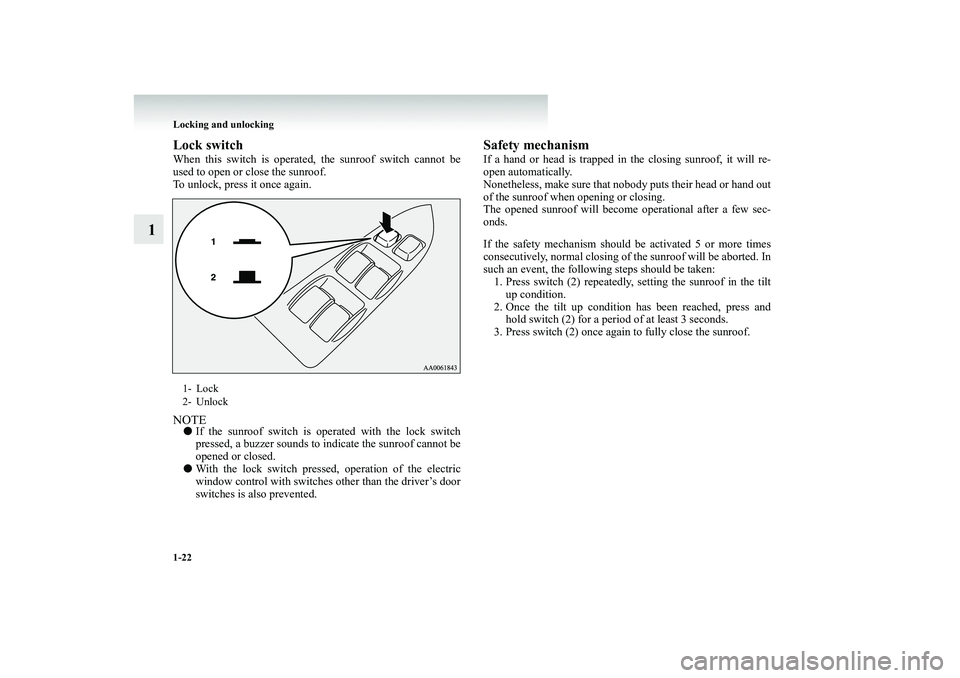
Lock switchWhen this switch is operated
, the sunroof switch cannot be
used to open or close the sunroof.To unlock, press it once again.NOTE●
If the sunroof switch is operated with the lock switch pressed, a buzzer sounds to
indicate the sunroof cannot be
opened or closed.
●
With the lock switch presse
d, operation of the electric
window control with switches other than the driver’s door switches is also prevented.
Safety mechanismIf a hand or head is trapped in
the closing sunroof, it will re-
open automatically.Nonetheless, make sure that nobody puts their head or hand out of the sunroof when opening or closing. The opened sunroof will become
operational after a few sec-
onds. If the safety mechanism should be activated 5 or more times consecutively, normal closing of the sunroof will be aborted. In such an event, the followi
ng steps should be taken:
1. Press switch (2) repeatedly, setting the sunroof in the tilt
up condition.
2. Once the tilt up condition
has been reached, press and
hold switch (2) for a period of at least 3 seconds.
3. Press switch (2) once again
to fully close the sunroof.
1- Lock 2- Unlock
BK-BK2008E1ENUK.en-uk-Section4.fm Page
22 Wednesday, January 9, 2008 4:22 PM
Page 43 of 538
Locking and unlocking
1-23
1
4. After pressing switch (3) to
perform full opening, press
switch (2) to fully
close the sunroof.
NOTE●
The safety mechanism can be
activated if the driving con-
ditions or other circumstances cause the sunroof to be sub-jected to a physical shock similar to that caused by a trapped hand or head.
●
Avoiding stopping the sunroof be
fore it reaches the open-
ing or closing end during operations in steps 3 and 4 above. If this should accident
ally happen, repeat the proc-
ess from step 1.
5. Following this action, it should be possible to operate the
sunroof in the normal manner.
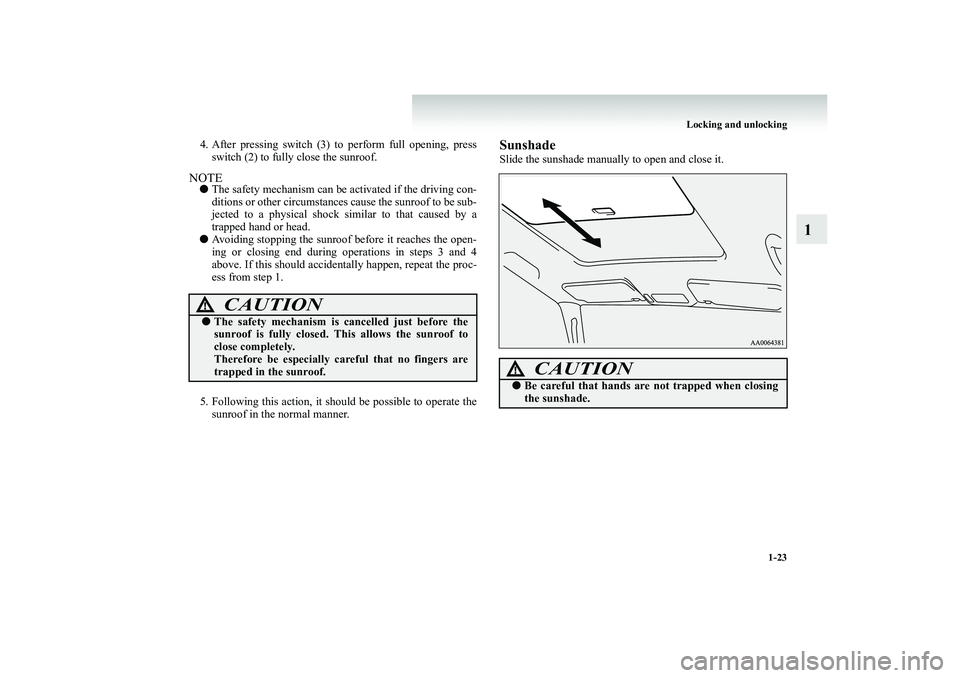
SunshadeSlide the sunshade manually to open and close it.
CAUTION
!●
The safety mechanism is cancelled just before the sunroof is fully closed. Th
is allows the sunroof to
close completely. Therefore be especially careful that no fingers are trapped in the sunroof.
CAUTION
!●
Be careful that hands are
not trapped when closing
the sunshade.
BK-BK2008E1ENUK.en-uk-Section4.fm Page
23 Wednesday, January 9, 2008 4:22 PM