ECO mode MITSUBISHI SPYDER 1990 Service User Guide
[x] Cancel search | Manufacturer: MITSUBISHI, Model Year: 1990, Model line: SPYDER, Model: MITSUBISHI SPYDER 1990Pages: 2103, PDF Size: 68.98 MB
Page 1133 of 2103
AUTOMATIC TRANSAXLE
ENGINE (NON-TURBO)> Troubleshooting
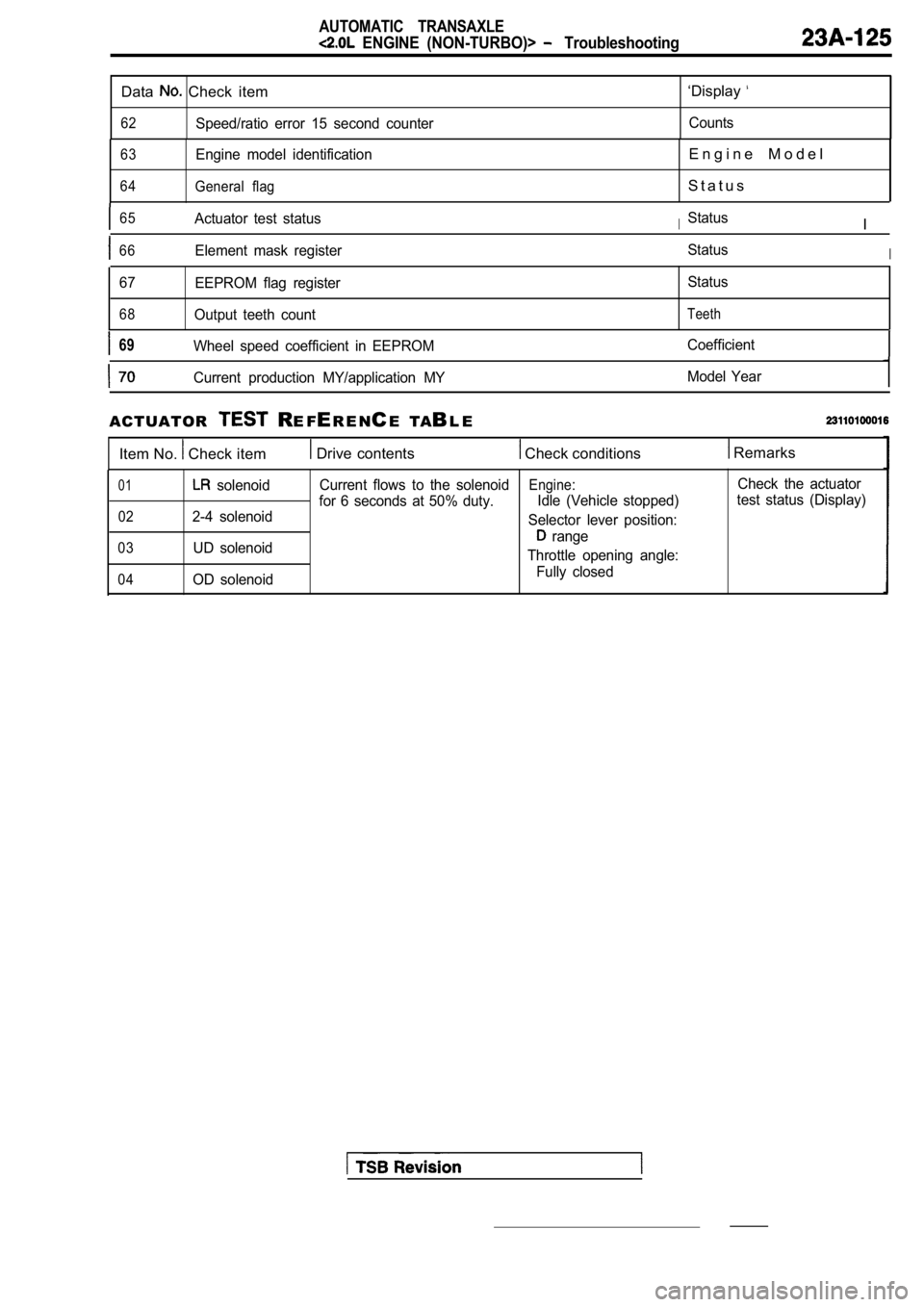
Data Check item
62Speed/ratio error 15 second counter
‘Display
Counts
63Engine model identification
64General flag
E n g i n e M o d e l
S t a t u s
65Actuator test statusIStatusI
66Element mask register StatusI
67
EEPROM flag register
68Output teeth count StatusTeeth
69Wheel speed coefficient in EEPROM
Coefficient
Current production MY/application MY Model Year
ACTUATOR R
E FER E N CE TA BL E
Item No.
Check item Drive contents Check conditions Remarks
01 solenoid
022-4 solenoid
03UD solenoid
04OD solenoid Current flows to the solenoid
Engine:Check the actuator
for 6 seconds at 50% duty. Idle (Vehicle stopped)test status (Display)
Selector lever position:
range
Throttle opening angle: Fully closed
Page 1134 of 2103
AUTOMATIC TRANSAXLE
ENGINE (NON-TURBO)> Troubleshooting
FAIL-SAFE FUNCTION
If a problem which interferes with the continuous safe operation of the transaxle is identified, the TCM
records a diagnostic trouble code in memory, all so lenoids are turned off, and the module is switched
to limp-in mode.
When limp-in mode is started, the transaxle is locked in gear if a drive gear had previously been
selected. Meanwhile, if
or range was selected, operation is as usual.
If the ignition key is turned to OFF and then back to ON again, limp-in mode is
(a record
is retained).
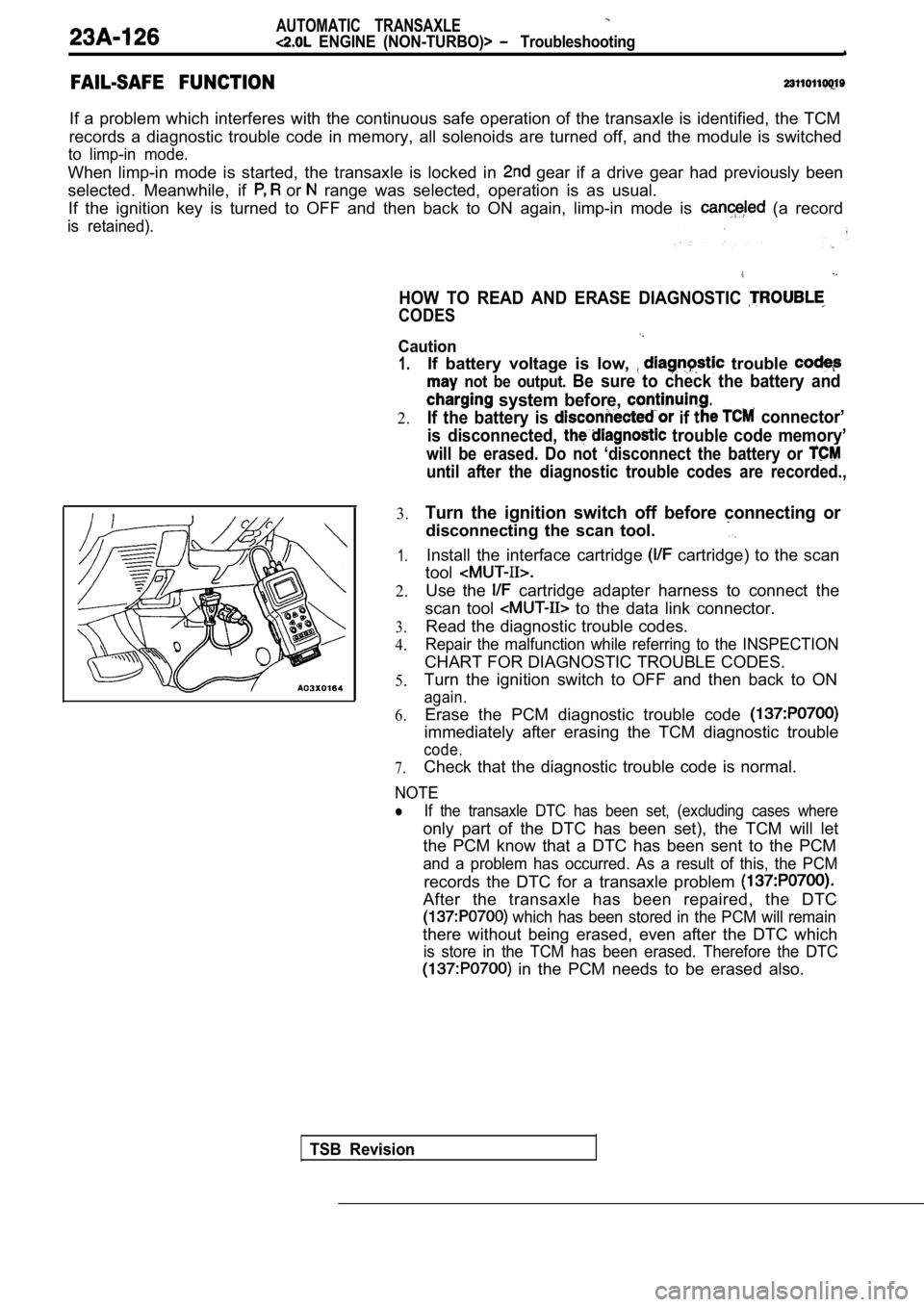
HOW TO READ AND ERASE DIAGNOSTIC
CODES
TSB Revision
1.
2.If battery voltage is low,
trouble
not be output. Be sure to check the battery and
system before, .
If the battery is if connector’
is disconnected,
trouble code memory’
will be erased. Do not ‘disconnect the battery or
until after the diagnostic trouble codes are record ed.,
3.
1.
2.
3.
4.
5.
6.
Turn the ignition switch off before connecting or
disconnecting the scan tool.
Install the interface cartridge cartridge) to the scan
tool
Use the cartridge adapter harness to connect the
scan tool
to the data link connector.
Read the diagnostic trouble codes.
Repair the malfunction while referring to the INSPE CTION
CHART FOR DIAGNOSTIC TROUBLE CODES.
Turn the ignition switch to OFF and then back to ON
again.
Erase the PCM diagnostic trouble code
immediately after erasing the TCM diagnostic troubl e
code.
7.Check that the diagnostic trouble code is normal.
Caution
NOTE
If the transaxle DTC has been set, (excluding cases where
only part of the DTC has been set), the TCM will le t
the PCM know that a DTC has been sent to the PCM
and a problem has occurred. As a result of this, th e PCM
records the DTC for a transaxle problem
After the transaxle has been repaired, the DTC
which has been stored in the PCM will remain
there without being erased, even after the DTC whic h
is store in the TCM has been erased. Therefore the DTC
in the PCM needs to be erased also.
Page 1904 of 2103
Entry System
METHOD OF REGISTERING A SECRET CODE
Each individual secret code is registered inside the transmitter,
and so it is necessary to register these codes with the received
in the following cases.
lWhen either the transmitter or receiver is replaced;
lIf a second transmitter is to be used;
lIf it appears that a problem is occurring because o f faulty
registration of a code.
A maximum of two different codes per transmitter ca n be
stored in the memory area of the EEPROM, and up to two
different transmitters can be used. When the codes for the
first transmitter are registered, the previously-registered codes
for both transmitters are cleared. Therefore, if yo u are using
two transmitters or are adding a second transmitter , the
for both transmitters must be the same time.
(1) Check that the door locking function works norm ally using
the door key.
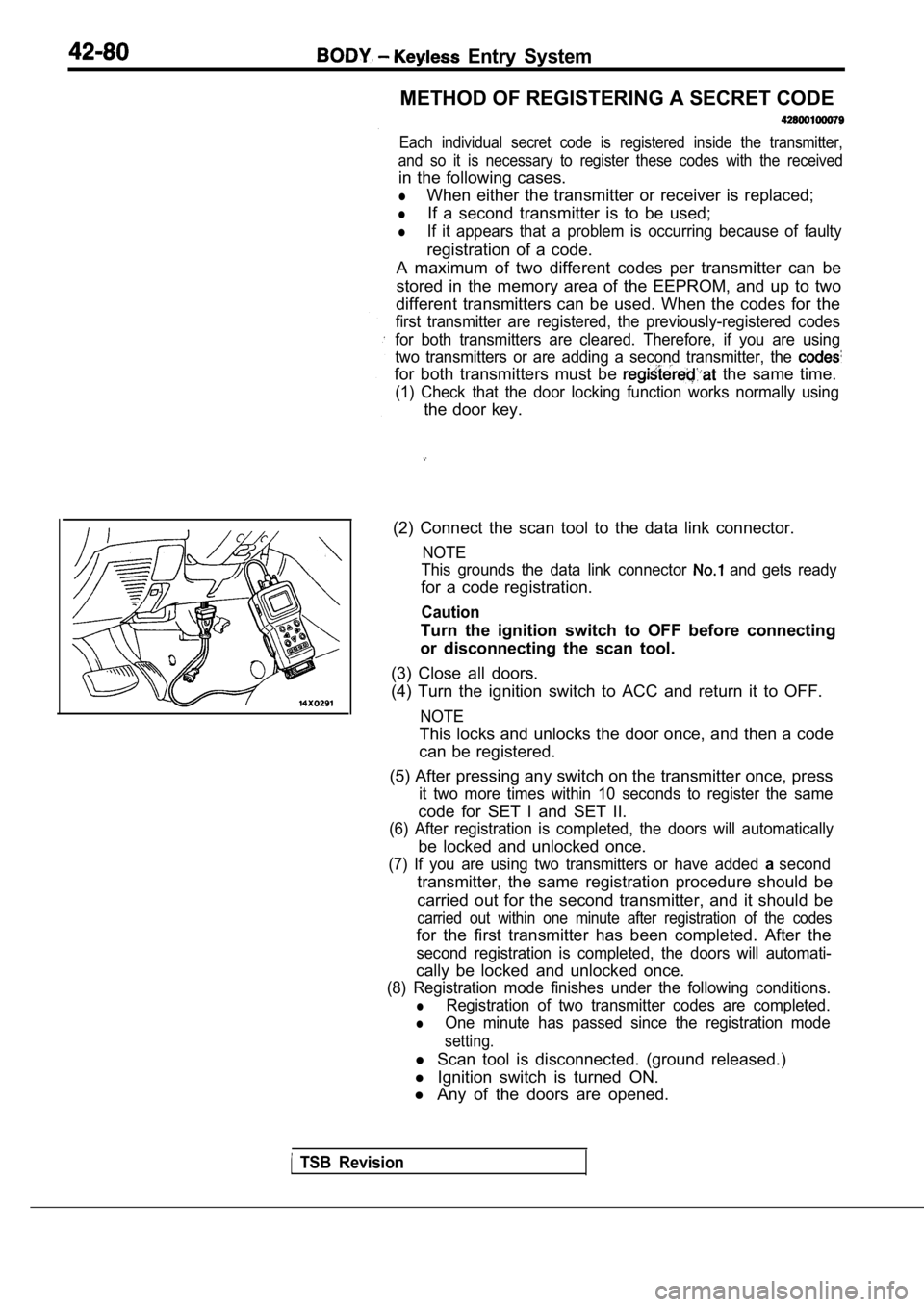
(2) Connect the scan tool to the data link connecto r.
NOTE
This grounds the data link connector
and gets ready
for a code registration.
Caution
Turn the ignition switch to OFF before connecting
or disconnecting the scan tool.
(3) Close all doors.
(4) Turn the ignition switch to ACC and return it t o OFF.
NOTE
This locks and unlocks the door once, and then a co de
can be registered.
(5) After pressing any switch on the transmitter on ce, press
it two more times within 10 seconds to register the same
code for SET I and SET II.
(6) After registration is completed, the doors will automatically
be locked and unlocked once.
(7) If you are using two transmitters or have added asecond
transmitter, the same registration procedure should be
carried out for the second transmitter, and it shou ld be
carried out within one minute after registration of the codes
for the first transmitter has been completed. After the
second registration is completed, the doors will au tomati-
cally be locked and unlocked once.
(8) Registration mode finishes under the following conditions.
lRegistration of two transmitter codes are completed .
lOne minute has passed since the registration mode
setting.
l Scan tool is disconnected. (ground released.)
l Ignition switch is turned ON.
l Any of the doors are opened.
TSB Revision
Page 2043 of 2103
HEATER, AIR
AND VENTILATION General Information
GENERAL INFORMATION
The heater system uses a two-way-flow full-air-mixThe A/C system is basically the same as the
system that features high performance and lowtional system, but a new refrigerant system
operating noise, and includes an independent facebeen adopted as a response to
air blowing function and a air bypass function.use of chlorofluorocarbons. ,
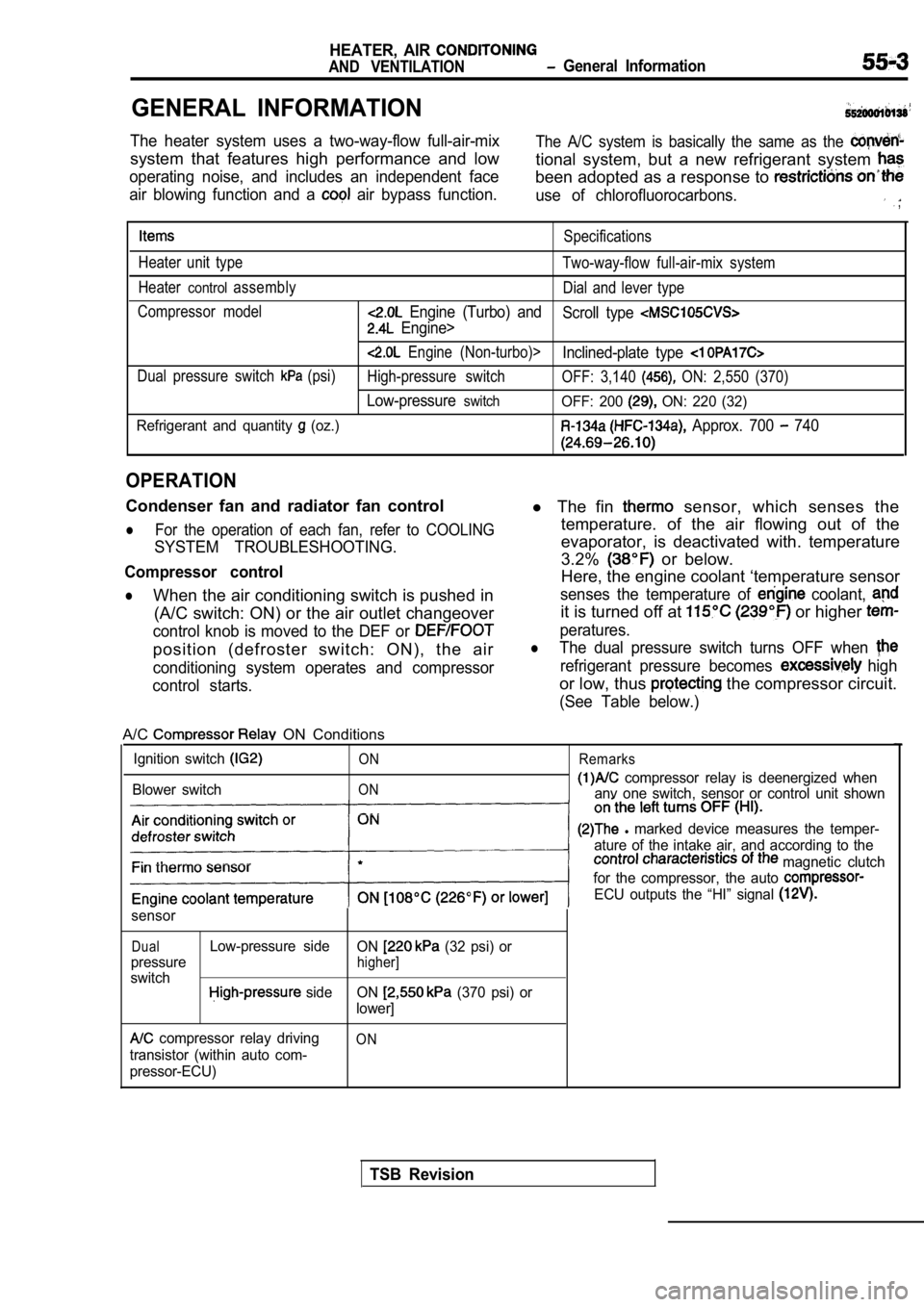
Specifications
Heater unit type Two-way-flow full-air-mix system
Heater
controlassembly Dial and lever type
Compressor model
Engine (Turbo) and Scroll type
Engine>
Engine (Non-turbo)>Inclined-plate type
Dual pressure switch (psi)High-pressure switch OFF: 3,140 ON: 2,550 (370)
Low-pressureswitchOFF: 200 ON: 220 (32)
Refrigerant and quantity
(oz.) Approx. 700 740
OPERATION
Condenser fan and radiator fan control
lFor the operation of each fan, refer to COOLING
SYSTEM TROUBLESHOOTING.
Compressor control
lWhen the air conditioning switch is pushed in (A/C switch: ON) or the air outlet changeover
control knob is moved to the DEF or
position (defroster switch: ON), the air
conditioning system operates and compressor
control starts.
l The fin sensor, which senses the
temperature. of the air flowing out of the
evaporator, is deactivated with. temperature
3.2%
or below.
Here, the engine coolant ‘temperature sensor
senses the temperature of coolant,
it is turned off at or higher
peratures.
lThe dual pressure switch turns OFF when
refrigerant pressure becomes high
or low, thus the compressor circuit.
(See Table below.)
A/C ON Conditions
Ignition switch
Blower switch
ON
ON Remarks
compressor relay is deenergized when
anv one switch, sensor or control unit shown
l marked device measures the temper-
ature of the intake air, and according to the
magnetic clutch
for the compressor, the auto
ECU outputs the “HI” signal
sensor
DualLow-pressure side ON (32 psi) or
pressure
higher]
switch side ON (370 psi) or
lower]
compressor relay driving
transistor (within auto com-
pressor-ECU)ON
TSB Revision
Page 2044 of 2103
55-4HEATER, AIR
AND VENTILATION General Information
SAFETY PRECAUTIONS
Because R-l refrigerant is a, hydrofluorocarbon
(HFC) which contains hydrogen atoms in place of
chlorine atoms, it will not cause damage to the
ozone layer.
Ozone filters out harmful radiation from the sun.
To assist in protecting the ozone layer, Chrysler
Corporation recommends an R-l refrigerant re-
cycling device.
Refrigerant R-l is transparent and colorless
in both the liquid and vapor state. Since it has
a boiling point of at atmospher-
ic pressure, it will be a vapor at all normal tempe ra-
tures and pressures. The vapor is heavier than
air, non-flammable, and nonexplosive. The follow-
ing precautions must be observed when handling
R-l
Caution
Wear safety goggles when servicing the refrig-
eration system.
R-l evaporates so rapidly at normal atmospher-
ic pressures and temperatures that it tends to free ze
anything it contacts. For this reason, extreme care
must be taken to prevent any liquid refrigerant fro m
contacting the skin and especially the eyes. Always
wear safety goggles when servicing the refrigeratio n
part of the A/C system. Keep a bottle of sterile
mineral oil handy when working on the refrigeration
system. Should any liquid refrigerant get into the
eyes, use a few drops of mineral oil to wash them
out. is rapidly absorbed by the oil. Next
splash the eyes with plenty of cool water. Call your
doctor immediately even though irritation has
ceased after treatment.
Caution
Do not heat above
In most instances, moderate heat is required to
bring the pressure of the refrigerant inits
above the pressure of the system when charging
or adding refrigerant.
A bucket or large pan of hot water
over
is all the heat required for this purpose.
Do not heat the refrigerant container with a blow
torch or any other means that would raise tempera-
ture and pressure above this temperature. Do not
weld or steam clean on or near the system compo-
nents or refrigerant lines.
Caution
Keep
containers upright when charging
the system.
When adding into the refrigeration system
keep the supply tank or cans in an upright
position.
If the refrigerant container is on its or upside
down, liquid refrigerant will enter the
damage the compressor.
Caution
1.A leak detector designed
be used to check refrigerant gas
2.Do not allow liquid refrigerant to
metal.
Refrigerant will tarnish bright metal and chrome
surfaces, and in combination with moisture can
severely corrode all metal surfaces.
TSB Revision