light MITSUBISHI TRITON 2011 User Guide
[x] Cancel search | Manufacturer: MITSUBISHI, Model Year: 2011, Model line: TRITON, Model: MITSUBISHI TRITON 2011Pages: 369, PDF Size: 26.15 MB
Page 75 of 369
The airbags will operate only when the ignition
switch is in the “ON” or “START” position.
When the airbag control unit
detect an impact of suf-
ficient frontal or side force, it sends an ignition sig-
nal to the airbag modules to ignite materials in the
inflator and generate gas and inflate the airbags.
The airbags deployment produces a sudden, loud
noise, and releases some smoke and powder, but
these conditions are not injurious, and do not indi-
cate a fire in the vehicle. People with respiratory
problems may feel some temporary irritation from
chemicals used to produce the deployment; open
the windows after airbag deployment, if safe to do
so.
The airbags deflate very rapidly after deployment,
so there is little danger of obscured vision.
The time required from the sensors detecting an im-
pact to deflation of the airbags after deployment is
shorter than a blink of an eye. CAUTION
l
Airbags inflate at an
extremely
rapid
speed. In certain situations, contact with
inflating airbags can result in abrasions,
light cuts, bruises, and the like.
Front passenger’s airbag ON-OFF
switch E00410100184
The front passenger’s airbag ON-OFF switch can
be used to
disable the
front passenger’s airbag. If
you have a rearward facing child restraint system
that cannot be fitted to any seat other than the front
passenger seat, be sure to turn OFF the front passen-
ger’s airbag ON-OFF switch before using it. (Refer
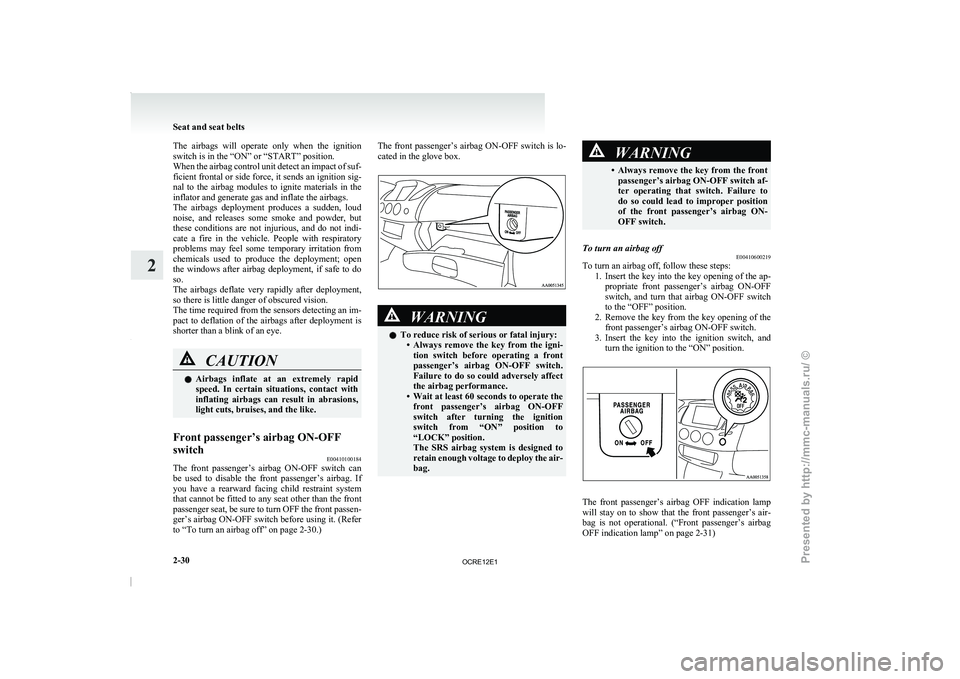
to “To turn an airbag off” on page 2-30.) The front passenger’s airbag ON-OFF switch is lo-
cated in the glove box.
WARNING
l To reduce risk of serious or fatal injury:
• Always remove the key from
the igni-
tion switch before operating a front
passenger’s airbag ON-OFF switch.
Failure to do so could adversely affect
the airbag performance.
• Wait at least 60 seconds to operate the front passenger’s airbag ON-OFF
switch after turning the ignition
switch from “ON” position to
“LOCK” position.
The SRS airbag system is designed to
retain enough voltage to deploy the air-
bag. WARNING
• Always remove the key from the front passenger’s airbag ON-OFF switch af-
ter operating that switch.
Failure to
do so could lead to improper position
of the front passenger’s airbag ON-
OFF switch.
To turn an airbag off E00410600219
To turn an airbag off, follow these steps:
1. Insert the key into the
key opening of the ap-
propriate front passenger’s airbag ON-OFF
switch, and turn that airbag ON-OFF switch
to the “OFF” position.
2. Remove the key from the key opening of the front passenger’s airbag ON-OFF switch.
3. Insert the key into the ignition switch, and turn the ignition to the “ON” position. The front passenger’s airbag OFF indication lamp
will stay on to
show
that the front passenger’s air-
bag is not operational. (“Front passenger’s airbag
OFF indication lamp” on page 2-31) Seat and seat belts
2-30
2
OCRE12E1
Presented by http://mmc-manuals.ru/ \251
Page 89 of 369
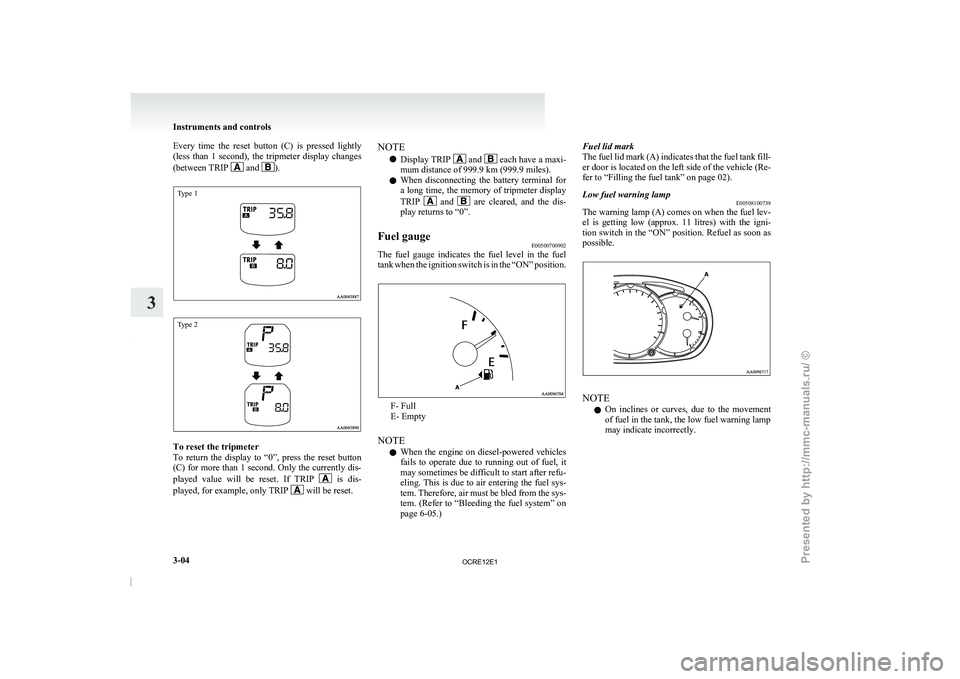
Every time the reset button (C) is pressed lightly
(less than 1 second), the
tripmeter display changes
(between TRIP and ).
Type 1
Type 2
To reset the tripmeter
To return the display
to
“0”, press the reset button
(C) for more than 1 second. Only the currently dis-
played value will be reset. If TRIP is dis-
played, for example, only TRIP will be reset.NOTE
l Display TRIP and each have a maxi-
mum distance of 999.9 km (999.9 miles).
l When disconnecting the battery
terminal for
a long time, the memory of tripmeter display
TRIP and are cleared, and the dis-
play returns to “0”.
Fuel gauge E00500700902
The fuel gauge indicates the fuel level in the fuel
tank when the ignition switch
is in the “ON” position. F- Full
E- Empty
NOTE l When
the engine on diesel-powered
vehicles
fails to operate due to running out of fuel, it
may sometimes be difficult to start after refu-
eling. This is due to air entering the fuel sys-
tem. Therefore, air must be bled from the sys-
tem. (Refer to “Bleeding the fuel system” on
page 6-05.) Fuel lid mark
The fuel lid mark (A)
indicates that the fuel tank fill-
er door is located on the left side of the vehicle (Re-
fer to “Filling the fuel tank” on page 02).
Low fuel warning lamp E00508100739
The warning lamp (A) comes on when the fuel lev-
el is getting low (approx.
11 litres) with the igni-
tion switch in the “ON” position. Refuel as soon as
possible. NOTE
l On
inclines or curves, due
to the movement
of fuel in the tank, the low fuel warning lamp
may indicate incorrectly. Instruments and controls
3-04
3
OCRE12E1
Presented by http://mmc-manuals.ru/ \251
Page 92 of 369
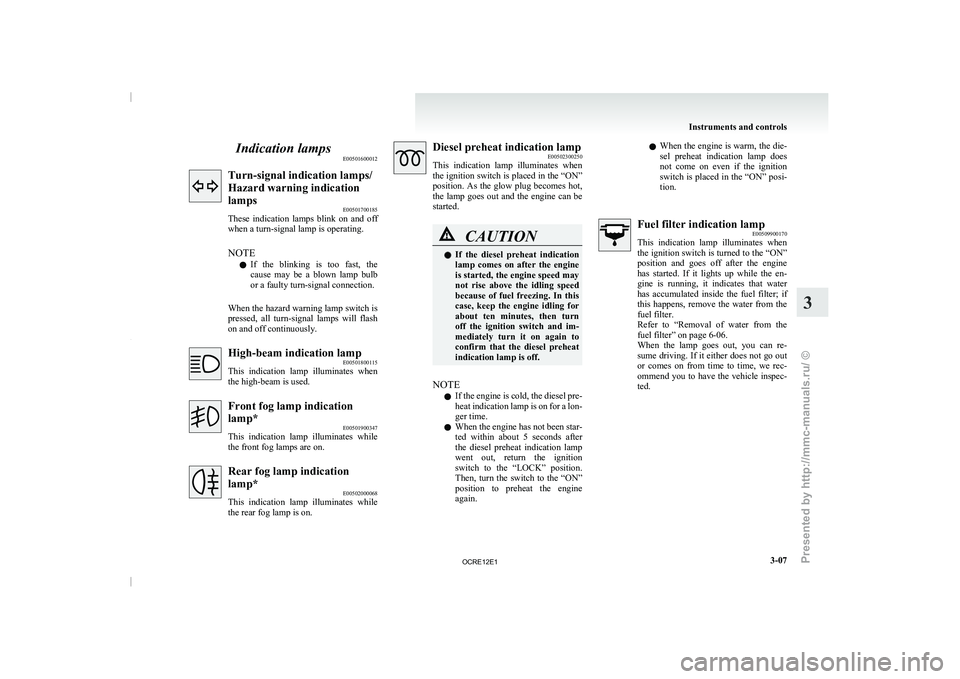
Indication lamps
E00501600012Turn-signal indication lamps/
Hazard warning indication
lamps
E00501700185
These indication lamps blink on
and off
when a turn-signal lamp is operating.
NOTE
l If the blinking is too fast, the
cause may be a blown lamp bulb
or a faulty turn-signal connection.
When the hazard warning lamp switch is
pressed, all turn-signal lamps will flash
on and off continuously. High-beam indication lamp
E00501800115
This indication lamp illuminates when
the high-beam is used. Front fog lamp indication
lamp*
E00501900347
This indication lamp
illuminates while
the front fog lamps are on. Rear fog lamp indication
lamp*
E00502000068
This indication lamp illuminates while
the rear fog lamp is on. Diesel preheat indication lamp
E00502300250
This indication lamp illuminates when
the
ignition switch is placed in the “ON”
position. As the glow plug becomes hot,
the lamp goes out and the engine can be
started. CAUTION
l
If the diesel preheat
indication
lamp
comes on after the engine
is started, the engine speed may
not rise above the idling speed
because of fuel freezing. In this
case, keep the engine idling for
about ten minutes, then turn
off the ignition switch and im-
mediately turn it on again to
confirm that the diesel preheat
indication lamp is off.
NOTE l If
the engine is cold,
the diesel pre-
heat indication lamp is on for a lon-
ger time.
l When the engine has not been star-
ted within about 5 seconds after
the diesel preheat indication lamp
went out, return the ignition
switch to the “LOCK” position.
Then, turn the switch to the “ON”
position to preheat the engine
again. l
When
the engine is
warm,
the die-
sel preheat indication lamp does
not come on even if the ignition
switch is placed in the “ON” posi-
tion. Fuel filter indication lamp
E00509900170
This indication lamp illuminates when
the
ignition switch is turned to the “ON”
position and goes off after the engine
has started. If it lights up while the en-
gine is running, it indicates that water
has accumulated inside the fuel filter; if
this happens, remove the water from the
fuel filter.
Refer to “Removal of water from the
fuel filter” on page 6-06.
When the lamp goes out, you can re-
sume driving. If it either does not go out
or comes on from time to time, we rec-
ommend you to have the vehicle inspec-
ted. Instruments and controls
3-07 3
OCRE12E1
Presented by http://mmc-manuals.ru/ \251
Page 97 of 369
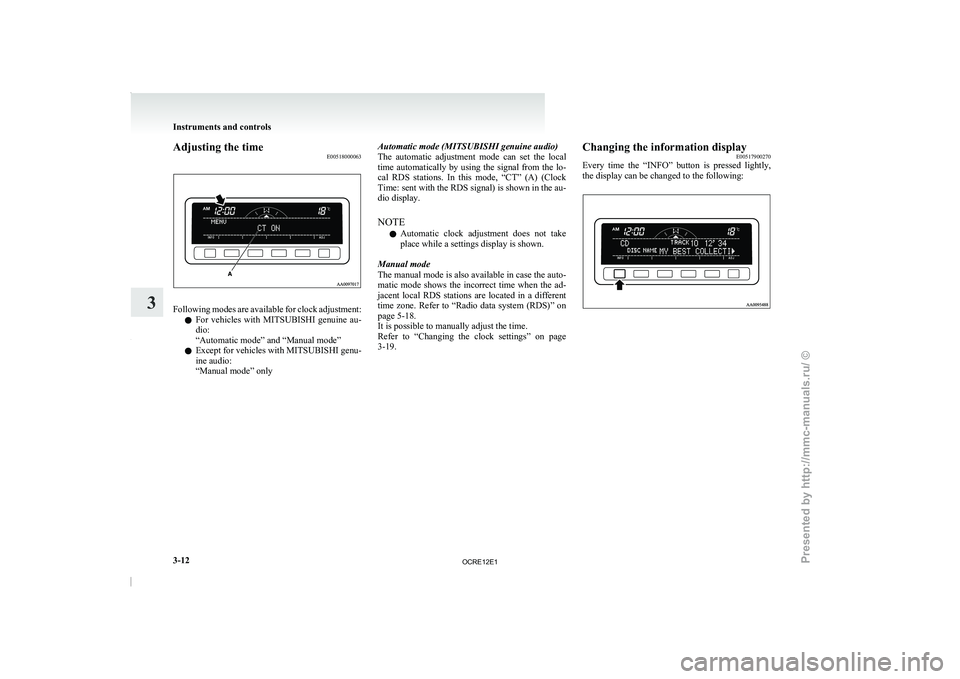
Adjusting the time
E00518000063Following modes are available for clock adjustment:
l For vehicles with MITSUBISHI
genuine au-
dio:
“Automatic mode” and “Manual mode”
l Except for vehicles with MITSUBISHI genu-
ine audio:
“Manual mode” only Automatic mode (MITSUBISHI genuine audio)
The automatic adjustment mode
can
set the local
time automatically by using the signal from the lo-
cal RDS stations. In this mode, “CT” (A) (Clock
Time: sent with the RDS signal) is shown in the au-
dio display.
NOTE
l Automatic clock adjustment does not take
place while a settings display is shown.
Manual mode
The manual mode is also available in case the auto-
matic mode shows the incorrect time when the ad-
jacent local RDS stations are located in a different
time zone. Refer to “Radio data system (RDS)” on
page 5-18.
It is possible to manually adjust the time.
Refer to “Changing the clock settings” on page
3-19. Changing the information display
E00517900270
Every time the “INFO” button
is pressed lightly,
the display can be changed to the following: Instruments and controls
3-12
3
OCRE12E1
Presented by http://mmc-manuals.ru/ \251
Page 102 of 369
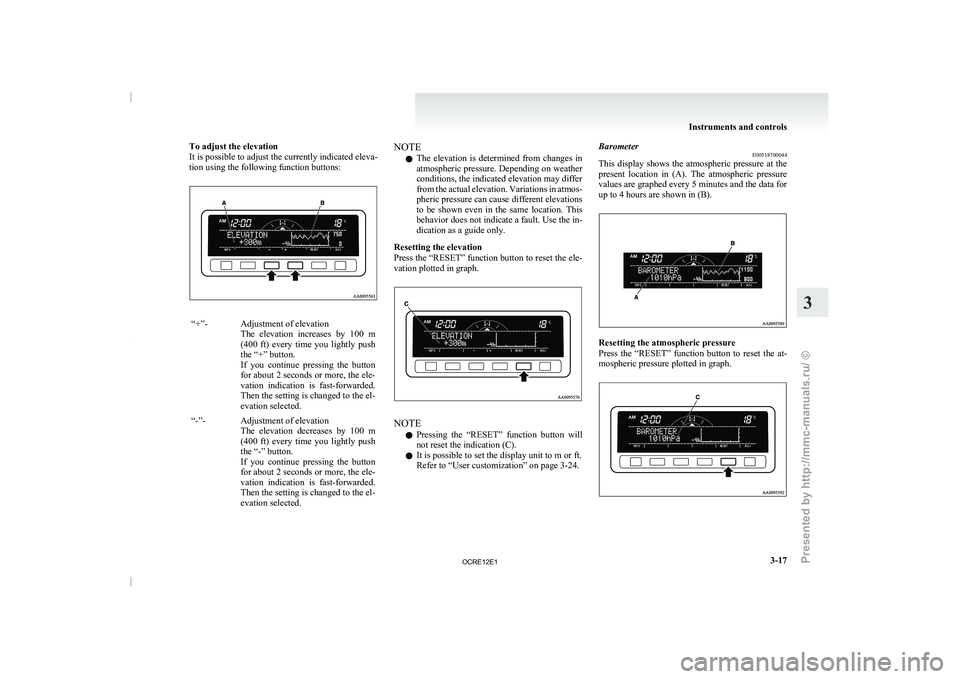
To adjust the elevation
It is possible to adjust the currently indicated eleva-
tion using the following function buttons:
“+”- Adjustment of elevation
The elevation increases by 100
m
(400 ft) every time you lightly push
the “+” button.
If you continue pressing the button
for about 2 seconds or more, the ele-
vation indication is fast-forwarded.
Then the setting is changed to the el-
evation selected.
“-”- Adjustment of elevation The elevation decreases by 100
m
(400 ft) every time you lightly push
the “-” button.
If you continue pressing the button
for about 2 seconds or more, the ele-
vation indication is fast-forwarded.
Then the setting is changed to the el-
evation selected. NOTE
l The
elevation is determined from
changes in
atmospheric pressure. Depending on weather
conditions, the indicated elevation may differ
from the actual elevation. Variations in atmos-
pheric pressure can cause different elevations
to be shown even in the same location. This
behavior does not indicate a fault. Use the in-
dication as a guide only.
Resetting the elevation
Press the “RESET” function button to reset the ele-
vation plotted in graph. NOTE
l Pressing
the “RESET” function button
will
not reset the indication (C).
l It is possible to set the display unit to m or ft.
Refer to “User customization” on page 3-24. Barometer
E00518700044
This display shows the atmospheric
pressure at the
present location in (A). The atmospheric pressure
values are graphed every 5 minutes and the data for
up to 4 hours are shown in (B). Resetting the atmospheric pressure
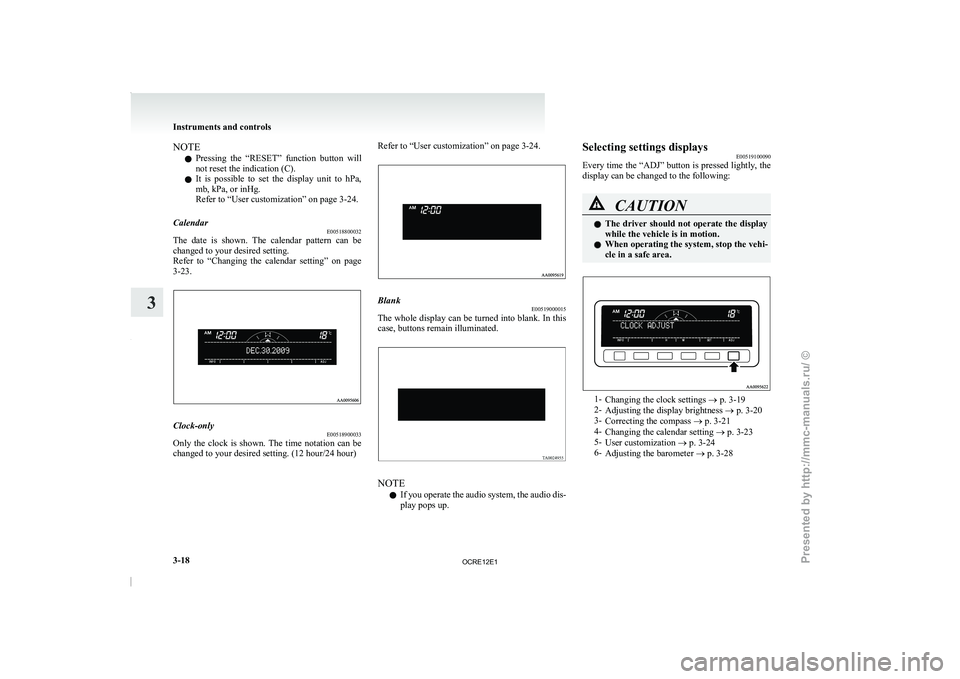
Press the “RESET” function
button
to reset the at-
mospheric pressure plotted in graph. Instruments and controls
3-17 3
OCRE12E1
Presented by http://mmc-manuals.ru/ \251
Page 103 of 369
NOTE
l Pressing
the “RESET” function button
will
not reset the indication (C).
l It is possible to set the display unit to hPa,
mb, kPa, or inHg.
Refer to “User customization” on page 3-24.
Calendar E00518800032
The date is shown. The calendar pattern can be
changed to your desired setting.
Refer to “Changing the
calendar
setting” on page
3-23. Clock-only
E00518900033
Only the clock is shown. The time notation can be
changed to your desired setting. (12 hour/24 hour) Refer to “User customization” on page 3-24.
Blank
E00519000015
The whole display can be turned into blank. In this
case, buttons remain illuminated. NOTE
l If
you operate the audio
system, the audio dis-
play pops up. Selecting settings displays
E00519100090
Every time the “ADJ” button
is pressed lightly, the
display can be changed to the following: CAUTION
l
The driver should not
operate
the display
while the vehicle is in motion.
l When operating the system, stop the vehi-
cle in a safe area. 1-
Changing the clock settings ® p. 3-19
2- Adjusting the display brightness ® p. 3-20
3- Correcting the compass
® p. 3-21
4- Changing the calendar setting ® p. 3-23
5- User customization ® p. 3-24
6- Adjusting the barometer ® p. 3-28 Instruments and controls
3-18
3
OCRE12E1
Presented by http://mmc-manuals.ru/ \251
Page 104 of 369
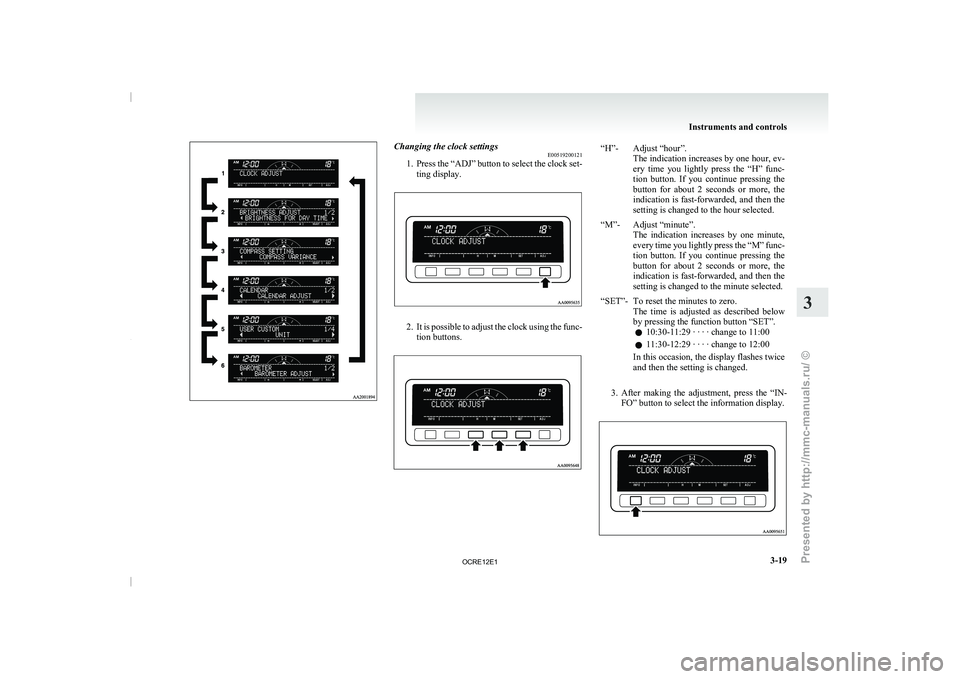
Changing the clock settings
E00519200121
1. Press the “ADJ” button to
select the clock set-
ting display. 2. It is possible to adjust the clock using the func-
tion buttons. “H”- Adjust “hour”.
The indication increases by one hour, ev-
ery time you lightly press the “H” func-
tion button. If you continue pressing the
button for about 2 seconds or more, the
indication is fast-forwarded, and then the
setting is changed to the hour selected.
“M”- Adjust “minute”. The indication increases by one
minute,
every time you lightly press the “M” func-
tion button. If you continue pressing the
button for about 2 seconds or more, the
indication is fast-forwarded, and then the
setting is changed to the minute selected.
“SET”- To reset the minutes to zero. The time is adjusted as
described below
by pressing the function button “SET”.
l 10:30-11:29 · · · · change to 11:00
l 11:30-12:29 · · · · change to 12:00
In this occasion, the display flashes twice
and then the setting is changed.
3. After making the adjustment, press the “IN- FO” button to select the information display. Instruments and controls
3-19 3
OCRE12E1
Presented by http://mmc-manuals.ru/ \251
Page 105 of 369
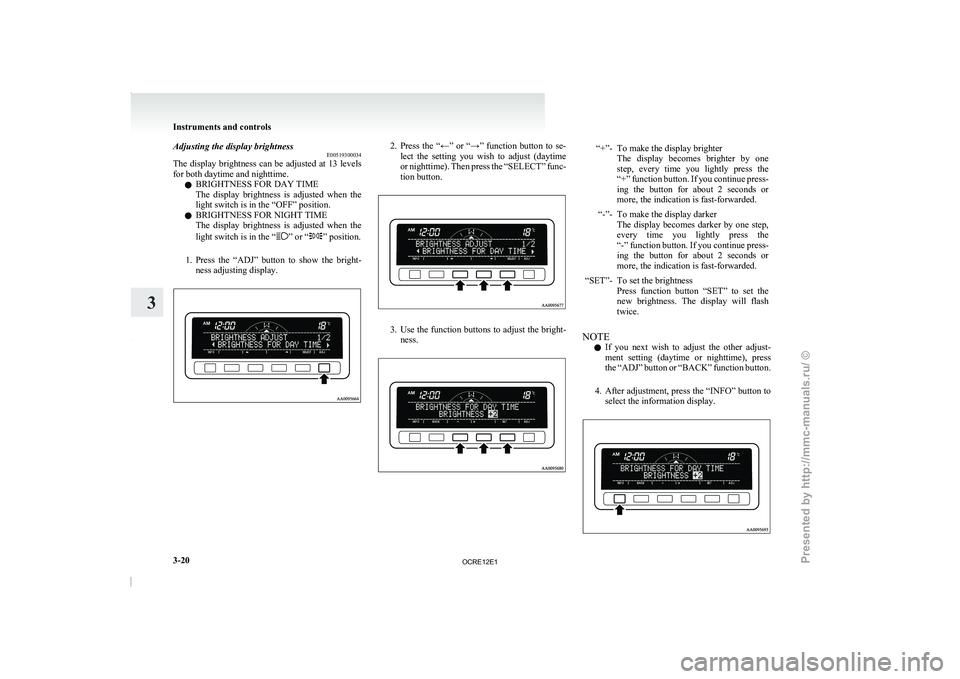
Adjusting the display brightness
E00519300034
The display brightness can be
adjusted at 13 levels
for both daytime and nighttime.
l BRIGHTNESS FOR DAY TIME
The display brightness is adjusted when the
light switch is in the “OFF” position.
l BRIGHTNESS FOR NIGHT TIME
The display brightness is adjusted when the
light switch is in the “ ” or “ ” position.
1. Press the “ADJ” button to
show the bright-
ness adjusting display. 2. Press the “←” or “→” function button to se-
lect the setting you
wish to adjust (daytime
or nighttime). Then press the “SELECT” func-
tion button. 3. Use the function buttons to adjust the bright-
ness. “+”- To make the display brighter
The display becomes brighter by one
step, every time you lightly press the
“+” function button. If you continue press-
ing the button for about 2 seconds or
more, the indication is fast-forwarded.
“-”- To make the display darker The display becomes darker by
one step,
every time you lightly press the
“-” function button. If you continue press-
ing the button for about 2 seconds or
more, the indication is fast-forwarded.
“SET”- To set the brightness Press function button “SET” to
set the
new brightness. The display will flash
twice.
NOTE l If
you next wish to
adjust the other adjust-
ment setting (daytime or nighttime), press
the “ADJ” button or “BACK” function button.
4. After adjustment, press the “INFO” button to select the information display. Instruments and controls
3-20
3
OCRE12E1
Presented by http://mmc-manuals.ru/ \251
Page 108 of 369
NOTE
l The
“Completed the calibration”. message
may
be displayed even if you terminate the
turn before it is complete and return to the ve-
hicle’s original direction. The compass may
not be properly calibrated in this case, so you
must turn the vehicle through at least
360 degrees.
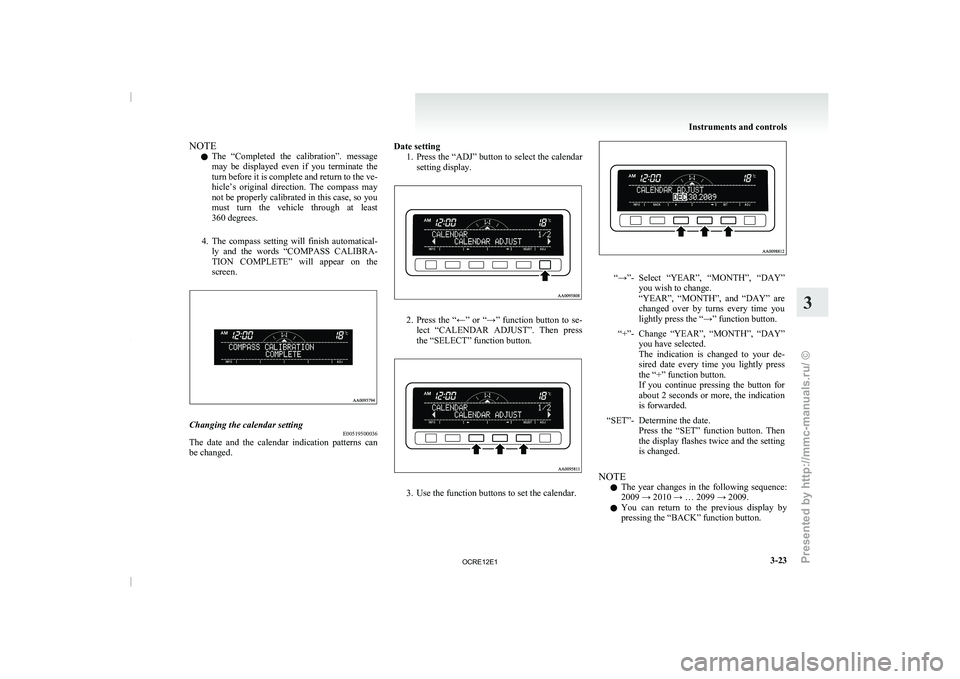
4. The compass setting will finish automatical- ly and the words “COMPASS CALIBRA-
TION COMPLETE” will appear on the
screen. Changing the calendar setting
E00519500036
The date and the calendar indication patterns can
be changed. Date setting
1. Press the “ADJ” button to select the calendar
setting display. 2. Press the “←” or “→” function button to se-
lect “CALENDAR ADJUST”. Then
press
the “SELECT” function button. 3. Use the function buttons to set the calendar. “→”- Select “YEAR”, “MONTH”, “DAY”
you wish to change.
“YEAR”, “MONTH”, and “DAY” are
changed
over by turns every time you
lightly press the “→” function button.
“+”- Change “YEAR”, “MONTH”, “DAY” you have selected.
The indication is changed to
your de-
sired date every time you lightly press
the “+” function button.
If you continue pressing the button for
about 2 seconds or more, the indication
is forwarded.
“SET”- Determine the date. Press the “SET” function button.
Then
the display flashes twice and the setting
is changed.
NOTE l The
year changes in the
following sequence:
2009 → 2010 → … 2099 → 2009.
l You can return to the previous display by
pressing the “BACK” function button. Instruments and controls
3-23 3
OCRE12E1
Presented by http://mmc-manuals.ru/ \251
Page 115 of 369
Combination headlamps and
dipper switch E00506002129
Headlamps
NOTE l Do
not leave the headlamps
and other lamps
on for a long time while the engine is station-
ary (not running). A run-down battery could
result.
l When it rains or when the vehicle has been
washed, the inside of the lens sometimes be-
comes foggy. This is the same phenomenon
as when window glass mists up on a humid
day, and does not indicate a functional prob-
lem. When the lamp is switched on, the heat
will remove the fog. However, if water gath-
ers inside the lamp, we recommend you to
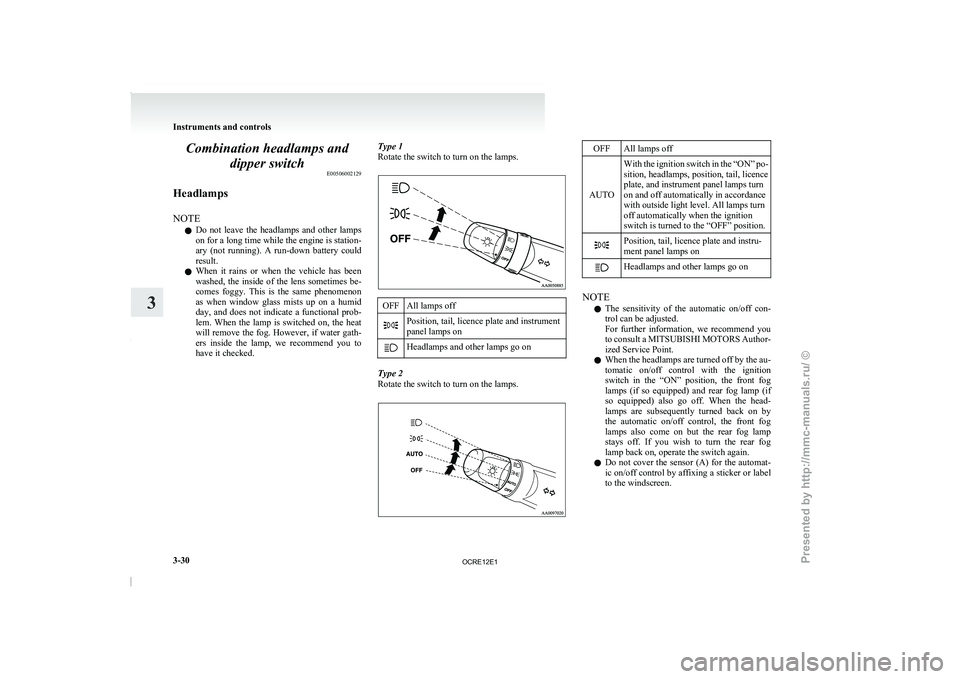
have it checked. Type 1
Rotate the switch to turn on the lamps. OFF All lamps off
Position, tail, licence plate and instrument
panel lamps on
Headlamps and other lamps go on
Type 2
Rotate the switch to turn on the lamps. OFF All lamps off
AUTO With the ignition switch in the “ON” po-
sition, headlamps, position, tail, licence
plate, and instrument panel lamps turn
on and off automatically in accordance
with outside light level. All lamps turn
off automatically when the ignition
switch is turned to the “OFF” position. Position, tail, licence plate and instru-
ment panel lamps on
Headlamps and other lamps go on
NOTE
l The
sensitivity of the automatic
on/off con-
trol can be adjusted.
For further information, we recommend you
to consult a MITSUBISHI MOTORS Author-
ized Service Point.
l When the headlamps are turned off by the au-
tomatic on/off control with the ignition
switch in the “ON” position, the front fog
lamps (if so equipped) and rear fog lamp (if
so equipped) also go off. When the head-
lamps are subsequently turned back on by
the automatic on/off control, the front fog
lamps also come on but the rear fog lamp
stays off. If you wish to turn the rear fog
lamp back on, operate the switch again.
l Do not cover the sensor (A) for the automat-
ic on/off control by affixing a sticker or label
to the windscreen. Instruments and controls
3-30
3
OCRE12E1
Presented by http://mmc-manuals.ru/ \251