warning NISSAN 370Z 2019 Owner´s Manual
[x] Cancel search | Manufacturer: NISSAN, Model Year: 2019, Model line: 370Z, Model: NISSAN 370Z 2019Pages: 460, PDF Size: 2.26 MB
Page 86 of 460
2-18Instruments and controls
Transmission position indica-
tor (if so equipped)
When the ignition switch is pushed to the
ON position, the indicator shows the
transmission position.
For AT models:
In the manual shift mode, when the
transmission does not shift to the se-
lected gear due to the transmission
protection mode, the AT position indica-
tor light will blink and a buzzer will sound.
(See “Driving the vehicle” (P.5-12).)
Turn signal/hazard indicator
lights
The light flashes when the turn signal
switch lever or hazard switch is turned on.
Vehicle Dynamic Control (VDC)
off indicator light
When the ignition switch is in the ON
position, the Vehicle Dynamic Control
(VDC) off indicator light illuminates and
then turns off.
The light comes on when the VDC off
switch is pushed to OFF. This indicates
that the VDC system and traction control
system are not operating.
AUDIBLE REMINDERS
Key reminder chime
A chime will sound if the driver side door
is opened while the ignition switch is
pushed to the ACC position or pushed
to the OFF or LOCK position with the
Intelligent Key left in the Intelligent Key
port. Make sure the ignition switch is
pushed to the OFF position, and take
the Intelligent Key with you when leaving
the vehicle.
Light reminder chime
A chime will sound when the driver side
door is opened with the light switch in the
orposition and the ignition
switch in the ACC, OFF or LOCK position.
Turn the light switch off when you leave
the vehicle.
Parking brake reminder chime
A chime will sound if the vehicle speed is
above 4 MPH (7 km/h) with the parking
brake applied. Stop the vehicle and re-
lease the parking brake.
Brake pad wear warning
The disc brake pads have audible wear
warnings. When a brake pad requires
replacement, it will make a high pitched
scraping sound when the vehicle is in
motion. This scraping sound will first
occur only when the brake pedal is
depressed. After more wear of the brake
pad the sound will always be heard even
if the brake pedal is not depressed. Have
the brakes checked as soon as possible if
the warning sound is heard.
Page 87 of 460
SIC3977
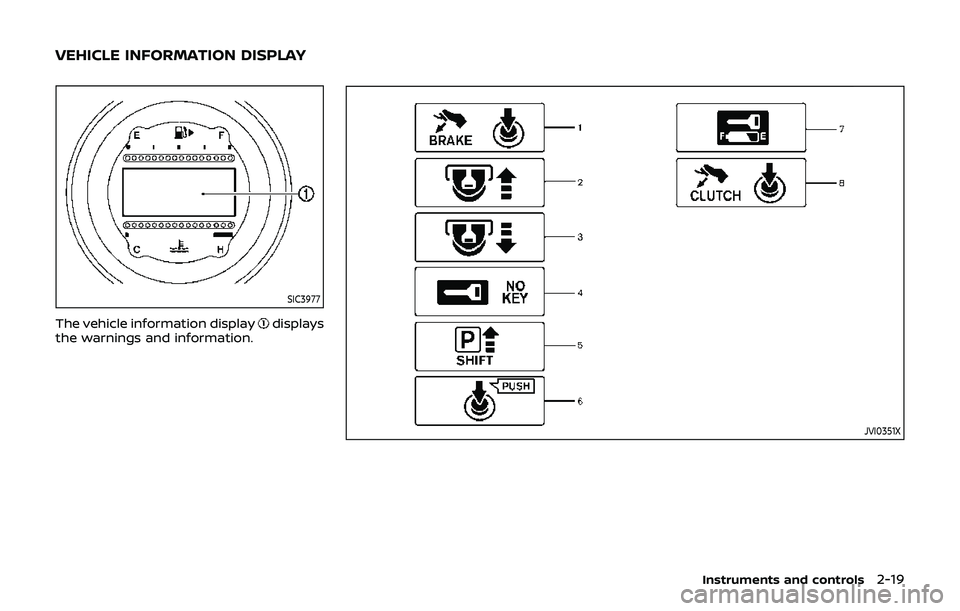
The vehicle information displaydisplays
the warnings and information.
JVI0351X
Instruments and controls2-19
VEHICLE INFORMATION DISPLAY
Page 88 of 460
2-20Instruments and controls
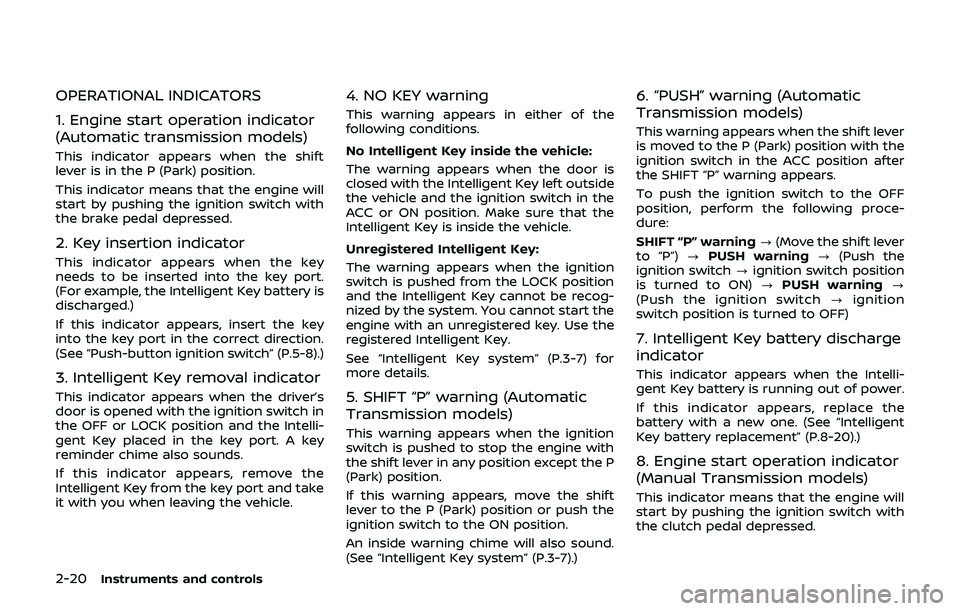
OPERATIONAL INDICATORS
1. Engine start operation indicator
(Automatic transmission models)
This indicator appears when the shift
lever is in the P (Park) position.
This indicator means that the engine will
start by pushing the ignition switch with
the brake pedal depressed.
2. Key insertion indicator
This indicator appears when the key
needs to be inserted into the key port.
(For example, the Intelligent Key battery is
discharged.)
If this indicator appears, insert the key
into the key port in the correct direction.
(See “Push-button ignition switch” (P.5-8).)
3. Intelligent Key removal indicator
This indicator appears when the driver’s
door is opened with the ignition switch in
the OFF or LOCK position and the Intelli-
gent Key placed in the key port. A key
reminder chime also sounds.
If this indicator appears, remove the
Intelligent Key from the key port and take
it with you when leaving the vehicle.
4. NO KEY warning
This warning appears in either of the
following conditions.
No Intelligent Key inside the vehicle:
The warning appears when the door is
closed with the Intelligent Key left outside
the vehicle and the ignition switch in the
ACC or ON position. Make sure that the
Intelligent Key is inside the vehicle.
Unregistered Intelligent Key:
The warning appears when the ignition
switch is pushed from the LOCK position
and the Intelligent Key cannot be recog-
nized by the system. You cannot start the
engine with an unregistered key. Use the
registered Intelligent Key.
See “Intelligent Key system” (P.3-7) for
more details.
5. SHIFT “P” warning (Automatic
Transmission models)
This warning appears when the ignition
switch is pushed to stop the engine with
the shift lever in any position except the P
(Park) position.
If this warning appears, move the shift
lever to the P (Park) position or push the
ignition switch to the ON position.
An inside warning chime will also sound.
(See “Intelligent Key system” (P.3-7).)
6. “PUSH” warning (Automatic
Transmission models)
This warning appears when the shift lever
is moved to the P (Park) position with the
ignition switch in the ACC position after
the SHIFT “P” warning appears.
To push the ignition switch to the OFF
position, perform the following proce-
dure:
SHIFT “P” warning?(Move the shift lever
to “P”) ?PUSH warning ?(Push the
ignition switch ?ignition switch position
is turned to ON) ?PUSH warning ?
(Push the ignition switch ?ignition
switch position is turned to OFF)
7. Intelligent Key battery discharge
indicator
This indicator appears when the Intelli-
gent Key battery is running out of power.
If this indicator appears, replace the
battery with a new one. (See “Intelligent
Key battery replacement” (P.8-20).)
8. Engine start operation indicator
(Manual Transmission models)
This indicator means that the engine will
start by pushing the ignition switch with
the clutch pedal depressed.
Page 89 of 460
JVI1600X
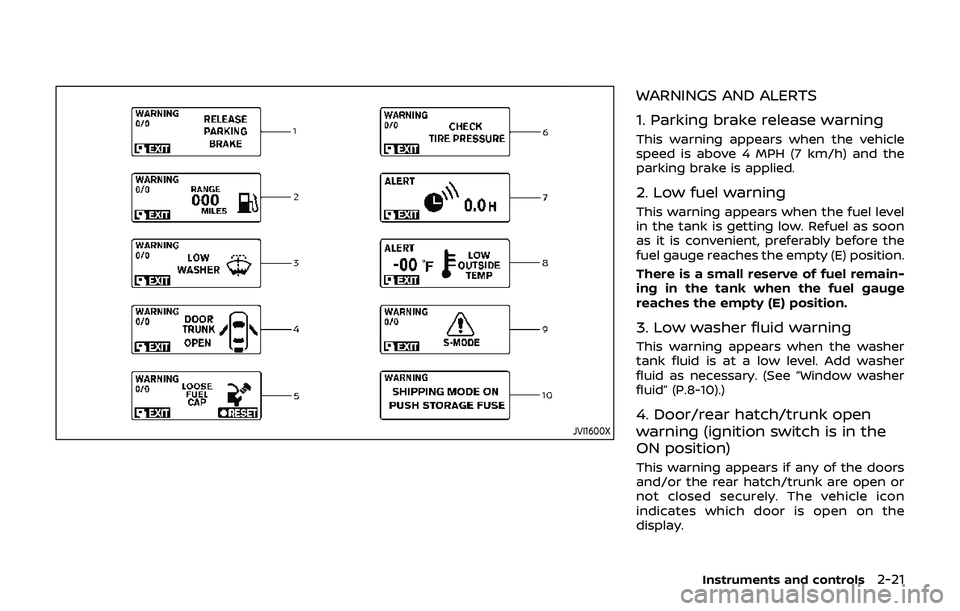
WARNINGS AND ALERTS
1. Parking brake release warning
This warning appears when the vehicle
speed is above 4 MPH (7 km/h) and the
parking brake is applied.
2. Low fuel warning
This warning appears when the fuel level
in the tank is getting low. Refuel as soon
as it is convenient, preferably before the
fuel gauge reaches the empty (E) position.
There is a small reserve of fuel remain-
ing in the tank when the fuel gauge
reaches the empty (E) position.
3. Low washer fluid warning
This warning appears when the washer
tank fluid is at a low level. Add washer
fluid as necessary. (See “Window washer
fluid” (P.8-10).)
4. Door/rear hatch/trunk open
warning (ignition switch is in the
ON position)
This warning appears if any of the doors
and/or the rear hatch/trunk are open or
not closed securely. The vehicle icon
indicates which door is open on the
display.
Instruments and controls2-21
Page 90 of 460
2-22Instruments and controls
5. Loose fuel cap warning
This warning appears when the fuel-filler
cap is not tightened correctly after the
vehicle has been refueled. (See “Fuel-filler
cap” (P.3-36).)
6. Check tire pressure warning
This warning appears when the low tire
pressure warning light in the meter
illuminates and low tire pressure is de-
tected. The warning appears each time
the ignition switch is placed in the ON
position as long as the low tire pressure
warning light remains illuminated. If this
warning appears, stop the vehicle and
adjust the pressure to the recommended
COLD tire pressure shown on the recom-
mended COLD tire pressure shown on the
Tire and Loading Information label. (See
“Tire Pressure Monitoring System (TPMS)”
(P.5-3) and “Tire Pressure Monitoring Sys-
tem (TPMS)” (P.6-3).
7. “TIMER” indicator
This indicator appears when the set
“TIMER” indicator activates. You can set
the time for up to 6 hours. (See “Trip
computer” (P.2-23).)
8. Low outside temperature warn-
ing
This warning appears if the outside tem-
perature is below 37°F (3°C). The warning
can be set not to be displayed. (See “Trip
computer” (P.2-23).)
9. SynchroRev Match mode (S-
MODE) warning
This warning appears if a system mal-
function occurs. When the warning ap-
pears, the S-MODE function will not
operate, but the manual transmission will
operate normally and driving can be
continued. Have the system checked. It
is recommended you visit a NISSAN dealer
for this service.
10. Extended storage fuse warning
This warning may appear if the extended
storage fuse switch is not pushed in
(switched on). When this warning ap-
pears, push in (switch on) the extended
storage fuse switch to turn off the warn-
ing. For more information, see “Extended
storage fuse switch” (P.8-19).
SIC4237
Page 91 of 460
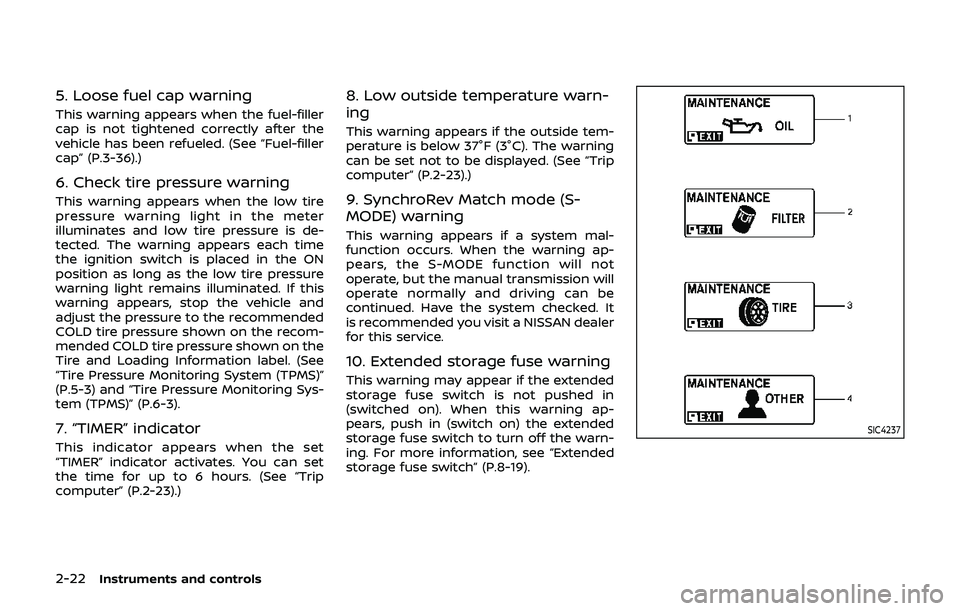
MAINTENANCE INDICATORS
1. Engine oil replacement indicator
This indicator appears when the set time
comes for changing the engine oil. You
can set or reset the distance for changing
the engine oil. (See “Trip computer” (P.2-
23).)
2. Oil filter replacement indicator
This indicator appears when the set time
comes for replacing the oil filter. You can
set or reset the distance for replacing the
oil filter. (See “Trip computer” (P.2-23).)
3. Tire replacement indicator
This indicator appears when the set time
comes for replacing tires. You can set or
reset the distance for replacing tires. (See
“Trip computer” (P.2-23).)
WARNING
The tire replacement indicator is not
a substitute for regular tire checks,
including tire pressure checks. See
“Changing wheels and tires” (P.8-34).
Many factors including tire inflation,
alignment, driving habits and road
conditions affect tire wear and when
tires should be replaced. Setting the
tire replacement indicator for a cer-tain driving distance does not mean
your tires will last that long. Use the
tire replacement indicator as a guide
only and always perform regular tire
checks. Failure to perform regular
tire checks, including tire pressure
checks could result in tire failure.
Serious vehicle damage could occur
and may lead to a collision, which
could result in serious personal in-
jury or death.
4. “OTHER” indicator
This indicator appears when the set time
comes for replacing items other than the
engine oil, oil filter and tires. You can set
or reset the distance for replacing the
items. (See “Trip computer” (P.2-23).)
Models with navigation system:
More maintenance reminders are also
available on the center display. (See
“How to use INFO button” (P.4-8).)WAC0051X
TRIP COMPUTER
Switches for the trip computer are lo-
cated on the left side of the combination
meter panel. To operate the trip compu-
ter, push the switches as shown above.
ENTER switch
NEXT switch
When the ignition switch is pushed to the
ON position, modes of the trip computer
can be selected by pushing the
switch.
Each time the
switchis pushed, the
display will change as follows:
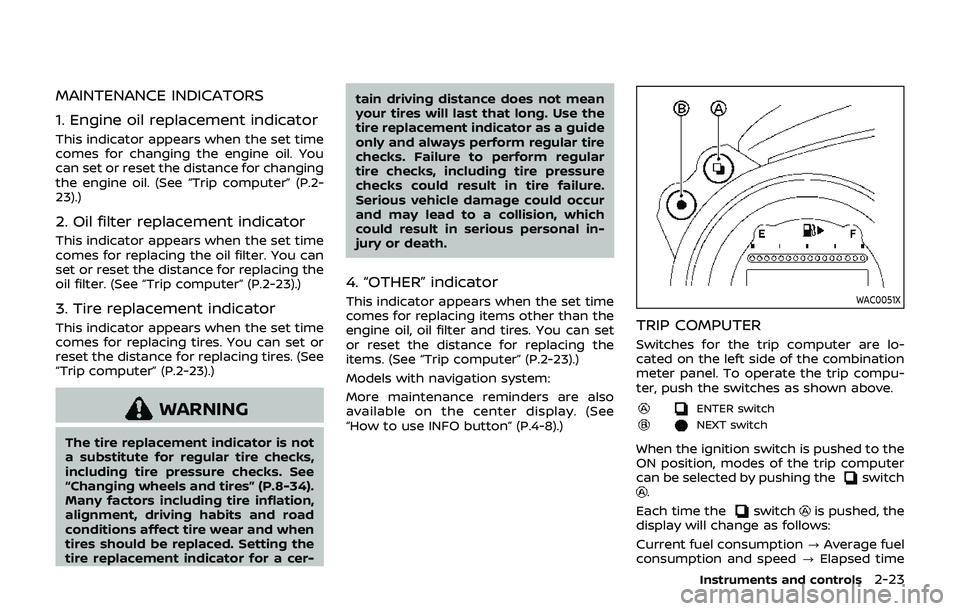
Current fuel consumption ?Average fuel
consumption and speed ?Elapsed time
Instruments and controls2-23
Page 92 of 460
2-24Instruments and controls
and trip odometer?Distance to empty
? Outside air temperature ?Clock ?
Setting ?Warning check ?Current fuel
consumption
SIC3673
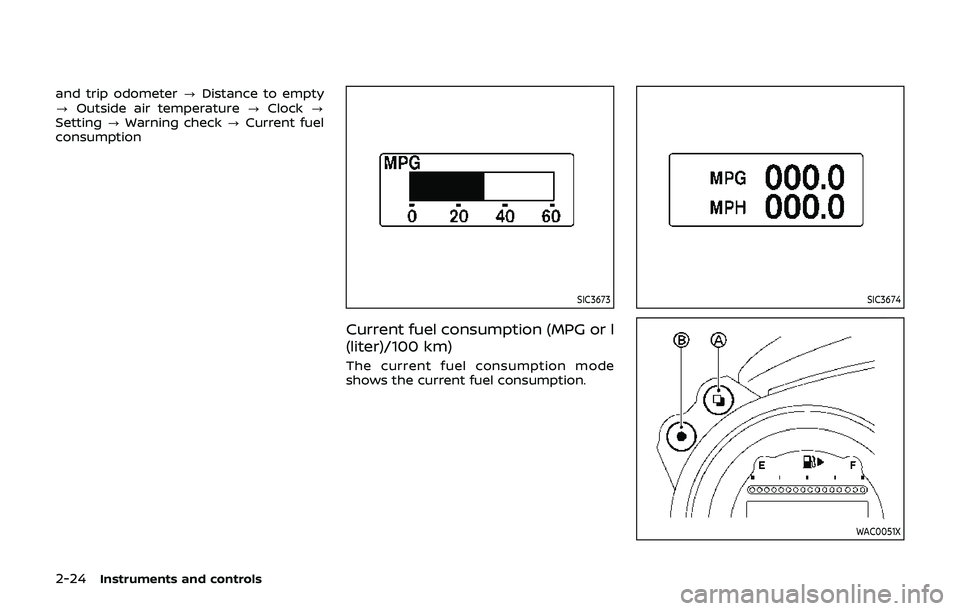
Current fuel consumption (MPG or l
(liter)/100 km)
The current fuel consumption mode
shows the current fuel consumption.
SIC3674
WAC0051X
Page 93 of 460
Average fuel consumption (MPG or l
(liter)/100 km) and speed (MPH or
km/h)
ENTER switch
NEXT switch
Fuel consumption:
The average fuel consumption mode
shows the average fuel consumption
since the last reset.
Resetting fuel consumption:
Resetting is done by pushing theswitchfor longer than 1 second.
(The average speed is also reset at the
same time.)
The display is updated every 30 seconds.
At about the first 1/3 mile (500 m) after a
reset, the display shows “——”.
Speed:
The average speed mode shows the
average vehicle speed since the last reset.
Resetting is done by pushing the
switchfor longer than 1 second.
(The average fuel consumption is also
reset at the same time.)
The display is updated every 30 seconds.
The first 30 seconds after a reset, the
display shows “——”.
SIC4226
Elapsed time and trip odometer
(MILES or km)
Elapsed time:
The elapsed time mode shows the time
since the last reset. The displayed time
can be reset by pushing the
switchfor longer than 1 second. (The trip od-
ometer is also reset at the same time.)
Trip odometer:
The trip odometer mode shows the total
distance the vehicle has been driven since
the last reset. Resetting is done by push-
ing the
switchfor longer than 1
second. (The elapsed time is also reset at
the same time.)
SIC3676
Distance to empty (MILES or km)
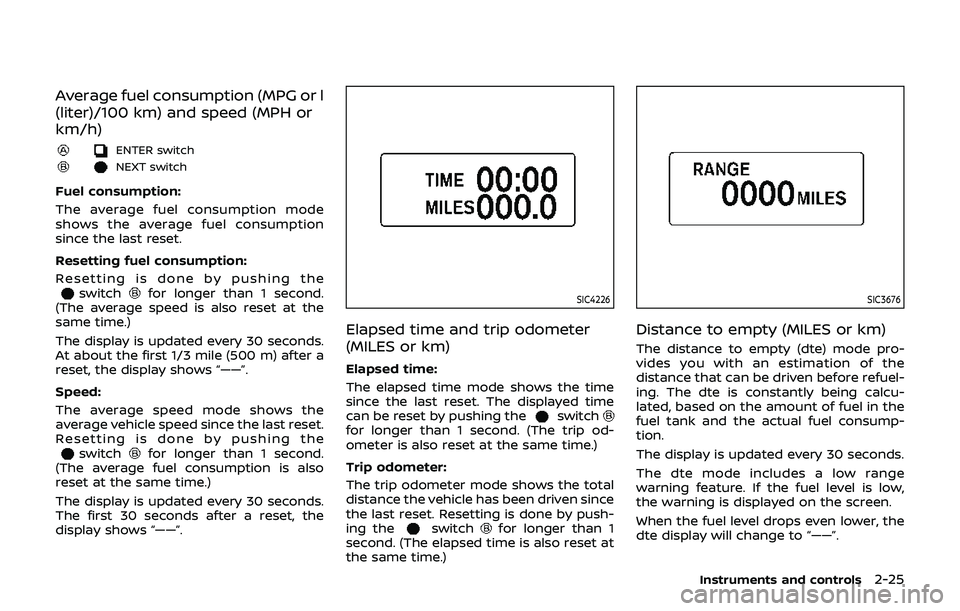
The distance to empty (dte) mode pro-
vides you with an estimation of the
distance that can be driven before refuel-
ing. The dte is constantly being calcu-
lated, based on the amount of fuel in the
fuel tank and the actual fuel consump-
tion.
The display is updated every 30 seconds.
The dte mode includes a low range
warning feature. If the fuel level is low,
the warning is displayed on the screen.
When the fuel level drops even lower, the
dte display will change to “——”.
Instruments and controls2-25
Page 94 of 460
2-26Instruments and controls
.If the amount of fuel added is small,
the display just before the ignition
switch is pushed to the OFF position
may continue to be displayed.
. When driving uphill or rounding
curves, the fuel in the tank shifts,
which may momentarily change the
display.
SIC4037
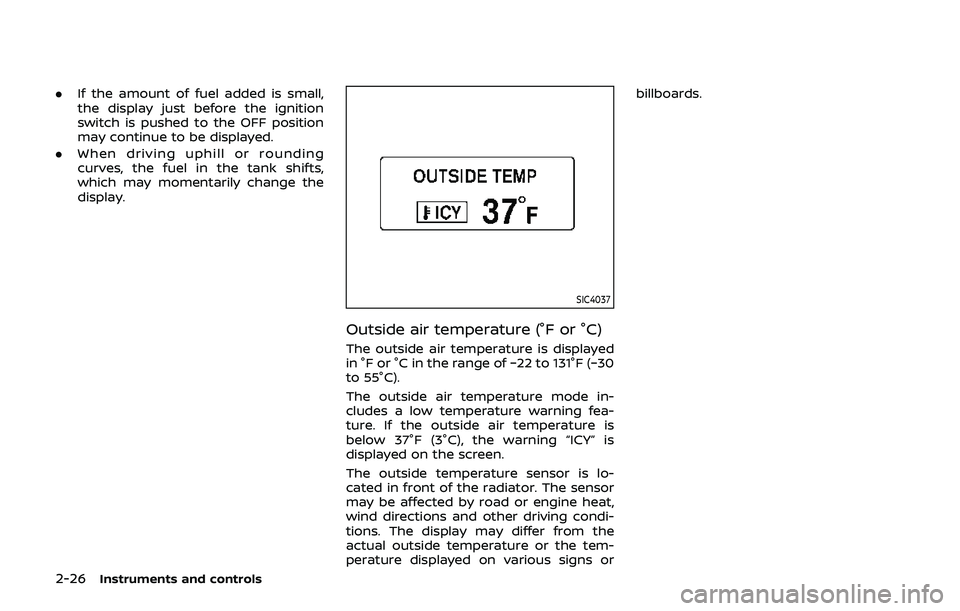
Outside air temperature (°F or °C)
The outside air temperature is displayed
in °F or °C in the range of −22 to 131°F (−30
to 55°C).
The outside air temperature mode in-
cludes a low temperature warning fea-
ture. If the outside air temperature is
below 37°F (3°C), the warning “ICY” is
displayed on the screen.
The outside temperature sensor is lo-
cated in front of the radiator. The sensor
may be affected by road or engine heat,
wind directions and other driving condi-
tions. The display may differ from the
actual outside temperature or the tem-
perature displayed on various signs or billboards.
Page 95 of 460
JVI1447X
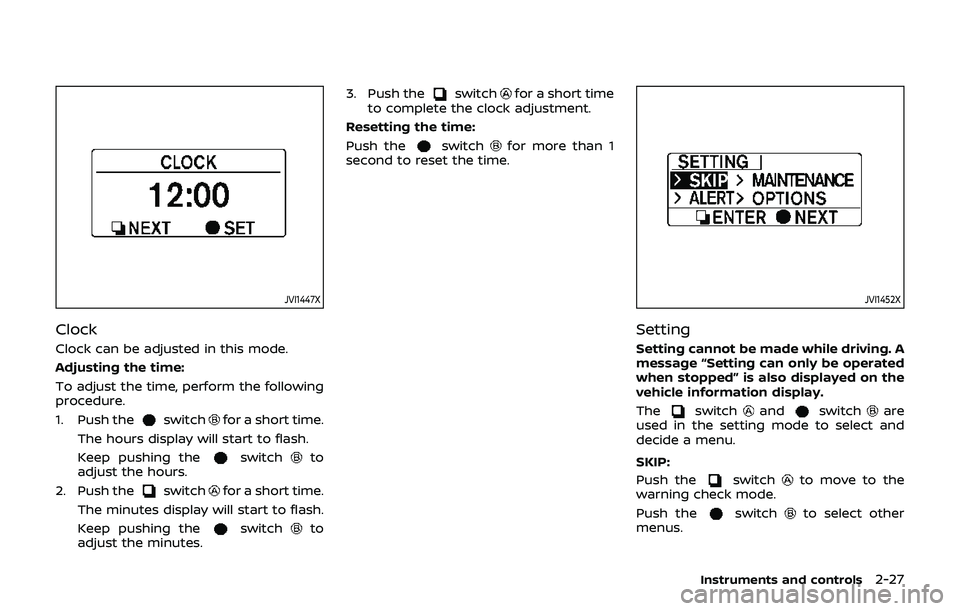
Clock
Clock can be adjusted in this mode.
Adjusting the time:
To adjust the time, perform the following
procedure.
1. Push the
switchfor a short time.
The hours display will start to flash.
Keep pushing the
switchto
adjust the hours.
2. Push the
switchfor a short time.
The minutes display will start to flash.
Keep pushing the
switchto
adjust the minutes. 3. Push the
switchfor a short time
to complete the clock adjustment.
Resetting the time:
Push the
switchfor more than 1
second to reset the time.
JVI1452X
Setting
Setting cannot be made while driving. A
message “Setting can only be operated
when stopped” is also displayed on the
vehicle information display.
The
switchandswitchare
used in the setting mode to select and
decide a menu.
SKIP:
Push the
switchto move to the
warning check mode.
Push the
switchto select other
menus.
Instruments and controls2-27