display NISSAN ALMERA 2001 Service Manual
[x] Cancel search | Manufacturer: NISSAN, Model Year: 2001, Model line: ALMERA, Model: NISSAN ALMERA 2001Pages: 2898, PDF Size: 60.76 MB
Page 2756 of 2898
![NISSAN ALMERA 2001 Service Manual DIAGNOSIS MODE FOR CONSULT-II=NJRS0043S02+ªSELF-DIAG [CURRENT]º
A current Self-diagnosis result (also indicated by the number of warning lamp flashes in the Diagnosis
mode) is displayed on the CONSU](/img/5/57348/w960_57348-2755.png "NISSAN ALMERA 2001 Service Manual DIAGNOSIS MODE FOR CONSULT-II=NJRS0043S02+ªSELF-DIAG [CURRENT]º
A current Self-diagnosis result (also indicated by the number of warning lamp flashes in the Diagnosis
mode) is displayed on the CONSU")
DIAGNOSIS MODE FOR CONSULT-II=NJRS0043S02+ªSELF-DIAG [CURRENT]º
A current Self-diagnosis result (also indicated by the number of warning lamp flashes in the Diagnosis
mode) is displayed on the CONSULT-II screen in real time. This refers to a malfunctioning part requiring
repairs.
+ªSELF-DIAG [PAST]º
Diagnosis results previously stored in the memory are displayed on the CONSULT-II screen. The stored
results are not erased until memory erasing is executed.
+ªTROUBLE DIAG RECORDº
With TROUBLE DIAG RECORD, diagnosis results previously erased by a reset operation can be displayed
on the CONSULT-II screen.
+ªECU DISCRIMINATED NO.º
The diagnosis sensor unit for each vehicle model is assigned with its own, individual classification num-
ber. This number will be displayed on the CONSULT-II screen, as shown below. When replacing the diag-
nosis sensor unit, refer to the part number for the compatibility. After installation, replacement with a cor-
rect unit can be checked by confirming this classification number on the CONSULT-II screen.
For NISSAN MODEL N16, the diagnosis sensor unit classification numbers are as follows:
DESTINATION MODEL ECU DISCRIMINATED NO.
Europe4-DOOR SEDANModels with single air bag and seat belt pre-
tensionerA50E
Models with dual air bags and seat belt pre-
tensionerA50F
Models with dual air bags, side air bag and
seat belt pre-tensionerA510
3-DOOR HATCHBACKModels with single air bag and seat belt pre-
tensionerA917
Models with dual air bags and seat belt pre-
tensionerA904
Models with dual air bags, side air bag and
seat belt pre-tensionerA905
5-DOOR HATCHBACKModels with single air bag and seat belt pre-
tensionerA917
Models with dual air bags and seat belt pre-
tensionerA904
Models with dual air bags, side air bag and
seat belt pre-tensionerA918
SUPPLEMENTAL RESTRAINT SYSTEM (SRS)
Trouble Diagnoses Introduction (Cont'd)
RS-48
Page 2757 of 2898
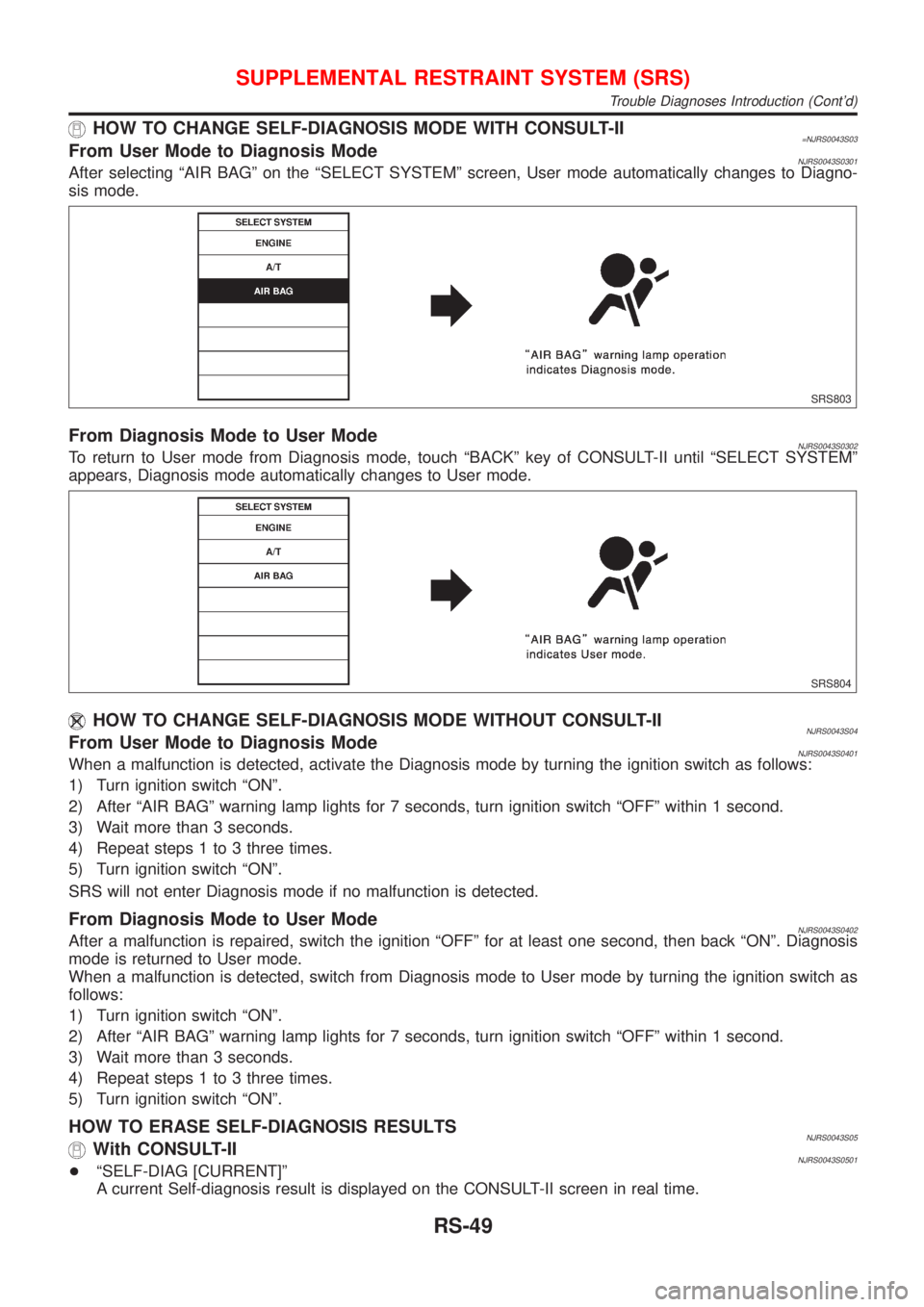
HOW TO CHANGE SELF-DIAGNOSIS MODE WITH CONSULT-II=NJRS0043S03From User Mode to Diagnosis ModeNJRS0043S0301After selecting ªAIR BAGº on the ªSELECT SYSTEMº screen, User mode automatically changes to Diagno-
sis mode.
SRS803
From Diagnosis Mode to User ModeNJRS0043S0302To return to User mode from Diagnosis mode, touch ªBACKº key of CONSULT-II until ªSELECT SYSTEMº
appears, Diagnosis mode automatically changes to User mode.
SRS804
HOW TO CHANGE SELF-DIAGNOSIS MODE WITHOUT CONSULT-IINJRS0043S04From User Mode to Diagnosis ModeNJRS0043S0401When a malfunction is detected, activate the Diagnosis mode by turning the ignition switch as follows:
1) Turn ignition switch ªONº.
2) After ªAIR BAGº warning lamp lights for 7 seconds, turn ignition switch ªOFFº within 1 second.
3) Wait more than 3 seconds.
4) Repeat steps 1 to 3 three times.
5) Turn ignition switch ªONº.
SRS will not enter Diagnosis mode if no malfunction is detected.
From Diagnosis Mode to User ModeNJRS0043S0402After a malfunction is repaired, switch the ignition ªOFFº for at least one second, then back ªONº. Diagnosis
mode is returned to User mode.
When a malfunction is detected, switch from Diagnosis mode to User mode by turning the ignition switch as
follows:
1) Turn ignition switch ªONº.
2) After ªAIR BAGº warning lamp lights for 7 seconds, turn ignition switch ªOFFº within 1 second.
3) Wait more than 3 seconds.
4) Repeat steps 1 to 3 three times.
5) Turn ignition switch ªONº.
HOW TO ERASE SELF-DIAGNOSIS RESULTSNJRS0043S05With CONSULT-IINJRS0043S0501+ªSELF-DIAG [CURRENT]º
A current Self-diagnosis result is displayed on the CONSULT-II screen in real time.
SUPPLEMENTAL RESTRAINT SYSTEM (SRS)
Trouble Diagnoses Introduction (Cont'd)
RS-49
Page 2769 of 2898
![NISSAN ALMERA 2001 Service Manual SRS772
7. Diagnostic codes are displayed on ªSELF-DIAG [CURRENT]º.
SRS701
4-door Sedan
If no malfunction is detected on ªSELF-DIAG [CURRENT]º even
though malfunction is detected in ªSRS Operation](/img/5/57348/w960_57348-2768.png "NISSAN ALMERA 2001 Service Manual SRS772
7. Diagnostic codes are displayed on ªSELF-DIAG [CURRENT]º.
SRS701
4-door Sedan
If no malfunction is detected on ªSELF-DIAG [CURRENT]º even
though malfunction is detected in ªSRS Operation")
SRS772
7. Diagnostic codes are displayed on ªSELF-DIAG [CURRENT]º.
SRS701
4-door Sedan
If no malfunction is detected on ªSELF-DIAG [CURRENT]º even
though malfunction is detected in ªSRS Operation Checkº, check
the battery voltage.
If the battery voltage is less than 9V, charge the battery. Then go
to DIAGNOSTIC PROCEDURE 3, page RS-66.
If the battery voltage is OK, go to DIAGNOSTIC PROCEDURE 4,
page RS-68, to diagnose the following cases:
+Self-diagnostic result ªSELF-DIAG [PAST]º (previously stored
in the memory) might not be erased after repair.
+The SRS system malfunctions intermittently.
Hatchback
If no malfunction is detected on ªSELF-DIAG [CURRENT]º but mal-
function is indicated by the ªAIR BAGº warning lamp, go to DIAG-
NOSTIC PROCEDURE 4, page RS-68, to diagnose the following
situations:
+Self-diagnostic result ªSELF-DIAG [PAST]º (previously stored
in the memory) might not be erased after repair.
+The SRS system malfunctions intermittently.
8. Touch ªPRINTº.
9. Compare diagnostic codes to ªCONSULT-II Diagnostic Code
Chartº, page RS-62 (4-door Sedan) or RS-64 (Hatchback).
10. Touch ªBACKº key of CONSULT-II until ªSELECT SYSTEMº
appears in order to return to User mode from Diagnosis mode.
11. Turn ignition switch ªOFFº, then turn off and disconnect
CONSULT-II, and disconnect both battery cables.
12. Repair the system as outlined by the ªRepair orderº in ªCON-
SULT-II Diagnostic Code Chartº, that corresponds to the self-
diagnostic result. For replacement procedure of component
parts, refer to RS-26.
13. After repairing the system, go to DIAGNOSTIC PROCEDURE
3, page RS-66 for final checking.
SUPPLEMENTAL RESTRAINT SYSTEM (SRS)
Trouble Diagnoses with CONSULT-II (Cont'd)
RS-61
Page 2775 of 2898
![NISSAN ALMERA 2001 Service Manual SRS771
5. Touch ªAIR BAGº.
SRS697
6. Touch ªSELF-DIAG [CURRENT]º.
SRS701
7. If no malfunction is detected on ªSELF-DIAG [CURRENT]º,
repair of SRS is completed. Go to step 8.
If any malfunction i](/img/5/57348/w960_57348-2774.png "NISSAN ALMERA 2001 Service Manual SRS771
5. Touch ªAIR BAGº.
SRS697
6. Touch ªSELF-DIAG [CURRENT]º.
SRS701
7. If no malfunction is detected on ªSELF-DIAG [CURRENT]º,
repair of SRS is completed. Go to step 8.
If any malfunction i")
SRS771
5. Touch ªAIR BAGº.
SRS697
6. Touch ªSELF-DIAG [CURRENT]º.
SRS701
7. If no malfunction is detected on ªSELF-DIAG [CURRENT]º,
repair of SRS is completed. Go to step 8.
If any malfunction is displayed on ªSELF-DIAG [CURRENT]º,
the malfunctioning part is not repaired completely or another
malfunctioning part is detected. Go to DIAGNOSTIC PROCE-
DURE 2, page RS-60, and repair malfunctioning part com-
pletely.
SRS773
8. Touch ªERASEº.
NOTE:
Touch ªERASEº to clear the memory of the malfunction
(ªSELF-DIAG [PAST]º).
If the memory of the malfunction in ªSELF-DIAG [PAST]º is not
erased, the User mode shows the system malfunction by the
operation of the warning lamp even if the malfunction is repaired
completely.
SRS697
9. Touch ªBACKº key of CONSULT-II to ªSELECT SYSTEMº
screen. Touch ªSELF-DIAG [PAST]º.
SUPPLEMENTAL RESTRAINT SYSTEM (SRS)
Trouble Diagnoses with CONSULT-II (Cont'd)
RS-67
Page 2777 of 2898
![NISSAN ALMERA 2001 Service Manual SRS695
3. Turn ignition switch ªONº.
4. Touch ªSTARTº.
SRS771
5. Touch ªAIR BAGº.
SRS697
6. Touch ªSELF-DIAG [PAST]º.
SRS700
7. If diagnostic codes are displayed on ªSELF-DIAG [PAST]º, go
to](/img/5/57348/w960_57348-2776.png "NISSAN ALMERA 2001 Service Manual SRS695
3. Turn ignition switch ªONº.
4. Touch ªSTARTº.
SRS771
5. Touch ªAIR BAGº.
SRS697
6. Touch ªSELF-DIAG [PAST]º.
SRS700
7. If diagnostic codes are displayed on ªSELF-DIAG [PAST]º, go
to")
SRS695
3. Turn ignition switch ªONº.
4. Touch ªSTARTº.
SRS771
5. Touch ªAIR BAGº.
SRS697
6. Touch ªSELF-DIAG [PAST]º.
SRS700
7. If diagnostic codes are displayed on ªSELF-DIAG [PAST]º, go
to step 10.
SRS702
If no malfunction is detected on ªSELF-DIAG [PAST]º, touch
ªBACKº and go back to ªSELECT DIAG MODEº.
SUPPLEMENTAL RESTRAINT SYSTEM (SRS)
Trouble Diagnoses with CONSULT-II (Cont'd)
RS-69
Page 2778 of 2898
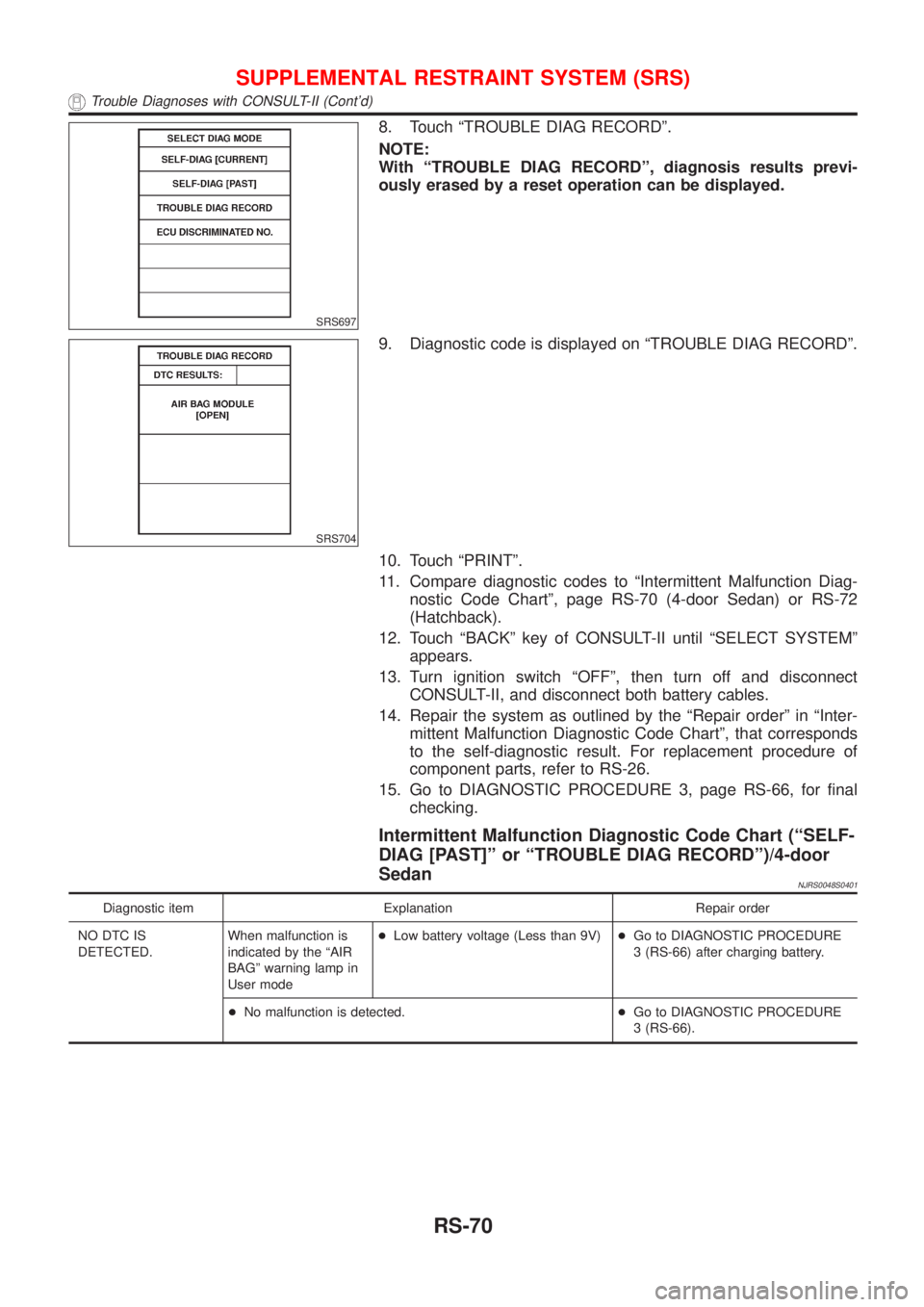
SRS697
8. Touch ªTROUBLE DIAG RECORDº.
NOTE:
With ªTROUBLE DIAG RECORDº, diagnosis results previ-
ously erased by a reset operation can be displayed.
SRS704
9. Diagnostic code is displayed on ªTROUBLE DIAG RECORDº.
10. Touch ªPRINTº.
11. Compare diagnostic codes to ªIntermittent Malfunction Diag-
nostic Code Chartº, page RS-70 (4-door Sedan) or RS-72
(Hatchback).
12. Touch ªBACKº key of CONSULT-II until ªSELECT SYSTEMº
appears.
13. Turn ignition switch ªOFFº, then turn off and disconnect
CONSULT-II, and disconnect both battery cables.
14. Repair the system as outlined by the ªRepair orderº in ªInter-
mittent Malfunction Diagnostic Code Chartº, that corresponds
to the self-diagnostic result. For replacement procedure of
component parts, refer to RS-26.
15. Go to DIAGNOSTIC PROCEDURE 3, page RS-66, for final
checking.
Intermittent Malfunction Diagnostic Code Chart (ªSELF-
DIAG [PAST]º or ªTROUBLE DIAG RECORDº)/4-door
Sedan
NJRS0048S0401
Diagnostic item Explanation Repair order
NO DTC IS
DETECTED.When malfunction is
indicated by the ªAIR
BAGº warning lamp in
User mode+Low battery voltage (Less than 9V)+Go to DIAGNOSTIC PROCEDURE
3 (RS-66) after charging battery.
+No malfunction is detected.+Go to DIAGNOSTIC PROCEDURE
3 (RS-66).
SUPPLEMENTAL RESTRAINT SYSTEM (SRS)
Trouble Diagnoses with CONSULT-II (Cont'd)
RS-70
Page 2791 of 2898
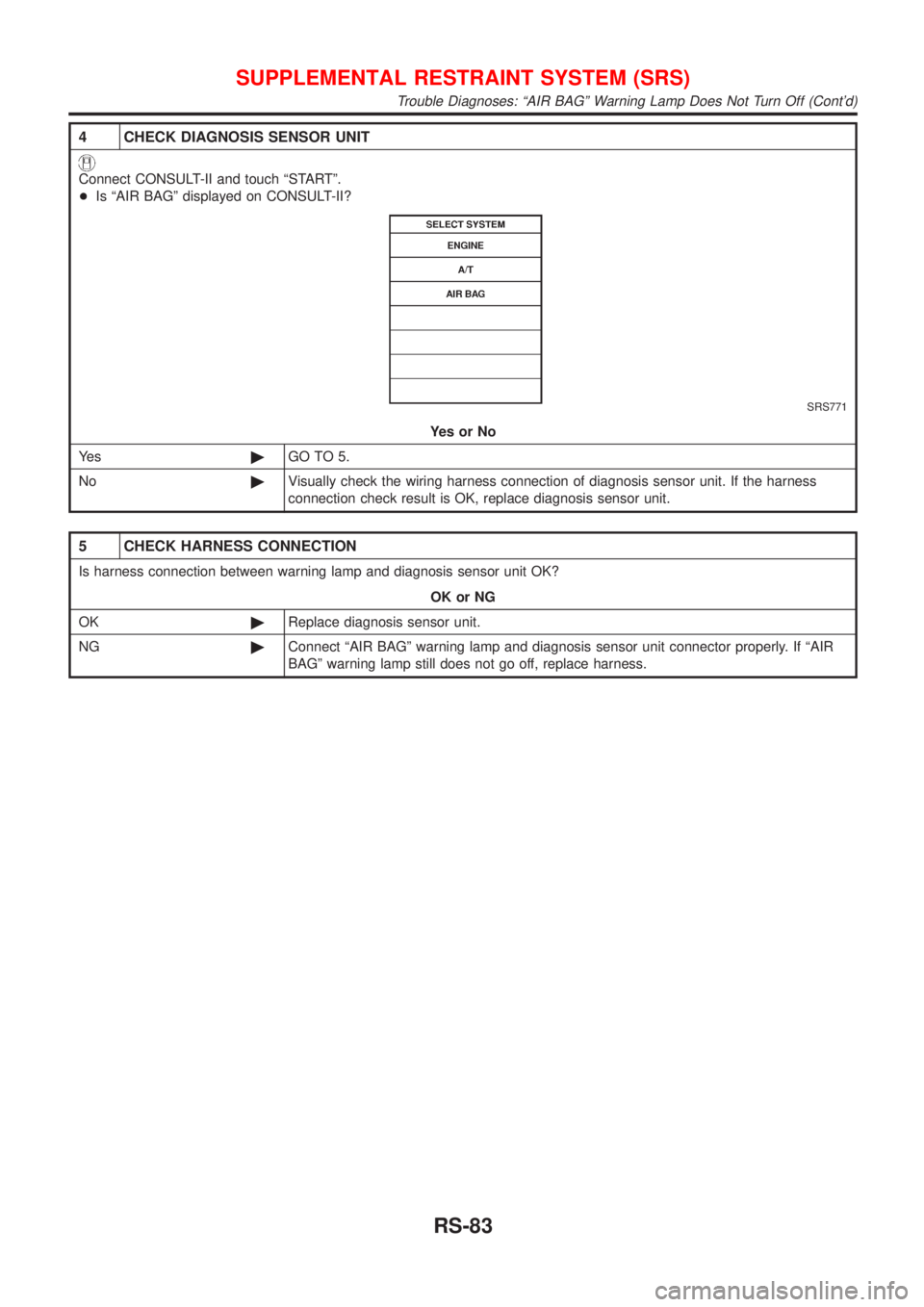
4 CHECK DIAGNOSIS SENSOR UNIT
Connect CONSULT-II and touch ªSTARTº.
+Is ªAIR BAGº displayed on CONSULT-II?
SRS771
YesorNo
Ye s©GO TO 5.
No©Visually check the wiring harness connection of diagnosis sensor unit. If the harness
connection check result is OK, replace diagnosis sensor unit.
5 CHECK HARNESS CONNECTION
Is harness connection between warning lamp and diagnosis sensor unit OK?
OK or NG
OK©Replace diagnosis sensor unit.
NG©Connect ªAIR BAGº warning lamp and diagnosis sensor unit connector properly. If ªAIR
BAGº warning lamp still does not go off, replace harness.
SUPPLEMENTAL RESTRAINT SYSTEM (SRS)
Trouble Diagnoses: ªAIR BAGº Warning Lamp Does Not Turn Off (Cont'd)
RS-83