Seat controls NISSAN ALTIMA 2019 Owner´s Manual
[x] Cancel search | Manufacturer: NISSAN, Model Year: 2019, Model line: ALTIMA, Model: NISSAN ALTIMA 2019Pages: 592, PDF Size: 7.4 MB
Page 122 of 592
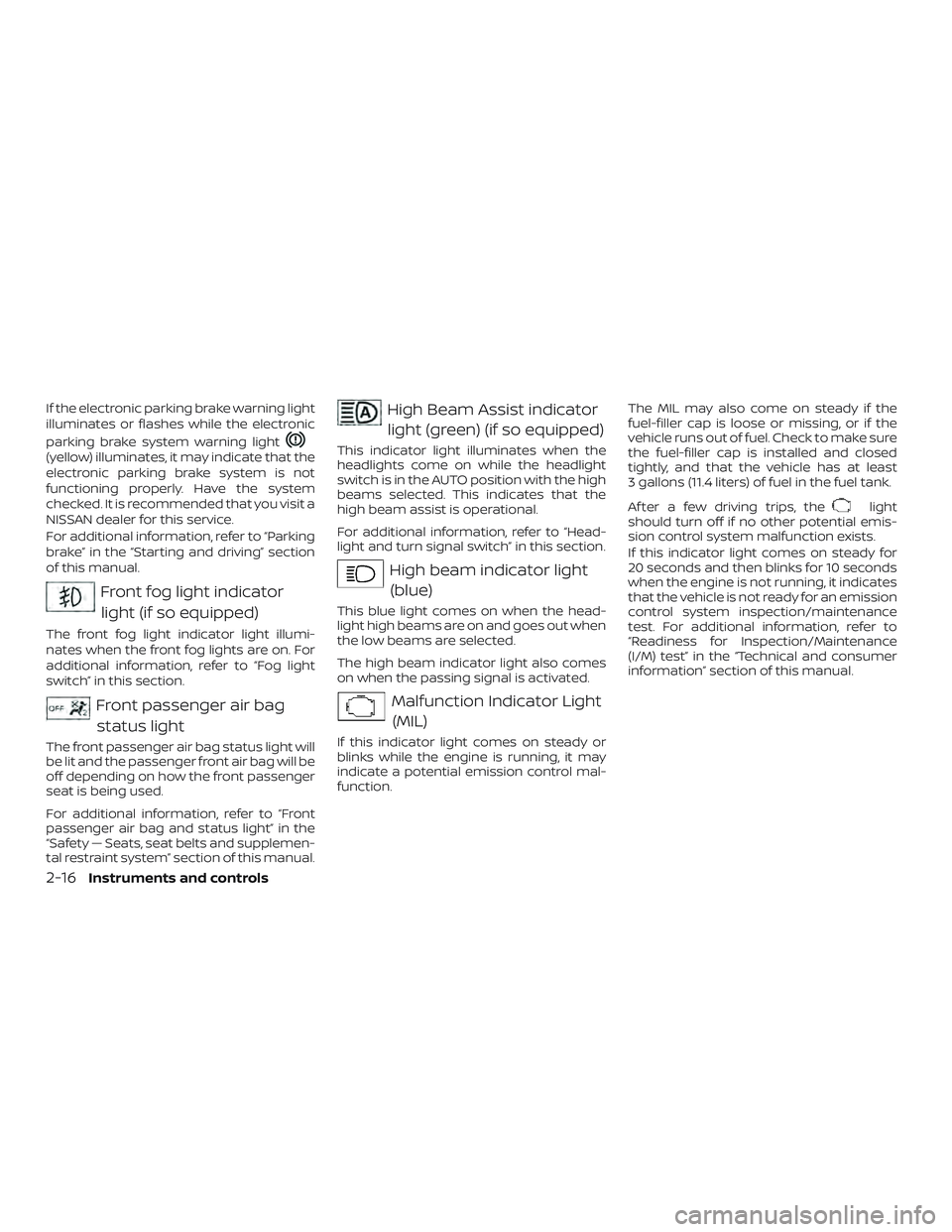
If the electronic parking brake warning light
illuminates or flashes while the electronic
parking brake system warning light
(yellow) illuminates, it may indicate that the
electronic parking brake system is not
functioning properly. Have the system
checked. It is recommended that you visit a
NISSAN dealer for this service.
For additional information, refer to “Parking
brake” in the “Starting and driving” section
of this manual.
Front fog light indicatorlight (if so equipped)
The front fog light indicator light illumi-
nates when the front fog lights are on. For
additional information, refer to “Fog light
switch” in this section.
Front passenger air bagstatus light
The front passenger air bag status light will
be lit and the passenger front air bag will be
off depending on how the front passenger
seat is being used.
For additional information, refer to “Front
passenger air bag and status light” in the
“Safety — Seats, seat belts and supplemen-
tal restraint system” section of this manual.
High Beam Assist indicatorlight (green) (if so equipped)
This indicator light illuminates when the
headlights come on while the headlight
switch is in the AUTO position with the high
beams selected. This indicates that the
high beam assist is operational.
For additional information, refer to “Head-
light and turn signal switch” in this section.
High beam indicator light(blue)
This blue light comes on when the head-
light high beams are on and goes out when
the low beams are selected.
The high beam indicator light also comes
on when the passing signal is activated.
Malfunction Indicator Light(MIL)
If this indicator light comes on steady or
blinks while the engine is running, it may
indicate a potential emission control mal-
function. The MIL may also come on steady if the
fuel-filler cap is loose or missing, or if the
vehicle runs out of fuel. Check to make sure
the fuel-filler cap is installed and closed
tightly, and that the vehicle has at least
3 gallons (11.4 liters) of fuel in the fuel tank.
Af ter a few driving trips, the
light
should turn off if no other potential emis-
sion control system malfunction exists.
If this indicator light comes on steady for
20 seconds and then blinks for 10 seconds
when the engine is not running, it indicates
that the vehicle is not ready for an emission
control system inspection/maintenance
test. For additional information, refer to
“Readiness for Inspection/Maintenance
(I/M) test” in the “Technical and consumer
information” section of this manual.
2-16Instruments and controls
Page 131 of 592
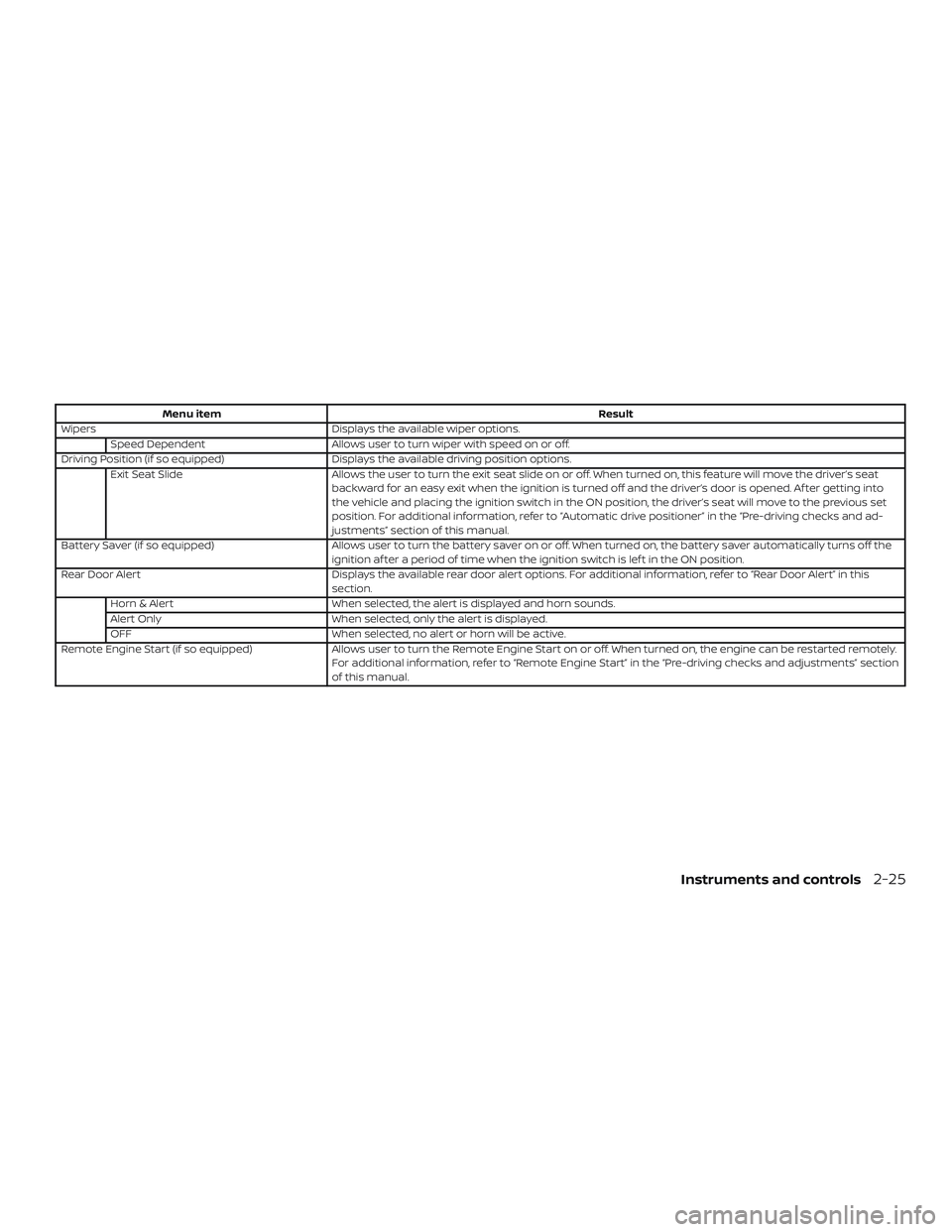
Menu itemResult
Wipers Displays the available wiper options.
Speed Dependent Allows user to turn wiper with speed on or off.
Driving Position (if so equipped) Displays the available driving position options.
Exit Seat Slide Allows the user to turn the exit seat slide on or off. When turned on, this feature will move the driver’s seat
backward for an easy exit when the ignition is turned off and the driver’s door is opened. Af ter getting into
the vehicle and placing the ignition switch in the ON position, the driver’s seat will move to the previous set
position. For additional information, refer to “Automatic drive positioner” in the “Pre-driving checks and ad-
justments” section of this manual.
Battery Saver (if so equipped) Allows user to turn the battery saver on or off. When turned on, the battery saver automatically turns off the
ignition af ter a period of time when the ignition switch is lef t in the ON position.
Rear Door Alert Displays the available rear door alert options. For additional information, refer to “Rear Door Alert” in this
section.
Horn & Alert When selected, the alert is displayed and horn sounds.
Alert Only When selected, only the alert is displayed.
OFF When selected, no alert or horn will be active.
Remote Engine Start (if so equipped) Allows user to turn the Remote Engine Start on or off. When turned on, the engine can be restarted remotely.
For additional information, refer to “Remote Engine Start” in the “Pre-driving checks and adjustments” section
of this manual.
Instruments and controls2-25
Page 138 of 592
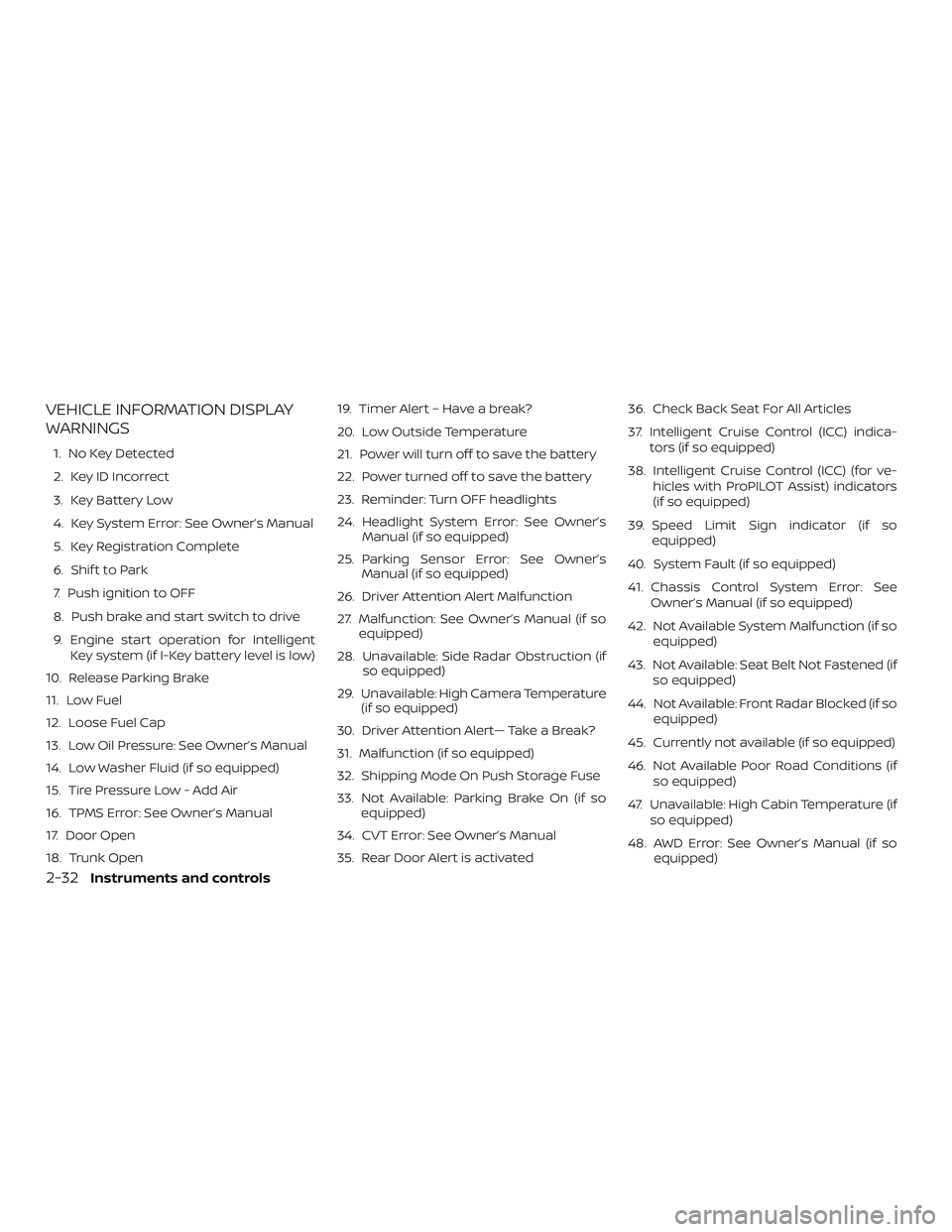
VEHICLE INFORMATION DISPLAY
WARNINGS
1. No Key Detected
2. Key ID Incorrect
3. Key Battery Low
4. Key System Error: See Owner’s Manual
5. Key Registration Complete
6. Shif t to Park
7. Push ignition to OFF
8. Push brake and start switch to drive
9. Engine start operation for IntelligentKey system (if I-Key battery level is low)
10. Release Parking Brake
11. Low Fuel
12. Loose Fuel Cap
13. Low Oil Pressure: See Owner’s Manual
14. Low Washer Fluid (if so equipped)
15. Tire Pressure Low - Add Air
16. TPMS Error: See Owner’s Manual
17. Door Open
18. Trunk Open 19. Timer Alert – Have a break?
20. Low Outside Temperature
21. Power will turn off to save the battery
22. Power turned off to save the battery
23. Reminder: Turn OFF headlights
24. Headlight System Error: See Owner’s
Manual (if so equipped)
25. Parking Sensor Error: See Owner’s Manual (if so equipped)
26. Driver Attention Alert Malfunction
27. Malfunction: See Owner’s Manual (if so equipped)
28. Unavailable: Side Radar Obstruction (if so equipped)
29. Unavailable: High Camera Temperature (if so equipped)
30. Driver Attention Alert— Take a Break?
31. Malfunction (if so equipped)
32. Shipping Mode On Push Storage Fuse
33. Not Available: Parking Brake On (if so equipped)
34. CVT Error: See Owner’s Manual
35. Rear Door Alert is activated 36. Check Back Seat For All Articles
37. Intelligent Cruise Control (ICC) indica-
tors (if so equipped)
38. Intelligent Cruise Control (ICC) (for ve- hicles with ProPILOT Assist) indicators
(if so equipped)
39. Speed Limit Sign indicator (if so equipped)
40. System Fault (if so equipped)
41. Chassis Control System Error: See Owner’s Manual (if so equipped)
42. Not Available System Malfunction (if so equipped)
43. Not Available: Seat Belt Not Fastened (if so equipped)
44. Not Available: Front Radar Blocked (if so equipped)
45. Currently not available (if so equipped)
46. Not Available Poor Road Conditions (if so equipped)
47. Unavailable: High Cabin Temperature (if so equipped)
48. AWD Error: See Owner’s Manual (if so equipped)
2-32Instruments and controls
Page 142 of 592
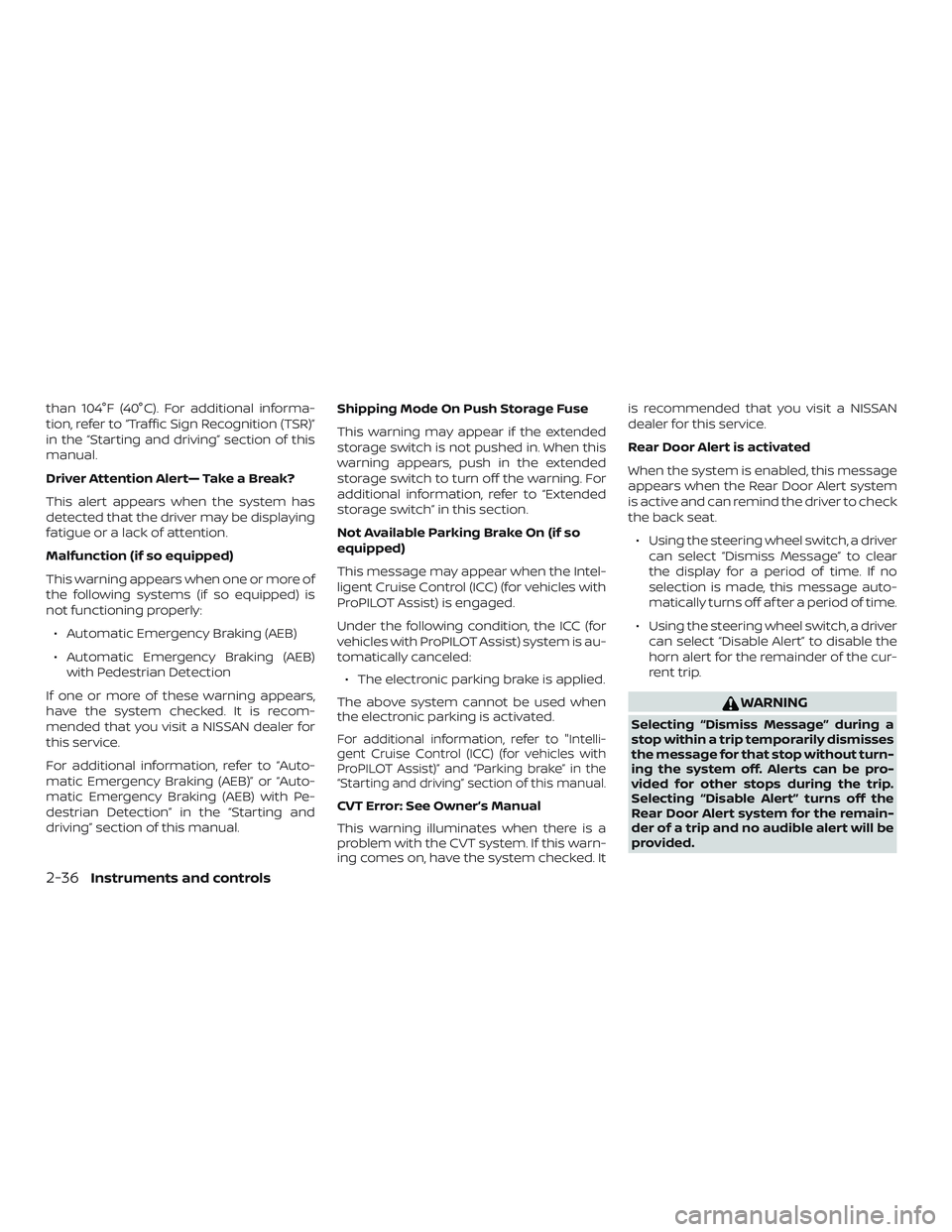
than 104°F (40°C). For additional informa-
tion, refer to “Traffic Sign Recognition (TSR)”
in the “Starting and driving” section of this
manual.
Driver Attention Alert— Take a Break?
This alert appears when the system has
detected that the driver may be displaying
fatigue or a lack of attention.
Malfunction (if so equipped)
This warning appears when one or more of
the following systems (if so equipped) is
not functioning properly:∙ Automatic Emergency Braking (AEB)
∙ Automatic Emergency Braking (AEB) with Pedestrian Detection
If one or more of these warning appears,
have the system checked. It is recom-
mended that you visit a NISSAN dealer for
this service.
For additional information, refer to “Auto-
matic Emergency Braking (AEB)” or “Auto-
matic Emergency Braking (AEB) with Pe-
destrian Detection” in the “Starting and
driving” section of this manual. Shipping Mode On Push Storage Fuse
This warning may appear if the extended
storage switch is not pushed in. When this
warning appears, push in the extended
storage switch to turn off the warning. For
additional information, refer to “Extended
storage switch” in this section.
Not Available Parking Brake On (if so
equipped)
This message may appear when the Intel-
ligent Cruise Control (ICC) (for vehicles with
ProPILOT Assist) is engaged.
Under the following condition, the ICC (for
vehicles with ProPILOT Assist) system is au-
tomatically canceled:
∙ The electronic parking brake is applied.
The above system cannot be used when
the electronic parking is activated.
For additional information, refer to "Intelli-
gent Cruise Control (ICC) (for vehicles with
ProPILOT Assist)” and “Parking brake” in the
“Starting and driving” section of this manual.
CVT Error: See Owner’s Manual
This warning illuminates when there is a
problem with the CVT system. If this warn-
ing comes on, have the system checked. It is recommended that you visit a NISSAN
dealer for this service.
Rear Door Alert is activated
When the system is enabled, this message
appears when the Rear Door Alert system
is active and can remind the driver to check
the back seat.
∙ Using the steering wheel switch, a driver can select “Dismiss Message” to clear
the display for a period of time. If no
selection is made, this message auto-
matically turns off af ter a period of time.
∙ Using the steering wheel switch, a driver can select “Disable Alert” to disable the
horn alert for the remainder of the cur-
rent trip.
WARNING
Selecting “Dismiss Message” during a
stop within a trip temporarily dismisses
the message for that stop without turn-
ing the system off. Alerts can be pro-
vided for other stops during the trip.
Selecting “Disable Alert” turns off the
Rear Door Alert system for the remain-
der of a trip and no audible alert will be
provided.
2-36Instruments and controls
Page 143 of 592
NOTE:
This system is disabled until a driver en-
ables it using the vehicle information
display. For additional information, refer
to “How to use the vehicle information
display ” in this section.
For additional information, refer to “Rear
Door Alert” in this section.
Check Back Seat For All Articles
When the system is enabled, this message
appears when the vehicle comes to a com-
plete stop, the vehicle is transitioned from
the D (Drive) position to P (Park) position,
and the driver exits the vehicle. This mes-
sage alerts the driver, af ter a period of time,
to check for items in the rear seat af ter the
audible alert has been provided.
NOTE:
This system is disabled until a driver en-
ables it using the vehicle information
display. For additional information, refer
to “How to use the vehicle information
display ” in this section.
For additional information, refer to “Rear
Door Alert” in this section.Intelligent Cruise Control (ICC) indica-
tors (if so equipped)
These indicators show the Intelligent
Cruise Control (ICC) system status. The sta-
tus is shown by color. For additional infor-
mation, refer to “Intelligent Cruise Control
(ICC)” in the “Starting and driving” section of
this manual.
Intelligent Cruise Control (ICC) (for ve-
hicles with ProPILOT Assist) indicators
(if so equipped)
These indicators show the ProPILOT Assist
with Intelligent Cruise Control (ICC) system
status. The status is shown by color. For
additional information, refer to “Intelligent
Cruise Control (ICC) (for vehicles with ProPI-
LOT Assist)” in the “Starting and driving”
section of this manual.
Speed Limit Sign indicator (if so
equipped)
This message may appear when the Traffic
Sign Recognition system is engaged.
For additional information, refer to “Traffic
Sign Recognition (TSR)” in the “Starting and
driving” section of this manual.
System Fault (if so equipped)
This warning appears if there is a malfunc-
tion in the Rear Automatic Braking (RAB)
system. For additional information, refer to
“Rear Automatic Braking (RAB)” in the “Start-
ing and driving” section of this manual.
Chassis Control System Error: See
Owner’s Manual (if so equipped)
This warning appears if there is an error in
the Automatic Brake Hold system. Have the
system checked. It is recommended that
you visit a NISSAN dealer for this service. For
additional information, refer to “Chassis con-
trol” or “Automatic brake hold” in the “Starting
and driving” section of this manual.
Not Available System Malfunction (if so
equipped)
This warning appears when one or more of
the following systems (if so equipped) is
not functioning properly.
∙ Intelligent Cruise Control (ICC)
∙ ProPILOT
∙ Blind Spot Warning (BSW)
∙ Lane Departure Warning (LDW)
∙ Intelligent Lane Intervention (I-LI)
Instruments and controls2-37
Page 144 of 592
If one or more of these warnings appear,
have the system checked. It is recom-
mended that you visit a NISSAN dealer for
this service.
For additional information, refer to "Intelli-
gent Cruise Control (ICC)” , “ProPILOT Assist”
, “Blind Spot Warning (BSW)” , “Lane Depar-
ture Warning (LDW)” or “Intelligent Lane In-
tervention (I-LI))” in the “Starting and driving”
section of this manual.
Not Available Seat Belt Not Fastened
(if so equipped)
This message may appear when the Intel-
ligent Cruise Control (ICC) (with ProPILOT
Assist) system is engaged.
Under the following condition, the ICC (with
ProPILOT Assist) system is automatically
canceled:∙ When the driver’s seat belt is not fas- tened
The above system cannot be used when
the driver’s seat belt is not fastened.
Not Available: Front Radar Blocked (if so
equipped)
This message appears when the Intelligent
Cruise Control (ICC) systems, the Auto-
matic Emergency Braking (AEB) system, the Automatic Emergency Braking (AEB)
with Pedestrian Detection system, or the
Intelligent Forward Collision Warning (I-
FCW) system becomes unavailable be-
cause the front radar is obstructed. For ad-
ditional information, refer to “Intelligent
Cruise Control (ICC) (for vehicles without
ProPILOT Assist)” , “Intelligent Cruise Control
(ICC) (for vehicles with ProPILOT Assist)” ,
“Automatic Emergency Braking (AEB)” , “Au-
tomatic Emergency Braking (AEB) with Pe-
destrian Detection” or “Intelligent Forward
Collision Warning (I-FCW)” in the “Starting
and driving” section of this manual.
Currently not available (if so equipped)
This message may appear when the Intel-
ligent Cruise Control (ICC) (with ProPILOT
Assist) system , the ICC system or the Intel-
ligent Lane Intervention (I-LI) system is en-
gaged.
Under the following conditions, the ICC
(with ProPILOT Assist) , the ICC system or
the Intelligent Lane Intervention (I-LI) sys-
tem is automatically canceled:
∙ When the VDC operates
∙ When a wheel slips
∙ When the VDC system is turned off The above system cannot be used in some
situations (VDC operates, wheel slip and
VDC system is off.)
Not Available Poor Road Conditions (if
so equipped)
This message may appear when the Intel-
ligent Cruise Control (ICC) (with ProPILOT
Assist) system , the ICC system or the Intel-
ligent Lane Intervention (I-LI) system is en-
gaged.
Under the following conditions, the ICC
(with ProPILOT Assist) , the ICC system or
the Intelligent Lane Intervention (I-LI) sys-
tem is automatically canceled:
∙ When the VDC operates
∙ When a wheel slips
The above system cannot be used in some
situations (VDC operates and wheel slip.)
Unavailable: High Cabin Temperature (if
so equipped)
This message appears when the camera
detects an interior temperature of more
than approximately 104°F (40°C). For addi-
tional information, refer to “Lane Departure
Warning (LDW)” and “Intelligent Lane Inter-
vention (I-LI)” in the “Starting and driving”
section of this manual.
2-38Instruments and controls
Page 157 of 592
WARNING
Do not use or allow occupants to use
the seat heater if you or the occupants
cannot monitor elevated seat tempera-
tures or have an inability to feel pain in
body parts that contact the seat. Use of
the seat heater by such people could
result in serious injury.
CAUTION
∙ The battery could run down if the seatheater is operated while the engine is
not running.
∙ Do not use the seat heater for ex- tended periods or when no one is us-
ing the seat.
∙ Do not put anything on the seat which insulates heat, such as a blanket,
cushion, seat cover, etc. Otherwise,
the seat may become overheated.
∙ Do not place anything hard or heavy on the seat or pierce it with a pin or
similar object. This may result in dam-
age to the heater.
∙ Any liquid spilled on the heated seat should be removed immediately with
a dry cloth.
∙ When cleaning the seat, never use gasoline, benzine, thinner, or any
similar materials.
∙ If any malfunctions are found or the heated seat does not operate, turn
the switch off and have the system
checked. It is recommended that you
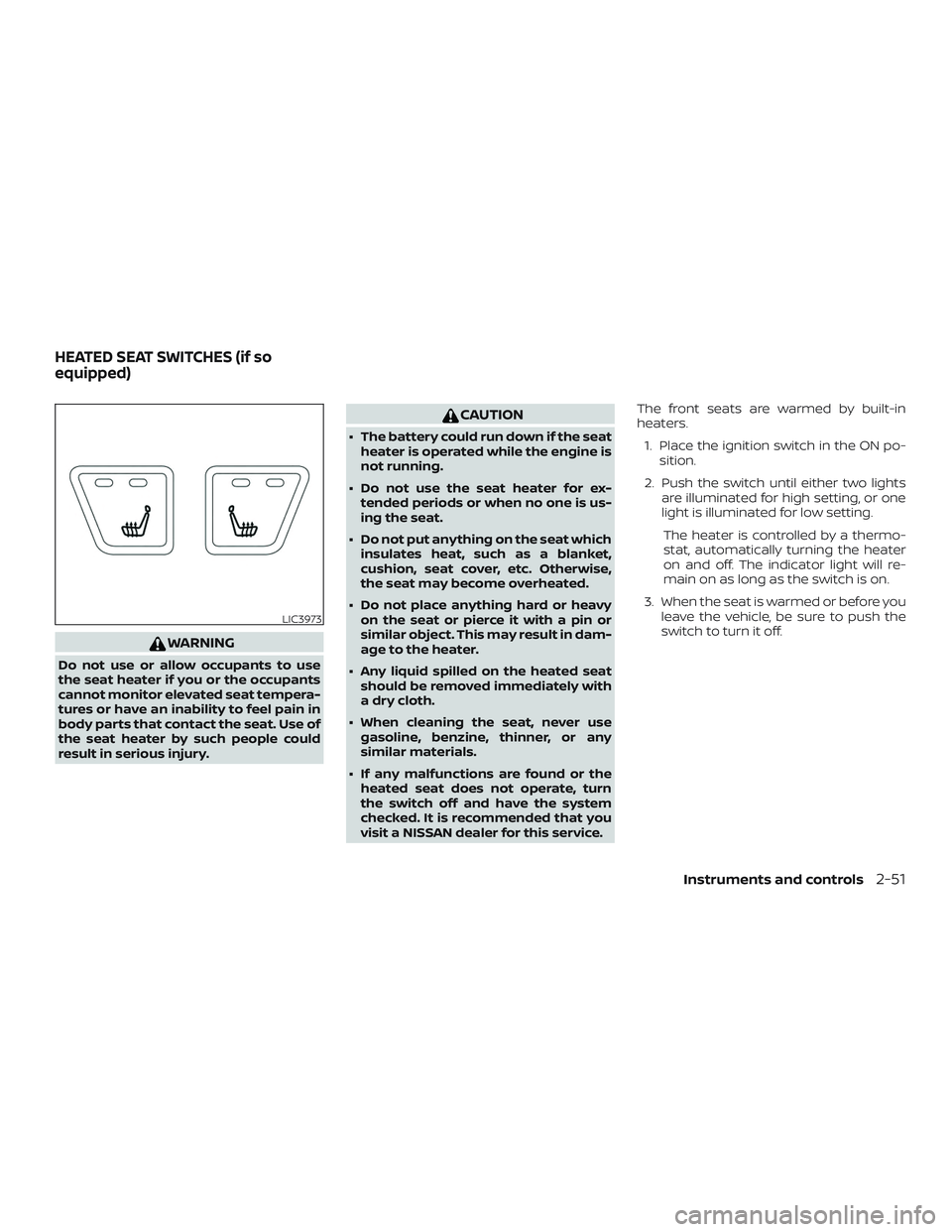
visit a NISSAN dealer for this service. The front seats are warmed by built-in
heaters.
1. Place the ignition switch in the ON po- sition.
2. Push the switch until either two lights are illuminated for high setting, or one
light is illuminated for low setting.
The heater is controlled by a thermo-
stat, automatically turning the heater
on and off. The indicator light will re-
main on as long as the switch is on.
3. When the seat is warmed or before you leave the vehicle, be sure to push the
switch to turn it off.
LIC3973
HEATED SEAT SWITCHES (if so
equipped)
Instruments and controls2-51
Page 159 of 592
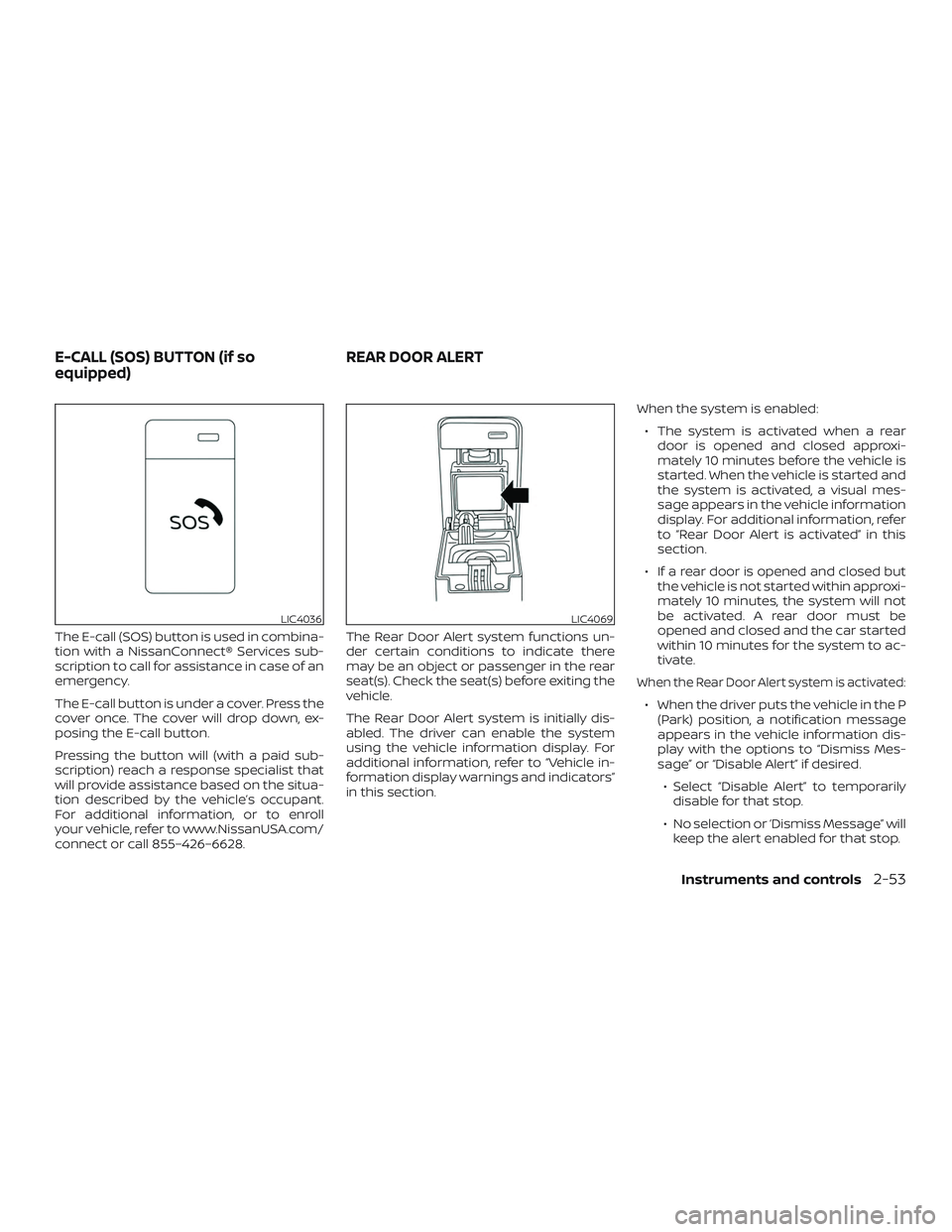
The E-call (SOS) button is used in combina-
tion with a NissanConnect® Services sub-
scription to call for assistance in case of an
emergency.
The E-call button is under a cover. Press the
cover once. The cover will drop down, ex-
posing the E-call button.
Pressing the button will (with a paid sub-
scription) reach a response specialist that
will provide assistance based on the situa-
tion described by the vehicle’s occupant.
For additional information, or to enroll
your vehicle, refer to www.NissanUSA.com/
connect or call 855–426–6628.The Rear Door Alert system functions un-
der certain conditions to indicate there
may be an object or passenger in the rear
seat(s). Check the seat(s) before exiting the
vehicle.
The Rear Door Alert system is initially dis-
abled. The driver can enable the system
using the vehicle information display. For
additional information, refer to “Vehicle in-
formation display warnings and indicators”
in this section.When the system is enabled:
∙ The system is activated when a rear door is opened and closed approxi-
mately 10 minutes before the vehicle is
started. When the vehicle is started and
the system is activated, a visual mes-
sage appears in the vehicle information
display. For additional information, refer
to “Rear Door Alert is activated” in this
section.
∙ If a rear door is opened and closed but the vehicle is not started within approxi-
mately 10 minutes, the system will not
be activated. A rear door must be
opened and closed and the car started
within 10 minutes for the system to ac-
tivate.
When the Rear Door Alert system is activated:
∙ When the driver puts the vehicle in the P(Park) position, a notification message
appears in the vehicle information dis-
play with the options to “Dismiss Mes-
sage” or “Disable Alert” if desired.
∙ Select “Disable Alert” to temporarily disable for that stop.
∙ No selection or ‘Dismiss Message” will keep the alert enabled for that stop.
LIC4036LIC4069
E-CALL (SOS) BUTTON (if so
equipped) REAR DOOR ALERT
Instruments and controls2-53
Page 160 of 592
∙ If the alert is enabled when a driver exitsthe vehicle, a message will appear in the
vehicle information display that states
“Check Back Seat for All Articles.”
If “Horn & Alert” setting is selected:
∙ An audible horn sound will occur af- ter a short time unless a rear door is
opened and closed within a short
time to deactivate the alert.
∙ If the doors are locked before the alert is deactivated by opening a rear
door, the horn will sound.
∙ If the trunk is opened before a rear door is opened, the horn will be de-
layed until af ter the trunk is closed.
NOTE:
If “Alert Only ” setting is selected, the
message alert will still be shown in the
vehicle information display but the horn
will not sound.WARNING
∙ If the driver selects “Disable Alert”, no audible alert will be provided regard-
less of rear door open/close status.
∙ There may be times when there is an object or passenger in the rear seat(s)
but the audible alert does not sound.
For example, this may occur if the en-
gine is turned off and then on again in
a short period of time during a trip, or
if rear seat passengers enter or exit
the vehicle during a trip.
∙ The system does not directly detect objects or passengers in the rear
seat(s). Instead, it can detect when a
rear door is opened and closed, indi-
cating that there may be something in
the rear seat(s).
NOTE:
There may be times when the horn
sounds but there are no objects or pas-
sengers in the rear seat(s).
For additional information, refer to “Rear
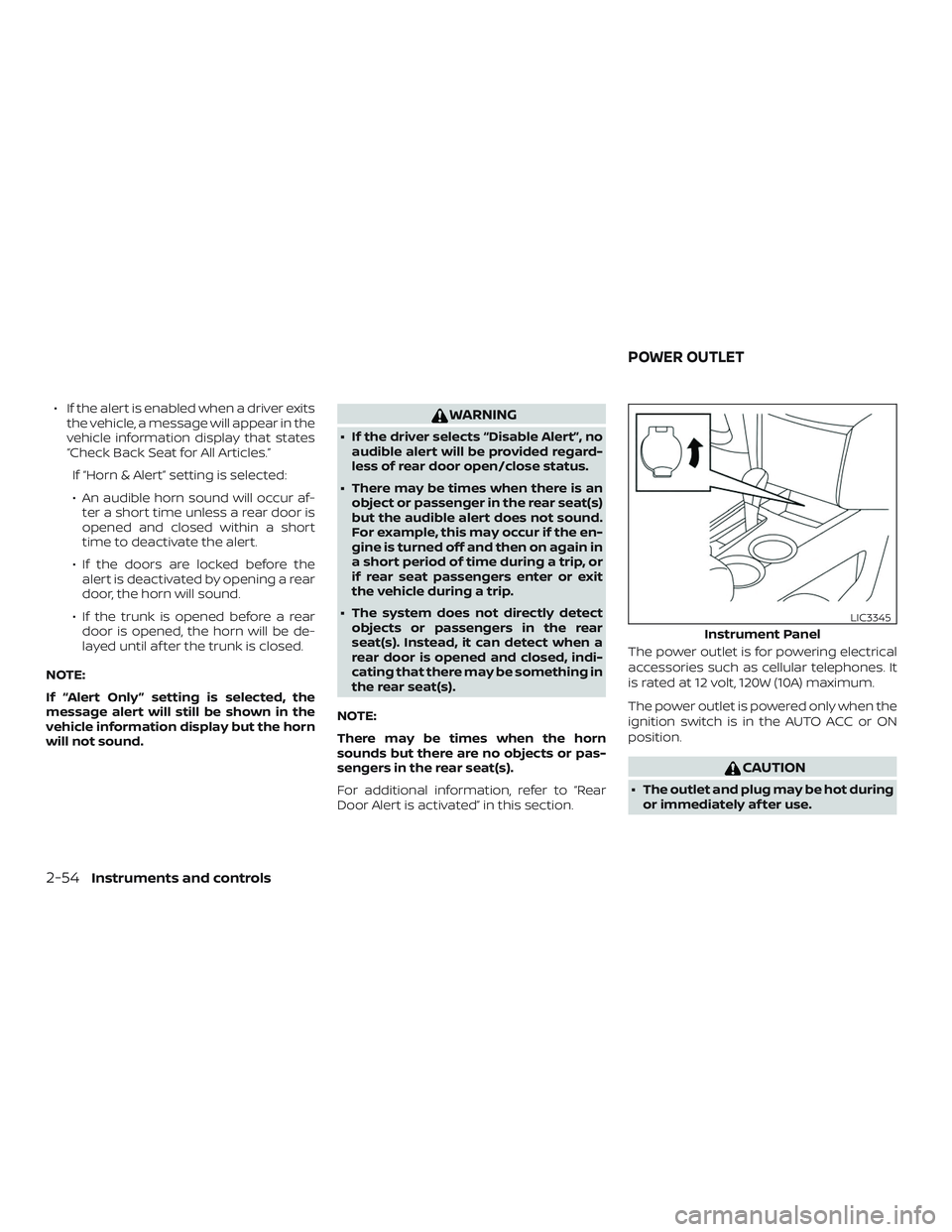
Door Alert is activated” in this section. The power outlet is for powering electrical
accessories such as cellular telephones. It
is rated at 12 volt, 120W (10A) maximum.
The power outlet is powered only when the
ignition switch is in the AUTO ACC or ON
position.
CAUTION
∙ The outlet and plug may be hot during
or immediately af ter use.
Instrument Panel
LIC3345
POWER OUTLET
2-54Instruments and controls
Page 162 of 592
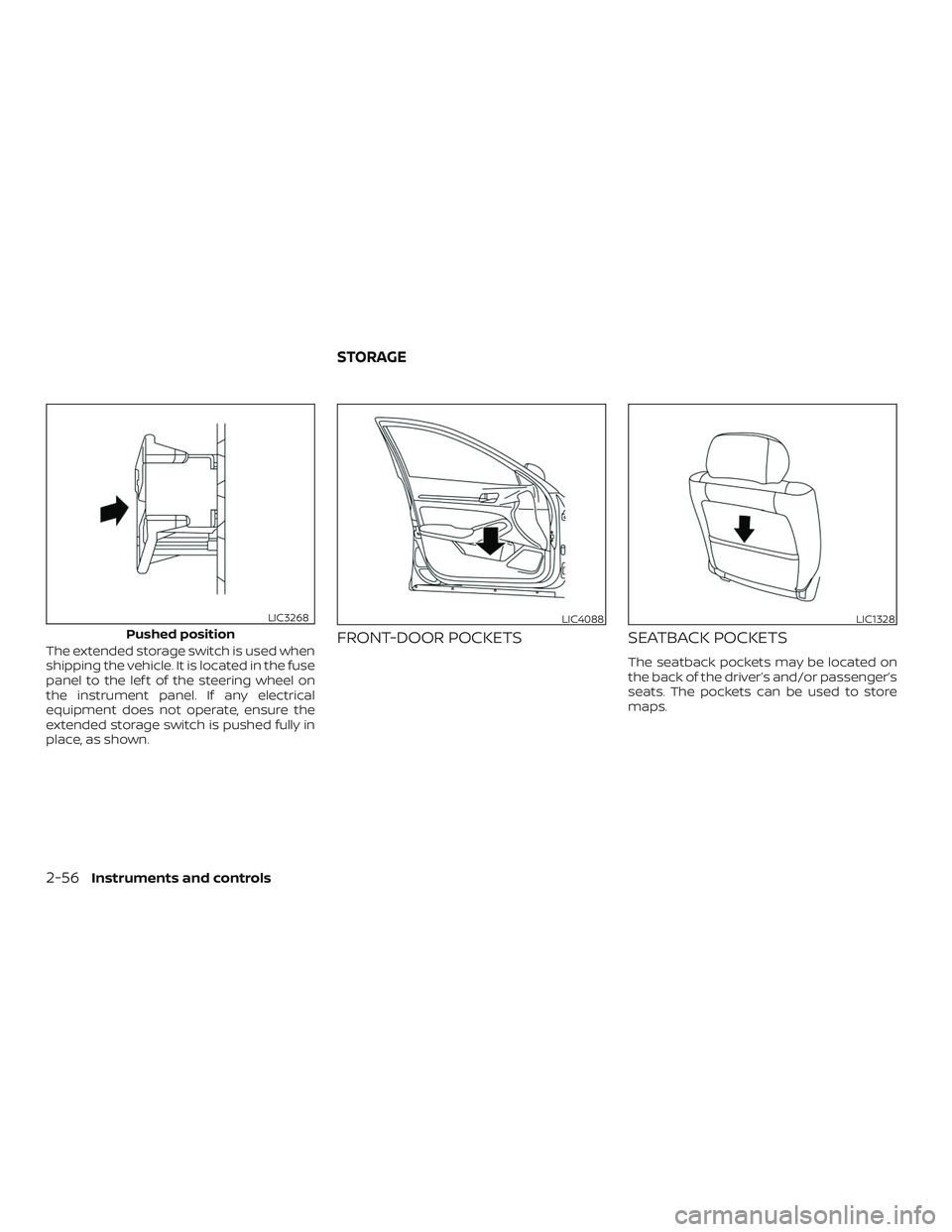
The extended storage switch is used when
shipping the vehicle. It is located in the fuse
panel to the lef t of the steering wheel on
the instrument panel. If any electrical
equipment does not operate, ensure the
extended storage switch is pushed fully in
place, as shown.FRONT-DOOR POCKETSSEATBACK POCKETS
The seatback pockets may be located on
the back of the driver’s and/or passenger’s
seats. The pockets can be used to store
maps.
Pushed position
LIC3268LIC4088LIC1328
STORAGE
2-56Instruments and controls