Vdc NISSAN ARMADA 2017 2.G User Guide
[x] Cancel search | Manufacturer: NISSAN, Model Year: 2017, Model line: ARMADA, Model: NISSAN ARMADA 2017 2.GPages: 614, PDF Size: 2.87 MB
Page 372 of 614
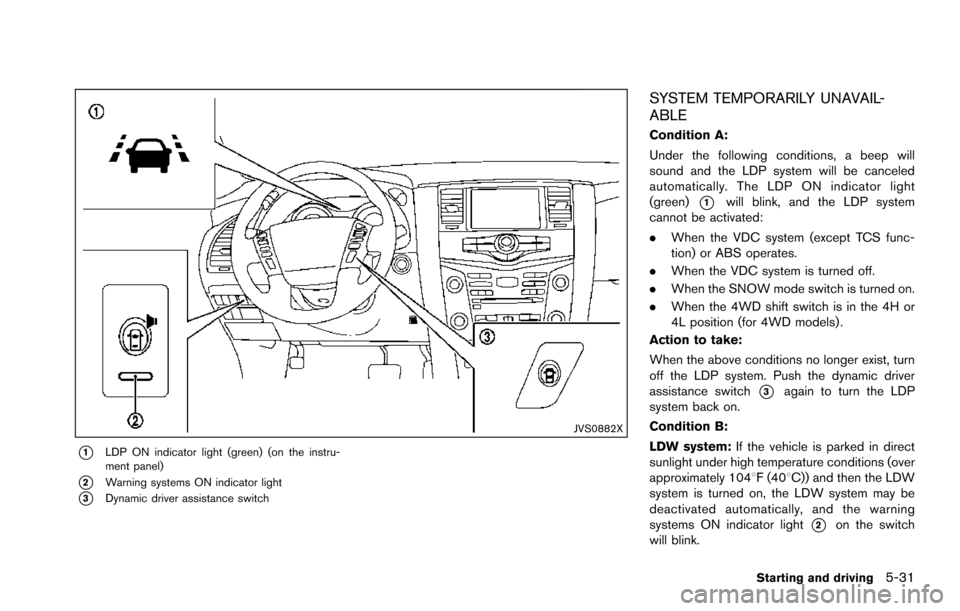
JVS0882X
*1LDP ON indicator light (green) (on the instru-
ment panel)
*2Warning systems ON indicator light
*3Dynamic driver assistance switch
SYSTEM TEMPORARILY UNAVAIL-
ABLE
Condition A:
Under the following conditions, a beep will
sound and the LDP system will be canceled
automatically. The LDP ON indicator light
(green)
*1will blink, and the LDP system
cannot be activated:
. When the VDC system (except TCS func-
tion) or ABS operates.
. When the VDC system is turned off.
. When the SNOW mode switch is turned on.
. When the 4WD shift switch is in the 4H or
4L position (for 4WD models) .
Action to take:
When the above conditions no longer exist, turn
off the LDP system. Push the dynamic driver
assistance switch
*3again to turn the LDP
system back on.
Condition B:
LDW system: If the vehicle is parked in direct
sunlight under high temperature conditions (over
approximately 1048F (408C)) and then the LDW
system is turned on, the LDW system may be
deactivated automatically, and the warning
systems ON indicator light
*2on the switch
will blink.
Starting and driving5-31
Page 395 of 614
5-54Starting and driving
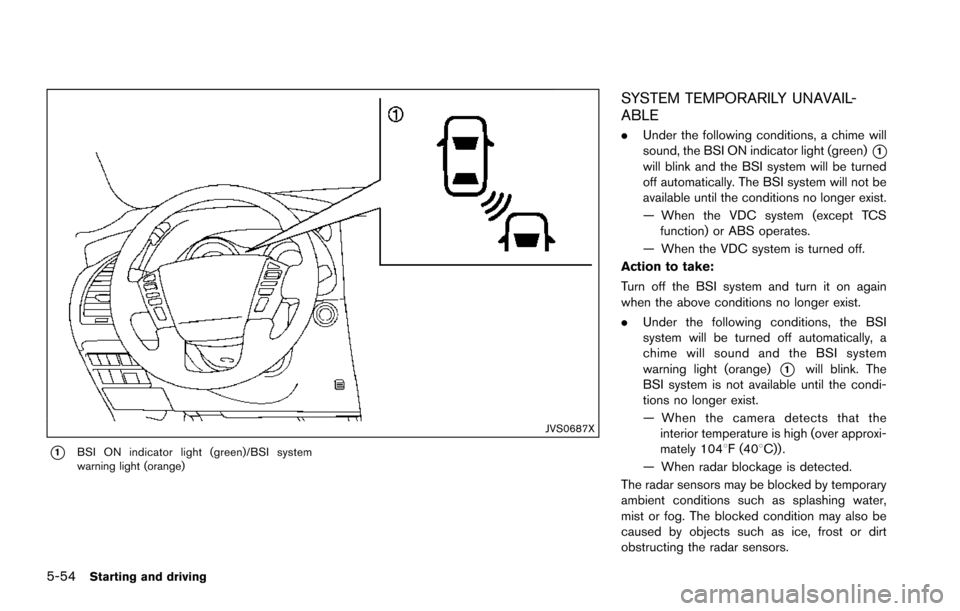
JVS0687X
*1BSI ON indicator light (green)/BSI system
warning light (orange)
SYSTEM TEMPORARILY UNAVAIL-
ABLE
.Under the following conditions, a chime will
sound, the BSI ON indicator light (green)
*1will blink and the BSI system will be turned
off automatically. The BSI system will not be
available until the conditions no longer exist.
— When the VDC system (except TCS
function) or ABS operates.
— When the VDC system is turned off.
Action to take:
Turn off the BSI system and turn it on again
when the above conditions no longer exist.
. Under the following conditions, the BSI
system will be turned off automatically, a
chime will sound and the BSI system
warning light (orange)
*1will blink. The
BSI system is not available until the condi-
tions no longer exist.
— When the camera detects that the
interior temperature is high (over approxi-
mately 1048F (408C)) .
— When radar blockage is detected.
The radar sensors may be blocked by temporary
ambient conditions such as splashing water,
mist or fog. The blocked condition may also be
caused by objects such as ice, frost or dirt
obstructing the radar sensors.
Page 417 of 614
5-76Starting and driving
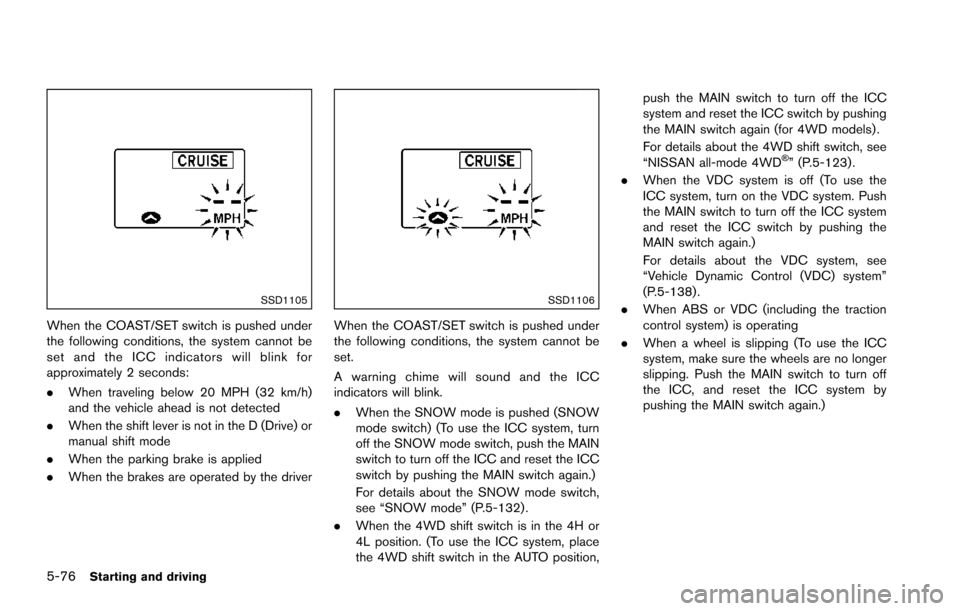
SSD1105
When the COAST/SET switch is pushed under
the following conditions, the system cannot be
set and the ICC indicators will blink for
approximately 2 seconds:
.When traveling below 20 MPH (32 km/h)
and the vehicle ahead is not detected
. When the shift lever is not in the D (Drive) or
manual shift mode
. When the parking brake is applied
. When the brakes are operated by the driver
SSD1106
When the COAST/SET switch is pushed under
the following conditions, the system cannot be
set.
A warning chime will sound and the ICC
indicators will blink.
.When the SNOW mode is pushed (SNOW
mode switch) (To use the ICC system, turn
off the SNOW mode switch, push the MAIN
switch to turn off the ICC and reset the ICC
switch by pushing the MAIN switch again.)
For details about the SNOW mode switch,
see “SNOW mode” (P.5-132) .
. When the 4WD shift switch is in the 4H or
4L position. (To use the ICC system, place
the 4WD shift switch in the AUTO position, push the MAIN switch to turn off the ICC
system and reset the ICC switch by pushing
the MAIN switch again (for 4WD models) .
For details about the 4WD shift switch, see
“NISSAN all-mode 4WD
Š” (P.5-123) .
. When the VDC system is off (To use the
ICC system, turn on the VDC system. Push
the MAIN switch to turn off the ICC system
and reset the ICC switch by pushing the
MAIN switch again.)
For details about the VDC system, see
“Vehicle Dynamic Control (VDC) system”
(P.5-138) .
. When ABS or VDC (including the traction
control system) is operating
. When a wheel is slipping (To use the ICC
system, make sure the wheels are no longer
slipping. Push the MAIN switch to turn off
the ICC, and reset the ICC system by
pushing the MAIN switch again.)
Page 421 of 614
5-80Starting and driving
.The chime sounds.
. The vehicle ahead detection and set dis-
tance indicator blink.
The warning chime may not sound in some
cases when there is a short distance between
vehicles. Some examples are:
. When the vehicles are traveling at the same
speed and the distance between vehicles is
not changing
. When the vehicle ahead is traveling faster
and the distance between vehicles is
increasing
. When a vehicle cuts in near your vehicle
The warning chime will not sound when:
. Your vehicle approaches other vehicles that
are parked or moving slowly.
. The accelerator pedal is depressed, over-
riding the system.
NOTE:
The approach warning chime may sound
and the system display may blink when the
radar sensor detects objects on the side of
the vehicle or on the side of the road. This
may cause the ICC system to decelerate or
accelerate the vehicle. The radar sensor
may detect these objects when the vehicle
is driven on winding roads, narrow roads,
hilly roads or when entering or exiting a curve. In these cases you will have to
manually control the proper distance
ahead of your vehicle.
Also, the sensor sensitivity can be affected by
vehicle operation (steering maneuver or driving
position in the lane) or traffic or vehicle condition
(for example, if a vehicle is being driven with
some damage) .
Automatic cancellation
A chime sounds under the following conditions
and the control is automatically canceled.
.
When the vehicle ahead is not detected and
your vehicle is traveling below the speed of
15 MPH (24 km/h)
. When the system judges the vehicle is at
standstill
. When the shift lever is not in the D (Drive) or
manual shift mode
. When the parking brake is applied
. When the SNOW mode switch is pushed
on.
. When the 4WD shift switch is in the 4H or
4L position (for 4WD models)
. When the VDC system is turned off
. When ABS or VDC (including the traction
control system) operates .
When distance measurement becomes im-
paired due to adhesion of dirt or obstruction
to the sensor
. When a wheel slips
. When the radar signal is temporarily inter-
rupted
Vehicle-to-vehicle distance control mode
limitations
WARNING
Listed below are the system limitations
for the ICC system. Failure to operate
the vehicle in accordance with these
system limitations could result in ser-
ious injury or death.
.The system is primarily intended for
use on straight, dry, open roads with
light traffic. It is not advisable to use
the system in city traffic or con-
gested areas.
. This system will not adapt automa-
tically to road conditions. This sys-
tem should be used in evenly
flowing traffic. Do not use the
system on roads with sharp curves,
or on icy roads, in heavy rain or in
fog.
Page 426 of 614
System temporarily unavailable
Condition A:
Under the following conditions, the ICC system
is automatically canceled. The chime will sound
and the system will not be able to be set.
.When the VDC is turned off
. When the ABS or VDC operates
. When a tire slips
. When the SNOW mode switch is pushed
on
. When the 4WD shift switch is in the 4H or
4L position (for 4WD models)
. When the radar signal is temporarily inter-
rupted
Action to take:
When the conditions listed above are no longer
present, turn the system off using the MAIN
switch
*2. Turn the ICC system back on to use
the system.
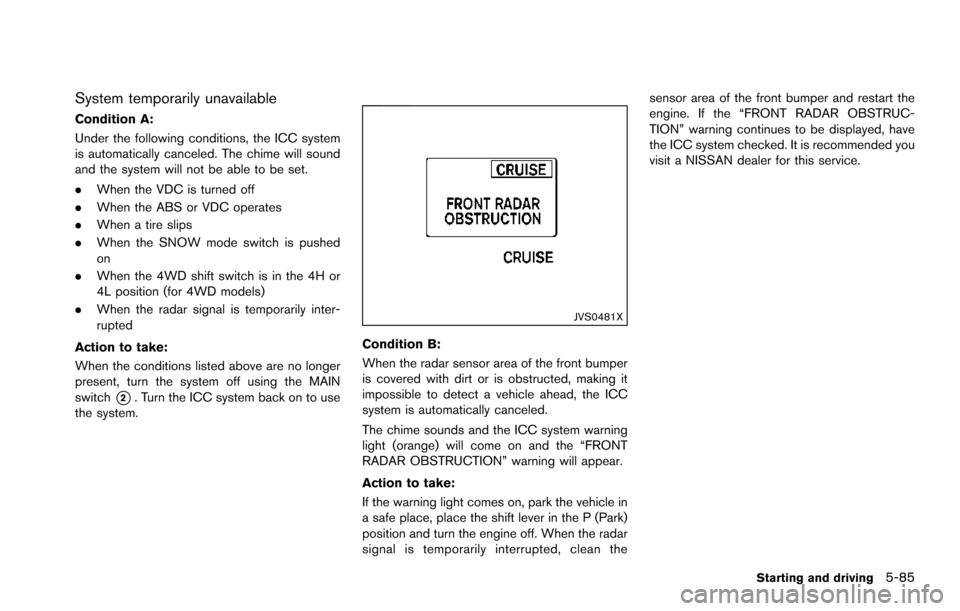
JVS0481X
Condition B:
When the radar sensor area of the front bumper
is covered with dirt or is obstructed, making it
impossible to detect a vehicle ahead, the ICC
system is automatically canceled.
The chime sounds and the ICC system warning
light (orange) will come on and the “FRONT
RADAR OBSTRUCTION” warning will appear.
Action to take:
If the warning light comes on, park the vehicle in
a safe place, place the shift lever in the P (Park)
position and turn the engine off. When the radar
signal is temporarily interrupted, clean the sensor area of the front bumper and restart the
engine. If the “FRONT RADAR OBSTRUC-
TION” warning continues to be displayed, have
the ICC system checked. It is recommended you
visit a NISSAN dealer for this service.
Starting and driving5-85
Page 431 of 614
5-90Starting and driving
To cancel the preset speed,use any of the
following methods:
1. Push the CANCEL switch. The SET indica- tor will turn off.
2. Tap the brake pedal. The SET indicator will turn off.
3. Turn the MAIN switch off. Both the MAIN switch indicator and SET indicator will turn
off.
To reset at a faster cruising speed, use one
of the following three methods:
1. Depress the accelerator pedal. When the vehicle attains the desired speed, push and
release the COAST/SET switch.
2. Push and hold the ACCELERATE/RESUME set switch. When the vehicle attains the
speed you desire, release the switch.
3. Push, then quickly release the ACCELER- ATE/RESUME switch. Each time you do
this, the set speed will increase by about 1
MPH (1.6 km/h) .
To reset at a slower cruising speed, use one
of the following three methods:
1. Lightly tap the brake pedal. When the vehicle attains the desired speed, push the
COAST/SET switch and release it. 2. Push and hold the COAST/SET switch.
Release the switch when the vehicle slows
down to the desired speed.
3. Push, then quickly release the COAST/SET switch. Each time you do this, the set speed
will decrease by about 1 MPH (1.6 km/h) .
To resume the preset speed, push and
release the ACCELERATE/RESUME switch.
The vehicle will resume the last set cruising
speed when the vehicle speed is over 25 MPH
(40 km/h) .
System temporarily unavailable
Under the following condition, a chime will
sound and the system control is automatically
canceled.
. When the vehicle slows down more than 8
MPH (13 km/h) below the set speed
. When the shift lever is shifted to the N
(Neutral) position
. When the parking brake is applied
. When the VDC (including the traction
control system) operates.
. When a wheel slipsJVS0661X
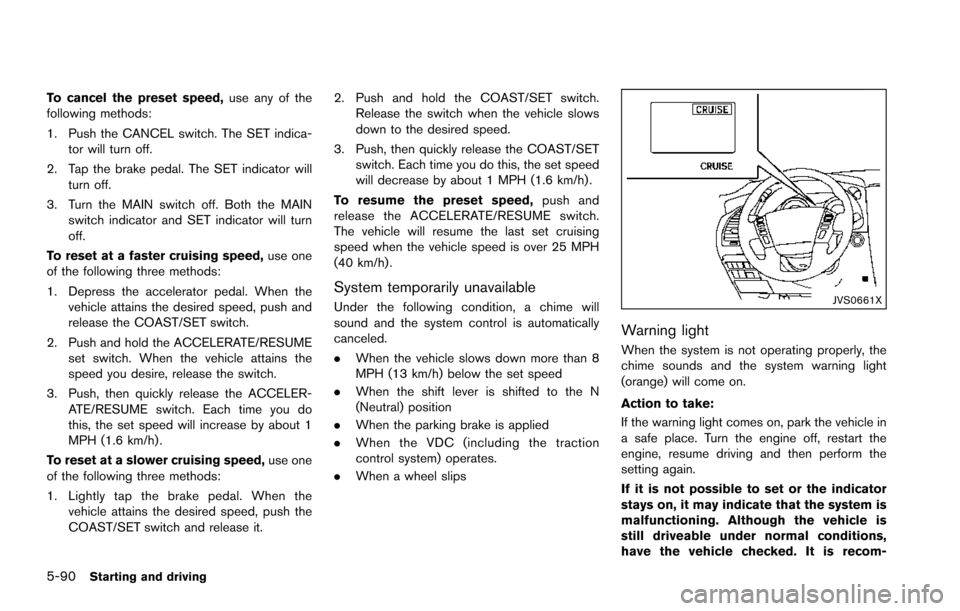
Warning light
When the system is not operating properly, the
chime sounds and the system warning light
(orange) will come on.
Action to take:
If the warning light comes on, park the vehicle in
a safe place. Turn the engine off, restart the
engine, resume driving and then perform the
setting again.
If it is not possible to set or the indicator
stays on, it may indicate that the system is
malfunctioning. Although the vehicle is
still driveable under normal conditions,
have the vehicle checked. It is recom-
Page 443 of 614
5-102Starting and driving
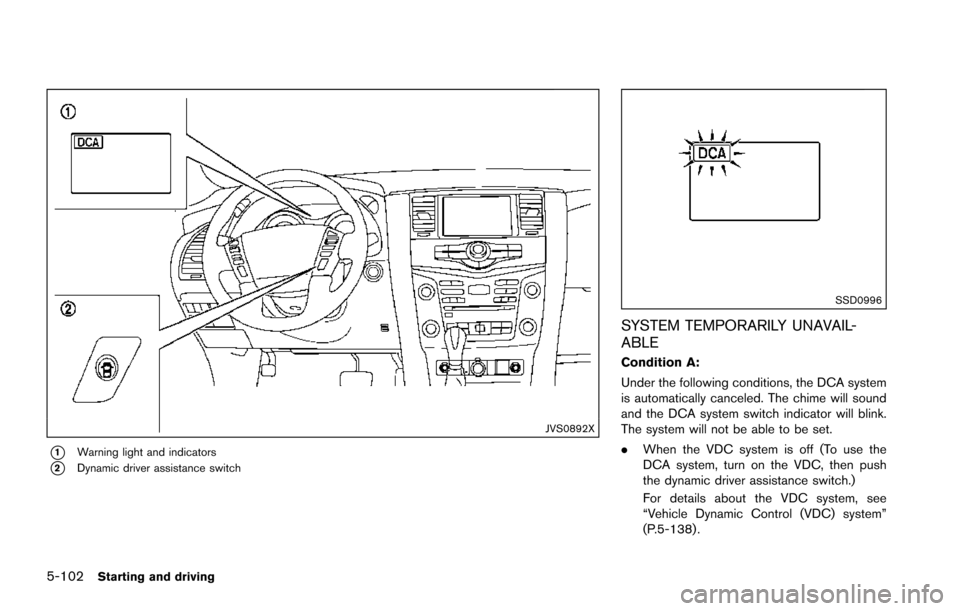
JVS0892X
*1Warning light and indicators
*2Dynamic driver assistance switch
SSD0996
SYSTEM TEMPORARILY UNAVAIL-
ABLE
Condition A:
Under the following conditions, the DCA system
is automatically canceled. The chime will sound
and the DCA system switch indicator will blink.
The system will not be able to be set.
.When the VDC system is off (To use the
DCA system, turn on the VDC, then push
the dynamic driver assistance switch.)
For details about the VDC system, see
“Vehicle Dynamic Control (VDC) system”
(P.5-138) .
Page 444 of 614
.When the VDC or ABS (including the
traction control system) operates
. When the SNOW mode switch is ON (To
use the DCA system, turn off the SNOW
mode switch, then turn on the dynamic
driver assistance switch
*2.)
For details about the SNOW mode switch,
see “SNOW mode switch” (P.2-47).
. When the 4WD shift switch is in the 4H or
4L position (for 4WD models)
. When the radar signal is temporarily inter-
rupted
Action to take:
When the conditions listed above are no longer
present, turn the system off with the dynamic
driver assistance switch
*2. Turn the DCA
system back on to use the system.
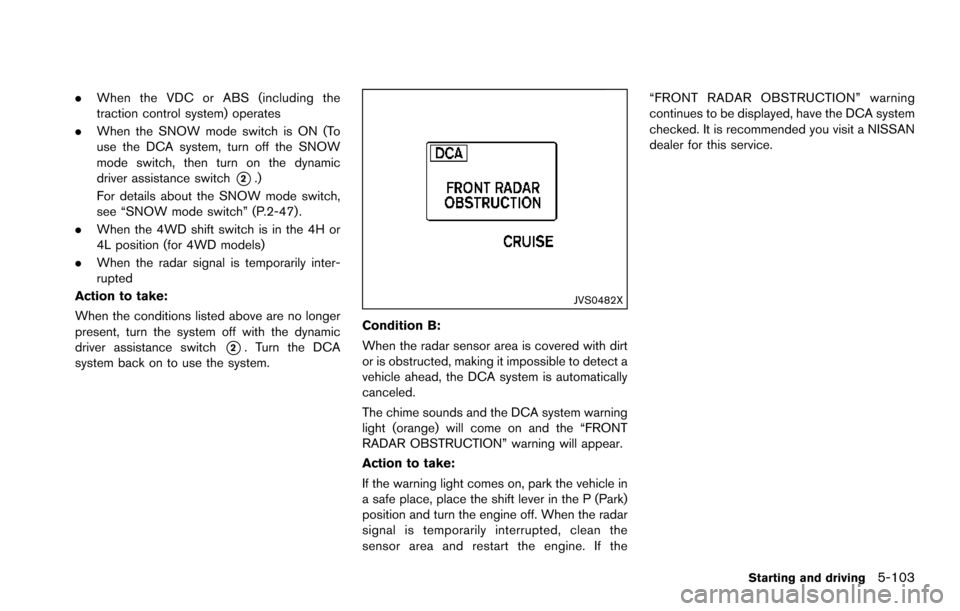
JVS0482X
Condition B:
When the radar sensor area is covered with dirt
or is obstructed, making it impossible to detect a
vehicle ahead, the DCA system is automatically
canceled.
The chime sounds and the DCA system warning
light (orange) will come on and the “FRONT
RADAR OBSTRUCTION” warning will appear.
Action to take:
If the warning light comes on, park the vehicle in
a safe place, place the shift lever in the P (Park)
position and turn the engine off. When the radar
signal is temporarily interrupted, clean the
sensor area and restart the engine. If the “FRONT RADAR OBSTRUCTION” warning
continues to be displayed, have the DCA system
checked. It is recommended you visit a NISSAN
dealer for this service.
Starting and driving5-103
Page 452 of 614
Condition D
When VDC system is OFF, the FEB brake will
not operate. In this case only visible and audible
warning operates. The FEB system warning light
(orange) will illuminate.
Action to take:
When the above conditions no longer exist, the
FEB system will resume automatically.
SYSTEM MALFUNCTION
If the FEB system malfunctions, it will be turned
off automatically, a chime will sound, the FEB
system warning light (orange)
*1will illuminate.
Action to take:
If the warning light (orange)
*1comes on, stop
the vehicle in a safe location and place the shift
lever in the P (Park) position. Turn the engine off
and restart the engine. If the warning light
continues to illuminate, have the FEB system
checked. It is recommended you visit a NISSAN
dealer for this service.
JVS0913X
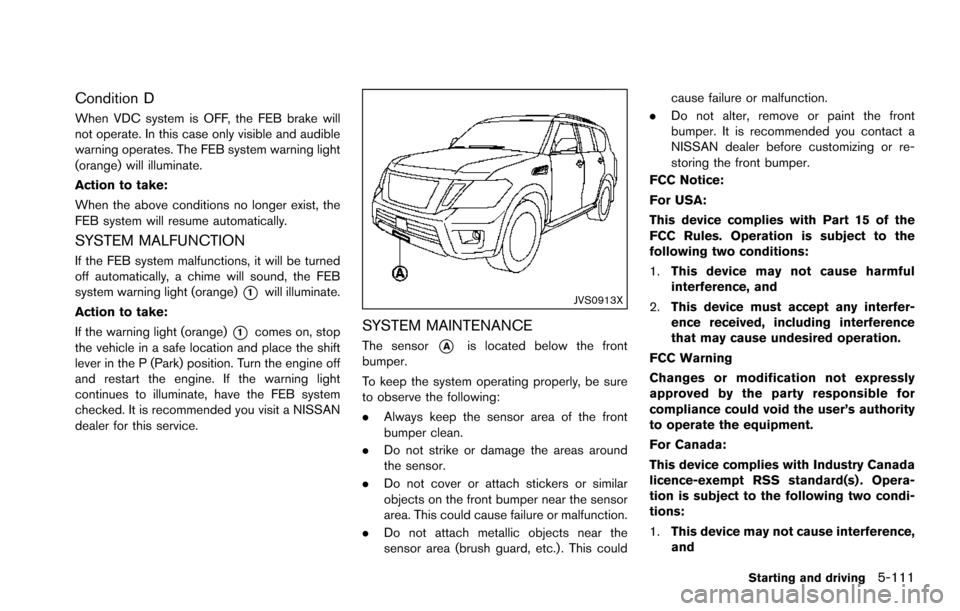
SYSTEM MAINTENANCE
The sensor*Ais located below the front
bumper.
To keep the system operating properly, be sure
to observe the following:
. Always keep the sensor area of the front
bumper clean.
. Do not strike or damage the areas around
the sensor.
. Do not cover or attach stickers or similar
objects on the front bumper near the sensor
area. This could cause failure or malfunction.
. Do not attach metallic objects near the
sensor area (brush guard, etc.) . This could cause failure or malfunction.
. Do not alter, remove or paint the front
bumper. It is recommended you contact a
NISSAN dealer before customizing or re-
storing the front bumper.
FCC Notice:
For USA:
This device complies with Part 15 of the
FCC Rules. Operation is subject to the
following two conditions:
1. This device may not cause harmful
interference, and
2. This device must accept any interfer-
ence received, including interference
that may cause undesired operation.
FCC Warning
Changes or modification not expressly
approved by the party responsible for
compliance could void the user’s authority
to operate the equipment.
For Canada:
This device complies with Industry Canada
licence-exempt RSS standard(s) . Opera-
tion is subject to the following two condi-
tions:
1. This device may not cause interference,
and
Starting and driving5-111
Page 466 of 614
*2: While changing in and out of the 4LO position, the engine must be running. Otherwise, the shift will not take place and the 4LO indicator will not be on
or flashing.
*3: Make sure that the 4LO indicator turns on when shifting the 4WD shift switch to the 4L position. The Vehicle Dynamic Control (VDC) off indicator light
will also turn on when 4L is selected. (See “Vehicle Dynamic Control (VDC) system” (P.5-138) .)
Starting and driving5-125