sensor NISSAN ARMADA 2017 2.G Repair Manual
[x] Cancel search | Manufacturer: NISSAN, Model Year: 2017, Model line: ARMADA, Model: NISSAN ARMADA 2017 2.GPages: 614, PDF Size: 2.87 MB
Page 445 of 614
5-104Starting and driving
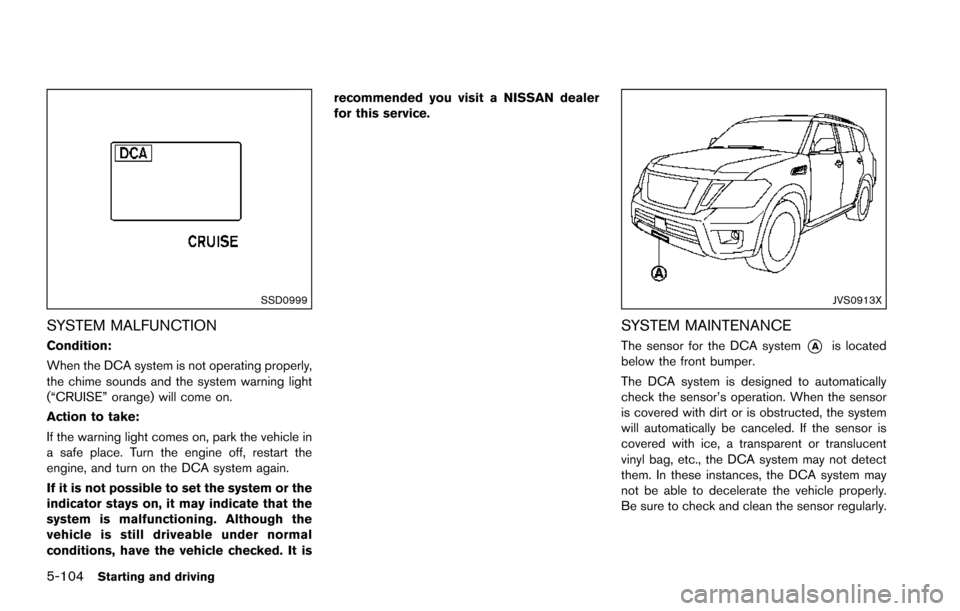
SSD0999
SYSTEM MALFUNCTION
Condition:
When the DCA system is not operating properly,
the chime sounds and the system warning light
(“CRUISE” orange) will come on.
Action to take:
If the warning light comes on, park the vehicle in
a safe place. Turn the engine off, restart the
engine, and turn on the DCA system again.
If it is not possible to set the system or the
indicator stays on, it may indicate that the
system is malfunctioning. Although the
vehicle is still driveable under normal
conditions, have the vehicle checked. It isrecommended you visit a NISSAN dealer
for this service.
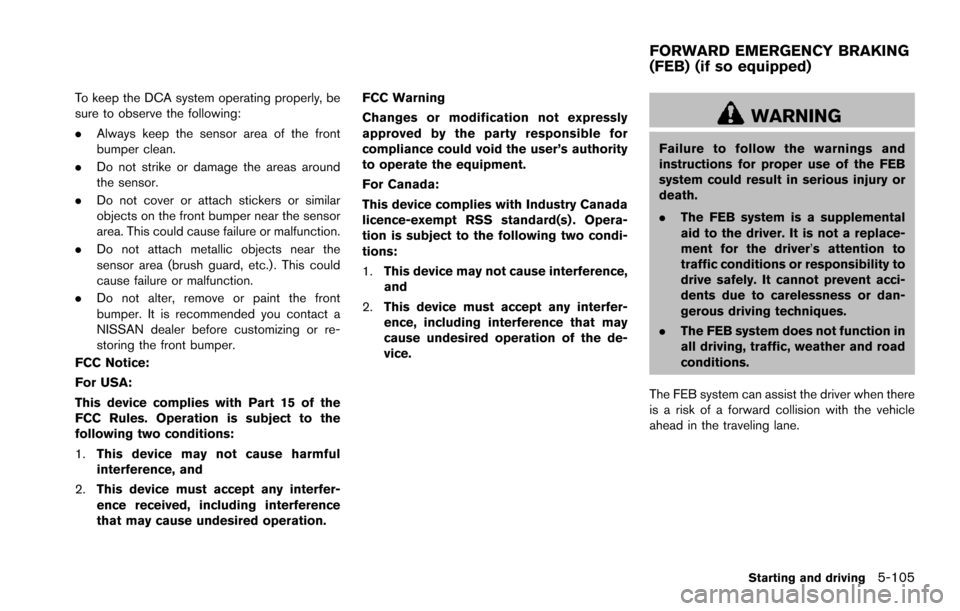
JVS0913X
SYSTEM MAINTENANCE
The sensor for the DCA system*Ais located
below the front bumper.
The DCA system is designed to automatically
check the sensor’s operation. When the sensor
is covered with dirt or is obstructed, the system
will automatically be canceled. If the sensor is
covered with ice, a transparent or translucent
vinyl bag, etc., the DCA system may not detect
them. In these instances, the DCA system may
not be able to decelerate the vehicle properly.
Be sure to check and clean the sensor regularly.
Page 446 of 614
To keep the DCA system operating properly, be
sure to observe the following:
.Always keep the sensor area of the front
bumper clean.
. Do not strike or damage the areas around
the sensor.
. Do not cover or attach stickers or similar
objects on the front bumper near the sensor
area. This could cause failure or malfunction.
. Do not attach metallic objects near the
sensor area (brush guard, etc.) . This could
cause failure or malfunction.
. Do not alter, remove or paint the front
bumper. It is recommended you contact a
NISSAN dealer before customizing or re-
storing the front bumper.
FCC Notice:
For USA:
This device complies with Part 15 of the
FCC Rules. Operation is subject to the
following two conditions:
1. This device may not cause harmful
interference, and
2. This device must accept any interfer-
ence received, including interference
that may cause undesired operation. FCC Warning
Changes or modification not expressly
approved by the party responsible for
compliance could void the user’s authority
to operate the equipment.
For Canada:
This device complies with Industry Canada
licence-exempt RSS standard(s) . Opera-
tion is subject to the following two condi-
tions:
1.
This device may not cause interference,
and
2. This device must accept any interfer-
ence, including interference that may
cause undesired operation of the de-
vice.
WARNING
Failure to follow the warnings and
instructions for proper use of the FEB
system could result in serious injury or
death.
.The FEB system is a supplemental
aid to the driver. It is not a replace-
ment for the driver’s attention to
traffic conditions or responsibility to
drive safely. It cannot prevent acci-
dents due to carelessness or dan-
gerous driving techniques.
. The FEB system does not function in
all driving, traffic, weather and road
conditions.
The FEB system can assist the driver when there
is a risk of a forward collision with the vehicle
ahead in the traveling lane.
Starting and driving5-105
FORWARD EMERGENCY BRAKING
(FEB) (if so equipped)
Page 447 of 614
5-106Starting and driving
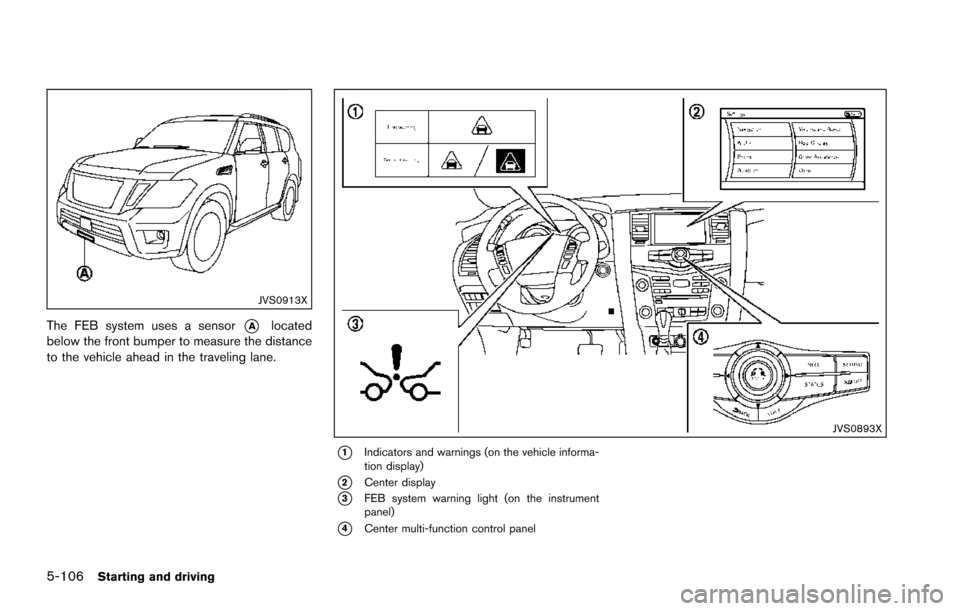
JVS0913X
The FEB system uses a sensor*Alocated
below the front bumper to measure the distance
to the vehicle ahead in the traveling lane.
JVS0893X
*1Indicators and warnings (on the vehicle informa-
tion display)
*2Center display
*3FEB system warning light (on the instrument
panel)
*4Center multi-function control panel
Page 450 of 614
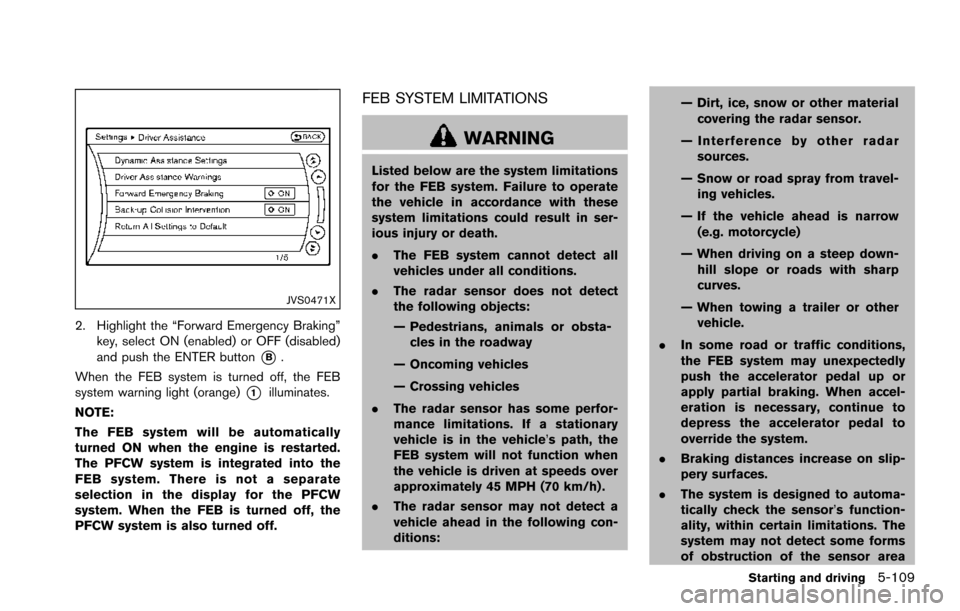
JVS0471X
2. Highlight the “Forward Emergency Braking”key, select ON (enabled) or OFF (disabled)
and push the ENTER button
*B.
When the FEB system is turned off, the FEB
system warning light (orange)
*1illuminates.
NOTE:
The FEB system will be automatically
turned ON when the engine is restarted.
The PFCW system is integrated into the
FEB system. There is not a separate
selection in the display for the PFCW
system. When the FEB is turned off, the
PFCW system is also turned off.
FEB SYSTEM LIMITATIONS
WARNING
Listed below are the system limitations
for the FEB system. Failure to operate
the vehicle in accordance with these
system limitations could result in ser-
ious injury or death.
. The FEB system cannot detect all
vehicles under all conditions.
. The radar sensor does not detect
the following objects:
— Pedestrians, animals or obsta-
cles in the roadway
— Oncoming vehicles
— Crossing vehicles
. The radar sensor has some perfor-
mance limitations. If a stationary
vehicle is in the vehicle’s path, the
FEB system will not function when
the vehicle is driven at speeds over
approximately 45 MPH (70 km/h) .
. The radar sensor may not detect a
vehicle ahead in the following con-
ditions: — Dirt, ice, snow or other material
covering the radar sensor.
— Interference by other radar sources.
— Snow or road spray from travel- ing vehicles.
— If the vehicle ahead is narrow (e.g. motorcycle)
— When driving on a steep down- hill slope or roads with sharp
curves.
— When towing a trailer or other vehicle.
. In some road or traffic conditions,
the FEB system may unexpectedly
push the accelerator pedal up or
apply partial braking. When accel-
eration is necessary, continue to
depress the accelerator pedal to
override the system.
. Braking distances increase on slip-
pery surfaces.
. The system is designed to automa-
tically check the sensor’s function-
ality, within certain limitations. The
system may not detect some forms
of obstruction of the sensor area
Starting and driving5-109
Page 451 of 614
5-110Starting and driving
such as ice, snow, stickers, for
example. In these cases, the system
may not be able to warn the driver
properly. Be sure that you check,
clean and clear the sensor area
regularly.
. Excessive noise will interfere with
the warning chime sound, and the
chime may not be heard.
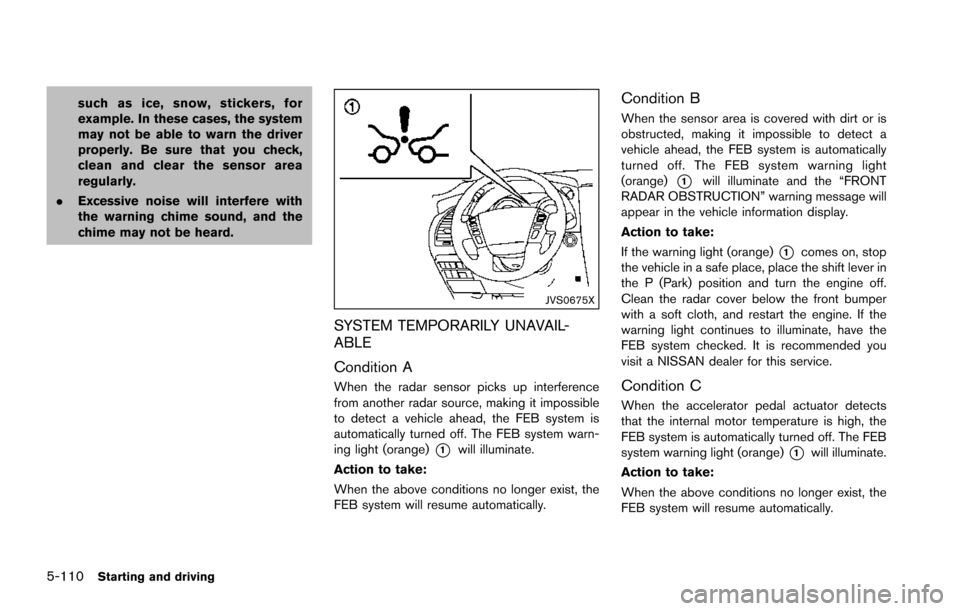
JVS0675X
SYSTEM TEMPORARILY UNAVAIL-
ABLE
Condition A
When the radar sensor picks up interference
from another radar source, making it impossible
to detect a vehicle ahead, the FEB system is
automatically turned off. The FEB system warn-
ing light (orange)
*1will illuminate.
Action to take:
When the above conditions no longer exist, the
FEB system will resume automatically.
Condition B
When the sensor area is covered with dirt or is
obstructed, making it impossible to detect a
vehicle ahead, the FEB system is automatically
turned off. The FEB system warning light
(orange)
*1will illuminate and the “FRONT
RADAR OBSTRUCTION” warning message will
appear in the vehicle information display.
Action to take:
If the warning light (orange)
*1comes on, stop
the vehicle in a safe place, place the shift lever in
the P (Park) position and turn the engine off.
Clean the radar cover below the front bumper
with a soft cloth, and restart the engine. If the
warning light continues to illuminate, have the
FEB system checked. It is recommended you
visit a NISSAN dealer for this service.
Condition C
When the accelerator pedal actuator detects
that the internal motor temperature is high, the
FEB system is automatically turned off. The FEB
system warning light (orange)
*1will illuminate.
Action to take:
When the above conditions no longer exist, the
FEB system will resume automatically.
Page 452 of 614
Condition D
When VDC system is OFF, the FEB brake will
not operate. In this case only visible and audible
warning operates. The FEB system warning light
(orange) will illuminate.
Action to take:
When the above conditions no longer exist, the
FEB system will resume automatically.
SYSTEM MALFUNCTION
If the FEB system malfunctions, it will be turned
off automatically, a chime will sound, the FEB
system warning light (orange)
*1will illuminate.
Action to take:
If the warning light (orange)
*1comes on, stop
the vehicle in a safe location and place the shift
lever in the P (Park) position. Turn the engine off
and restart the engine. If the warning light
continues to illuminate, have the FEB system
checked. It is recommended you visit a NISSAN
dealer for this service.
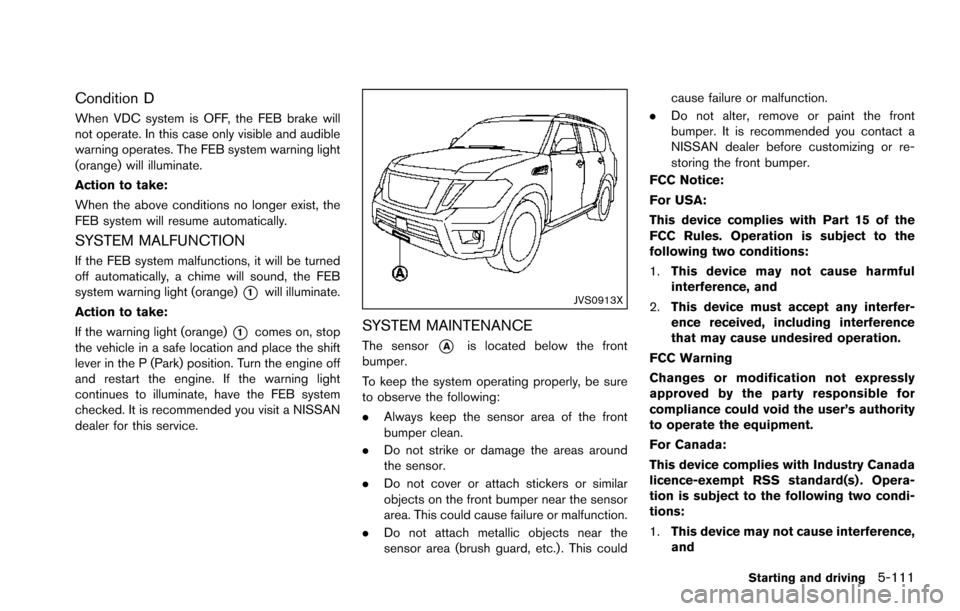
JVS0913X
SYSTEM MAINTENANCE
The sensor*Ais located below the front
bumper.
To keep the system operating properly, be sure
to observe the following:
. Always keep the sensor area of the front
bumper clean.
. Do not strike or damage the areas around
the sensor.
. Do not cover or attach stickers or similar
objects on the front bumper near the sensor
area. This could cause failure or malfunction.
. Do not attach metallic objects near the
sensor area (brush guard, etc.) . This could cause failure or malfunction.
. Do not alter, remove or paint the front
bumper. It is recommended you contact a
NISSAN dealer before customizing or re-
storing the front bumper.
FCC Notice:
For USA:
This device complies with Part 15 of the
FCC Rules. Operation is subject to the
following two conditions:
1. This device may not cause harmful
interference, and
2. This device must accept any interfer-
ence received, including interference
that may cause undesired operation.
FCC Warning
Changes or modification not expressly
approved by the party responsible for
compliance could void the user’s authority
to operate the equipment.
For Canada:
This device complies with Industry Canada
licence-exempt RSS standard(s) . Opera-
tion is subject to the following two condi-
tions:
1. This device may not cause interference,
and
Starting and driving5-111
Page 453 of 614
5-112Starting and driving
2.This device must accept any interfer-
ence, including interference that may
cause undesired operation of the de-
vice.
WARNING
Failure to follow the warnings and
instructions for proper use of the PFCW
system could result in serious injury or
death.
.The PFCW system helps warn the
driver before a collision but will not
avoid a collision. It is the driver’s
responsibility to stay alert, drive
safely and be in control of the
vehicle at all times.
The PFCW system can help alert the driver
when there is a sudden braking of a second
vehicle traveling in front of the vehicle ahead in
the same lane.
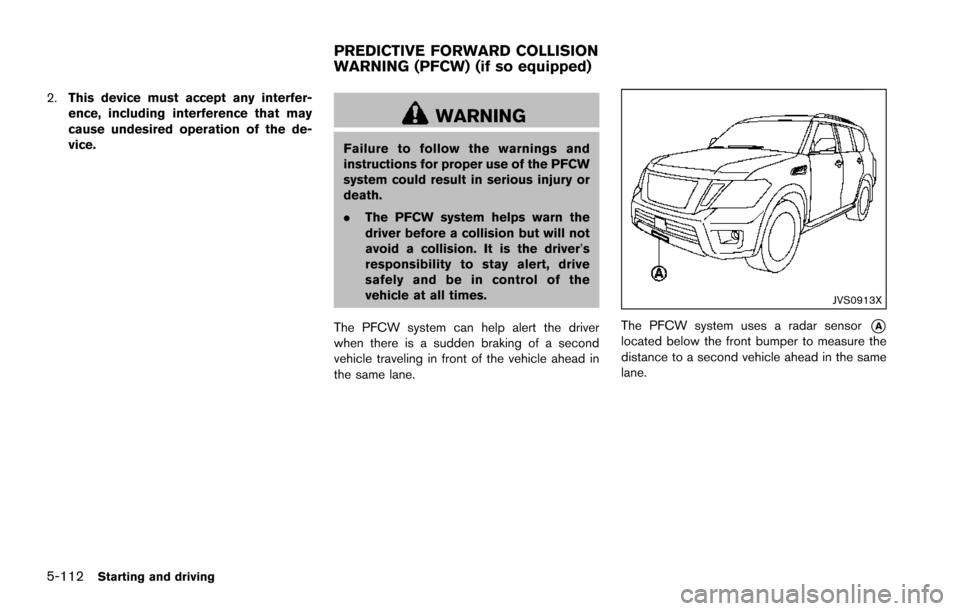
JVS0913X
The PFCW system uses a radar sensor*Alocated below the front bumper to measure the
distance to a second vehicle ahead in the same
lane.
PREDICTIVE FORWARD COLLISION
WARNING (PFCW) (if so equipped)
Page 459 of 614
5-118Starting and driving
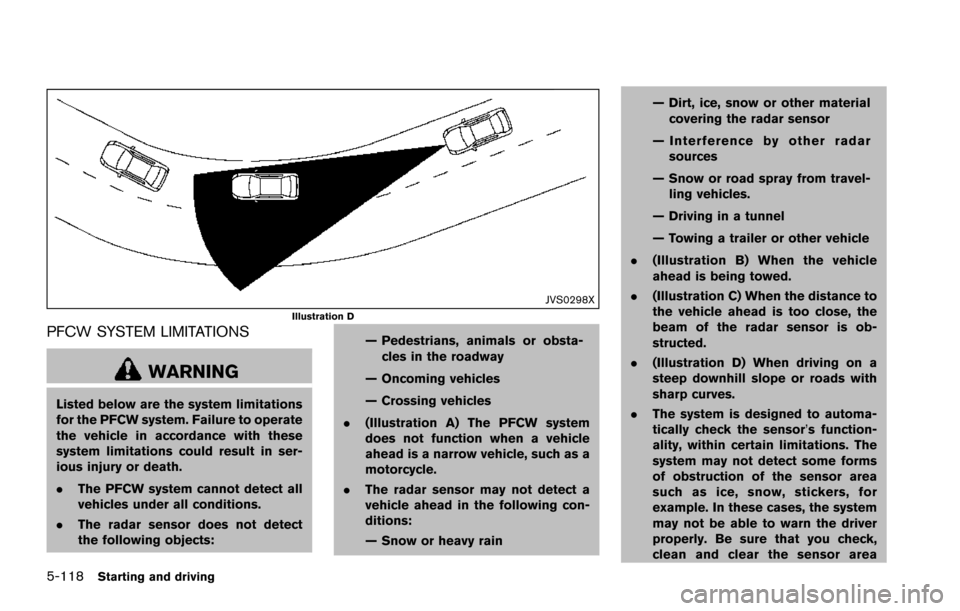
JVS0298XIllustration D
PFCW SYSTEM LIMITATIONS
WARNING
Listed below are the system limitations
for the PFCW system. Failure to operate
the vehicle in accordance with these
system limitations could result in ser-
ious injury or death.
.The PFCW system cannot detect all
vehicles under all conditions.
. The radar sensor does not detect
the following objects: — Pedestrians, animals or obsta-
cles in the roadway
— Oncoming vehicles
— Crossing vehicles
. (Illustration A) The PFCW system
does not function when a vehicle
ahead is a narrow vehicle, such as a
motorcycle.
. The radar sensor may not detect a
vehicle ahead in the following con-
ditions:
— Snow or heavy rain — Dirt, ice, snow or other material
covering the radar sensor
— Interference by other radar sources
— Snow or road spray from travel- ling vehicles.
— Driving in a tunnel
— Towing a trailer or other vehicle
. (Illustration B) When the vehicle
ahead is being towed.
. (Illustration C) When the distance to
the vehicle ahead is too close, the
beam of the radar sensor is ob-
structed.
. (Illustration D) When driving on a
steep downhill slope or roads with
sharp curves.
. The system is designed to automa-
tically check the sensor’s function-
ality, within certain limitations. The
system may not detect some forms
of obstruction of the sensor area
such as ice, snow, stickers, for
example. In these cases, the system
may not be able to warn the driver
properly. Be sure that you check,
clean and clear the sensor area
Page 460 of 614
regularly.
. Excessive noise will interfere with
the warning chime sound, and the
chime may not be heard.
JVS0675X
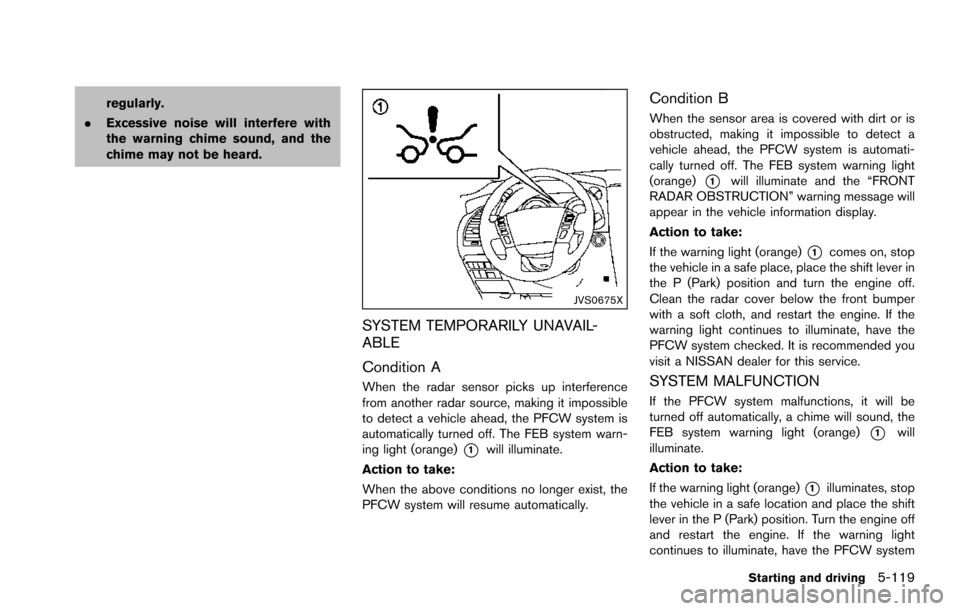
SYSTEM TEMPORARILY UNAVAIL-
ABLE
Condition A
When the radar sensor picks up interference
from another radar source, making it impossible
to detect a vehicle ahead, the PFCW system is
automatically turned off. The FEB system warn-
ing light (orange)
*1will illuminate.
Action to take:
When the above conditions no longer exist, the
PFCW system will resume automatically.
Condition B
When the sensor area is covered with dirt or is
obstructed, making it impossible to detect a
vehicle ahead, the PFCW system is automati-
cally turned off. The FEB system warning light
(orange)
*1will illuminate and the “FRONT
RADAR OBSTRUCTION” warning message will
appear in the vehicle information display.
Action to take:
If the warning light (orange)
*1comes on, stop
the vehicle in a safe place, place the shift lever in
the P (Park) position and turn the engine off.
Clean the radar cover below the front bumper
with a soft cloth, and restart the engine. If the
warning light continues to illuminate, have the
PFCW system checked. It is recommended you
visit a NISSAN dealer for this service.
SYSTEM MALFUNCTION
If the PFCW system malfunctions, it will be
turned off automatically, a chime will sound, the
FEB system warning light (orange)
*1will
illuminate.
Action to take:
If the warning light (orange)
*1illuminates, stop
the vehicle in a safe location and place the shift
lever in the P (Park) position. Turn the engine off
and restart the engine. If the warning light
continues to illuminate, have the PFCW system
Starting and driving5-119
Page 461 of 614
5-120Starting and driving
checked. It is recommended you visit a NISSAN
dealer for this service.
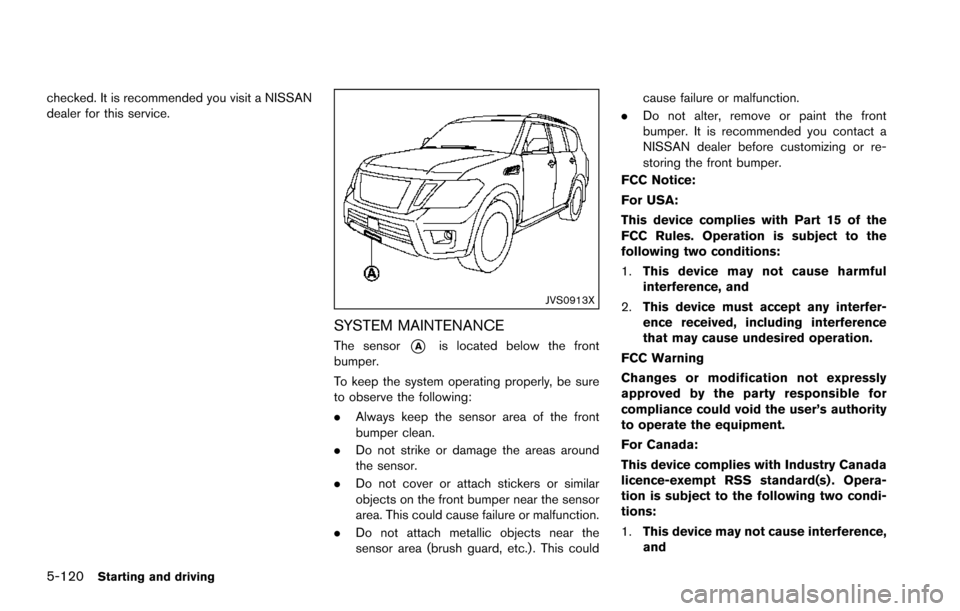
JVS0913X
SYSTEM MAINTENANCE
The sensor*Ais located below the front
bumper.
To keep the system operating properly, be sure
to observe the following:
. Always keep the sensor area of the front
bumper clean.
. Do not strike or damage the areas around
the sensor.
. Do not cover or attach stickers or similar
objects on the front bumper near the sensor
area. This could cause failure or malfunction.
. Do not attach metallic objects near the
sensor area (brush guard, etc.) . This could cause failure or malfunction.
. Do not alter, remove or paint the front
bumper. It is recommended you contact a
NISSAN dealer before customizing or re-
storing the front bumper.
FCC Notice:
For USA:
This device complies with Part 15 of the
FCC Rules. Operation is subject to the
following two conditions:
1. This device may not cause harmful
interference, and
2. This device must accept any interfer-
ence received, including interference
that may cause undesired operation.
FCC Warning
Changes or modification not expressly
approved by the party responsible for
compliance could void the user’s authority
to operate the equipment.
For Canada:
This device complies with Industry Canada
licence-exempt RSS standard(s) . Opera-
tion is subject to the following two condi-
tions:
1. This device may not cause interference,
and