Under light NISSAN ARMADA 2018 Owner´s Manual
[x] Cancel search | Manufacturer: NISSAN, Model Year: 2018, Model line: ARMADA, Model: NISSAN ARMADA 2018Pages: 532, PDF Size: 2.3 MB
Page 89 of 532
1-68Safety — seats, seat belts and supplemental restraint system
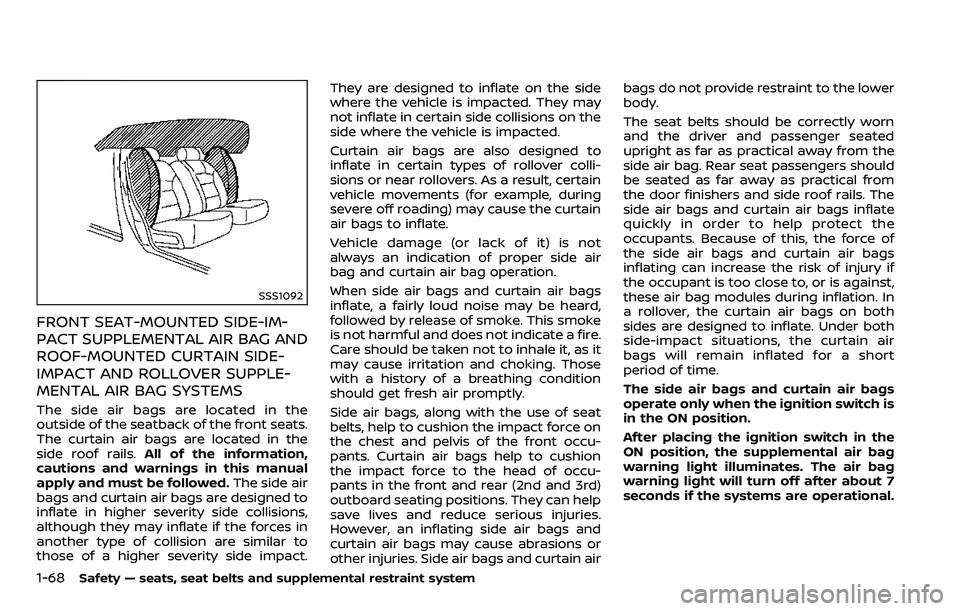
SSS1092
FRONT SEAT-MOUNTED SIDE-IM-
PACT SUPPLEMENTAL AIR BAG AND
ROOF-MOUNTED CURTAIN SIDE-
IMPACT AND ROLLOVER SUPPLE-
MENTAL AIR BAG SYSTEMS
The side air bags are located in the
outside of the seatback of the front seats.
The curtain air bags are located in the
side roof rails.All of the information,
cautions and warnings in this manual
apply and must be followed. The side air
bags and curtain air bags are designed to
inflate in higher severity side collisions,
although they may inflate if the forces in
another type of collision are similar to
those of a higher severity side impact. They are designed to inflate on the side
where the vehicle is impacted. They may
not inflate in certain side collisions on the
side where the vehicle is impacted.
Curtain air bags are also designed to
inflate in certain types of rollover colli-
sions or near rollovers. As a result, certain
vehicle movements (for example, during
severe off roading) may cause the curtain
air bags to inflate.
Vehicle damage (or lack of it) is not
always an indication of proper side air
bag and curtain air bag operation.
When side air bags and curtain air bags
inflate, a fairly loud noise may be heard,
followed by release of smoke. This smoke
is not harmful and does not indicate a fire.
Care should be taken not to inhale it, as it
may cause irritation and choking. Those
with a history of a breathing condition
should get fresh air promptly.
Side air bags, along with the use of seat
belts, help to cushion the impact force on
the chest and pelvis of the front occu-
pants. Curtain air bags help to cushion
the impact force to the head of occu-
pants in the front and rear (2nd and 3rd)
outboard seating positions. They can help
save lives and reduce serious injuries.
However, an inflating side air bags and
curtain air bags may cause abrasions or
other injuries. Side air bags and curtain airbags do not provide restraint to the lower
body.
The seat belts should be correctly worn
and the driver and passenger seated
upright as far as practical away from the
side air bag. Rear seat passengers should
be seated as far away as practical from
the door finishers and side roof rails. The
side air bags and curtain air bags inflate
quickly in order to help protect the
occupants. Because of this, the force of
the side air bags and curtain air bags
inflating can increase the risk of injury if
the occupant is too close to, or is against,
these air bag modules during inflation. In
a rollover, the curtain air bags on both
sides are designed to inflate. Under both
side-impact situations, the curtain air
bags will remain inflated for a short
period of time.
The side air bags and curtain air bags
operate only when the ignition switch is
in the ON position.
After placing the ignition switch in the
ON position, the supplemental air bag
warning light illuminates. The air bag
warning light will turn off after about 7
seconds if the systems are operational.
Page 92 of 532
deploys, it may cause serious injury
or death.
SPA1097
SUPPLEMENTAL AIR BAG WARNING
LIGHT
The supplemental air bag warning light,
displayingin the instrument panel,
monitors the circuits for the air bag
systems, pretensioners and all related
wiring.
When the ignition switch is in the ON
position, the supplemental air bag warn-
ing light illuminates for about 7 seconds
and then turns off. This means the system
is operational.
If any of the following conditions occur,
the air bag and/or pretensioner systems
need servicing: .
The supplemental air bag warning
light remains on after approximately
7 seconds.
. The supplemental air bag warning
light flashes intermittently.
. The supplemental air bag warning
light does not come on at all.
Under these conditions, the air bag and/
or pretensioner systems may not operate
properly. They must be checked and
repaired. It is recommended you visit a
NISSAN dealer for this service.
WARNING
If the supplemental air bag warning
light is on, it could mean that the
front air bag, side air bag, curtain air
bag and/or pretensioner systems
will not operate in an accident. To
help avoid injury to yourself or
others, have your vehicle checked
as soon as possible. It is recom-
mended you visit a NISSAN dealer
for this service.
Safety — seats, seat belts and supplemental restraint system1-71
Page 93 of 532
1-72Safety — seats, seat belts and supplemental restraint system
REPAIR AND REPLACEMENT PRO-
CEDURE
The front air bags, side air bags, curtain
air bags and pretensioners are designed
to activate on a one-time-only basis. As a
reminder, unless it is damaged, the sup-
plemental air bag warning light will re-
main illuminated after inflation has
occurred. These systems should be re-
paired and/or replaced as soon as possi-
ble. It is recommended you visit a NISSAN
dealer for this service.
When maintenance work is required on
the vehicle, the front air bags, side air
bags, curtain air bags, pretensioners and
related parts should be pointed out to the
person conducting the maintenance. The
ignition switch should always be in the
LOCK position when working under the
hood or inside the vehicle.
WARNING
.Once a front air bag, side air bag
or curtain air bag has inflated, the
air bag module will not function
again and must be replaced. Ad-
ditionally, the activated preten-
sioner must also be replaced. The
air bag module and pretensioner
should be replaced. It is recom- mended you visit a NISSAN dealer
for this service. However, the air
bag module and pretensioner
system cannot be repaired.
. The front air bag, side air bag,
curtain air bag and the preten-
sioner should be inspected if
there is any damage to the front
end or side portion of the vehicle.
It is recommended you visit a
NISSAN dealer for this service.
. If you need to dispose of a sup-
plemental air bag or pretensioner
or scrap the vehicle, it is recom-
mended you visit a NISSAN deal-
er. Correct supplemental air bag
and pretensioner system dispo-
sal procedures are set forth in the
appropriate NISSAN Service Man-
ual. Incorrect disposal procedures
could cause personal injury.
. If there is an impact to your
vehicle from any direction, your
Occupant Classification Sensor
(OCS) should be checked to verify
it is still functioning correctly. It is
recommended that you visit a
NISSAN dealer for this service.
The OCS should be checked even
if no air bags deploy as a result of
the impact. Failure to verify prop-
er OCS function may result in an improper air bag deployment re-
sulting in injury or death.
Page 106 of 532
.Pressing the brake pedal with the
engine stopped and/or low brake
fluid level may increase your
stopping distance and braking
will require greater pedal effort
as well as pedal travel.
. If the brake fluid level is below the
minimum or MIN mark on the
brake fluid reservoir, do not drive
until the brake system has been
checked. It is recommended you
visit a NISSAN dealer for this
service.
Charge warning light
If the light comes on while the engine is
running, it may indicate the charging
system is not functioning properly. Turn
the engine off and check the alternator
belt. If the belt is loose, broken, missing or
if the light remains on, have your vehicle
serviced immediately. It is recommended
you visit a NISSAN dealer for this service.
CAUTION
Do not continue driving if the alter-
nator belt is loose, broken or miss-
ing.
Intelligent Distance Control (I-
DC) system warning light (orange; if
so equipped)
This light comes on if there is a malfunc-
tion in the Intelligent Distance Control (I-
DC) system.
If the warning light illuminates, park the
vehicle in a safe place. Turn the engine off,
restart the engine, resume driving and
turn on the I-DC system again.
If it is not possible to turn on the system
or the warning light stays on, it may
indicate that the system is malfunction-
ing. Although the vehicle is still drive-
able under normal conditions, have the
vehicle checked. It is recommended you
visit a NISSAN dealer for this service.
See “Intelligent Distance Control (I-DC)”
(P.5-91).
Engine oil pressure warning
light
This light warns of low engine oil pres-
sure. If the light flickers or comes on
during normal driving, pull off the road in
a safe area, stop the engine immediately
and call a NISSAN dealer or other author-
ized repair shop.
The engine oil pressure warning light is not designed to indicate a low oil level.
Use the dipstick to check the oil level.
(See “Engine oil” (P.8-6).)
CAUTION
Running the engine with the engine
oil pressure warning light on could
cause serious damage to the engine
almost immediately. Such damage is
not covered by warranty. Turn off the
engine as soon as it is safe to do so.
Four-Wheel Drive (4WD) warn-
ing light (4WD models)
Thewarning light comes on when the
ignition switch is placed in the ON posi-
tion. It turns off soon after the engine is
started.
If the 4WD system malfunctions, or the
diameter of the front and the rear wheels
are different, the warning light will either
remain illuminated or blink. (See “NISSAN
all-mode 4WD®” (P.5-123).)
Instruments and controls2-13
Page 107 of 532
2-14Instruments and controls
CAUTION
.If the warning light comes on
while driving there may be a
malfunction in the 4WD system.
Reduce the vehicle speed and
have your vehicle checked as
soon as possible. It is recom-
mended you visit a NISSAN dealer
for this service.
. If the 4WD warning light turns on
when driving on dry or hard
surfaced roads:
— in the 4H(I) position, shift the
4WD shift switch to AUTO
— in the 4L(O) position, stop the vehicle and shift the transmis-
sion shift lever to the N (Neu-
tral) position and shift the
4WD shift switch to AUTO
. If the warning light is still on after
the above operations, have your
vehicle checked as soon as pos-
sible. It is recommended you visit
a NISSAN dealer for this service.
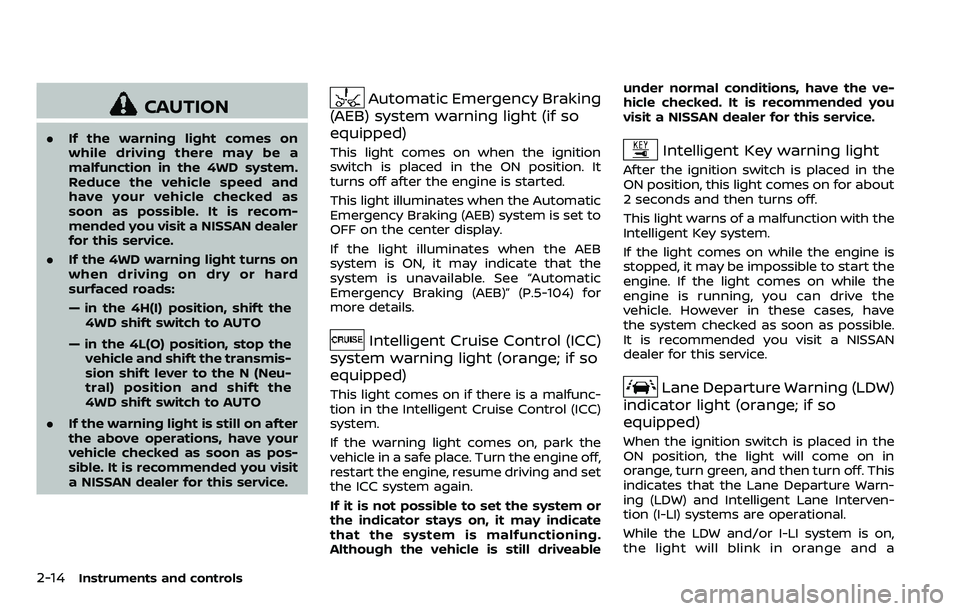
Automatic Emergency Braking
(AEB) system warning light (if so
equipped)
This light comes on when the ignition
switch is placed in the ON position. It
turns off after the engine is started.
This light illuminates when the Automatic
Emergency Braking (AEB) system is set to
OFF on the center display.
If the light illuminates when the AEB
system is ON, it may indicate that the
system is unavailable. See “Automatic
Emergency Braking (AEB)” (P.5-104) for
more details.
Intelligent Cruise Control (ICC)
system warning light (orange; if so
equipped)
This light comes on if there is a malfunc-
tion in the Intelligent Cruise Control (ICC)
system.
If the warning light comes on, park the
vehicle in a safe place. Turn the engine off,
restart the engine, resume driving and set
the ICC system again.
If it is not possible to set the system or
the indicator stays on, it may indicate
that the system is malfunctioning.
Although the vehicle is still driveable under normal conditions, have the ve-
hicle checked. It is recommended you
visit a NISSAN dealer for this service.
Intelligent Key warning light
After the ignition switch is placed in the
ON position, this light comes on for about
2 seconds and then turns off.
This light warns of a malfunction with the
Intelligent Key system.
If the light comes on while the engine is
stopped, it may be impossible to start the
engine. If the light comes on while the
engine is running, you can drive the
vehicle. However in these cases, have
the system checked as soon as possible.
It is recommended you visit a NISSAN
dealer for this service.
Lane Departure Warning (LDW)
indicator light (orange; if so
equipped)
When the ignition switch is placed in the
ON position, the light will come on in
orange, turn green, and then turn off. This
indicates that the Lane Departure Warn-
ing (LDW) and Intelligent Lane Interven-
tion (I-LI) systems are operational.
While the LDW and/or I-LI system is on,
the light will blink in orange and a
Page 109 of 532
2-16Instruments and controls
ing with under-inflated tires may
permanently damage the tires
and increase the likelihood of tire
failure. Serious vehicle damage
could occur and may lead to an
accident and could result in ser-
ious personal injury. Check the
tire pressure for all four tires.
Adjust the tire pressure to the
recommended COLD tire pressure
shown on the Tire and Loading
Information label to turn the low
tire pressure warning light OFF. If
the light still illuminates while
driving after adjusting the tire
pressure, a tire may be flat or
the TPMS may be malfunctioning.
If you have a flat tire, replace it
with a spare tire as soon as
possible. If no tire is flat and all
tires are properly inflated, it is
recommended you consult a
NISSAN dealer.
. Since the spare tire is not
equipped with the TPMS, when a
spare tire is mounted or a wheel
is replaced, the TPMS will not
function and the low tire pressure
warning light will flash for ap-
proximately 1 minute. The light
will remain on after 1 minute.
Have your tires replaced and/or TPMS system reset as soon as
possible. It is recommended you
visit a NISSAN dealer for these
services.
. Replacing tires with those not
originally specified by NISSAN
could affect the proper operation
of the TPMS.
CAUTION
.The TPMS is not a substitute for
the regular tire pressure check.
Be sure to check the tire pressure
regularly.
. If the vehicle is being driven at
speeds of less than 16 MPH (25
km/h), the TPMS may not operate
correctly.
. Be sure to install the specified
size of tires to the four wheels
correctly.
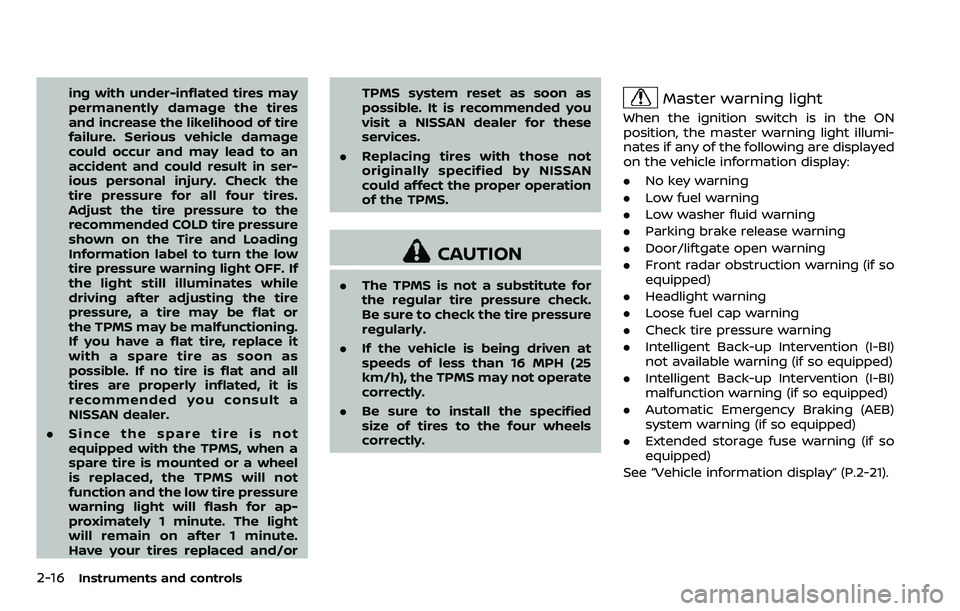
Master warning light
When the ignition switch is in the ON
position, the master warning light illumi-
nates if any of the following are displayed
on the vehicle information display:
.No key warning
. Low fuel warning
. Low washer fluid warning
. Parking brake release warning
. Door/liftgate open warning
. Front radar obstruction warning (if so
equipped)
. Headlight warning
. Loose fuel cap warning
. Check tire pressure warning
. Intelligent Back-up Intervention (I-BI)
not available warning (if so equipped)
. Intelligent Back-up Intervention (I-BI)
malfunction warning (if so equipped)
. Automatic Emergency Braking (AEB)
system warning (if so equipped)
. Extended storage fuse warning (if so
equipped)
See “Vehicle information display” (P.2-21).
Page 158 of 532
SIC3642
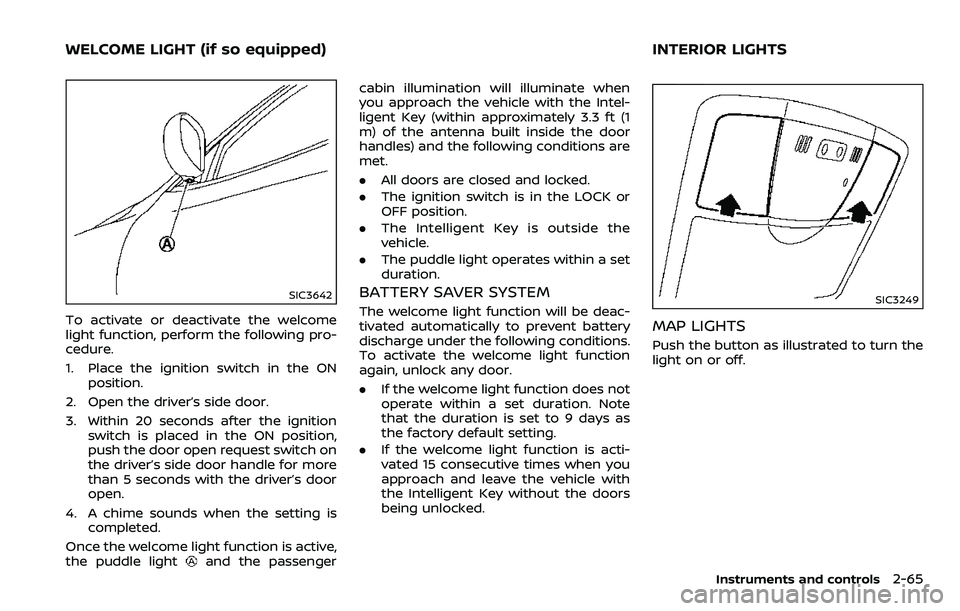
To activate or deactivate the welcome
light function, perform the following pro-
cedure.
1. Place the ignition switch in the ONposition.
2. Open the driver’s side door.
3. Within 20 seconds after the ignition switch is placed in the ON position,
push the door open request switch on
the driver’s side door handle for more
than 5 seconds with the driver’s door
open.
4. A chime sounds when the setting is completed.
Once the welcome light function is active,
the puddle light
and the passenger cabin illumination will illuminate when
you approach the vehicle with the Intel-
ligent Key (within approximately 3.3 ft (1
m) of the antenna built inside the door
handles) and the following conditions are
met.
.
All doors are closed and locked.
. The ignition switch is in the LOCK or
OFF position.
. The Intelligent Key is outside the
vehicle.
. The puddle light operates within a set
duration.
BATTERY SAVER SYSTEM
The welcome light function will be deac-
tivated automatically to prevent battery
discharge under the following conditions.
To activate the welcome light function
again, unlock any door.
.If the welcome light function does not
operate within a set duration. Note
that the duration is set to 9 days as
the factory default setting.
. If the welcome light function is acti-
vated 15 consecutive times when you
approach and leave the vehicle with
the Intelligent Key without the doors
being unlocked.SIC3249
MAP LIGHTS
Push the button as illustrated to turn the
light on or off.
Instruments and controls2-65
WELCOME LIGHT (if so equipped) INTERIOR LIGHTS
Page 159 of 532
2-66Instruments and controls
SIC3250
REAR PERSONAL LIGHTS
Push the button as illustrated to turn the
light on or off.
SIC3251
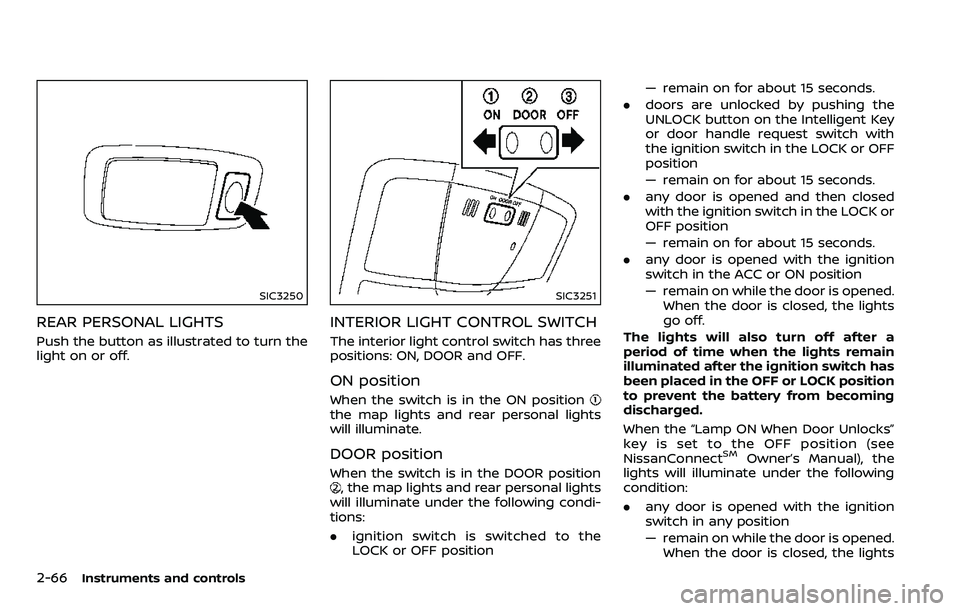
INTERIOR LIGHT CONTROL SWITCH
The interior light control switch has three
positions: ON, DOOR and OFF.
ON position
When the switch is in the ON positionthe map lights and rear personal lights
will illuminate.
DOOR position
When the switch is in the DOOR position, the map lights and rear personal lights
will illuminate under the following condi-
tions:
. ignition switch is switched to the
LOCK or OFF position — remain on for about 15 seconds.
. doors are unlocked by pushing the
UNLOCK button on the Intelligent Key
or door handle request switch with
the ignition switch in the LOCK or OFF
position
— remain on for about 15 seconds.
. any door is opened and then closed
with the ignition switch in the LOCK or
OFF position
— remain on for about 15 seconds.
. any door is opened with the ignition
switch in the ACC or ON position
— remain on while the door is opened.
When the door is closed, the lights
go off.
The lights will also turn off after a
period of time when the lights remain
illuminated after the ignition switch has
been placed in the OFF or LOCK position
to prevent the battery from becoming
discharged.
When the “Lamp ON When Door Unlocks”
key is set to the OFF position (see
NissanConnect
SMOwner’s Manual), the
lights will illuminate under the following
condition:
. any door is opened with the ignition
switch in any position
— remain on while the door is opened.
When the door is closed, the lights
Page 176 of 532
WARNING
.Radio waves could adversely af-
fect electric medical equipment.
Those who use a pacemaker
should contact the electric med-
ical equipment manufacturer for
the possible influences before
use.
. The Intelligent Key transmits
radio waves when the buttons
are pushed. The FAA advises that
the radio waves may affect air-
craft navigation and communica-
tion systems. Do not operate the
Intelligent Key while on an air-
plane. Make sure the buttons are
not operated unintentionally
when the unit is stored during a
flight.
The Intelligent Key system can operate all
the door locks using the remote control-
ler function or pushing the request switch
on the vehicle without taking the key out
from a pocket or purse. The operating
environment and/or conditions may af-
fect the Intelligent Key system operation.
Be sure to read the following before using
the Intelligent Key system.
CAUTION
. Be sure to carry the Intelligent
Key with you when operating the
vehicle.
. Never leave the Intelligent Key in
the vehicle when you leave the
vehicle.
The Intelligent Key is always communi-
cating with the vehicle as it receives radio
waves. The Intelligent Key system trans-
mits weak radio waves. Environmental
conditions may interfere with the opera-
tion of the Intelligent Key system under
the following operating conditions.
. When operating near a location where
strong radio waves are transmitted,
such as a TV tower, power station and
broadcasting station.
. When in possession of wireless equip-
ment, such as a cellular telephone,
transceiver, and CB radio.
. When the Intelligent Key is in contact
with or covered by metallic materials.
. When any type of radio wave remote
control is used nearby.
. When the Intelligent Key is placed near
an electric appliance such as a perso-
nal computer. .
When the vehicle is parked near a
parking meter.
In such cases, correct the operating
conditions before using the Intelligent
Key function or use the mechanical key.
Although the life of the battery varies
depending on the operating conditions,
the battery’s life is approximately 2 years.
If the battery is discharged, replace it with
a new one.
Since the Intelligent Key is continuously
receiving radio waves, if the key is left
near equipment which transmits strong
radio waves, such as signals from a TV
and personal computer, the battery life
may become shorter.
For information regarding replacement of
a battery, see “Intelligent Key battery
replacement” (P.8-21).
As many as 4 Intelligent Keys can be
registered and used with one vehicle. For
information about the purchase and use
of additional Intelligent Keys, contact a
NISSAN dealer.
CAUTION
. Do not allow the Intelligent Key,
which contains electrical compo-
nents, to come into contact with
water or salt water. This could
Pre-driving checks and adjustments3-7
INTELLIGENT KEY SYSTEM
Page 181 of 532
3-12Pre-driving checks and adjustments
CAUTION
The lockout protection may not
function under the following condi-
tions:
.When the Intelligent Key is placed
on top of the instrument panel.
. When the Intelligent Key is placed
inside the glove box or a storage
bin.
. When the Intelligent Key is placed
inside the door pockets.
. When the Intelligent Key is placed
inside or near metallic materials.
Unlocking doors and fuel-filler door
1. Push the door handle request switch
(driver’s or front passenger’s)or the
liftgate request switchonce while
carrying the Intelligent Key with you.
When you approach the vehicle with
the Intelligent Key, the puddle light
and the passenger cabin illumination
will illuminate and stay on for a short
period of time (if so equipped). (See
“Welcome light” (P.2-65).)
2. The hazard indicator flashes once and outside chime sounds once. The cor-
responding door will unlock. The fuel-filler door will also unlock
when the driver’s door handle request
switch is pushed.
3. Push the door handle request switch again within 60 seconds.
4. The hazard indicator flashes once and outside chime sounds once again. All
the doors will unlock.
The liftgate can be unlocked and opened
by pushing the liftgate opener switch. See
“Liftgate” (P.3-22).
All doors will be locked automatically
unless one of the following operations is
performed within 1 minute after pushing
the request switch while the doors are
locked. If during this 1-minute time period,
the request switch is pushed, all doors will
be locked automatically after another 1
minute.
. Opening any door
. Pushing the ignition switch
Power liftgate open (if so equipped)
1. Carry the Intelligent Key.
2. Push the power liftgate opener switch
.
3. The liftgate will unlock and automati- cally open.
4. The hazard indicator flashes 4 times and the outside chime sounds.
BATTERY SAVER SYSTEM
When all the following conditions are met
for a period of time, the battery saver
system will cut off the power supply to
prevent battery discharge.
.The ignition switch is in the ACC
position, and
. All doors are closed, and
. The shift lever is in the P (Park)
position.
WARNING SIGNALS
To help prevent the vehicle from moving
unexpectedly by erroneous operation of
the Intelligent Key listed on the following
chart or to help prevent the vehicle from
being stolen, chime or beep sounds inside
and outside the vehicle and a warning
displays in the vehicle information display.
When a chime or beep sounds or the
warning displays, be sure to check the
vehicle and Intelligent Key.
See “Troubleshooting guide” (P.3-13) and
“Vehicle information display” (P.2-21).