Under light NISSAN ARMADA 2018 Owner´s Manual
[x] Cancel search | Manufacturer: NISSAN, Model Year: 2018, Model line: ARMADA, Model: NISSAN ARMADA 2018Pages: 532, PDF Size: 2.3 MB
Page 332 of 532
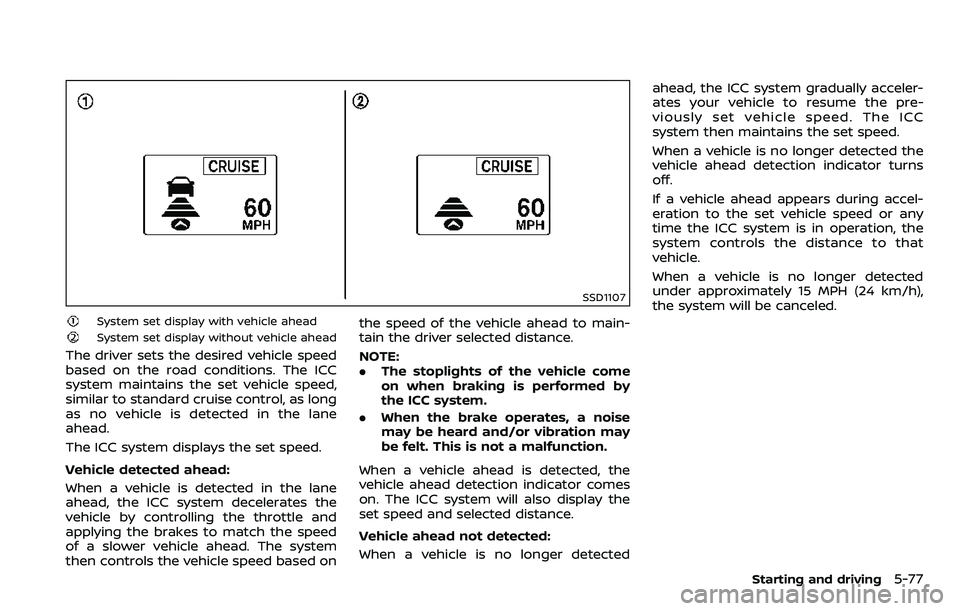
SSD1107
System set display with vehicle ahead
System set display without vehicle ahead
The driver sets the desired vehicle speed
based on the road conditions. The ICC
system maintains the set vehicle speed,
similar to standard cruise control, as long
as no vehicle is detected in the lane
ahead.
The ICC system displays the set speed.
Vehicle detected ahead:
When a vehicle is detected in the lane
ahead, the ICC system decelerates the
vehicle by controlling the throttle and
applying the brakes to match the speed
of a slower vehicle ahead. The system
then controls the vehicle speed based onthe speed of the vehicle ahead to main-
tain the driver selected distance.
NOTE:
.
The stoplights of the vehicle come
on when braking is performed by
the ICC system.
. When the brake operates, a noise
may be heard and/or vibration may
be felt. This is not a malfunction.
When a vehicle ahead is detected, the
vehicle ahead detection indicator comes
on. The ICC system will also display the
set speed and selected distance.
Vehicle ahead not detected:
When a vehicle is no longer detected ahead, the ICC system gradually acceler-
ates your vehicle to resume the pre-
viously set vehicle speed. The ICC
system then maintains the set speed.
When a vehicle is no longer detected the
vehicle ahead detection indicator turns
off.
If a vehicle ahead appears during accel-
eration to the set vehicle speed or any
time the ICC system is in operation, the
system controls the distance to that
vehicle.
When a vehicle is no longer detected
under approximately 15 MPH (24 km/h),
the system will be canceled.
Starting and driving5-77
Page 335 of 532
5-80Starting and driving
safe vehicle distance if:
.The chime sounds.
. The vehicle ahead detection and set
distance indicator blink.
The warning chime may not sound in
some cases when there is a short dis-
tance between vehicles. Some examples
are:
. When the vehicles are traveling at the
same speed and the distance be-
tween vehicles is not changing
. When the vehicle ahead is traveling
faster and the distance between ve-
hicles is increasing
. When a vehicle cuts in near your
vehicle
The warning chime will not sound when:
. Your vehicle approaches other vehi-
cles that are parked or moving slowly.
. The accelerator pedal is depressed,
overriding the system.
NOTE:
The approach warning chime may
sound and the system display may
blink when the radar sensor detects
objects on the side of the vehicle or on
the side of the road. This may cause the
ICC system to decelerate or accelerate
the vehicle. The radar sensor may de-
tect these objects when the vehicle is
driven on winding roads, narrow roads, hilly roads or when entering or exiting a
curve. In these cases you will have to
manually control the proper distance
ahead of your vehicle.
Also, the sensor sensitivity can be af-
fected by vehicle operation (steering
maneuver or driving position in the lane)
or traffic or vehicle condition (for example,
if a vehicle is being driven with some
damage).
Automatic cancellation
A chime sounds under the following
conditions and the control is automati-
cally canceled.
.
When the vehicle ahead is not de-
tected and your vehicle is traveling
below the speed of 15 MPH (24 km/h)
. When the system judges the vehicle is
at standstill
. When the shift lever is not in the D
(Drive) or manual shift mode
. When the parking brake is applied
. When the SNOW mode switch is
pushed on.
. When the 4WD shift switch is in the 4H
or 4L position (for 4WD models)
. When the VDC system is turned off
. When ABS or VDC (including the trac-
tion control system) operates .
When distance measurement be-
comes impaired due to adhesion of
dirt or obstruction to the sensor
. When a wheel slips
. When the radar signal is temporarily
interrupted
Vehicle-to-vehicle distance control
mode limitations
WARNING
Listed below are the system limita-
tions for the ICC system. Failure to
operate the vehicle in accordance
with these system limitations could
result in serious injury or death.
.The system is primarily intended
for use on straight, dry, open
roads with light traffic. It is not
advisable to use the system in
city traffic or congested areas.
. This system will not adapt auto-
matically to road conditions. This
system should be used in evenly
flowing traffic. Do not use the
system on roads with sharp
curves, or on icy roads, in heavy
rain or in fog.
Page 339 of 532
5-84Starting and driving
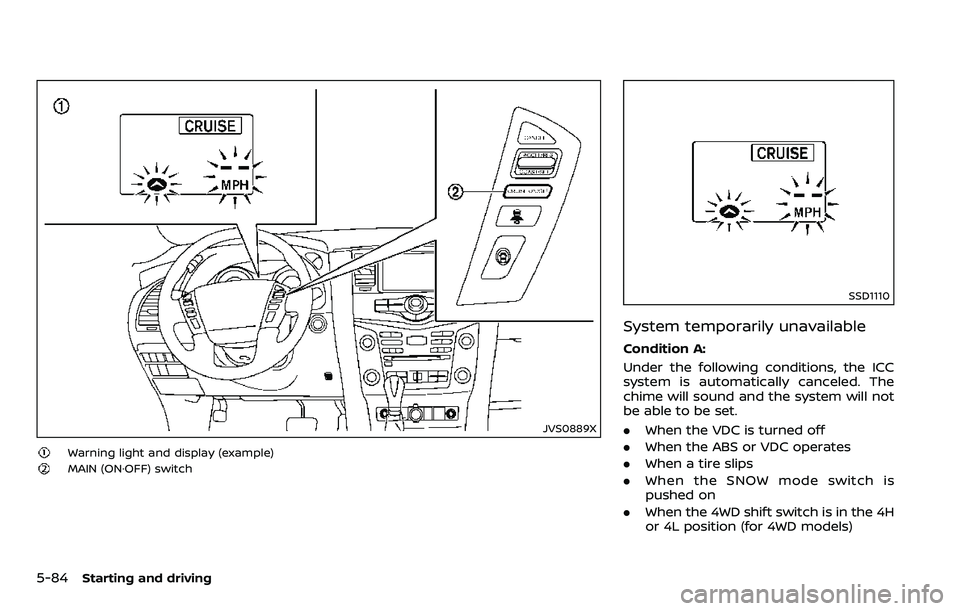
JVS0889X
Warning light and display (example)
MAIN (ON·OFF) switch
SSD1110
System temporarily unavailable
Condition A:
Under the following conditions, the ICC
system is automatically canceled. The
chime will sound and the system will not
be able to be set.
.When the VDC is turned off
. When the ABS or VDC operates
. When a tire slips
. When the SNOW mode switch is
pushed on
. When the 4WD shift switch is in the 4H
or 4L position (for 4WD models)
Page 340 of 532
.When the radar signal is temporarily
interrupted
Action to take:
When the conditions listed above are no
longer present, turn the system off using
the MAIN switch
. Turn the ICC system
back on to use the system.
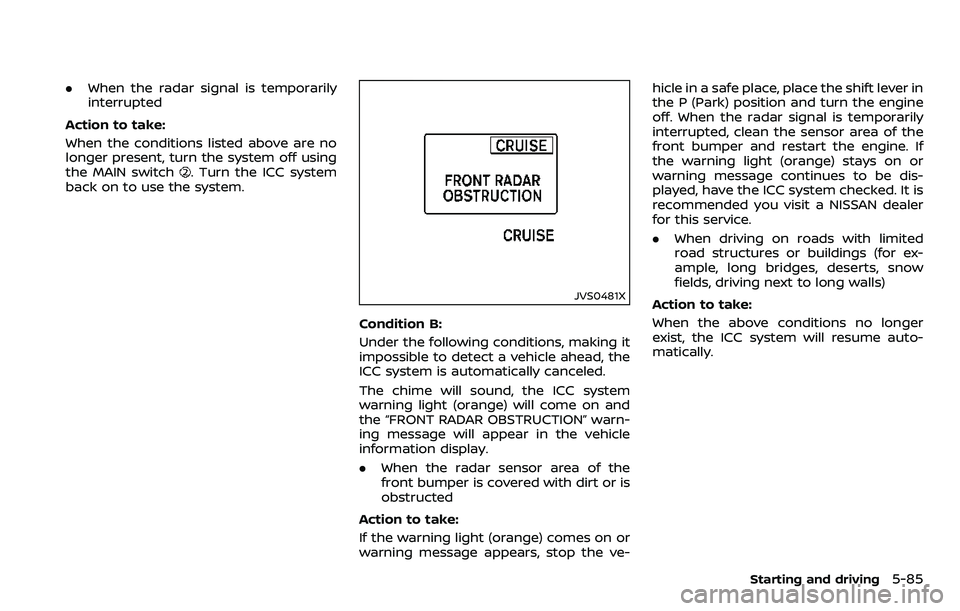
JVS0481X
Condition B:
Under the following conditions, making it
impossible to detect a vehicle ahead, the
ICC system is automatically canceled.
The chime will sound, the ICC system
warning light (orange) will come on and
the “FRONT RADAR OBSTRUCTION” warn-
ing message will appear in the vehicle
information display.
. When the radar sensor area of the
front bumper is covered with dirt or is
obstructed
Action to take:
If the warning light (orange) comes on or
warning message appears, stop the ve- hicle in a safe place, place the shift lever in
the P (Park) position and turn the engine
off. When the radar signal is temporarily
interrupted, clean the sensor area of the
front bumper and restart the engine. If
the warning light (orange) stays on or
warning message continues to be dis-
played, have the ICC system checked. It is
recommended you visit a NISSAN dealer
for this service.
.
When driving on roads with limited
road structures or buildings (for ex-
ample, long bridges, deserts, snow
fields, driving next to long walls)
Action to take:
When the above conditions no longer
exist, the ICC system will resume auto-
matically.
Starting and driving5-85
Page 341 of 532
5-86Starting and driving
SSD0979
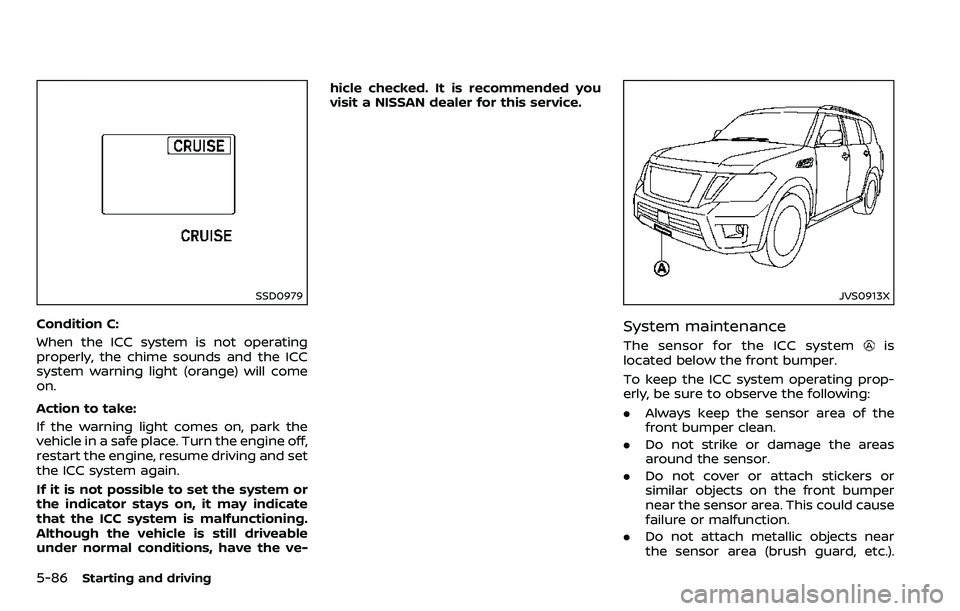
Condition C:
When the ICC system is not operating
properly, the chime sounds and the ICC
system warning light (orange) will come
on.
Action to take:
If the warning light comes on, park the
vehicle in a safe place. Turn the engine off,
restart the engine, resume driving and set
the ICC system again.
If it is not possible to set the system or
the indicator stays on, it may indicate
that the ICC system is malfunctioning.
Although the vehicle is still driveable
under normal conditions, have the ve-hicle checked. It is recommended you
visit a NISSAN dealer for this service.
JVS0913X
System maintenance
The sensor for the ICC systemis
located below the front bumper.
To keep the ICC system operating prop-
erly, be sure to observe the following:
. Always keep the sensor area of the
front bumper clean.
. Do not strike or damage the areas
around the sensor.
. Do not cover or attach stickers or
similar objects on the front bumper
near the sensor area. This could cause
failure or malfunction.
. Do not attach metallic objects near
the sensor area (brush guard, etc.).
Page 345 of 532
5-90Starting and driving
1. Push the CANCEL switch. The SETindicator will turn off.
2. Tap the brake pedal. The SET indicator will turn off.
3. Turn the MAIN switch off. Both the MAIN switch indicator and SET indica-
tor will turn off.
To reset at a faster cruising speed, use
one of the following three methods:
1. Depress the accelerator pedal. When the vehicle attains the desired speed,
push and release the COAST/SET
switch.
2. Push and hold the ACCELERATE/RE- SUME set switch. When the vehicle
attains the speed you desire, release
the switch.
3. Push, then quickly release the ACCEL- ERATE/RESUME switch. Each time you
do this, the set speed will increase by
about 1 MPH (1.6 km/h).
To reset at a slower cruising speed, use
one of the following three methods:
1. Lightly tap the brake pedal. When the
vehicle attains the desired speed,
push the COAST/SET switch and re-
lease it.
2. Push and hold the COAST/SET switch. Release the switch when the vehicle
slows down to the desired speed. 3. Push, then quickly release the COAST/
SET switch. Each time you do this, the
set speed will decrease by about 1
MPH (1.6 km/h).
To resume the preset speed, push and
release the ACCELERATE/RESUME switch.
The vehicle will resume the last set
cruising speed when the vehicle speed is
over 25 MPH (40 km/h).
System temporarily unavailable
Under the following condition, a chime
will sound and the system control is
automatically canceled.
. When the vehicle slows down more
than 8 MPH (13 km/h) below the set
speed
. When the shift lever is shifted to the N
(Neutral) position
. When the parking brake is applied
. When the VDC (including the traction
control system) operates.
. When a wheel slips
JVS0661X
Warning light
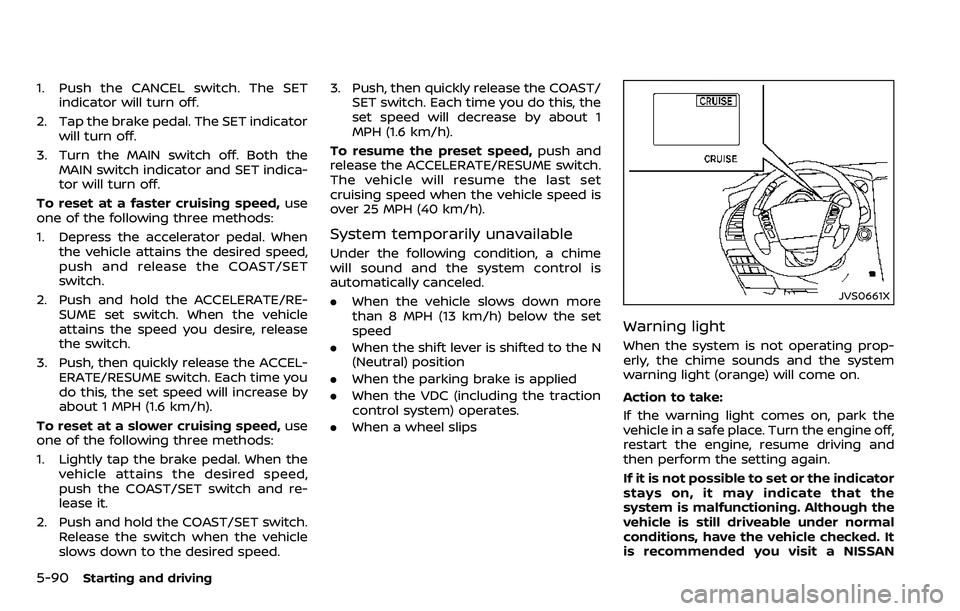
When the system is not operating prop-
erly, the chime sounds and the system
warning light (orange) will come on.
Action to take:
If the warning light comes on, park the
vehicle in a safe place. Turn the engine off,
restart the engine, resume driving and
then perform the setting again.
If it is not possible to set or the indicator
stays on, it may indicate that the
system is malfunctioning. Although the
vehicle is still driveable under normal
conditions, have the vehicle checked. It
is recommended you visit a NISSAN
Page 348 of 532
JVS1100X
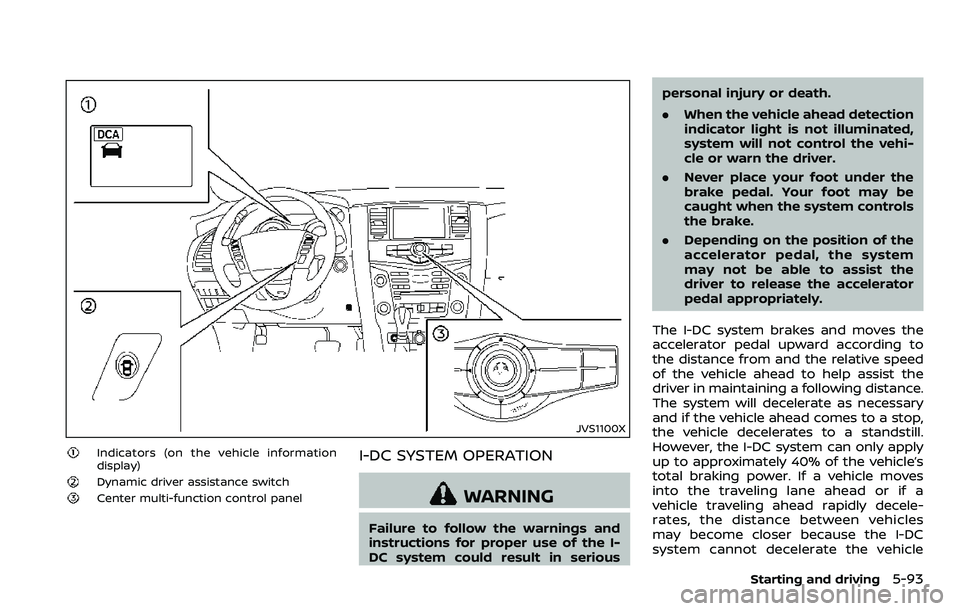
Indicators (on the vehicle information
display)
Dynamic driver assistance switch
Center multi-function control panel
I-DC SYSTEM OPERATION
WARNING
Failure to follow the warnings and
instructions for proper use of the I-
DC system could result in seriouspersonal injury or death.
.
When the vehicle ahead detection
indicator light is not illuminated,
system will not control the vehi-
cle or warn the driver.
. Never place your foot under the
brake pedal. Your foot may be
caught when the system controls
the brake.
. Depending on the position of the
accelerator pedal, the system
may not be able to assist the
driver to release the accelerator
pedal appropriately.
The I-DC system brakes and moves the
accelerator pedal upward according to
the distance from and the relative speed
of the vehicle ahead to help assist the
driver in maintaining a following distance.
The system will decelerate as necessary
and if the vehicle ahead comes to a stop,
the vehicle decelerates to a standstill.
However, the I-DC system can only apply
up to approximately 40% of the vehicle’s
total braking power. If a vehicle moves
into the traveling lane ahead or if a
vehicle traveling ahead rapidly decele-
rates, the distance between vehicles
may become closer because the I-DC
system cannot decelerate the vehicle
Starting and driving5-93
Page 356 of 532
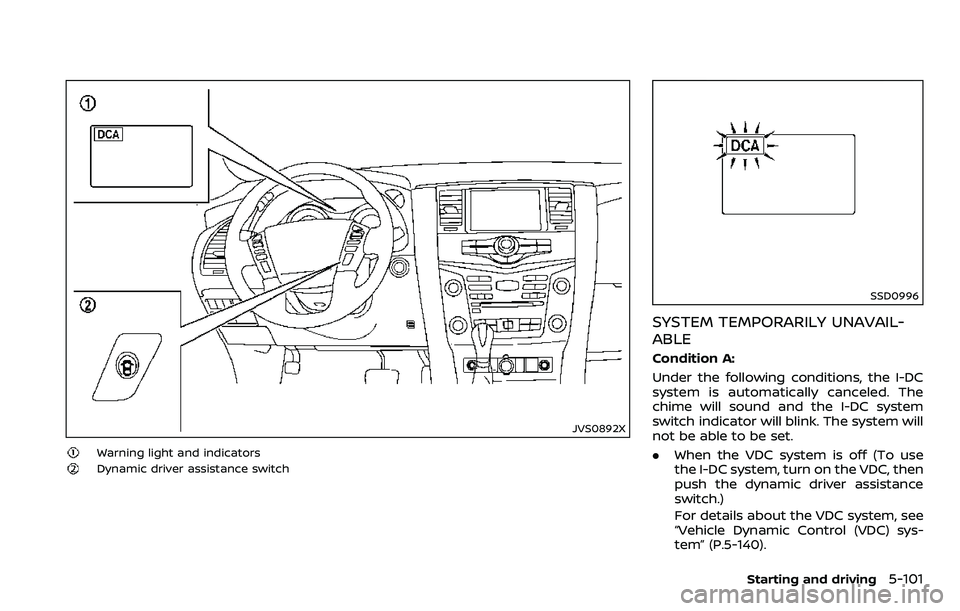
JVS0892X
Warning light and indicators
Dynamic driver assistance switch
SSD0996
SYSTEM TEMPORARILY UNAVAIL-
ABLE
Condition A:
Under the following conditions, the I-DC
system is automatically canceled. The
chime will sound and the I-DC system
switch indicator will blink. The system will
not be able to be set.
.When the VDC system is off (To use
the I-DC system, turn on the VDC, then
push the dynamic driver assistance
switch.)
For details about the VDC system, see
“Vehicle Dynamic Control (VDC) sys-
tem” (P.5-140).
Starting and driving5-101
Page 357 of 532
5-102Starting and driving
.When the VDC or ABS (including the
traction control system) operates
. When the SNOW mode switch is ON
(To use the I-DC system, turn off the
SNOW mode switch, then turn on the
dynamic driver assistance switch
.)
For details about the SNOW mode
switch, see “SNOW mode switch” (P.2-
47).
. When the 4WD shift switch is in the 4H
or 4L position (for 4WD models)
. When the radar signal is temporarily
interrupted
Action to take:
When the conditions listed above are no
longer present, turn the system off with
the dynamic driver assistance switch
.
Turn the I-DC system back on to use the
system.
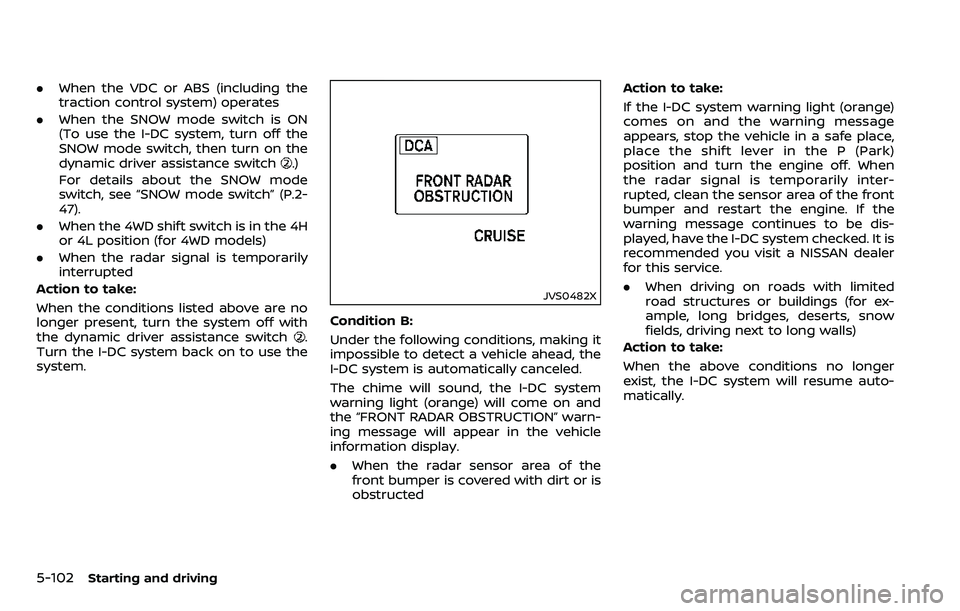
JVS0482X
Condition B:
Under the following conditions, making it
impossible to detect a vehicle ahead, the
I-DC system is automatically canceled.
The chime will sound, the I-DC system
warning light (orange) will come on and
the “FRONT RADAR OBSTRUCTION” warn-
ing message will appear in the vehicle
information display.
. When the radar sensor area of the
front bumper is covered with dirt or is
obstructed Action to take:
If the I-DC system warning light (orange)
comes on and the warning message
appears, stop the vehicle in a safe place,
place the shift lever in the P (Park)
position and turn the engine off. When
the radar signal is temporarily inter-
rupted, clean the sensor area of the front
bumper and restart the engine. If the
warning message continues to be dis-
played, have the I-DC system checked. It is
recommended you visit a NISSAN dealer
for this service.
.
When driving on roads with limited
road structures or buildings (for ex-
ample, long bridges, deserts, snow
fields, driving next to long walls)
Action to take:
When the above conditions no longer
exist, the I-DC system will resume auto-
matically.
Page 358 of 532
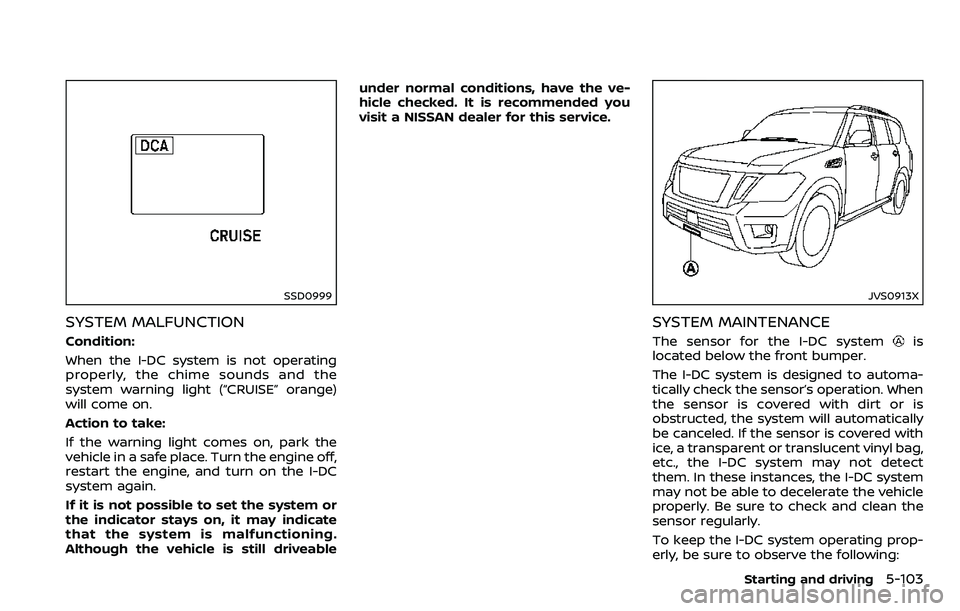
SSD0999
SYSTEM MALFUNCTION
Condition:
When the I-DC system is not operating
properly, the chime sounds and the
system warning light (“CRUISE” orange)
will come on.
Action to take:
If the warning light comes on, park the
vehicle in a safe place. Turn the engine off,
restart the engine, and turn on the I-DC
system again.
If it is not possible to set the system or
the indicator stays on, it may indicate
that the system is malfunctioning.
Although the vehicle is still driveableunder normal conditions, have the ve-
hicle checked. It is recommended you
visit a NISSAN dealer for this service.
JVS0913X
SYSTEM MAINTENANCE
The sensor for the I-DC systemis
located below the front bumper.
The I-DC system is designed to automa-
tically check the sensor’s operation. When
the sensor is covered with dirt or is
obstructed, the system will automatically
be canceled. If the sensor is covered with
ice, a transparent or translucent vinyl bag,
etc., the I-DC system may not detect
them. In these instances, the I-DC system
may not be able to decelerate the vehicle
properly. Be sure to check and clean the
sensor regularly.
To keep the I-DC system operating prop-
erly, be sure to observe the following:
Starting and driving5-103