display NISSAN ARMADA 2021 Owner´s Manual
[x] Cancel search | Manufacturer: NISSAN, Model Year: 2021, Model line: ARMADA, Model: NISSAN ARMADA 2021Pages: 603, PDF Size: 3.16 MB
Page 379 of 603
Condition B
Under the following conditions, making it
impossible to detect a vehicle ahead, the
I-FCW system is automatically turned off.
The AEB system warning light (orange)
will illuminate and the “Forward Driving
Aids temporarily disabled Front Sensor
blocked See Owner’s Manual” warning
message will appear in the vehicle infor-
mation display.
.When the sensor area of the front of
the vehicle is covered with dirt or is
obstructed
Action to take:
If the warning light (orange) flashes, stop
the vehicle in a safe place, push the park
button to engage the P (Park) position
and turn the engine off. Clean the radar
cover on the front of the vehicle with a
soft cloth, and restart the engine. If the
warning light continues to illuminate,
have the I-FCW system checked. It is
recommended you visit a NISSAN dealer
for this service.
. When driving on roads with limited
road structures or buildings (for ex-
ample, long bridges, deserts, snow
fields, driving next to long walls)
Action to take:
When the above conditions no longer
exist, the I-FCW system will resume auto- matically.SYSTEM MALFUNCTION
If the I-FCW system malfunctions, it will be
turned off automatically, a chime will
sound, the AEB system warning light
(orange) will illuminate and the "Malfunc-
tion" warning message will appear in the
vehicle information display.
Action to take:
If the warning light (orange) illuminates,
stop the vehicle in a safe location. Turn
the engine off and restart the engine. If
the warning light continues to illuminate,
have the I-FCW system checked. It is
recommended you visit a NISSAN dealer
for this service.
WAF0724X
SYSTEM MAINTENANCE
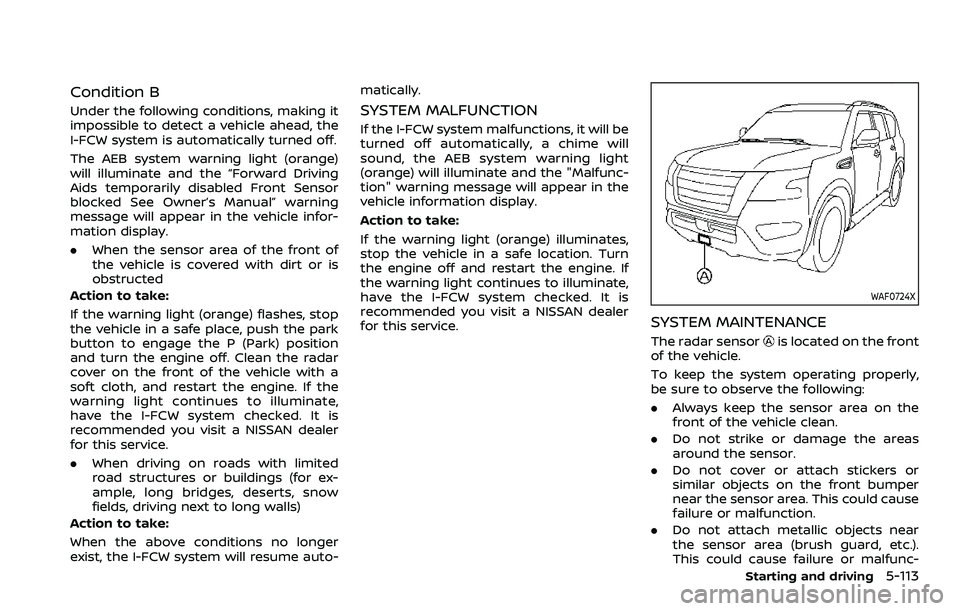
The radar sensoris located on the front
of the vehicle.
To keep the system operating properly,
be sure to observe the following:
. Always keep the sensor area on the
front of the vehicle clean.
. Do not strike or damage the areas
around the sensor.
. Do not cover or attach stickers or
similar objects on the front bumper
near the sensor area. This could cause
failure or malfunction.
. Do not attach metallic objects near
the sensor area (brush guard, etc.).
This could cause failure or malfunc-
Starting and driving5-113
Page 381 of 603
WAF0641X
Example
I-DA SYSTEM OPERATION
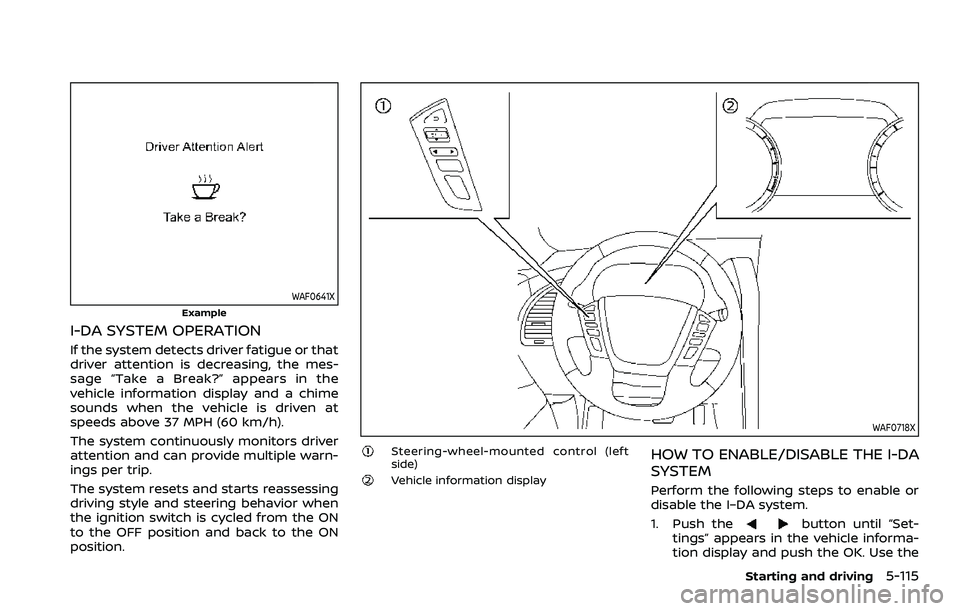
If the system detects driver fatigue or that
driver attention is decreasing, the mes-
sage “Take a Break?” appears in the
vehicle information display and a chime
sounds when the vehicle is driven at
speeds above 37 MPH (60 km/h).
The system continuously monitors driver
attention and can provide multiple warn-
ings per trip.
The system resets and starts reassessing
driving style and steering behavior when
the ignition switch is cycled from the ON
to the OFF position and back to the ON
position.
WAF0718X
Steering-wheel-mounted control (left
side)
Vehicle information display
HOW TO ENABLE/DISABLE THE I-DA
SYSTEM
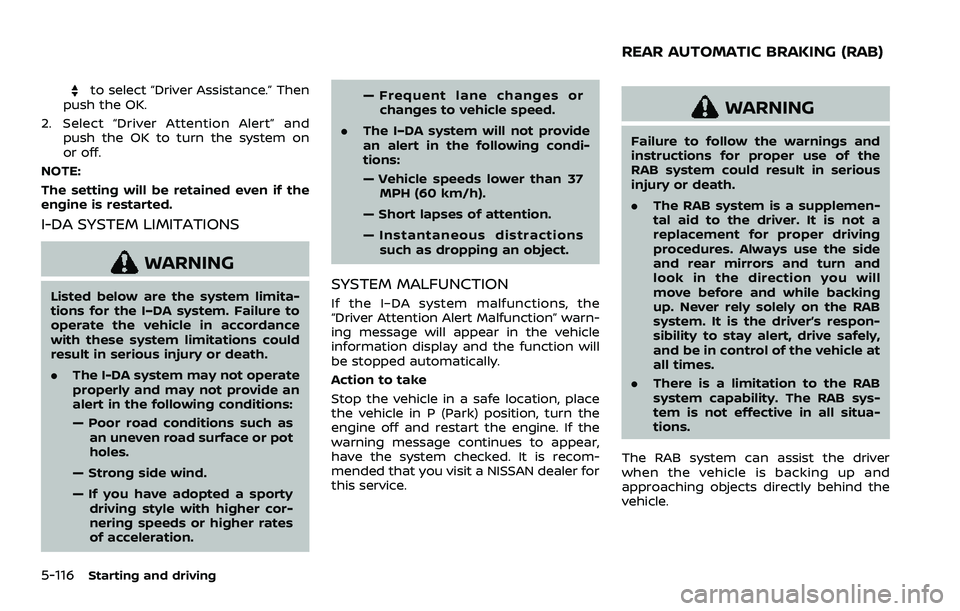
Perform the following steps to enable or
disable the I–DA system.
1. Push the
button until “Set-
tings” appears in the vehicle informa-
tion display and push the OK. Use the
Starting and driving5-115
Page 382 of 603
5-116Starting and driving
to select “Driver Assistance.” Then
push the OK.
2. Select “Driver Attention Alert” and push the OK to turn the system on
or off.
NOTE:
The setting will be retained even if the
engine is restarted.
I-DA SYSTEM LIMITATIONS
WARNING
Listed below are the system limita-
tions for the I–DA system. Failure to
operate the vehicle in accordance
with these system limitations could
result in serious injury or death.
. The I-DA system may not operate
properly and may not provide an
alert in the following conditions:
— Poor road conditions such as
an uneven road surface or pot
holes.
— Strong side wind.
— If you have adopted a sporty driving style with higher cor-
nering speeds or higher rates
of acceleration. — Frequent lane changes or
changes to vehicle speed.
. The I–DA system will not provide
an alert in the following condi-
tions:
— Vehicle speeds lower than 37
MPH (60 km/h).
— Short lapses of attention.
— Instantaneous distractions such as dropping an object.SYSTEM MALFUNCTION
If the I–DA system malfunctions, the
“Driver Attention Alert Malfunction” warn-
ing message will appear in the vehicle
information display and the function will
be stopped automatically.
Action to take
Stop the vehicle in a safe location, place
the vehicle in P (Park) position, turn the
engine off and restart the engine. If the
warning message continues to appear,
have the system checked. It is recom-
mended that you visit a NISSAN dealer for
this service.
WARNING
Failure to follow the warnings and
instructions for proper use of the
RAB system could result in serious
injury or death.
. The RAB system is a supplemen-
tal aid to the driver. It is not a
replacement for proper driving
procedures. Always use the side
and rear mirrors and turn and
look in the direction you will
move before and while backing
up. Never rely solely on the RAB
system. It is the driver’s respon-
sibility to stay alert, drive safely,
and be in control of the vehicle at
all times.
. There is a limitation to the RAB
system capability. The RAB sys-
tem is not effective in all situa-
tions.
The RAB system can assist the driver
when the vehicle is backing up and
approaching objects directly behind the
vehicle.
REAR AUTOMATIC BRAKING (RAB)
Page 383 of 603
WAF0760X
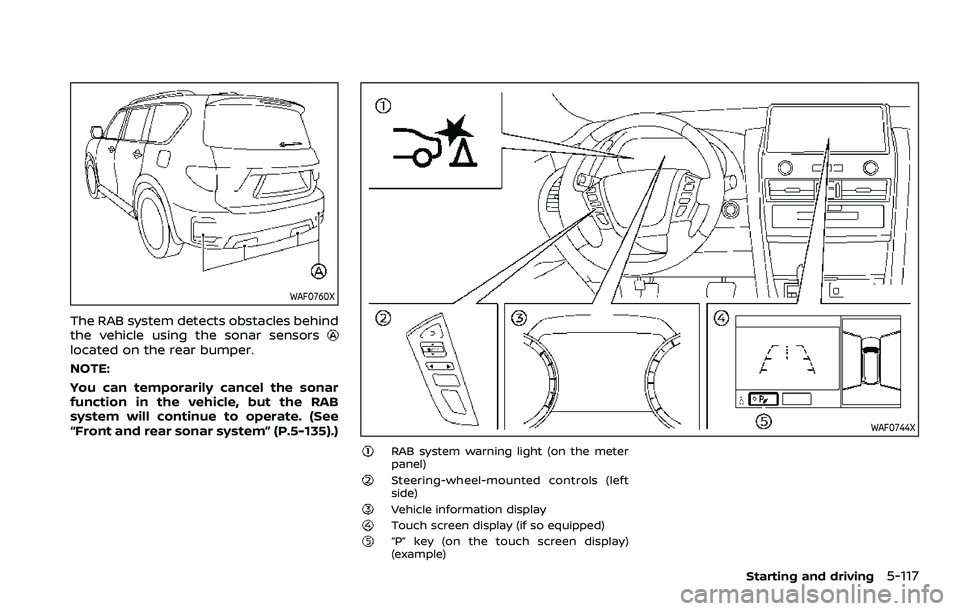
The RAB system detects obstacles behind
the vehicle using the sonar sensors
located on the rear bumper.
NOTE:
You can temporarily cancel the sonar
function in the vehicle, but the RAB
system will continue to operate. (See
“Front and rear sonar system” (P.5-135).)
WAF0744X
RAB system warning light (on the meter
panel)
Steering-wheel-mounted controls (left
side)
Vehicle information displayTouch screen display (if so equipped)“P” key (on the touch screen display)
(example)
Starting and driving5-117
Page 384 of 603
5-118Starting and driving
RAB SYSTEM OPERATION
When the shift lever is in the R (Reverse)
position and the vehicle speed is less than
approximately 9 MPH (15 km/h), the RAB
system operates.
If a risk of a collision with an obstacle is
detected when your vehicle is backing up,
the RAB system warning indicator will
flash in the vehicle information display, a
red frame will appear in the touch screen
display (models with the Intelligent
Around View® Monitor system), and the
system will chime three times. The system
will then automatically apply the brakes.
After the automatic brake application, the
driver must depress the brake pedal to
maintain brake pressure.
NOTE:
.The stop lights of the vehicle come
on when braking is performed by
the RAB system.
. When the brakes operate, a noise
may be heard. This is not a malfunc-
tion.
. When the “P” key is touched, the
indicator light on the key will turn off
and the the Rear Automatic Braking
(RAB) system will turn off tempora-
rily. The Moving Object Detection
(MOD) (if so equipped), the Intelligent
Back-up Intervention (I-BI) (if so
equipped) and the sonar systems will also be turned off at the same
time.
. When the sonar and MOD systems is
turned off on the settings menu in
the touch screen display, the “P” key
will disappear.
To enable or disable the RAB system,
use the vehicle information display. See
“Turning the RAB system ON/OFF” (P.5-
119).
Page 385 of 603
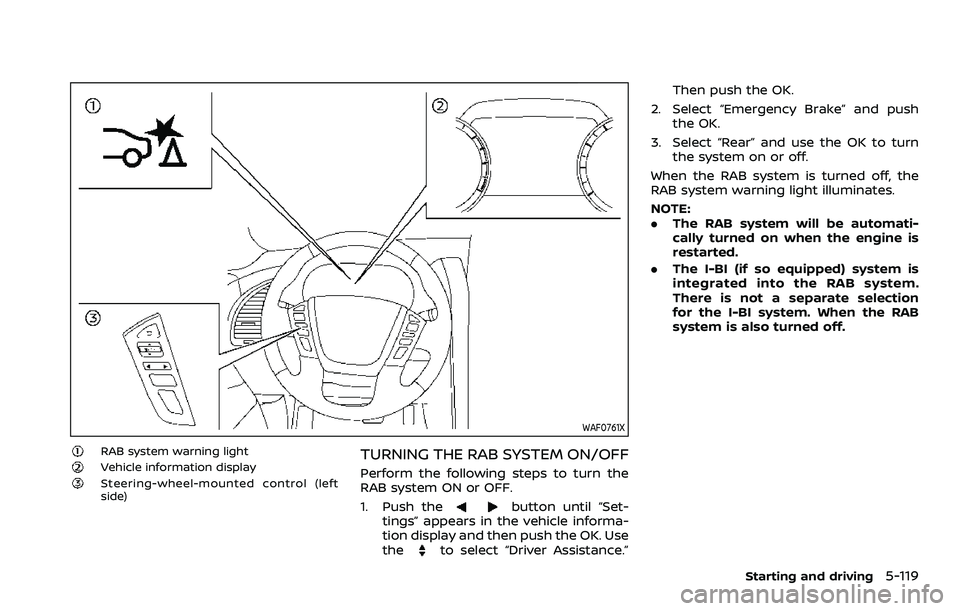
WAF0761X
RAB system warning lightVehicle information displaySteering-wheel-mounted control (left
side)
TURNING THE RAB SYSTEM ON/OFF
Perform the following steps to turn the
RAB system ON or OFF.
1. Push the
button until “Set-
tings” appears in the vehicle informa-
tion display and then push the OK. Use
the
to select “Driver Assistance.” Then push the OK.
2. Select “Emergency Brake” and push the OK.
3. Select “Rear” and use the OK to turn the system on or off.
When the RAB system is turned off, the
RAB system warning light illuminates.
NOTE:
. The RAB system will be automati-
cally turned on when the engine is
restarted.
. The I-BI (if so equipped) system is
integrated into the RAB system.
There is not a separate selection
for the I-BI system. When the RAB
system is also turned off.
Starting and driving5-119
Page 388 of 603
5-122Starting and driving
SYSTEM MALFUNCTION
If the RAB system malfunctions, it will be
turned off automatically, the RAB system
warning light will illuminate, and the
“System fault See Owner’s Manual” warn-
ing message will appear in the vehicle
information display.
Action to take
If the warning light illuminates, park the
vehicle in a safe location, turn the engine
off, and restart the engine. If the warning
light continues to illuminate, have the
RAB system checked. It is recommended
that you visit a NISSAN dealer for this
service.
NOTE:
If the RAB system cannot be operated
temporarily, the RAB system warning
light blinks.
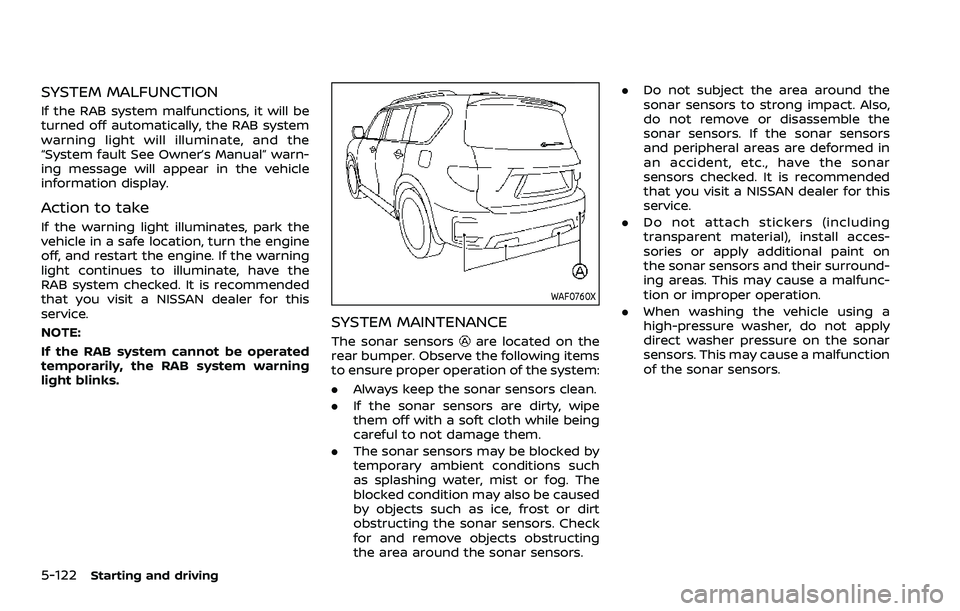
WAF0760X
SYSTEM MAINTENANCE
The sonar sensorsare located on the
rear bumper. Observe the following items
to ensure proper operation of the system:
. Always keep the sonar sensors clean.
. If the sonar sensors are dirty, wipe
them off with a soft cloth while being
careful to not damage them.
. The sonar sensors may be blocked by
temporary ambient conditions such
as splashing water, mist or fog. The
blocked condition may also be caused
by objects such as ice, frost or dirt
obstructing the sonar sensors. Check
for and remove objects obstructing
the area around the sonar sensors. .
Do not subject the area around the
sonar sensors to strong impact. Also,
do not remove or disassemble the
sonar sensors. If the sonar sensors
and peripheral areas are deformed in
an accident, etc., have the sonar
sensors checked. It is recommended
that you visit a NISSAN dealer for this
service.
. Do not attach stickers (including
transparent material), install acces-
sories or apply additional paint on
the sonar sensors and their surround-
ing areas. This may cause a malfunc-
tion or improper operation.
. When washing the vehicle using a
high-pressure washer, do not apply
direct washer pressure on the sonar
sensors. This may cause a malfunction
of the sonar sensors.
Page 396 of 603
5-130Starting and driving
.Never shift the 4WD shift switch
between 4L and 4H while driving.
. Engine idling speed is high while
warming up the engine. Be espe-
cially careful when starting or
driving on slippery surfaces with
the 4WD shift switch in AUTO.
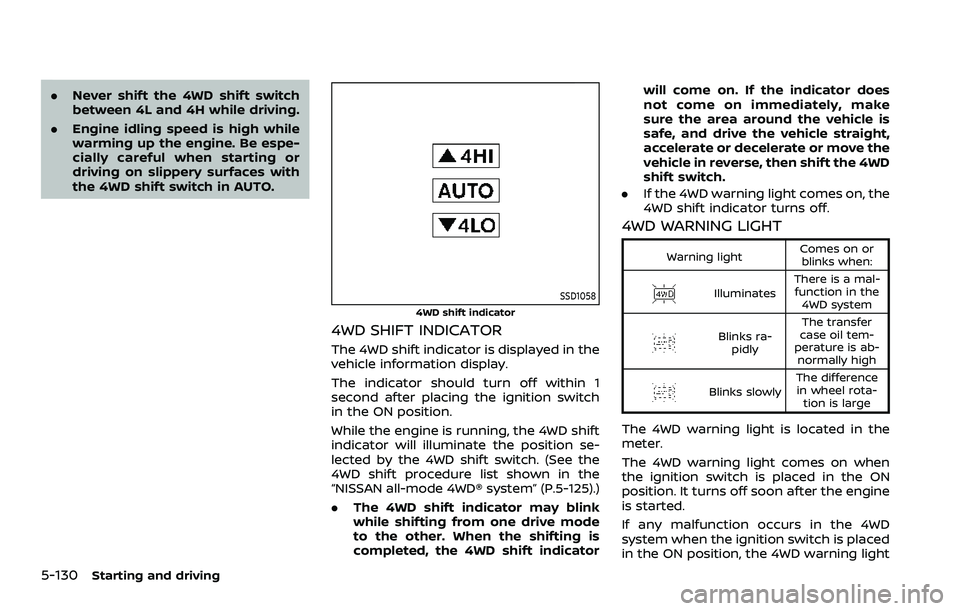
SSD1058
4WD shift indicator
4WD SHIFT INDICATOR
The 4WD shift indicator is displayed in the
vehicle information display.
The indicator should turn off within 1
second after placing the ignition switch
in the ON position.
While the engine is running, the 4WD shift
indicator will illuminate the position se-
lected by the 4WD shift switch. (See the
4WD shift procedure list shown in the
“NISSAN all-mode 4WD® system” (P.5-125).)
.The 4WD shift indicator may blink
while shifting from one drive mode
to the other. When the shifting is
completed, the 4WD shift indicator will come on. If the indicator does
not come on immediately, make
sure the area around the vehicle is
safe, and drive the vehicle straight,
accelerate or decelerate or move the
vehicle in reverse, then shift the 4WD
shift switch.
. If the 4WD warning light comes on, the
4WD shift indicator turns off.
4WD WARNING LIGHT
Warning light Comes on or
blinks when:
Illuminates There is a mal-
function in the 4WD system
Blinks ra- pidly The transfer
case oil tem-
perature is ab- normally high
Blinks slowly The difference
in wheel rota- tion is large
The 4WD warning light is located in the
meter.
The 4WD warning light comes on when
the ignition switch is placed in the ON
position. It turns off soon after the engine
is started.
If any malfunction occurs in the 4WD
system when the ignition switch is placed
in the ON position, the 4WD warning light
Page 401 of 603
SIC4454
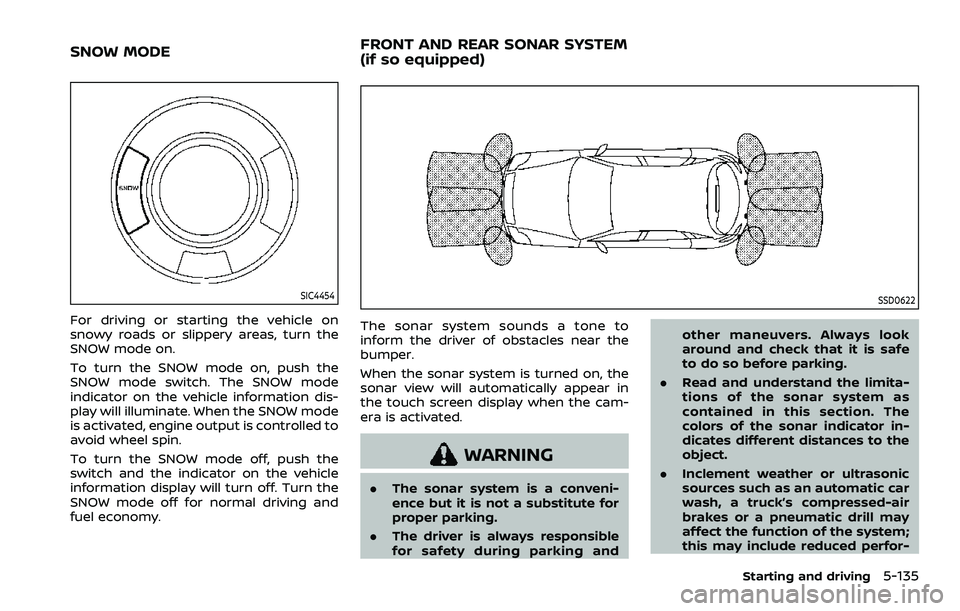
For driving or starting the vehicle on
snowy roads or slippery areas, turn the
SNOW mode on.
To turn the SNOW mode on, push the
SNOW mode switch. The SNOW mode
indicator on the vehicle information dis-
play will illuminate. When the SNOW mode
is activated, engine output is controlled to
avoid wheel spin.
To turn the SNOW mode off, push the
switch and the indicator on the vehicle
information display will turn off. Turn the
SNOW mode off for normal driving and
fuel economy.
SSD0622
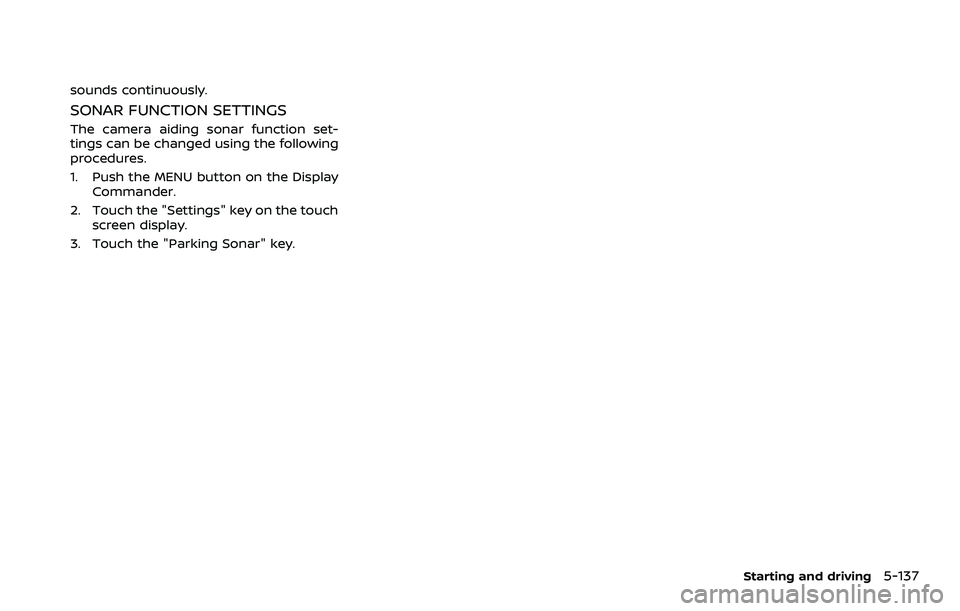
The sonar system sounds a tone to
inform the driver of obstacles near the
bumper.
When the sonar system is turned on, the
sonar view will automatically appear in
the touch screen display when the cam-
era is activated.
WARNING
.The sonar system is a conveni-
ence but it is not a substitute for
proper parking.
. The driver is always responsible
for safety during parking and other maneuvers. Always look
around and check that it is safe
to do so before parking.
. Read and understand the limita-
tions of the sonar system as
contained in this section. The
colors of the sonar indicator in-
dicates different distances to the
object.
. Inclement weather or ultrasonic
sources such as an automatic car
wash, a truck’s compressed-air
brakes or a pneumatic drill may
affect the function of the system;
this may include reduced perfor-
Starting and driving5-135
SNOW MODE FRONT AND REAR SONAR SYSTEM
(if so equipped)
Page 403 of 603
sounds continuously.
SONAR FUNCTION SETTINGS
The camera aiding sonar function set-
tings can be changed using the following
procedures.
1. Push the MENU button on the DisplayCommander.
2. Touch the "Settings" key on the touch screen display.
3. Touch the "Parking Sonar" key.
Starting and driving5-137