service indicator NISSAN ARMADA 2022 Owner´s Manual
[x] Cancel search | Manufacturer: NISSAN, Model Year: 2022, Model line: ARMADA, Model: NISSAN ARMADA 2022Pages: 604, PDF Size: 2.97 MB
Page 367 of 604
.“Not Available: High Camera Temp”:
If the vehicle is parked in direct sun-
light under high temperature condi-
tions (over approximately 104°F
(40°C)).
. “Unavailable Side Radar Obstruction”:
When side radar blockage is detected.
Turn off the I-BSI system and turn it on
again when the above conditions no
longer exist.
SYSTEM MALFUNCTION
When the I-BSI system malfunctions, it will
be turned off automatically, the I-BSI
indicator illuminates and a chime will
sound, and the “Malfunction” warning
message will appear in the vehicle infor-
mation display.
Action to take:
Stop the vehicle in a safe location and
push the park button to engage the P
(Park) position. Turn the engine off and
restart the engine. If the warning mes-
sage continues to appear, It is recom-
mended you visit a NISSAN dealer for this
service.
WAF0769X
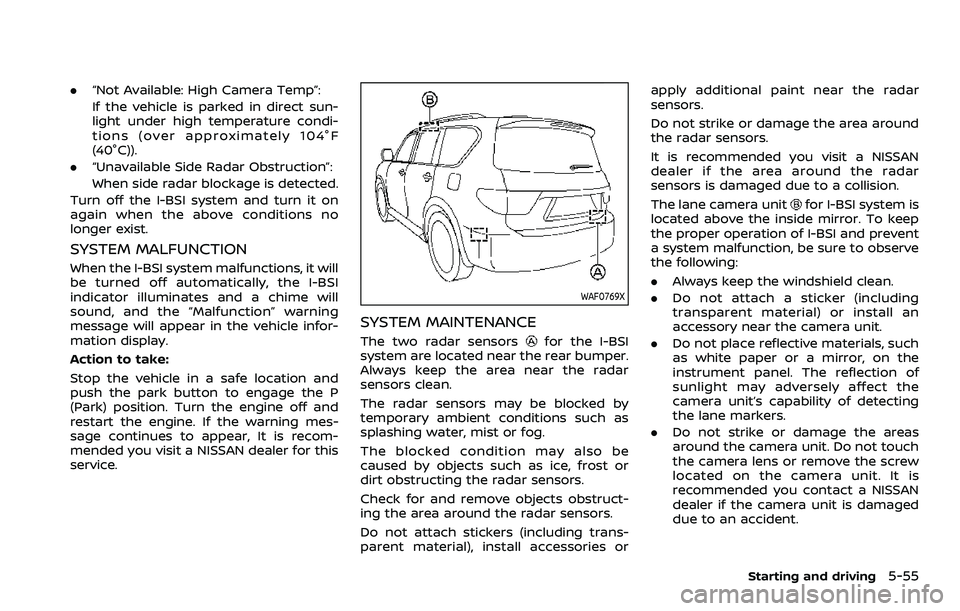
SYSTEM MAINTENANCE
The two radar sensorsfor the I-BSI
system are located near the rear bumper.
Always keep the area near the radar
sensors clean.
The radar sensors may be blocked by
temporary ambient conditions such as
splashing water, mist or fog.
The blocked condition may also be
caused by objects such as ice, frost or
dirt obstructing the radar sensors.
Check for and remove objects obstruct-
ing the area around the radar sensors.
Do not attach stickers (including trans-
parent material), install accessories or apply additional paint near the radar
sensors.
Do not strike or damage the area around
the radar sensors.
It is recommended you visit a NISSAN
dealer if the area around the radar
sensors is damaged due to a collision.
The lane camera unit
for I-BSI system is
located above the inside mirror. To keep
the proper operation of I-BSI and prevent
a system malfunction, be sure to observe
the following:
. Always keep the windshield clean.
. Do not attach a sticker (including
transparent material) or install an
accessory near the camera unit.
. Do not place reflective materials, such
as white paper or a mirror, on the
instrument panel. The reflection of
sunlight may adversely affect the
camera unit’s capability of detecting
the lane markers.
. Do not strike or damage the areas
around the camera unit. Do not touch
the camera lens or remove the screw
located on the camera unit. It is
recommended you contact a NISSAN
dealer if the camera unit is damaged
due to an accident.
Starting and driving5-55
Page 403 of 604
in the P (Park) position and turn the
engine off. When the radar signal is
temporarily interrupted, clean the sensor
area of the front bumper and restart the
engine. If the warning message continues
to be displayed, have the ICC system
checked. It is recommended you visit a
NISSAN dealer for this service.
.When driving on roads with limited
road structures or buildings (for ex-
ample, long bridges, deserts, snow
fields, driving next to long walls)
Action to take:
When the above conditions no longer
exist, the ICC system will resume auto-
matically.
JVS0968X
Condition C:
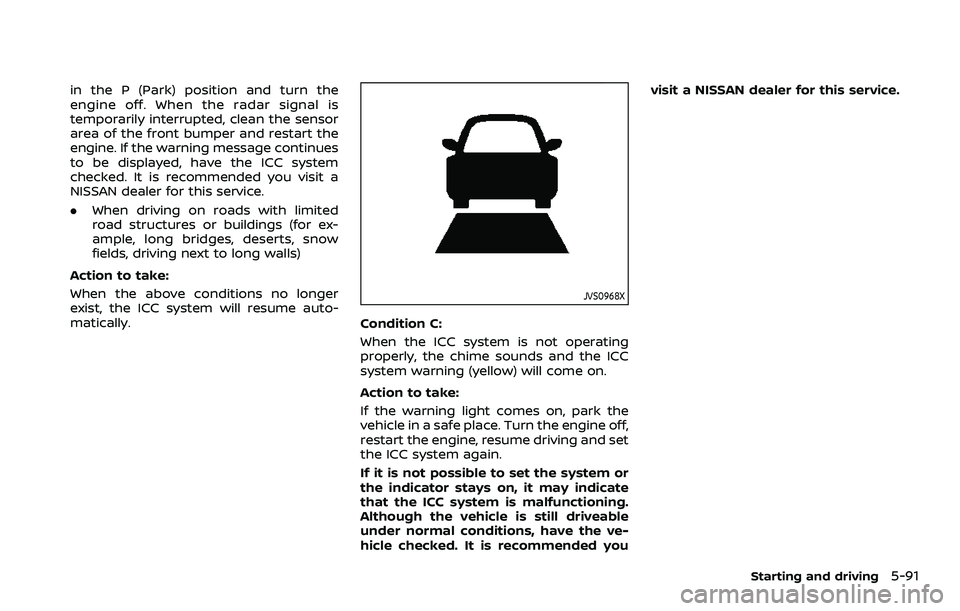
When the ICC system is not operating
properly, the chime sounds and the ICC
system warning (yellow) will come on.
Action to take:
If the warning light comes on, park the
vehicle in a safe place. Turn the engine off,
restart the engine, resume driving and set
the ICC system again.
If it is not possible to set the system or
the indicator stays on, it may indicate
that the ICC system is malfunctioning.
Although the vehicle is still driveable
under normal conditions, have the ve-
hicle checked. It is recommended you visit a NISSAN dealer for this service.
Starting and driving5-91
Page 408 of 604
5-96Starting and driving
WAF0315X
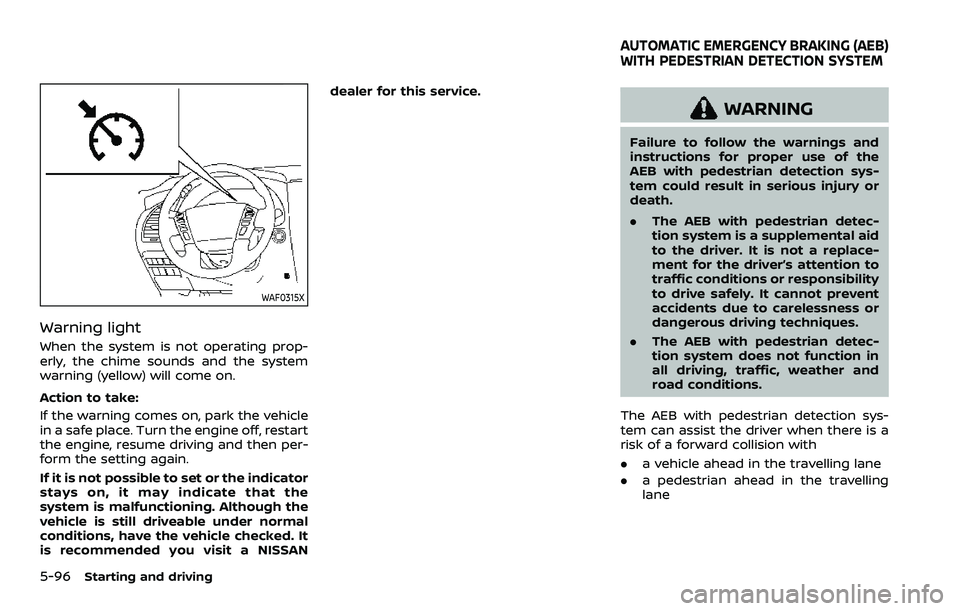
Warning light
When the system is not operating prop-
erly, the chime sounds and the system
warning (yellow) will come on.
Action to take:
If the warning comes on, park the vehicle
in a safe place. Turn the engine off, restart
the engine, resume driving and then per-
form the setting again.
If it is not possible to set or the indicator
stays on, it may indicate that the
system is malfunctioning. Although the
vehicle is still driveable under normal
conditions, have the vehicle checked. It
is recommended you visit a NISSANdealer for this service.
WARNING
Failure to follow the warnings and
instructions for proper use of the
AEB with pedestrian detection sys-
tem could result in serious injury or
death.
.
The AEB with pedestrian detec-
tion system is a supplemental aid
to the driver. It is not a replace-
ment for the driver’s attention to
traffic conditions or responsibility
to drive safely. It cannot prevent
accidents due to carelessness or
dangerous driving techniques.
. The AEB with pedestrian detec-
tion system does not function in
all driving, traffic, weather and
road conditions.
The AEB with pedestrian detection sys-
tem can assist the driver when there is a
risk of a forward collision with
. a vehicle ahead in the travelling lane
. a pedestrian ahead in the travelling
lane
AUTOMATIC EMERGENCY BRAKING (AEB)
WITH PEDESTRIAN DETECTION SYSTEM
Page 443 of 604
will either remain illuminated or blink.
If the 4WD warning light comes on, the
4WD shift indicator turns off.
High-temperature transfer case oil makes
the 4WD warning light blink rapidly (about
twice per second). If the warning light
blinks rapidly during operation, stop the
vehicle in a safe place immediately. Then
if the light turns off after a while, you can
continue driving.
A large difference between the diameters
of front and rear wheels will make the
4WD warning light blink slowly (about
once per two seconds). Change the 4WD
shift switch to AUTO and do not drive fast.
CAUTION
.If the 4WD warning light comes
on or blinks slowly during opera-
tion or rapidly after stopping the
vehicle for a while, have your
vehicle checked as soon as pos-
sible. It is recommended you visit
a NISSAN dealer for this service.
. Shifting between 4HI and 4LO is
not recommended when the 4WD
warning light turns on.
. When the 4WD warning light
comes on, the 2WD mode may be engaged even if the 4WD shift
switch is in AUTO or 4H. Be
especially careful when driving. If
corresponding parts are malfunc-
tioning, the 4WD mode will not be
engaged even if the 4WD shift
switch is shifted.
. Do not drive the vehicle in the 4HI
or 4LO position on dry hard sur-
face roads. Driving on dry, hard
surfaces in 4HI or 4LO may cause
unnecessary noise, tire wear and
increased fuel consumption.
If the 4WD warning light turns on
when driving on dry hard surface
roads:
— in the AUTO or 4HI position,
shift the 4WD shift switch to
AUTO.
— in the 4LO position, stop the vehicle and shift the transmis-
sion shift lever to the N (Neu-
tral) position and shift the
4WD shift switch to AUTO.
. If the 4WD warning light is still on
after the above operation, have
your vehicle checked as soon as
possible. It is recommended you
visit a NISSAN dealer for this
service. .
The transfer case may be da-
maged if you continue driving
with the warning light blinking.
Starting and driving5-131
Page 456 of 604
5-144Starting and driving
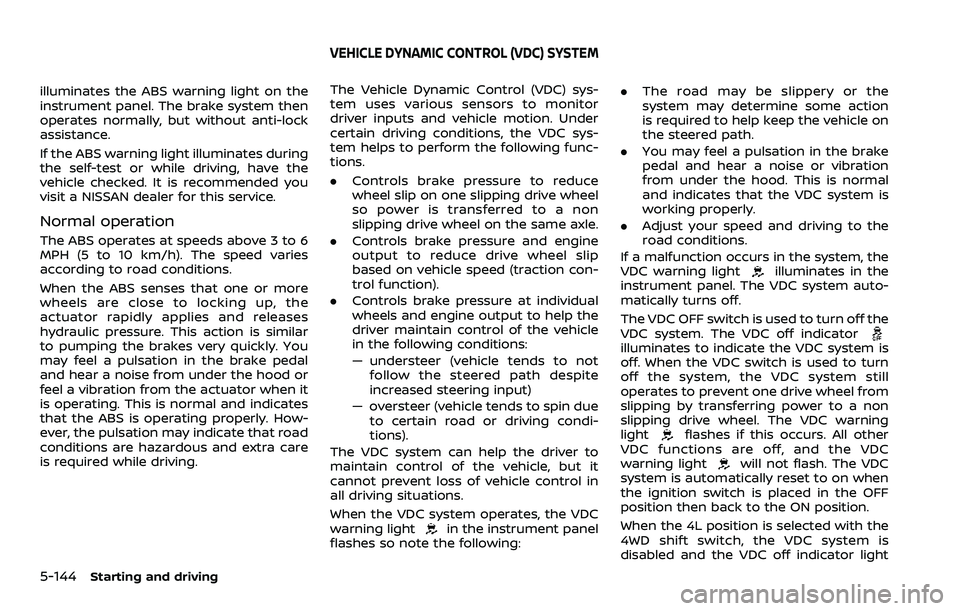
illuminates the ABS warning light on the
instrument panel. The brake system then
operates normally, but without anti-lock
assistance.
If the ABS warning light illuminates during
the self-test or while driving, have the
vehicle checked. It is recommended you
visit a NISSAN dealer for this service.
Normal operation
The ABS operates at speeds above 3 to 6
MPH (5 to 10 km/h). The speed varies
according to road conditions.
When the ABS senses that one or more
wheels are close to locking up, the
actuator rapidly applies and releases
hydraulic pressure. This action is similar
to pumping the brakes very quickly. You
may feel a pulsation in the brake pedal
and hear a noise from under the hood or
feel a vibration from the actuator when it
is operating. This is normal and indicates
that the ABS is operating properly. How-
ever, the pulsation may indicate that road
conditions are hazardous and extra care
is required while driving.The Vehicle Dynamic Control (VDC) sys-
tem uses various sensors to monitor
driver inputs and vehicle motion. Under
certain driving conditions, the VDC sys-
tem helps to perform the following func-
tions.
.
Controls brake pressure to reduce
wheel slip on one slipping drive wheel
so power is transferred to a non
slipping drive wheel on the same axle.
. Controls brake pressure and engine
output to reduce drive wheel slip
based on vehicle speed (traction con-
trol function).
. Controls brake pressure at individual
wheels and engine output to help the
driver maintain control of the vehicle
in the following conditions:
— understeer (vehicle tends to not
follow the steered path despite
increased steering input)
— oversteer (vehicle tends to spin due to certain road or driving condi-
tions).
The VDC system can help the driver to
maintain control of the vehicle, but it
cannot prevent loss of vehicle control in
all driving situations.
When the VDC system operates, the VDC
warning light
in the instrument panel
flashes so note the following: .
The road may be slippery or the
system may determine some action
is required to help keep the vehicle on
the steered path.
. You may feel a pulsation in the brake
pedal and hear a noise or vibration
from under the hood. This is normal
and indicates that the VDC system is
working properly.
. Adjust your speed and driving to the
road conditions.
If a malfunction occurs in the system, the
VDC warning light
illuminates in the
instrument panel. The VDC system auto-
matically turns off.
The VDC OFF switch is used to turn off the
VDC system. The VDC off indicator
illuminates to indicate the VDC system is
off. When the VDC switch is used to turn
off the system, the VDC system still
operates to prevent one drive wheel from
slipping by transferring power to a non
slipping drive wheel. The VDC warning
light
flashes if this occurs. All other
VDC functions are off, and the VDC
warning light
will not flash. The VDC
system is automatically reset to on when
the ignition switch is placed in the OFF
position then back to the ON position.
When the 4L position is selected with the
4WD shift switch, the VDC system is
disabled and the VDC off indicator light
VEHICLE DYNAMIC CONTROL (VDC) SYSTEM
Page 529 of 604
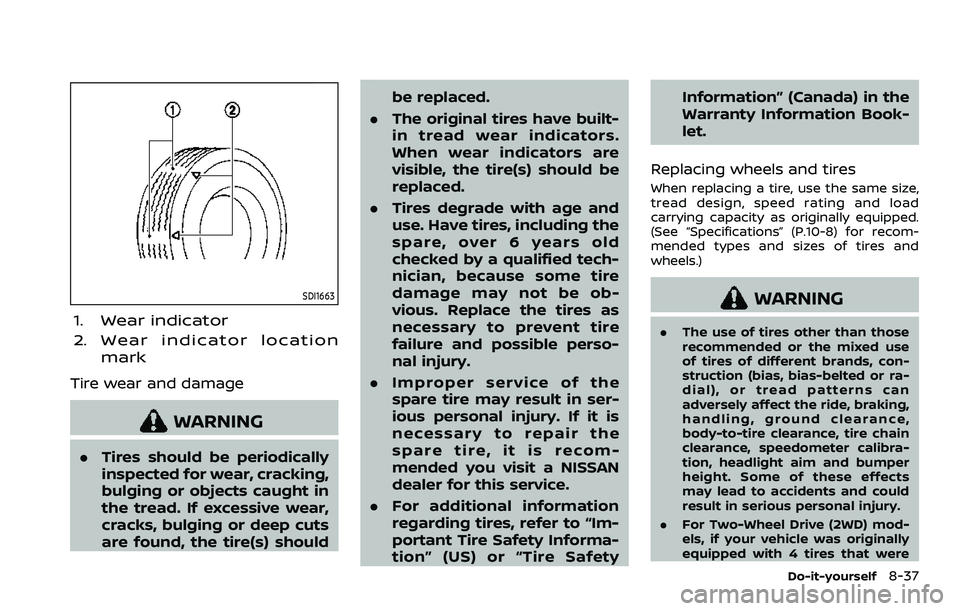
SDI1663
1. Wear indicator
2. Wear indicator locationmark
Tire wear and damage
WARNING
.Tires should be periodically
inspected for wear, cracking,
bulging or objects caught in
the tread. If excessive wear,
cracks, bulging or deep cuts
are found, the tire(s) should be replaced.
. The original tires have built-
in tread wear indicators.
When wear indicators are
visible, the tire(s) should be
replaced.
. Tires degrade with age and
use. Have tires, including the
spare, over 6 years old
checked by a qualified tech-
nician, because some tire
damage may not be ob-
vious. Replace the tires as
necessary to prevent tire
failure and possible perso-
nal injury.
. Improper service of the
spare tire may result in ser-
ious personal injury. If it is
necessary to repair the
spare tire, it is recom-
mended you visit a NISSAN
dealer for this service.
. For additional information
regarding tires, refer to “Im-
portant Tire Safety Informa-
tion” (US) or “Tire Safety Information” (Canada) in the
Warranty Information Book-
let.
Replacing wheels and tires
When replacing a tire, use the same size,
tread design, speed rating and load
carrying capacity as originally equipped.
(See “Specifications” (P.10-8) for recom-
mended types and sizes of tires and
wheels.)
WARNING
. The use of tires other than those
recommended or the mixed use
of tires of different brands, con-
struction (bias, bias-belted or ra-
dial), or tread patterns can
adversely affect the ride, braking,
handling, ground clearance,
body-to-tire clearance, tire chain
clearance, speedometer calibra-
tion, headlight aim and bumper
height. Some of these effects
may lead to accidents and could
result in serious personal injury.
. For Two-Wheel Drive (2WD) mod-
els, if your vehicle was originally
equipped with 4 tires that were
Do-it-yourself8-37
Page 598 of 604
11-4
Engine serial number .................................... 10-12
F.M.V.S.S./C.M.V.S.S.
certification label .............................................. 10-12
Tire and Loading
information label................................ 8-30, 10-13
Vehicle identification number (VIN) .... 10-11
Lane Departure Warning (LDW) ........................ 5-26
LATCH system ................................................................ 1-35
License plate, Installing front
license plate.................................................................. 10-15
Liftgate........................................................................\
......... 3-22
Light Air bag warning light......................................... 1-74
Bulb replacement ................................................. 8-24
Cargo light ................................................................. 2-83
Fog light switch ..................................................... 2-54
Headlight switch ................................................... 2-47
Headlights bulb replacement ..................... 8-25
Indicator lights........................................................ 2-15
Interior light switch............................................. 2-81
Interior lights............................................................ 2-81
Map lights ................................................................... 2-82
Replacement ............................................................ 8-24
Vanity mirror lights ............................................. 2-83
Warning/indicator lights and
audible reminders ................................................ 2-12
Lights, Exterior and interior
light replacement ........................................................ 8-26
Linking Intelligent Key (air conditioner)..... 4-43
Loading information (See vehicle
loading information) .............................................. 10-15
Lock Automatic door locks........................................... 3-6
Door locks...................................................................... 3-4
Liftgate lock .............................................................. 3-22
Power door lock ....................................................... 3-4
Locking with mechanical key ................................ 3-4 Loose Fuel Cap warning........................................ 3-26
Low tire pressure warning light ...................... 2-16
Low tire pressure warning system
(See Tire Pressure Monitoring
System (TPMS)).................................................................. 5-5
Luggage hooks ............................................................. 2-73
M
Maintenance........................................................................\
9-2
Battery........................................................................\
... 8-11
General maintenance........................................... 9-2
Inside the vehicle..................................................... 9-3
Maintenance precautions................................. 8-2
Maintenance requirements ............................. 9-2
Maintenance schedules...................................... 9-7
Outside the vehicle ................................................ 9-2
Seat belt maintenance..................................... 1-29
Maintenance schedules.............................................. 9-7
Malfunction Indicator Light (MIL) .................... 2-18
Map lights ........................................................................\
.. 2-82
Master warning light.................................. 2-14, 2-18
Mechanical key (Intelligent Key system) ....... 3-3
Memory seat ................................................................... 3-40
Memory storage, memory seat........................ 3-41
Meter Trip computer ......................................................... 2-37
Meters and gauges ........................................................ 2-6 Instrument brightness control .................. 2-53
Mirror Inside mirror ............................................................. 3-30
Intelligent Rear View Mirror.......................... 3-31
Outside mirrors ...................................................... 3-38
Vanity mirror ............................................................ 3-40
Monitor Intelligent Around View® Monitor............ 4-12
Monitor, RearView Monitor ...................................... 4-4 Moonroof........................................................................\
.... 2-78
Moving Object Detection (MOD) ...................... 4-31
N
New vehicle break-in ............................................. 5-122
NISSAN all-mode 4WD®........................................ 5-124
NISSAN Vehicle Immobilizer System ............ 2-41
NissanConnect® Owner’s Manual....................... 4-3
O
Odometer........................................................................\
....... 2-7
Off-road recovery ............................................................ 5-9
Oil
Capacities and
recommended fluids/lubricants............... 10-2
Changing engine oil and filter ...................... 8-6
Checking engine oil level................................... 8-6
Engine oil.....................................................................\
... 8-6
Engine oil pressure gauge ............................... 2-9
Engine oil viscosity .............................................. 10-7
Operation, operational indicators .................. 2-30
Other lights....................................................................... 2-19
Outside air temperature ........................................ 2-39
Outside mirrors ............................................................. 3-38
Overheat, If your vehicle overheats.............. 6-14
Owner’s Manual/Service Manual
order information..................................................... 10-40
P
Panic alarm....................................................................... 3-17
Parking Brake break-in .................................................... 5-142
Parking brake operation................................. 5-22
Parking on hills................................................... 5-133