mirror NISSAN FRONTIER 2005 D22 / 1.G Owners Manual
[x] Cancel search | Manufacturer: NISSAN, Model Year: 2005, Model line: FRONTIER, Model: NISSAN FRONTIER 2005 D22 / 1.GPages: 336, PDF Size: 7.24 MB
Page 9 of 336

1. Engine hood (P. 8-6)
2. Windshield wiper and washer switch
(P. 2-24)
3. Windshield (P. 8-22)
4. Windows (P. 2-44)
5. Door locks, keyfob, keys
(P. 3-3, 3-6, 3-2)
6. Mirrors (P. 3-13)
7. Tire pressure (P. 8-32)
8. Flat tire (P. 6-2)
9. Tire chains (P. 5-33)
10. Headlight and turn signal switch
(P. 2-25); Replacing bulbs (P. 8-28)
11. Fog light switch (if so equipped)
(P. 2-29)
See the page number indicated in paren-
theses for operating details.
LII0052
EXTERIOR FRONT
Illustrated table of contents0-3
ZREVIEW COPYÐ2005 Truck/Frontier(d22)
Owners ManualÐUSA_English(nna)
11/30/04Ðdebbie
X
Page 11 of 336

1. Map lights (P. 2-48)
2. Sun visors (P. 3-12)
3. Inside mirror (P. 3-13)
4. Ventilators (P. 4-2)
5. Glove box (P. 2-38)
6. Shift knob (automatic transmission, if so
equipped) (P. 5-10)
7. Cup holders (P. 2-41)
8. Front seats (P. 1-2)
9. Console box (P. 2-38)
10. Rear seats (P. 1-11)
11. Flat tire/Jacking equipment storage
(P. 6-2)
See the page number indicated in paren-
theses for operating details.
WII0054
PASSENGER COMPARTMENT
Illustrated table of contents0-5
ZREVIEW COPYÐ2005 Truck/Frontier(d22)
Owners ManualÐUSA_English(nna)
11/30/04Ðdebbie
X
Page 13 of 336

Vehicle dynamic control (VDC) off
switch (if so equipped) (P. 2-31)
14. Shift selector lever (P. 5-10)
15. 4WD shift switch (if so equipped)
(P. 5-20)
16. Climate controls (P. 4-2)
17. Passenger air bag status light (P. 1-58)
18. Hazard lights (P. 2-29)
19. Ignition switch (P. 5-7)
20. Tilt steering wheel control
(if so equipped) (P. 3-11)
21. Cargo lamp switch (P. 2-30)
22. Clutch interlock (clutch start) switch
(if so equipped) (P. 2-33)
23. Outside mirror controls (if so equipped)
(P. 3-14)
Illustrated table of contents
0-7
ZREVIEW COPYÐ2005 Truck/Frontier(d22)
Owners ManualÐUSA_English(nna)
11/30/04Ðdebbie
X
Page 84 of 336

2 Instruments and controls
Instrument panel...................................2-2
Meters and gauges................................2-3
Speedometer and odometer.....................2-4
Trip computer (if so equipped)...................2-5
Tachometer....................................2-6
Engine coolant temperature gauge...............2-6
Fuel gauge....................................2-7
Engine oil pressure gauge (if so equipped)........2-8
Voltmeter (if so equipped).......................2-8
Compass and outside temperature display
(if so equipped)...................................2-9
Outside temperature display.....................2-9
Compass display..............................2-10
Warning/indicator lights and audible reminders......2-12
Checking bulbs...............................2-13
Warning lights................................2-13
Indicator lights................................2-17
Audible reminders.............................2-21
Security systems (if so equipped)..................2-21
Vehicle security system (if so equipped)..........2-21
NISSAN vehicle immobilizer system (NVIS)
(if so equipped)...............................2-23
Windshield wiper and washer switch...............2-24Switch operation..............................2-24
Rear window and outside mirror defroster switch
(if so equipped)..................................2-25
Headlight and turn signal switch....................2-25
Headlight control switch........................2-25
Daytime running light system (Canada only)......2-27
Instrument brightness control...................2-28
Turn signal switch.............................2-28
Fog light switch (if so equipped)................2-29
Hazard warning flasher switch.....................2-29
Horn............................................2-30
Cargo lamp switch...............................2-30
Heated seat (if so equipped).......................2-30
Vehicle dynamic control (VDC) off switch (if so
equipped).......................................2-31
Hill descent control (HDC) switch (if so equipped) . . . 2-31
Electronic locking rear differential (E-Lock) system
switch (if so equipped)............................2-32
Clutch interlock (clutch start) switch
(if so equipped)..................................2-33
Power outlet.....................................2-34
Storage.........................................2-35
Storage trays.................................2-35
ZREVIEW COPYÐ2005 Truck/Frontier(d22)
Owners ManualÐUSA_English(nna)
11/30/04Ðdebbie
X
Page 87 of 336

Vehicle dynamic control (VDC) off
switch (if so equipped) (P. 2-31)
14. Shift selector lever (P. 5-10)
15. 4WD shift switch (if so equipped)
(P. 5-20)
16. Climate controls (P. 4-2)
17. Passenger air bag status light (P. 1-58)
18. Hazard lights (P. 2-29)
19. Ignition switch (P. 5-7)
20. Tilt steering wheel control (if so
equipped) (P. 3-11)
21. Cargo lamp switch (P. 2-30)
22. Clutch interlock (clutch start) switch
(if so equipped) (P. 2-33)
23. Outside mirror controls (if so equipped)
(P. 3-14)
1. Warning/indicator lights
2. Tachometer
3. Speedometer
4. Fuel gauge
5. Voltmeter (if so equipped)6. Odometer/Twin trip odometer/Trip com-
puter (if so equipped)
7. Engine oil pressure gauge (if so
equipped)
8. Engine coolant temperature gauge
LIC0736
METERS AND GAUGES
Instruments and controls2-3
ZREVIEW COPYÐ2005 Truck/Frontier(d22)
Owners ManualÐUSA_English(nna)
11/30/04Ðdebbie
X
Page 95 of 336
Zone variation change procedure
The difference between magnetic north and geo-
graphical north is known as variance. In some
areas, this difference can sometimes be great
enough to cause false compass readings. Follow
these instructions to set the variance for your
particular location if this happens:
1. Press and hold the
button for about 8
seconds. The current zone number will ap-
pear in the display.
2. Find your current location on the zone map.
Refer to the illustration. Record the zone
number.
3. Press and hold the
button until the
new zone number appears in the display.
After you stop pressing the switch in, the
display will show a compass direction within
a few seconds.
Inaccurate compass direction
The compass display is equipped with automatic
correction function. If the correct direction is not
shown, follow this procedure.
1. With the display turned on, push the
button about 8 seconds, until the zone se-
lection comes up (a number will be dis-
played in the mirror compass window) .2. Toggle until correct zone is found and re-
lease button.
3. The display will return to the normal com-
pass mode within 5 seconds of no button
activity.
4. If the vehicle changes zone, repeat steps 1
through 3. See map.
cIf the compass deviates from the correct
indication soon after repeated adjustment,
have the compass checked at an authorized
dealer.
cThe compass may not indicate the correct
compass point in tunnels or while driving up
or down a steep hill. (The compass returns
to the correct compass point when the ve-
hicle moves to an area where the geomag-
netism is stabilized.)
CAUTION
cDo not install a ski rack, antenna, etc.,
which are attached to the vehicle by
means of a magnet. They affect the op-
eration of the compass.cWhen cleaning the mirror, use a paper
towel or similar material dampened
with glass cleaner. Do not spray glass
cleaner directly on the mirror as it may
cause the liquid cleaner to enter the
mirror housing.
Instruments and controls2-11
ZREVIEW COPYÐ2005 Truck/Frontier(d22)
Owners ManualÐUSA_English(nna)
11/30/04Ðdebbie
X
Page 109 of 336
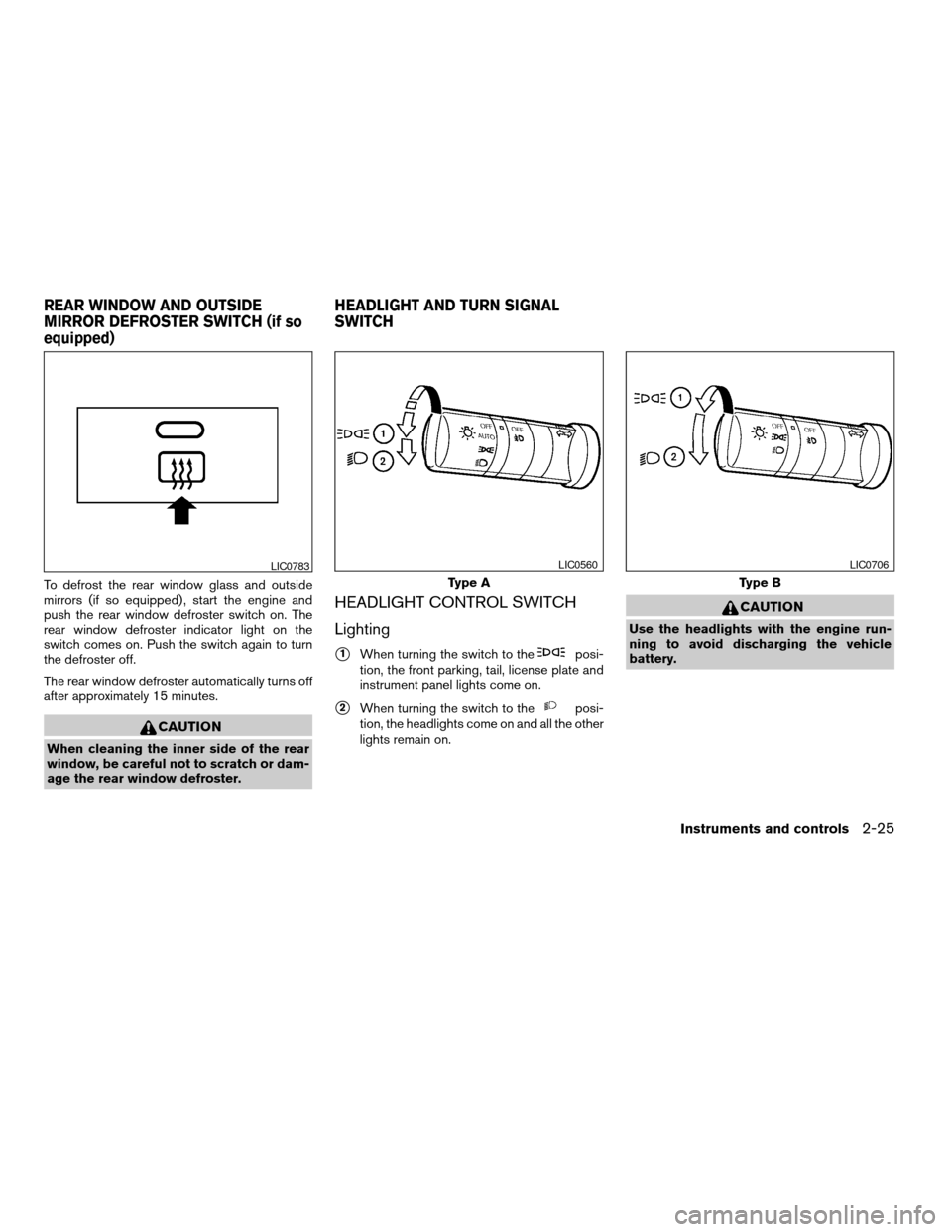
To defrost the rear window glass and outside
mirrors (if so equipped) , start the engine and
push the rear window defroster switch on. The
rear window defroster indicator light on the
switch comes on. Push the switch again to turn
the defroster off.
The rear window defroster automatically turns off
after approximately 15 minutes.
CAUTION
When cleaning the inner side of the rear
window, be careful not to scratch or dam-
age the rear window defroster.
HEADLIGHT CONTROL SWITCH
Lighting
s1When turning the switch to theposi-
tion, the front parking, tail, license plate and
instrument panel lights come on.
s2When turning the switch to theposi-
tion, the headlights come on and all the other
lights remain on.
CAUTION
Use the headlights with the engine run-
ning to avoid discharging the vehicle
battery.
LIC0783
Type A
LIC0560
Type B
LIC0706
REAR WINDOW AND OUTSIDE
MIRROR DEFROSTER SWITCH (if so
equipped)HEADLIGHT AND TURN SIGNAL
SWITCH
Instruments and controls2-25
ZREVIEW COPYÐ2005 Truck/Frontier(d22)
Owners ManualÐUSA_English(nna)
11/30/04Ðdebbie
X
Page 139 of 336

3 Pre-driving checks and adjustments
Keys .............................................3-2
Nissan vehicle immobilizer system (NVIS)
keys (if so equipped)............................3-2
Doors............................................3-3
Locking with key................................3-3
Locking with inside lock knob....................3-4
Locking with power door lock switch
(if so equipped)................................3-4
Rear doors (King Cab models)...................3-5
Child safety rear door lock
(Crew Cab models only)........................3-6
Remote keyless entry system (if so equipped).........3-6
How to use remote keyless entry system..........3-7
Hood............................................3-9Fuel filler lid......................................3-10
Fuel filler cap..................................3-10
Steering wheel...................................3-11
Tilt operation (if so equipped)...................3-11
Sun visors.......................................3-12
Vanity mirrors.................................3-12
Mirrors..........................................3-13
Inside mirror (if so equipped)....................3-13
Automatic anti-glare inside mirror
(if so equipped)...............................3-13
Outside mirrors...............................3-13
Truck box........................................3-15
Tailgate.......................................3-15
Tie down hooks (if so equipped)................3-16
ZREVIEW COPYÐ2005 Truck/Frontier(d22)
Owners ManualÐUSA_English(nna)
11/30/04Ðdebbie
X
Page 150 of 336
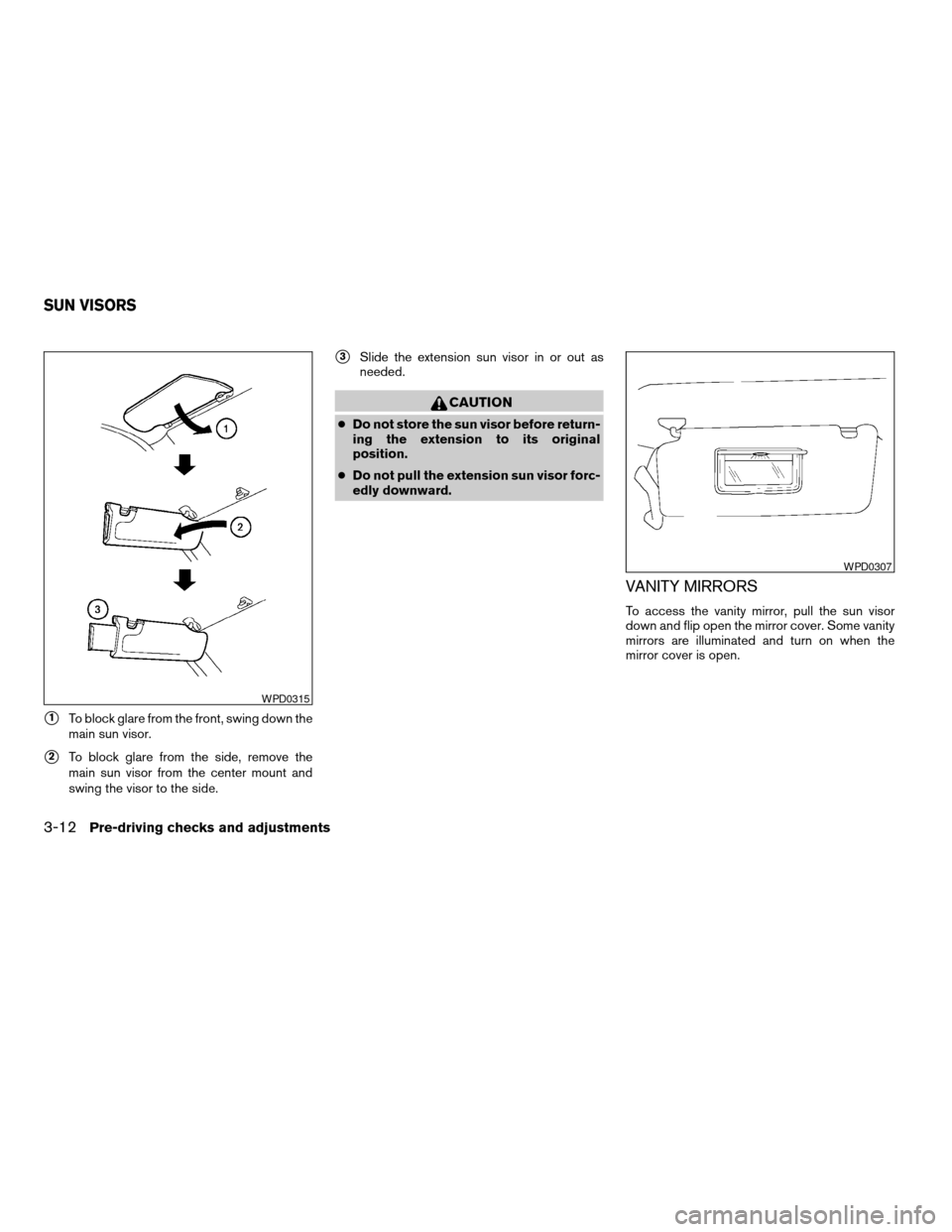
s1To block glare from the front, swing down the
main sun visor.
s2To block glare from the side, remove the
main sun visor from the center mount and
swing the visor to the side.
s3Slide the extension sun visor in or out as
needed.
CAUTION
cDo not store the sun visor before return-
ing the extension to its original
position.
cDo not pull the extension sun visor forc-
edly downward.
VANITY MIRRORS
To access the vanity mirror, pull the sun visor
down and flip open the mirror cover. Some vanity
mirrors are illuminated and turn on when the
mirror cover is open.
WPD0315
WPD0307
SUN VISORS
3-12Pre-driving checks and adjustments
ZREVIEW COPYÐ2005 Truck/Frontier(d22)
Owners ManualÐUSA_English(nna)
11/30/04Ðdebbie
X
Page 151 of 336
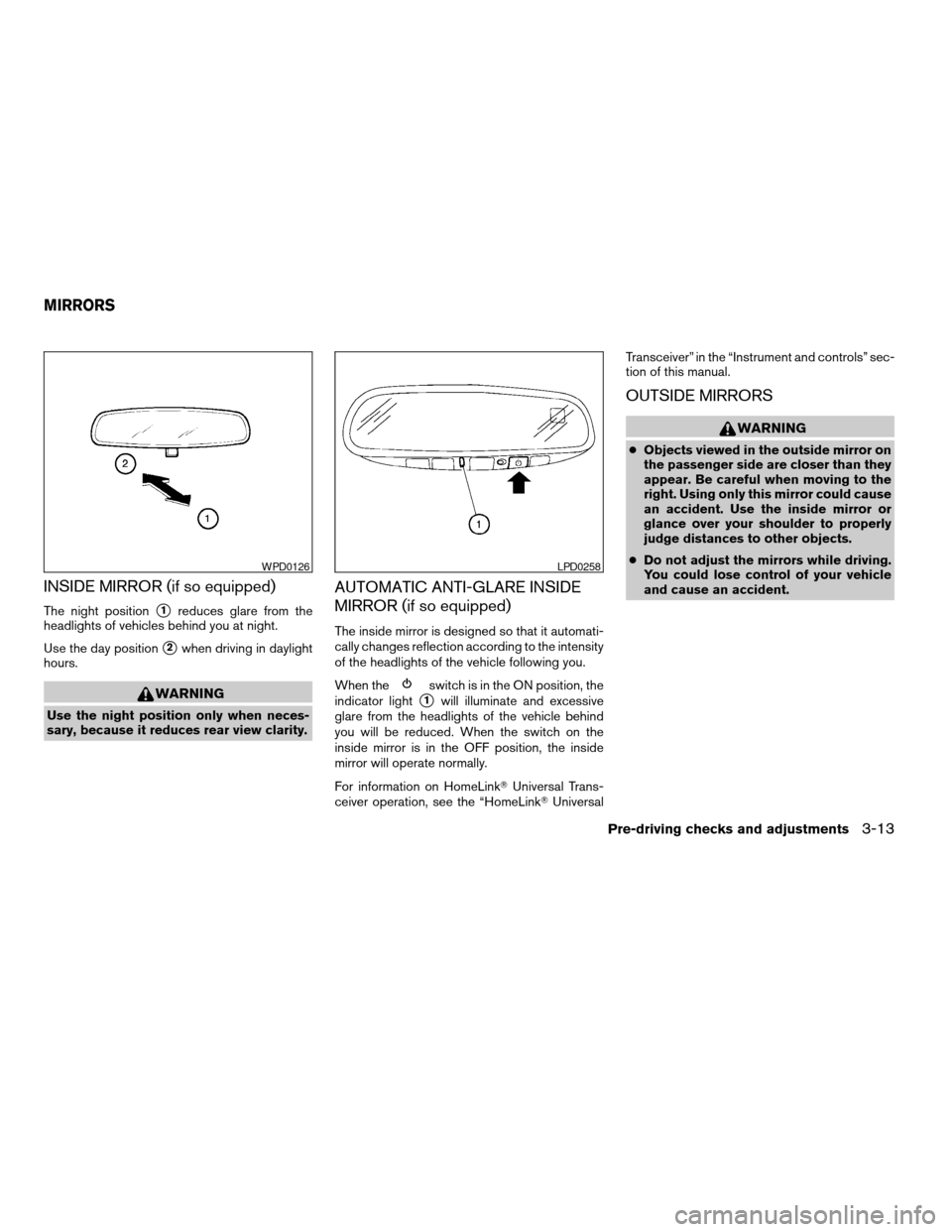
INSIDE MIRROR (if so equipped)
The night positions1reduces glare from the
headlights of vehicles behind you at night.
Use the day position
s2when driving in daylight
hours.
WARNING
Use the night position only when neces-
sary, because it reduces rear view clarity.
AUTOMATIC ANTI-GLARE INSIDE
MIRROR (if so equipped)
The inside mirror is designed so that it automati-
cally changes reflection according to the intensity
of the headlights of the vehicle following you.
When the
switch is in the ON position, the
indicator light
s1will illuminate and excessive
glare from the headlights of the vehicle behind
you will be reduced. When the switch on the
inside mirror is in the OFF position, the inside
mirror will operate normally.
For information on HomeLinkTUniversal Trans-
ceiver operation, see the “HomeLinkTUniversalTransceiver” in the “Instrument and controls” sec-
tion of this manual.
OUTSIDE MIRRORS
WARNING
cObjects viewed in the outside mirror on
the passenger side are closer than they
appear. Be careful when moving to the
right. Using only this mirror could cause
an accident. Use the inside mirror or
glance over your shoulder to properly
judge distances to other objects.
cDo not adjust the mirrors while driving.
You could lose control of your vehicle
and cause an accident.
WPD0126LPD0258
MIRRORS
Pre-driving checks and adjustments3-13
ZREVIEW COPYÐ2005 Truck/Frontier(d22)
Owners ManualÐUSA_English(nna)
11/30/04Ðdebbie
X