ECO mode NISSAN FRONTIER 2018 Owner´s Manual
[x] Cancel search | Manufacturer: NISSAN, Model Year: 2018, Model line: FRONTIER, Model: NISSAN FRONTIER 2018Pages: 502, PDF Size: 4.85 MB
Page 92 of 502
Installing top tether strap —
front passenger seat
(King Cab® models)
WARNING
Child restraint anchorages are de-
signed to withstand only those loads
imposed by correctly fitted child re-
straints. Under no circumstances are
they to be used to attach adult seat
belts, or other items or equipment to
the vehicle. Doing so could damage the
child restraint anchorages. The child re-
straint will not be properly installed us-
ing the damaged anchorages, and a
child could be seriously injured or killed
in a collision.
The child restraint top tether strap must be
used when installing the child restraint with
the seat belts. First, secure the child restraint with the seat
belt.
1. If necessary, raise or remove the head restraint/headrest to position the top
tether straps over the top of the seat-
back. If the head restraint/headrest is
removed, store it in a secure place. Be
sure to reinstall the head restraint/
headrest when the child restraint is re-
moved. For additional information, refer
to “Head restraints/headrests” in this
section.
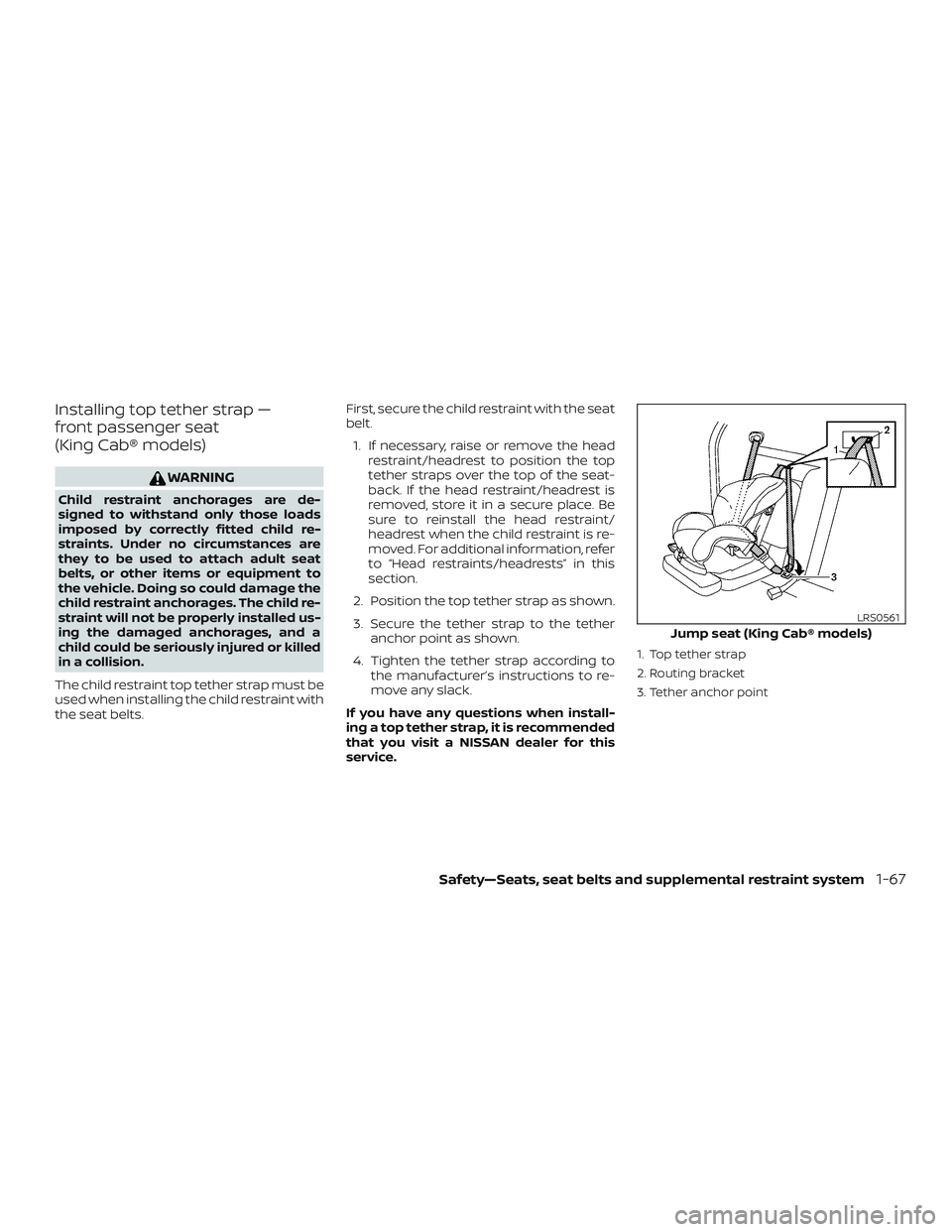
2. Position the top tether strap as shown.
3. Secure the tether strap to the tether anchor point as shown.
4. Tighten the tether strap according to the manufacturer’s instructions to re-
move any slack.
If you have any questions when install-
ing a top tether strap, it is recommended
that you visit a NISSAN dealer for this
service.
1. Top tether strap
2. Routing bracket
3. Tether anchor point
Jump seat (King Cab® models)
LRS0561
Safety—Seats, seat belts and supplemental restraint system1-67
Page 93 of 502
Installing top tether strap —
jump seat (King Cab® models)
WARNING
∙ Do not secure the top tether strap tothe routing bracket. If the child re-
straint is not anchored properly, the
risk of a child being injured or killed in
a collision or a sudden stop greatly
increases.
∙ Child restraint anchorages are de- signed to withstand only those loads
imposed by correctly fitted child re-
straints. Under no circumstances are
they to be used to attach adult seat
belts, or other items or equipment to
the vehicle. Doing so could damage
the child restraint anchorages. The
child restraint will not be properly in-
stalled using the damaged anchor-
ages, and a child could be seriously
injured or killed in a collision.
The child restraint top tether strap must be
used when installing the child restraint with
the seat belts. First, secure the child restraint with the seat
belt.
1. Pull the cover plate off to access the top tether strap routing bracket for the
jump seat.
2. Route the top tether strap through the routing bracket.
3. Secure the top tether strap to the tether anchor point as shown.
4. Refer back to child restraint installation steps before tightening the tether
strap.
If you have any questions when install-
ing a top tether strap, it is recommended
that you visit a NISSAN dealer for this
service.
BOOSTER SEATS
For additional information on installing a
booster seat in your vehicle, follow the in-
structions outlined in this section.
Precautions on booster seats
WARNING
If a booster seat and seat belt are not
used properly, the risk of a child being
injured or killed in a sudden stop or col-
lision greatly increases: – Make sure the shoulder portion ofthe belt is away from the child’s
face and neck and the lap portion
of the belt does not cross the
stomach.
– Make sure the shoulder belt is not behind the child or under the
child’s arm.
– A booster seat must only be in- stalled in a seating position that
has a lap/shoulder belt.
1-68Safety—Seats, seat belts and supplemental restraint system
Page 95 of 502
∙ If the booster seat is compatible withyour vehicle, place the child in the
booster seat and check the various ad-
justments to be sure the booster seat is
compatible with the child. Always follow
all recommended procedures.
All U.S. states and Canadian provinces or
territories require that infants and small
children be restrained in an approved
child restraint at all times while the ve-
hicle is being operated.
The instructions in this section apply to
booster seat installation in the rear seats
or the front passenger seat.Booster seat installation — front
passenger seat (all models) and
rear seat (Crew Cab models)
WARNING
To avoid injury to child, do not use the
lap/shoulder belt in the Automatic
Locking Retractor (ALR) mode when us-
ing a booster seat with the seat belts.
For additional information, refer to all Warn-
ings and Cautions in the “Child safety”,
“Child restraints” and “Booster seats” sec-
tions of this manual before installing a child
restraint.
Follow these steps to install a booster seat
in the rear seat or in the front passenger
seat: 1.
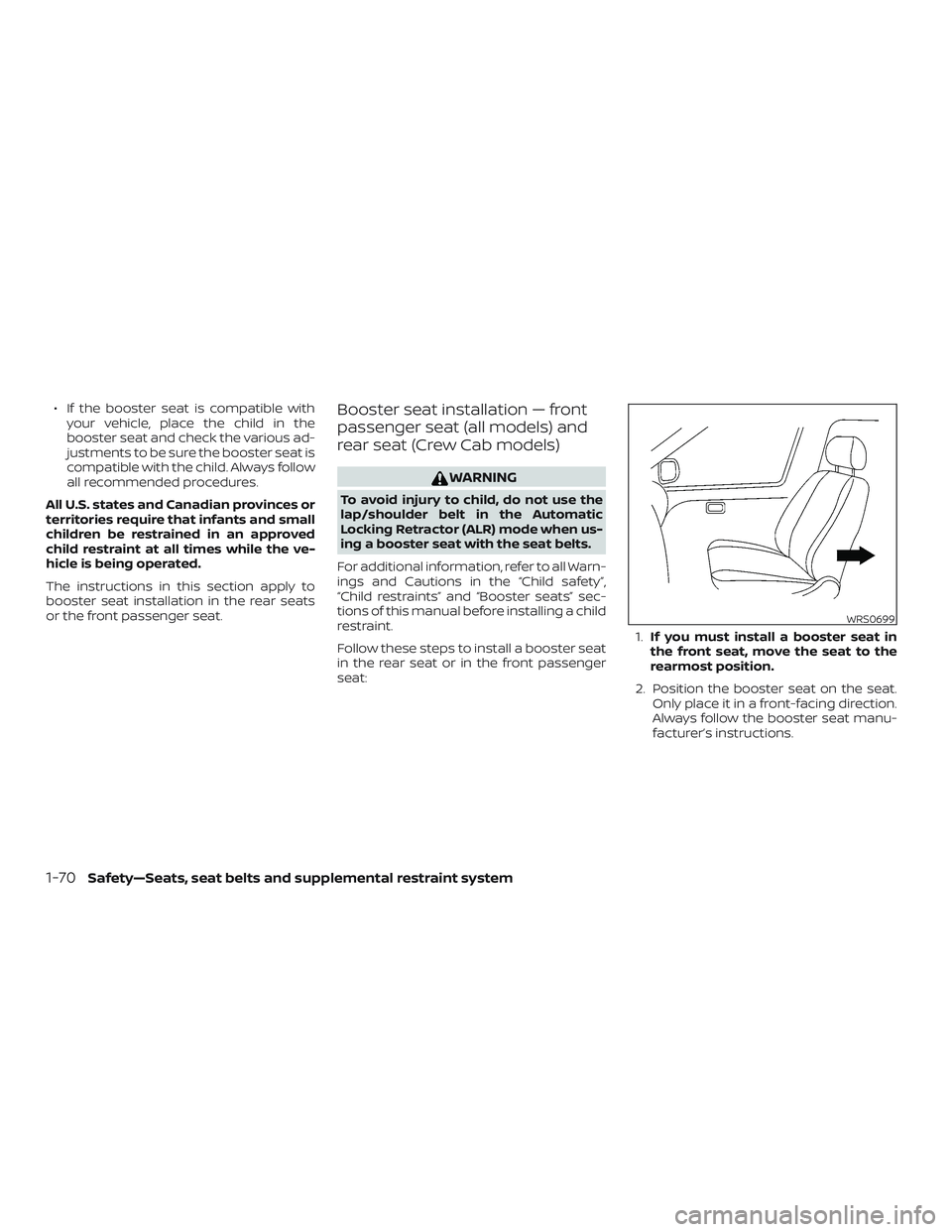
If you must install a booster seat in
the front seat, move the seat to the
rearmost position.
2. Position the booster seat on the seat. Only place it in a front-facing direction.
Always follow the booster seat manu-
facturer’s instructions.
WRS0699
1-70Safety—Seats, seat belts and supplemental restraint system
Page 109 of 502
Front passenger air bag
The front passenger air bag is designed to
automatically turn OFF when the vehicle is
operated under some conditions as de-
scribed below in accordance with U.S. regu-
lations. If the front passenger air bag is OFF
it will not inflate in a crash. The driver air bag
and other air bags in your vehicle are not
part of this system.
The purpose of the regulation is to help
reduce the risk of injury or death from an
inflating air bag to certain front passenger
seat occupants, such as children, by requir-
ing the air bag to be automatically turned
OFF. Certain sensors are used to meet the
requirements.
One sensor used is the occupant classifi-
cation sensor (pressure sensor). It is in the
bottom of the front passenger seat cush-
ion and is designed to detect an occupant
and objects on the seat by weight. It works
together with seat belt sensors described
in this section. For example, if a child is in
the front passenger seat, the NISSAN Ad-
vanced Air Bag System is designed to turn
the front passenger air bag OFF in accor-
dance with the regulations. Also, if a child
restraint of the type specified in the regula-
tions is on the seat, its weight and the
child’s weight can be detected and causethe air bag to turn OFF. Occupant classifi-
cation sensor operation can vary depend-
ing on the front passenger seat belt sen-
sors.
The front passenger seat belt sensors are
designed to detect if the seat belt is buck-
led and the amount of tension on the seat
belt, such as when it is in the Automatic
Locking Retractor (ALR) mode (child re-
straint mode). Based on the weight on the
seat detected by the occupant classifica-
tion sensor and the belt tension detected
on the seat belt, the NISSAN Advanced Air
Bag System determines whether the front
passenger air bag should be automatically
turned OFF as required by the regulations.
Front passenger seat adult occupants who
are properly seated and using the seat belt
as outlined in this manual should not
cause the front passenger air bag to be
automatically turned OFF. For small adults
it may be turned OFF, however, if the occu-
pant does not sit in the seat properly (for
example, by not sitting upright, by sitting on
an edge of the seat, or by otherwise being
out of position), this could cause the sensor
to turn the air bag OFF. In addition, if the
occupant improperly uses the seat belt in
the ALR mode, this could cause the air bag
to be turned OFF. Always be sure to beseated and wearing the seat belt properly
for the most effective protection by the
seat belt and supplemental air bag.
NISSAN recommends that pre-teens and
children be properly restrained in a rear
seat. NISSAN also recommends that ap-
propriate child restraints and booster
seats be properly installed in a rear seat. If
this is not possible, the occupant classifica-
tion sensor and seat belt sensors are de-
signed to operate as described above to
turn the front passenger air bag OFF for
specified child restraints as required by the
regulations. Failing to properly secure child
restraints and to use the ALR mode may
allow the restraint to tip or move in a colli-
sion or sudden stop. This can also result in
the passenger air bag inflating in a crash
instead of being OFF. For additional infor-
mation, refer to “Child restraints” in this sec-
tion.
If the front passenger seat is not occupied,
the front passenger air bag is designed not
to inflate in a crash. However, heavy objects
placed on the seat could result in air bag
inflation, because of the object’s weight de-
tected by the occupant classification sen-
sor. Other conditions could also result in air
bag inflation, such as if a child is standing
on the seat, or if two children are on the
1-84Safety—Seats, seat belts and supplemental restraint system
Page 126 of 502
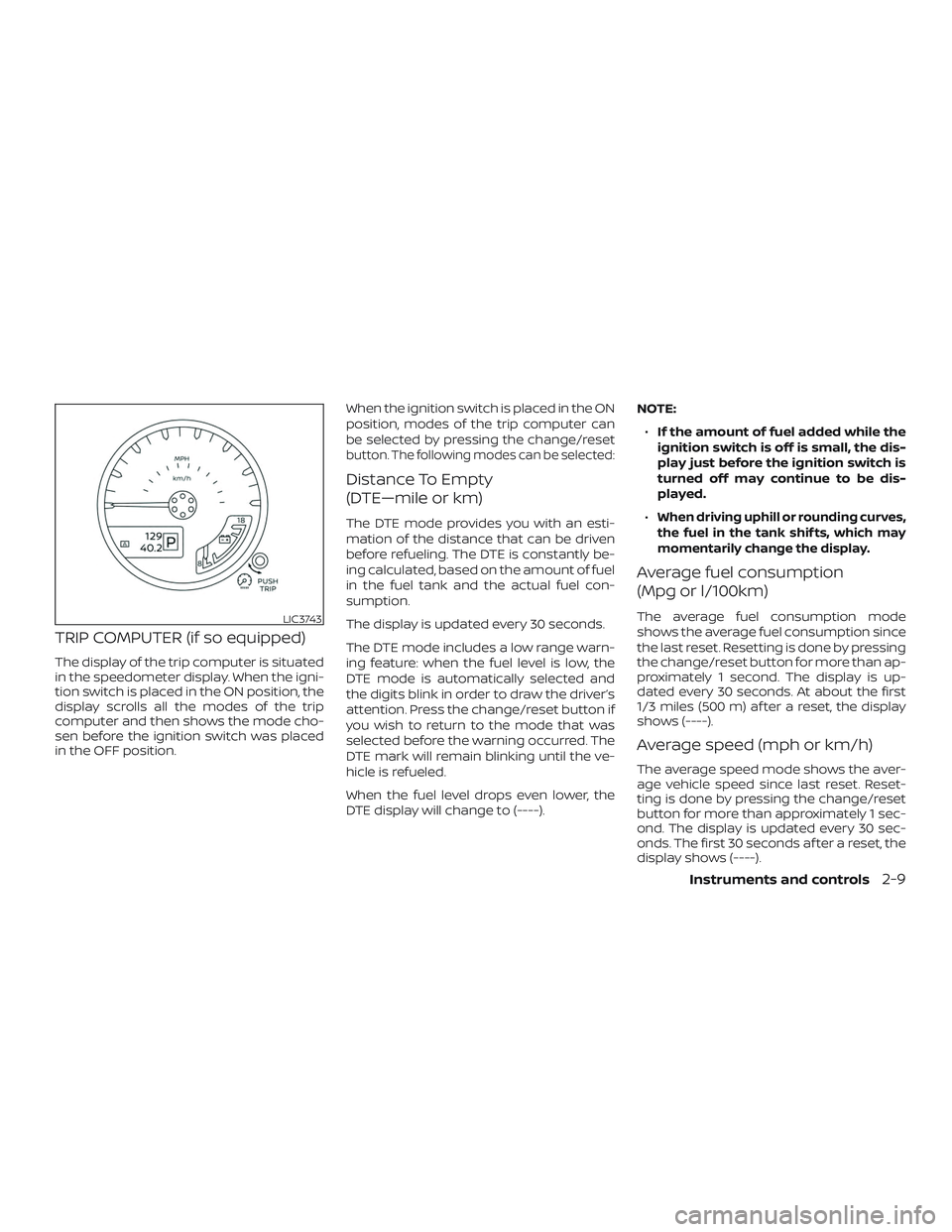
TRIP COMPUTER (if so equipped)
The display of the trip computer is situated
in the speedometer display. When the igni-
tion switch is placed in the ON position, the
display scrolls all the modes of the trip
computer and then shows the mode cho-
sen before the ignition switch was placed
in the OFF position.When the ignition switch is placed in the ON
position, modes of the trip computer can
be selected by pressing the change/reset
button. The following modes can be selected:
Distance To Empty
(DTE—mile or km)
The DTE mode provides you with an esti-
mation of the distance that can be driven
before refueling. The DTE is constantly be-
ing calculated, based on the amount of fuel
in the fuel tank and the actual fuel con-
sumption.
The display is updated every 30 seconds.
The DTE mode includes a low range warn-
ing feature: when the fuel level is low, the
DTE mode is automatically selected and
the digits blink in order to draw the driver’s
attention. Press the change/reset button if
you wish to return to the mode that was
selected before the warning occurred. The
DTE mark will remain blinking until the ve-
hicle is refueled.
When the fuel level drops even lower, the
DTE display will change to (----).NOTE:
∙ If the amount of fuel added while the
ignition switch is off is small, the dis-
play just before the ignition switch is
turned off may continue to be dis-
played.
∙When driving uphill or rounding curves,
the fuel in the tank shif ts, which may
momentarily change the display.
Average fuel consumption
(Mpg or l/100km)
The average fuel consumption mode
shows the average fuel consumption since
the last reset. Resetting is done by pressing
the change/reset button for more than ap-
proximately 1 second. The display is up-
dated every 30 seconds. At about the first
1/3 miles (500 m) af ter a reset, the display
shows (----).
Average speed (mph or km/h)
The average speed mode shows the aver-
age vehicle speed since last reset. Reset-
ting is done by pressing the change/reset
button for more than approximately 1 sec-
ond. The display is updated every 30 sec-
onds. The first 30 seconds af ter a reset, the
display shows (----).
LIC3743
Instruments and controls2-9
Page 127 of 502
Journey time
The journey time mode shows the time
since the last reset. The displayed time can
be reset by pressing the change/reset but-
ton for more than approximately 1 second.
Trip computer reset
Pressing the change/reset button for
more than 3 seconds will reset all modes
except Trip A and distance to empty.This unit has the following functions:
∙ Measures terrestrial magnetism and in- dicates heading direction of vehicle
∙ Indicates outside air temperature
With the ignition switch in the ON position,
press the
orbutton as de-
scribed in the charts below to activate vari-
ous features of the automatic anti-glare
rearview mirror.
Type A (if so equipped)
Press and hold
the
button for
about: Feature:
(Press button again for about
1 second to change settings)
1 second Compass toggles on/off
8 seconds Automatic anti-glare/indicator
light toggles on/off
11 seconds Compass zone can be changed
to correct false compass read-
ings
13 seconds Compass enters calibration
mode
Type B (if so equipped)
Press and hold
the
button for
about:Feature:
(Press button again for about
1 second to change settings)
1 second Compass toggles on/off
8 seconds Compass zone can be changed
to correct false compass read-
ings
10 seconds Compass enters calibration
mode
For additional information, refer to “Auto-
matic anti-glare rearview mirror” in the
“Pre-driving checks and adjustments” sec-
tion of this manual.
COMPASS AND OUTSIDE
TEMPERATURE DISPLAY
(if so equipped)
2-10Instruments and controls
Page 132 of 502
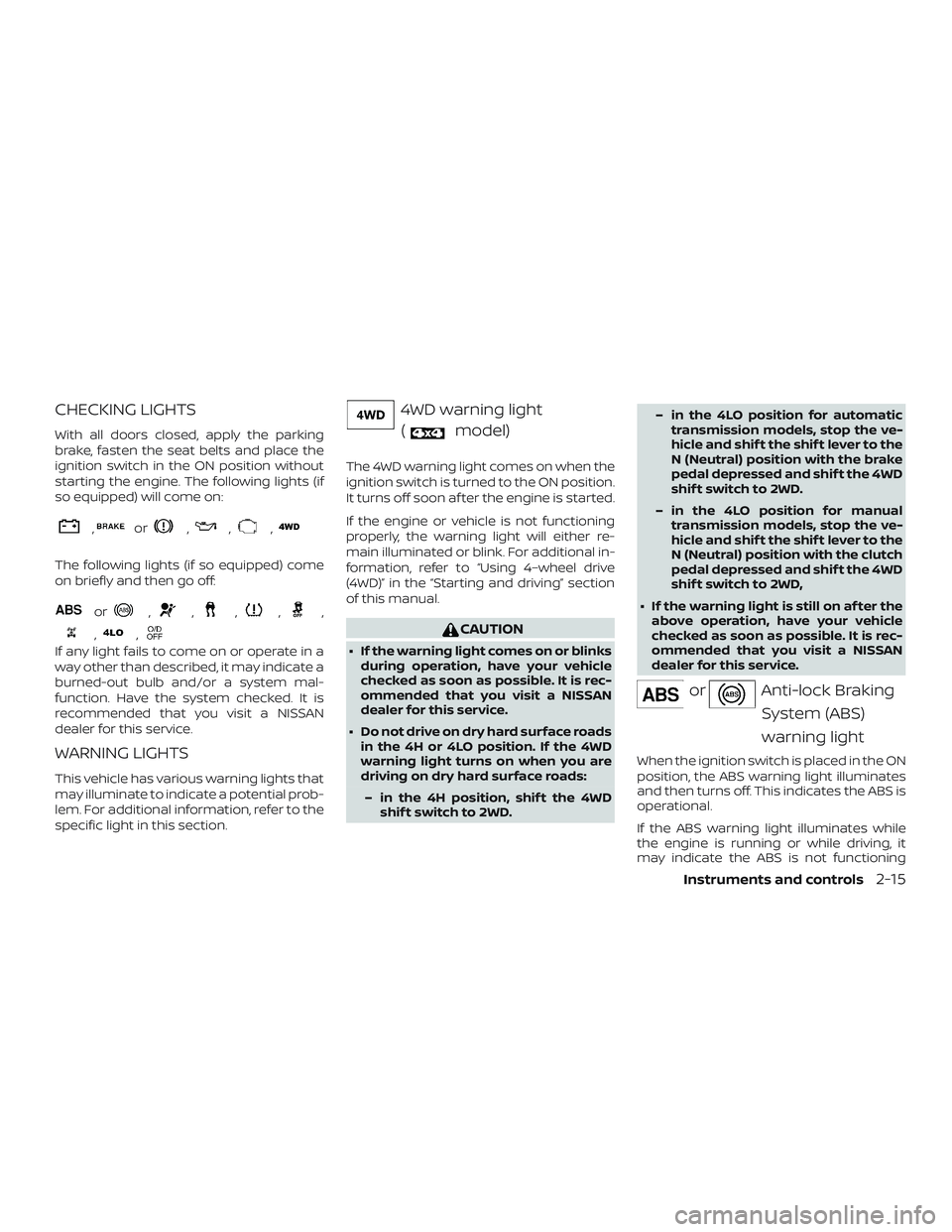
CHECKING LIGHTS
With all doors closed, apply the parking
brake, fasten the seat belts and place the
ignition switch in the ON position without
starting the engine. The following lights (if
so equipped) will come on:
,or,,,
The following lights (if so equipped) come
on briefly and then go off:
or,,,,,
,,
If any light fails to come on or operate in a
way other than described, it may indicate a
burned-out bulb and/or a system mal-
function. Have the system checked. It is
recommended that you visit a NISSAN
dealer for this service.
WARNING LIGHTS
This vehicle has various warning lights that
may illuminate to indicate a potential prob-
lem. For additional information, refer to the
specific light in this section.
4WD warning light(
model)
The 4WD warning light comes on when the
ignition switch is turned to the ON position.
It turns off soon af ter the engine is started.
If the engine or vehicle is not functioning
properly, the warning light will either re-
main illuminated or blink. For additional in-
formation, refer to “Using 4–wheel drive
(4WD)” in the “Starting and driving” section
of this manual.
CAUTION
∙ If the warning light comes on or blinks during operation, have your vehicle
checked as soon as possible. It is rec-
ommended that you visit a NISSAN
dealer for this service.
∙ Do not drive on dry hard surface roads in the 4H or 4LO position. If the 4WD
warning light turns on when you are
driving on dry hard surface roads:
– in the 4H position, shif t the 4WD shif t switch to 2WD. – in the 4LO position for automatic
transmission models, stop the ve-
hicle and shif t the shif t lever to the
N (Neutral) position with the brake
pedal depressed and shif t the 4WD
shif t switch to 2WD.
– in the 4LO position for manual transmission models, stop the ve-
hicle and shif t the shif t lever to the
N (Neutral) position with the clutch
pedal depressed and shif t the 4WD
shif t switch to 2WD,
∙ If the warning light is still on af ter the above operation, have your vehicle
checked as soon as possible. It is rec-
ommended that you visit a NISSAN
dealer for this service.
orAnti-lock Braking
System (ABS)
warning light
When the ignition switch is placed in the ON
position, the ABS warning light illuminates
and then turns off. This indicates the ABS is
operational.
If the ABS warning light illuminates while
the engine is running or while driving, it
may indicate the ABS is not functioning
Instruments and controls2-15
Page 133 of 502
properly. Have the system checked. It is
recommended that you visit a NISSAN
dealer for this service.
If an ABS malfunction occurs, the anti-lock
function is turned off. The brake system
then operates normally but without anti-
lock assistance. For additional information,
refer to “Brake system” in the “Starting and
driving” section of this manual.
Automatic transmission oiltemperature warning light
(if so equipped)
This light comes on when the automatic
transmission oil temperature is too high. If
the light comes on while driving, reduce the
vehicle speed as soon as safely possible
until the light turns off.
CAUTION
Continued vehicle operation when the
A/T oil temperature warning light is on
may damage the automatic transmission.
Automatic transmissionpark warning light
(
model)
WARNING
∙ If the ATP light is ON, this indicates that the automatic transmission P
(Park) position will not function and
the transfer case is in neutral.
∙ When parking, always make sure that the 4WD shif t indicator light illumi-
nates and the parking brake is set.
Failure to engage the transfer posi-
tion in 2WD, 4H or 4LO could result in
the vehicle moving unexpectedly, re-
sulting in serious personal injury or
property damage.
∙ Shif t the 4WD switch into the 2WD, 4H or 4LO position again to turn off the
ATP warning light when the shif t lever
is in the P position and the ATP warn-
ing light is ON. (Before shif ting the
4WD switch into the 4LO position,
move the shif t lever into the N posi-
tion once, shif t the shif t lever into P
again and make sure the ATP warning
light is OFF.) This light indicates that the automatic
transmission parking function is not en-
gaged. If the transfer control is not secured
in any drive position while the shif t lever is
in the P (Park) position, the transmission will
disengage and the drive wheels will not
lock.
orBrake
warning light
This light functions for both the parking
brake and the foot brake systems.
Parking brake indicator
When the ignition switch is placed in the ON
position, the light comes on when the park-
ing brake is applied.
Low brake fluid warning light
When the ignition switch is placed in the ON
position, the light warns of a low brake fluid
level. If the light comes on while the engine
is running with the parking brake not ap-
plied, stop the vehicle and perform the fol-
lowing:
1. Check the brake fluid level. Add brake fluid as necessary. For additional infor-
mation, refer to “Brake fluid” in the “Do-
it-yourself ” section of this manual.
2-16Instruments and controls
Page 138 of 502
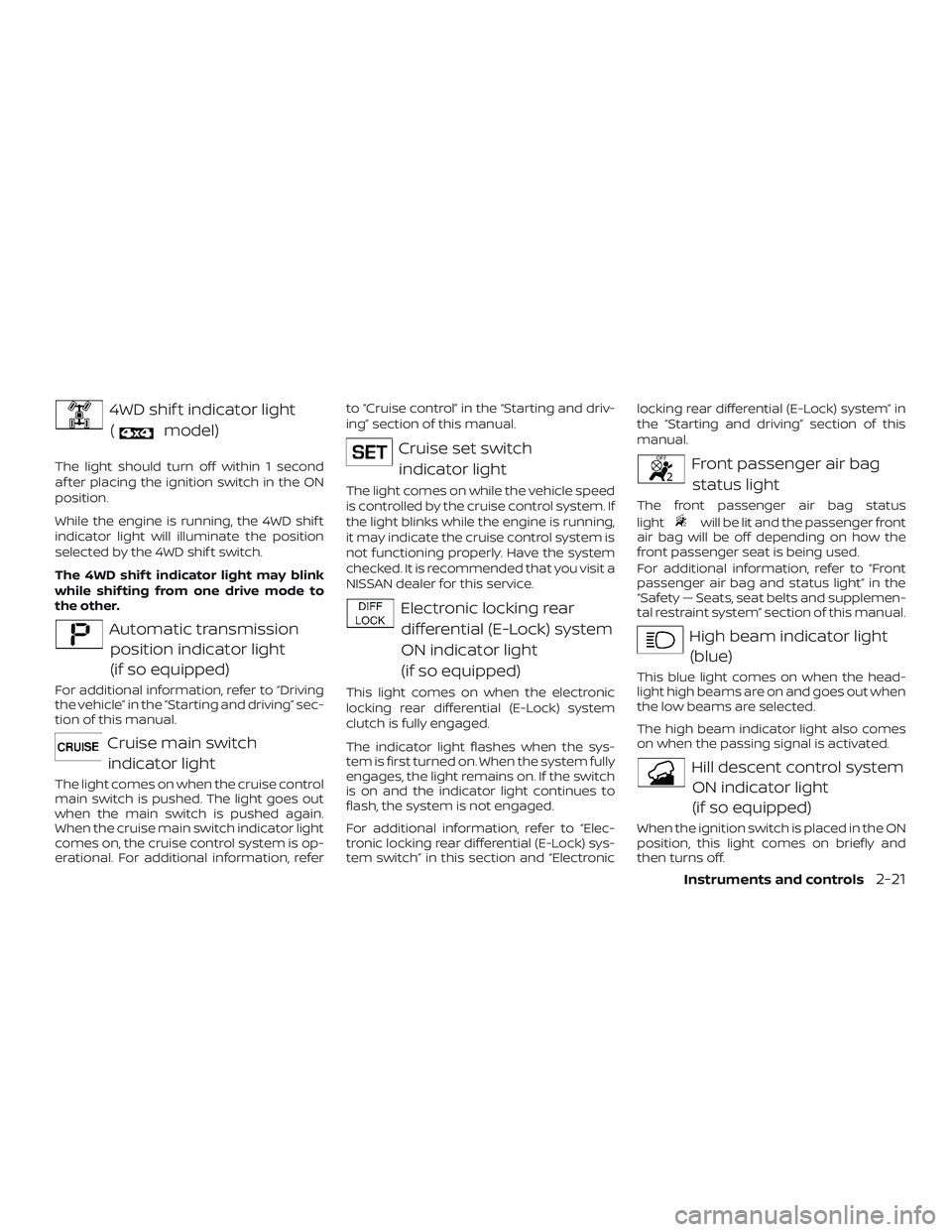
4WD shif t indicator light(
model)
The light should turn off within 1 second
af ter placing the ignition switch in the ON
position.
While the engine is running, the 4WD shif t
indicator light will illuminate the position
selected by the 4WD shif t switch.
The 4WD shif t indicator light may blink
while shif ting from one drive mode to
the other.
Automatic transmissionposition indicator light
(if so equipped)
For additional information, refer to “Driving
the vehicle” in the “Starting and driving” sec-
tion of this manual.
Cruise main switchindicator light
The light comes on when the cruise control
main switch is pushed. The light goes out
when the main switch is pushed again.
When the cruise main switch indicator light
comes on, the cruise control system is op-
erational. For additional information, refer to “Cruise control” in the “Starting and driv-
ing” section of this manual.
Cruise set switch
indicator light
The light comes on while the vehicle speed
is controlled by the cruise control system. If
the light blinks while the engine is running,
it may indicate the cruise control system is
not functioning properly. Have the system
checked. It is recommended that you visit a
NISSAN dealer for this service.
Electronic locking reardifferential (E-Lock) system
ON indicator light
(if so equipped)
This light comes on when the electronic
locking rear differential (E-Lock) system
clutch is fully engaged.
The indicator light flashes when the sys-
tem is first turned on. When the system fully
engages, the light remains on. If the switch
is on and the indicator light continues to
flash, the system is not engaged.
For additional information, refer to “Elec-
tronic locking rear differential (E-Lock) sys-
tem switch” in this section and “Electronic locking rear differential (E-Lock) system” in
the “Starting and driving” section of this
manual.
Front passenger air bag
status light
The front passenger air bag status
light
will be lit and the passenger front
air bag will be off depending on how the
front passenger seat is being used.
For additional information, refer to “Front
passenger air bag and status light” in the
“Safety — Seats, seat belts and supplemen-
tal restraint system” section of this manual.
High beam indicator light
(blue)
This blue light comes on when the head-
light high beams are on and goes out when
the low beams are selected.
The high beam indicator light also comes
on when the passing signal is activated.
Hill descent control systemON indicator light
(if so equipped)
When the ignition switch is placed in the ON
position, this light comes on briefly and
then turns off.
Instruments and controls2-21
Page 140 of 502
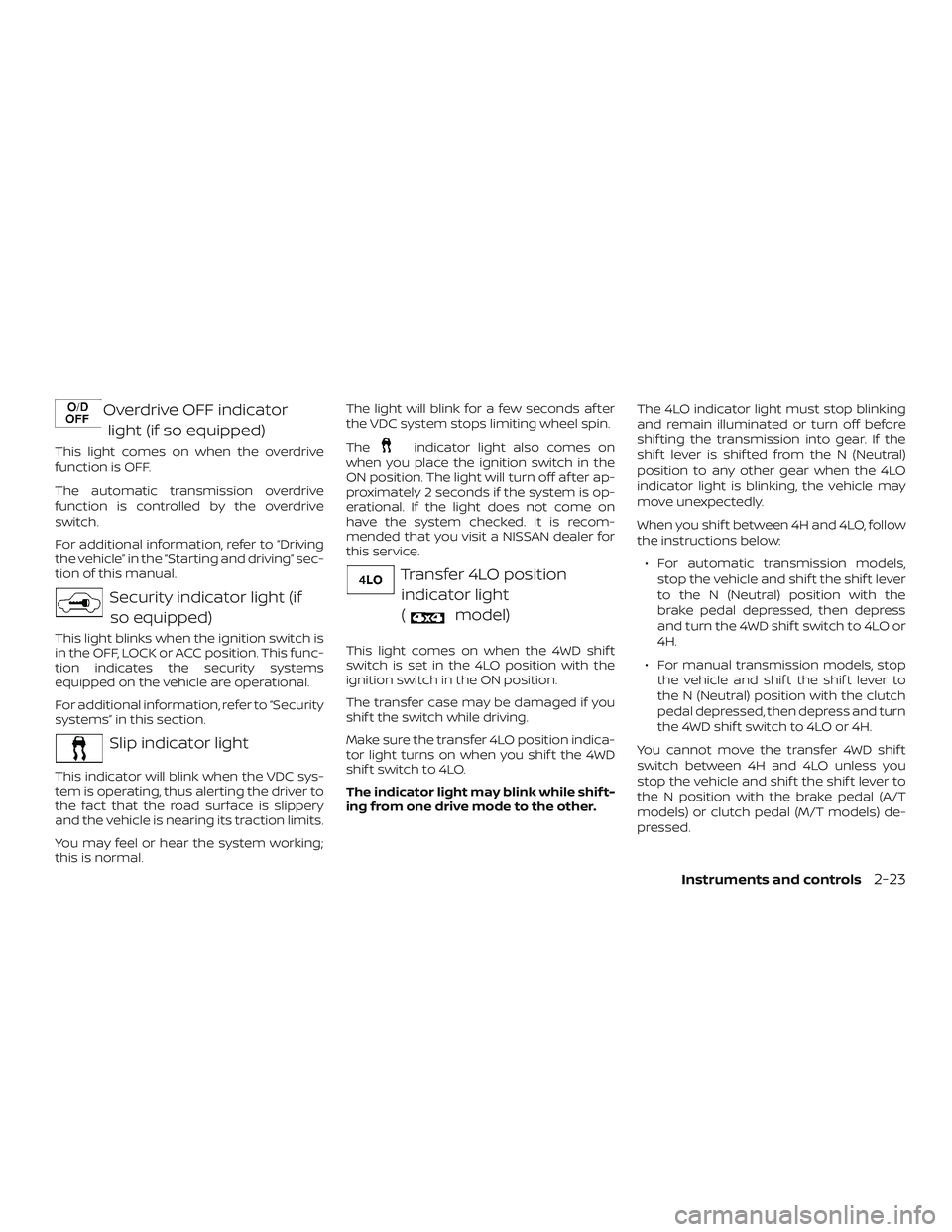
Overdrive OFF indicatorlight (if so equipped)
This light comes on when the overdrive
function is OFF.
The automatic transmission overdrive
function is controlled by the overdrive
switch.
For additional information, refer to “Driving
the vehicle” in the “Starting and driving” sec-
tion of this manual.
Security indicator light (ifso equipped)
This light blinks when the ignition switch is
in the OFF, LOCK or ACC position. This func-
tion indicates the security systems
equipped on the vehicle are operational.
For additional information, refer to “Security
systems” in this section.
Slip indicator light
This indicator will blink when the VDC sys-
tem is operating, thus alerting the driver to
the fact that the road surface is slippery
and the vehicle is nearing its traction limits.
You may feel or hear the system working;
this is normal. The light will blink for a few seconds af ter
the VDC system stops limiting wheel spin.
The
indicator light also comes on
when you place the ignition switch in the
ON position. The light will turn off af ter ap-
proximately 2 seconds if the system is op-
erational. If the light does not come on
have the system checked. It is recom-
mended that you visit a NISSAN dealer for
this service.
Transfer 4LO position
indicator light
(
model)
This light comes on when the 4WD shif t
switch is set in the 4LO position with the
ignition switch in the ON position.
The transfer case may be damaged if you
shif t the switch while driving.
Make sure the transfer 4LO position indica-
tor light turns on when you shif t the 4WD
shif t switch to 4LO.
The indicator light may blink while shif t-
ing from one drive mode to the other. The 4LO indicator light must stop blinking
and remain illuminated or turn off before
shif ting the transmission into gear. If the
shif t lever is shif ted from the N (Neutral)
position to any other gear when the 4LO
indicator light is blinking, the vehicle may
move unexpectedly.
When you shif t between 4H and 4LO, follow
the instructions below:
∙ For automatic transmission models, stop the vehicle and shif t the shif t lever
to the N (Neutral) position with the
brake pedal depressed, then depress
and turn the 4WD shif t switch to 4LO or
4H.
∙ For manual transmission models, stop the vehicle and shif t the shif t lever to
the N (Neutral) position with the clutch
pedal depressed, then depress and turn
the 4WD shif t switch to 4LO or 4H.
You cannot move the transfer 4WD shif t
switch between 4H and 4LO unless you
stop the vehicle and shif t the shif t lever to
the N position with the brake pedal (A/T
models) or clutch pedal (M/T models) de-
pressed.
Instruments and controls2-23