clutch NISSAN FRONTIER 2018 Owner´s Manual
[x] Cancel search | Manufacturer: NISSAN, Model Year: 2018, Model line: FRONTIER, Model: NISSAN FRONTIER 2018Pages: 502, PDF Size: 4.85 MB
Page 20 of 502
15. Electronic locking rear differential(E-Lock) system switch
(if so equipped) (P. 2-37)
Heated seat switches
(if so equipped) (P. 2-34)
Rear sonar switch (if so equipped)
(P. 2-39)
Vehicle Dynamic Control (VDC)
OFF switch (P. 2-35)
16. Shif t lever (P. 5-14)
17. 4WD shif t switch (if so equipped)
(P. 5-26)
18. Climate controls (P. 4-17, P. 4-26)
19. Hazard warning flasher switch
(P. 6-2)
20. Ignition switch (P. 5-10)
21. Tilt steering wheel control
(if so equipped) (P. 3-14)
22. Cargo lamp switch (P. 2-34) Clutch interlock (clutch start)
switch (if so equipped) (P. 2-38)
Hill descent control switch
(if so equipped) (P. 2-36)
Outside mirror controls
(if so equipped) (P. 3-15)
Illustrated table of contents
0-7
Page 21 of 502
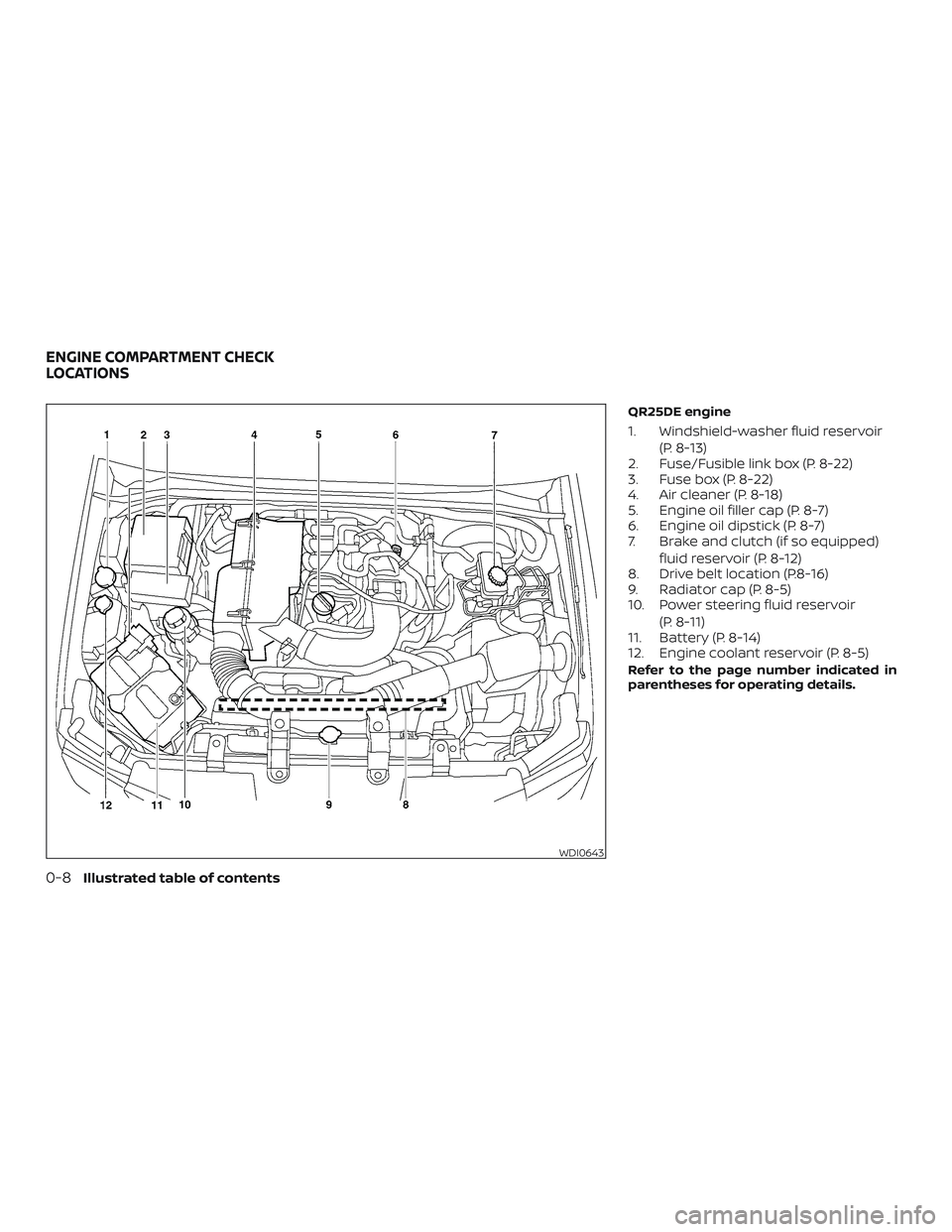
QR25DE engine
1. Windshield-washer fluid reservoir(P. 8-13)
2. Fuse/Fusible link box (P. 8-22)
3. Fuse box (P. 8-22)
4. Air cleaner (P. 8-18)
5. Engine oil filler cap (P. 8-7)
6. Engine oil dipstick (P. 8-7)
7. Brake and clutch (if so equipped)
fluid reservoir (P. 8-12)
8. Drive belt location (P.8-16)
9. Radiator cap (P. 8-5)
10. Power steering fluid reservoir
(P. 8-11)
11. Battery (P. 8-14)
12. Engine coolant reservoir (P. 8-5)
Refer to the page number indicated in
parentheses for operating details.
WDI0643
ENGINE COMPARTMENT CHECK
LOCATIONS
0-8Illustrated table of contents
Page 22 of 502
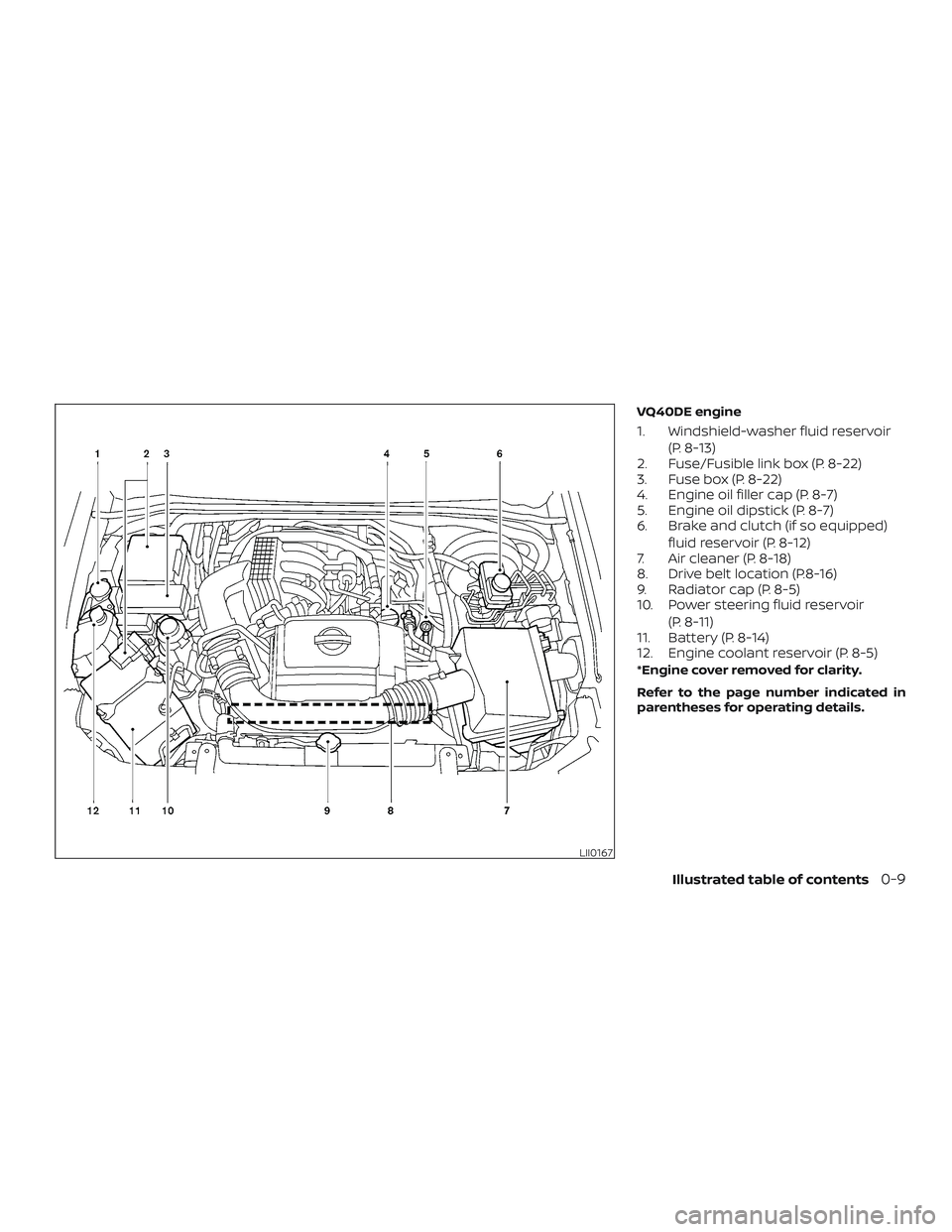
VQ40DE engine
1. Windshield-washer fluid reservoir(P. 8-13)
2. Fuse/Fusible link box (P. 8-22)
3. Fuse box (P. 8-22)
4. Engine oil filler cap (P. 8-7)
5. Engine oil dipstick (P. 8-7)
6. Brake and clutch (if so equipped)
fluid reservoir (P. 8-12)
7. Air cleaner (P. 8-18)
8. Drive belt location (P.8-16)
9. Radiator cap (P. 8-5)
10. Power steering fluid reservoir
(P. 8-11)
11. Battery (P. 8-14)
12. Engine coolant reservoir (P. 8-5)
*Engine cover removed for clarity.
Refer to the page number indicated in
parentheses for operating details.
LII0167
Illustrated table of contents0-9
Page 117 of 502
2 Instruments and controls
Instrument panel................................2-2
Meters and gauges ..............................2-3
Speedometer and odometer .................2-4
Tachometer ..................................2-6
Engine coolant temperature gauge ..........2-6
Fuel gauge ................................... 2-7
Engine oil pressure gauge (if so
equipped) ....................................2-8
Voltmeter (if so equipped) ....................2-8
Trip computer (if so equipped) ................2-9
Compass and outside temperature display
(if so equipped) ................................. 2-10
Outside temperature display .................2-11
Compass ..................................... 2-11
Warning lights, indicator lights and audible
reminders ...................................... 2-14
Checking lights .............................. 2-15
Warning lights ............................... 2-15
Indicator lights .............................. 2-20
Audible reminders ........................... 2-24
Security systems (if so equipped) ...............2-25
Vehicle security system (if so equipped) .....2-25
NISSAN Vehicle Immobilizer System
(if so equipped) .............................. 2-26Wiper and washer switch
.......................2-28
Switch operation ............................ 2-28
Rear window or outside mirror defroster
switch (if so equipped) .......................... 2-28
Headlight and turn signal switch ...............2-29
Headlight control switch .....................2-29
Daytime Running Light (DRL) system
(if so equipped) .............................. 2-32
Instrument brightness control ...............2-32
Turn signal switch ........................... 2-32
Fog light switch (if so equipped) .............2-33
Horn ........................................... 2-33
Cargo lamp switch ............................. 2-34
Heated seat switches (if so equipped) ..........2-34
Vehicle Dynamic Control (VDC) OFF switch ......2-35
Hill descent control switch (if so equipped) ......2-36
Electronic locking rear differential (E-Lock)
system switch (if so equipped) ..................2-37
Clutch
interlock (clutch start) switch
(if so equipped) ................................. 2-38
Rear Sonar System (RSS) OFF switch
(if so equipped) ................................. 2-39
Power outlets .................................. 2-39
Storage ........................................ 2-40
Page 120 of 502
15. Electronic locking rear differential(E-Lock) system switch
(if so equipped) (P. 2-37)
Heated seat switches
(if so equipped) (P. 2-34)
Rear sonar switch (if so equipped)
(P. 2-39)
Vehicle Dynamic Control (VDC)
OFF switch (P. 2-35)
16. Shif t lever (P. 5-14)
17. 4WD shif t switch (if so equipped)
(P. 5-26)
18. Climate controls (P. 4-17, P. 4-26)
19. Hazard warning flasher switch
(P. 6-2)
20. Ignition switch (P. 5-10)
21. Tilt steering wheel control
(if so equipped) (P. 3-14)
22. Cargo lamp switch (P. 2-34) Clutch interlock (clutch start)
switch (if so equipped) (P. 2-38)
Hill descent control switch
(if so equipped) (P. 2-36)
Outside mirror controls
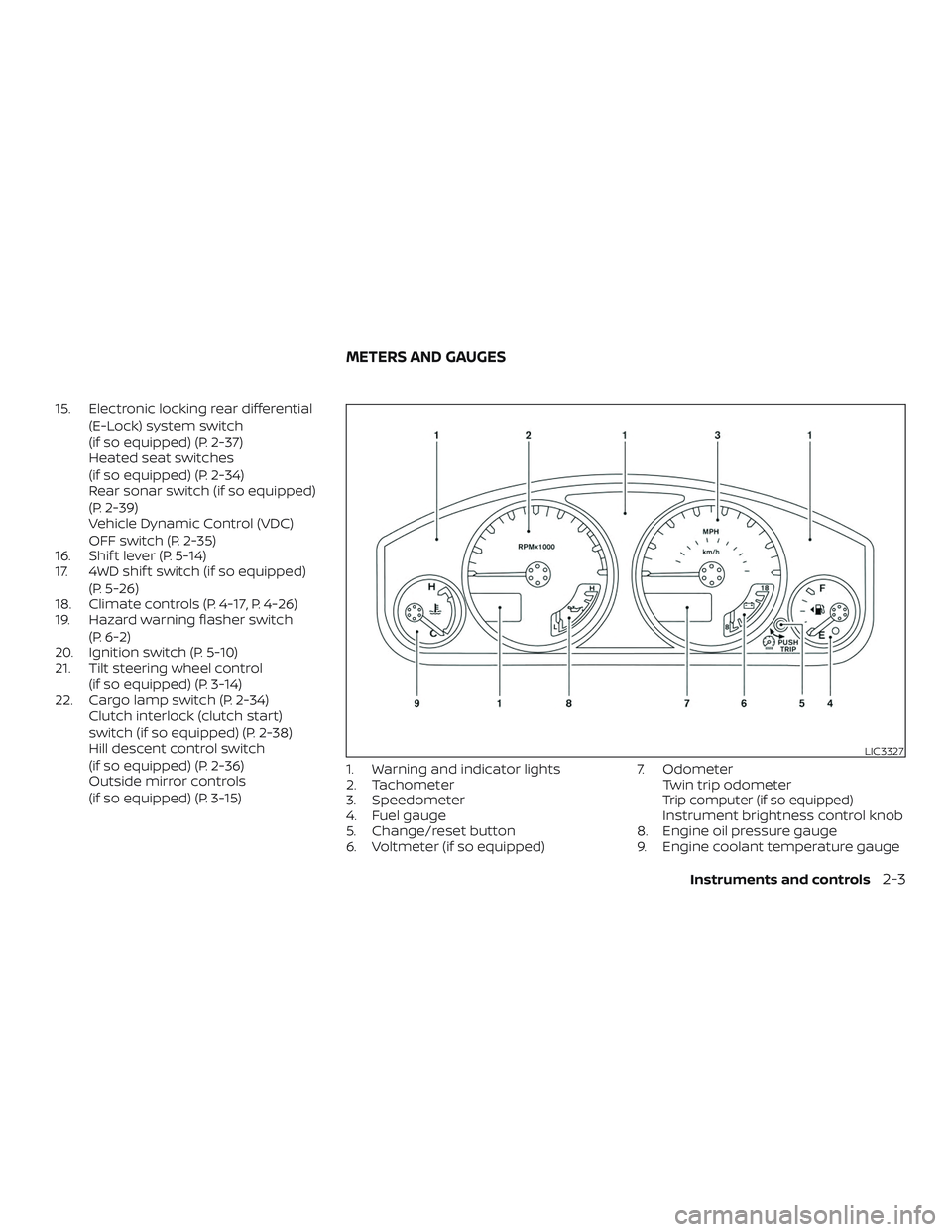
(if so equipped) (P. 3-15) 1. Warning and indicator lights
2. Tachometer
3. Speedometer
4. Fuel gauge
5. Change/reset button
6. Voltmeter (if so equipped) 7. Odometer
Twin trip odometer
Trip computer (if so equipped)Instrument brightness control knob
8. Engine oil pressure gauge
9. Engine coolant temperature gauge
LIC3327
METERS AND GAUGES
Instruments and controls2-3
Page 132 of 502
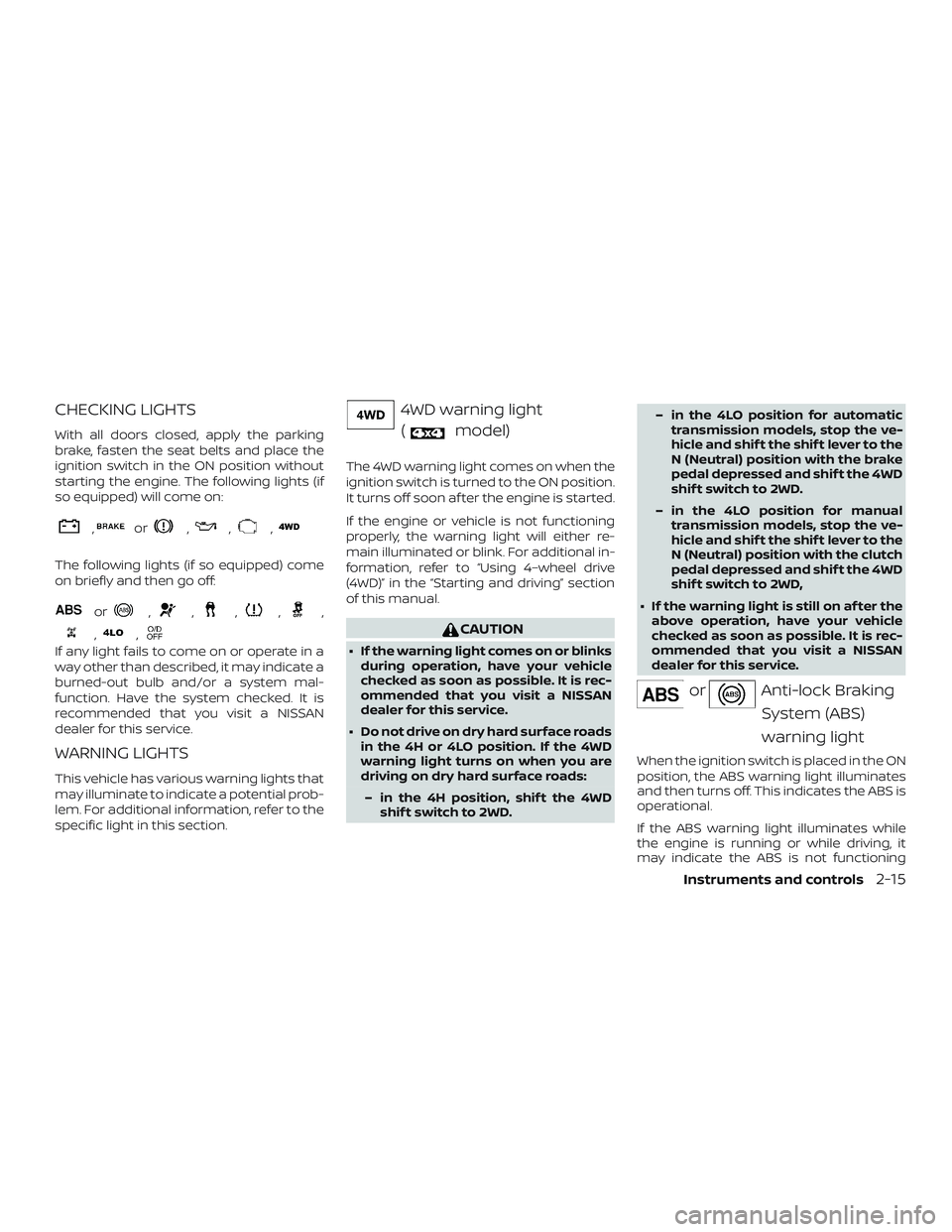
CHECKING LIGHTS
With all doors closed, apply the parking
brake, fasten the seat belts and place the
ignition switch in the ON position without
starting the engine. The following lights (if
so equipped) will come on:
,or,,,
The following lights (if so equipped) come
on briefly and then go off:
or,,,,,
,,
If any light fails to come on or operate in a
way other than described, it may indicate a
burned-out bulb and/or a system mal-
function. Have the system checked. It is
recommended that you visit a NISSAN
dealer for this service.
WARNING LIGHTS
This vehicle has various warning lights that
may illuminate to indicate a potential prob-
lem. For additional information, refer to the
specific light in this section.
4WD warning light(
model)
The 4WD warning light comes on when the
ignition switch is turned to the ON position.
It turns off soon af ter the engine is started.
If the engine or vehicle is not functioning
properly, the warning light will either re-
main illuminated or blink. For additional in-
formation, refer to “Using 4–wheel drive
(4WD)” in the “Starting and driving” section
of this manual.
CAUTION
∙ If the warning light comes on or blinks during operation, have your vehicle
checked as soon as possible. It is rec-
ommended that you visit a NISSAN
dealer for this service.
∙ Do not drive on dry hard surface roads in the 4H or 4LO position. If the 4WD
warning light turns on when you are
driving on dry hard surface roads:
– in the 4H position, shif t the 4WD shif t switch to 2WD. – in the 4LO position for automatic
transmission models, stop the ve-
hicle and shif t the shif t lever to the
N (Neutral) position with the brake
pedal depressed and shif t the 4WD
shif t switch to 2WD.
– in the 4LO position for manual transmission models, stop the ve-
hicle and shif t the shif t lever to the
N (Neutral) position with the clutch
pedal depressed and shif t the 4WD
shif t switch to 2WD,
∙ If the warning light is still on af ter the above operation, have your vehicle
checked as soon as possible. It is rec-
ommended that you visit a NISSAN
dealer for this service.
orAnti-lock Braking
System (ABS)
warning light
When the ignition switch is placed in the ON
position, the ABS warning light illuminates
and then turns off. This indicates the ABS is
operational.
If the ABS warning light illuminates while
the engine is running or while driving, it
may indicate the ABS is not functioning
Instruments and controls2-15
Page 138 of 502
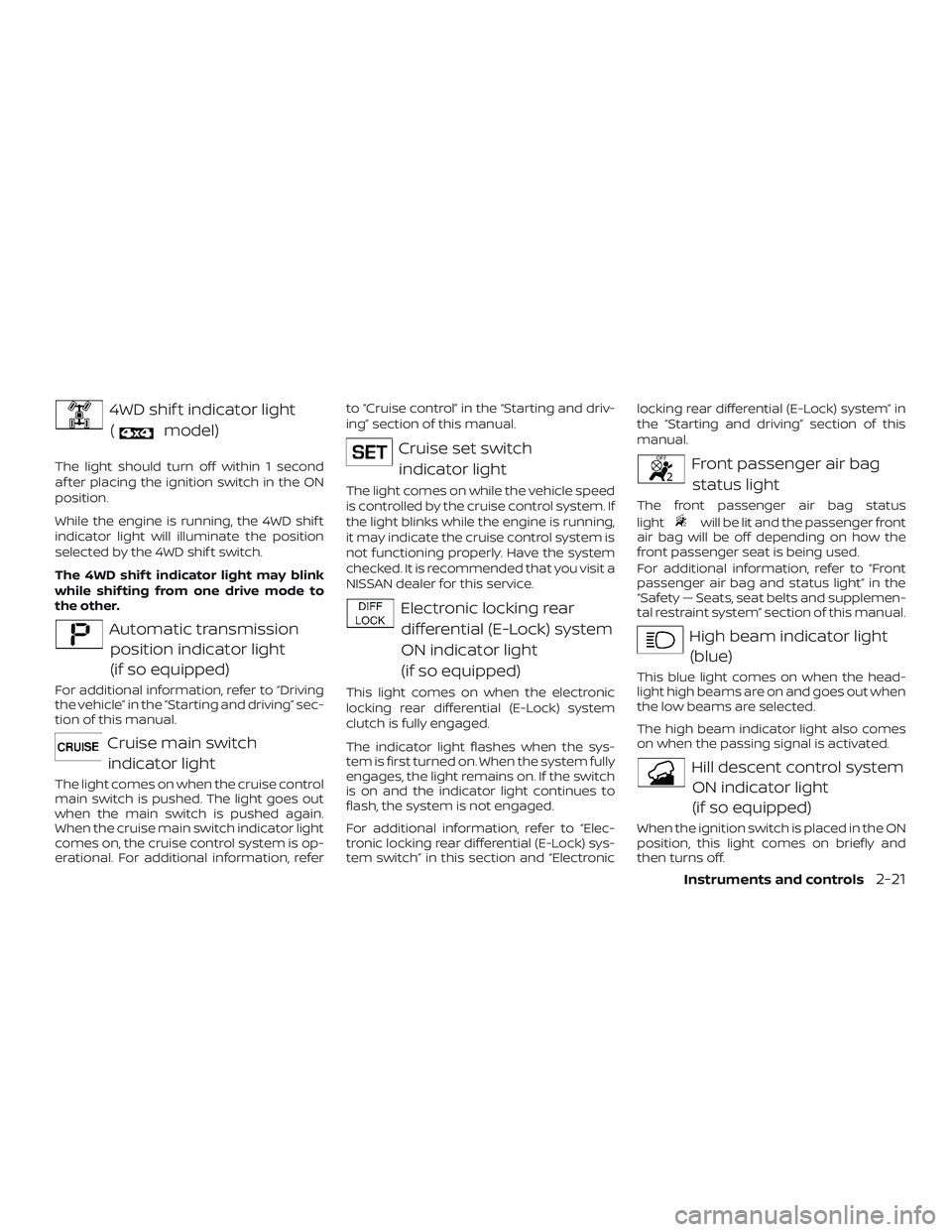
4WD shif t indicator light(
model)
The light should turn off within 1 second
af ter placing the ignition switch in the ON
position.
While the engine is running, the 4WD shif t
indicator light will illuminate the position
selected by the 4WD shif t switch.
The 4WD shif t indicator light may blink
while shif ting from one drive mode to
the other.
Automatic transmissionposition indicator light
(if so equipped)
For additional information, refer to “Driving
the vehicle” in the “Starting and driving” sec-
tion of this manual.
Cruise main switchindicator light
The light comes on when the cruise control
main switch is pushed. The light goes out
when the main switch is pushed again.
When the cruise main switch indicator light
comes on, the cruise control system is op-
erational. For additional information, refer to “Cruise control” in the “Starting and driv-
ing” section of this manual.
Cruise set switch
indicator light
The light comes on while the vehicle speed
is controlled by the cruise control system. If
the light blinks while the engine is running,
it may indicate the cruise control system is
not functioning properly. Have the system
checked. It is recommended that you visit a
NISSAN dealer for this service.
Electronic locking reardifferential (E-Lock) system
ON indicator light
(if so equipped)
This light comes on when the electronic
locking rear differential (E-Lock) system
clutch is fully engaged.
The indicator light flashes when the sys-
tem is first turned on. When the system fully
engages, the light remains on. If the switch
is on and the indicator light continues to
flash, the system is not engaged.
For additional information, refer to “Elec-
tronic locking rear differential (E-Lock) sys-
tem switch” in this section and “Electronic locking rear differential (E-Lock) system” in
the “Starting and driving” section of this
manual.
Front passenger air bag
status light
The front passenger air bag status
light
will be lit and the passenger front
air bag will be off depending on how the
front passenger seat is being used.
For additional information, refer to “Front
passenger air bag and status light” in the
“Safety — Seats, seat belts and supplemen-
tal restraint system” section of this manual.
High beam indicator light
(blue)
This blue light comes on when the head-
light high beams are on and goes out when
the low beams are selected.
The high beam indicator light also comes
on when the passing signal is activated.
Hill descent control systemON indicator light
(if so equipped)
When the ignition switch is placed in the ON
position, this light comes on briefly and
then turns off.
Instruments and controls2-21
Page 140 of 502
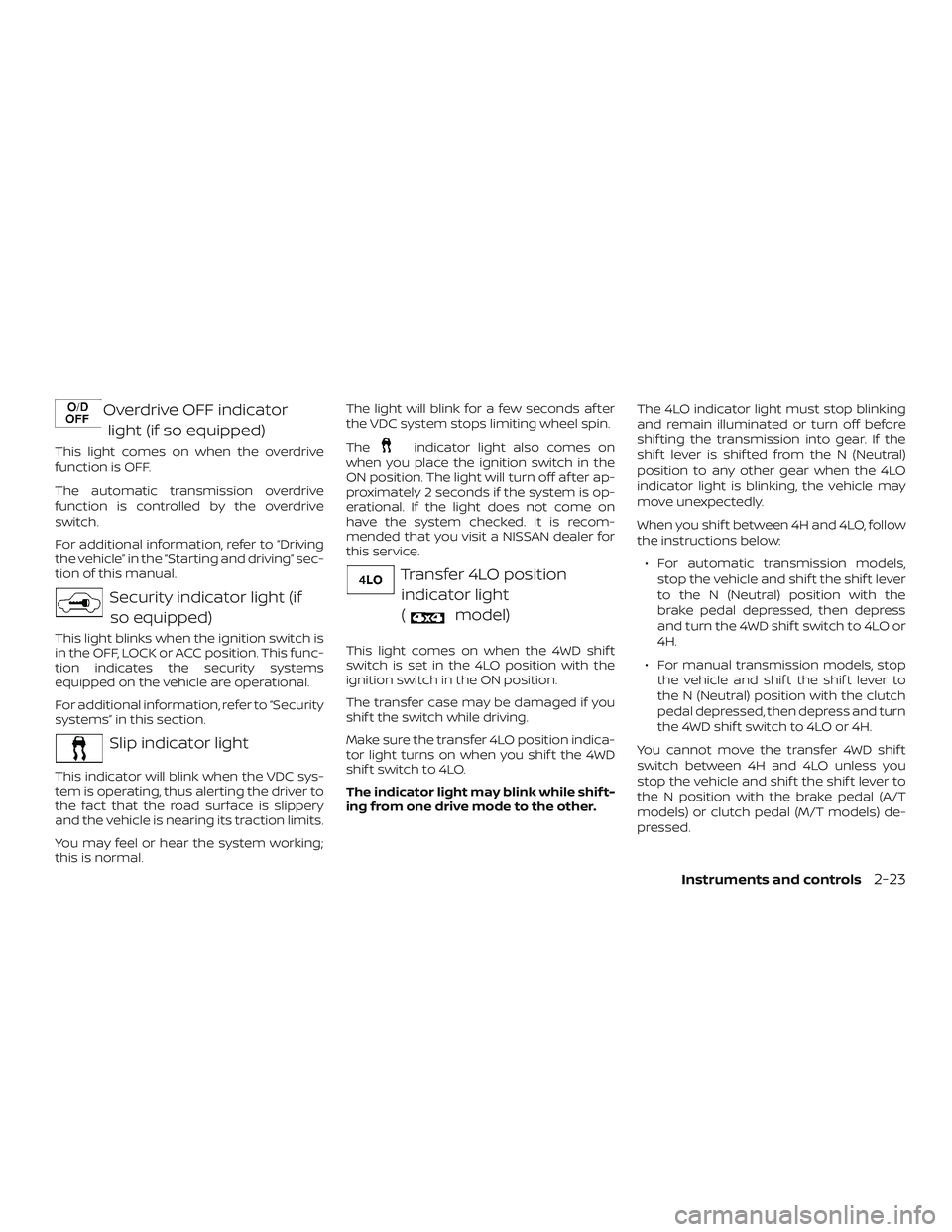
Overdrive OFF indicatorlight (if so equipped)
This light comes on when the overdrive
function is OFF.
The automatic transmission overdrive
function is controlled by the overdrive
switch.
For additional information, refer to “Driving
the vehicle” in the “Starting and driving” sec-
tion of this manual.
Security indicator light (ifso equipped)
This light blinks when the ignition switch is
in the OFF, LOCK or ACC position. This func-
tion indicates the security systems
equipped on the vehicle are operational.
For additional information, refer to “Security
systems” in this section.
Slip indicator light
This indicator will blink when the VDC sys-
tem is operating, thus alerting the driver to
the fact that the road surface is slippery
and the vehicle is nearing its traction limits.
You may feel or hear the system working;
this is normal. The light will blink for a few seconds af ter
the VDC system stops limiting wheel spin.
The
indicator light also comes on
when you place the ignition switch in the
ON position. The light will turn off af ter ap-
proximately 2 seconds if the system is op-
erational. If the light does not come on
have the system checked. It is recom-
mended that you visit a NISSAN dealer for
this service.
Transfer 4LO position
indicator light
(
model)
This light comes on when the 4WD shif t
switch is set in the 4LO position with the
ignition switch in the ON position.
The transfer case may be damaged if you
shif t the switch while driving.
Make sure the transfer 4LO position indica-
tor light turns on when you shif t the 4WD
shif t switch to 4LO.
The indicator light may blink while shif t-
ing from one drive mode to the other. The 4LO indicator light must stop blinking
and remain illuminated or turn off before
shif ting the transmission into gear. If the
shif t lever is shif ted from the N (Neutral)
position to any other gear when the 4LO
indicator light is blinking, the vehicle may
move unexpectedly.
When you shif t between 4H and 4LO, follow
the instructions below:
∙ For automatic transmission models, stop the vehicle and shif t the shif t lever
to the N (Neutral) position with the
brake pedal depressed, then depress
and turn the 4WD shif t switch to 4LO or
4H.
∙ For manual transmission models, stop the vehicle and shif t the shif t lever to
the N (Neutral) position with the clutch
pedal depressed, then depress and turn
the 4WD shif t switch to 4LO or 4H.
You cannot move the transfer 4WD shif t
switch between 4H and 4LO unless you
stop the vehicle and shif t the shif t lever to
the N position with the brake pedal (A/T
models) or clutch pedal (M/T models) de-
pressed.
Instruments and controls2-23
Page 155 of 502
∙ Use the E-Lock system only whenfreeing a stuck vehicle. Try the 4LO po-
sition before using the E-Lock system.
Never use the E-Lock system on a slip-
pery road surface such as snow or ice
surface. Using the E-Lock system
when driving in these road conditions
may cause unexpected movement of
the vehicle during engine braking, ac-
celerating or turning, which may re-
sult in an accident and serious per-
sonal injury.
CAUTION
∙ Af ter using the E-lock system, turnthe switch off to prevent possible
damage to driveline components
from extended use.
∙ Do not drive over 12 mph (20 km/h) when the system is engaged. Doing so
could result in possible damage to the
driveline.
∙ Do not turn on the E-lock system while the tires are spinning. Doing so
could damage drivetrain components.
WARNING
Pay special attention to your surround-
ings when using the clutch interlock
switch. The vehicle will move forward or
backward according to the gear
selected.
The clutch interlock (clutch start) switch
allows for starting the engine without de-
pressing the clutch pedal. This feature
helps you restart the engine if it stops un-
der difficult conditions. (For example, the
engine stops on a steep hill and a slight
movement forward or backward might be
dangerous.) To use the clutch interlock switch:
1. Set the parking brake.
2. Depress the brake pedal with your right foot.
3. Place your lef t foot on the brake pedal and release the parking brake.
4. Turn the ignition switch to the ON posi- tion.
5. Push and release the clutch interlock switch. The CANCEL light on the switch
will illuminate.
6. Turn the ignition to the START position to start the engine and, at the same
time, depress the accelerator pedal
with your right foot. As the vehicle be-
gins to move, take your lef t foot off the
brake. Once the engine has started, the
clutch interlock switch CANCEL light
shuts off. Do not use the interlock
switch to start the engine under nor-
mal driving conditions.
WIC0817
CLUTCH INTERLOCK (clutch start)
SWITCH (if so equipped)
2-38Instruments and controls
Page 316 of 502
∙ Do not drive across steep slopes. In-stead drive either straight up or
straight down the slopes. Off-road ve-
hicles can tip over sideways much
more easily than they can forward or
backward.
∙ Many hills are too steep for any ve- hicle. If you drive up them, you may
stall. If you drive down them, you may
not be able to control your speed. If
you drive across them, you may roll
over.
∙ Do not shif t gears while driving on downhill grades as this could cause
loss of control of the vehicle.
∙ Stay alert when driving to the top of a hill. At the top there could be a drop-
off or other hazard that could cause
an accident.
∙
If your engine stalls or you cannot
make it to the top of a steep hill, never
attempt to turn around. Your vehicle
could tip or roll over. Always back
straight down in R (Reverse) gear. Never
back down in N (Neutral) or with the
clutch depressed (manual transmis-
sion vehicles), using only the brake, as
this could cause loss of control.
∙ Heavy braking going down a hill could cause your brakes to overheat and
fade, resulting in loss of control and
an accident. Apply brakes lightly and
use a low gear to control your speed.
Use the hill descent control feature (if
so equipped).
∙ Unsecured cargo can be thrown around when driving over rough ter-
rain. Properly secure all cargo so it will
not be thrown forward and cause in-
jury to you or your passengers.
∙ To avoid raising the center of gravity excessively, do not exceed the rated
capacity of the roof rack (if so
equipped) and evenly distribute the
load. Secure heavy loads in the cargo
area as far forward and as low as pos-
sible. Do not equip the vehicle with
tires larger than specified in this
manual. This could cause your vehicle
to roll over.
∙ Do not grip the inside or spokes of the steering wheel when driving off-road.
The steering wheel could move sud-
denly and injure your hands. Instead
drive with your fingers and thumbs on
the outside of the rim. ∙ Before operating the vehicle, ensure
that the driver and all passengers
have their seat belts fastened.
∙ Always drive with the floor mats in place as the floor may become hot.
∙ Lower your speed when encountering strong crosswinds. With a higher cen-
ter of gravity, your NISSAN is more af-
fected by strong side winds. Slower
speeds ensure better vehicle control.
∙ Do not drive beyond the performance capability of the tires, even with 4WD
engaged (if so equipped).
∙ For 4WD equipped vehicles, do not at- tempt to raise two wheels off the
ground and shif t the transmission to
any drive or reverse position with the
engine running. Doing so may result
in drivetrain damage or unexpected
vehicle movement which could result
in serious vehicle damage or personal
injury.
Starting and driving5-9