warning NISSAN FRONTIER 2023 Owners Manual
[x] Cancel search | Manufacturer: NISSAN, Model Year: 2023, Model line: FRONTIER, Model: NISSAN FRONTIER 2023Pages: 572, PDF Size: 6.58 MB
Page 174 of 572
EMERGENCY SUPPORT
NissanConnect® Services provide various
services to support dealing with emergen-
cies of the subscribed vehicle and the
driver.
For example, in case of an illness or serious
injury, you can seek support by pressing the
in-vehicle Emergency Call (SOS) button and
connecting to the NissanConnect® Services
Response Center. The NissanConnect® Ser-
vices Response Center can specif y the loca-
tion of the vehicle via GPS, and the informa-
tion will be sent to the police or other
agencies as needed.
For information about other NissanConnect®
Services emergency support related ser-
vices, contact the NissanConnect® Cus-
tomer Support line at 1–855–426–6628 or
refer to the NissanConnect® Services web-
site www.nissanusa.com/connect (for U.S.)
or www.nissan.ca/nissanconnect (English) /
www.nissan.ca/nissanconnect/fr (French)
(for Canada).
WARNING
• Please note that the Automatic Colli-
sion Notification service and Emer-
gency Call function cannot be used in
the following conditions:
–
Emergency functions and services
will not be available without a paid
subscription to NissanConnect®
Services.
– The NissanConnect® Services net- work system is disabled.
– The vehicle moves outside the service area where the TCU
(Telematics Control Unit) is con-
nected to the system.
– The vehicle is outside the area where the cellular network service
is receivable.
–
The vehicle is in a location with
poor signal reception such as tun-
nels, underground parking ga-
rages, behind buildings or in moun-
tainous areas.
– The line is busy.
– The TCU (Telematics Control Unit) or other systems of your vehicle
are not working properly. – It may not be possible to make an
emergency call depending on the
severity of a collision and/or
emergency.
• Park the vehicle in a safe location and
set the parking brake before operat-
ing the Emergency Call (SOS) button.
• Only use this service in case of an
emergency. There may be a penalty
for inappropriate use of the service.
• Radio waves could adversely affect
electric medical equipment. Indi-
viduals who use a pacemaker should
contact the device manufacturer re-
garding any possible effects before
using the system.
• The TCU (Telematics Control Unit) an-
tenna is installed inside the upper
central part of the instrument panel.
An occupant should not get any
closer to the antenna than specified
by the pacemaker manufacturer. The
radio waves from the TCU antenna
may adversely affect the operation
of the pacemaker while using the
NissanConnect® Services.
EMERGENCY CALL (SOS) BUTTON
(if so equipped)
2-58Instruments and controls
Page 175 of 572
Making an emergency call
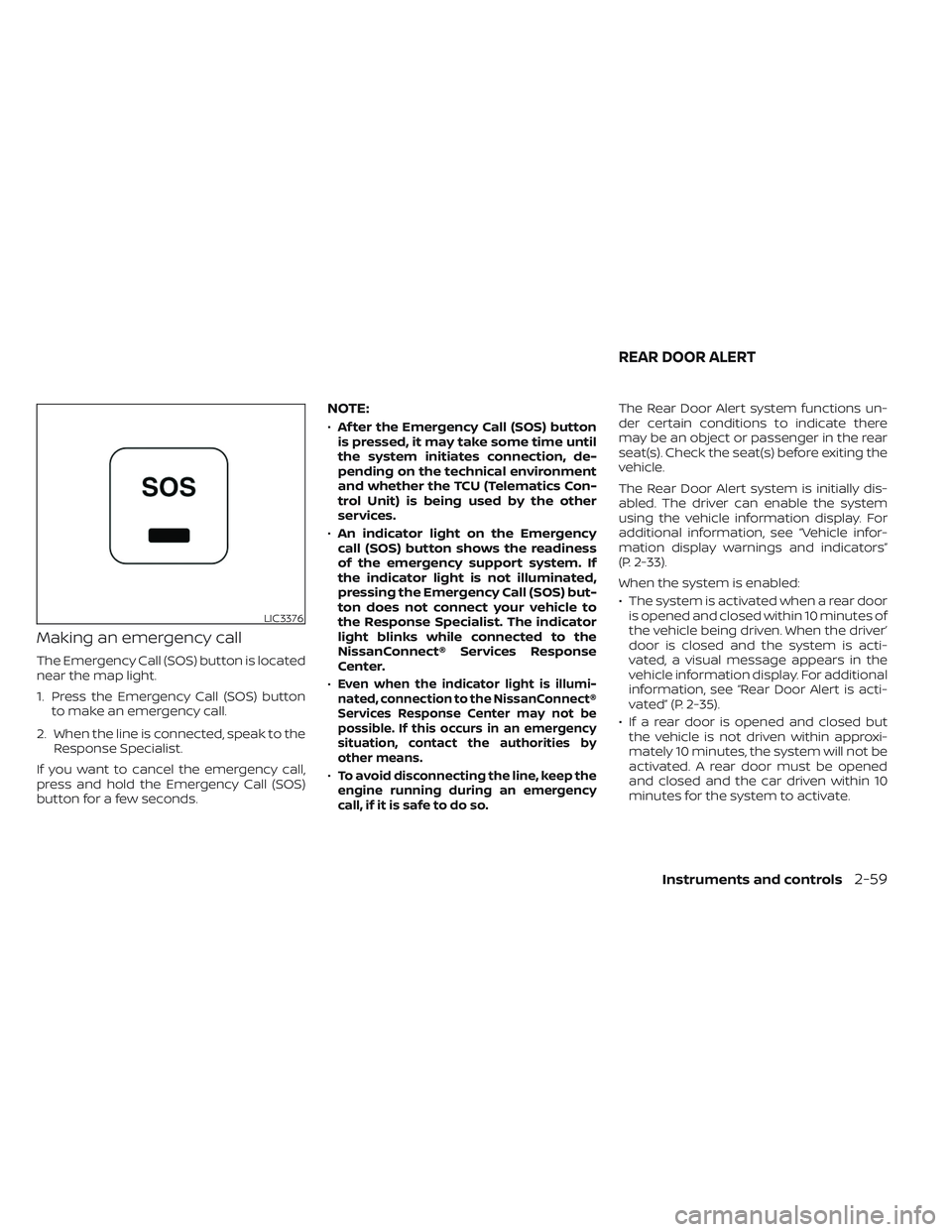
The Emergency Call (SOS) button is located
near the map light.
1. Press the Emergency Call (SOS) buttonto make an emergency call.
2. When the line is connected, speak to the Response Specialist.
If you want to cancel the emergency call,
press and hold the Emergency Call (SOS)
button for a few seconds.
NOTE:
• Af ter the Emergency Call (SOS) button
is pressed, it may take some time until
the system initiates connection, de-
pending on the technical environment
and whether the TCU (Telematics Con-
trol Unit) is being used by the other
services.
• An indicator light on the Emergency
call (SOS) button shows the readiness
of the emergency support system. If
the indicator light is not illuminated,
pressing the Emergency Call (SOS) but-
ton does not connect your vehicle to
the Response Specialist. The indicator
light blinks while connected to the
NissanConnect® Services Response
Center.
•
Even when the indicator light is illumi-
nated, connection to the NissanConnect®
Services Response Center may not be
possible. If this occurs in an emergency
situation, contact the authorities by
other means.
•To avoid disconnecting the line, keep the
engine running during an emergency
call,ifitissafetodoso.
The Rear Door Alert system functions un-
der certain conditions to indicate there
may be an object or passenger in the rear
seat(s). Check the seat(s) before exiting the
vehicle.
The Rear Door Alert system is initially dis-
abled. The driver can enable the system
using the vehicle information display. For
additional information, see “Vehicle infor-
mation display warnings and indicators”
(P. 2-33).
When the system is enabled:
• The system is activated when a rear door is opened and closed within 10 minutes of
the vehicle being driven. When the driver’
door is closed and the system is acti-
vated, a visual message appears in the
vehicle information display. For additional
information, see “Rear Door Alert is acti-
vated” (P. 2-35).
• If a rear door is opened and closed but the vehicle is not driven within approxi-
mately 10 minutes, the system will not be
activated. A rear door must be opened
and closed and the car driven within 10
minutes for the system to activate.
LIC3376
REAR DOOR ALERT
Instruments and controls2-59
Page 176 of 572
When the Rear Door Alert system is acti-
vated and a driver exits the vehicle af ter
arriving at a destination:
• When the driver puts the vehicle in the P(Park) position, a message appears in the
vehicle information display for a driver
to “Dismiss Message” or “Disable Alert” if
desired.
• With the system enabled, when the driver exits the vehicle, an audible alert (horn
sound) will occur unless a rear door is
opened and closed within a short time to
deactivate the alert.
• If the doors are locked before the alert is deactivated by opening a rear door, the
horn will sound.
• If the audible horn alert occurs, a mes- sage will also appear in the vehicle infor-
mation display that states, “Check Rear
Seat for All Articles”.
WARNING
• If the driver selects “Disable Alert”, no
audible alert will be provided regard-
less of rear door open/close status. • There may be times when there is an
object or passenger in the rear seat(s)
but the audible alert does not sound.
For example, this may occur if rear seat
passengers enter or exit the vehicle
during a trip.
• The system does not directly detect
objects or passengers in the rear
seat(s). Instead, it can detect when a
rear door is opened and closed, indicat-
ing that there may be something in the
rear seat(s).
NOTE:
There may be times when the horn
sounds but there are no objects or pas-
sengers in the rear seat(s).
For additional information, see “Rear Door
Alert is activated” (P. 2-35).
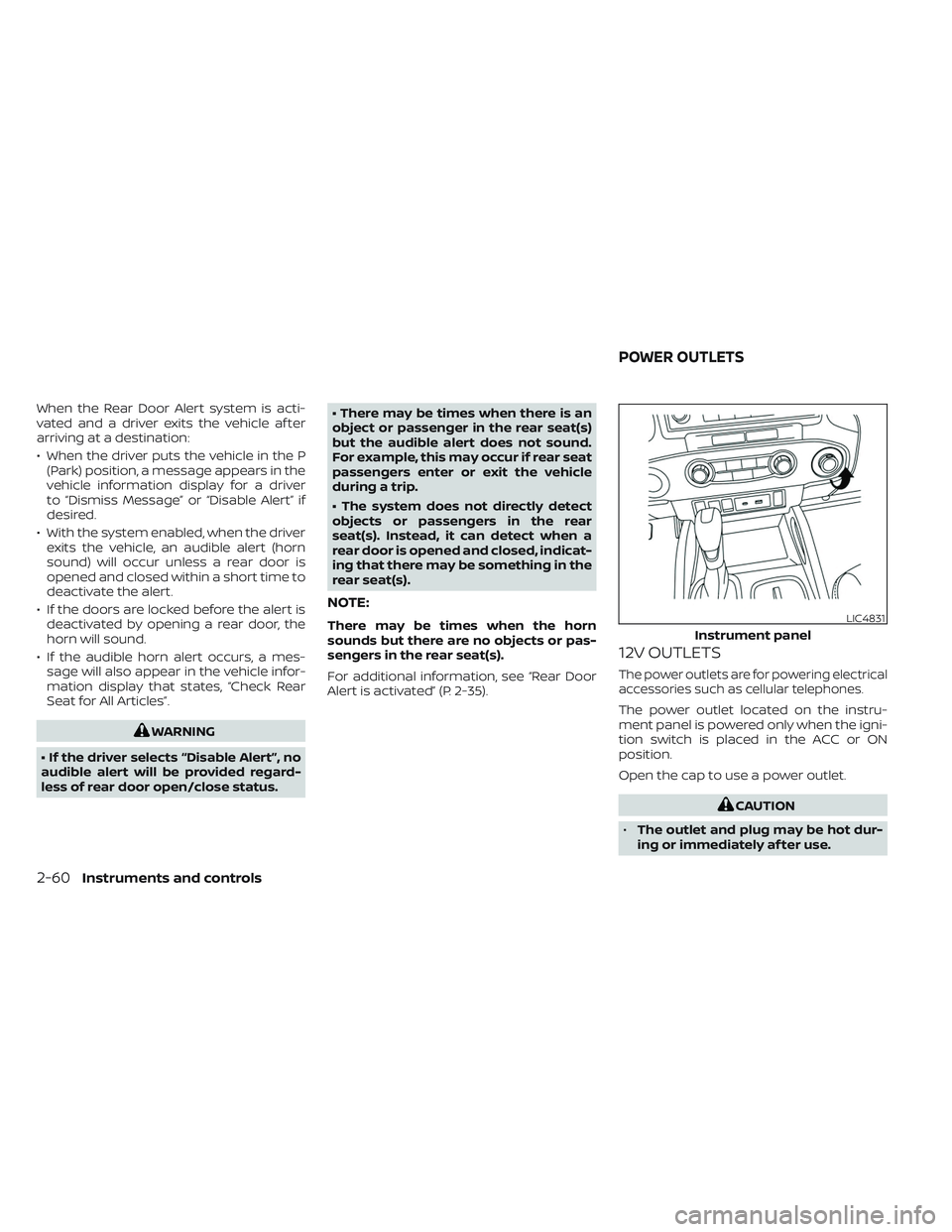
12V OUTLETS
The power outlets are for powering electrical
accessories such as cellular telephones.
The power outlet located on the instru-
ment panel is powered only when the igni-
tion switch is placed in the ACC or ON
position.
Open the cap to use a power outlet.
CAUTION
• The outlet and plug may be hot dur-
ing or immediately af ter use.
LIC4831
Instrument panel
POWER OUTLETS
2-60Instruments and controls
Page 181 of 572
WARNING
• Never put metallic materials be-
tween the wireless charger and a
smartphone.
• Those who use a pacemaker or other
medical equipment should contact
the electric medical equipment
manufacturer for the possible influ-
ences before use.
• Never put cloth over the smartphone
during charging process.
• Never charge a smartphone when it
is wet.
• Never put metallic materials or small
goods such as a cigarette lighter, In-
telligent Key or memory drive.
CAUTION
• Do not put an RFID/NFC/credit card
between the wireless charger and a
smartphone. This could cause data
corruption in the card.
• Do not use the wireless charger with
dust accumulated or dirt on the pad.
• Do not hit the surface of the wireless
charger. •
Do not spill liquid (water, drinks, etc.)
on the charging pad.
• Do not use grease, oil or alcohol for
cleaning charging pad.
WIRELESS CHARGER INDICATOR
The indicator(1)willil luminate in orange
when the charging process is started.
When the charging has completed, the in-
dicator illuminates in green.
If a malfunction occurs or the charging
process has stopped, the indicator will
blink in orange for 8 seconds then turn off.
WIRELESS CHARGER OPERATION
To use the wireless charger, it is necessary
to seat the smartphone well within the
charging pad. To maximize charging per-
formance, ensure the smartphone is fully
seated on the center of the charging pad
over the "Qi" logo
OA. Because the location
of the power receiver may vary depending
on the smartphone, you will need to try and
find the area that suits your smartphone.
Because some smartphone cases or ac-
cessories may adversely affect charging,
remove them before wireless charging.
Turn off the vibration function of the smart-
phone before wireless charging.
NOTE:
• Only a Qi compatible smartphone can
be used.
• The smartphone may be warmed dur-
ing charging process and the charging
may stop by the protection function of
the wireless charger. This is not a mal-
function. If this occurs, restart charging
af ter the smartphone has cooled
down. The indicator will blink in orange
then turn off.
• The wireless charging process may be
stopped by the status of the smart-
phone (battery temperature, etc.).
• If a radio noise interference occurs dur-
ing charging process, put the smart-
phone onto the center (“Qi” logo) posi-
tion of the wireless charger.
• The wireless charging process will stop
during process of searching the Intelli-
gent Key.
• The wireless charging process will not
be started when a USB (Universal Serial
Bus) cable is connected to the smart-
phone. The indicator may illuminate in
orange or blink if the smartphone is
put on the wireless charger with a USB
cable connected. However, charging is
not performed.
Instruments and controls2-65
Page 184 of 572
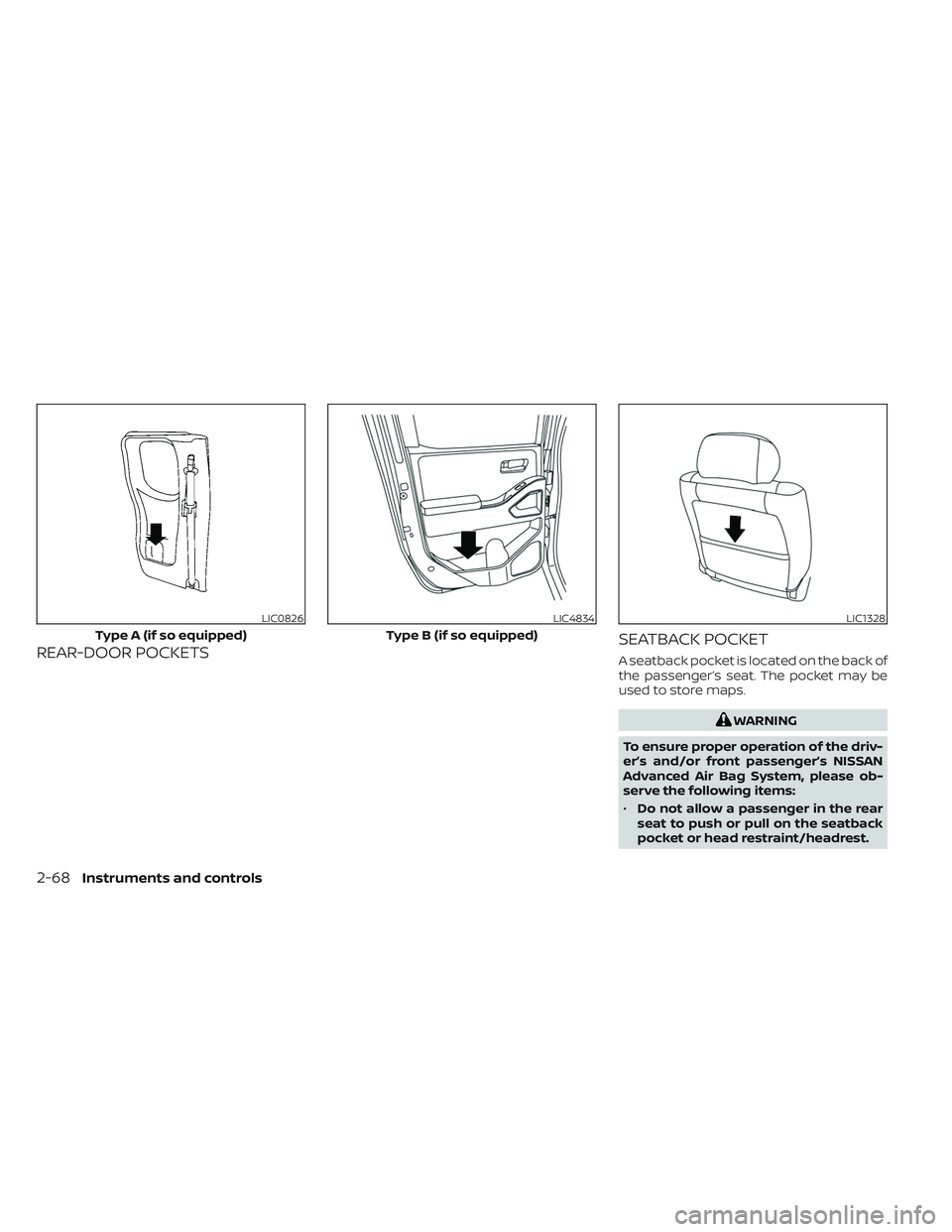
REAR-DOOR POCKETSSEATBACK POCKETA seatback pocket is located on the back of
the passenger’s seat. The pocket may be
used to store maps.
WARNING
To ensure proper operation of the driv-
er’s and/or front passenger’s NISSAN
Advanced Air Bag System, please ob-
serve the following items:
• Do not allow a passenger in the rear
seat to push or pull on the seatback
pocket or head restraint/headrest.
LIC0826
Type A (if so equipped)
LIC4834
Type B (if so equipped)
LIC1328
2-68Instruments and controls
Page 186 of 572
WARNING
• Properly secure all cargo with ropes
or straps to help prevent it from slid-
ing or shif ting. In a sudden stop or
collision, unsecured cargo could
cause personal injury.
• The cargo restrained in the under-
seat storage bins must not exceed
the weight limits listed below or the
bins may not stay secured. In a sud-
den stop or collision, the unsecured
bins could cause personal injury.
King Cab® model: 16 lbs. (7.25 kg)
Crew Cab model Driver’s side: 16 lbs. (7.25 kg)
Passenger’s side: 25 lbs. (11.33 kg)
• If the under-seat storage bins are re-
moved for any reason, they should be
securely stored to prevent them from
causing injury to passengers or dam-
age to the vehicle in case of sudden
braking or an accident.
• Do not place sharp objects in the
under-seat storage bins. Such ob-
jects may become dangerous projec-
tiles and cause injury when the ve-
hicle is moving or if the vehicle is
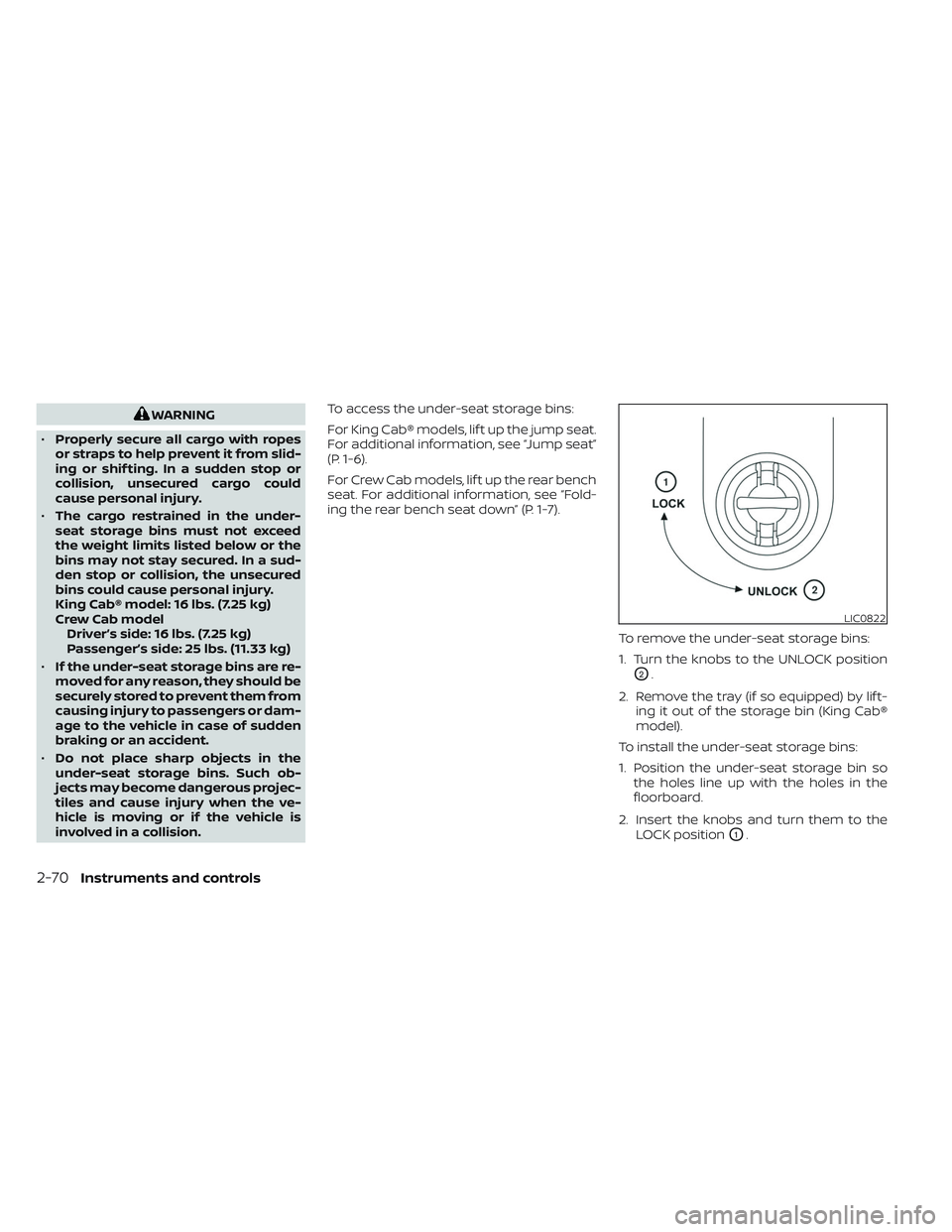
involved in a collision. To access the under-seat storage bins:
For King Cab® models, lif t up the jump seat.
For additional information, see “Jump seat”
(P. 1-6).
For Crew Cab models, lif t up the rear bench
seat. For additional information, see “Fold-
ing the rear bench seat down” (P. 1-7).
To remove the under-seat storage bins:
1. Turn the knobs to the UNLOCK position
O2.
2. Remove the tray (if so equipped) by lif t- ing it out of the storage bin (King Cab®
model).
To install the under-seat storage bins:
1. Position the under-seat storage bin so the holes line up with the holes in the
floorboard.
2. Insert the knobs and turn them to the LOCK position
O1.
LIC0822
2-70Instruments and controls
Page 187 of 572
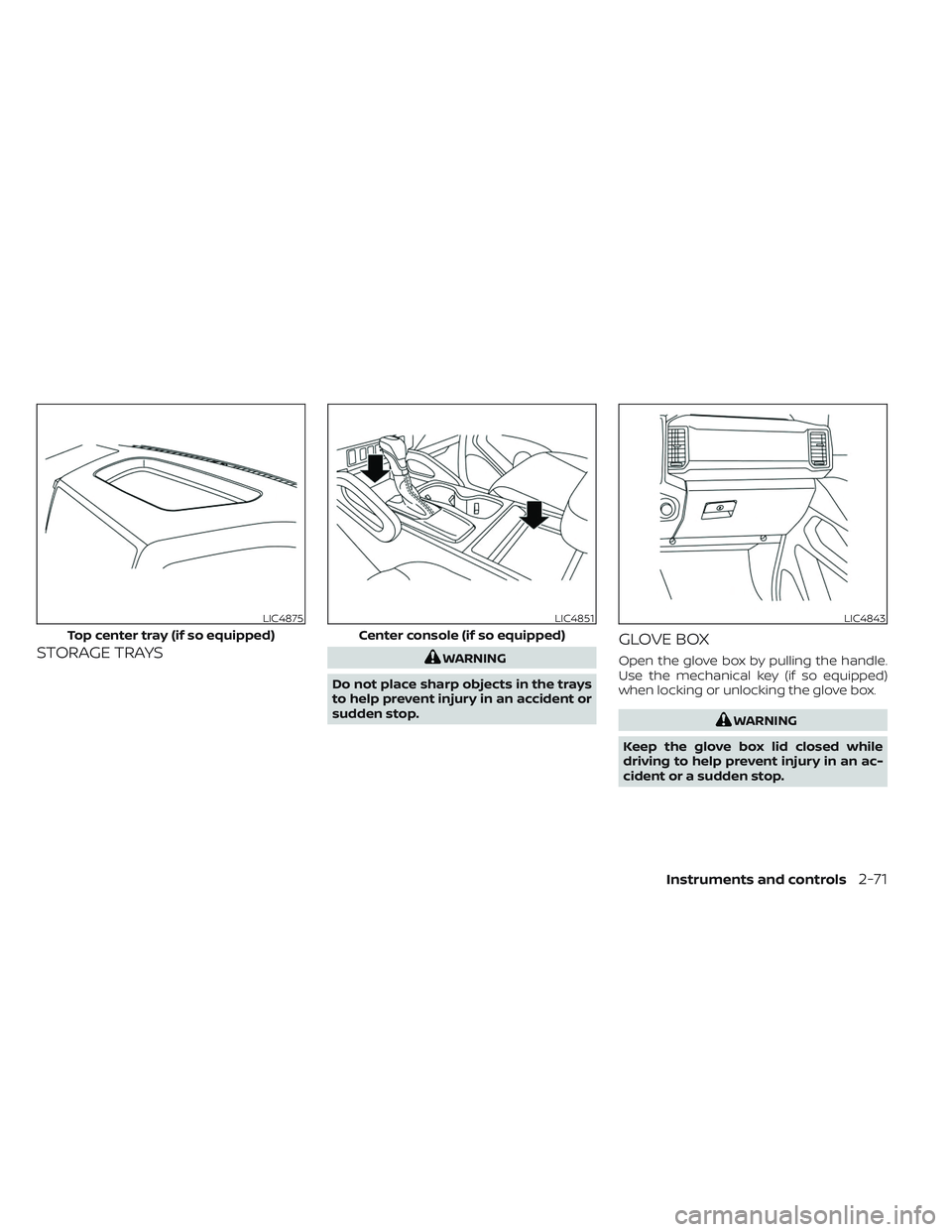
STORAGE TRAYSWARNING
Do not place sharp objects in the trays
to help prevent injury in an accident or
sudden stop.
GLOVE BOX
Open the glove box by pulling the handle.
Use the mechanical key (if so equipped)
when locking or unlocking the glove box.
WARNING
Keep the glove box lid closed while
driving to help prevent injury in an ac-
cident or a sudden stop.
LIC4875
Top center tray (if so equipped)
LIC4851
Center console (if so equipped)
LIC4843
Instruments and controls2-71
Page 188 of 572
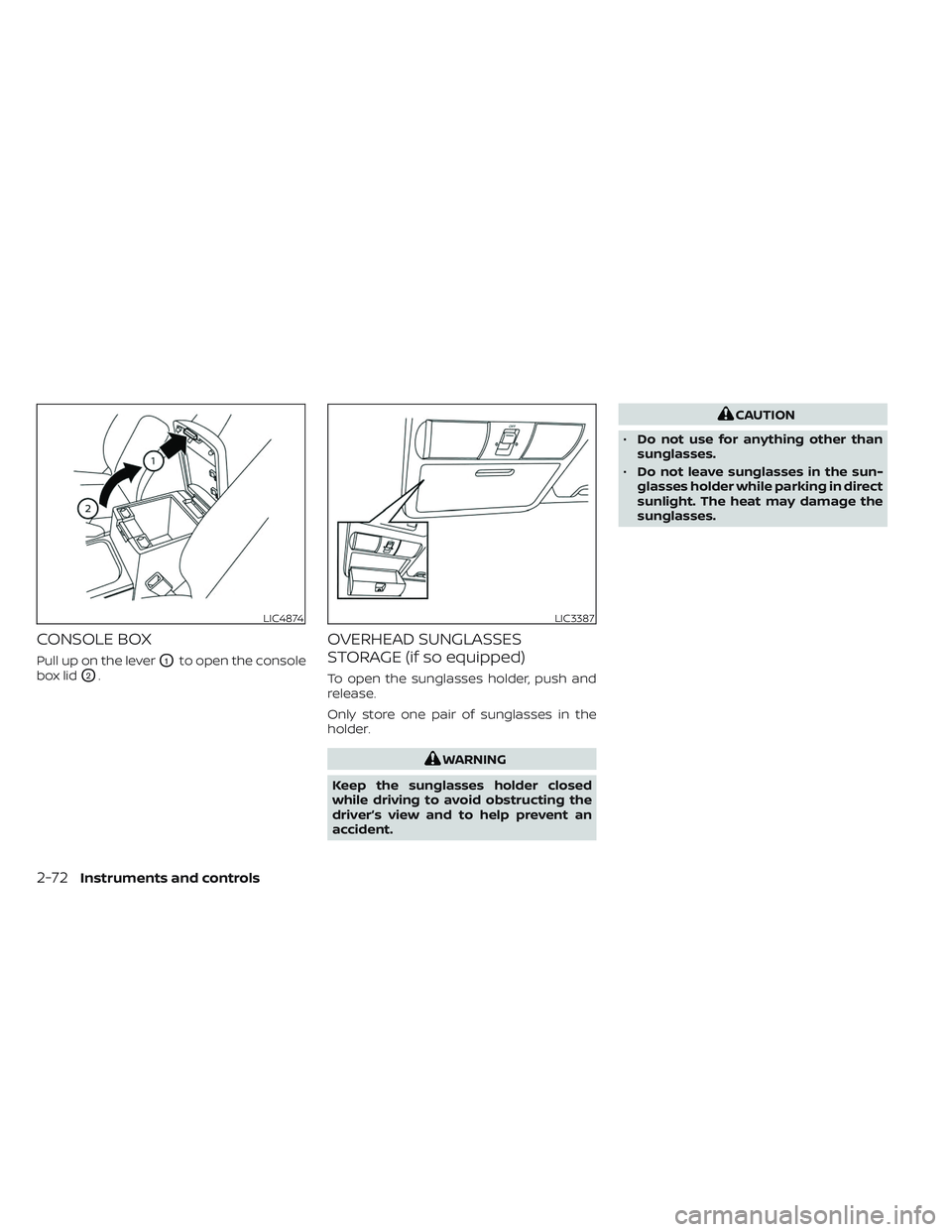
CONSOLE BOX
Pull up on the leverO1to open the console
box lid
O2.
OVERHEAD SUNGLASSES
STORAGE (if so equipped)
To open the sunglasses holder, push and
release.
Only store one pair of sunglasses in the
holder.
WARNING
Keep the sunglasses holder closed
while driving to avoid obstructing the
driver’s view and to help prevent an
accident.
CAUTION
• Do not use for anything other than
sunglasses.
• Do not leave sunglasses in the sun-
glasses holder while parking in direct
sunlight. The heat may damage the
sunglasses.
LIC4874LIC3387
2-72Instruments and controls
Page 190 of 572
CAUTION
• Do not use the bottle holder for any
other objects that could be thrown
about in the vehicle and possibly in-
jure people during sudden braking or
an accident.
• Do not use the bottle holder for open
liquid containers.
POWER WINDOWS
WARNING
• Make sure that all passengers have
their hands, etc., inside the vehicle
while it is in motion and before clos-
ing the windows. Use the window
lock switch to prevent unexpected
use of the power windows.
• To help avoid risk of injury or death
through unintended operation of the
vehicle and/or its systems, including
entrapment in windows or inadver-
tent door lock activation, do not
leave children, people who require
the assistance of others or pets unat-
tended in your vehicle. Additionally,
the temperature inside a closed ve-
hicle on a warm day can quickly be-
come high enough to cause a signifi-
cant risk of injury or death to people
and pets.
The power windows operate when the ig-
nition switch is placed in the ON position or
for a period of time af ter the ignition switch
is placed in the ACC or OFF position. If the
driver's or passenger's door is opened dur-
ing this period of time, the power to the
windows is canceled.
Driver's side power window
switch
The driver's side control panel is equipped
with switches to open or close the front
and rear passenger windows.
LIC4833
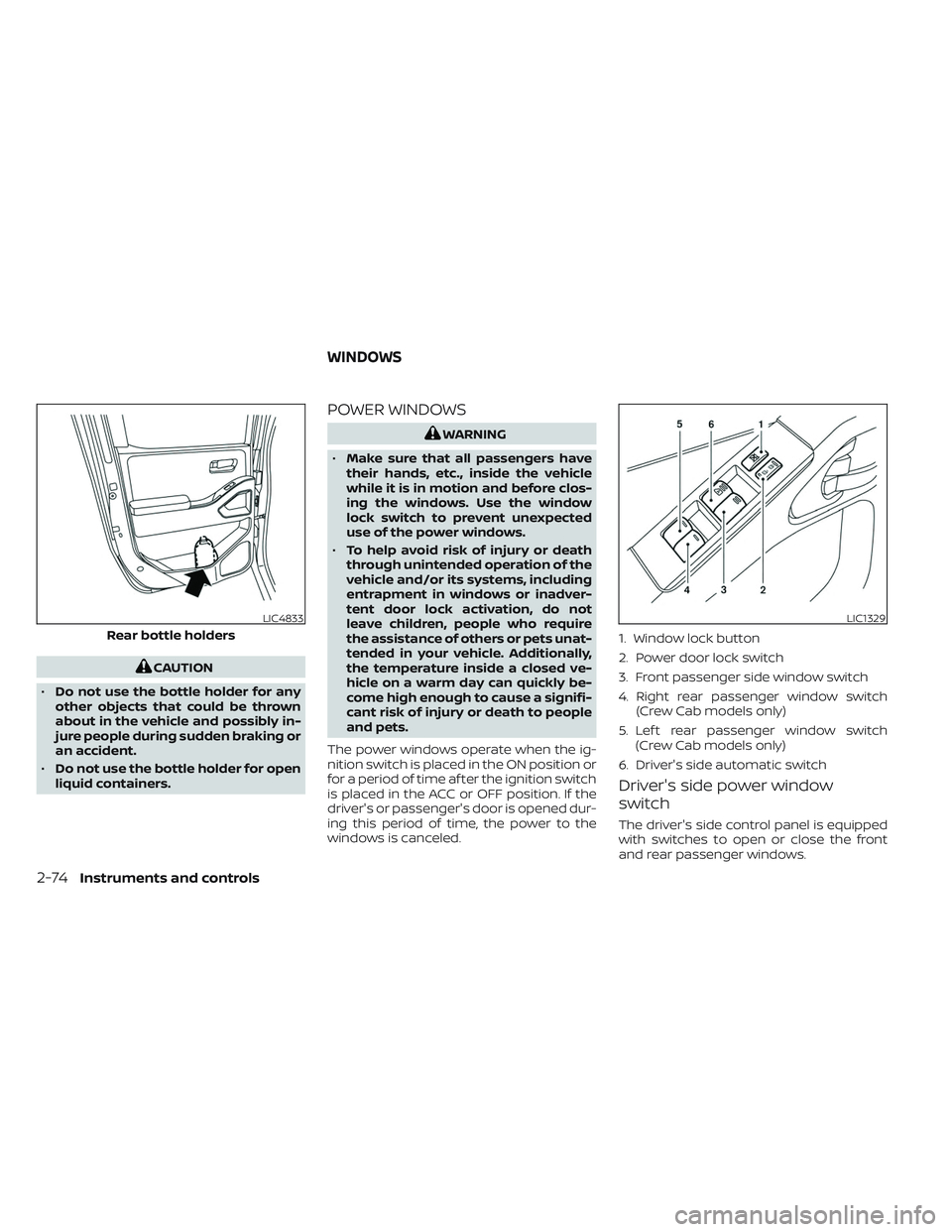
Rear bottle holders
LIC1329
1. Window lock button
2. Power door lock switch
3. Front passenger side window switch
4. Right rear passenger window switch (Crew Cab models only)
5. Lef t rear passenger window switch (Crew Cab models only)
6. Driver's side automatic switch
WINDOWS
2-74Instruments and controls
Page 192 of 572
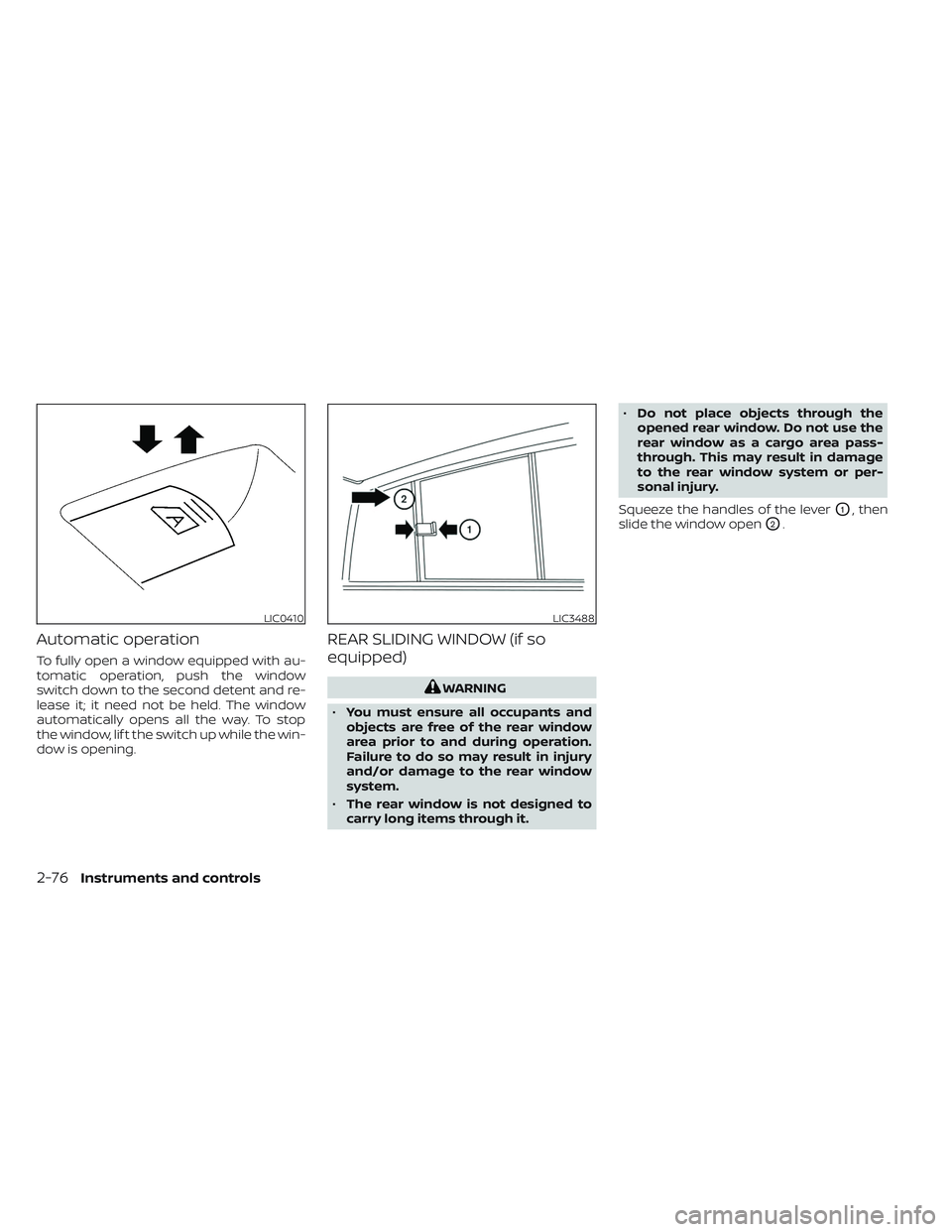
Automatic operation
To fully open a window equipped with au-
tomatic operation, push the window
switch down to the second detent and re-
lease it; it need not be held. The window
automatically opens all the way. To stop
the window, lif t the switch up while the win-
dow is opening.
REAR SLIDING WINDOW (if so
equipped)
WARNING
• You must ensure all occupants and
objects are free of the rear window
area prior to and during operation.
Failure to do so may result in injury
and/or damage to the rear window
system.
• The rear window is not designed to
carry long items through it. •
Do not place objects through the
opened rear window. Do not use the
rear window as a cargo area pass-
through. This may result in damage
to the rear window system or per-
sonal injury.
Squeeze the handles of the lever
O1, then
slide the window open
O2.
LIC0410LIC3488
2-76Instruments and controls