4WD NISSAN FRONTIER 2023 User Guide
[x] Cancel search | Manufacturer: NISSAN, Model Year: 2023, Model line: FRONTIER, Model: NISSAN FRONTIER 2023Pages: 572, PDF Size: 6.58 MB
Page 170 of 572
WARNING
• Never rely solely on the hill descent
control system to control vehicle
speed when driving on steep down-
hill grades. Always drive carefully
when using the hill descent control
system and decelerate the vehicle
speed by depressing the brake pedal
if necessary. Be especially careful
when driving on frozen, muddy or ex-
tremely steep downhill roads. Failure
to control vehicle speed may result in
a loss of control of the vehicle and
possible serious injury or death. •
The hill descent control may not con-
trol the vehicle speed on a hill under
all load or road conditions. Always be
prepared to depress the brake pedal
to control vehicle speed. Failure to do
so may result in a collision or serious
personal injury.
CAUTION
When the hill descent control system
operates continuously for a long time,
the temperature of the brake pads may
increase and the hill descent control sys-
tem may be temporarily disabled (the
indicator light will blink). If the indicator
light does not come on continuously
af ter blinking, stop using the system.
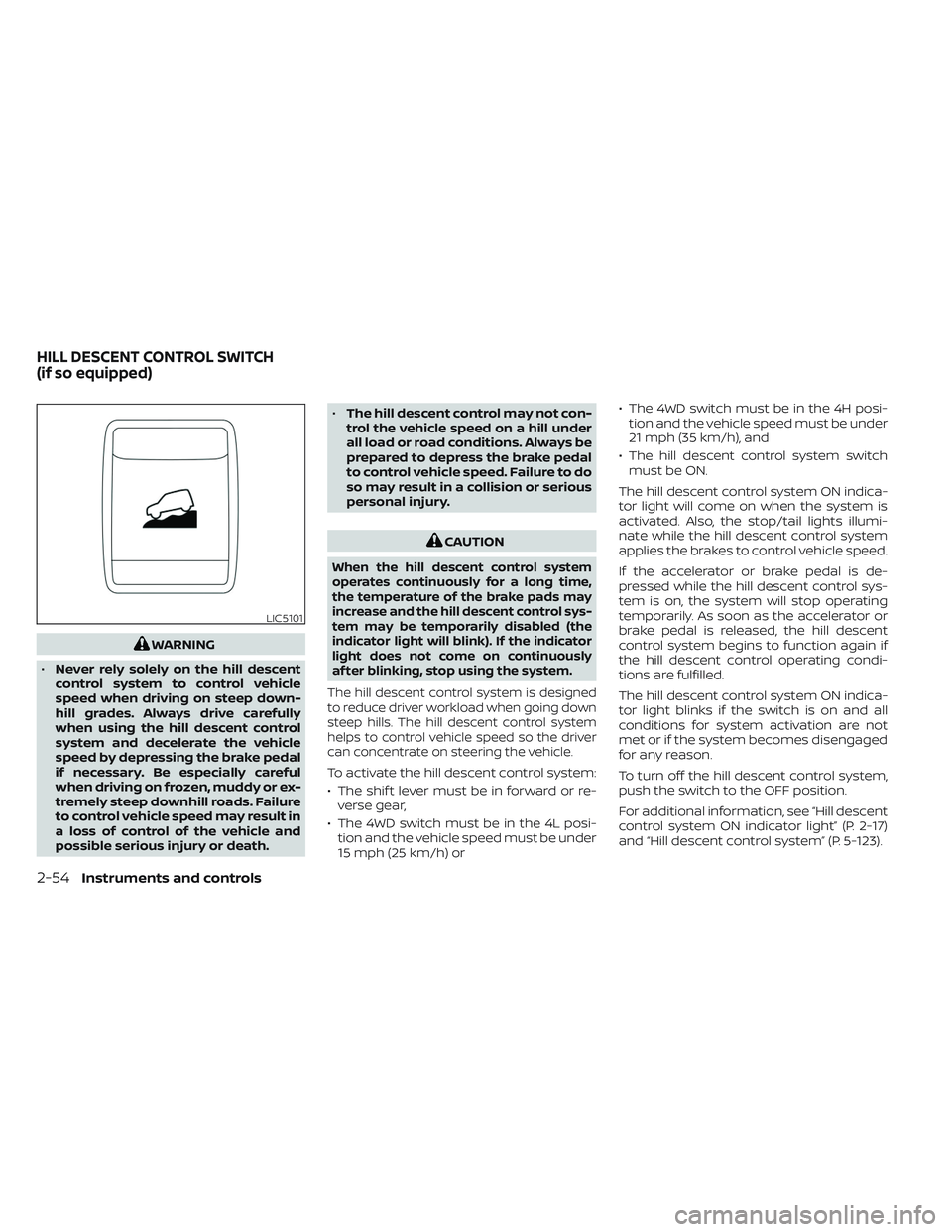
The hill descent control system is designed
to reduce driver workload when going down
steep hills. The hill descent control system
helps to control vehicle speed so the driver
can concentrate on steering the vehicle.
To activate the hill descent control system:
• The shif t lever must be in forward or re- verse gear,
• The 4WD switch must be in the 4L posi- tion and the vehicle speed must be under
15 mph (25 km/h) or • The 4WD switch must be in the 4H posi-
tion and the vehicle speed must be under
21 mph (35 km/h), and
• The hill descent control system switch must be ON.
The hill descent control system ON indica-
tor light will come on when the system is
activated. Also, the stop/tail lights illumi-
nate while the hill descent control system
applies the brakes to control vehicle speed.
If the accelerator or brake pedal is de-
pressed while the hill descent control sys-
tem is on, the system will stop operating
temporarily. As soon as the accelerator or
brake pedal is released, the hill descent
control system begins to function again if
the hill descent control operating condi-
tions are fulfilled.
The hill descent control system ON indica-
tor light blinks if the switch is on and all
conditions for system activation are not
met or if the system becomes disengaged
for any reason.
To turn off the hill descent control system,
push the switch to the OFF position.
For additional information, see “Hill descent
control system ON indicator light” (P. 2-17)
and “Hill descent control system” (P. 5-123).
LIC5101
HILL DESCENT CONTROL SWITCH
(if so equipped)
2-54Instruments and controls
Page 171 of 572
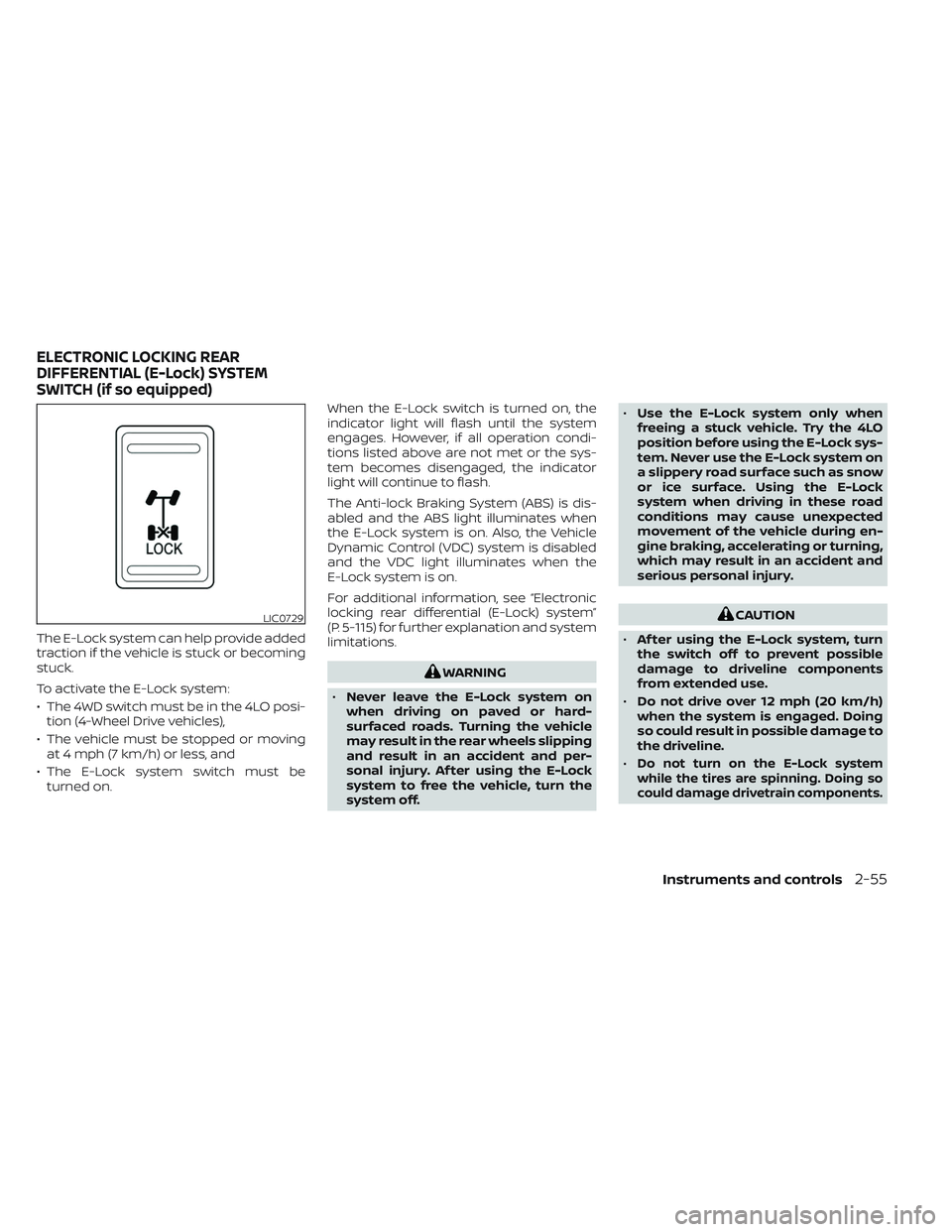
The E-Lock system can help provide added
traction if the vehicle is stuck or becoming
stuck.
To activate the E-Lock system:
• The 4WD switch must be in the 4LO posi-tion (4-Wheel Drive vehicles),
• The vehicle must be stopped or moving at 4 mph (7 km/h) or less, and
• The E-Lock system switch must be turned on. When the E-Lock switch is turned on, the
indicator light will flash until the system
engages. However, if all operation condi-
tions listed above are not met or the sys-
tem becomes disengaged, the indicator
light will continue to flash.
The Anti-lock Braking System (ABS) is dis-
abled and the ABS light illuminates when
the E-Lock system is on. Also, the Vehicle
Dynamic Control (VDC) system is disabled
and the VDC light illuminates when the
E-Lock system is on.
For additional information, see “Electronic
locking rear differential (E-Lock) system”
(P. 5-115) for further explanation and system
limitations.
WARNING
• Never leave the E-Lock system on
when driving on paved or hard-
surfaced roads. Turning the vehicle
may result in the rear wheels slipping
and result in an accident and per-
sonal injury. Af ter using the E-Lock
system to free the vehicle, turn the
system off. •
Use the E-Lock system only when
freeing a stuck vehicle. Try the 4LO
position before using the E-Lock sys-
tem. Never use the E-Lock system on
a slippery road surface such as snow
or ice surface. Using the E-Lock
system when driving in these road
conditions may cause unexpected
movement of the vehicle during en-
gine braking, accelerating or turning,
which may result in an accident and
serious personal injury.
CAUTION
• Af ter using the E-Lock system, turn
the switch off to prevent possible
damage to driveline components
from extended use.
• Do not drive over 12 mph (20 km/h)
when the system is engaged. Doing
so could result in possible damage to
the driveline.
•
Do not turn on the E-Lock system
while the tires are spinning. Doing so
could damage drivetrain components.
LIC0729
ELECTRONIC LOCKING REAR
DIFFERENTIAL (E-Lock) SYSTEM
SWITCH (if so equipped)
Instruments and controls2-55
Page 254 of 572
If the shif t lever is in the P (Park) or D (Drive)
position, the available views are:
• Front view/bird’s-eye view split screen
• Front view/front-side view split screen
The display will switch from the Intelligent
Around View® Monitor screen when:
• The shif t lever is in the D (Drive) positionand the vehicle speed increases above
approximately 6 mph (10 km/h).
• A different screen is selected.
OFF-ROAD MODE (if so equipped)
When the shif t lever is out of the R (Reverse)
position, selecting the 4LO position using
the 4WD shif t switch affects the Intelligent
Around View® Monitor display as follows:
– Selecting the 4LO position will activate the Intelligent Around View® Monitor. The
front view/front-side view split screen
will be displayed.
– When the ignition switch is placed in the ON position with the 4LO position se-
lected, the front view/front-side view
split screen will be displayed.
– When the vehicle is shif ted to the 4LO position with the bird's-eye view dis-
played, the passenger side of the display
will change to the front-side view. When in the off-road mode, the Intelligent
Around View® Monitor will not return to the
previous screen. The screen displayed on
the Intelligent Around View® Monitor will
automatically return to the previous screen
3 minutes af ter the vehicle was shif ted out
of the 4LO position.
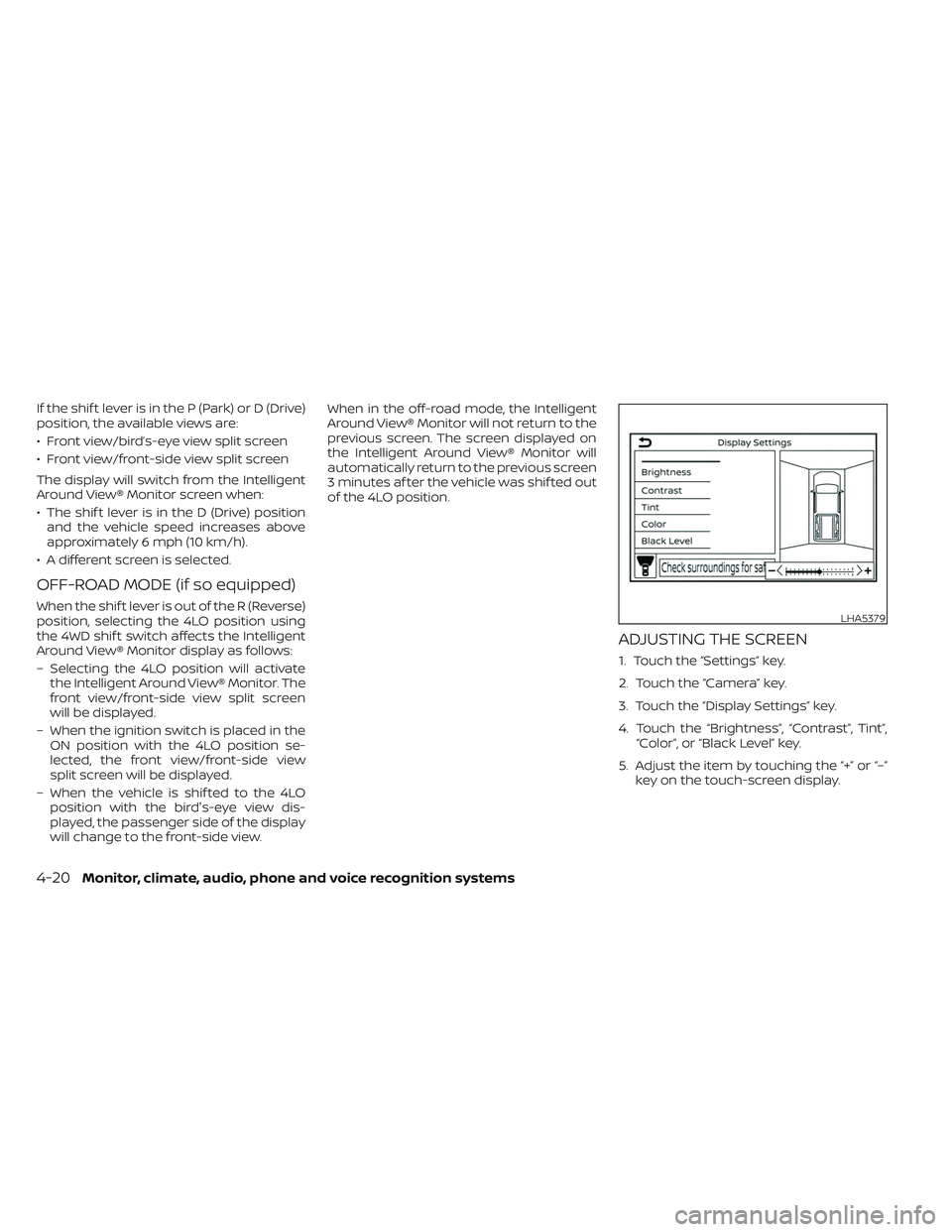
ADJUSTING THE SCREEN
1. Touch the “Settings” key.
2. Touch the “Camera” key.
3. Touch the “Display Settings” key.
4. Touch the “Brightness”, “Contrast”, Tint”,
“Color”, or “Black Level” key.
5. Adjust the item by touching the “+” or “–” key on the touch-screen display.
LHA5379
4-20Monitor, climate, audio, phone and voice recognition systems
Page 283 of 572
System malfunction........................ 5-102
System maintenance ......................5-103
Intelligent Driver Alertness (I-DA) ...............5-104
Intelligent Driver Alertness system
operation .................................. 5-105
How to enable/disable the Intelligent
Driver Alertness (I-DA) system ..............5-106
Intelligent Driver Alertness (I-DA)
system limitations ......................... 5-107
Break-in schedule ............................. 5-107
Fuel efficient driving tips .......................5-108
Increasing fuel economy ......................5-109
Using 4–wheel drive (4WD)
(if so equipped) ................................ 5-109
Transfer case shif ting procedures ..........5-110
Electronic locking rear differential (E-Lock)
system (if so equipped) ........................ 5-115
Parking/parking on hills .......................5-116
Power steering ................................. 5-117
Brake system ................................. 5-118
Brake precautions .......................... 5-118
Anti-lock Braking System (ABS) .............5-118
Active Brake Limited Slip (ABLS) system .......5-120 Vehicle Dynamic Control (VDC) system
........5-121
Brake force distribution ....................5-122
Hill descent control system (if so equipped) . . . 5-123
Hill start assist system ........................5-124
Rear Sonar System (RSS) (if so equipped) ......5-124
System operation .......................... 5-125
How to enable/disable the RSS .............5-127
Sonar limitations ........................... 5-128
System temporarily unavailable ............5-128
System maintenance ......................5-128
Idling Stop System (if so equipped) ............5-129
Retrograde movement control function ....5-131
Idling Stop System display ..................5-131
Idling Stop OFF switch ......................5-133
Cold weather driving .......................... 5-134
Freeing a frozen door lock ..................5-134
Antifreeze .................................. 5-134
Battery..................................... 5-134
Draining of coolant water ..................5-134
Tire equipment ............................. 5-134
Special winter equipment ..................5-135
Driving on snow or ice ......................5-135
Engine block heater (if so equipped) ........5-135
Page 291 of 572
DRINKING ALCOHOL/DRUGS AND
DRIVING
WARNING
Never drive under the influence of alco-
hol or drugs. Alcohol in the blood-
stream reduces coordination, delays
reaction time and impairs judgement.
Driving af ter drinking alcohol increases
the likelihood of being involved in an
accident injuring yourself and others.
Additionally, if you are injured in an ac-
cident, alcohol can increase the sever-
ity of the injury.
NISSAN is committed to safe driving. How-
ever, you must choose not to drive under the
influence of alcohol. Every year thousands of
people are injured or killed in alcohol-related
collisions. Although the local laws vary on
what is considered to be legally intoxicated,
the fact is that alcohol affects all people dif-
ferently and most people underestimate the
effects of alcohol.
Remember, drinking and driving don't mix!
That is true for drugs (over-the-counter,
prescription) and illegal drugs, too. Don't
drive if your ability to operate your vehicle is
impaired by alcohol, drugs, or some other
physical condition.
DRIVING SAFETY PRECAUTIONS
Your NISSAN is designed for both normal
and off-road use. However, avoid driving in
deep water or mud as your NISSAN is
mainly designed for leisure use, unlike a
conventional off-road vehicle.
Remember that 2-Wheel Drive models are
less capable than 4-Wheel Drive (4WD)
models for rough road driving and extrica-
tion when stuck in deep snow or mud, or
the like.
Please observe the following precautions:
WARNING
• Drive carefully when off the road and
avoid dangerous areas. Every person
who drives or rides in this vehicle
should be seated with their seat belt
fastened. This will keep you and your
passengers in position when driving
over rough terrain.
• Do not drive across steep slopes. In-
stead drive either straight up or
straight down the slopes. Off-road
vehicles can tip over sideways much
more easily than they can forward or
backward. •
Many hills are too steep for any ve-
hicle. If you drive up them, you may
stall. If you drive down them, you may
not be able to control your speed. If
you drive across them, you may roll
over.
• Do not shif t gears while driving on
downhill grades as this could cause
loss of control of the vehicle.
• Stay alert when driving to the top of a
hill. At the top there could be a drop-
off or other hazard that could cause
an accident.
• If your engine stalls or you cannot
make it to the top of a steep hill,
never attempt to turn around. Your
vehicle could tip or roll over. Always
back straight down in R (Reverse)
gear. Never back down in N (Neutral),
using only the brake, as this could
cause loss of control.
• Heavy braking going down a hill
could cause your brakes to overheat
and fade, resulting in loss of control
and an accident. Apply brakes lightly
and use a low gear to control your
speed.
Starting and driving5-11
Page 292 of 572
•Unsecured cargo can be thrown
around when driving over rough ter-
rain. Properly secure all cargo so it
will not be thrown forward and cause
injury to you or your passengers.
• To avoid raising the center of gravity
excessively, do not exceed the rated
capacity of the roof rack (if so
equipped) and evenly distribute the
load. Secure heavy loads in the cargo
area as far forward and as low as
possible. Do not equip the vehicle
with tires larger than specified in this
manual. This could cause your ve-
hicle to roll over.
• Do not grip the inside or spokes of
the steering wheel when driving off-
road. The steering wheel could move
suddenly and injure your hands. In-
stead drive with your fingers and
thumbs on the outside of the rim.
• Before operating the vehicle, ensure
that the driver and all passengers
have their seat belts fastened.
• Always drive with the floor mats (if so
equipped) in place as the floor may
become hot. •
Lower your speed when encounter-
ing strong crosswinds. With a higher
center of gravity, your NISSAN is more
affected by strong side winds. Slower
speeds ensure better vehicle control.
• Do not drive beyond the perfor-
mance capability of the tires, even
with 4WD engaged (if so equipped).
• For 4WD equipped vehicles, do not
attempt to raise two wheels off the
ground and shif t the transmission to
any drive or reverse position with the
engine running. Doing so may result
in drivetrain damage or unexpected
vehicle movement which could result
in serious vehicle damage or per-
sonal injury. •
Do not attempt to test a 4WD
equipped vehicle on a 2-wheel dyna-
mometer (such as the dynamom-
eters used by some states for emis-
sions testing), or similar equipment
even if the other two wheels are
raised off the ground. Make sure you
inform test facility personnel that
your vehicle is equipped with 4WD
before it is placed on a dynamom-
eter. Using the wrong test equipment
may result in drivetrain damage or
unexpected vehicle movement
which could result in serious vehicle
damage or personal injury.
• Accelerating quickly, sharp steering
maneuvers or sudden braking may
cause loss of control.
• If at all possible, avoid sharp turning
maneuvers, particularly at high
speeds. Your NISSAN 4WD vehicle has
a higher center of gravity than a pas-
senger car. The vehicle is not de-
signed for cornering at the same
speeds as passenger cars. Failure to
operate this vehicle correctly could
result in loss of control and/or a roll-
over accident.
5-12Starting and driving
Page 389 of 572
• Keep your engine tuned up.
• Follow the recommended scheduledmaintenance.
• Keep the tires inflated to the correct pres- sure. Low tire pressure increases tire
wear and lowers fuel economy.
• Keep the wheels in correct alignment. Im- proper alignment increases tire wear and
lowers fuel economy.
• For vehicles equipped with
, use 4H
or 4L position only when necessary.
4-Wheel Drive operation lowers fuel
economy.
• Use the recommended viscosity engine oil. For additional information, see “Engine
oil and oil filter recommendations”
(P. 10-7).
WARNING
• For 4WD equipped vehicles, do not
attempt to raise two wheels off the
ground and shif t the transmission to
any drive or reverse position with the
engine running. Doing so may result
in drivetrain damage or unexpected
vehicle movement which could result
in serious vehicle damage or per-
sonal injury.
• Do not attempt to test a 4WD
equipped vehicle on a 2-wheel dyna-
mometer (such as the dynamom-
eters used by some states for emis-
sions testing), or similar equipment
even if the other two wheels are
raised off the ground. Make sure you
inform test facility personnel that
your vehicle is equipped with 4WD
before it is placed on a dynamom-
eter. Using the wrong test equipment
may result in drivetrain damage or
unexpected vehicle movement
which could result in serious vehicle
damage or personal injury.CAUTION
• Do not drive the vehicle in the 4H or
4LO position on dry hard surface
roads. Driving on dry, hard surfaces in
4H or 4LO may cause unnecessary
noise, tire wear and increased fuel
consumption.
If the 4WD vehicle information dis-
play warning message turns on
when you are driving on dry hard sur-
face roads:
– In the 4H position, shif t the 4WD
shif t switch to 2WD.
– In the 4LO position, stop the ve-
hicle, move the shif t lever to the N
(Neutral) position with the brake
pedal depressed, and shif t the
4WD shif t switch to 2WD.
• If the vehicle information display
warning message is still on af ter the
above operation, have your vehicle
checked as soon as possible. It is rec-
ommended that you visit a NISSAN
dealer for this service.
INCREASING FUEL ECONOMYUSING 4–WHEEL DRIVE (4WD)
(if so equipped)
Starting and driving5-109
Page 390 of 572
TRANSFER CASE SHIFTING
PROCEDURES
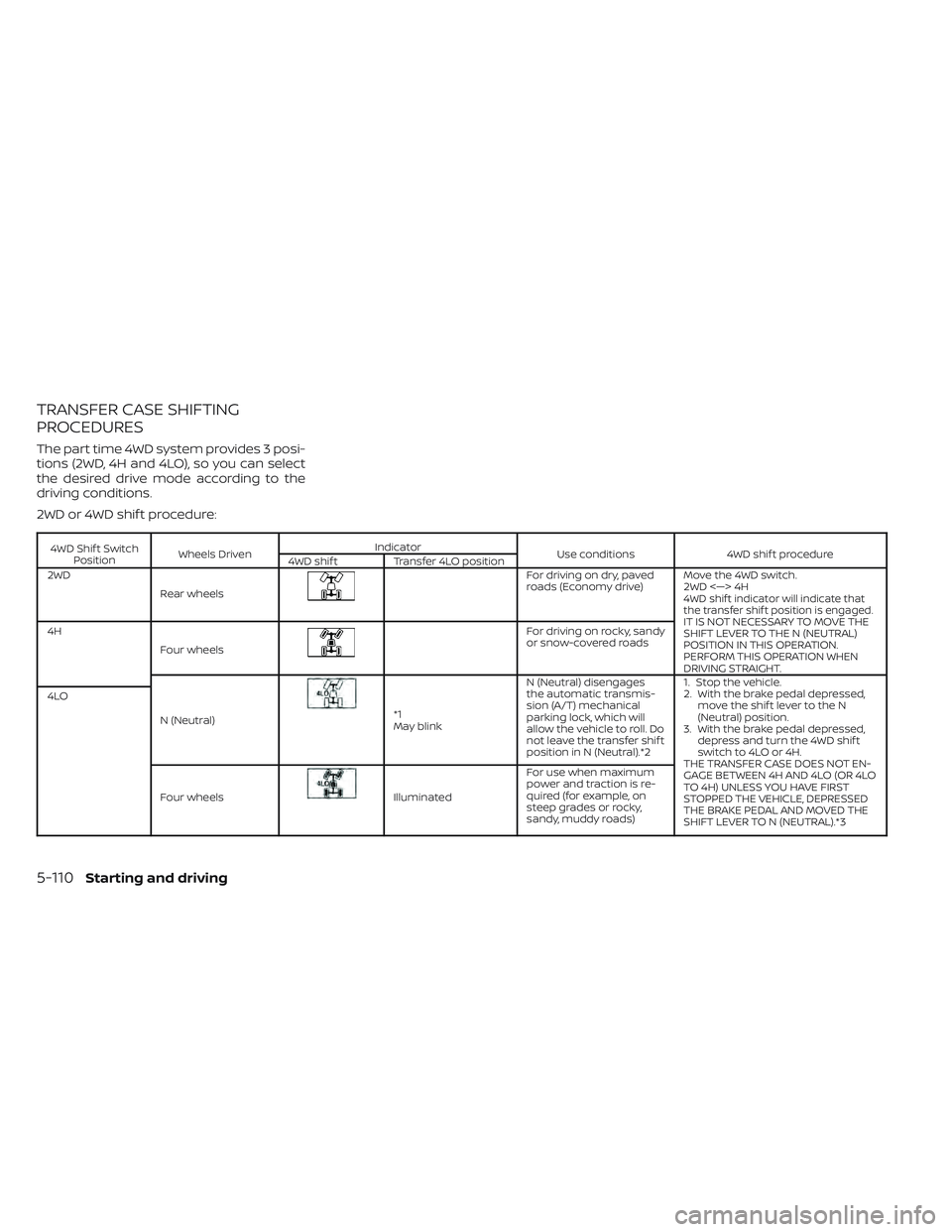
The part time 4WD system provides 3 posi-
tions (2WD, 4H and 4LO), so you can select
the desired drive mode according to the
driving conditions.
2WD or 4WD shif t procedure:
4WD Shif t SwitchPosition Wheels Driven Indicator
Use conditions4WD shif t procedure
4WD shif t Transfer 4LO position
2WD
Rear wheels
Fordrivingondry,paved
roads (Economy drive) Move the 4WD switch.
2WD <—> 4H
4WD shif t indicator will indicate that
the transfer shif t position is engaged.
IT IS NOT NECESSARY TO MOVE THE
SHIFT LEVER TO THE N (NEUTRAL)
POSITION IN THIS OPERATION.
PERFORM THIS OPERATION WHEN
DRIVING STRAIGHT.
4H
Four wheelsFor driving on rocky, sandy
or snow-covered roads
N (Neutral)
*1
May blink N (Neutral) disengages
the automatic transmis-
sion (A/T) mechanical
parking lock, which will
allow the vehicle to roll. Do
not leave the transfer shif t
position in N (Neutral).*2 1. Stop the vehicle.
2. With the brake pedal depressed,
move the shif t lever to the N
(Neutral) position.
3. With the brake pedal depressed, depress and turn the 4WD shif t
switch to 4LO or 4H.
THE TRANSFER CASE DOES NOT EN-
GAGE BETWEEN 4H AND 4LO (OR 4LO
TO 4H) UNLESS YOU HAVE FIRST
STOPPED THE VEHICLE, DEPRESSED
THE BRAKE PEDAL AND MOVED THE
SHIFT LEVER TO N (NEUTRAL).*3
4LO
Four wheels
Illuminated For use when maximum
power and traction is re-
quired (for example, on
steep grades or rocky,
sandy, muddy roads)
5-110Starting and driving
Page 391 of 572
*1: Before moving the shif t lever from N
(Neutral), wait until the 4LO indicator stays
on steady. This indicates that the 4WD shif t
procedure is completed and the transfer
gear is correctly set in the 4LO position. If
the vehicle is shif ted into gear before the
indicator is on steady, the transfer gear
may grind, not engage correctly or stay in
the N (Neutral) position.
- If the 4WD vehicle information display
warning message illuminates, perform the
following procedure to return the transfer
case to correct operating condition.
1. Turn off the engine by placing the ignition
switch in the OFF position.
2. Start the engine.
- Check that the 4WD vehicle information
display warning message turns off. If the
warning message in the vehicle informa-
tion display stays on, have the system
checked. It is recommended that you visit a
NISSAN dealer for this service.
3. Apply the parking brake, depress the
brake pedal and move the shif t lever to the
N (Neutral) position.
4. With the brake pedal depressed, move
the 4WD shif t switch to the desired mode.- Be sure to wait until the transfer gear
change completes before shif ting the shif t
lever from the N (Neutral) position.
*2: While changing in and out of 4LO, the
ignition switch must be in the ON position
and the vehicle's engine must be running
for a shif t to take place and for the 4WD
shif t and 4LO position indicators to be op-
erable. Otherwise, the shif t will not take
place and no indicators will be on or
flashing.
*3: Make sure the transfer 4LO position in-
dicator turns on when you shif t the 4WD
shif t switch to 4LO. The
indicator light
will also turn on when 4LO is selected. For
additional information, see “Vehicle Dy-
namic Control (VDC) system” (P. 5-121).
When the 4LO position is selected, the VDC
system is disabled and the VDC off indica-
tor light illuminates, see “Vehicle Dynamic
Control (VDC) OFF indicator light”(P. 2-20).
The transfer case 4WD shif t switch is used
to select either 2WD or 4WD depending on
the driving conditions. There are three
types of drive modes available, 2WD, 4H and
4LO. The 4WD shif t switch electronically controls
the transfer case operation. Rotate the
switch to move between each mode, 2WD,
4H and 4LO.
To change into or out of 4LO, the vehicle
MUST be stationary, move the shif t lever
to N (Neutral), and depress the brake
pedal. The switch must be pushed and
turned to select 4LO.
WARNING
• When parking, apply the parking
brake before stopping the engine
and make sure that the 4WD shif t
indicator is on and the Automatic
Transmission Park (ATP) warning
light goes off. Otherwise, the vehicle
could unexpectedly move even if the
A/T is in the P (Park) position.
• The 4LO indicator must stop blinking
and remain illuminated or turn off
before shif ting the transmission
into gear. If the shif t lever is shif ted
from the N (Neutral) position to any
other gear when the 4LO indicator is
blinking, the vehicle may move
unexpectedly.
Starting and driving5-111
Page 392 of 572
CAUTION
• Never shif t the 4WD shif t switch be-
tween 4LO and 4H while driving.
• The 4H position provides greater
traction. Avoid excessive speed, as it
will cause increased fuel consump-
tion and higher oil temperatures, and
could damage drivetrain compo-
nents. Speeds over 62 mph (100
km/h) in 4H is not recommended.
• The 4LO position provides maximum
power and traction. Avoid raising ve-
hicle speed excessively, as the maxi-
mum speed is approximately 31 mph
(50 km/h).
• When driving straight, shif t the 4WD
shif t switch to the 2WD or 4H posi-
tion. Do not move the 4WD shif t
switch when making a turn or
reversing.
• Do not shif t the 4WD shif t switch (be-
tween 2WD and 4H) while driving on
steep downhill grades. Use the en-
gine brake and low A/T gears (M1 or
M2) for engine braking.
• Do not operate the 4WD shif t switch
(between 2WD and 4H) with the rear
wheels spinning. •
Do not drive on dry hard surface
roads in the 4H or 4LO position. Driv-
ing on dry hard surfaces in 4H or 4LO
may cause unnecessary noise and
tire wear. NISSAN recommends driv-
ing in the 2WD position under these
conditions.
• The 4WD transfer case may not be
shif ted between 4H and 4LO at low
ambient temperatures and the
transfer 4LO position indicator may
blink even when the 4WD shif t switch
is shif ted. Af ter driving for a while
you can change the 4WD transfer
case between 4H and 4LO.
When driving on rough roads:
• Set the 4WD shif t switch to 4H or 4LO.
• Drive carefully according to the road sur- face conditions.
When the vehicle is stuck:
• Set the 4WD shif t switch to 4H or 4LO.
• Place stones or wooden blocks under the tires to free the vehicle.
• Use the Electronic locking rear differential (E-Lock) system (if so equipped). For addi-
tional information, see “Electronic locking
rear differential (E-Lock) system” (P. 5-115). • If it is difficult to free the vehicle, rock the
vehicle back and forth between reverse
and drive gears.
• If the vehicle is stuck deep in mud, place stones or wooden blocks under the tires.
Then try the recovery procedures above.
Tire chains may be effective.
CAUTION
• Do not spin the tires excessively. Tires
will sink deep into the mud, making it
difficult to free the vehicle.
• Avoid shif ting gears with the engine
running at high speeds as this may
cause malfunction.
5-112Starting and driving