warning light NISSAN GT-R 2011 User Guide
[x] Cancel search | Manufacturer: NISSAN, Model Year: 2011, Model line: GT-R, Model: NISSAN GT-R 2011Pages: 312, PDF Size: 13.07 MB
Page 193 of 312
Black plate (197,1)
Model "R35-N" EDITED: 2009/ 10/ 30
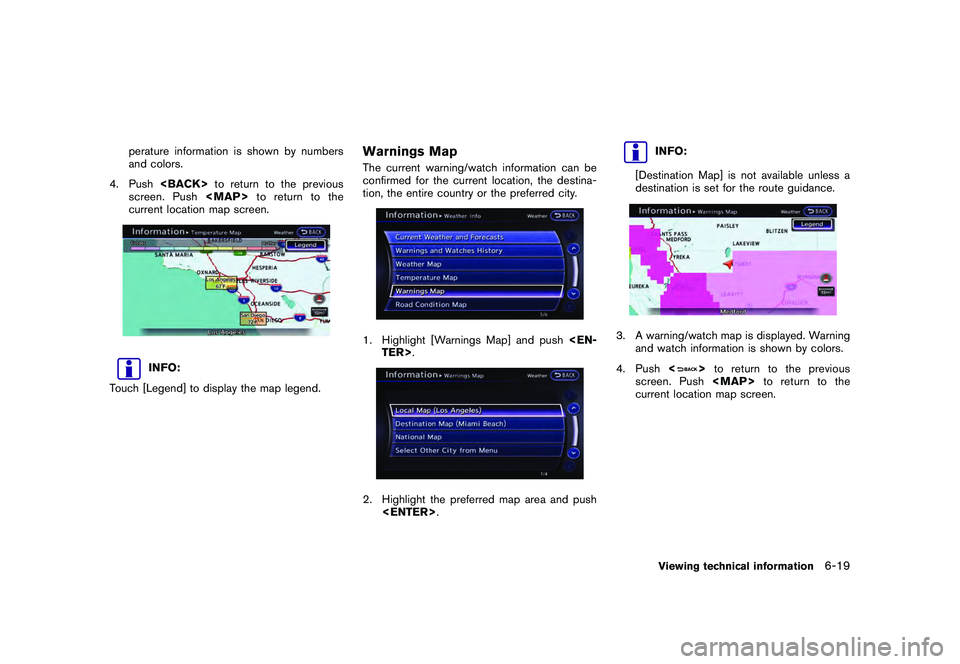
perature information is shown by numbers
and colors.
4. Push
screen. Push
Page 195 of 312
Black plate (199,1)
Model "R35-N" EDITED: 2009/ 10/ 30
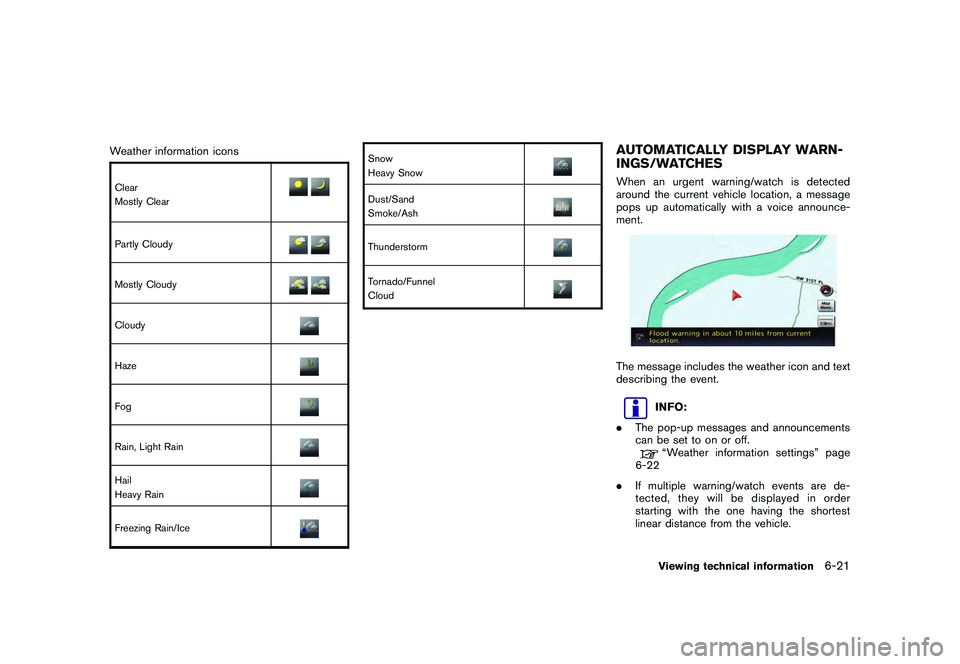
Weather information iconsClear
Mostly ClearPartly CloudyMostly CloudyCloudyHazeFogRain, Light RainHail
Heavy RainFreezing Rain/Ice
Snow
Heavy SnowDust/Sand
Smoke/AshThunderstormTornado/Funnel
Cloud
AUTOMATICALLY DISPLAY WARN-
INGS/WATCHESWhen an urgent warning/watch is detected
around the current vehicle location, a message
pops up automatically with a voice announce-
ment.The message includes the weather icon and text
describing the event.
INFO:
. The pop-up messages and announcements
can be set to on or off.“Weather information settings” page
6-22
. If multiple warning/watch events are de-
tected, they will be displayed in order
starting with the one having the shortest
linear distance from the vehicle.Viewing technical information
6-21
Page 196 of 312
Black plate (200,1)
Model "R35-N" EDITED: 2009/ 10/ 30
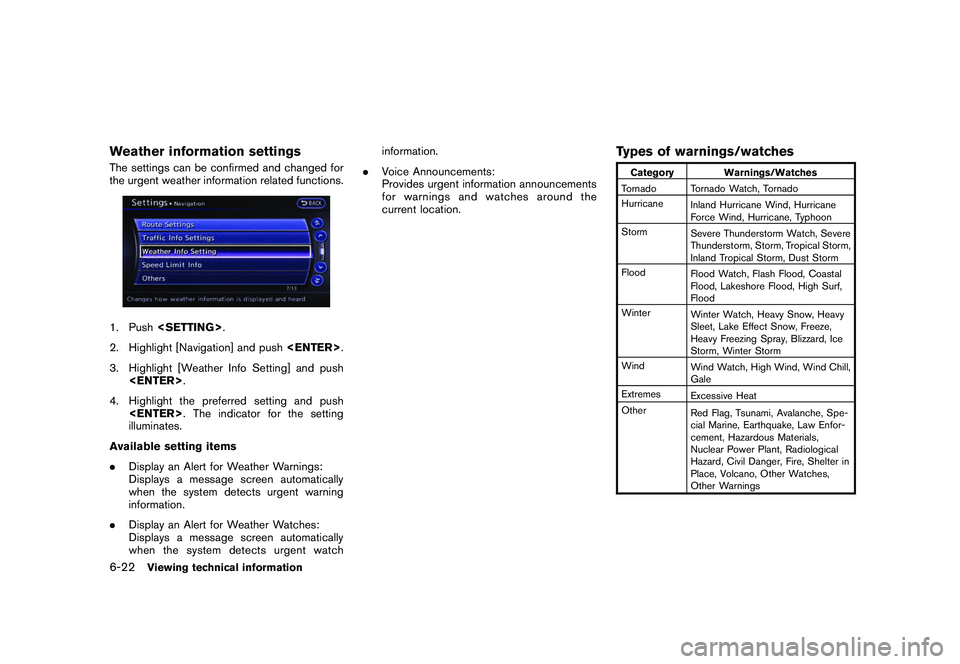
Weather information settingsThe settings can be confirmed and changed for
the urgent weather information related functions.1. Push
2. Highlight [Navigation] and push
3. Highlight [Weather Info Setting] and push
4. Highlight the preferred setting and push
illuminates.
Available setting items
. Display an Alert for Weather Warnings:
Displays a message screen automatically
when the system detects urgent warning
information.
. Display an Alert for Weather Watches:
Displays a message screen automatically
when the system detects urgent watch information.
. Voice Announcements:
Provides urgent information announcements
for warnings and watches around the
current location.
Types of warnings/watches
Category Warnings/Watches
Tornado Tornado Watch, Tornado
Hurricane Inland Hurricane Wind, Hurricane
Force Wind, Hurricane, Typhoon
Storm Severe Thunderstorm Watch, Severe
Thunderstorm, Storm, Tropical Storm,
Inland Tropical Storm, Dust Storm
Flood Flood Watch, Flash Flood, Coastal
Flood, Lakeshore Flood, High Surf,
Flood
Winter Winter Watch, Heavy Snow, Heavy
Sleet, Lake Effect Snow, Freeze,
Heavy Freezing Spray, Blizzard, Ice
Storm, Winter Storm
Wind Wind Watch, High Wind, Wind Chill,
Gale
Extremes Excessive Heat
Other Red Flag, Tsunami, Avalanche, Spe-
cial Marine, Earthquake, Law Enfor-
cement, Hazardous Materials,
Nuclear Power Plant, Radiological
Hazard, Civil Danger, Fire, Shelter in
Place, Volcano, Other Watches,
Other Warnings
6-22
Viewing technical information
Page 197 of 312
Black plate (201,1)
Model "R35-N" EDITED: 2009/ 10/ 30
INFO:
. The “Other Watches” category in the
“Other” category includes Inland Hurricane
Watch, Hurricane Watch, Typhoon Watch,
Tropical Storm Watch, Inland Tropical Storm
Watch and Fire Weather Watch.
. The “Other Warnings” category in the
“Other” category includes Dense Fog Warn-
ing, Freezing Fog Warning, Extreme Cold
Warning, Frost Warning, Hydrologic Warn-
ing, Ashfall Warning, Air Stagnation Warn-
ing, Low Water Warning, Ice Accretion
Warning, Dense Smoke Warning, Dense
Smoke Advisory, Freezing Fog Advisory,
Dense Fog Advisory, Ashfall Advisory and
Air Stagnation Advisory.
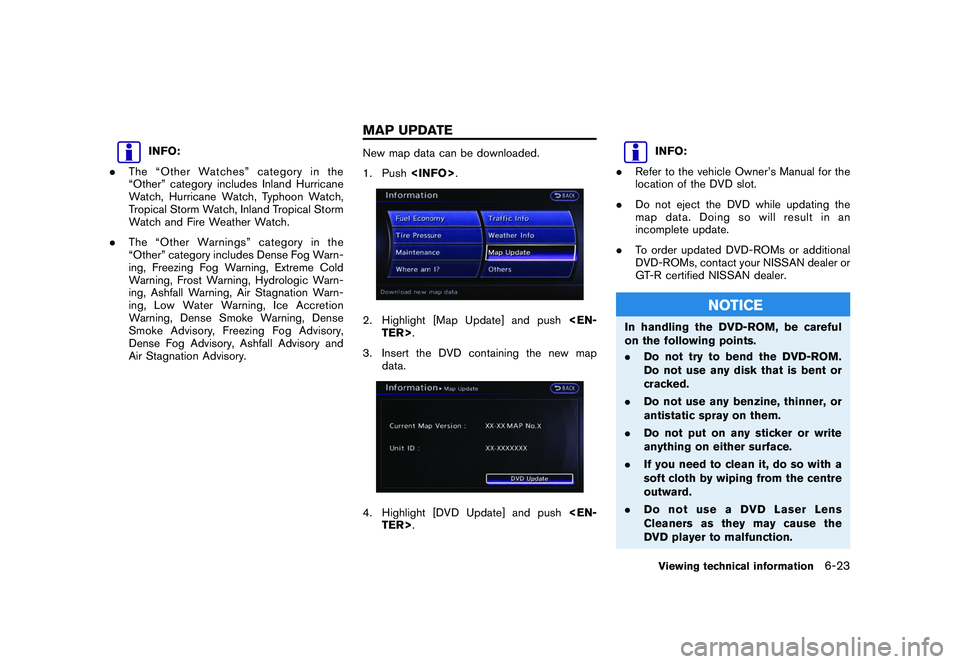
New map data can be downloaded.
1. Push
3. Insert the DVD containing the new map data.4. Highlight [DVD Update] and push
INFO:
. Refer to the vehicle Owner’s Manual for the
location of the DVD slot.
. Do not eject the DVD while updating the
map data. Doing so will result in an
incomplete update.
. To order updated DVD-ROMs or additional
DVD-ROMs, contact your NISSAN dealer or
GT-R certified NISSAN dealer.
NOTICE
In handling the DVD-ROM, be careful
on the following points.
.Do not try to bend the DVD-ROM.
Do not use any disk that is bent or
cracked.
. Do not use any benzine, thinner, or
antistatic spray on them.
. Do not put on any sticker or write
anything on either surface.
. If you need to clean it, do so with a
soft cloth by wiping from the centre
outward.
. DonotuseaDVDLaserLens
Cleaners as they may cause the
DVD player to malfunction.
Viewing technical information
6-23
MAP UPDATE
Page 274 of 312
![NISSAN GT-R 2011 User Guide Black plate (280,1)
Model "R35-N" EDITED: 2009/ 10/ 30
3. Select [Delete Stop Watch Times]. Themessage screen will be displayed.4. Select [YES]. The time record will bedeleted.
INFO:
. You cannot reco](/img/5/58175/w960_58175-273.png "NISSAN GT-R 2011 User Guide Black plate (280,1)
Model \"R35-N\" EDITED: 2009/ 10/ 30
3. Select [Delete Stop Watch Times]. Themessage screen will be displayed.4. Select [YES]. The time record will bedeleted.
INFO:
. You cannot reco")
Black plate (280,1)
Model "R35-N" EDITED: 2009/ 10/ 30
3. Select [Delete Stop Watch Times]. Themessage screen will be displayed.4. Select [YES]. The time record will bedeleted.
INFO:
. You cannot recover deleted records.
. To delete all records select [Delete All Stop
Watch Times].
DRIVER’S NOTES SCREENYou can record the waypoints that you pass
using the DRIVER’S NOTES screen.How to view screen&1
MARK LIST (waypoint list):
Displays a list of waypoints saved auto-
matically or manually.
&2
Timer indicator:
Flashes while the timer is operating.
&3
FUEL/RANGE:
Displays the amount of fuel and the
distance the vehicle can travel on the
remaining fuel
&4
TRIP DISTANCE:
Displays the driving time measured starting
from when the Driver’s notes function was
activated.
NOTICE
Even when the cruising distance dis-
plays that the vehicle has a sufficient
amount of fuel to travel a given dis-
tance, when the fuel indicator ap-
proachesE(empty),orthefuel
warning light illuminates, be sure to
fuel your vehicle.
9-32
Multi function meter