navigation system NISSAN LEAF 2014 1.G Workshop Manual
[x] Cancel search | Manufacturer: NISSAN, Model Year: 2014, Model line: LEAF, Model: NISSAN LEAF 2014 1.GPages: 397, PDF Size: 9.45 MB
Page 267 of 397
WARNING
• Use a phone after stopping your ve-
hicle in a safe location. If you have to
use a phone while driving, exercise ex-
treme caution at all times so full atten-
tion may be given to vehicle operation.
• If you are unable to devote full atten-
tion to vehicle operation while talking
on the phone, pull off the road to a safe
location and stop your vehicle.
CAUTION
To avoid draining the vehicle battery, use
a phone after the READY to drive indica-
tor light is on.
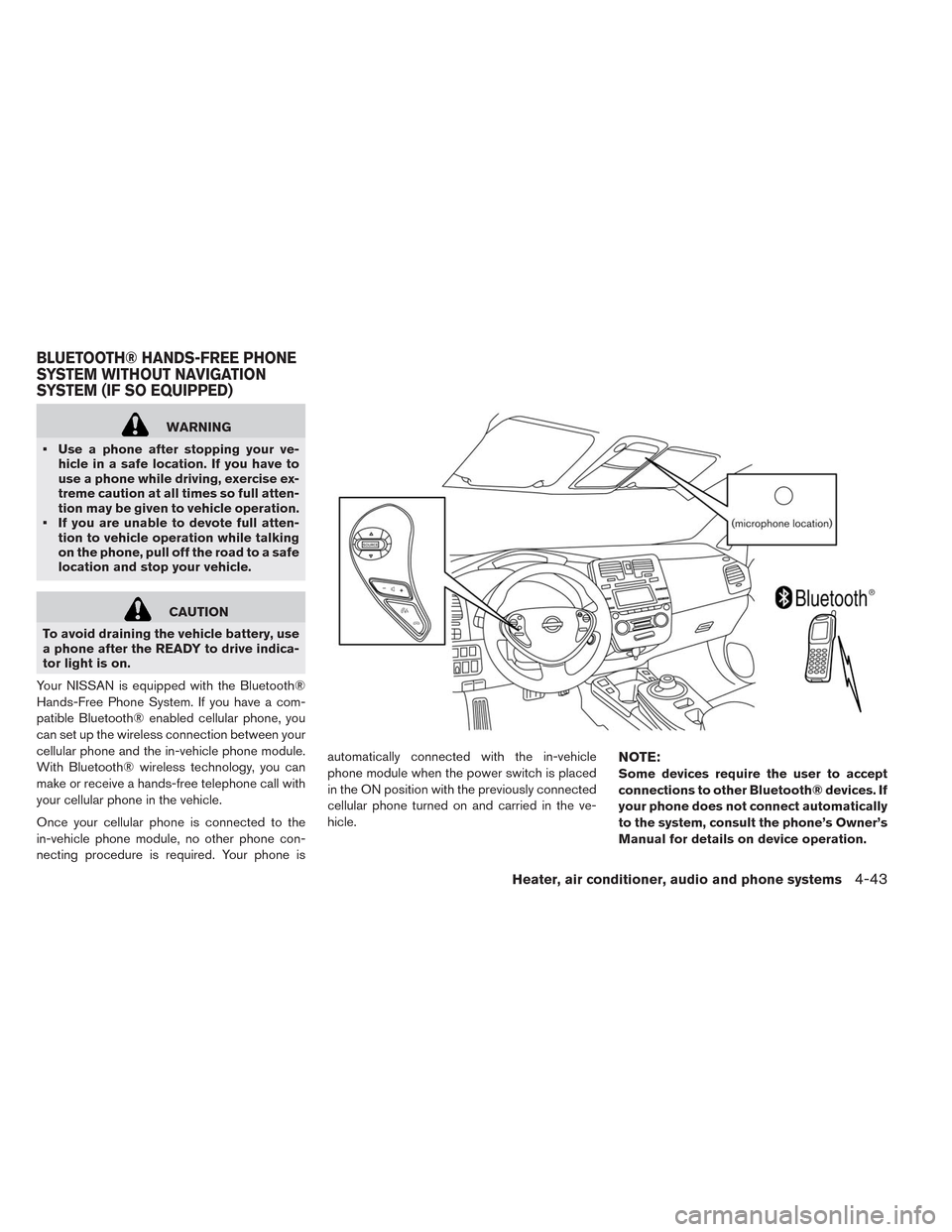
Your NISSAN is equipped with the Bluetooth®
Hands-Free Phone System. If you have a com-
patible Bluetooth® enabled cellular phone, you
can set up the wireless connection between your
cellular phone and the in-vehicle phone module.
With Bluetooth® wireless technology, you can
make or receive a hands-free telephone call with
your cellular phone in the vehicle.
Once your cellular phone is connected to the
in-vehicle phone module, no other phone con-
necting procedure is required. Your phone isautomatically connected with the in-vehicle
phone module when the power switch is placed
in the ON position with the previously connected
cellular phone turned on and carried in the ve-
hicle.
NOTE:
Some devices require the user to accept
connections to other Bluetooth® devices. If
your phone does not connect automatically
to the system, consult the phone’s Owner’s
Manual for details on device operation.
BLUETOOTH® HANDS-FREE PHONE
SYSTEM WITHOUT NAVIGATION
SYSTEM (IF SO EQUIPPED)
Heater, air conditioner, audio and phone systems4-43
Page 306 of 397
•The predicted charging time displayed on
the meter and navigation system in-
creases when the Li-ion battery warmer
operates.
•Vehicle range may be substantially re-
duced in extremely cold conditions (for
example under -4°F (-20°C)) .
•Using the climate control system to heat
the cabin when outside temperature is
below 32°F (0°C) uses more electricity and
affects vehicle range more than when us-
ing the heater when the temperature is
above 32°F (0°C) .
•Climate control performance is reduced
when using the Climate Ctrl. Timer or Re-
mote Climate Control while the Li-ion bat-
tery warmer operates. Set only the charg-
ing timer [End Time] when charging in cold
weather. The vehicle automatically deter-
mines when to start charging to fully
charge the Li-ion battery, even if the Li-ion
battery warmer operates. Charging ends
before the set end time if the Li-ion bat-
tery is fully charged.FREEING A FROZEN DOOR LOCK
To prevent a door lock from freezing, apply deicer
through the key hole. If the lock becomes frozen,
heat the key before inserting it into the key hole or
use the remote keyless entry keyfob.
ANTI-FREEZE
In the winter when it is possible that the outside
temperature will drop below 32°F (0°C) , check
the antifreeze to ensure proper winter protection.
For additional information, see “Cooling system”
in the “Maintenance and do-it-yourself” section.
12-VOLT BATTERY
If the 12-volt battery is not fully charged during
extremely cold weather conditions, the 12-volt
battery fluid may freeze and damage the 12-volt
battery. To maintain maximum efficiency, the 12-
volt battery should be checked regularly. For ad-
ditional information, see “12-volt battery” in the
“Maintenance and do-it-yourself” section.
DRAINING OF COOLANT WATER
If the vehicle is to be left outside without anti-
freeze, drain the cooling system. Refill before
operating the vehicle. For details, see “Cooling
system” in the “Maintenance and do-it-yourself”
section.
TIRE EQUIPMENT
SUMMER tires have a tread designed to provide
superior performance on dry pavement. How-
ever, the performance of these tires will be sub-
stantially reduced in snowy and icy conditions. If
you operate your vehicle on snowy or icy roads,
NISSAN recommends the use of MUD & SNOW
or ALL SEASON tires on all four wheels. Consult
a NISSAN certified LEAF dealer for the tire type,
size, speed rating and availability information.
For additional traction on icy roads, studded tires
may be used. However, some U.S. states and
Canadian provinces prohibit their use. Check
local, state and provincial laws before installing
studded tires.
Skid and traction capabilities of studded
snow tires, on wet or dry surfaces, may be
poorer than that of non-studded snow tires.
5-26Starting and driving
Page 381 of 397
For USA
If you believe that your vehicle has a defect which
could cause a crash or could cause injury or
death, you should immediately inform the Na-
tional Highway Traffic Safety Administration
(NHTSA) in addition to notifying NISSAN.
If NHTSA receives similar complaints, it may
open an investigation, and if it finds that a safety
defect exists in a group of vehicles, it may order a
recall and remedy campaign. However, NHTSA
cannot become involved in individual problems
between you, your dealer, or NISSAN.
To contact NHTSA, you may call the Vehicle
Safety Hotline toll-free at 1-888-327-4236 (TTY:
1-800-424-9153); go to http://
www.safercar.gov; or write to: Administrator,
NHTSA, 400 Seventh Street, SW., Washington,
D.C. 20590. You can also obtain other informa-
tion about motor vehicle safety from http://
www.safercar.gov.
You may notify NISSAN by contacting our Con-
sumer Affairs Department, toll-free, at 1-877-
NOGASEV (1-877-664-2738) .For Canada
If you believe that your vehicle has a defect which
could cause a crash or could cause injury or
death, you should immediately inform Transport
Canada in addition to notifying NISSAN.
If Transport Canada receives complaints, it may
open an investigation, and if it finds that a safety
defect exists in a group of vehicles, it may request
a recall campaign. However, Transport Canada
cannot become involved in individual problems
between you, your dealer, or NISSAN.
You may contact Transport Canada’s Defect In-
vestigations and Recall Division toll free at
1-800-333-0510. You may also report safety
defects online at; https://wwwapps.tc.gc.ca/
Saf-Sec-Sur/7/PCDB-BDPP/Index.aspx.
Additional information concerning motor vehicle
safety may be obtained from Transport Canada’s
Road Safety Information Centre at
1-800-333-0371 or online at www.tc.gc.ca/
roadsafety (English speakers) or www.tc.gc.ca/
securiteroutiere (French speakers) .
To notify NISSAN of any safety concerns please
contact our Consumer Information Centre toll
free at 1-800-387-0122.In addition to Event Data Recorders (EDRs) dis-
cussed elsewhere in this Owner’s Manual, this
vehicle is equipped with electronic modules that
monitor, control and record data concerning vari-
ous vehicle systems, including the motor, batter-
ies, braking and electrical systems. Other elec-
tronic modules record information concerning
driving conditions, including idling, braking, ac-
celeration, trip and other related data, information
about your use of the car and its features such as
air conditioner or headlight usage, diagnostic
trouble codes, vehicle charging, vehicle speed,
direction and/or location.
Some of this data is stored by the vehicle for use
during vehicle servicing. Other data concerning
your vehicle’s operation and performance is wire-
lessly transmitted by cellular connection through
the vehicle onboard telematics system upon ve-
hicle start-up or at other intervals to NISSAN.
This data may be used by NISSAN for various
purposes, including: to provide you with CAR-
WINGS™ services (see LEAF Navigation System
Owner’s Manual for details); troubleshooting;
evaluation of your vehicle’s quality, functionality
and performance; analysis and research by
NISSAN designed to, among other things, opti-
mize performance of future electric vehicles in-
cluding improvements in future battery life; to
REPORTING SAFETY DEFECTS TELEMATICS OVERVIEW
Technical and consumer information9-15
Page 382 of 397
offer you new or additional products or services;
and as otherwise may be required by law. Such
data may be shared with NISSAN’s parents, sub-
sidiaries, affiliates, successors or assignees; au-
thorized NISSAN certified LEAF dealers; NIS-
SAN’s marketing partners; your fleet company, if
your vehicle is a fleet vehicle; your rental com-
pany, if your vehicle is a rental vehicle; and third
party service providers such as cellular, informa-
tion systems and data management providers.
State laws allow access and use of data re-
corded by vehicle devices with the consent of the
vehicle owner or pursuant to subscription agree-
ment. While you are not required to allow such
access and use, if you do not so agree NISSAN
may be unable under applicable law to activate
the vehicle telematics system in your vehicle, and
certain features of your vehicle which are depen-
dent on vehicle telematics will not operate as
intended or designed. These may include fea-
tures such as automatic charging station map
updates, remote battery state of charge check,
charging complete notice, remote plug in re-
minder, remote charging on, remote climate con-
trol on, drive route planning, driving tips to im-
prove range, driving history, billing simulation,
ECO ranking, ECO forest, maintenance remind-
ers, etc. Other features that may be developedand offered by NISSAN in the future may also not
function without telematics data transmission.
CARWINGS™ telematics services are provided
by NISSAN pursuant to a subscription services
agreement covering your vehicle. This agreement
is necessary for all owners. This agreement, and
an explanation of its terms and conditions, can be
found at the NISSAN Owner’s Portal webpage.
Further, the operator of the vehicle must also
touch [OK] on the Navi screen to indicate assent
each time he or she starts the car. If you decide at
any time that you do not want your vehicle to
transmit data to NISSAN, you can deactivate the
telematics account associated with this vehicle
by canceling the subscription services agree-
ment by visiting the NISSAN Owner’s Portal
Webpage or calling NISSAN at 1-877-
NOGASEV (1-877-664-2738) . The service can
be reactivated later upon request if you choose.
Simply visit the same website or call the number
above. Alternatively, you can turn off the transmis-
sion of certain categories of data through the use
of settings found in the Navigation system under
Menu, CARWINGS™, Vehicle Information Shar-
ing with NISSAN. Note, turning off “Vehicle Infor-
mation Sharing with NISSAN” will only disable
the automatic sharing of information at vehicle
start-up. Certain categories of data may still betransmitted if vehicle telematics features are ac-
cessed either in the vehicle or remotely.
Your agreement to the transmission and use of
data by NISSAN can be provided in various ways.
The vehicle is equipped with a “pop up” screen
on the vehicle navigation system that will ask for
your consent to this data transfer. A version of the
following message will appear: “Pursuant to sub-
scription agreement, your vehicle wirelessly
transmits recorded vehicle data to NISSAN for
various purposes, including CARWINGS™ ser-
vices, product evaluation, research and develop-
ment. By pressing OK, you consent to the trans-
mission and use of your vehicle data. See
Owner’s Manual or NISSAN Owner’s portal
webpage for terms and details.” If you press [OK],
your vehicle will transmit data as designed in
connection with the vehicle telematics system. If
you press [Decline] your vehicle will not transmit
data. However, the telematics features refer-
enced above, and perhaps others, will not be
available to you. The vehicle’s static navigation
system will remain operational, and you will be
able to access your radio and climate controls.
Telematics features are dependent on cellular
data transmission. Some areas may have limited
or no cellular connectivity, resulting in a loss or
9-16Technical and consumer information
Page 389 of 397
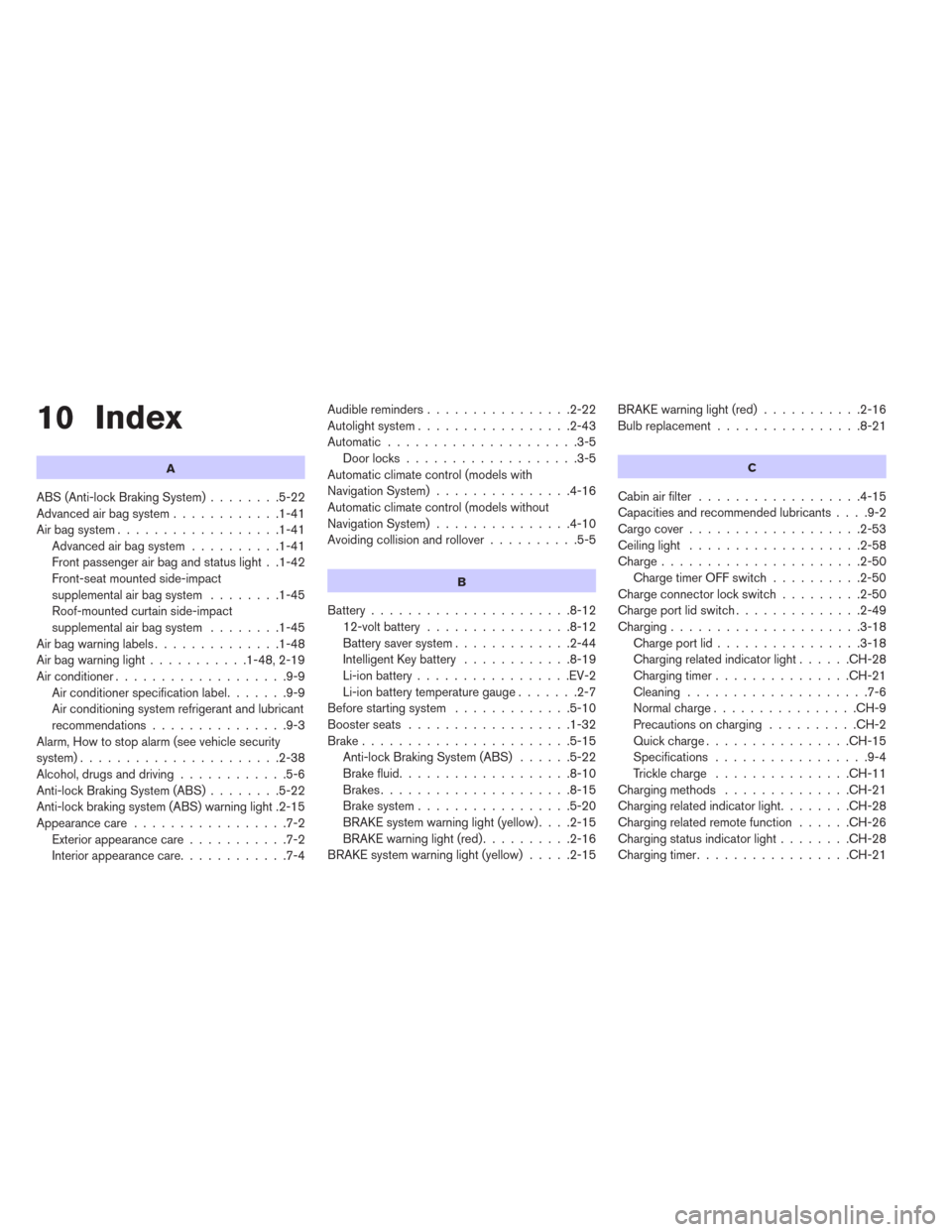
10 Index
A
ABS (Anti-lock Braking System)........5-22
Advanced air bag system............1-41
Air bag system..................1-41
Advanced air bag system..........1-41
Front passenger air bag and status light . .1-42
Front-seat mounted side-impact
supplemental air bag system........1-45
Roof-mounted curtain side-impact
supplemental air bag system........1-45
Airbagwarninglabels..............1-48
Airbagwarninglight...........1-48,2-19
Air conditioner...................9-9
Air conditioner specification label.......9-9
Air conditioning system refrigerant and lubricant
recommendations...............9-3
Alarm, How to stop alarm (see vehicle security
system)......................2-38
Alcohol, drugs and driving............5-6
Anti-lock Braking System (ABS)........5-22
Anti-lock braking system (ABS) warning light .2-15
Appearance care.................7-2
Exterior appearance care...........7-2
Interior appearance care............7-4Audible reminders................2-22
Autolight system.................2-43
Automatic.....................3-5
Door locks...................3-5
Automatic climate control (models with
Navigation System)...............4-16
Automatic climate control (models without
Navigation System)...............4-10
Avoiding collision and rollover..........5-5
B
Battery......................8-12
12-volt battery................8-12
Battery saver system.............2-44
Intelligent Key battery............8-19
Li-ion battery.................EV-2
Li-ion battery temperature gauge.......2-7
Before starting system.............5-10
Boosterseats ..................1-32
Brake.......................5-15
Anti-lock Braking System (ABS)......5-22
Brake fluid...................8-10
Brakes.....................8-15
Brake system.................5-20
BRAKE system warning light (yellow)....2-15
BRAKE warning light (red)..........2-16
BRAKE system warning light (yellow).....2-15BRAKE warning light (red)...........2-16
Bulb replacement................8-21
C
Cabin air filter..................4-15
Capacities and recommended lubricants....9-2
Cargocover...................2-53
Ceiling light...................2-58
Charge......................2-50
ChargetimerOFFswitch..........2-50
Charge connector lock switch.........2-50
Charge port lid switch..............2-49
Charging.....................3-18
Chargeportlid................3-18
Charging related indicator light......CH-28
Chargingtimer...............CH-21
Cleaning....................7-6
Normalcharge................CH-9
Precautions on charging..........CH-2
Quickcharge................CH-15
Specifications.................9-4
Trickle charge...............CH-11
Charging methods..............CH-21
Charging related indicator light........CH-28
Charging related remote function......CH-26
Charging status indicator light........CH-28
Charging timer.................CH-21
Page 393 of 397
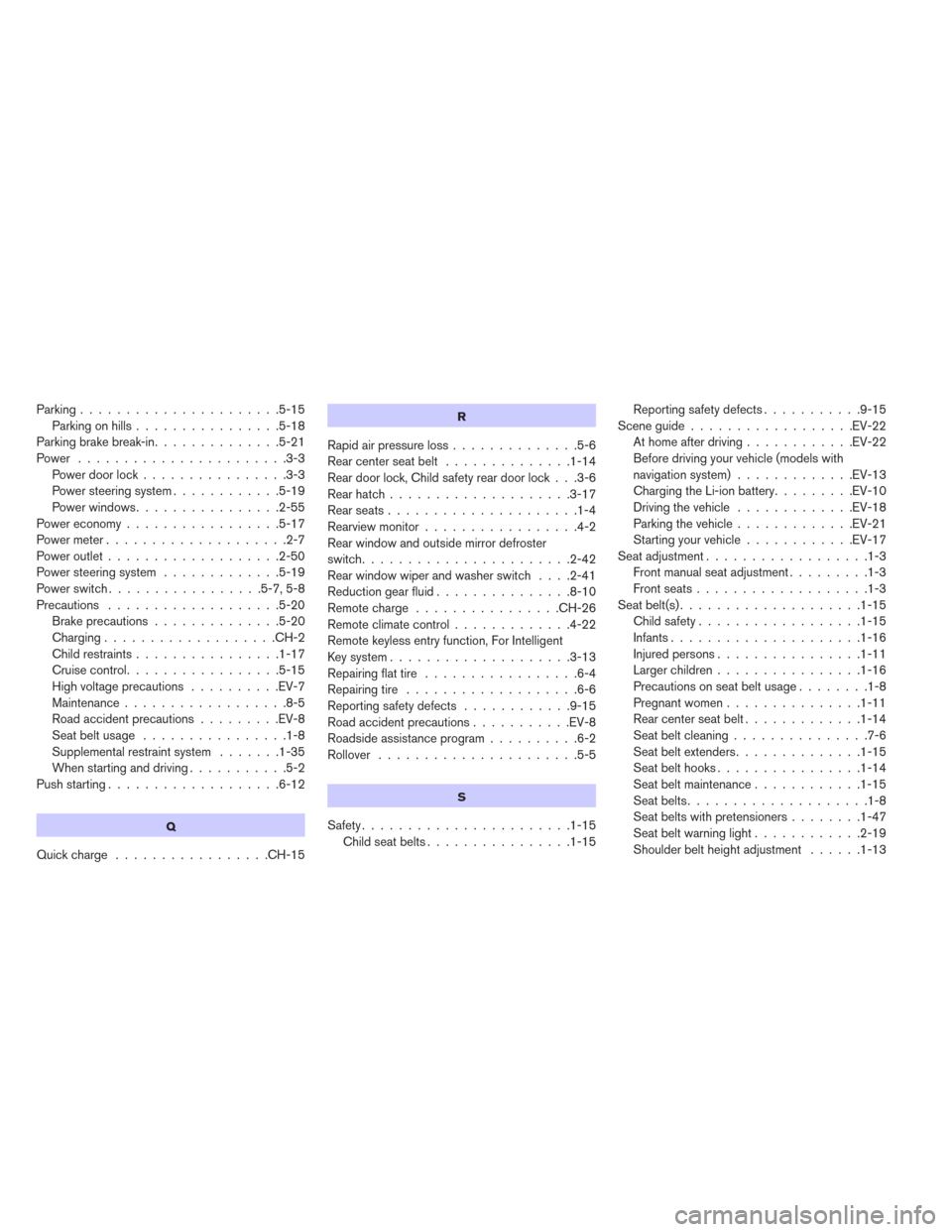
Parking......................5-15
Parking on hills................5-18
Parking brake break-in..............5-21
Power .......................3-3
Power door lock................3-3
Power steering system............5-19
Power windows................2-55
Power economy.................5-17
Powermeter....................2-7
Poweroutlet...................2-50
Power steering system.............5-19
Powerswitch.................5-7,5-8
Precautions ...................5-20
Brake precautions..............5-20
Charging...................CH-2
Child restraints................1-17
Cruisecontrol.................5-15
High voltage precautions..........EV-7
Maintenance..................8-5
Road accident precautions.........EV-8
Seatbeltusage ................1-8
Supplemental restraint system.......1-35
When starting and driving...........5-2
Push starting...................6-12
Q
Quickcharge .................CH-15
R
Rapid air pressure loss..............5-6
Rear center seat belt..............1-14
Rear door lock, Child safety rear door lock . . .3-6
Rearhatch....................3-17
Rearseats.....................1-4
Rearview monitor.................4-2
Rear window and outside mirror defroster
switch.......................2-42
Rear window wiper and washer switch....2-41
Reduction gear fluid...............8-10
Remote charge................CH-26
Remote climate control.............4-22
Remote keyless entry function, For Intelligent
Key system....................3-13
Repairing flat tire.................6-4
Repairing tire...................6-6
Reporting safety defects............9-15
Road accident precautions...........EV-8
Roadside assistance program..........6-2
Rollover ......................5-5
S
Safety.......................1-15
Childseatbelts................1-15Reporting safety defects...........9-15
Sceneguide..................EV-22
At home after driving............EV-22
Before driving your vehicle (models with
navigation system).............EV-13
Charging the Li-ion battery.........EV-10
Driving the vehicle.............EV-18
Parking the vehicle.............EV-21
Starting your vehicle............EV-17
Seat adjustment..................1-3
Frontmanualseatadjustment.........1-3
Frontseats...................1-3
Seat belt(s)....................1-15
Child safety..................1-15
Infants.....................1-16
Injured persons................1-11
Larger children................1-16
Precautions on seat belt usage........1-8
Pregnant women...............1-11
Rearcenterseatbelt.............1-14
Seat belt cleaning...............7-6
Seat belt extenders..............1-15
Seat belt hooks................1-14
Seatbeltmaintenance............1-15
Seatbelts....................1-8
Seat belts with pretensioners........1-47
Seatbeltwarninglight............2-19
Shoulder belt height adjustment......1-13