remove NISSAN LEAF 2014 1.G Quick Reference Guide
[x] Cancel search | Manufacturer: NISSAN, Model Year: 2014, Model line: LEAF, Model: NISSAN LEAF 2014 1.GPages: 27, PDF Size: 1.52 MB
Page 10 of 27
8
LI-ION BATTERY CHARGING
Before charging the Li-ion battery, see your Owner’s Manual for detailed warnings and cautions
when charging your battery.
There are three methods available to perform the charge operation: normal charge, trickle
charge and quick charge (if so equipped).
NORMAL CHARGE
Perform a normal charge using the charger installed
in your home.
It takes approximately 3-4 hours to charge the Li-ion
battery from empty to full with a 6.6 kW
charger (if so equipped).
To charge your vehicle:
• Place the power switc
h in the OFF position.
• Push the c
harge port lid opener switch located below the instrument panel to the left of
the steering wheel.
• Press the c
harge port tab and open the cap.
• Connect the c
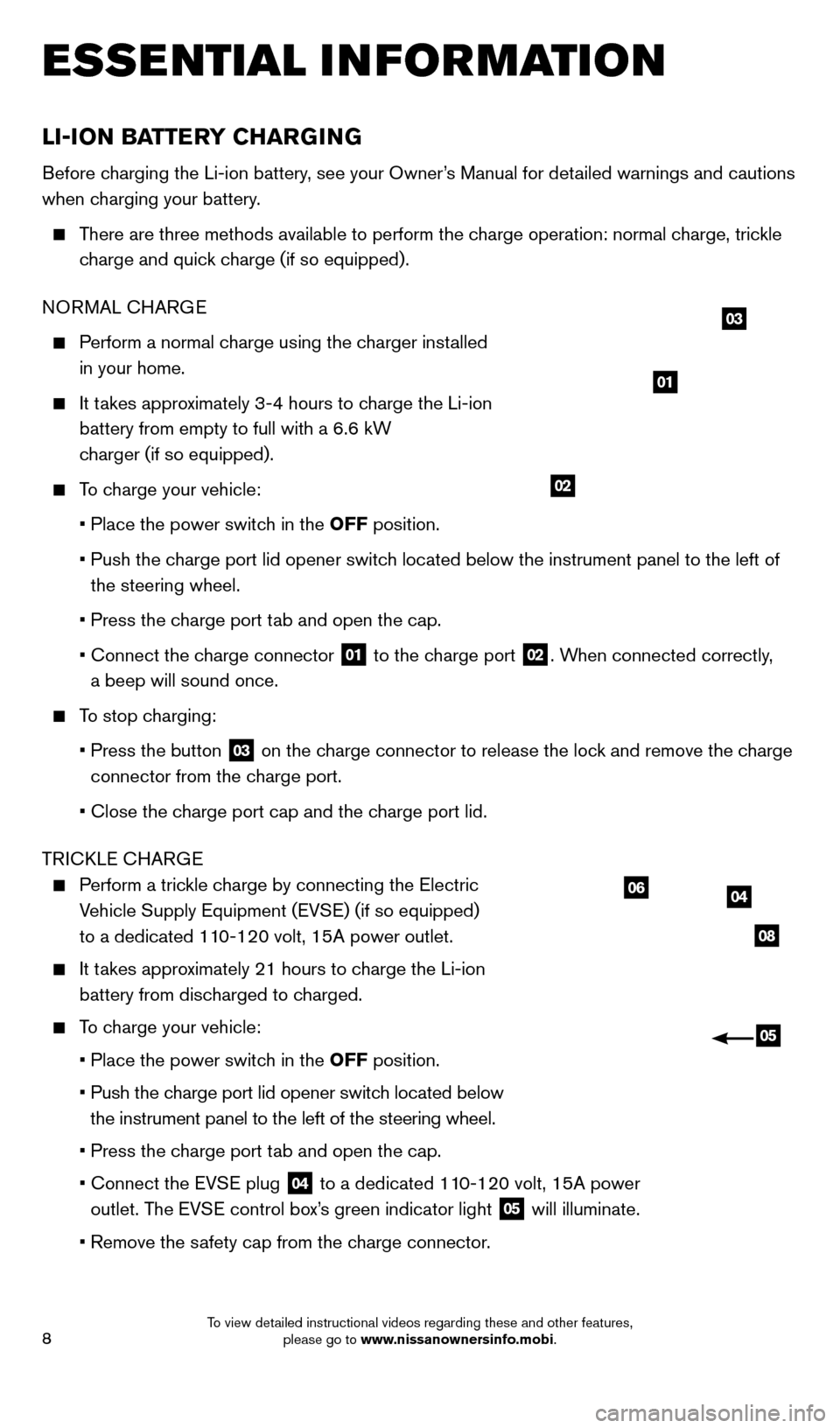
harge connector
01 to the charge port
02. When connected correctly,
a beep will sound once.
To stop charging:
• Press the button
03 on the charge connector to release the lock and remove the charge
connector from the charge port.
• Close the c
harge port cap and the charge port lid.
TRICKLE CHARGE
Perform a trickle charge by connecting the Electric Vehicle Supply Equipment (EVSE) (if so equipped)
to a dedicated 110-120 volt, 15A power outlet.
It takes approximately 21 hours to charge the Li-ion battery from discharged to charged.
To charge your vehicle:
•
Place the power switc
h in the OFF position.
•
Push the c
harge port lid opener switch located below
the instrument panel to the left of the steering wheel.
•
Press the c
harge port tab and open the cap.
•
Connect the EV
SE plug
04 to a dedicated 110-120 volt, 15A power
outlet. The EVSE control box’s green indicator light 05 will illuminate.
•
Remove the s
afety cap from the charge connector.
04
08
06
05
01
02
03
ESSE NTIAL I N FOR MATION
1700496_14b_Leaf_QRG_021114.indd 82/11/14 3:48 PM
To view detailed instructional videos regarding these and other features, please go to www.nissanownersinfo.mobi.
Page 11 of 27
9
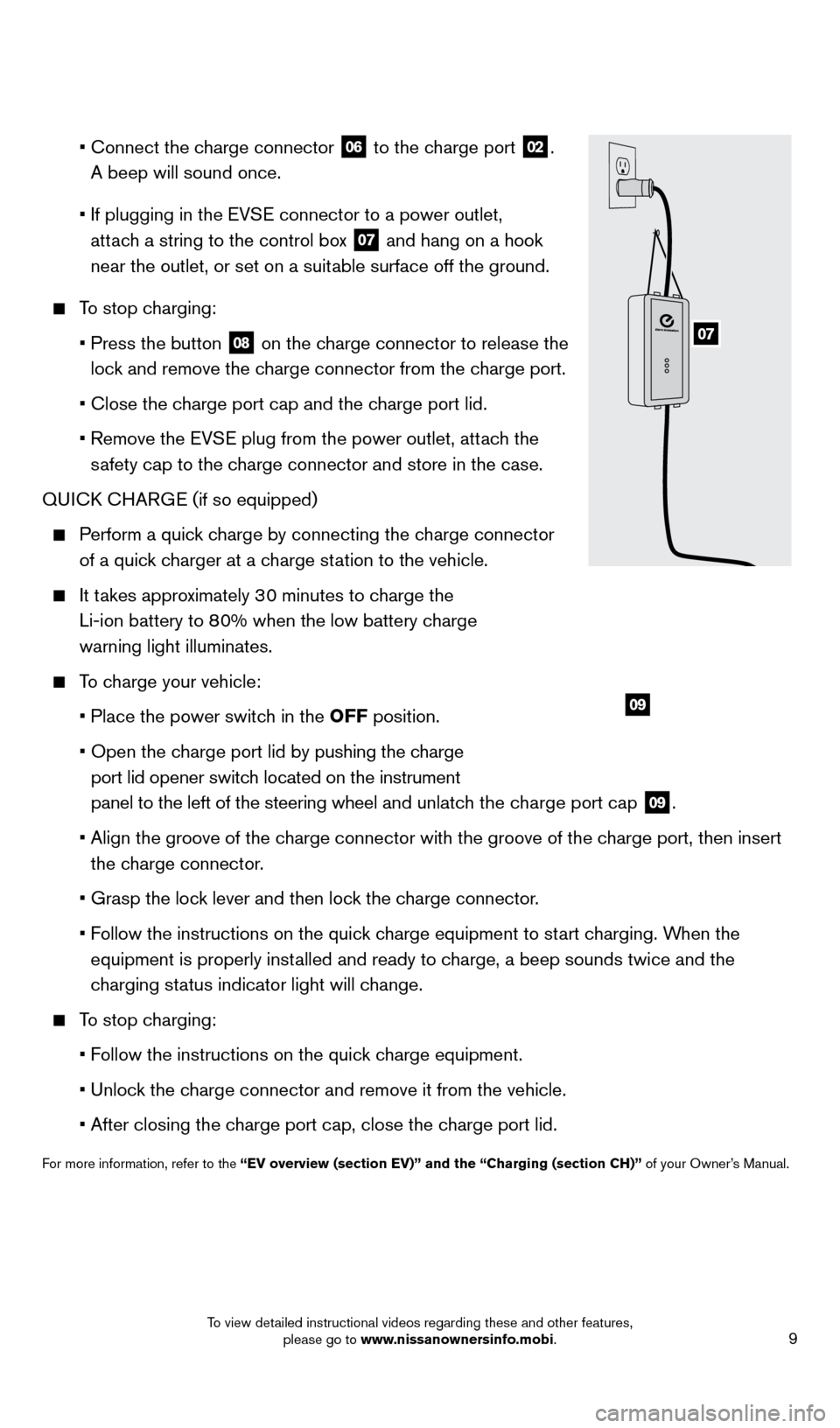
• Connect the c harge connector
06 to the charge port
02.
A beep will sound once.
•
If plugging in the EV
SE connector to a power outlet,
attach a string to the control box
07 and hang on a hook
near the outlet, or set on a suitable surface off the ground.
To stop charging:
•
Press the button 08 on the charge connector to release the
lock and remove the charge connector from the charge port.
•
Close the c
harge port cap and the charge port lid.
• Remove the EV
SE plug from the power outlet, attach the
safety cap to the charge connector and store in the case.
QUICK CHARGE (if so equipped)
Perform a quick charge by connecting the charge connector of a quick charger at a charge station to the vehicle.
It takes approximately 30 minutes to charge the
Li-ion battery to 80% when the low battery charge
warning light illuminates.
To charge your vehicle:
•
Place the power switc
h in the OFF position.
•
Open the c
harge port lid by pushing the charge
port lid opener switch located on the instrument
panel to the left of the steering wheel and unlatch the charge port cap
09.
•
Align the groove of the c
harge connector with the groove of the charge port, then insert
the charge connector.
• Grasp the loc
k lever and then lock the charge connector.
• F
ollow the instructions on the quick charge equipment to start charging. When the
equipment is properly installed and ready to charge, a beep sounds twice and the
charging status indicator light will change.
To stop charging:
•
F
ollow the instructions on the quick charge equipment.
•
Unloc
k the charge connector and remove it from the vehicle.
•
After closing the c
harge port cap, close the charge port lid.
For more information, refer to the “EV overview (section EV)” and the “Charging (section CH)”\
of your Owner’s Manual.
09
07
1700496_14b_Leaf_QRG_021114.indd 92/11/14 3:48 PM
To view detailed instructional videos regarding these and other features, please go to www.nissanownersinfo.mobi.
Page 18 of 27
16
FIRST DRIVE FEATURES
AUTOMATIC CLIMATE CONTROLS
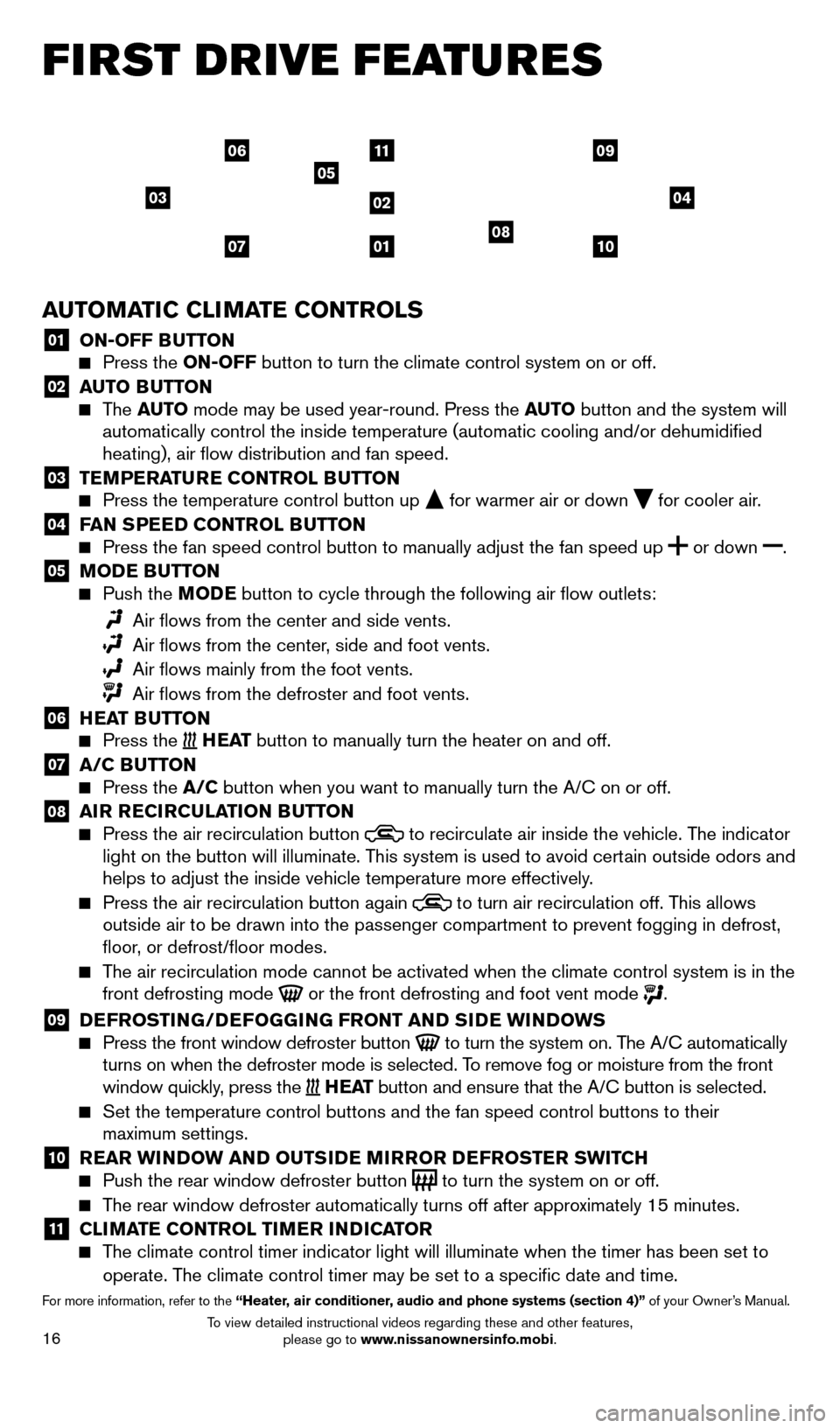
01 ON-OFF BUTTON Press the ON-OFF button to turn the climate control system on or off.
02 AUTO BUTTON The AUTO mode may be used year-round. Press the AUTO button and the system will
automatically control the inside temperature (automatic cooling and/or \
dehumidified
heating), air flow distribution and fan speed.
03 TEMPERATURE CONTROL BUTTON Press the temperature control button up for warmer air or down for cooler air.04 FAN SPEED CONTROL BUTTON Press the fan speed control button to manually adjust the fan speed
up
or
down .
05 MODE BUTTON Push the
M ODE button to cycle through the following air flow outlets:
Air flows from the center and side vents.
Air flows from the center , side and foot vents.
Air flows mainly from the foot vents.
Air flows from the defroster and foot vents.
06 HEAT BUTTON Press the H E AT button to manually turn the heater on and off.
07 A/C BUTTON Press the A/C button when you want to manually turn the A/C on or off.
08 AIR RECIRCULATION BUTTON Press the air recirculation button to recirculate air inside the vehicle. The indicator
light on the button will illuminate. This system is used to avoid certain outside odors and
helps to adjust the inside vehicle temperature more effectively.
Press the air recirculation button again to turn air recirculation off. This allows
outside air to be drawn into the passenger compartment to prevent foggin\
g in defrost,
floor, or defrost/floor modes.
The air recirculation mode cannot be activated when the climate control s\
ystem is in the front defrosting mode or the front defrosting and foot vent mode .
09 DEFROSTING/DEFOGGING FRONT AND SIDE WINDOWS Press the front window defroster button to turn the system on. The A/C automatically
turns on when the defroster mode is selected. To remove fog or moisture from the front
window quickly, press the
H E AT button and ensure that the A/C button is selected.
Set the temperature control buttons and the fan speed control buttons to\
their
maximum settings.
10 REAR WINDOW AND OUTSIDE MIRROR DEFROSTER SWITCH Push the rear window defroster button to turn the system on or off.
The rear window defroster automatically turns off after approximately 15 minutes.
11 CLIMATE CONTROL TIMER INDICATOR The climate control timer indicator light will illuminate when the timer \
has been set to
operate. The climate control timer may be set to a specific date and time.
For more information, refer to the “Heater, air conditioner, audio and phone systems (section 4)” of your Owner’s Manual.
03
01
11
02
05
04
071008
0609
1700496_14b_Leaf_QRG_021114.indd 162/11/14 3:48 PM
To view detailed instructional videos regarding these and other features, please go to www.nissanownersinfo.mobi.