phone NISSAN LEAF 2017 1.G Navigation Manual
[x] Cancel search | Manufacturer: NISSAN, Model Year: 2017, Model line: LEAF, Model: NISSAN LEAF 2017 1.GPages: 268, PDF Size: 1.41 MB
Page 28 of 268
![NISSAN LEAF 2017 1.G Navigation Manual INFO:
Pushing <
>on the steering wheel will also
display the phone menu screen.
“7. Hands-Free Phone”
Info
Touching [Info] on the Launch Bar will display the
information menu screen.
Various infor](/img/5/531/w960_531-27.png "NISSAN LEAF 2017 1.G Navigation Manual INFO:
Pushing <
>on the steering wheel will also
display the phone menu screen.
“7. Hands-Free Phone”
Info
Touching [Info] on the Launch Bar will display the
information menu screen.
Various infor")
INFO:
Pushing <
>on the steering wheel will also
display the phone menu screen.
“7. Hands-Free Phone”
Info
Touching [Info] on the Launch Bar will display the
information menu screen.
Various information can be accessed and viewed
from the information menu screen.
“Information menu” (page 6-2)
MENU
Touching [MENU] on the Launch Bar will display
the center page of the HOME MENU screen.
The HOME MENU screen consists of three
pages which can be personalized by displaying
preferred Shortcuts/Widgets.
“How to view and operate HOME MENU
screen” (page 1-11)
INFO:
Pushing
Page 32 of 268
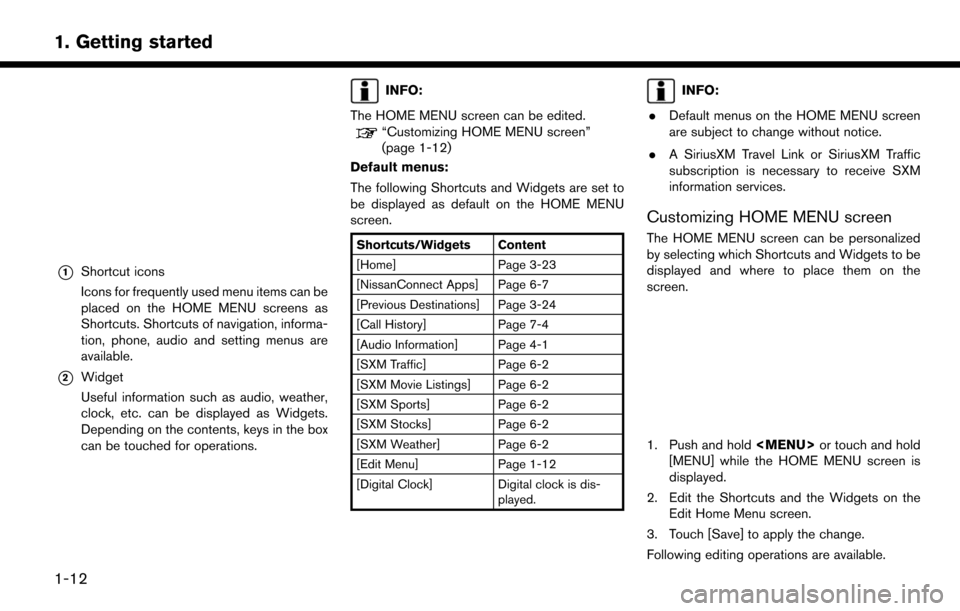
*1Shortcut icons
Icons for frequently used menu items can be
placed on the HOME MENU screens as
Shortcuts. Shortcuts of navigation, informa-
tion, phone, audio and setting menus are
available.
*2Widget
Useful information such as audio, weather,
clock, etc. can be displayed as Widgets.
Depending on the contents, keys in the box
can be touched for operations.
INFO:
The HOME MENU screen can be edited.
“Customizing HOME MENU screen”
(page 1-12)
Default menus:
The following Shortcuts and Widgets are set to
be displayed as default on the HOME MENU
screen.
Shortcuts/Widgets Content
[Home] Page 3-23
[NissanConnect Apps] Page 6-7
[Previous Destinations] Page 3-24
[Call History] Page 7-4
[Audio Information] Page 4-1
[SXM Traffic] Page 6-2
[SXM Movie Listings] Page 6-2
[SXM Sports] Page 6-2
[SXM Stocks] Page 6-2
[SXM Weather] Page 6-2
[Edit Menu] Page 1-12
[Digital Clock] Digital clock is dis- played.
INFO:
. Default menus on the HOME MENU screen
are subject to change without notice.
. A SiriusXM Travel Link or SiriusXM Traffic
subscription is necessary to receive SXM
information services.
Customizing HOME MENU screen
The HOME MENU screen can be personalized
by selecting which Shortcuts and Widgets to be
displayed and where to place them on the
screen.
1. Push and hold
Page 33 of 268
![NISSAN LEAF 2017 1.G Navigation Manual Moving an item:
1. Touch a Widget or a Shortcut icon you wishto move. The arrows [ < ], [ > ], [
]or[]
will appear by the icon. (Only [ < ] and [ > ]
are available for the Widget.)
2. Touch the arrows](/img/5/531/w960_531-32.png "NISSAN LEAF 2017 1.G Navigation Manual Moving an item:
1. Touch a Widget or a Shortcut icon you wishto move. The arrows [ < ], [ > ], [
]or[]
will appear by the icon. (Only [ < ] and [ > ]
are available for the Widget.)
2. Touch the arrows")
Moving an item:
1. Touch a Widget or a Shortcut icon you wishto move. The arrows [ < ], [ > ], [
]or[]
will appear by the icon. (Only [ < ] and [ > ]
are available for the Widget.)
2. Touch the arrows to move the icon.
Adding an item:
1. Touch a blank box for Widget/Shortcut.
2. Touch [ + ] displayed by the box.
3. Touch [Shortcut Icons] or [Widgets] and select a preferred item you wish to add.
. Available Shortcut categories
— [Audio Source]
— [Phone]
— [Info]
— [Navigation]
— [Settings]
. Available Widgets
— [Audio Information]
— [Current Conditions]
— [5-Day Weather Forecast]
— [Digital Clock] — [Analog Clock]INFO:
To add a Widget, 4 open Shortcut spots are
needed.
Deleting an item:
Touch [ X ] on the Shortcut or Widget you wish to
delete. Touch [Delete] to confirm.
Setting layout to default:
Touch [Reset] on the Edit Home Menu screen.
Touch [Yes] to confirm.
INFO:
. Touching [Settings] on the Launch Bar and
touching [Edit Home Menu] will also display
the Edit Home Menu screen.
. Access to the SiriusXM Travel Link services
requires a SiriusXM subscription.
“SiriusXM Travel Link” (page 6-8)
. Available Shortcuts/Widgets and the default
menus on the HOME MENU screen are
subject to change without notice.
1-13
1. Getting started
Page 34 of 268

FUNCTIONS DISABLED WHILE DRIVING
Example
To ensure safe driving, some functions cannot be
operated or have limited operation while the
vehicle driving speed is 5 MPH (8 km/h) or
above.
The on-screen text and keys for these restricted
functions will be “grayed-out” or muted and
cannot be selected while driving. In some cases,
a screen message will appear indicating a
restricted function.
Restricted functions while driving include:. Character (letter and number) input screen.
. Scrolling and viewing of certain list screens
. Displaying detail information and touching
item on some information screen
. Adding/editing home location, address book
entries and current route
. Registering cellular phones
. Connecting Bluetooth
Šdevices for the first
time
. Making a call by dial number and handset
phonebook
. Setting phone, NissanConnect
SMEV, Blue-
toothŠfunctions, etc.
. Various other settings
These functions will become available again
1-14
1. Getting started
Page 35 of 268
when the vehicle speed is reduced to below 5
MPH (8 km/h) .
Some of the destination setting functions that
become unavailable while driving can be oper-
ated by voice recognition system. Available voice
commands may differ depending on the lan-
guage setting.SYSTEM SETTINGS
The system settings can be changed for
convenience.
SETTING MENU
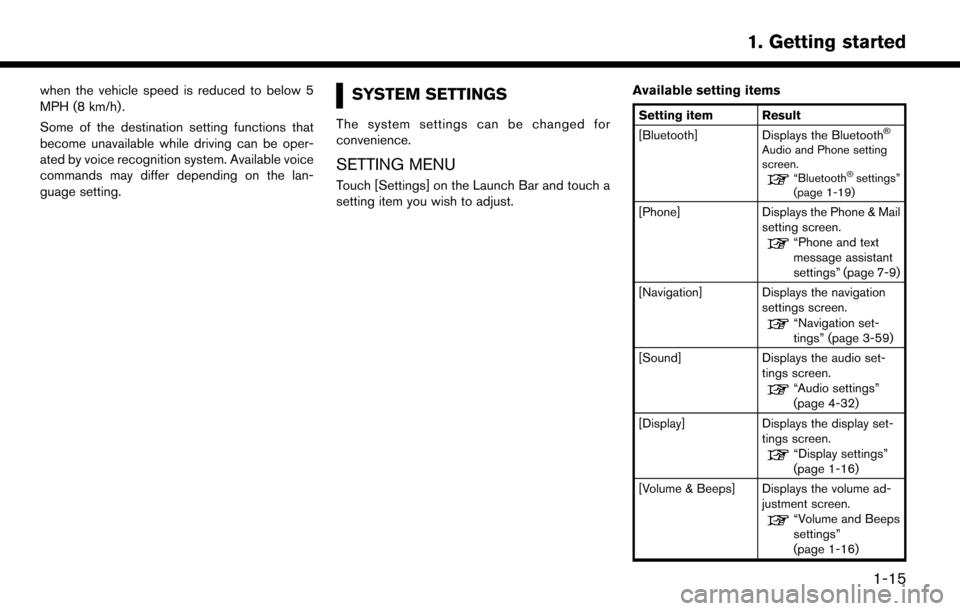
Touch [Settings] on the Launch Bar and touch a
setting item you wish to adjust.Available setting items
Setting item Result
[Bluetooth] Displays the BluetoothŠ
Audio and Phone setting
screen.
“BluetoothŠsettings”
(page 1-19)
[Phone] Displays the Phone & Mail
setting screen.
“Phone and text
message assistant
settings” (page 7-9)
[Navigation] Displays the navigation settings screen.
“Navigation set-
tings” (page 3-59)
[Sound] Displays the audio set- tings screen.
“Audio settings”
(page 4-32)
[Display] Displays the display set- tings screen.
“Display settings”
(page 1-16)
[Volume & Beeps] Displays the volume ad- justment screen.
“Volume and Beeps
settings”
(page 1-16)
1-15
1. Getting started
Page 36 of 268
![NISSAN LEAF 2017 1.G Navigation Manual [Clock]Displays the clock adjust-
ment screen.
“Clock settings”
(page 1-17)
[Edit Home Menu] Displays the menu editing screen.
“Customizing
HOME MENU
screen”
(page 1-12)
[NissanConnect EV] Dis](/img/5/531/w960_531-35.png "NISSAN LEAF 2017 1.G Navigation Manual [Clock]Displays the clock adjust-
ment screen.
“Clock settings”
(page 1-17)
[Edit Home Menu] Displays the menu editing screen.
“Customizing
HOME MENU
screen”
(page 1-12)
[NissanConnect EV] Dis")
[Clock]Displays the clock adjust-
ment screen.
“Clock settings”
(page 1-17)
[Edit Home Menu] Displays the menu editing screen.
“Customizing
HOME MENU
screen”
(page 1-12)
[NissanConnect EV] Displays the NissanCon- nect
SMEV settings
screen.
“NissanConnectSM
EV settings”
(page 5-11)
[Voice Recognition] Displays the voice recog- nition system settings
screen.
“Voice recognition
settings”
(page 8-18)
[Camera]
(if so equipped) Displays the Camera
setting screen.
See LEAF Owner’s Man-
ual for details of the
monitor system. [Comfort & Conveni-
ence]
Displays Comfort & Con-
venience settings screen.
“Comfort & Conve-
nience settings”
(page 1-17)
[Language & Units] Displays the Language and Units settings screen.
“Language and unit
settings”
(page 1-17)
DISPLAY SETTINGS
Menu items to adjust display settings are
available.
1. Touch [Settings] on the Launch Bar.
2. Touch [Display].
3. Touch a preferred adjustment item andadjust to the preferred setting. Available setting items
Setting item Action
[Display] Turns the screen off.
Pushing and holding <
>
will also turn off the screen.
Push the <
>to turn the
screen back on.
[Brightness] Adjusts the brightness of the display.
[Contrast] Adjusts the contrast of the dis- play.
[Background
Color] Changes the background color
of the map screen. Select the
color mode from [Day] and
[Night].
Pushing
<
>will also
change the background color.
VOLUME AND BEEPS SETTINGS
The volume of various functions including audio,
phone, navigation voice guidance, and system
beeps can be adjusted.
1. Touch [Settings] on the Launch Bar.
2. Touch [Volume & Beeps].
1-16
1. Getting started
Page 39 of 268

CONNECTING BLUETOOTHŠDE-
VICE
Your vehicle is equipped with the BluetoothŠ
Hands-Free Phone System and BluetoothŠ
audio player. If you are an owner of a compatible
BluetoothŠenabled cellular phone or BluetoothŠ
audio device, you can set up the wireless
connection between your cellular phone and
the in-vehicle phone module or Bluetooth
Šaudio
and in-vehicle audio module. With BluetoothŠ
wireless technology, you can make or receive a
telephone call with your cellular phone in your
pocket and listen to Bluetooth
Šaudio.
Connecting cellular phone/audio de-
vice
To use the BluetoothŠdevice with the in-vehicle
system for the first time, the device connection
operation is required.
1. Touch [Settings] on the Launch Bar.
2. Touch [Bluetooth] and touch [Connect De- vice]. A message is displayed.
3. Touch [Yes] to connect a cellular phone. Touch [No] to connect an audio device and
operate as guided by the system. (Opera-
tions may differ depending on the device.)
NOTE:
Some cellular phones or other devices may
cause interference or a buzzing noise to
come from the audio system speakers.
Storing the device in a different location
may reduce or eliminate the noise.
INFO:
. Up to 5 Bluetooth
Šdevices can be con-
nected. If 5 devices are already connected,
one of the devices must first be deleted
before another device can be connected.
“BluetoothŠsettings” (page 1-19)
. The pairing procedure of the cellular phone
varies according to each cellular phone. See
the cellular phone Owner’s Manual for the
details.
. Visit www.nissanusa.com/bluetooth/ for a
recommended Bluetooth
Šdevice.
BluetoothŠsettings
The BluetoothŠsettings can be changed ac-
cording to the your preference.
1. Touch [Settings] on the Launch Bar.
2. Touch [Bluetooth]. 3. Touch a preferred item.
Available setting items
Setting item Action
[Bluetooth] Turns the BluetoothŠcon-
nection to the vehicle on/off.
[Connect Device] BluetoothŠdevices can be
connected to the in-vehicle
system.
[Select BT De-
vice] Registered BluetoothŠde-
vices are shown on the list.
Select a device you wish to use
from the list. You can also edit
the name, delete registered
devices or display information
of the registered device.
[Edit Bluetooth
Information] The in-vehicle system name
and the PIN code can be
changed. A device address
can also be viewed.
INFO:
From [Edit Bluetooth Information], the device
name that appears on the screen can be
changed and be renamed from the name set as
default to the preferred name (such as “Steve’s
Car” for example) .
1-19
1. Getting started
Page 44 of 268
![NISSAN LEAF 2017 1.G Navigation Manual ZERO EMISSION MENU SCREEN
Push<>to display the menu that includes
useful functions for electric vehicle driving.
Setting items Action
[Energy Info] Energy information is displayed on the screen.
“En](/img/5/531/w960_531-43.png "NISSAN LEAF 2017 1.G Navigation Manual ZERO EMISSION MENU SCREEN
Push<>to display the menu that includes
useful functions for electric vehicle driving.
Setting items Action
[Energy Info] Energy information is displayed on the screen.
“En")
ZERO EMISSION MENU SCREEN
Push<>to display the menu that includes
useful functions for electric vehicle driving.
Setting items Action
[Energy Info] Energy information is displayed on the screen.
“Energy information display” (page 2-8)
[Charging Timer] The timer charge function can be set.
“Setting timer charge” (page 2-10)
[Driving Range] The estimated driving area within range, including the current
position is displayed on the map screen.
“Displaying estimated driving range” (page 2-4)
[Climate Ctrl. Timer] The Climate Ctrl. Timer function can be set.
“Setting Climate Ctrl. Timer” (page 2-12)
[Nearby Stations] Charging station information for the current position area is displayed.
“Finding charging station” (page 3-19)
[NissanConnect EV] Information feeds are displayed and settings for NissanConnectSM
EV can be performed.“5. NissanConnectSMEV”
[Update Stations] Charging station information is updated through connection to the
Nissan Data Center.
“Updating charging station information” (page 2-7)
[Zero Emission Settings] Various EV-specific settings can be adjusted from this menu.
“Unique EV function settings” (page 2-15)
NOTE:
. Completing the NissanConnect
SMEV
registration is necessary before using
this service. Contact a NISSAN certified
LEAF dealer for detail.
. To check the Li-ion battery charging
status or to use the remote heater and
air conditioner using an internet en-
abled smart phone or personal compu-
ter, the following conditions must be
met:
— The vehicle must be located in a
cellular phone or smart phone cover-
age area.
— The internet enabled cellular phone
or smart phone must be located in a
cellular phone or smart phone cover-
age area.
— The computer must be connected to
the internet.
— A cellular phone must be used to
communicate with the vehicle.
— A cellular phone capable of text
messaging must be used to receive
text message regarding vehicle
charge status.
2-2
2. Unique EV functions
Page 45 of 268
.When the remote heater and air condi-
tioner is set, the system operates the
heater and air conditioner to adjust the
in-cabin temperature to a set tempera-
ture.
. When the charge connector is discon-
nected from the vehicle, the heater and
air conditioner operates using vehicle
Li-ion battery electric power.
. If the remote heater and air conditioner
function and Li-ion battery charging are
performed at the same time, Li-ion
battery charging will take longer than
usual due to the power used to heat or
cool the vehicle.
. Certain remote functions require a
compatible smart phone, which is not
included with vehicle.
. NissanConnect
SMEV information sys-
tem features are included through a
subscription service which requires
owner consent to activate. The sub-
scription must be active to use these
features.
. NissanConnect
SMEV communications
may be received at a verified e-mail
address or by SMS/text messaging-
enabled cellular phone. .
Standard text rates and/or data usage
may apply depending on your carrier.
DISPLAYING ESTIMATED DRIV-
ING RANGE AND CHARGING
STATION INFORMATION
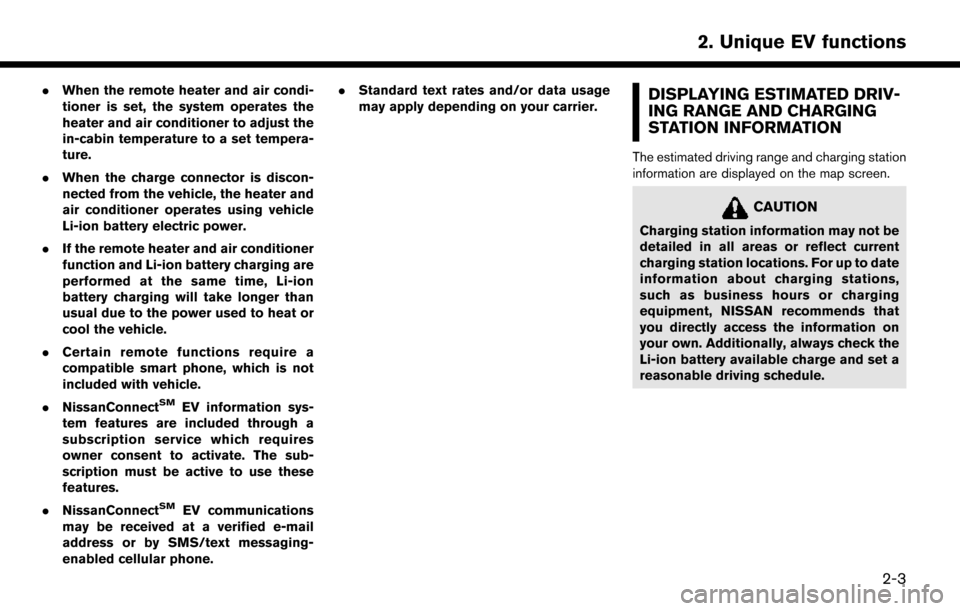
The estimated driving range and charging station
information are displayed on the map screen.
CAUTION
Charging station information may not be
detailed in all areas or reflect current
charging station locations. For up to date
information about charging stations,
such as business hours or charging
equipment, NISSAN recommends that
you directly access the information on
your own. Additionally, always check the
Li-ion battery available charge and set a
reasonable driving schedule.
2-3
2. Unique EV functions
Page 61 of 268

3 Navigation
Safety information ..................................................................... 3-3
Map operation ........................................................................\
.... 3-3Displaying current vehicle location ................................. 3-3
Map types ........................................................................\
...... 3-3
Road color ........................................................................\
..... 3-6
Map symbols ........................................................................\
3-7
Moving map ........................................................................\
.. 3-8
Changing scale of map ...................................................... 3-9
Changing map ................................................................... 3-10
Map view settings ............................................................ 3-11
Setting information on map ............................................ 3-14
Traffic information on map .............................................. 3-15
Map Menu screen ............................................................ 3-15
Setting destination ................................................................. 3-16 Basic operations ............................................................... 3-16
Finding address ................................................................ 3-19
Finding charging station ................................................. 3-19
Finding nearby place ....................................................... 3-21
Finding points of interest ................................................ 3-21
Setting home as destination .......................................... 3-23
Searching from address book ....................................... 3-23
Searching from previous destinations ......................... 3-24
Setting intersection .......................................................... 3-24
Setting by phone number ............................................... 3-25
Setting city center ............................................................ 3-25 Setting freeway entrance/exit ...................................... 3-26
Setting from stored routes ........................................... 3-26
Setting using Google Maps ........................................ 3-27
Setting using Route Planner ....................................... 3-27
Setting point on map ..................................................... 3-27
Setting with NissanConnect
SMEV ............................ 3-28
Options before starting the route guidance ............ 3-28
Route guidance ...................................................................... 3-30 About route guidance ................................................... 3-30
Route menu ..................................................................... 3-36
Setting new destination ................................................ 3-39
Canceling Route ............................................................. 3-39
Confirming route ............................................................. 3-39
Editing route .................................................................... 3-39
Recalculating route ........................................................ 3-42
Searching for detour route using
traffic information ............................................................ 3-42
Setting detour route ...................................................... 3-43
Route guidance settings .............................................. 3-43
Viewing traffic information ................................................... 3-48 Viewing available traffic information ........................... 3-48
Traffic information setting ............................................. 3-50
Storing a location/route ....................................................... 3-51
Storing location .............................................................. 3-51
Storing route ................................................................... 3-52