brake NISSAN LEAF 2020 Owner´s Manual
[x] Cancel search | Manufacturer: NISSAN, Model Year: 2020, Model line: LEAF, Model: NISSAN LEAF 2020Pages: 596, PDF Size: 4.33 MB
Page 428 of 596
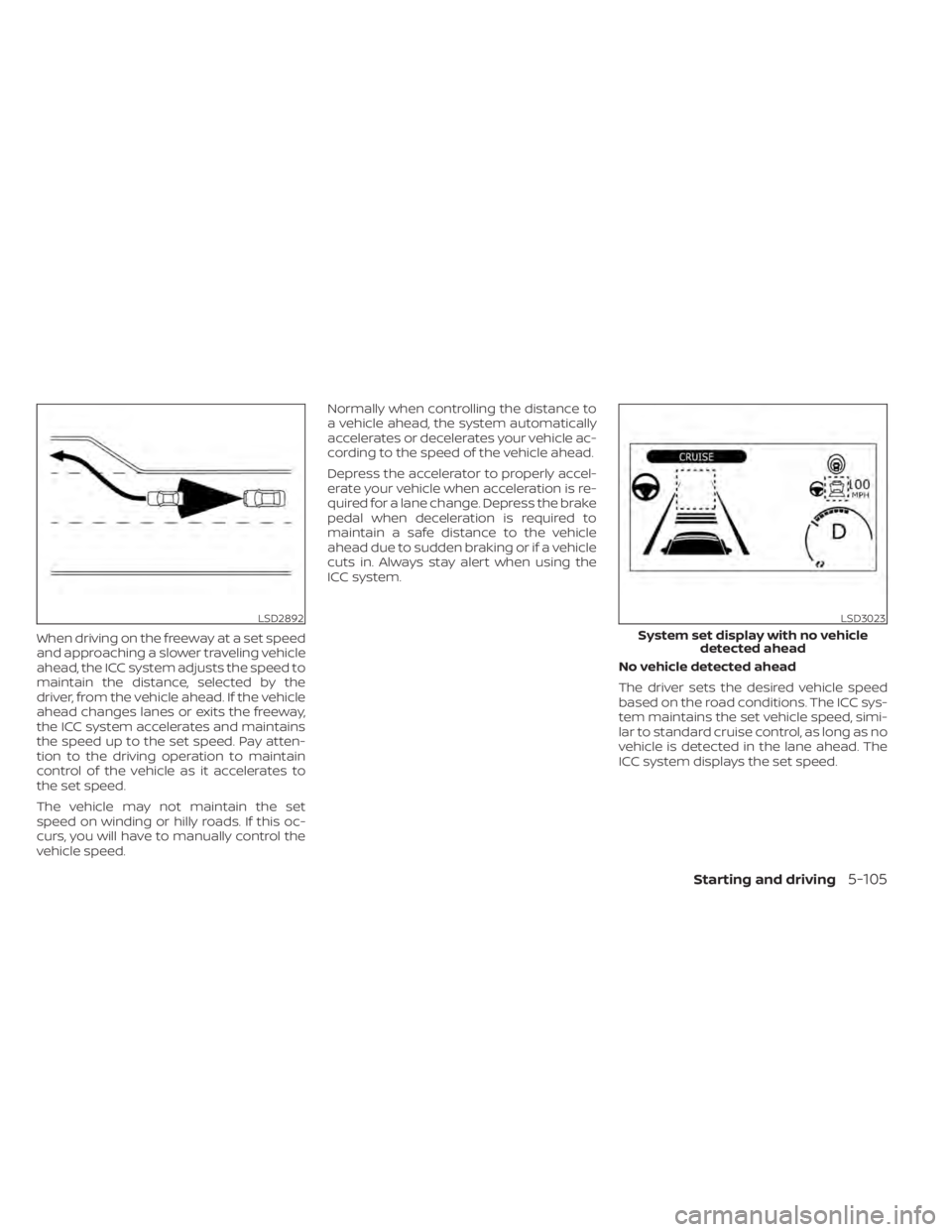
When driving on the freeway at a set speed
and approaching a slower traveling vehicle
ahead, the ICC system adjusts the speed to
maintain the distance, selected by the
driver, from the vehicle ahead. If the vehicle
ahead changes lanes or exits the freeway,
the ICC system accelerates and maintains
the speed up to the set speed. Pay atten-
tion to the driving operation to maintain
control of the vehicle as it accelerates to
the set speed.
The vehicle may not maintain the set
speed on winding or hilly roads. If this oc-
curs, you will have to manually control the
vehicle speed.Normally when controlling the distance to
a vehicle ahead, the system automatically
accelerates or decelerates your vehicle ac-
cording to the speed of the vehicle ahead.
Depress the accelerator to properly accel-
erate your vehicle when acceleration is re-
quired for a lane change. Depress the brake
pedal when deceleration is required to
maintain a safe distance to the vehicle
ahead due to sudden braking or if a vehicle
cuts in. Always stay alert when using the
ICC system.
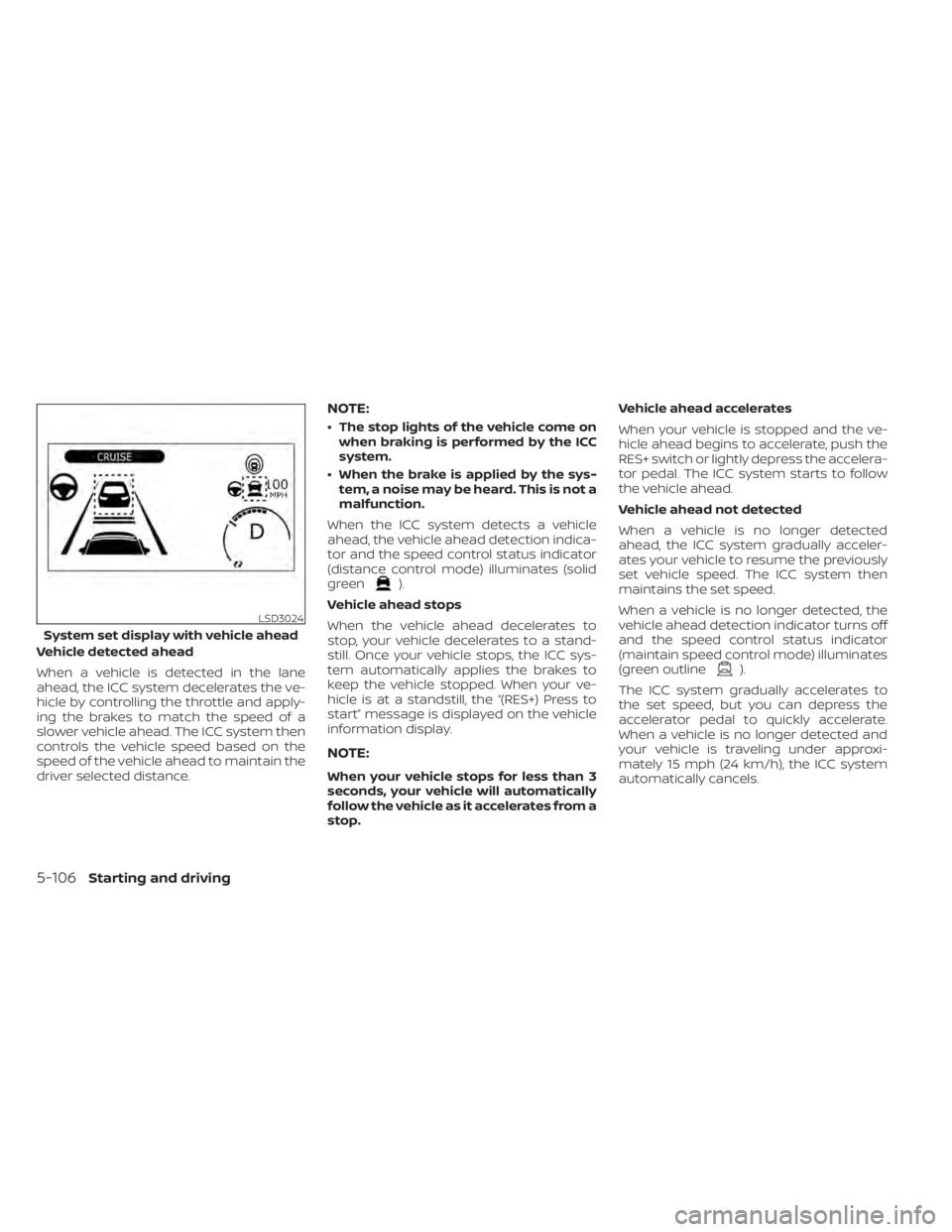
No vehicle detected ahead
The driver sets the desired vehicle speed
based on the road conditions. The ICC sys-
tem maintains the set vehicle speed, simi-
lar to standard cruise control, as long as no
vehicle is detected in the lane ahead. The
ICC system displays the set speed.
LSD2892LSD3023
System set display with no vehicledetected ahead
Starting and driving5-105
Page 429 of 596
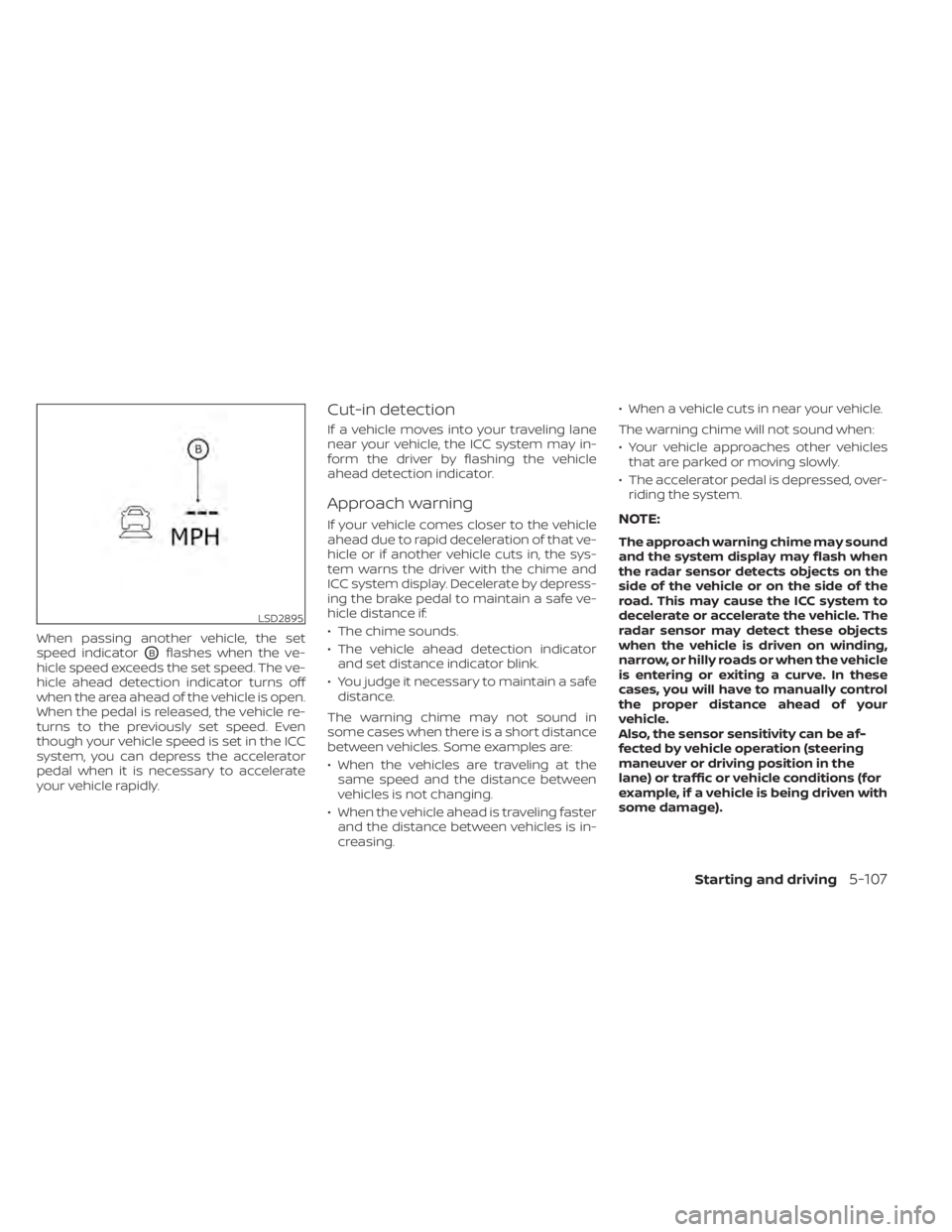
Vehicle detected ahead
When a vehicle is detected in the lane
ahead, the ICC system decelerates the ve-
hicle by controlling the throttle and apply-
ing the brakes to match the speed of a
slower vehicle ahead. The ICC system then
controls the vehicle speed based on the
speed of the vehicle ahead to maintain the
driver selected distance.
NOTE:
• The stop lights of the vehicle come onwhen braking is performed by the ICC
system.
• When the brake is applied by the sys- tem, a noise may be heard. This is not a
malfunction.
When the ICC system detects a vehicle
ahead, the vehicle ahead detection indica-
tor and the speed control status indicator
(distance control mode) illuminates (solid
green
).
Vehicle ahead stops
When the vehicle ahead decelerates to
stop, your vehicle decelerates to a stand-
still. Once your vehicle stops, the ICC sys-
tem automatically applies the brakes to
keep the vehicle stopped. When your ve-
hicle is at a standstill, the “(RES+) Press to
start” message is displayed on the vehicle
information display.
NOTE:
When your vehicle stops for less than 3
seconds, your vehicle will automatically
follow the vehicle as it accelerates from a
stop. Vehicle ahead accelerates
When your vehicle is stopped and the ve-
hicle ahead begins to accelerate, push the
RES+ switch or lightly depress the accelera-
tor pedal. The ICC system starts to follow
the vehicle ahead.
Vehicle ahead not detected
When a vehicle is no longer detected
ahead, the ICC system gradually acceler-
ates your vehicle to resume the previously
set vehicle speed. The ICC system then
maintains the set speed.
When a vehicle is no longer detected, the
vehicle ahead detection indicator turns off
and the speed control status indicator
(maintain speed control mode) illuminates
(green outline
).
The ICC system gradually accelerates to
the set speed, but you can depress the
accelerator pedal to quickly accelerate.
When a vehicle is no longer detected and
your vehicle is traveling under approxi-
mately 15 mph (24 km/h), the ICC system
automatically cancels.
LSD3024
System set display with vehicle ahead
5-106Starting and driving
Page 430 of 596
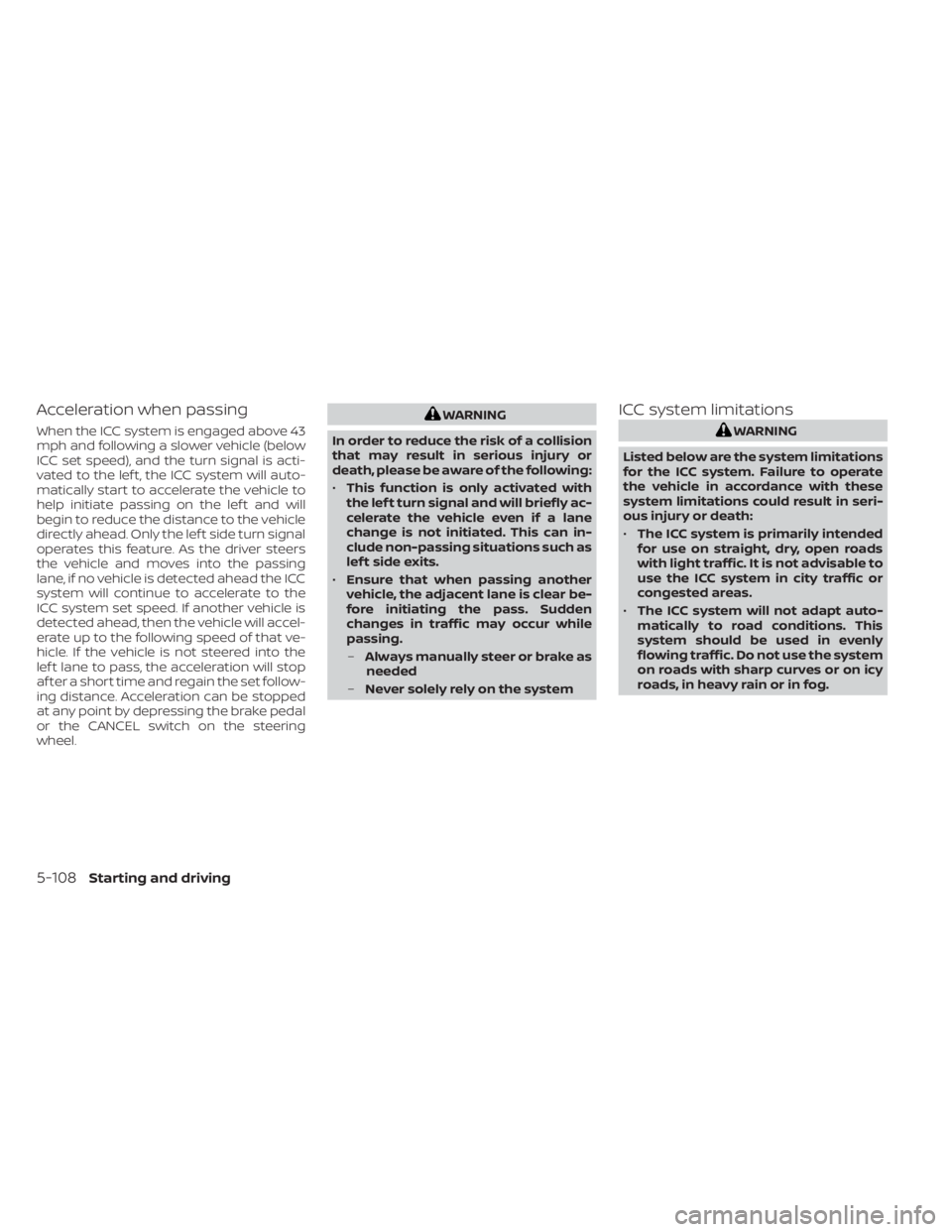
When passing another vehicle, the set
speed indicator
OBflashes when the ve-
hicle speed exceeds the set speed. The ve-
hicle ahead detection indicator turns off
when the area ahead of the vehicle is open.
When the pedal is released, the vehicle re-
turns to the previously set speed. Even
though your vehicle speed is set in the ICC
system, you can depress the accelerator
pedal when it is necessary to accelerate
your vehicle rapidly.
Cut-in detection
If a vehicle moves into your traveling lane
near your vehicle, the ICC system may in-
form the driver by flashing the vehicle
ahead detection indicator.
Approach warning
If your vehicle comes closer to the vehicle
ahead due to rapid deceleration of that ve-
hicle or if another vehicle cuts in, the sys-
tem warns the driver with the chime and
ICC system display. Decelerate by depress-
ing the brake pedal to maintain a safe ve-
hicle distance if:
• The chime sounds.
• The vehicle ahead detection indicator and set distance indicator blink.
• You judge it necessary to maintain a safe distance.
The warning chime may not sound in
some cases when there is a short distance
between vehicles. Some examples are:
• When the vehicles are traveling at the same speed and the distance between
vehicles is not changing.
• When the vehicle ahead is traveling faster and the distance between vehicles is in-
creasing. • When a vehicle cuts in near your vehicle.
The warning chime will not sound when:
• Your vehicle approaches other vehicles
that are parked or moving slowly.
• The accelerator pedal is depressed, over- riding the system.NOTE:
The approach warning chime may sound
and the system display may flash when
the radar sensor detects objects on the
side of the vehicle or on the side of the
road. This may cause the ICC system to
decelerate or accelerate the vehicle. The
radar sensor may detect these objects
when the vehicle is driven on winding,
narrow, or hilly roads or when the vehicle
is entering or exiting a curve. In these
cases, you will have to manually control
the proper distance ahead of your
vehicle.
Also, the sensor sensitivity can be af-
fected by vehicle operation (steering
maneuver or driving position in the
lane) or traffic or vehicle conditions (for
example, if a vehicle is being driven with
some damage).
LSD2895
Starting and driving5-107
Page 431 of 596
Acceleration when passing
When the ICC system is engaged above 43
mph and following a slower vehicle (below
ICC set speed), and the turn signal is acti-
vated to the lef t, the ICC system will auto-
matically start to accelerate the vehicle to
help initiate passing on the lef t and will
begin to reduce the distance to the vehicle
directly ahead. Only the lef t side turn signal
operates this feature. As the driver steers
the vehicle and moves into the passing
lane, if no vehicle is detected ahead the ICC
system will continue to accelerate to the
ICC system set speed. If another vehicle is
detected ahead, then the vehicle will accel-
erate up to the following speed of that ve-
hicle. If the vehicle is not steered into the
lef t lane to pass, the acceleration will stop
af ter a short time and regain the set follow-
ing distance. Acceleration can be stopped
at any point by depressing the brake pedal
or the CANCEL switch on the steering
wheel.
WARNING
In order to reduce the risk of a collision
that may result in serious injury or
death, please be aware of the following:
• This function is only activated with
the lef t turn signal and will briefly ac-
celerate the vehicle even if a lane
change is not initiated. This can in-
clude non-passing situations such as
lef t side exits.
• Ensure that when passing another
vehicle, the adjacent lane is clear be-
fore initiating the pass. Sudden
changes in traffic may occur while
passing.
– Always manually steer or brake as
needed
– Never solely rely on the systemICC system limitations
WARNING
Listed below are the system limitations
for the ICC system. Failure to operate
the vehicle in accordance with these
system limitations could result in seri-
ous injury or death:
• The ICC system is primarily intended
for use on straight, dry, open roads
with light traffic. It is not advisable to
use the ICC system in city traffic or
congested areas.
• The ICC system will not adapt auto-
matically to road conditions. This
system should be used in evenly
flowing traffic. Do not use the system
on roads with sharp curves or on icy
roads, in heavy rain or in fog.
5-108Starting and driving
Page 432 of 596
•As there is a performance limit to the
distance control function, never rely
solely on the ICC system. This system
does not correct careless, inattentive
or absentminded driving or over-
come poor visibility in rain, fog, or
other bad weather. Decelerate the
vehicle speed by depressing the
brake pedal, depending on the dis-
tance to the vehicle ahead and the
surrounding circumstances in order
to maintain a safe distance between
vehicles.
• When the ICC system automatically
brings the car to a stop, your vehicle
can automatically accelerate if the
vehicle is stopped for less than ap-
proximately 3 seconds. Be prepared
to stop your vehicle if necessary.
• Always pay attention to the opera-
tion of the vehicle and be ready to
manually control the proper follow-
ing distance. The ICC system may not
be able to maintain the selected dis-
tance between vehicles (following
distance) or selected vehicle speed
under some circumstances. •
The system may not detect the ve-
hicle in front of you in certain road or
weather conditions. To avoid acci-
dents, never use the ICC system un-
der the following conditions:
– On roads with heavy, high-speed
traffic or sharp curves
– On slippery road surfaces such as
on ice or snow, etc.
– During bad weather (rain, fog,
snow, etc.)
– When rain, snow or dirt adhere to
the bumper around the distance
sensor
– On steep downhill roads (the ve-
hicle may go beyond the set ve-
hicle speed and frequent braking
may result in overheating the
brakes)
– On repeated uphill and downhill
roads
– When traffic conditions make it
difficult to keep a proper distance
between vehicles because of fre-
quent acceleration or
deceleration
– Interference by other radar
sources •
Do not use the ICC system if you are
towing a trailer. The system may not
detect a vehicle ahead.
• In some road or traffic conditions, a
vehicle or object can unexpectedly
come into the sensor detection zone
and cause automatic braking. Al-
ways stay alert and avoid using the
ICC system where not recommended
in this warning section.
The ICC system will not detect the following
objects:
• Stationary or slow moving vehicles
• Pedestrians or objects in the roadway
• Oncoming vehicles in the same lane
• Motorcycles traveling offset in the travel lane
The following are some conditions in which
the radar sensor cannot properly detect a
vehicle ahead and the system may not op-
erate properly:
• When the sensor detection is reduced (conditions such as rain, snow, fog, dust
storms, sandstorms, and road spray from
other vehicles)
• Driving on a steep downhill slope or roads with sharp curves
Starting and driving5-109
Page 435 of 596
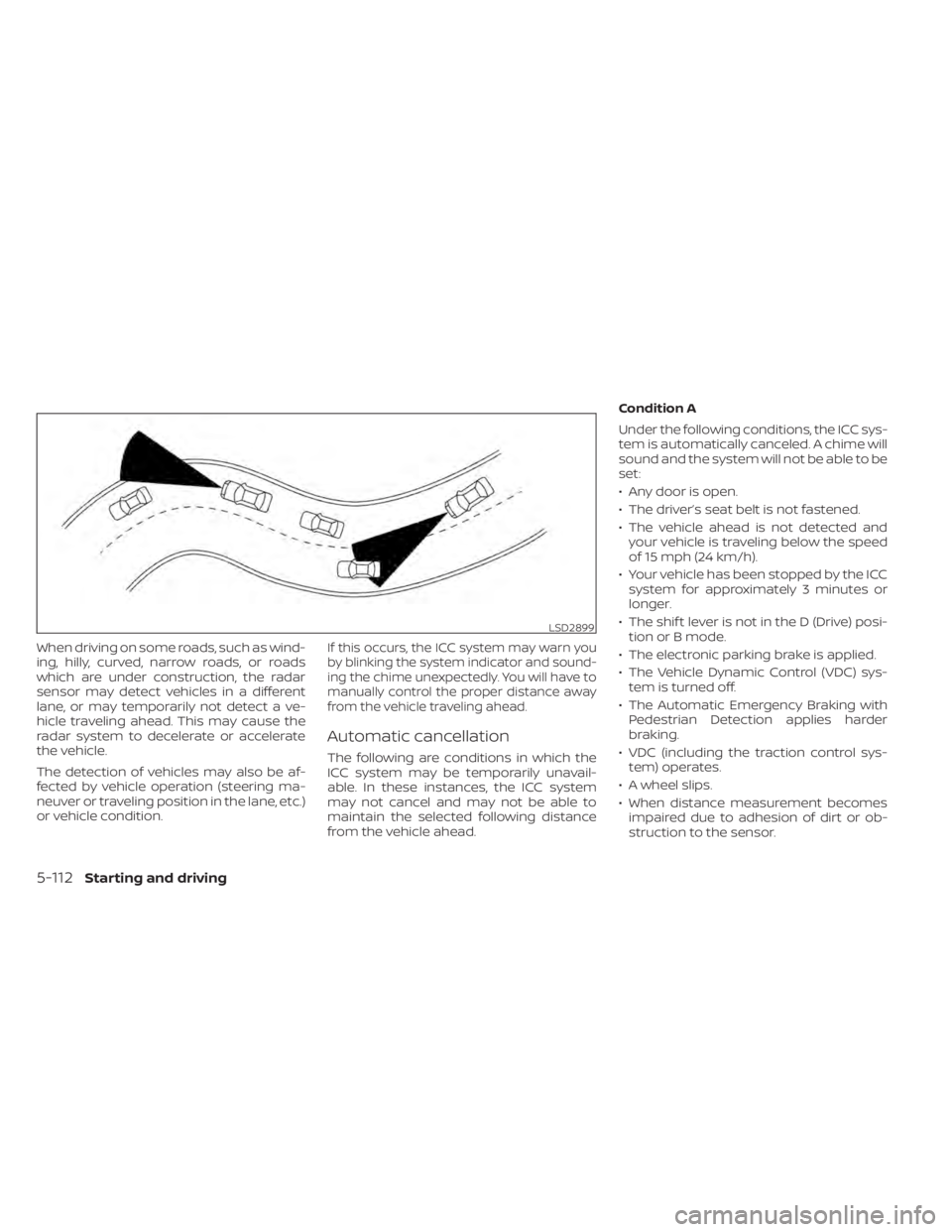
When driving on some roads, such as wind-
ing, hilly, curved, narrow roads, or roads
which are under construction, the radar
sensor may detect vehicles in a different
lane, or may temporarily not detect a ve-
hicle traveling ahead. This may cause the
radar system to decelerate or accelerate
the vehicle.
The detection of vehicles may also be af-
fected by vehicle operation (steering ma-
neuver or traveling position in the lane, etc.)
or vehicle condition.If this occurs, the ICC system may warn you
by blinking the system indicator and sound-
ing the chime unexpectedly. You will have to
manually control the proper distance away
from the vehicle traveling ahead.
Automatic cancellation
The following are conditions in which the
ICC system may be temporarily unavail-
able. In these instances, the ICC system
may not cancel and may not be able to
maintain the selected following distance
from the vehicle ahead.Condition A
Under the following conditions, the ICC sys-
tem is automatically canceled. A chime will
sound and the system will not be able to be
set:
• Any door is open.
• The driver’s seat belt is not fastened.
• The vehicle ahead is not detected and
your vehicle is traveling below the speed
of 15 mph (24 km/h).
• Your vehicle has been stopped by the ICC system for approximately 3 minutes or
longer.
• The shif t lever is not in the D (Drive) posi- tion or B mode.
• The electronic parking brake is applied.
• The Vehicle Dynamic Control (VDC) sys- tem is turned off.
• The Automatic Emergency Braking with Pedestrian Detection applies harder
braking.
• VDC (including the traction control sys- tem) operates.
• A wheel slips.
• When distance measurement becomes impaired due to adhesion of dirt or ob-
struction to the sensor.
LSD2899
5-112Starting and driving
Page 436 of 596
• When the radar signal is temporarily in-terrupted.
Action to take:
When the conditions listed above are no
longer present, turn the system off using
the ProPILOT Assist switch. Turn the ProPI-
LOT Assist system back on to use the sys-
tem.
NOTE:
When the ICC system is canceled under
the following conditions at a standstill,
the electronic parking brake is auto-
matically activated:
• Any door is open.
• The driver’s seat belt is not fastened.
• Your vehicle has been stopped by the ICC system for approximately 3 min-
utes or longer.
• The shif t lever is not in the D (Drive) position or B mode.
• The VDC system is turned off.
• When distance measurement be- comes impaired due to adhesion of dirt
or obstruction to the sensor.
• When the radar signal is temporarily interrupted. Condition B
When the radar sensor of the front bumper
is covered with dirt or is obstructed, the ICC
system will automatically be canceled.
The chime will sound and the “Not Avail-
able: Front Radar Blocked” warning mes-
sage will appear in the vehicle information
display.
Action to take:
If the warning message appears, stop the
vehicle in a safe place, place the shif t lever
in the P (Park) position, and turn the EV
system off. When the radar signal is tempo-
rarily interrupted, clean the sensor area of
the front bumper and restart the EV sys-
tem. If the “Not Available: Front Radar
Blocked” warning message continues to
be displayed, have the system checked. It is
recommended that you visit a NISSAN cer-
tified LEAF dealer for this service.
Condition C
When driving on roads with limited road
structures or buildings (for example, long
bridges, deserts, snowfields, driving next to
long walls), the system may illuminate the
system warning light and display the “Not
Available: Front Radar Blocked” message.
Action to take:
When the above driving conditions no lon-
ger exist, turn the system back on.
Starting and driving5-113
Page 439 of 596
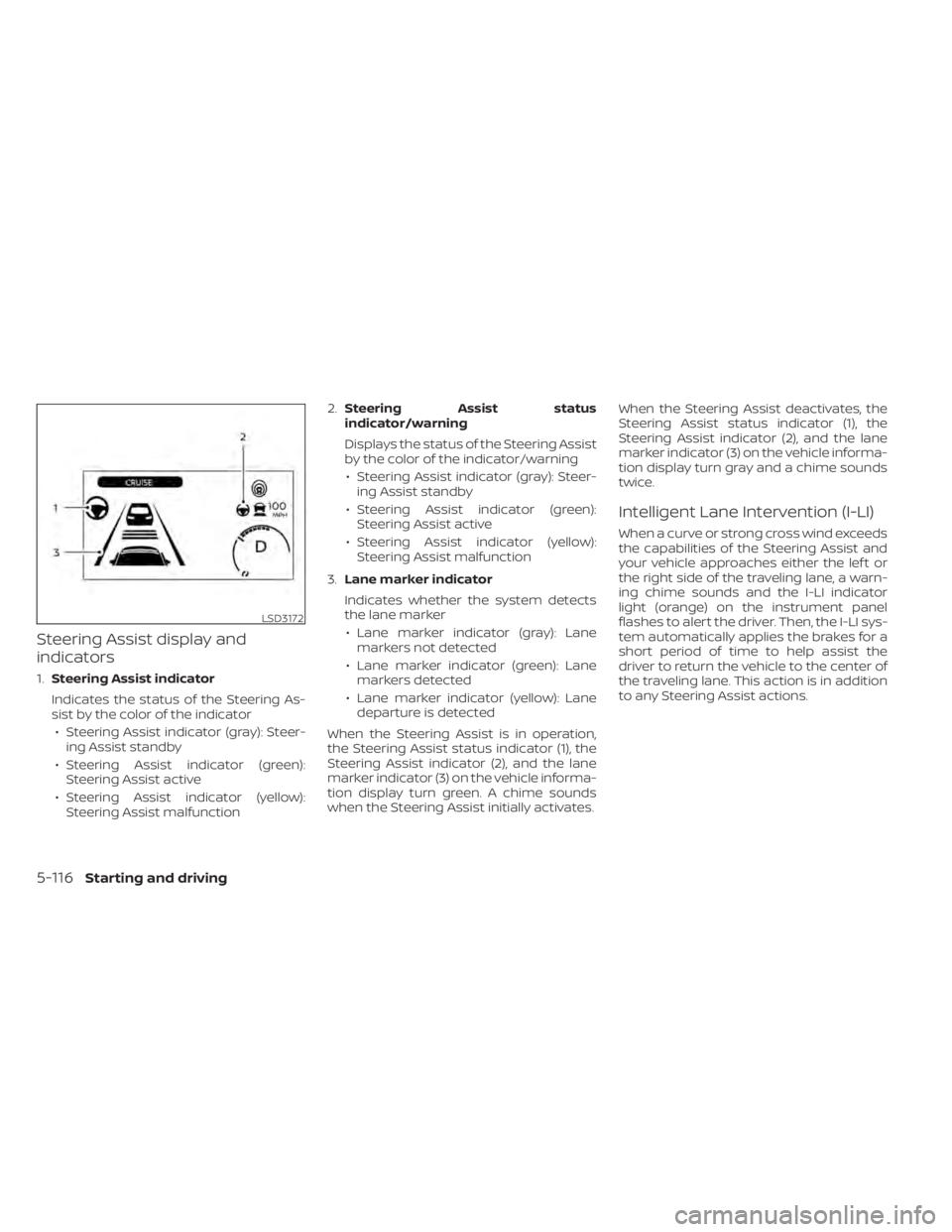
Steering Assist display and
indicators
1.Steering Assist indicator
Indicates the status of the Steering As-
sist by the color of the indicator • Steering Assist indicator (gray): Steer- ing Assist standby
• Steering Assist indicator (green): Steering Assist active
• Steering Assist indicator (yellow): Steering Assist malfunction 2.
Steering Assist status
indicator/warning
Displays the status of the Steering Assist
by the color of the indicator/warning
• Steering Assist indicator (gray): Steer- ing Assist standby
• Steering Assist indicator (green): Steering Assist active
• Steering Assist indicator (yellow): Steering Assist malfunction
3. Lane marker indicator
Indicates whether the system detects
the lane marker • Lane marker indicator (gray): Lane markers not detected
• Lane marker indicator (green): Lane markers detected
• Lane marker indicator (yellow): Lane departure is detected
When the Steering Assist is in operation,
the Steering Assist status indicator (1), the
Steering Assist indicator (2), and the lane
marker indicator (3) on the vehicle informa-
tion display turn green. A chime sounds
when the Steering Assist initially activates. When the Steering Assist deactivates, the
Steering Assist status indicator (1), the
Steering Assist indicator (2), and the lane
marker indicator (3) on the vehicle informa-
tion display turn gray and a chime sounds
twice.
Intelligent Lane Intervention (I-LI)
When a curve or strong cross wind exceeds
the capabilities of the Steering Assist and
your vehicle approaches either the lef t or
the right side of the traveling lane, a warn-
ing chime sounds and the I-LI indicator
light (orange) on the instrument panel
flashes to alert the driver. Then, the I-LI sys-
tem automatically applies the brakes for a
short period of time to help assist the
driver to return the vehicle to the center of
the traveling lane. This action is in addition
to any Steering Assist actions.
LSD3172
5-116Starting and driving
Page 440 of 596
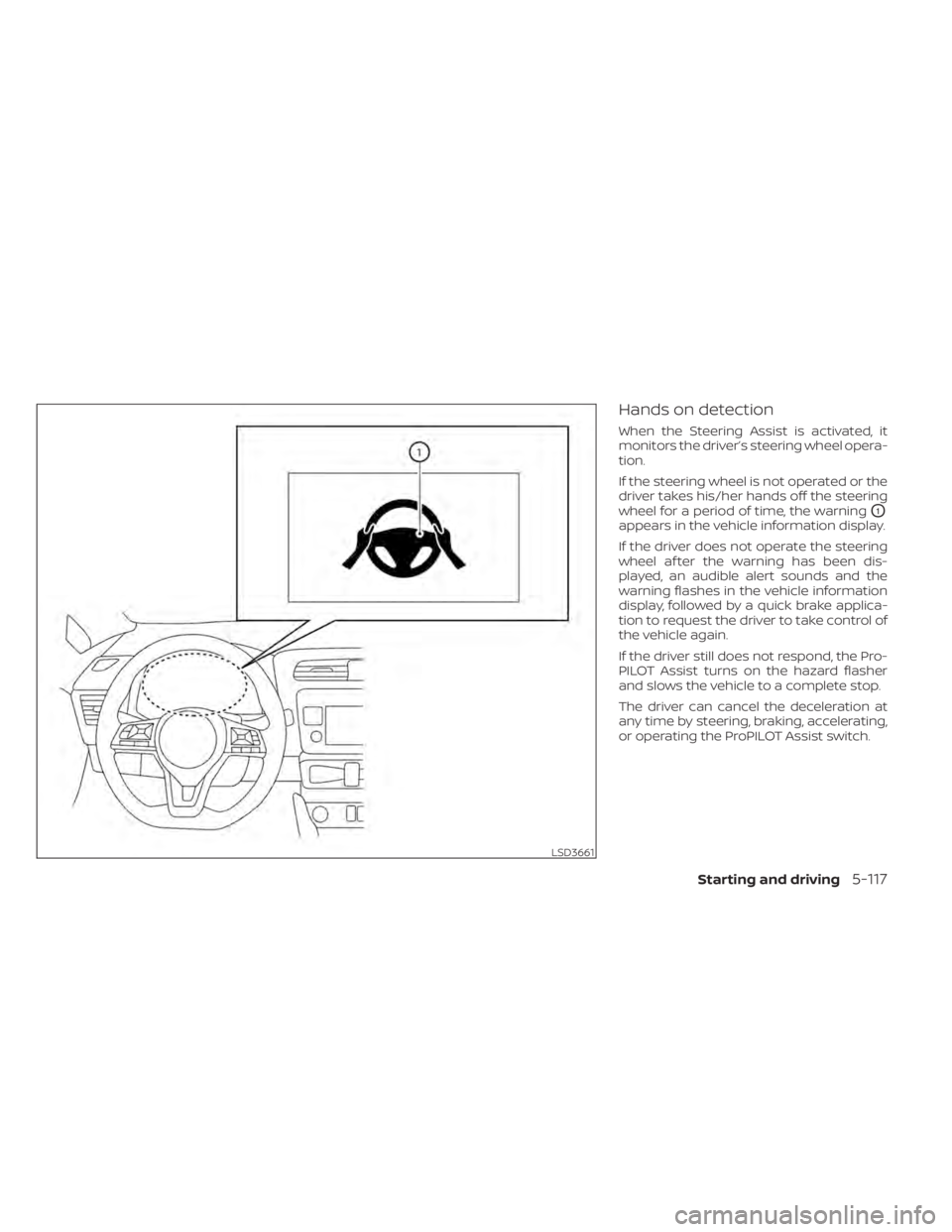
Hands on detection
When the Steering Assist is activated, it
monitors the driver’s steering wheel opera-
tion.
If the steering wheel is not operated or the
driver takes his/her hands off the steering
wheel for a period of time, the warning
O1
appears in the vehicle information display.
If the driver does not operate the steering
wheel af ter the warning has been dis-
played, an audible alert sounds and the
warning flashes in the vehicle information
display, followed by a quick brake applica-
tion to request the driver to take control of
the vehicle again.
If the driver still does not respond, the Pro-
PILOT Assist turns on the hazard flasher
and slows the vehicle to a complete stop.
The driver can cancel the deceleration at
any time by steering, braking, accelerating,
or operating the ProPILOT Assist switch.
LSD3661
Starting and driving5-117
Page 442 of 596
–When a sudden change in bright-
ness occurs (for example, when
the vehicle enters or exits a tunnel
or is under a bridge)
– When driving on roads where the
traveling lane merges or sepa-
rates or where there are tempo-
rary lane markers because of road
construction
– When there is a lane closure due to
road repairs
– When driving on a bumpy road
surface, such as an uneven dirt
road
– When driving on sharp curves or
winding roads
– When driving on repeated uphill
and downhill roads
• Do not use the Steering Assist under
the following conditions because the
system will not operate properly:
– When driving with a tire that is not
within normal tire conditions (for
example, tire wear, abnormal tire
pressure, installation of a spare
tire, tire chains, nonstandard
wheels) –
When the vehicle is equipped with
non-original brake or suspension
parts
– When an object such as a sticker
or cargo obstructs the camera
– When excessively heavy baggage
is loaded in the rear seat or lug-
gage area of your vehicle
– When the vehicle load capacity is
exceeded
– When towing a trailer or other
vehicle
• Excessive noise will interfere with the
warning chime sound, and the beep
may not be heard.
• For the ProPILOT Assist system to op-
erate properly, the windshield in
front of the camera must be clean.
Replace worn wiper blades. The cor-
rect size wiper blades must be used
to help make sure the windshield is
kept clean. Only use Genuine NISSAN
wiper blades, or equivalent wiper
blades, that are specifically designed
for use on your vehicle model and
model year. It is recommended that
you visit a NISSAN certified LEAF
dealer for the correct parts for your
vehicle.Steering Assist temporary
standby
Automatic standby due to driving opera-
tion:
When the driver activates the turn signal,
the Steering Assist is temporarily placed in
a standby mode. (The Steering Assist re-
starts automatically when the operating
conditions are met again.)
Automatic standby:
In the following cases, a warning message
is displayed along with the chime, and the
Steering Assist is placed in a temporary
standby mode. (The Steering Assist re-
starts automatically when the operating
conditions are met again.)
• When lane markers on both sides are no longer detected
• When a vehicle ahead is no longer de- tected under approximately 37 mph (60
km/h)
Starting and driving5-119