change time NISSAN LEAF 2020 Owner´s Manual
[x] Cancel search | Manufacturer: NISSAN, Model Year: 2020, Model line: LEAF, Model: NISSAN LEAF 2020Pages: 596, PDF Size: 4.33 MB
Page 96 of 596
• The estimated time may be recalculateddepending on the actual electrical power
af ter the charge cable is connected. Al-
though the estimated time may be differ-
ent from the time that was displayed
when the power switch was placed in the
OFF position, this is not a malfunction.
• When the charging timer is set to OFF, the estimated end time to charge the Li-ion
battery to a full level in the case of per-
forming the immediate charge. The end
time is calculated based on the electrical
power selected in the “Charge Time
Screen”.
• When the Li-ion battery was fully charged, the charging time will be displayed as “--
:--”.
O2Charging timer setting status
When the charging timer is set, the start
time and end time of the charging using
the timer are displayed
O3Climate Ctrl. timer setting status
When the Climate Ctrl. timer is set, the de-
parture time (end time) set for the Climate
Ctrl. Timer is displayed.
O4Charge connector lock setting status The current mode of the charge connector
lock (AUTO, LOCK or UNLOCK) is displayed.
For the charge connector lock operation,
see “Charge connector lock system” in the
“Charging” section of this manual.
When the OK button on the steering wheel
is pressed, the display will be switched to
the “EV Settings” menu. In the EV Settings,
the setting of the charging timer, Climate
Ctrl. timer and charge connector lock
mode can be changed. Refer to “Vehicle
information display” in the “Instruments
and controls” section of this manual for the
settings menu of the vehicle information
display.
When the
button on the steering
wheel is pressed while the timer display is
shown, the display is switched to the ECO
Drive Report (if the vehicle was driven).
Either display will continue to be displayed
for another 30 seconds when the button is
operated. If the doors are locked af ter the
power switch was placed in the OFF posi-
tion, the display will turn off before the pre-
set time.
For models with Navigation System, the
day of the week is displayed with the time
(hour and minute) in each information
O1–
O3. In addition to the above, note the following
conditions for the charging time
O1infor-
mation:
• The charging time is displayed by the 10 minutes. If the estimated charging time is
longer than 24 hours, “Over 24h” is dis-
played.
• When the charging is set to start imme- diately af ter connecting the charge con-
nector to the vehicle, the start time is
displayed as “Charge Now”.
• While being charged, the time when the charging has actually started is displayed
as the start time. The end time is dis-
played according to the estimated
charging time that was calculated based
on the electrical power being supplied.
• For models with Li-ion battery warmer, the charging system calculates the elec-
trical power used by the battery warmer
when the Li-ion battery temperature is
low, and longer charging time will be dis-
played.
ChargingCH-47
Page 97 of 596
• When “Chg. Timer Only at HOME” is set toON (models with Navigation System) in
the EV Settings, the start time is displayed
only when the power switch is placed in
the OFF position at home. If the power
switch is placed in the OFF position other
than at home, the immediate charge
mode is selected and “Charge Now” will
appear as the start time.
• When “Full charge has priority” is set to ON in the EV Settings and the Li-ion battery
cannot be charged to a full level within
the hours between the scheduled start
time and end time of the charging timer,
the charging time shows the time that
exceeds the scheduled hours in the
charging timer.
• If you need to confirm the estimated charging time depending on the avail-
able electrical power (supplied to the
charger), see the Estimated Charge Time
display. Refer to “Meters and gauges” in
the “Instruments and controls” section of
this manual.NOTE:
• The displayed end time of charging is an estimation. The Li-ion battery may
not be charged to a full level by the
estimated end time.
• If the charging timer and the Climate Ctrl. timer are set to operate at the
same time, longer charging time will be
displayed or the Li-ion battery may not
be charged to a full level at the sched-
uled end time.
IMMEDIATE CHARGE
When a charging timer is not turned on,
charging automatically starts when a nor-
mal or trickle charge connector is con-
nected to the vehicle.
Use the immediate charge mode anytime
you want to start charging when a charg-
ing timer is turned on by performing the
following:
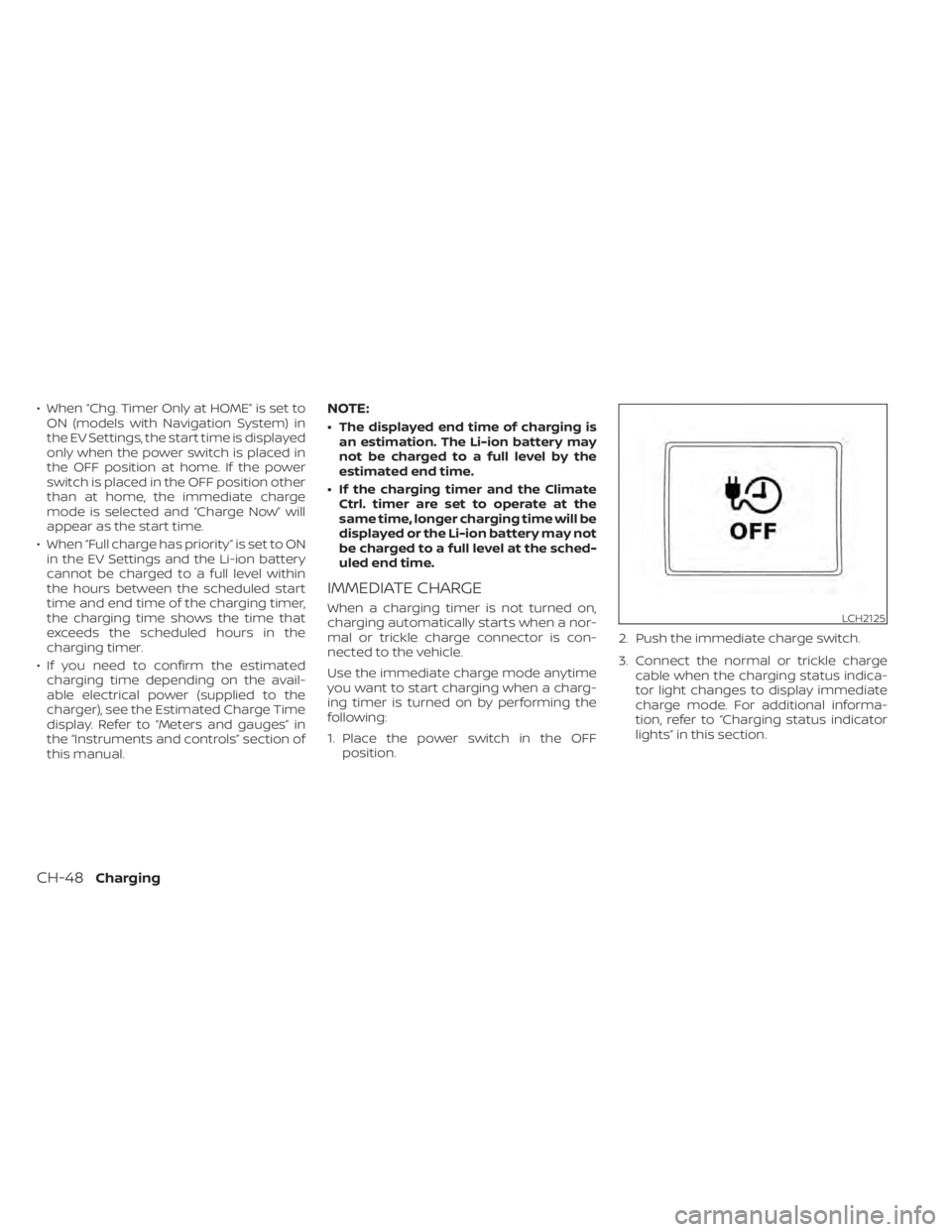
1. Place the power switch in the OFF position. 2. Push the immediate charge switch.
3. Connect the normal or trickle charge
cable when the charging status indica-
tor light changes to display immediate
charge mode. For additional informa-
tion, refer to “Charging status indicator
lights” in this section.LCH2125
CH-48Charging
Page 100 of 596
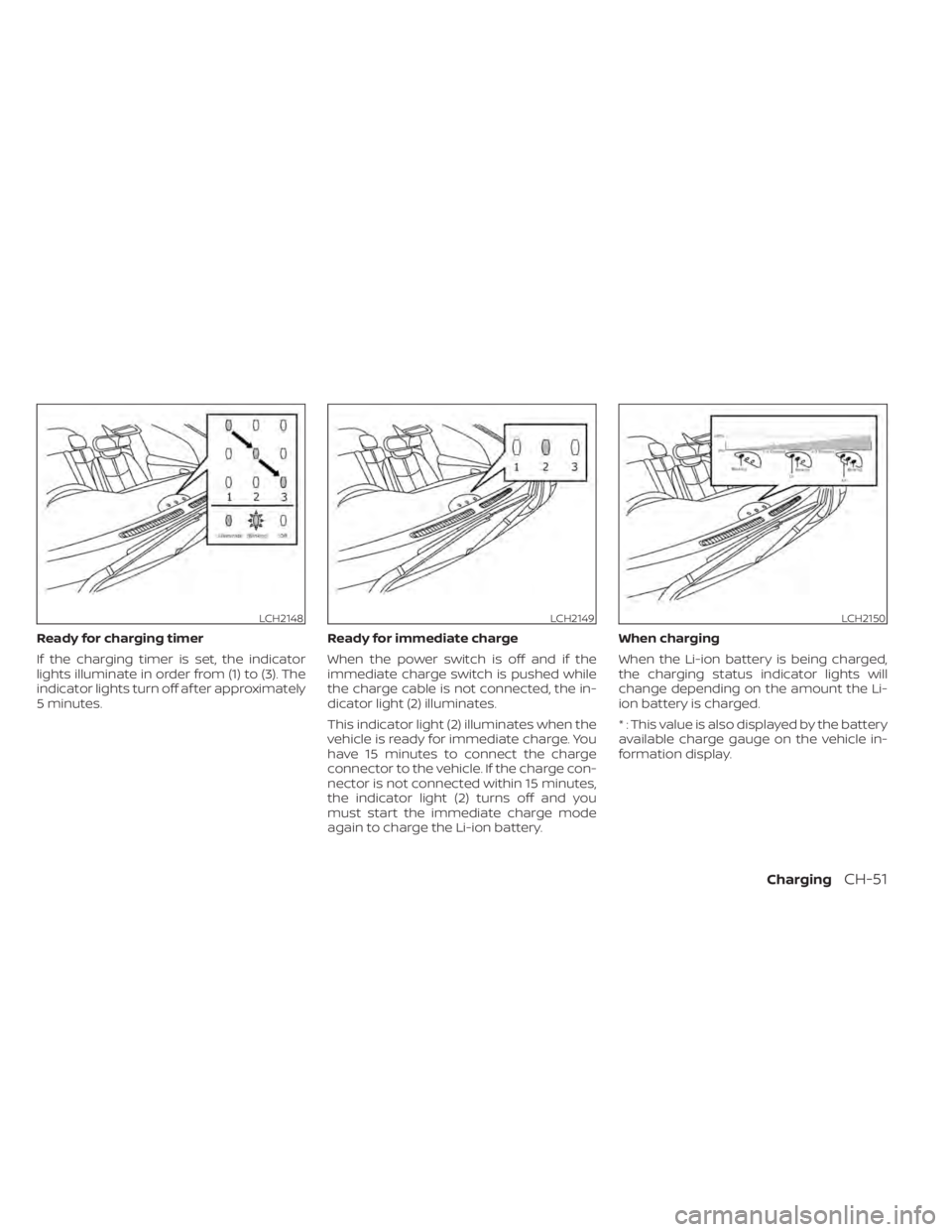
Ready for charging timer
If the charging timer is set, the indicator
lights illuminate in order from (1) to (3). The
indicator lights turn off af ter approximately
5 minutes.Ready for immediate charge
When the power switch is off and if the
immediate charge switch is pushed while
the charge cable is not connected, the in-
dicator light (2) illuminates.
This indicator light (2) illuminates when the
vehicle is ready for immediate charge. You
have 15 minutes to connect the charge
connector to the vehicle. If the charge con-
nector is not connected within 15 minutes,
the indicator light (2) turns off and you
must start the immediate charge mode
again to charge the Li-ion battery.When charging
When the Li-ion battery is being charged,
the charging status indicator lights will
change depending on the amount the Li-
ion battery is charged.
* : This value is also displayed by the battery
available charge gauge on the vehicle in-
formation display.
LCH2148LCH2149LCH2150
ChargingCH-51
Page 106 of 596
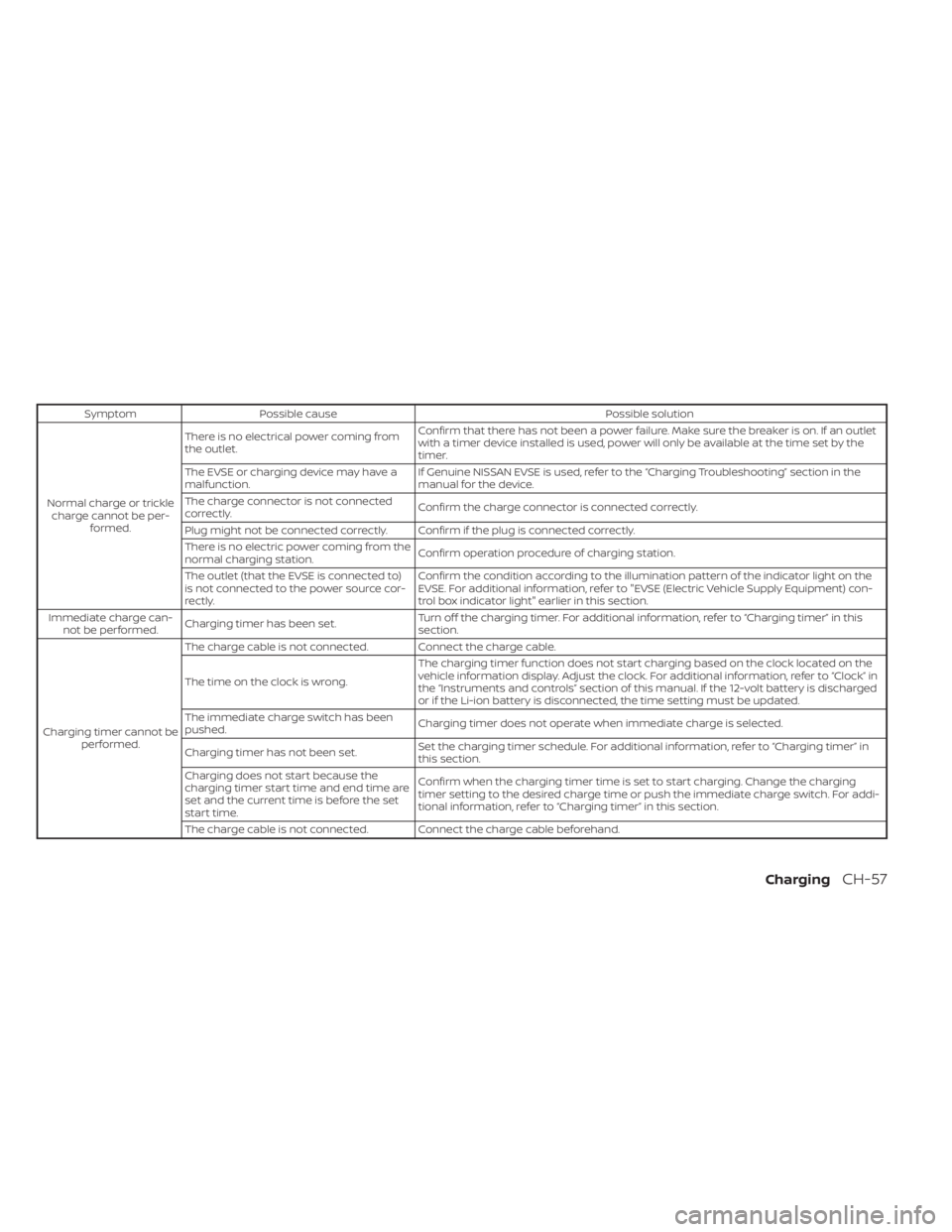
SymptomPossible cause Possible solution
Normal charge or trickle charge cannot be per- formed. There is no electrical power coming from
the outlet.
Confirm that there has not been a power failure. Make sure the breaker is on. If an outlet
with a timer device installed is used, power will only be available at the time set by the
timer.
The EVSE or charging device may have a
malfunction. If Genuine NISSAN EVSE is used, refer to the “Charging Troubleshooting” section in the
manual for the device.
The charge connector is not connected
correctly. Confirm the charge connector is connected correctly.
Plug might not be connected correctly. Confirm if the plug is connected correctly.
There is no electric power coming from the
normal charging station. Confirm operation procedure of charging station.
The outlet (that the EVSE is connected to)
is not connected to the power source cor-
rectly. Confirm the condition according to the illumination pattern of the indicator light on the
EVSE. For additional information, refer to "EVSE (Electric Vehicle Supply Equipment) con-
trol box indicator light" earlier in this section.
Immediate charge can- not be performed. Charging timer has been set. Turn off the charging timer. For additional information, refer to “Charging timer” in this
section.
Charging timer cannot be performed. The charge cable is not connected. Connect the charge cable.
The time on the clock is wrong.
The charging timer function does not start charging based on the clock located on the
vehicle information display. Adjust the clock. For additional information, refer to “Clock” in
the “Instruments and controls” section of this manual. If the 12-volt battery is discharged
or if the Li-ion battery is disconnected, the time setting must be updated.
The immediate charge switch has been
pushed. Charging timer does not operate when immediate charge is selected.
Charging timer has not been set. Set the charging timer schedule. For additional information, refer to “Charging timer” in
this section.
Charging does not start because the
charging timer start time and end time are
set and the current time is before the set
start time. Confirm when the charging timer time is set to start charging. Change the charging
timer setting to the desired charge time or push the immediate charge switch. For addi-
tional information, refer to “Charging timer” in this section.
The charge cable is not connected. Connect the charge cable beforehand.
ChargingCH-57
Page 119 of 596
WARNING
• Every person who drives or rides in
this vehicle should use a seat belt at
all times. Children should be in the
rear seats and in an appropriate
restraint.
•
The seat belt should be properly ad-
justed to a snug fit. Failure to do so may
reduce the effectiveness of the entire
restraint system and increase the
chance or severity of injury in an acci-
dent. Serious injury or death can occur
if the seat belt is not worn properly.
•Always route the shoulder belt over
your shoulder and across your chest.
Never put the belt behind your back, un-
der your arm or across your neck. The
belt should be away from your face and
neck, but not falling off your shoulder.
• Position the lap belt as low and snug
as possible AROUND THE HIPS, NOT
THE WAIST. A lap belt worn too high
could increase the risk of internal in-
juries in an accident.
• Be sure the seat belt tongue is se-
curely fastened to the proper buckle.
• Do not wear the seat belt inside out
or twisted. Doing so may reduce its
effectiveness. •
Do not allow more than one person
to use the same seat belt.
• Never carry more people in the ve-
hicle than there are seat belts.
• If the seat belt warning light glows
continuously while the power switch
is turned ON with all doors closed and
all seat belts fastened, it may indi-
cate a malfunction in the system.
Have the system checked. It is rec-
ommended that you visit a NISSAN
certified LEAF dealer for this service.
• No changes should be made to the
seat belt system. For example, do not
modif y the seat belt, add material, or
install devices that may change the
seat belt routing or tension. Doing so
may affect the operation of the seat
belt system. Modif ying or tampering
with the seat belt system may result
in serious personal injury.
• Once seat belt pretensioner(s) have
activated, they cannot be reused and
must be replaced together with the
retractor. It is recommended that you
visit a NISSAN certified LEAF dealer
for this service. •
All seat belt assemblies, including re-
tractors and attaching hardware,
should be inspected af ter any colli-
sion. It is recommended that you visit
a NISSAN certified LEAF dealer for
this service. NISSAN recommends
that all seat belt assemblies in use
during a collision be replaced unless
the collision was minor and the belts
show no damage and continue to op-
erate properly. Seat belt assemblies
not in use during a collision should
also be inspected and replaced if ei-
ther damage or improper operation
is noted.
• All child restraints and attaching
hardware should be inspected af ter
any collision. Always follow the re-
straint manufacturer’s inspection in-
structions and replacement recom-
mendations. The child restraints
should be replaced if they are
damaged.
1-12Safety–Seats, seat belts and supplemental restraint system
Page 167 of 596
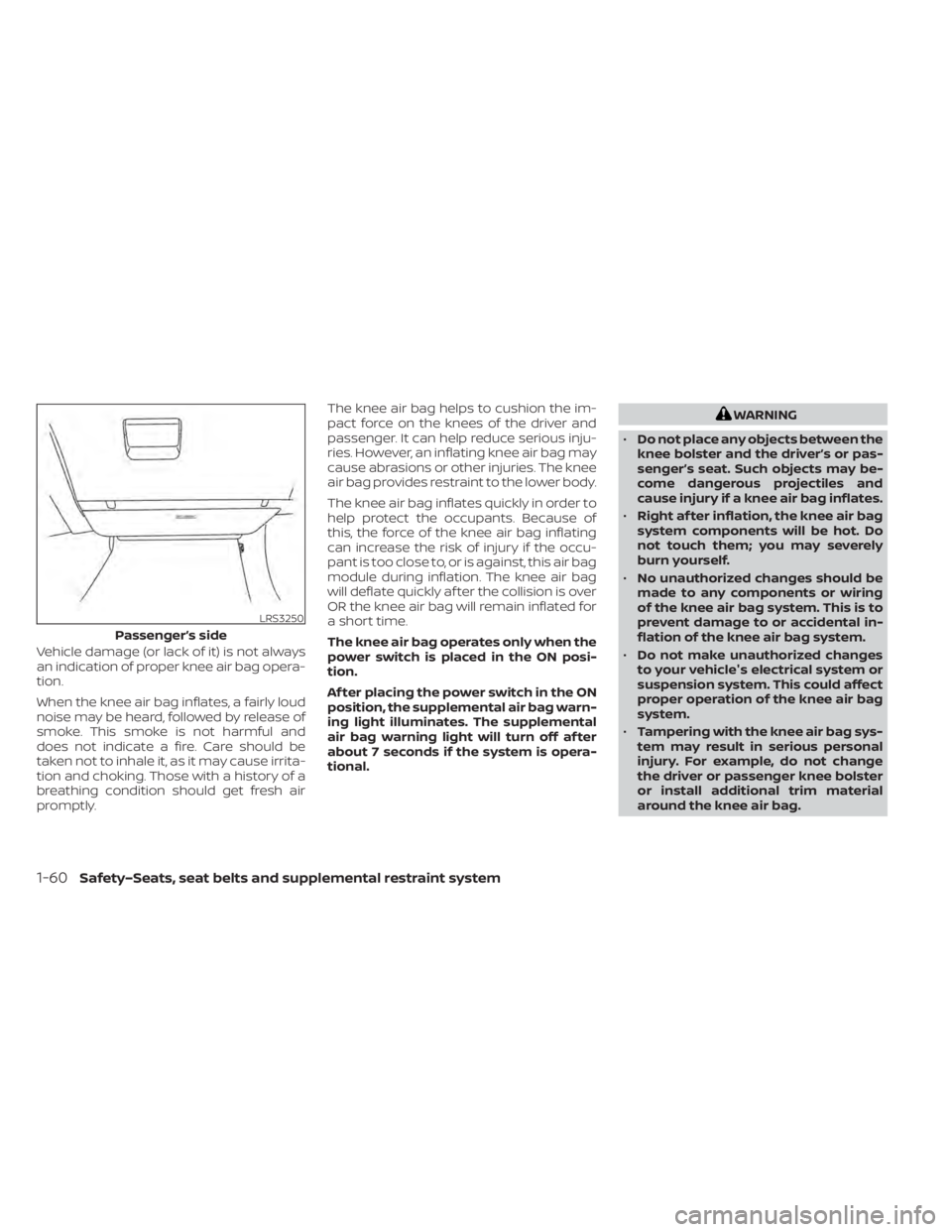
Vehicle damage (or lack of it) is not always
an indication of proper knee air bag opera-
tion.
When the knee air bag inflates, a fairly loud
noise may be heard, followed by release of
smoke. This smoke is not harmful and
does not indicate a fire. Care should be
taken not to inhale it, as it may cause irrita-
tion and choking. Those with a history of a
breathing condition should get fresh air
promptly.The knee air bag helps to cushion the im-
pact force on the knees of the driver and
passenger. It can help reduce serious inju-
ries. However, an inflating knee air bag may
cause abrasions or other injuries. The knee
air bag provides restraint to the lower body.
The knee air bag inflates quickly in order to
help protect the occupants. Because of
this, the force of the knee air bag inflating
can increase the risk of injury if the occu-
pant is too close to, or is against, this air bag
module during inflation. The knee air bag
will deflate quickly af ter the collision is over
OR the knee air bag will remain inflated for
a short time.
The knee air bag operates only when the
power switch is placed in the ON posi-
tion.
Af ter placing the power switch in the ON
position, the supplemental air bag warn-
ing light illuminates. The supplemental
air bag warning light will turn off af ter
about 7 seconds if the system is opera-
tional.
WARNING
• Do not place any objects between the
knee bolster and the driver’s or pas-
senger’s seat. Such objects may be-
come dangerous projectiles and
cause injury if a knee air bag inflates.
• Right af ter inflation, the knee air bag
system components will be hot. Do
not touch them; you may severely
burn yourself.
• No unauthorized changes should be
made to any components or wiring
of the knee air bag system. This is to
prevent damage to or accidental in-
flation of the knee air bag system.
• Do not make unauthorized changes
to your vehicle's electrical system or
suspension system. This could affect
proper operation of the knee air bag
system.
• Tampering with the knee air bag sys-
tem may result in serious personal
injury. For example, do not change
the driver or passenger knee bolster
or install additional trim material
around the knee air bag.
LRS3250
Passenger’s side
1-60Safety–Seats, seat belts and supplemental restraint system
Page 183 of 596
Charge the Li-ion battery before the blue
bar of the gauge
O1disappears.
The low battery charge indicator
O3
illuminates yellow when the available Li-ion
battery charge is getting low. Charge as
soon as it is convenient, preferably before
the blue bar of the gauge
O1disappears.
When the blue bar of the gauge
O1disap-
pears and the charge indicator
O3
illuminates, there is a very small reserve of
Li-ion battery charge remaining.
NOTE:
• The length of the blue bar of the gauge
O1is determined by the available
charge and the amount of charge the
Li-ion battery is capable of storing at
the current temperature.
• Temperature affects the amount of charge the Li-ion battery is capable of
storing. The Li-ion battery is capable of
storing less power when the Li-ion bat-
tery temperature is cold. The Li-ion
battery is capable of storing more
power when the Li-ion battery tem-
perature is warm. The length of the
blue bar of the gauge
O1can change
based on the amount of power the Li-
ion battery is capable of storing. For
example, when the Li-ion battery be-
comes colder, a longer blue bar of the
gauge
O1illuminates because the
available charge is a greater percent-
age of the Li-ion battery's capability of
storing power. When the Li-ion battery
becomes warmer, a shorter blue bar of
the gauge
O1illuminates because the
remaining energy is a lower percent-
age of the Li-ion battery's capability of
storing power. Estimated charge time
The Estimated Charge Time mode shows
the estimated time charge the Li-ion bat-
tery to a full level. Immediately af ter the
power switch is placed in the
ONposition,
longer charging time may be displayed
than the actual time required.
2-10Instruments and controls
Page 184 of 596
![NISSAN LEAF 2020 Owner´s Manual How to read the display:
The displayed charging time is calculated
based on the electrical (supplied to the
charger), which is selected in the [Charge
Time Screen] setting under the EV Settings
menu.](/img/5/40305/w960_40305-183.png "NISSAN LEAF 2020 Owner´s Manual How to read the display:
The displayed charging time is calculated
based on the electrical (supplied to the
charger), which is selected in the [Charge
Time Screen] setting under the EV Settings
menu.")
How to read the display:
The displayed charging time is calculated
based on the electrical (supplied to the
charger), which is selected in the [Charge
Time Screen] setting under the EV Settings
menu. The display shows:
O1The currently remaining Li-ion battery
charge level.
O2The estimated charging time to reach
each percentage (25%, 50%, 75%, 100%) of
the Li-ion battery level.
• If the estimated charging time is longer than 24 hours, [Over 24hr] is displayed. • When the currently remaining Li-ion bat-
tery level exceeds each percentage level,
the charging time will be displayed as
[---].
• When the Li-ion battery was fully charge, all the charging time information will be
displayed as [---].O3The currently selected electrical power
(supplied to the charger).
O4The estimated charge level of the Li-ion
battery to be reached when the remaining
charging time has passed.
O5The electrical power that is actually sup-
plied while quick charging.
O6The remaining charging time before the
quick charger is shut off.
When charging is not performed, pushing
the
switch the display to the [Charge Time
Screen]. Select the electrical power that
you wish to show in the Estimated Charge
Time display.
NOTE:
• While charging, the estimated charg- ing time is calculated based on the
electrical power that is currently being
supplied to the charger.
• The electrical power for the normal charging is displayed at a fixed value.
Therefore, the displayed electrical
power may differ from the one that is
actually supplied.
• For the quick charging, the electrical power display will change to the actual
electrical power while charging. If the
charging is stopped or the power sup-
ply is stopped (unplugged, etc.), the
displayed electrical power returns to
the selected electrical power.
LIC4288
Not charging
LIC4177
While charging (quick charge [if so equipped])
Instruments and controls2-11
Page 201 of 596
Menu ItemResult
Parking Aids Displays the available parking aids.
Sonar Allows user to select sonar system features. For additional information, refer to “Rear Sonar Sys-
tem (RSS) in the “Starting and driving section of this manual.
Parking
sonar Allows user to select parking sonar settings: OFF or ON.
Display Allows user to turn the parking sonar display on or off.
Volume Allows user to change the volume of the parking aid chimes: High, Med. Low
Range Allows user to select the range in which the parking sonar will activate: Far, Mid, Near.
Moving Object (if so
equipped) Allows user to turn the Moving Object Detection on and off. For additional information, refer to
“Moving Object Detection (MOD)” in the “Monitor, climate, audio, phone and voice recognition sys-
tems” section of this manual.
Cross Traffic Allows user to turn the cross traffic alert on and off. For additional information, refer to “Rear
Cross Traffic Alert (RCTA)” in the “Starting and driving” section of this manual.
Driver Attention Alert
(if so equipped) Allows user to turn the driver attention alert on or off. For additional information, refer to “Intelli-
gent Driver Alertness (I-DA)” in the “Starting and driving” section of this manual.
Timer Alert Allows user to set or reset an alert at a specific tune interval.
Low Temperature Alert Allows user to turn the low temperature alert on or off.
Chassis Control Displays the available chassis controls.
Active Trace Control (Intelligent Trace
Control) Allows user to turn the chassis control on or off. For additional information, refer to “Chassis con-
trol” in the “Starting and driving” section of this manual.
e-Pedal Displays the available e-Pedal options.
Retain Mode Allows user to turn the retain mode on or off. For additional information, refer to “e-Pedal system”
in the “Starting and driving” section of this manual.
2-28Instruments and controls
Page 203 of 596
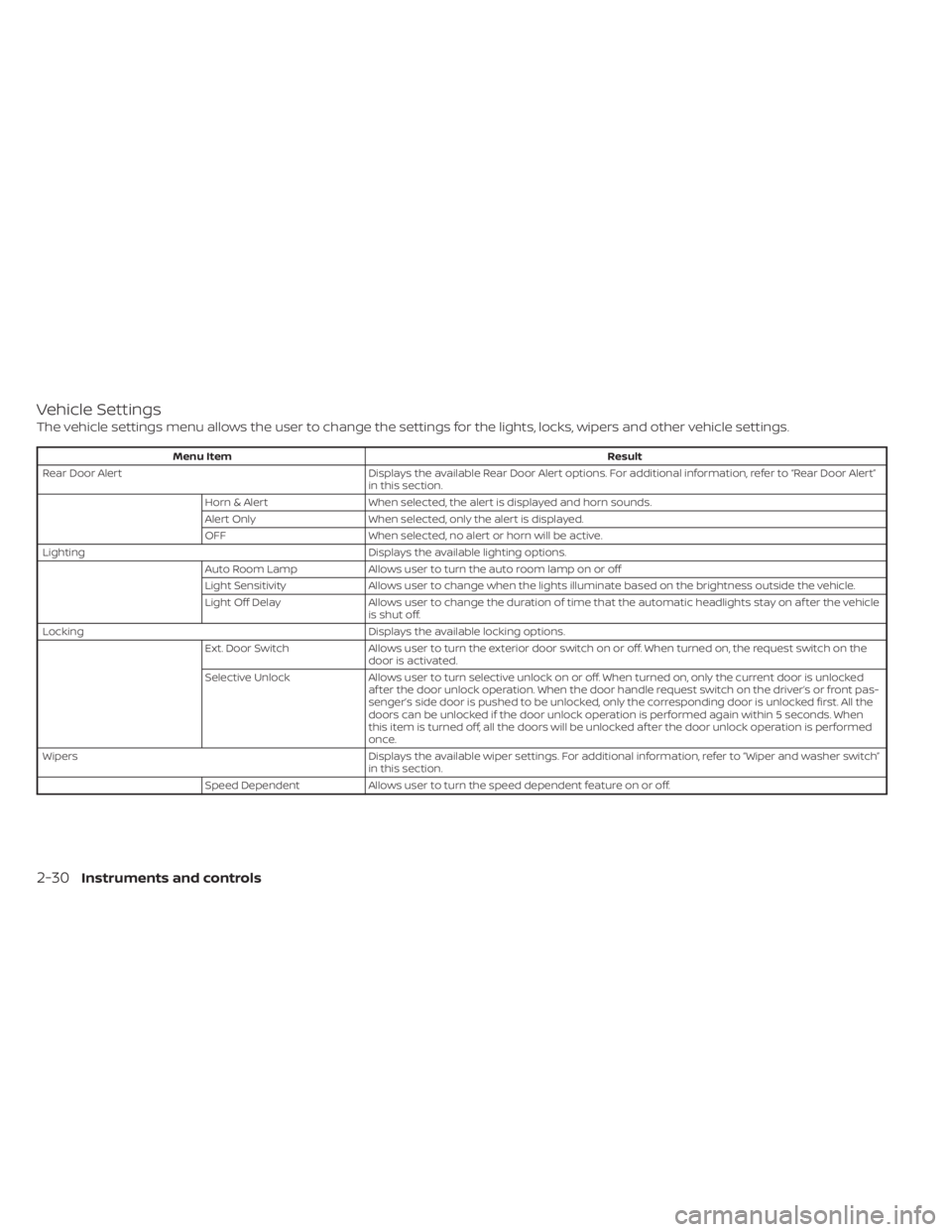
Vehicle Settings
The vehicle settings menu allows the user to change the settings for the lights, locks, wipers and other vehicle settings.
Menu ItemResult
Rear Door Alert Displays the available Rear Door Alert options. For additional information, refer to “Rear Door Alert”
in this section.
Horn & Alert When selected, the alert is displayed and horn sounds.
Alert Only When selected, only the alert is displayed.
OFF When selected, no alert or horn will be active.
Lighting Displays the available lighting options.
Auto Room Lamp Allows user to turn the auto room lamp on or off
Light Sensitivity Allows user to change when the lights illuminate based on the brightness outside the vehicle.
Light Off Delay Allows user to change the duration of time t hat the automatic headlights stay on af ter the vehicle
is shut off.
Locking Displays the available locking options.
Ext. Door Switch Allows user to turn the exterior door switch on or off. When turned on, the request switch on the
door is activated.
Selective Unlock Allows user to turn selective unlock on or off. When turned on, only the current door is unlocked
af ter the door unlock operation. When the door handle request switch on the driver’s or front pas-
senger’s side door is pushed to be unlocked, only the corresponding door is unlocked first. All the
doors can be unlocked if the door unlock operation is performed again within 5 seconds. When
this item is turned off, all the doors will be unlocked af ter the door unlock operation is performed
once.
Wipers Displays the available wiper settings. For additional information, refer to “Wiper and washer switch”
in this section.
Speed Dependent Allows user to turn the speed dependent feature on or off.
2-30Instruments and controls