change time NISSAN LEAF 2020 Owner´s Manual
[x] Cancel search | Manufacturer: NISSAN, Model Year: 2020, Model line: LEAF, Model: NISSAN LEAF 2020Pages: 596, PDF Size: 4.33 MB
Page 422 of 596
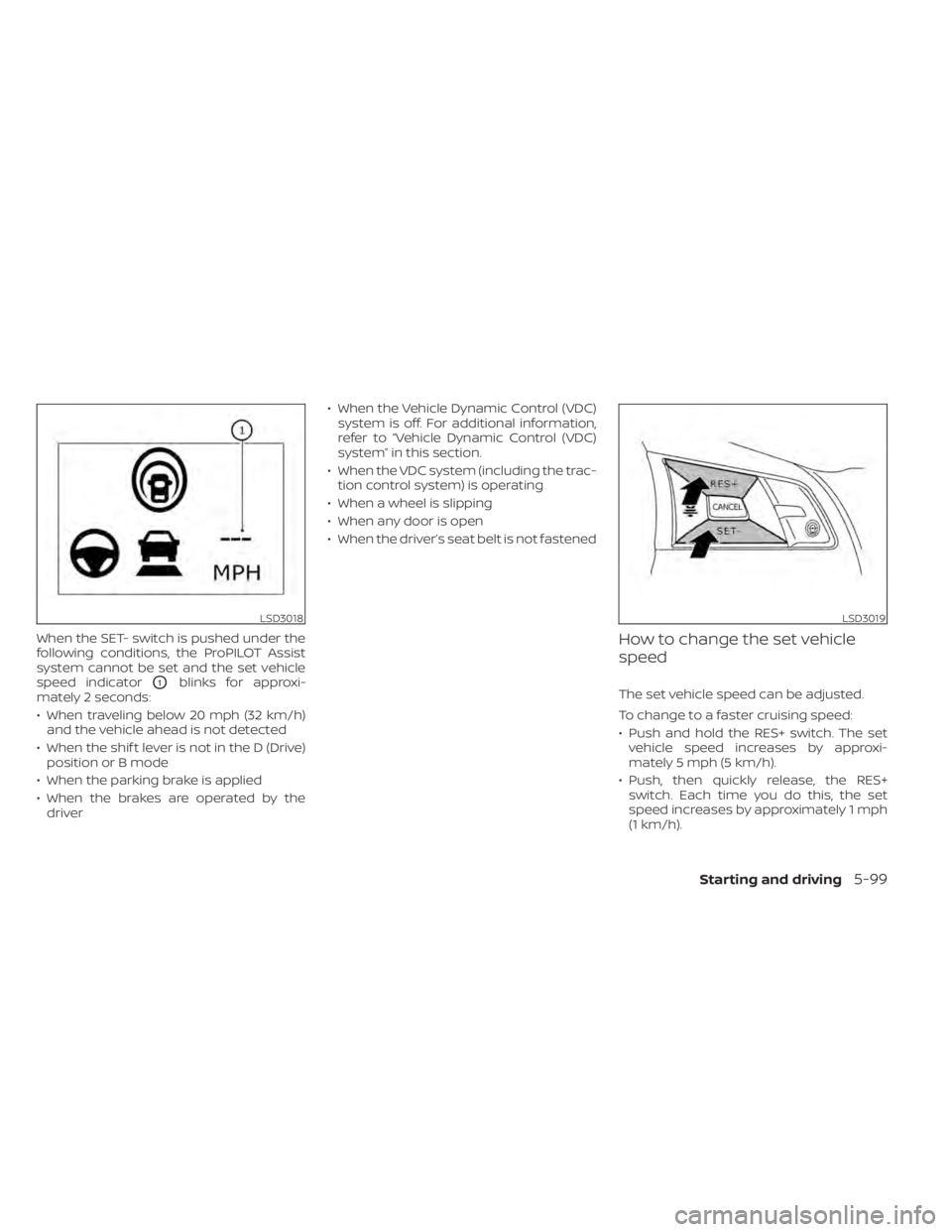
When the SET- switch is pushed under the
following conditions, the ProPILOT Assist
system cannot be set and the set vehicle
speed indicator
O1blinks for approxi-
mately 2 seconds:
• When traveling below 20 mph (32 km/h) and the vehicle ahead is not detected
• When the shif t lever is not in the D (Drive) position or B mode
• When the parking brake is applied
• When the brakes are operated by the driver • When the Vehicle Dynamic Control (VDC)
system is off. For additional information,
refer to “Vehicle Dynamic Control (VDC)
system” in this section.
• When the VDC system (including the trac- tion control system) is operating
• When a wheel is slipping
• When any door is open
• When the driver’s seat belt is not fastened
How to change the set vehicle
speed
The set vehicle speed can be adjusted.
To change to a faster cruising speed:
• Push and hold the RES+ switch. The set vehicle speed increases by approxi-
mately 5 mph (5 km/h).
• Push, then quickly release, the RES+ switch. Each time you do this, the set
speed increases by approximately 1 mph
(1 km/h).
LSD3018LSD3019
Starting and driving5-99
Page 423 of 596
To change to a slower cruising speed:
• Push and hold the SET- switch. The setvehicle speed decreases by approxi-
mately 5 mph (5 km/h).
• Push, then quickly release, the SET- switch. Each time you do this, the set
speed decreases by approximately 1 mph
(1 km/h).
How to momentarily accelerate or
decelerate
• Depress the accelerator pedal when ac-celeration is required. Release the accel-
erator pedal to resume the previously set
vehicle speed.
• Depress the brake pedal when decelera- tion is required. Control by the ProPILOT
Assist system is canceled. Push the RES+
switch to resume the previously set ve-
hicle speed.
WARNING
When the accelerator pedal is de-
pressed and you are approaching the
vehicle ahead, the ICC system will nei-
ther control the brake nor warn the
driver with the chime and display. The
driver must manually control the ve-
hicle speed to maintain a safe distance
to the vehicle ahead. Failure to do so
could result in severe personal injury or
death.
NOTE:
When you accelerate by depressing the
accelerator pedal or decelerate by push-
ing the SET- switch and the vehicle trav-
els faster than the speed set by the
driver, the set speed vehicle indicator will
blink.
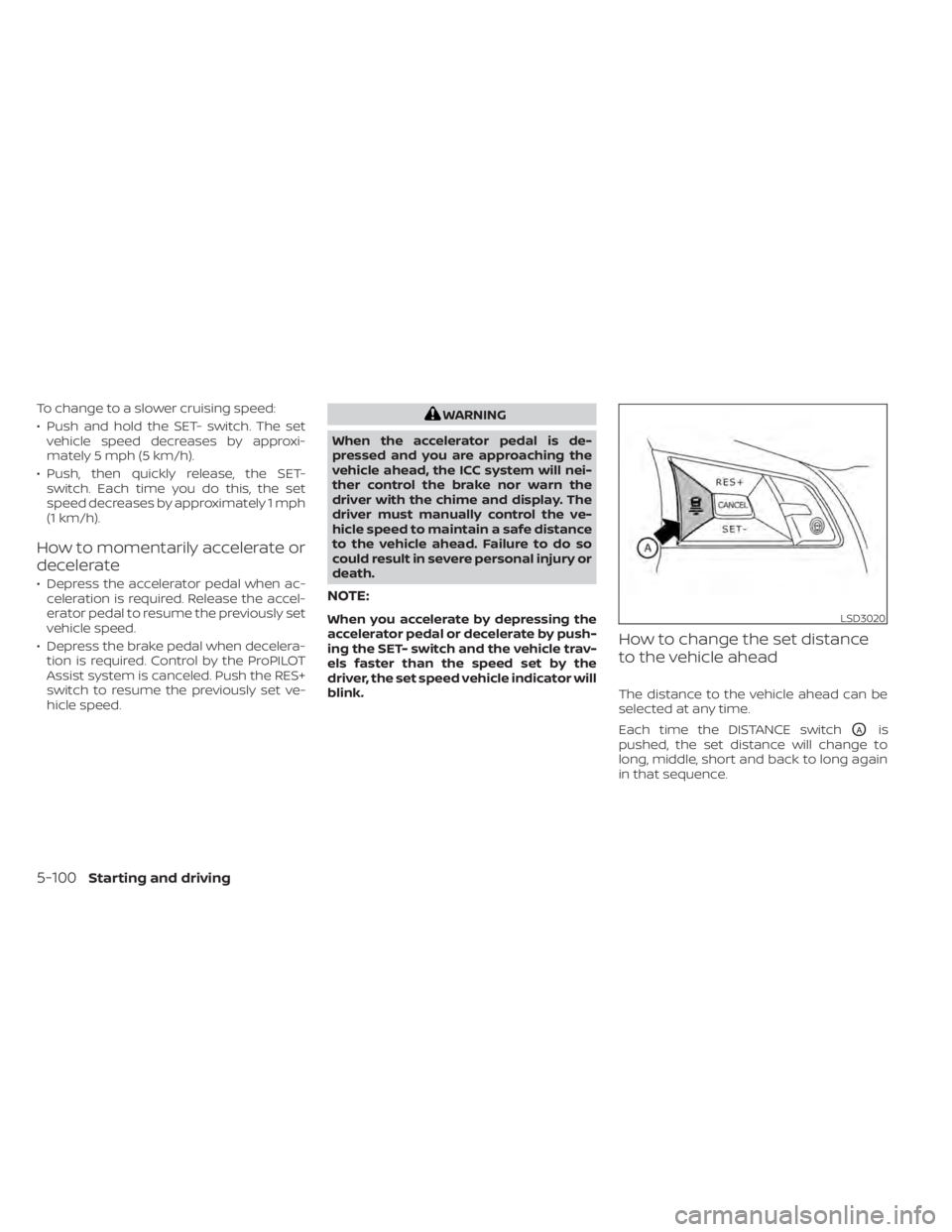
How to change the set distance
to the vehicle ahead
The distance to the vehicle ahead can be
selected at any time.
Each time the DISTANCE switch
OAis
pushed, the set distance will change to
long, middle, short and back to long again
in that sequence.
LSD3020
5-100Starting and driving
Page 431 of 596
Acceleration when passing
When the ICC system is engaged above 43
mph and following a slower vehicle (below
ICC set speed), and the turn signal is acti-
vated to the lef t, the ICC system will auto-
matically start to accelerate the vehicle to
help initiate passing on the lef t and will
begin to reduce the distance to the vehicle
directly ahead. Only the lef t side turn signal
operates this feature. As the driver steers
the vehicle and moves into the passing
lane, if no vehicle is detected ahead the ICC
system will continue to accelerate to the
ICC system set speed. If another vehicle is
detected ahead, then the vehicle will accel-
erate up to the following speed of that ve-
hicle. If the vehicle is not steered into the
lef t lane to pass, the acceleration will stop
af ter a short time and regain the set follow-
ing distance. Acceleration can be stopped
at any point by depressing the brake pedal
or the CANCEL switch on the steering
wheel.
WARNING
In order to reduce the risk of a collision
that may result in serious injury or
death, please be aware of the following:
• This function is only activated with
the lef t turn signal and will briefly ac-
celerate the vehicle even if a lane
change is not initiated. This can in-
clude non-passing situations such as
lef t side exits.
• Ensure that when passing another
vehicle, the adjacent lane is clear be-
fore initiating the pass. Sudden
changes in traffic may occur while
passing.
– Always manually steer or brake as
needed
– Never solely rely on the systemICC system limitations
WARNING
Listed below are the system limitations
for the ICC system. Failure to operate
the vehicle in accordance with these
system limitations could result in seri-
ous injury or death:
• The ICC system is primarily intended
for use on straight, dry, open roads
with light traffic. It is not advisable to
use the ICC system in city traffic or
congested areas.
• The ICC system will not adapt auto-
matically to road conditions. This
system should be used in evenly
flowing traffic. Do not use the system
on roads with sharp curves or on icy
roads, in heavy rain or in fog.
5-108Starting and driving
Page 447 of 596
ICC system display turns off. The cruise in-
dicator appears. You can now set your de-
sired cruising speed. Pushing the ProPILOT
Assist switch again will turn the system
completely off. When the power switch is
placed in the OFF position, the system is
also automatically turned off.
To use the ICC system again, quickly push
and release the ProPILOT Assist switch
(vehicle-to-vehicle distance control mode)
or push and hold it (conventional cruise
control mode) again to turn it on.
CAUTION
To avoid accidentally engaging cruise
control, make sure to turn the ProPILOT
Assist switch off when not using the ICC
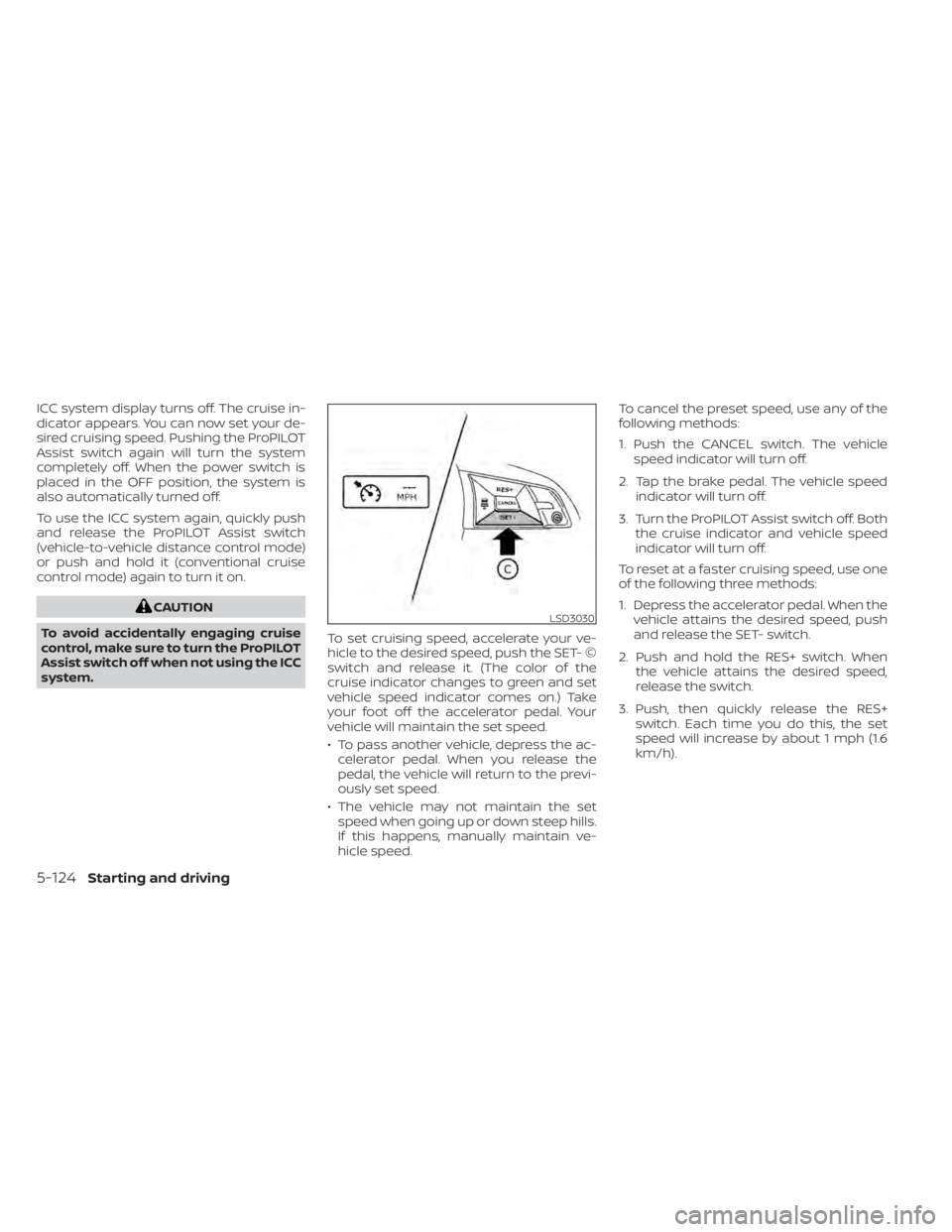
system. To set cruising speed, accelerate your ve-
hicle to the desired speed, push the SET- ©
switch and release it. (The color of the
cruise indicator changes to green and set
vehicle speed indicator comes on.) Take
your foot off the accelerator pedal. Your
vehicle will maintain the set speed.
• To pass another vehicle, depress the ac-
celerator pedal. When you release the
pedal, the vehicle will return to the previ-
ously set speed.
• The vehicle may not maintain the set speed when going up or down steep hills.
If this happens, manually maintain ve-
hicle speed. To cancel the preset speed, use any of the
following methods:
1. Push the CANCEL switch. The vehicle
speed indicator will turn off.
2. Tap the brake pedal. The vehicle speed indicator will turn off.
3. Turn the ProPILOT Assist switch off. Both the cruise indicator and vehicle speed
indicator will turn off.
To reset at a faster cruising speed, use one
of the following three methods:
1. Depress the accelerator pedal. When the vehicle attains the desired speed, push
and release the SET- switch.
2. Push and hold the RES+ switch. When the vehicle attains the desired speed,
release the switch.
3. Push, then quickly release the RES+ switch. Each time you do this, the set
speed will increase by about 1 mph (1.6
km/h).LSD3030
5-124Starting and driving
Page 457 of 596
2.L’utilisateur de l’appareil doit accepter
tout brouillage radioélectrique subi,
même si le brouillage est susceptible
d’en compromettre le fonctionnement.
Radio frequency radiation exposure in-
formation:
This equipment complies with FCC and IC
radiation exposure limits set forth for an
uncontrolled environment.
This equipment should be installed and
operated with minimum distance of 30
cm between the radiator and your body.
This transmitter must not be co-located
or operating in conjunction with any
other antenna or transmitter.
Cet équipement est conforme aux lim-
ites d’exposition aux rayonnements IC
établies pour un environnement non
contrôlé.
Cet équipement doit être installé et
utilisé avec un minimum de 30 cm de
distance entre la source de rayonnement
et votre corps.
FCC Notice
Changes or modifications not expressly
approved by the party responsible for
compliance could void the user’s author-
ity to operate the equipment.
WARNING
Failure to follow the warnings and in-
structions for proper use of the RAB
system could result in serious injury or
death.
• The RAB system is a supplemental
aid to the driver. It is not a replace-
ment for proper driving procedures.
Always use the side and rear mirrors
and turn and look in the direction you
will move before and while backing
up. Never rely solely on the RAB sys-
tem. It is the driver’s responsibility to
stay alert, drive safely, and be in con-
trol of the vehicle at all times.
• There is a limitation to the RAB sys-
tem capability. The RAB system is not
effective in all situations.
The RAB system can assist the driver when
the vehicle is backing up and approaching
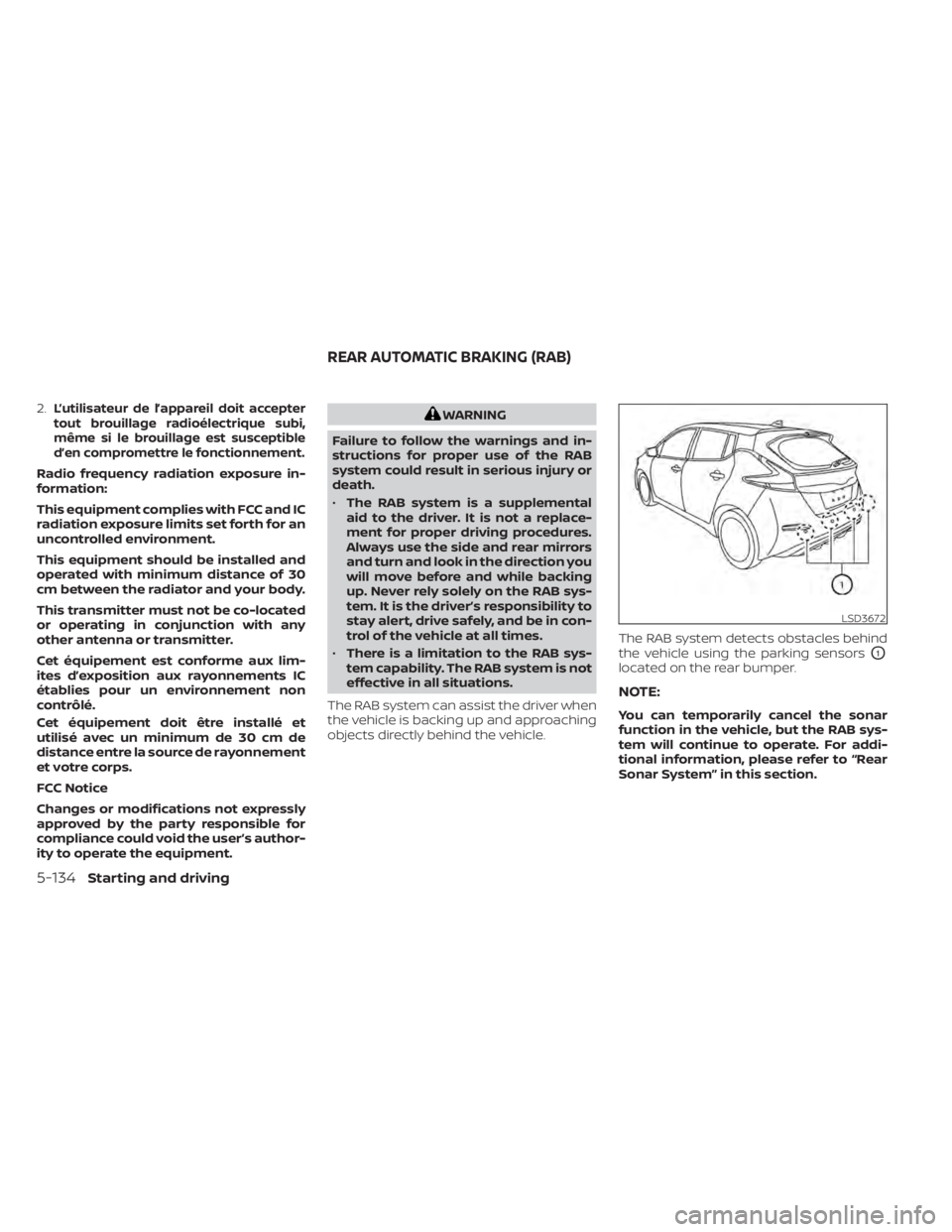
objects directly behind the vehicle. The RAB system detects obstacles behind
the vehicle using the parking sensors
O1
located on the rear bumper.
NOTE:
You can temporarily cancel the sonar
function in the vehicle, but the RAB sys-
tem will continue to operate. For addi-
tional information, please refer to “Rear
Sonar System” in this section.
LSD3672
REAR AUTOMATIC BRAKING (RAB)
5-134Starting and driving
Page 461 of 596
•Once the automatic brake control
operates, it does not operate again if
the vehicle approaches the same
obstacle.
• The automatic brake control can only
operate for a short period of time.
Therefore, the driver must depress
the brake pedal.
• In the following situations, the RAB
system may not operate properly or
may not function sufficiently:
– The vehicle is driven in bad
weather (rain, fog, snow, etc.).
– The vehicle is driven on a steep
hill.
– The vehicle’s posture is changed
(e.g., when driving over a bump).
– The vehicle is driven on a slippery
road.
– The vehicle is turned sharply by
turning the steering wheel fully.
– Snow chains are used.
– Wheels or tires other than NISSAN
recommended are used.
– The brakes are cold at low ambi-
ent temperatures or immediately
af ter driving has started. –
The braking force becomes poor
due to wet brakes af ter driving
through a puddle or washing the
vehicle.
• Turn the RAB system off in the follow-
ing conditions to prevent the occur-
rence of an unexpected accident re-
sulting from sudden system
operation:
– The vehicle is towed.
– The vehicle is carried on a flatbed
truck.
– The vehicle is on the chassis
dynamometer.
– The vehicle drives on an uneven
road surface.
– Suspension parts other than
those designated as Genuine
NISSAN parts are used. (If the ve-
hicle height or the vehicle body in-
clination is changed, the system
may not detect an obstacle
correctly.)
• Excessive noise (e.g., audio system
volume, an open vehicle window) will
interfere with the chime sound, and it
may not be heard.SYSTEM MALFUNCTION
If the RAB system malfunctions, it will be
turned off automatically, the RAB system
warning light will illuminate, and the “Mal-
function: See Owner’s Manual” warning
message will appear in the vehicle infor-
mation display.
Action to take
If the warning light illuminates, park the ve-
hicle in a safe location, turn the EV system
off, and restart the EV system. If the warn-
ing light continues to illuminate, have the
RAB system checked. It is recommended
that you visit a NISSAN certified LEAF dealer
for this service.
NOTE:
If the RAB system cannot be operated
temporarily, the RAB system warning
light blinks.
5-138Starting and driving
Page 473 of 596
WARNING
Failure to follow the warnings and in-
structions for proper use of the I-DA
system could result in serious injury or
death.
• The I–DA system is only a warning to
inform the driver of a potential lack
of driver attention or drowsiness. It
will not steer the vehicle or prevent
loss of control.
• The I–DA system does not detect and
provide an alert of the driver’s lack of
attention or fatigue in every
situation.
• It its the driver’s responsibility to:
– stay alert,
– drive safely,
– keep the vehicle in the traveling
lane,
– be in control of the vehicle at all
times,
– avoid driving when tired,
– avoid distractions (texting, etc.).
The I–DA system helps alert the driver if the
system detects a lack of attention or driv-
ing fatigue. The system monitors driving style and
steering behavior over a period of time,
and it detects changes from the normal
pattern. If the system detects that driver
attention is decreasing over a period of
time, the system uses audible and visual
warnings to suggest that the driver take a
break.
I-DA SYSTEM OPERATION
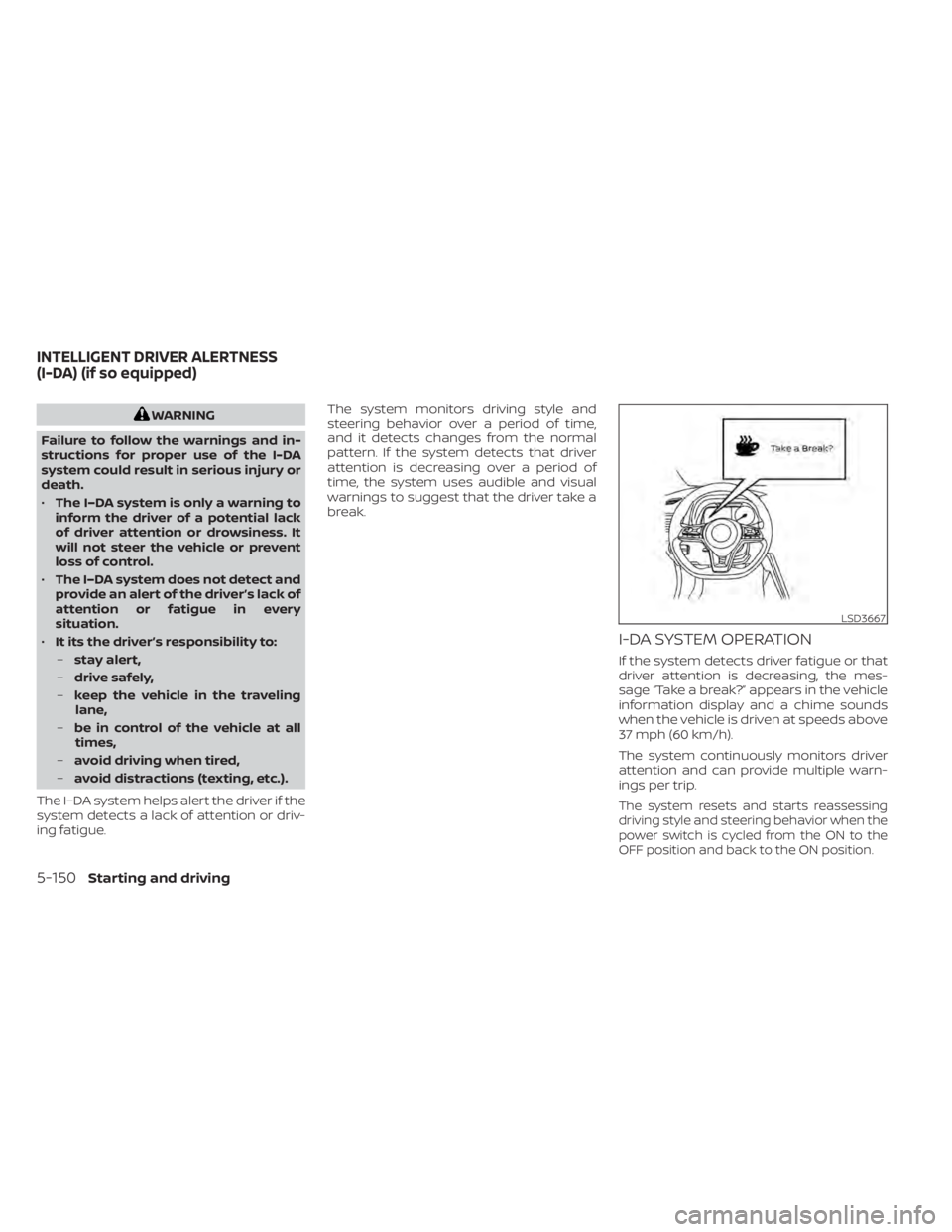
If the system detects driver fatigue or that
driver attention is decreasing, the mes-
sage “Take a break?” appears in the vehicle
information display and a chime sounds
when the vehicle is driven at speeds above
37 mph (60 km/h).
The system continuously monitors driver
attention and can provide multiple warn-
ings per trip.
The system resets and starts reassessing
driving style and steering behavior when the
power switch is cycled from the ON to the
OFF position and back to the ON position.
LSD3667
INTELLIGENT DRIVER ALERTNESS
(I-DA) (if so equipped)
5-150Starting and driving
Page 487 of 596
•Read and understand the limitations
of the RSS as contained in this sec-
tion. The colors of the sonar indicator
and the distance guide lines in the
rear view indicate different distances
to the object.
• Inclement weather or ultrasonic
sources such as an automatic car
wash, a truck's compressed-air
brakes or a pneumatic drill may af-
fect the function of the system; this
may include reduced performance or
a false activation.
• The RSS is designed as an aid to the
driver in detecting large stationary
objects to help avoid damaging the
vehicle.
• The RSS is not designed to prevent
contact with small or moving ob-
jects. Always move slowly. The sys-
tem will not detect small objects be-
low the bumper, and may not detect
objects close to the bumper or on the
ground.
• The RSS may not detect the following
objects: fluff y objects such as snow,
cloth, cotton, glass, wool, etc., and
thin objects such as rope, wire and
chain, etc., or wedge-shaped objects. If your vehicle sustains damage to the rear
bumper fascia, leaving it misaligned or
bent, the sensing zone may be altered
causing inaccurate measurement of ob-
stacles or false alarms.
CAUTION
• Excessive noise (such as audio sys-
tem volume or an open vehicle win-
dow) will interfere with the tone and
it may not be heard.
• Keep the sonar sensors (located on
the bumper fascia) free from snow,
ice and large accumulations of dirt.
Do not clean the sensors with sharp
objects. If the sensors are covered,
the accuracy of the sonar function
will be diminished.
SYSTEM OPERATION
The system informs with a visual and au-
dible alert of rear obstacles when the shif t
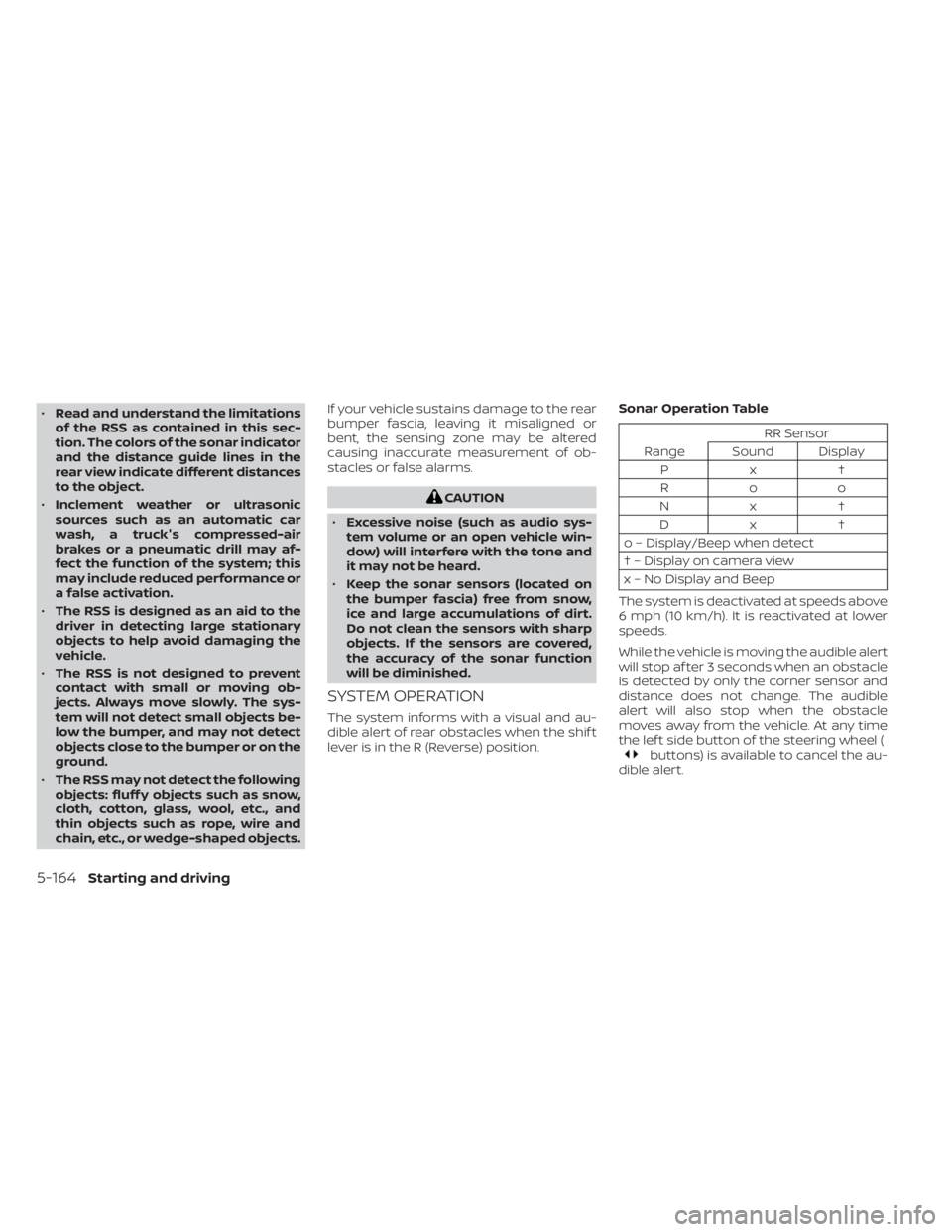
lever is in the R (Reverse) position. Sonar Operation Table
RR Sensor
Range Sound Display Px †
Roo
Nx † Dx †
o – Display/Beep when detect
† – Display on camera view
x – No Display and Beep
The system is deactivated at speeds above
6 mph (10 km/h). It is reactivated at lower
speeds.
While the vehicle is moving the audible alert
will stop af ter 3 seconds when an obstacle
is detected by only the corner sensor and
distance does not change. The audible
alert will also stop when the obstacle
moves away from the vehicle. At any time
the lef t side button of the steering wheel (
buttons) is available to cancel the au-
dible alert.
5-164Starting and driving