belt NISSAN LEAF 2021 Owner´s Manual
[x] Cancel search | Manufacturer: NISSAN, Model Year: 2021, Model line: LEAF, Model: NISSAN LEAF 2021Pages: 602, PDF Size: 4.22 MB
Page 332 of 602
4. Push the power switch while depressingthe brake pedal within 10 seconds af ter
the chime sounds. The power switch
position changes to the READY to drive
mode.
Af ter step 3 is performed, if the power
switch is pushed without depressing the
brake pedal, the power switch position will
change to ACC.
NOTE:
• When the power switch is placed in the ACC or ON position or READY to drive
mode by the above procedure, the EV
system operation for discharged Intel-
ligent Key system indicator appears on
the vehicle information display even if
the Intelligent Key is inside the vehicle.
This is not a malfunction. To stop the
warning indicator from blinking, touch
the power switch with the Intelligent
Key again.
• If the Intelligent Key battery discharge indicator appears on the vehicle infor-
mation display, replace the battery as
soon as possible. For additional infor-
mation, see “NISSAN Intelligent Key®
battery replacement” (P. 8-19).
NISSAN VEHICLE IMMOBILIZER
SYSTEM
The NISSAN Vehicle Immobilizer System
will not allow the power switch to be placed
in the READY to drive position without the
use of the registered key.
If the power switch fails to place the vehicle
into the READY to drive position using the
registered key, it may be due to interfer-
ence caused by another registered key, an
automated toll road device or automated
payment device on the key ring. Restart the
EV system using the following procedure:
1. Leave the power switch in the ON posi- tion for approximately 5 seconds.
2. Place the power switch in the OFF posi- tion and wait approximately 10 seconds.
3. Repeat steps 1 and 2 again.
4. Place the power switch in the READY to drive position while holding the device
(which may have caused the interfer-
ence) separate from the registered key.
If this procedure allows the power
switch to be placed in the READY to drive
mode, NISSAN recommends placing the
registered key on a separate key ring to
avoid interference from other devices. • Make sure that the area around the ve-
hicle is clear.
• Check fluid levels such as coolant, brake fluid, and windshield-washer fluid as fre-
quently as possible.
• Check that all windows and lights are clean.
• Visually inspect tires for their appearance and condition. Also check tires for proper
inflation.
• Check that all doors are closed.
• Position the seat and adjust the head restraints/headrests.
• Adjust the inside and outside mirrors.
• Fasten seat belts and ask all passengers to do likewise.
• Check the operation of the warning lights when the power switch is pushed to the
ON position. For additional information,
see “Warning lights, indicator lights and
audible reminders” (P. 2-14).
BEFORE STARTING THE EV SYSTEM
Starting and driving5-13
Page 335 of 602
NOTE:
• Confirm that the vehicle is in the de-sired shif t position by checking the
shif t indicator
O1located near the shif t
lever or the vehicle information display
in the meter.
• To place the vehicle into the D (Drive) position from the B mode, move the
shif t lever into the D (Drive) position.
Af ter placing the vehicle in the READY to
drive position, fully depress the brake pedal,
and move the shif t lever to any of the pre-
ferred shif t positions.
If the power switch is placed in the OFF or
ACC position for any reason while the shif t
position is in any position other than the P
(Park) position, the power switch cannot be
placed in the LOCK position.
If the power switch cannot be placed in the
LOCK position, perform the following steps:
1. Apply the parking brake when the ve- hicle is stopped.
2. Place the power switch in the ON posi- tion while depressing the foot brake
pedal.
3. Push the P (Park) position switch and confirm the vehicle is in the P (Park)
position. 4. Place the power switch in the OFF
position.NOTE:
The vehicle automatically applies the P
(Park) position when the power switch is
in the OFF position.
When the following conditions overlap,
the shif t position may be automatically
switched to P (Park):
– When maintaining a stop and holdwith the e-pedal.
– When taking off the seatbelt.
– When opening the door.
WARNING
• The shif t lever is always in the center
position when released. When the
power switch is placed in the READY
to drive position, the driver needs to
confirm that the vehicle is in the P
(Park) position. The indicator next to
the “P” by the shif t lever is illumi-
nated and the “P” is displayed on the
meter. If the vehicle is in the D (Drive)
position or R (Reverse) position when
the power switch is placed in the
READY to drive position, this may
cause a sudden start which could re-
sult in an accident.
• On a hilly road, do not allow the ve-
hicle to roll backwards while in the D
(Drive) position or B mode or allow
the vehicle to roll forward while in the
R (Reverse) position. This may cause
an accident.
5-16Starting and driving
Page 338 of 602
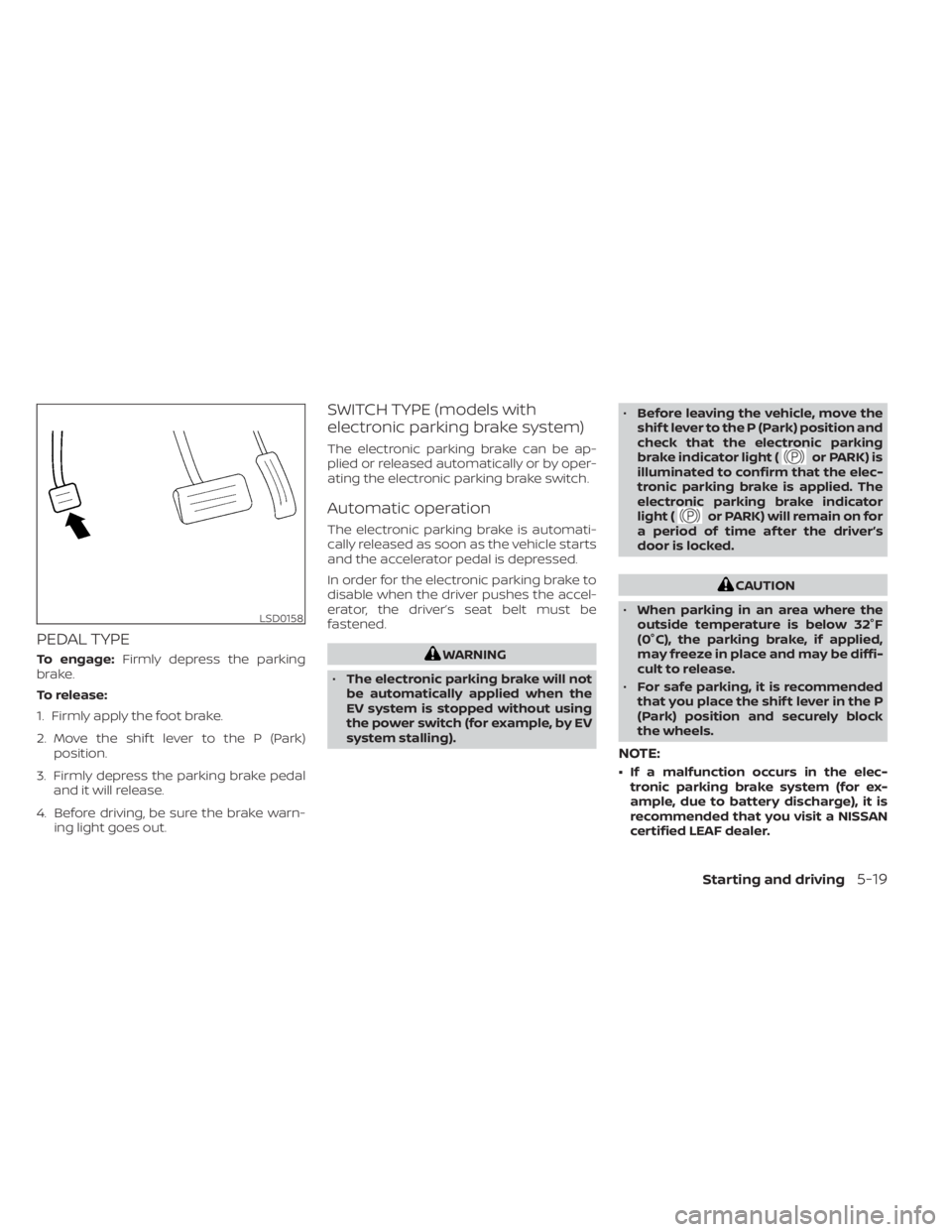
PEDAL TYPE
To engage:Firmly depress the parking
brake.
To release:
1. Firmly apply the foot brake.
2. Move the shif t lever to the P (Park) position.
3. Firmly depress the parking brake pedal and it will release.
4. Before driving, be sure the brake warn- ing light goes out.
SWITCH TYPE (models with
electronic parking brake system)
The electronic parking brake can be ap-
plied or released automatically or by oper-
ating the electronic parking brake switch.
Automatic operation
The electronic parking brake is automati-
cally released as soon as the vehicle starts
and the accelerator pedal is depressed.
In order for the electronic parking brake to
disable when the driver pushes the accel-
erator, the driver’s seat belt must be
fastened.
WARNING
• The electronic parking brake will not
be automatically applied when the
EV system is stopped without using
the power switch (for example, by EV
system stalling). •
Before leaving the vehicle, move the
shif t lever to the P (Park) position and
check that the electronic parking
brake indicator light (
or PARK) is
illuminated to confirm that the elec-
tronic parking brake is applied. The
electronic parking brake indicator
light (
or PARK) will remain on for
a period of time af ter the driver’s
door is locked.
CAUTION
• When parking in an area where the
outside temperature is below 32°F
(0°C), the parking brake, if applied,
may freeze in place and may be diffi-
cult to release.
• For safe parking, it is recommended
that you place the shif t lever in the P
(Park) position and securely block
the wheels.
NOTE:
• If a malfunction occurs in the elec- tronic parking brake system (for ex-
ample, due to battery discharge), it is
recommended that you visit a NISSAN
certified LEAF dealer.
LSD0158
Starting and driving5-19
Page 339 of 602
• If the shif t lever is moved to the P (Park)position when the brake force is main-
tained by the automatic brake hold
function, the electronic parking brake
will apply automatically.
• If the driver’s seat belt is unfastened when the brake force is maintained by
the automatic brake hold function, the
electronic parking brake will apply
automatically.
• When the ICC system (if so equipped) is canceled under the following condi-
tions at a standstill, the electronic
parking brake is automatically
activated:– Any door is open.
– The driver’s seat belt is not fastened.
– Your vehicle has been stopped by the ICC system for approximately 3
minutes or longer.
– The shif t lever is not in the D (Drive) position or B mode.
– The Vehicle Dynamic Control system is turned off.
– When distance measurement be- comes impaired due to adhesion of
dirt or obstruction to the sensor.
– When the radar signal is temporarily interrupted.
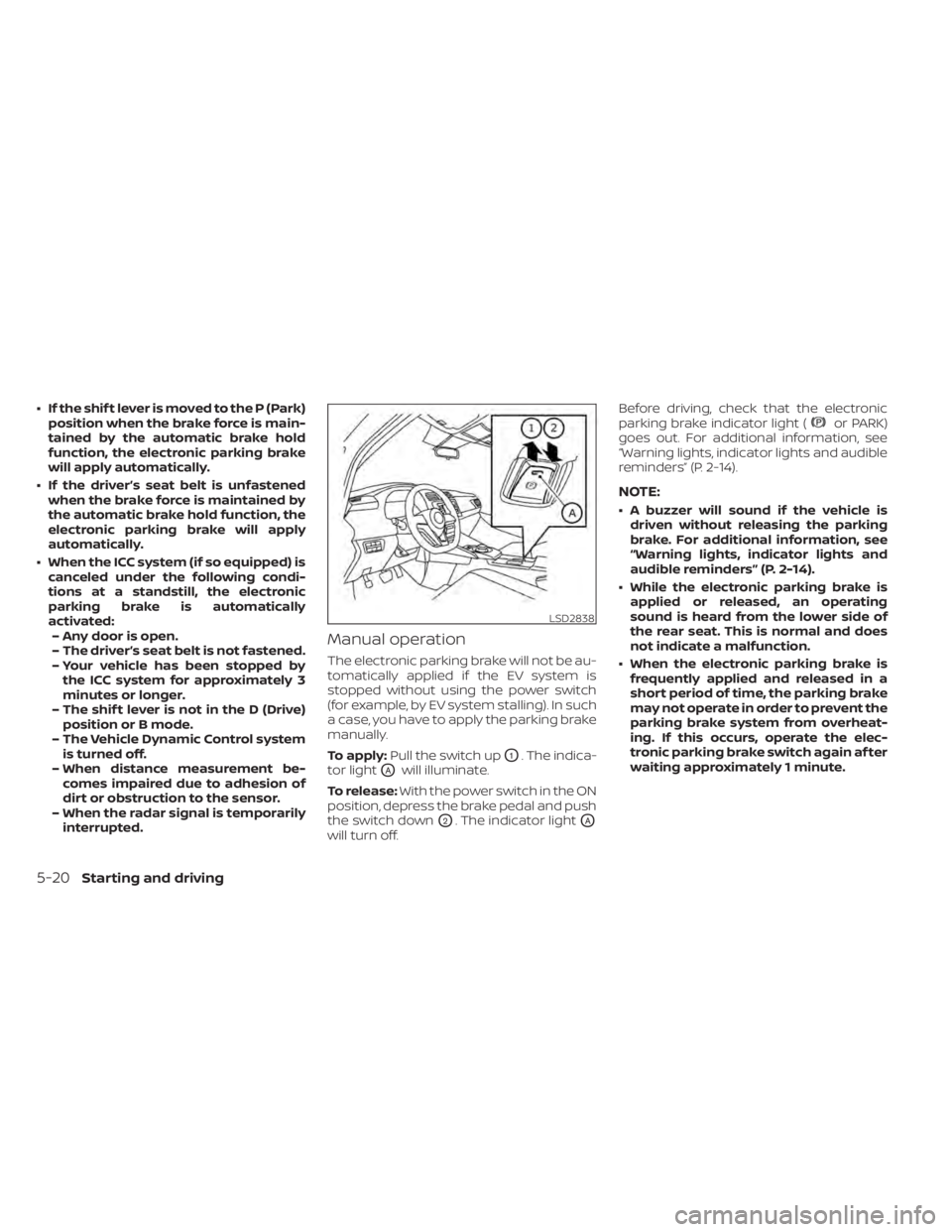
Manual operation
The electronic parking brake will not be au-
tomatically applied if the EV system is
stopped without using the power switch
(for example, by EV system stalling). In such
a case, you have to apply the parking brake
manually.
To apply: Pull the switch up
O1. The indica-
tor light
OAwill illuminate.
To release: With the power switch in the ON
position, depress the brake pedal and push
the switch down
O2. The indicator lightOA
will turn off. Before driving, check that the electronic
parking brake indicator light (
or PARK)
goes out. For additional information, see
“Warning lights, indicator lights and audible
reminders” (P. 2-14).
NOTE:
• A buzzer will sound if the vehicle is driven without releasing the parking
brake. For additional information, see
“Warning lights, indicator lights and
audible reminders” (P. 2-14).
• While the electronic parking brake is applied or released, an operating
sound is heard from the lower side of
the rear seat. This is normal and does
not indicate a malfunction.
• When the electronic parking brake is frequently applied and released in a
short period of time, the parking brake
may not operate in order to prevent the
parking brake system from overheat-
ing. If this occurs, operate the elec-
tronic parking brake switch again af ter
waiting approximately 1 minute.
LSD2838
5-20Starting and driving
Page 410 of 602
• When the parking brake is applied
• When the VDC operates (including thetraction control system)
• When a wheel slips
When the system is not operating properly,
the chime sounds and the color of the
cruise indicator will change to orange.
Action to take
If the color of the cruise indicator changes
to orange, stop the vehicle in a safe place
and place the shif t lever in the P (Park) po-
sition. Turn the EV system off, restart the EV
system, resume driving, and then perform
the setting again.
If it is not possible to set or the indicator
stays on, it may indicate that the system
is malfunctioning. Although the vehicle
is still drivable under normal conditions,
have the vehicle checked. It is recom-
mended that you visit a NISSAN certified
LEAF dealer for this service.WARNING
Failure to follow the warnings and in-
structions for proper use of the ProPI-
LOT Assist system could result in seri-
ous injury or death.
• ProPILOT Assist is not a self-driving
system. Within the limits of its capa-
bilities, as described in this manual, it
helps the driver with certain driving
activities.
• The ProPILOT Assist system is not a
replacement for proper driving pro-
cedures and is not designed to cor-
rect careless, inattentive or absent-
minded driving. ProPILOT Assist will
not always steer the vehicle to keep it
in the lane. The ProPILOT Assist sys-
tem is not designed to prevent loss of
control. It is the driver’s responsibility
to stay alert, drive safely, keep the
vehicle in the traveling lane, and be in
control of the vehicle at all times. •
There are limitations to the ProPILOT
Assist system capability. The ProPI-
LOT Assist system does not function
in all driving, traffic, weather, and
road conditions. It is the driver’s re-
sponsibility to stay alert, drive safely,
keep the vehicle in the traveling lane,
and be in control of the vehicle at all
times.
• The ProPILOT Assist system is only an
aid to assist the driver and is not a
collision warning or avoidance
device.
• The ProPILOT Assist system is for
highway use only and is not intended
for city driving. Failure to apply the
brake or steer the vehicle when nec-
essary may result in a serious
accident.
• Always observe posted speed limits
and do not set the speed over them.
• Never take your hands off the steer-
ing wheel when driving. Always keep
your hands on the steering wheel
and drive your vehicle safely.
• Never unfasten your safety belt
when using ProPILOT Assist. Doing so
automatically cancels the ProPILOT
Assist system.
PROPILOT ASSIST (if so equipped)
Starting and driving5-91
Page 417 of 602
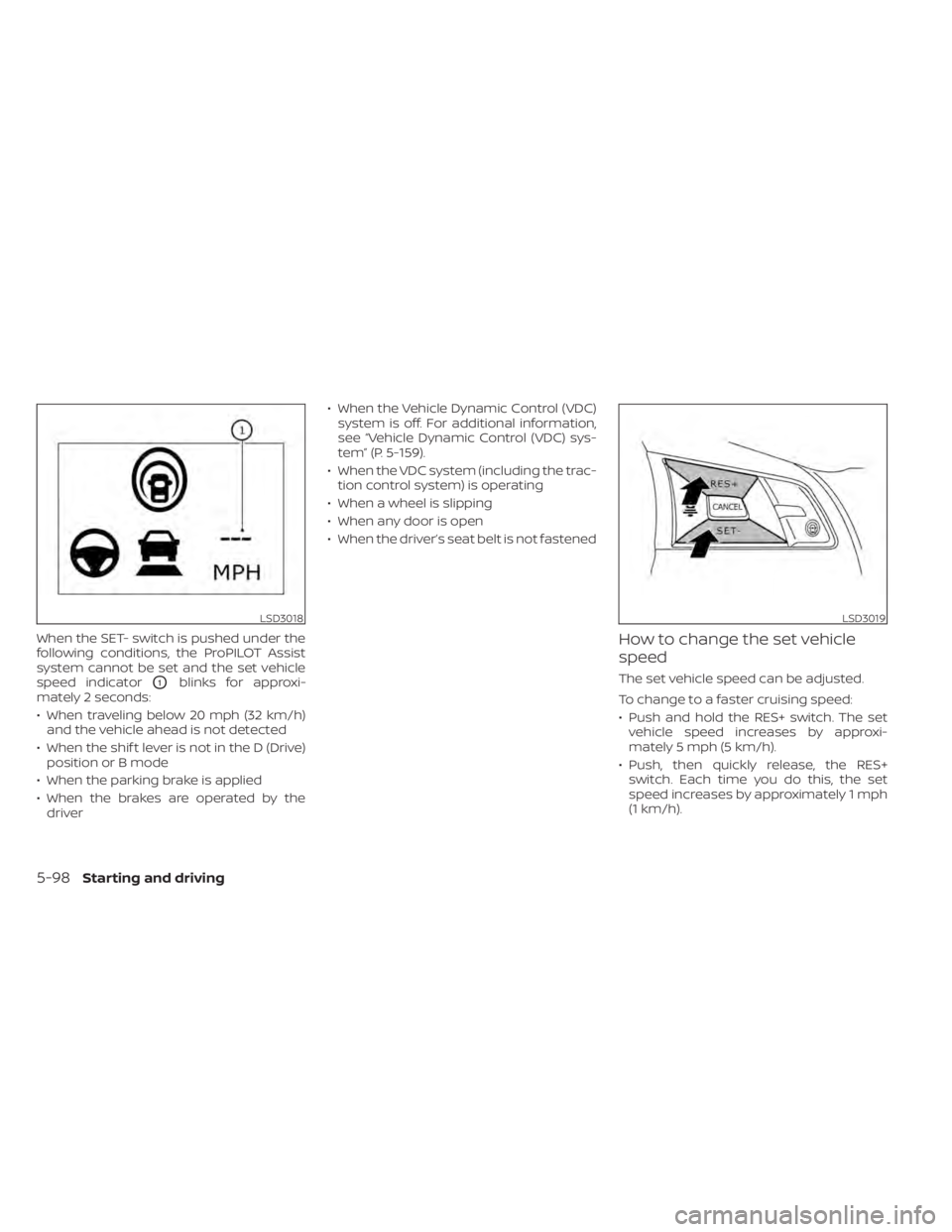
When the SET- switch is pushed under the
following conditions, the ProPILOT Assist
system cannot be set and the set vehicle
speed indicator
O1blinks for approxi-
mately 2 seconds:
• When traveling below 20 mph (32 km/h) and the vehicle ahead is not detected
• When the shif t lever is not in the D (Drive) position or B mode
• When the parking brake is applied
• When the brakes are operated by the driver • When the Vehicle Dynamic Control (VDC)
system is off. For additional information,
see “Vehicle Dynamic Control (VDC) sys-
tem” (P. 5-159).
• When the VDC system (including the trac- tion control system) is operating
• When a wheel is slipping
• When any door is open
• When the driver’s seat belt is not fastened
How to change the set vehicle
speed
The set vehicle speed can be adjusted.
To change to a faster cruising speed:
• Push and hold the RES+ switch. The set vehicle speed increases by approxi-
mately 5 mph (5 km/h).
• Push, then quickly release, the RES+ switch. Each time you do this, the set
speed increases by approximately 1 mph
(1 km/h).
LSD3018LSD3019
5-98Starting and driving
Page 429 of 602
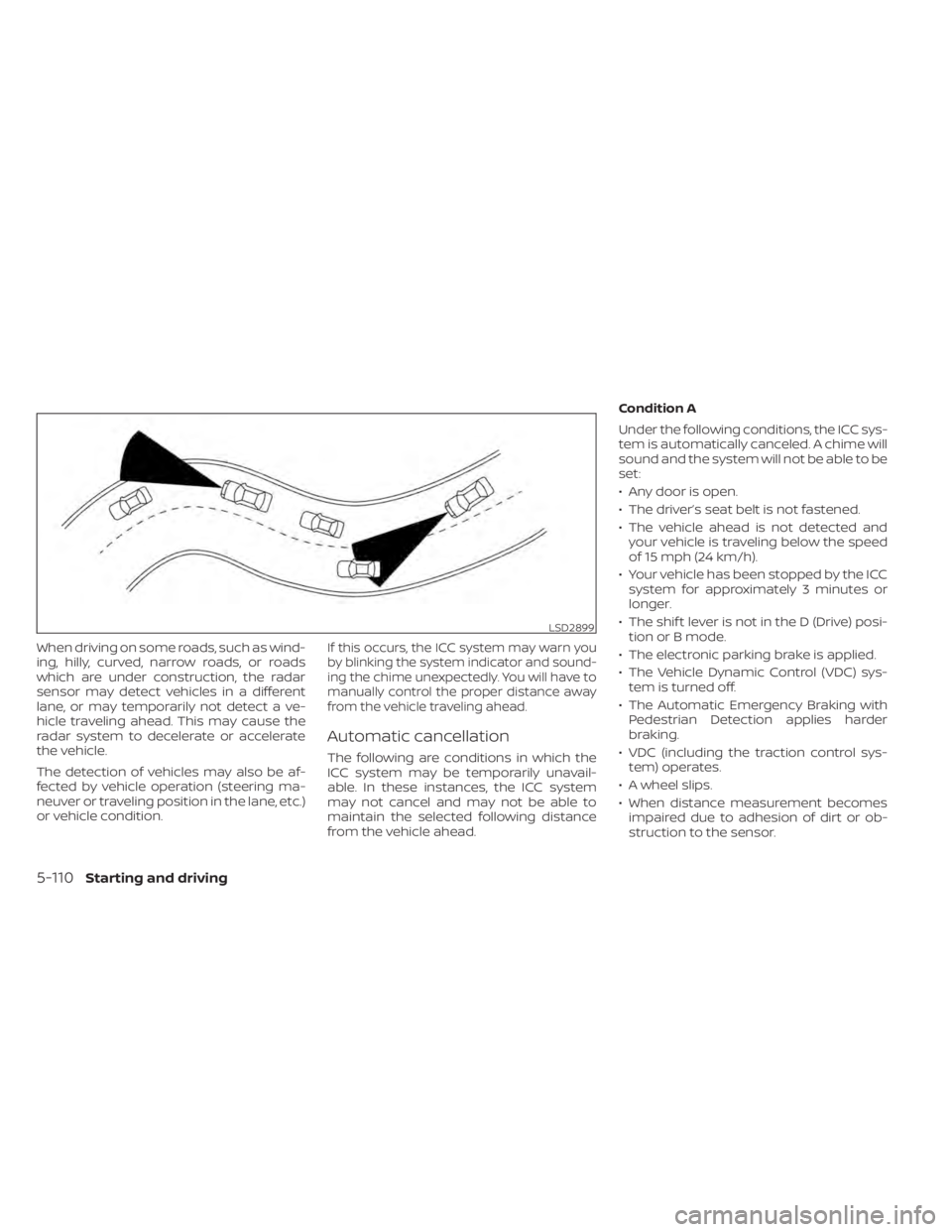
When driving on some roads, such as wind-
ing, hilly, curved, narrow roads, or roads
which are under construction, the radar
sensor may detect vehicles in a different
lane, or may temporarily not detect a ve-
hicle traveling ahead. This may cause the
radar system to decelerate or accelerate
the vehicle.
The detection of vehicles may also be af-
fected by vehicle operation (steering ma-
neuver or traveling position in the lane, etc.)
or vehicle condition.If this occurs, the ICC system may warn you
by blinking the system indicator and sound-
ing the chime unexpectedly. You will have to
manually control the proper distance away
from the vehicle traveling ahead.
Automatic cancellation
The following are conditions in which the
ICC system may be temporarily unavail-
able. In these instances, the ICC system
may not cancel and may not be able to
maintain the selected following distance
from the vehicle ahead.Condition A
Under the following conditions, the ICC sys-
tem is automatically canceled. A chime will
sound and the system will not be able to be
set:
• Any door is open.
• The driver’s seat belt is not fastened.
• The vehicle ahead is not detected and
your vehicle is traveling below the speed
of 15 mph (24 km/h).
• Your vehicle has been stopped by the ICC system for approximately 3 minutes or
longer.
• The shif t lever is not in the D (Drive) posi- tion or B mode.
• The electronic parking brake is applied.
• The Vehicle Dynamic Control (VDC) sys- tem is turned off.
• The Automatic Emergency Braking with Pedestrian Detection applies harder
braking.
• VDC (including the traction control sys- tem) operates.
• A wheel slips.
• When distance measurement becomes impaired due to adhesion of dirt or ob-
struction to the sensor.
LSD2899
5-110Starting and driving
Page 430 of 602
• When the radar signal is temporarilyinterrupted.
Action to take:
When the conditions listed above are no
longer present, turn the system off using
the ProPILOT Assist switch. Turn the ProPI-
LOT Assist system back on to use the
system.
NOTE:
When the ICC system is canceled under
the following conditions at a standstill,
the electronic parking brake is auto-
matically activated:
• Any door is open.
• The driver’s seat belt is not fastened.
• Your vehicle has been stopped by the ICC system for approximately 3 min-
utes or longer.
• The shif t lever is not in the D (Drive) position or B mode.
• The VDC system is turned off.
• When distance measurement be- comes impaired due to adhesion of dirt
or obstruction to the sensor.
• When the radar signal is temporarily interrupted. Condition B
When the radar sensor of the front bumper
is covered with dirt or is obstructed, the ICC
system will automatically be canceled.
The chime will sound and the "Forward
Driving Aids temporarily disabled. Front
Sensor blocked. See Owner’s Manual"
warning message will appear in the vehicle
information display.
Action to take:
If the warning message appears, stop the
vehicle in a safe place, place the shif t lever
in the P (Park) position, and turn the EV
system off. When the radar signal is tempo-
rarily interrupted, clean the sensor area of
the front bumper and restart the EV sys-
tem. If the "Forward Driving Aids temporar-
ily disabled. Front Sensor blocked. See
Owner’s Manual" warning message con-
tinues to be displayed, have the system
checked. It is recommended that you visit a
NISSAN certified LEAF dealer for this
service.
Condition C
When driving on roads with limited road
structures or buildings (for example, long
bridges, deserts, snowfields, driving next to
long walls), the system may illuminate the system warning light and display the "For-
ward Driving Aids temporarily disabled.
Front Sensor blocked. See Owner’s Manual"
message.
Action to take:
When the above driving conditions no lon-
ger exist, turn the system back on.
ICC system malfunction
If the ICC system malfunctions, it will be
turned off automatically, a chime will
sound, and the speed control status warn-
ing (orange) will illuminate.
Action to take:
If the warning light comes on, stop the ve-
hicle in a safe place. Turn the EV system off,
restart the EV system and set the ICC sys-
tem again. If it is not possible to set the ICC
system or the indicator stays on, it may be
a malfunction. Although the normal driving
can be continued, the ICC system should
be inspected. It is recommended that you
visit a NISSAN certified LEAF dealer for this
service.
Starting and driving5-111
Page 506 of 602

7 Appearance and care
Cleaning exterior................................ 7-2
Washing ..................................... 7-2
Waxing ....................................... 7-3
Removing spots .............................. 7-3
Underbody ................................... 7-3
Glass ......................................... 7-3
Wheels ....................................... 7-3
Aluminum alloy wheels (if so equipped) ....... 7-4
Chromeparts................................ 7-4
Tire dressing ................................. 7-4
Cleaning interior ................................ 7-4 Air fresheners
................................ 7-5
Floor mats (if so equipped) ................... 7-5
Seatbelts ....................................7-6
Corrosion protection ............................ 7-7
Most common factors contributing to
vehicle corrosion ............................. 7-7
Environmental factors influence the
rate of corrosion ............................. 7-7
Protect your vehicle from corrosion .......... 7-7
Page 511 of 602
•Properly position the mats in the
floorwell using the floor mat posi-
tioning hook. For additional informa-
tion, see "Floor mat installation"
(P. 7-6).
• Make sure the floor mat does not in-
terfere with pedal operation.
• Periodically check the floor mats to
make sure they are properly
installed.
• Af ter cleaning the vehicle interior,
check the floor mats to make sure
they are properly installed.
The use of Genuine NISSAN floor mats can
extend the life of your vehicle carpet and
make it easier to clean the interior. Mats
should be maintained with regular clean-
ing and replaced if they become exces-
sively worn.
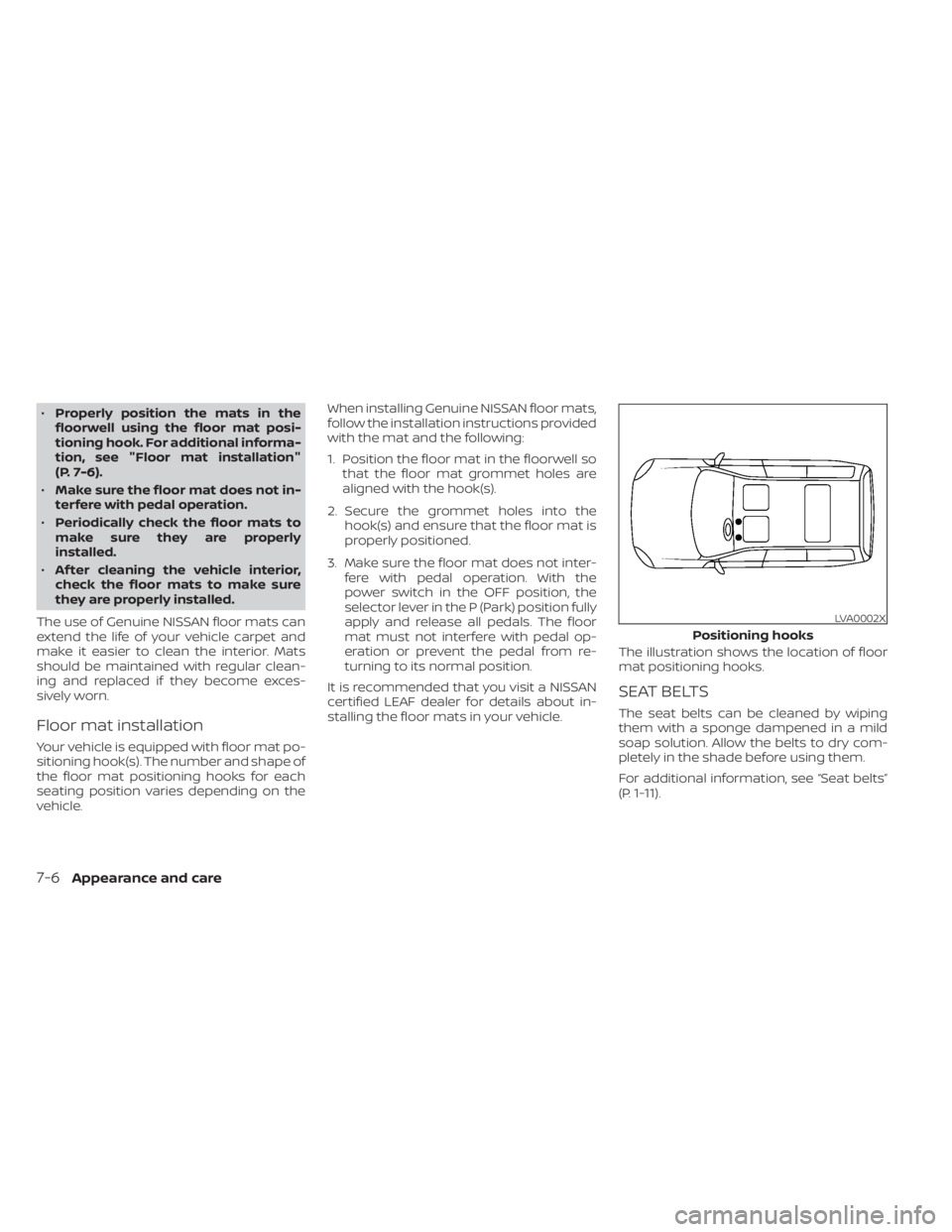
Floor mat installation
Your vehicle is equipped with floor mat po-
sitioning hook(s). The number and shape of
the floor mat positioning hooks for each
seating position varies depending on the
vehicle. When installing Genuine NISSAN floor mats,
follow the installation instructions provided
with the mat and the following:
1. Position the floor mat in the floorwell so
that the floor mat grommet holes are
aligned with the hook(s).
2. Secure the grommet holes into the hook(s) and ensure that the floor mat is
properly positioned.
3. Make sure the floor mat does not inter- fere with pedal operation. With the
power switch in the OFF position, the
selector lever in the P (Park) position fully
apply and release all pedals. The floor
mat must not interfere with pedal op-
eration or prevent the pedal from re-
turning to its normal position.
It is recommended that you visit a NISSAN
certified LEAF dealer for details about in-
stalling the floor mats in your vehicle. The illustration shows the location of floor
mat positioning hooks.
SEAT BELTS
The seat belts can be cleaned by wiping
them with a sponge dampened in a mild
soap solution. Allow the belts to dry com-
pletely in the shade before using them.
For additional information, see “Seat belts”
(P. 1-11).
LVA0002X
Positioning hooks
7-6Appearance and care