door lock NISSAN LEAF 2021 Owner´s Manual
[x] Cancel search | Manufacturer: NISSAN, Model Year: 2021, Model line: LEAF, Model: NISSAN LEAF 2021Pages: 602, PDF Size: 4.22 MB
Page 335 of 602
NOTE:
• Confirm that the vehicle is in the de-sired shif t position by checking the
shif t indicator
O1located near the shif t
lever or the vehicle information display
in the meter.
• To place the vehicle into the D (Drive) position from the B mode, move the
shif t lever into the D (Drive) position.
Af ter placing the vehicle in the READY to
drive position, fully depress the brake pedal,
and move the shif t lever to any of the pre-
ferred shif t positions.
If the power switch is placed in the OFF or
ACC position for any reason while the shif t
position is in any position other than the P
(Park) position, the power switch cannot be
placed in the LOCK position.
If the power switch cannot be placed in the
LOCK position, perform the following steps:
1. Apply the parking brake when the ve- hicle is stopped.
2. Place the power switch in the ON posi- tion while depressing the foot brake
pedal.
3. Push the P (Park) position switch and confirm the vehicle is in the P (Park)
position. 4. Place the power switch in the OFF
position.NOTE:
The vehicle automatically applies the P
(Park) position when the power switch is
in the OFF position.
When the following conditions overlap,
the shif t position may be automatically
switched to P (Park):
– When maintaining a stop and holdwith the e-pedal.
– When taking off the seatbelt.
– When opening the door.
WARNING
• The shif t lever is always in the center
position when released. When the
power switch is placed in the READY
to drive position, the driver needs to
confirm that the vehicle is in the P
(Park) position. The indicator next to
the “P” by the shif t lever is illumi-
nated and the “P” is displayed on the
meter. If the vehicle is in the D (Drive)
position or R (Reverse) position when
the power switch is placed in the
READY to drive position, this may
cause a sudden start which could re-
sult in an accident.
• On a hilly road, do not allow the ve-
hicle to roll backwards while in the D
(Drive) position or B mode or allow
the vehicle to roll forward while in the
R (Reverse) position. This may cause
an accident.
5-16Starting and driving
Page 338 of 602
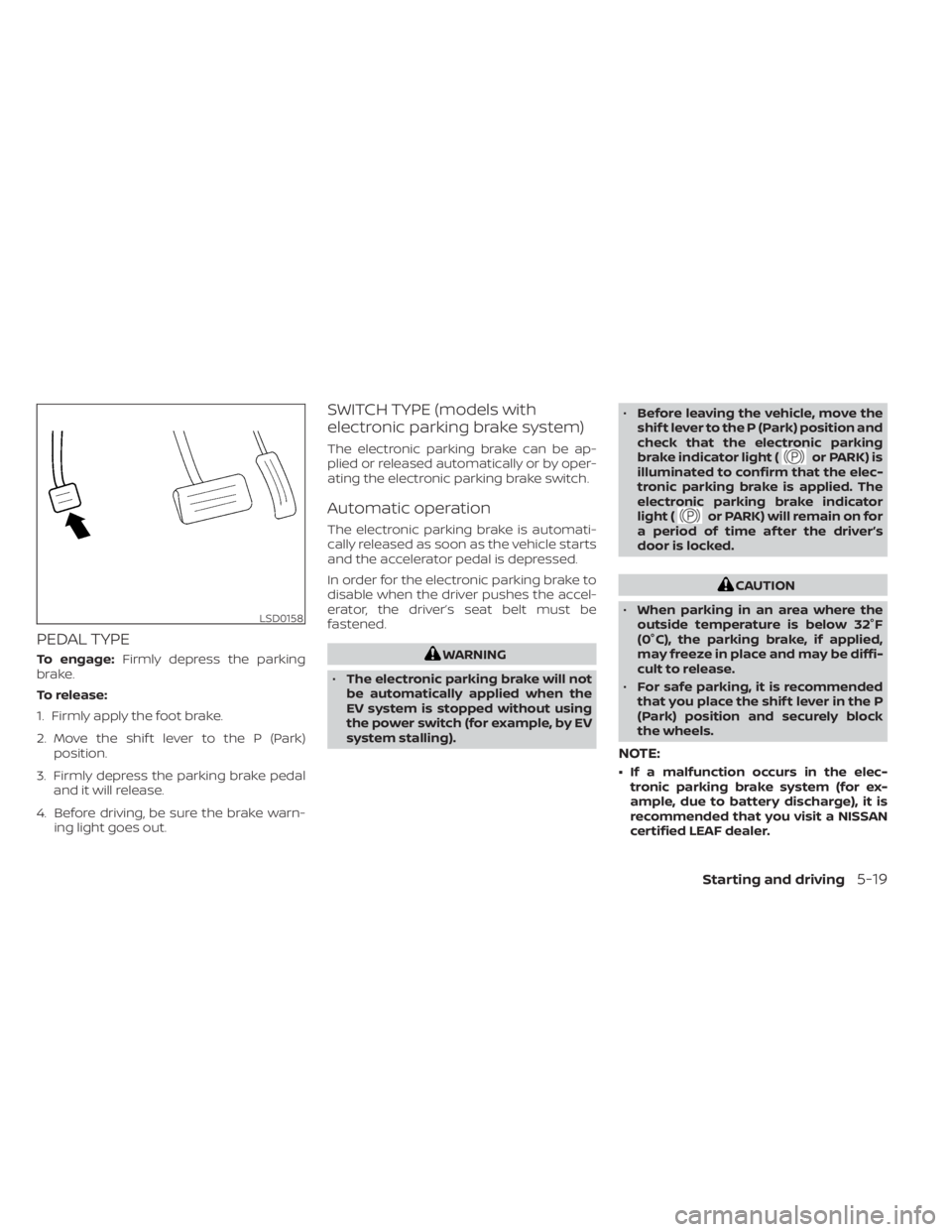
PEDAL TYPE
To engage:Firmly depress the parking
brake.
To release:
1. Firmly apply the foot brake.
2. Move the shif t lever to the P (Park) position.
3. Firmly depress the parking brake pedal and it will release.
4. Before driving, be sure the brake warn- ing light goes out.
SWITCH TYPE (models with
electronic parking brake system)
The electronic parking brake can be ap-
plied or released automatically or by oper-
ating the electronic parking brake switch.
Automatic operation
The electronic parking brake is automati-
cally released as soon as the vehicle starts
and the accelerator pedal is depressed.
In order for the electronic parking brake to
disable when the driver pushes the accel-
erator, the driver’s seat belt must be
fastened.
WARNING
• The electronic parking brake will not
be automatically applied when the
EV system is stopped without using
the power switch (for example, by EV
system stalling). •
Before leaving the vehicle, move the
shif t lever to the P (Park) position and
check that the electronic parking
brake indicator light (
or PARK) is
illuminated to confirm that the elec-
tronic parking brake is applied. The
electronic parking brake indicator
light (
or PARK) will remain on for
a period of time af ter the driver’s
door is locked.
CAUTION
• When parking in an area where the
outside temperature is below 32°F
(0°C), the parking brake, if applied,
may freeze in place and may be diffi-
cult to release.
• For safe parking, it is recommended
that you place the shif t lever in the P
(Park) position and securely block
the wheels.
NOTE:
• If a malfunction occurs in the elec- tronic parking brake system (for ex-
ample, due to battery discharge), it is
recommended that you visit a NISSAN
certified LEAF dealer.
LSD0158
Starting and driving5-19
Page 430 of 602
• When the radar signal is temporarilyinterrupted.
Action to take:
When the conditions listed above are no
longer present, turn the system off using
the ProPILOT Assist switch. Turn the ProPI-
LOT Assist system back on to use the
system.
NOTE:
When the ICC system is canceled under
the following conditions at a standstill,
the electronic parking brake is auto-
matically activated:
• Any door is open.
• The driver’s seat belt is not fastened.
• Your vehicle has been stopped by the ICC system for approximately 3 min-
utes or longer.
• The shif t lever is not in the D (Drive) position or B mode.
• The VDC system is turned off.
• When distance measurement be- comes impaired due to adhesion of dirt
or obstruction to the sensor.
• When the radar signal is temporarily interrupted. Condition B
When the radar sensor of the front bumper
is covered with dirt or is obstructed, the ICC
system will automatically be canceled.
The chime will sound and the "Forward
Driving Aids temporarily disabled. Front
Sensor blocked. See Owner’s Manual"
warning message will appear in the vehicle
information display.
Action to take:
If the warning message appears, stop the
vehicle in a safe place, place the shif t lever
in the P (Park) position, and turn the EV
system off. When the radar signal is tempo-
rarily interrupted, clean the sensor area of
the front bumper and restart the EV sys-
tem. If the "Forward Driving Aids temporar-
ily disabled. Front Sensor blocked. See
Owner’s Manual" warning message con-
tinues to be displayed, have the system
checked. It is recommended that you visit a
NISSAN certified LEAF dealer for this
service.
Condition C
When driving on roads with limited road
structures or buildings (for example, long
bridges, deserts, snowfields, driving next to
long walls), the system may illuminate the system warning light and display the "For-
ward Driving Aids temporarily disabled.
Front Sensor blocked. See Owner’s Manual"
message.
Action to take:
When the above driving conditions no lon-
ger exist, turn the system back on.
ICC system malfunction
If the ICC system malfunctions, it will be
turned off automatically, a chime will
sound, and the speed control status warn-
ing (orange) will illuminate.
Action to take:
If the warning light comes on, stop the ve-
hicle in a safe place. Turn the EV system off,
restart the EV system and set the ICC sys-
tem again. If it is not possible to set the ICC
system or the indicator stays on, it may be
a malfunction. Although the normal driving
can be continued, the ICC system should
be inspected. It is recommended that you
visit a NISSAN certified LEAF dealer for this
service.
Starting and driving5-111
Page 473 of 602
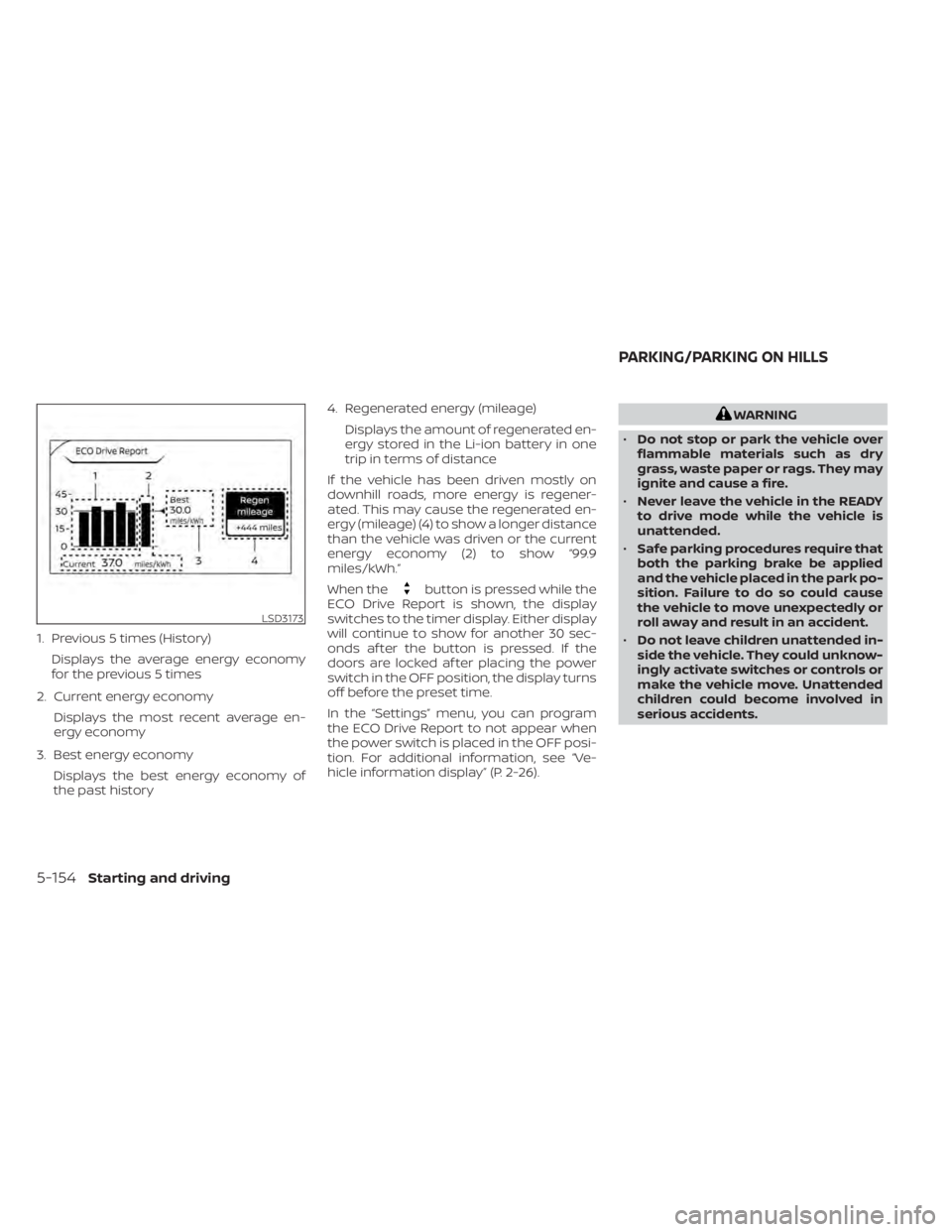
1. Previous 5 times (History)Displays the average energy economy
for the previous 5 times
2. Current energy economy Displays the most recent average en-
ergy economy
3. Best energy economy Displays the best energy economy of
the past history 4. Regenerated energy (mileage)
Displays the amount of regenerated en-
ergy stored in the Li-ion battery in one
trip in terms of distance
If the vehicle has been driven mostly on
downhill roads, more energy is regener-
ated. This may cause the regenerated en-
ergy (mileage) (4) to show a longer distance
than the vehicle was driven or the current
energy economy (2) to show “99.9
miles/kWh.”
When the
button is pressed while the
ECO Drive Report is shown, the display
switches to the timer display. Either display
will continue to show for another 30 sec-
onds af ter the button is pressed. If the
doors are locked af ter placing the power
switch in the OFF position, the display turns
off before the preset time.
In the “Settings” menu, you can program
the ECO Drive Report to not appear when
the power switch is placed in the OFF posi-
tion. For additional information, see “Ve-
hicle information display” (P. 2-26).
WARNING
• Do not stop or park the vehicle over
flammable materials such as dry
grass, waste paper or rags. They may
ignite and cause a fire.
• Never leave the vehicle in the READY
to drive mode while the vehicle is
unattended.
• Safe parking procedures require that
both the parking brake be applied
and the vehicle placed in the park po-
sition. Failure to do so could cause
the vehicle to move unexpectedly or
roll away and result in an accident.
• Do not leave children unattended in-
side the vehicle. They could unknow-
ingly activate switches or controls or
make the vehicle move. Unattended
children could become involved in
serious accidents.
LSD3173
PARKING/PARKING ON HILLS
5-154Starting and driving
Page 488 of 602
CAUTION
To prevent damage to the Li-ion bat-
tery: Do not store the vehicle in tem-
peratures below -13°F (-25°C) for over
seven days. If the outside temperature
is -13°F (-25°C) or less, the Li-ion battery
may freeze and it cannot be charged or
provide power to run the vehicle. Move
the vehicle to a warm location.
NOTE:
• Connect the charger to the vehicle and place the power switch in the OFF po-
sition when parking the vehicle if tem-
peratures may go below -4°F (-20°C).
For models with 40 kWh battery
model, this provides external power to
the Li-ion battery warmer (if so
equipped) when it operates and does
not discharge the Li-ion battery. Ve-
hicle driving range is reduced if the Li-
ion battery warmer (if so equipped) op-
erates (Li-ion battery temperature
approximately -4°F (-20°C) or colder)
while driving the vehicle. You may need
to charge the Li-ion battery sooner
than in warmer temperatures.
• The Li-ion battery requires more time to charge when the Li-ion battery
warmer (if so equipped) operates. • The predicted charging time displayed
on the meter and navigation system (if
so equipped) increases when the Li-ion
battery warmer (if so equipped)
operates.
• Vehicle range may be substantially re- duced in extremely cold conditions (for
example under -4°F (-20°C)).
• Using the climate control system to heat the cabin when outside tempera-
ture is below 32°F (0°C) uses more elec-
tricity and affects vehicle range more
than when using the heater when the
temperature is above 32°F (0°C).
• Climate control performance is re- duced when using the Climate Ctrl.
Timer or Remote Climate Control while
the Li-ion battery warmer (if so
equipped) operates (for models with
40 kWh battery model). Set only the
charging timer [End Time] when charg-
ing in cold weather. The vehicle auto-
matically determines when to start
charging to fully charge the Li-ion bat-
tery, even if the Li-ion battery warmer
operates. Charging ends before the set
end time if the Li-ion battery is fully
charged.
FREEING A FROZEN DOOR LOCK
To prevent a door lock from freezing, apply
deicer through the key hole. If the lock be-
comes frozen, heat the key before inserting
it into the key hole or use the remote key-
less entry key fob.
ANTIFREEZE
In the winter when it is possible that the
outside temperature will drop below 32°F
(0°C), check the antifreeze to ensure proper
winter protection. For additional informa-
tion, see “Cooling system” (P. 8-5).
12-VOLT BATTERY
If the 12-volt battery is not fully charged
during extremely cold weather conditions,
the 12-volt battery fluid may freeze and
damage the 12-volt battery. To maintain
maximum efficiency, the 12-volt battery
should be checked regularly. For additional
information, see “12-volt battery” (P. 8-9).
DRAINING OF COOLANT WATER
If the vehicle is to be lef t outside without
antifreeze, drain the cooling system. Refill
before operating the vehicle. For additional
information, see “Cooling system” (P. 8-5).
COLD WEATHER DRIVING
Starting and driving5-169
Page 554 of 602
Outside the vehicle
The maintenance items listed here should
be performed from time to time, unless
otherwise specified.
Doors and motor hood:
Check that the
doors and motor hood operate properly.
Also ensure that all latches lock securely. Lu-
bricate hinges, latches, latch pins, rollers and
links if necessary. Make sure that the sec-
ondary latch keeps the motor hood from
opening when the primary latch is released.
When driving in areas using road salt or
other corrosive materials, check lubrica-
tion frequently.
Check that the gas stays or struts properly
and securely hold the hood, trunk, or rear
hatch fully open. If the hood, trunk, or rear
hatch is not held open, have the gas stays
or struts replaced.
Lights*: Clean the headlights on a regular
basis. Make sure that the headlights, stop
lights, tail lights, turn signal lights, and other
lights are all operating properly and in-
stalled securely. Also check headlight aim.
Road wheel nuts (lug nuts)*: When check-
ing the tires, make sure no wheel nuts are
missing, and check for any loose wheel
nuts. Tighten if necessary. Tire rotation*:
Rotate tires at the specified
interval shown in the maintenance
schedule.
Tires*: Check the pressure with a gauge
of ten and always prior to long distance
trips. If necessary, adjust the pressure in all
tires, to the pressure specified. Check care-
fully for damage, cuts or excessive wear.
Tire Pressure Monitoring System (TPMS)
transmitter components: Replace the
TPMS transmitter grommet seal, valve core
and cap when the tires are replaced due to
wear or age.
Wheel alignment and balance: If the ve-
hicle pulls to either side while driving on a
straight and level road, or if you detect un-
even or abnormal tire wear, there may be a
need for wheel alignment.
If the steering wheel or seat vibrates at
normal highway speeds, wheel balancing
may be needed.
For additional information regarding tires,
refer to “Important Tire Safety Information”
(US) or “Tire Safety Information” (Canada) in
the Warranty Information Booklet.
Windshield: Clean the windshield on a
regular basis. Check the windshield at least
every six months for cracks or other dam- age. Have a damaged windshield repaired
by a qualified repair facility. It is recom-
mended that you have a damaged wind-
shield repaired by a NISSAN certified LEAF
dealer, or a NISSAN Certified Collision Cen-
ter. To locate a collision center in your area,
refer to http://collision.nissanusa.com.
Windshield wiper blades*:
Check for
cracks or wear if they do not wipe properly.
Inside the vehicle
The maintenance items listed here should
be checked on a regular basis, such as
when performing scheduled maintenance,
cleaning the vehicle, etc.
Accelerator pedal: Check the pedal for
smooth operation and make sure the
pedal does not catch or require uneven
effort. Keep the floor mat away from the
pedal.
Brake pedal: Check the pedal for smooth
operation. If the brake pedal suddenly goes
down further than normal, the pedal feels
spongy or the vehicle seems to take longer
to stop, it is recommended that you visit a
NISSAN certified LEAF dealer immediately.
Keep the floor mat away from the pedal.
Brakes: Check that the brakes do not pull
the vehicle to one side when applied.
Maintenance and schedules9-3
Page 592 of 602
11 Index
1
12-volt battery.................8-9
A
ABS (Anti-lock Braking System).....5-158Additional data recording (on vehicles
equipped with optional ProPILOT
Assist)
.................... .10-20Advanced air bag system..........1-53Air bag system
Advanced air bag system........1-53Front-seat mounted side-impact
supplemental air bag system.....1-62Roof-mounted curtain side-impact
supplemental air bag system.....1-62Air bag warning labels............1-66Air bag warning light.........1-66, 2-18Air bag warning light,
supplemental.............1-66, 2-18Air conditionerAir conditioner specification label. . .10-9Air conditioning system refrigerant and
lubricant recommendations......10-3AlarmHowtostopalarm
(refer to, vehicle security system)
. . .2-43Alcohol, drugs and driving..........5-9Android Auto™.................4-2
Antenna................... .4-40Anti-lock Braking System (ABS).....5-158Anti-lock Braking System (ABS) warning
light.......................2-19Antifreeze...................5-169Appearance care
Exterior appearance care.........7-2Interior appearance care.........7-4Apple CarPlay®.................4-2At home af ter driving...........EV-21Audible reminders..............2-25Autolight switch...............2-48Autolight system...............2-48Automatic anti-glare inside mirror. . . .3-24Automatic climate control
(models with Navigation System).....4-32Automatic climate control
(models without Navigation System). .4-29Automatic door locks.............3-6Automatic Emergency Braking (AEB) with
Pedestrian Detection............5-123Avoiding collision and rollover........5-7
B
Battery.....................8-1912-volt battery...............8-9Battery saver system..........2-52Li-ion battery.............EV-2, 2-7
Li-ion battery available charge
gauge.................... .2-9Li-ion battery temperature gauge. . .2-7Battery replacement
Key fob...................8-19Before driving your vehicle
(models with navigation system). . . .EV-14Before starting system...........5-13Blind Spot Intervention® (BSI).......5-46Blind Spot Warning (BSW)..........5-36Booster seats................ .1-41Brake...............5-18,5-19,8-14Anti-lock Braking System (ABS). . . .5-158Brake fluid..................8-7Brake system...............5-156BRAKE system warning light
(yellow)...................2-19BRAKE warning light (red)........2-16Parking brake operation.........5-19Brake fluid....................8-7Brake precautions.............5-156Brake system................5-156BRAKE system warning light (yellow). . .2-19BRAKE warning light (red)..........2-16Brightness control
Instrument panel.............2-53Bulb replacement...........8-21,8-22
Page 593 of 602
C
Capacities and recommended
fuel/lubricants.................10-2Car phone or CB radio............4-41Care of wheels..................7-3Ceiling light.................. .2-69Center console................2-62Charge port lid.................3-20Charge port lid switch............2-57Charging
Charge port lid...............3-20Charging related indicator light. . .CH-49Normal charge..............CH-9Precautions on charging........CH-2Quick charge..........CH-35, CH-38Specifications................10-4Trickle charge...............CH-11Charging information............10-22Charging methods.............CH-43Charging related indicator light.....CH-49Charging related remote function. . .CH-48Charging status indicator light.....CH-49Charging the Li-ion battery........EV-12Charging troubleshooting guide. . . .CH-56CheckingChecking bulbs...............2-15Checking coolant level...........8-6Child restraint with top tether strap. . . .1-27Child restraints.................1-22Booster seats................1-41LATCH (Lower Anchors and Tethers for
CHildren) System..............1-24Precautions on child restraints.....1-22
Top tether strap...............1-27Child safety...................1-19Child safety rear door lock..........3-6Chimes, audible reminders.........2-25Circuit breaker, fusible link..........8-17Cleaning exterior and interior......7-2,7-4ClimateClimate control system refrigerant and
lubricant recommendations
......4-40Climate controlClimate control service..........4-40Climate control systemAir conditioner...............4-26Climate control operation........4-26Heater....................4-26Climate Ctrl. Timer..............4-35Clock.......................2-12Cold tire pressures..............10-24Cold weather driving............5-169ConsoleCenter console...............2-62CoolantCapacities and recommended
fuel/lubricants
...............10-2Changing coolant..............8-6Checking coolant level...........8-6Cooling system................ .8-5Corrosion protection..............7-7Cruise control.................5-65Cup holders................. .2-63
D
Defroster switch
Rear window and outside mirror defroster
switch
................... .2-47Dimensions and weights..........10-6Dimmer switch for instrument panel. . .2-53Display
Information display............2-26Door locks................... .3-4Driving
Cold weather driving...........5-169Driving vehicle...............5-14Precautions when starting and
driving.................... .5-4Driving range..................2-8Driving the vehicle..............EV-18Driving vehicle.................5-14Dynamic driver assistance switch.....2-58
E
E-call (SOS) Button..............2-57e-Pedal......................2-13e-Pedal system................5-21ECO
ECO switch................ .2-55Eco Drive Report...............5-153ECO mode...............2-13,5-152ECO switch.................. .2-55Efficient use of your vehicle........EV-22Electric shif t control system........5-14Electronic parking brake...........5-19
11-2
Page 595 of 602
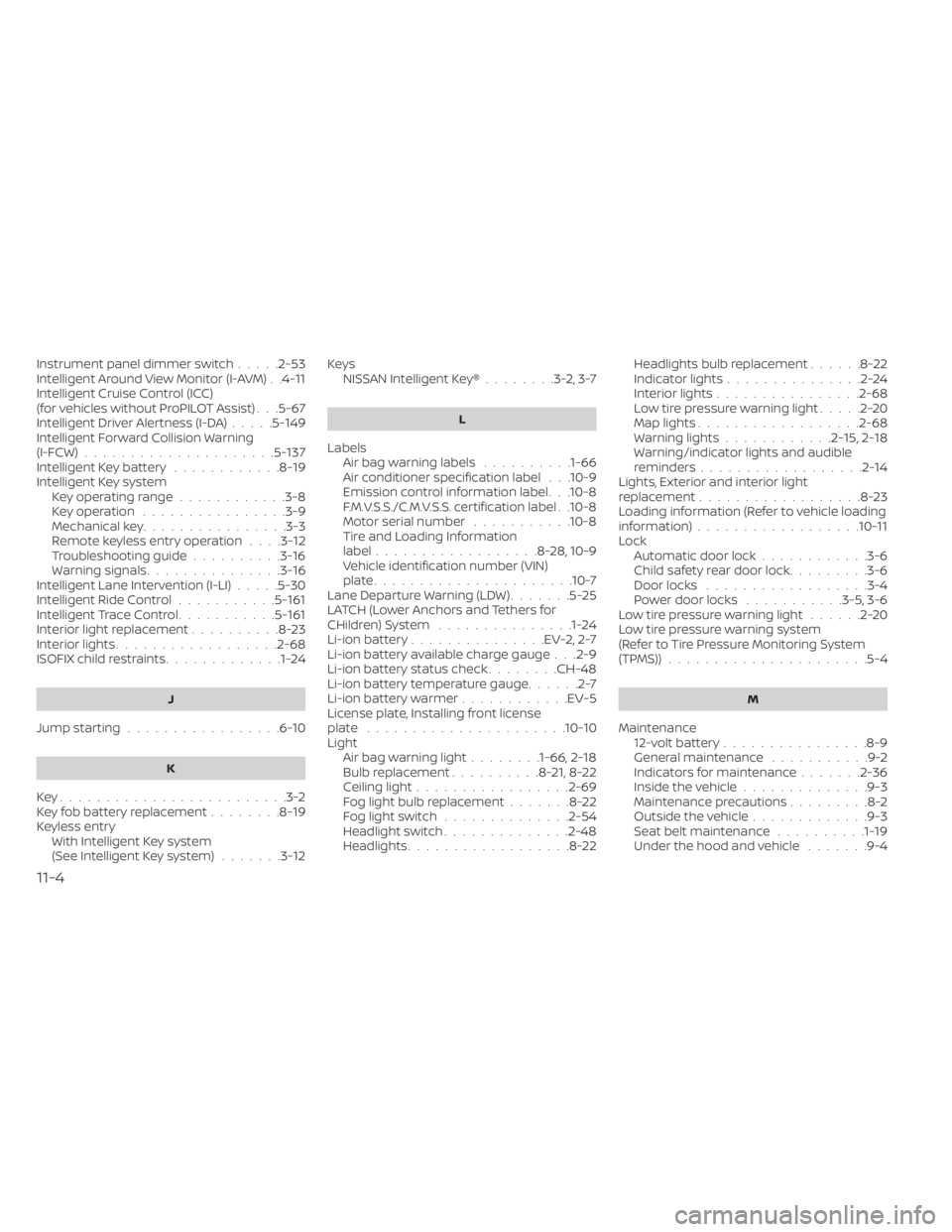
Instrument panel dimmer switch.....2-53Intelligent Around View Monitor (I-AVM). .4-11Intelligent Cruise Control (ICC)
(for vehicles without ProPILOT Assist). . .5-67Intelligent Driver Alertness (I-DA).....5-149Intelligent Forward Collision Warning
(I-FCW).....................5-137Intelligent Key battery............8-19Intelligent Key systemKey operating range............3-8Key operation................3-9Mechanical key................3-3Remote keyless entry operation. . . .3-12Troubleshooting guide..........3-16Warning signals...............3-16Intelligent Lane Intervention (I-LI).....5-30Intelligent Ride Control...........5-161Intelligent Trace Control...........5-161Interior light replacement..........8-23Interior lights................. .2-68ISOFIX child restraints.............1-24
J
Jump starting.................6-10
K
Key.........................3-2Key fob battery replacement........8-19Keyless entry
With Intelligent Key system
(See Intelligent Key system)
.......3-12
KeysNISSAN Intelligent Key®........3-2,3-7
L
LabelsAir bag warning labels..........1-66Air conditioner specification label. . .10-9Emission control information label. . .10-8F.M.V.S.S./C.M.V.S.S. certification label. .10-8Motor serial number...........10-8Tire and Loading Information
label..................8-28, 10-9Vehicle identification number (VIN)
plate..................... .10-7Lane Departure Warning (LDW).......5-25LATCH (Lower Anchors and Tethers for
CHildren) System...............1-24Li-ion battery...............EV-2, 2-7Li-ion battery available charge gauge. . .2-9Li-ion battery status check........CH-48Li-ion battery temperature gauge......2-7Li-ion battery warmer............EV-5License plate, Installing front license
plate......................10-10Light
Air bag warning light........1-66, 2-18Bulb replacement..........8-21,8-22Ceiling light................ .2-69Fog light bulb replacement.......8-22Fog light switch..............2-54Headlight switch..............2-48Headlights..................8-22
Headlights bulb replacement......8-22Indicator lights...............2-24Interior lights................2-68Low tire pressure warning light.....2-20Map lights................. .2-68Warning lights............2-15,2-18Warning/indicator lights and audible
reminders..................2-14Lights, Exterior and interior light
replacement..................8-23Loading information (Refer to vehicle loading
information)..................10-11Lock
Automatic door lock............3-6Child safety rear door lock.........3-6Door locks................. .3-4Power door locks...........3-5, 3-6Low tire pressure warning light......2-20Low tire pressure warning system
(Refer to Tire Pressure Monitoring System
(TPMS))
..................... .5-4
M
Maintenance
12-volt battery................8-9General maintenance...........9-2Indicators for maintenance.......2-36Inside the vehicle..............9-3Maintenance precautions.........8-2Outside the vehicle.............9-3Seat belt maintenance..........1-19Under the hood and vehicle.......9-4
11-4
Page 596 of 602
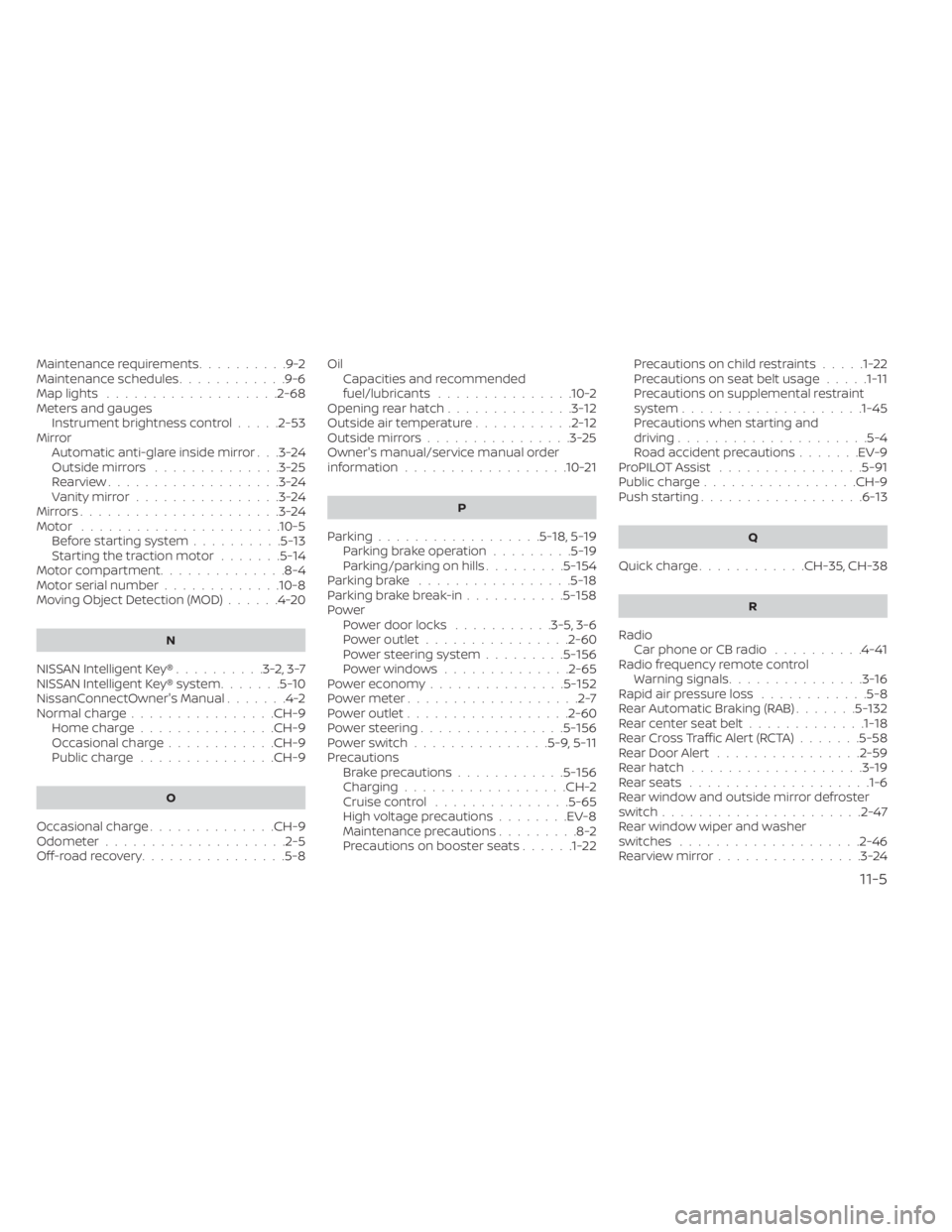
Maintenance requirements..........9-2Maintenance schedules............9-6Map lights...................2-68Meters and gauges
Instrument brightness control.....2-53MirrorAutomatic anti-glare inside mirror. . .3-24Outside mirrors..............3-25Rearview...................3-24Vanity mirror................3-24Mirrors......................3-24Motor..................... .10-5Before starting system..........5-13Starting the traction motor.......5-14Motor compartment..............8-4Motor serial number.............10-8Moving Object Detection (MOD)......4-20
N
NISSAN Intelligent Key®..........3-2,3-7NISSAN Intelligent Key® system.......5-10NissanConnectOwner's Manual.......4-2Normal charge................CH-9Home charge...............CH-9Occasional charge............CH-9Public charge...............CH-9
O
Occasional charge..............CH-9Odometer....................2-5Off-road recovery................5-8
Oil
Capacities and recommended
fuel/lubricants
...............10-2Opening rear hatch..............3-12Outside air temperature...........2-12Outside mirrors................3-25Owner's manual/service manual order
information................. .10-21
P
Parking..................5-18,5-19Parking brake operation.........5-19Parking/parking on hills.........5-154Parking brake.................5-18Parking brake break-in...........5-158Power
Power door locks...........3-5, 3-6Power outlet................2-60Power steering system.........5-156Power windows..............2-65Power economy...............5-152Power meter...................2-7Power outlet................. .2-60Power steering................5-156Power switch...............5-9, 5-11Precautions
Brake precautions............5-156Charging................. .CH-2Cruise control...............5-65High voltage precautions........EV-8Maintenance precautions.........8-2Precautions on booster seats......1-22
Precautions on child restraints.....1-22Precautions on seat belt usage.....1-11Precautions on supplemental restraint
system................... .1-45Precautions when starting and
driving.................... .5-4Road accident precautions.......EV-9ProPILOT Assist................5-91Public charge.................CH-9Push starting..................6-13
Q
Quick charge............CH-35, CH-38
R
Radio
Car phone or CB radio..........4-41Radio frequency remote controlWarning signals...............3-16Rapid air pressure loss............5-8Rear Automatic Braking (RAB).......5-132Rear center seat belt.............1-18Rear Cross Traffic Alert (RCTA).......5-58Rear Door Alert................2-59Rear hatch...................3-19Rear seats................... .1-6Rear window and outside mirror defroster
switch..................... .2-47Rear window wiper and washer
switches....................2-46Rearview mirror................3-24
11-5