display NISSAN MAXIMA 2010 Owner´s Manual
[x] Cancel search | Manufacturer: NISSAN, Model Year: 2010, Model line: MAXIMA, Model: NISSAN MAXIMA 2010Pages: 457, PDF Size: 4.66 MB
Page 264 of 457
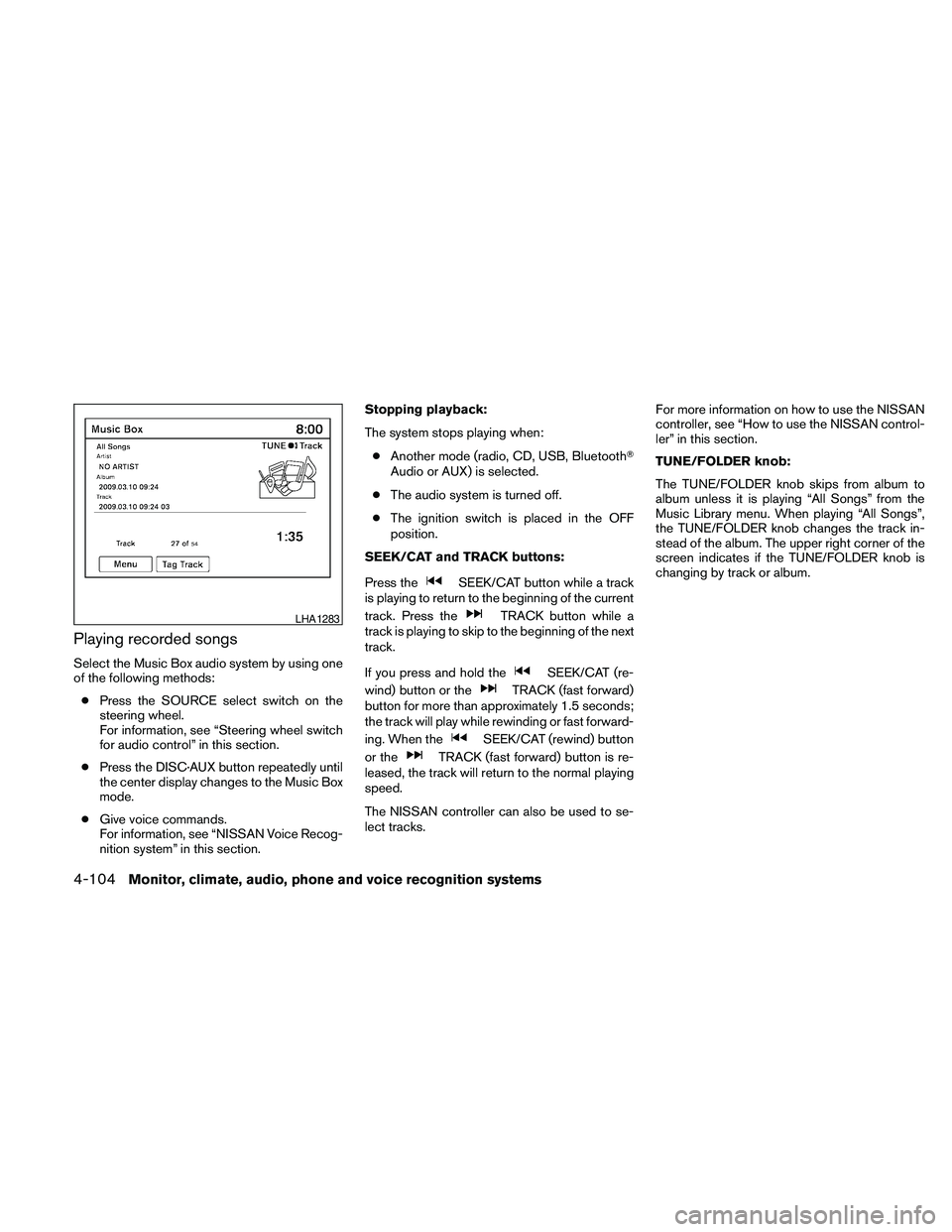
Playing recorded songs
Select the Music Box audio system by using one
of the following methods:
cPress the SOURCE select switch on the
steering wheel.
For information, see “Steering wheel switch
for audio control” in this section.
cPress the DISC·AUX button repeatedly until
the center display changes to the Music Box
mode.
cGive voice commands.
For information, see “NISSAN Voice Recog-
nition system” in this section.Stopping playback:
The system stops playing when:
cAnother mode (radio, CD, USB, BluetoothT
Audio or AUX) is selected.
cThe audio system is turned off.
cThe ignition switch is placed in the OFF
position.
SEEK/CAT and TRACK buttons:
Press the
SEEK/CAT button while a track
is playing to return to the beginning of the current
track. Press the
TRACK button while a
track is playing to skip to the beginning of the next
track.
If you press and hold the
SEEK/CAT (re-
wind) button or the
TRACK (fast forward)
button for more than approximately 1.5 seconds;
the track will play while rewinding or fast forward-
ing. When the
SEEK/CAT (rewind) button
or the
TRACK (fast forward) button is re-
leased, the track will return to the normal playing
speed.
The NISSAN controller can also be used to se-
lect tracks.For more information on how to use the NISSAN
controller, see “How to use the NISSAN control-
ler” in this section.
TUNE/FOLDER knob:
The TUNE/FOLDER knob skips from album to
album unless it is playing “All Songs” from the
Music Library menu. When playing “All Songs”,
the TUNE/FOLDER knob changes the track in-
stead of the album. The upper right corner of the
screen indicates if the TUNE/FOLDER knob is
changing by track or album.
LHA1283
4-104Monitor, climate, audio, phone and voice recognition systems
Page 265 of 457
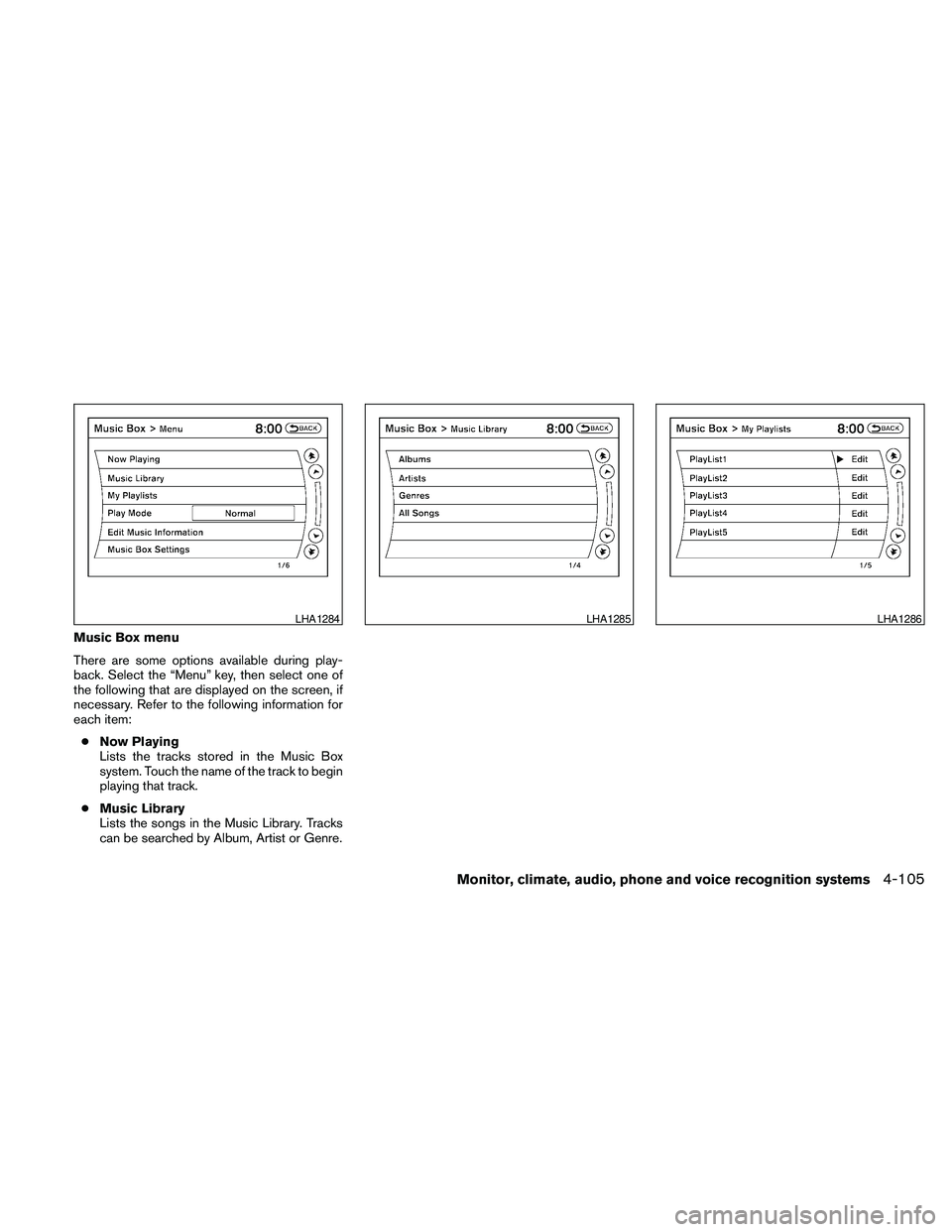
Music Box menu
There are some options available during play-
back. Select the “Menu” key, then select one of
the following that are displayed on the screen, if
necessary. Refer to the following information for
each item:
cNow Playing
Lists the tracks stored in the Music Box
system. Touch the name of the track to begin
playing that track.
cMusic Library
Lists the songs in the Music Library. Tracks
can be searched by Album, Artist or Genre.
LHA1284LHA1285LHA1286
Monitor, climate, audio, phone and voice recognition systems4-105
Page 266 of 457
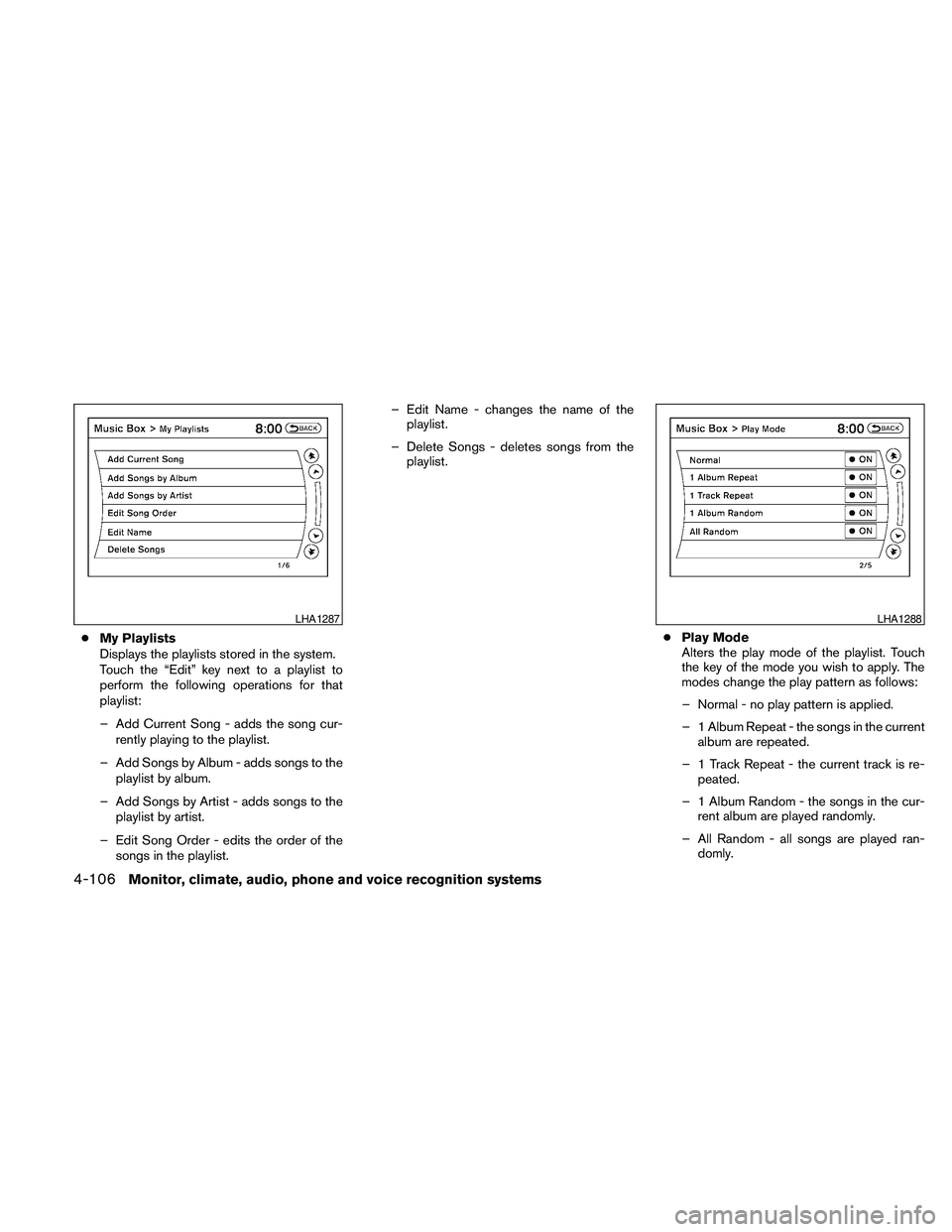
cMy Playlists
Displays the playlists stored in the system.
Touch the “Edit” key next to a playlist to
perform the following operations for that
playlist:
– Add Current Song - adds the song cur-
rently playing to the playlist.
– Add Songs by Album - adds songs to the
playlist by album.
– Add Songs by Artist - adds songs to the
playlist by artist.
– Edit Song Order - edits the order of the
songs in the playlist.– Edit Name - changes the name of the
playlist.
– Delete Songs - deletes songs from the
playlist.
cPlay Mode
Alters the play mode of the playlist. Touch
the key of the mode you wish to apply. The
modes change the play pattern as follows:
– Normal - no play pattern is applied.
– 1 Album Repeat - the songs in the current
album are repeated.
– 1 Track Repeat - the current track is re-
peated.
– 1 Album Random - the songs in the cur-
rent album are played randomly.
– All Random - all songs are played ran-
domly.
LHA1287LHA1288
4-106Monitor, climate, audio, phone and voice recognition systems
Page 267 of 457
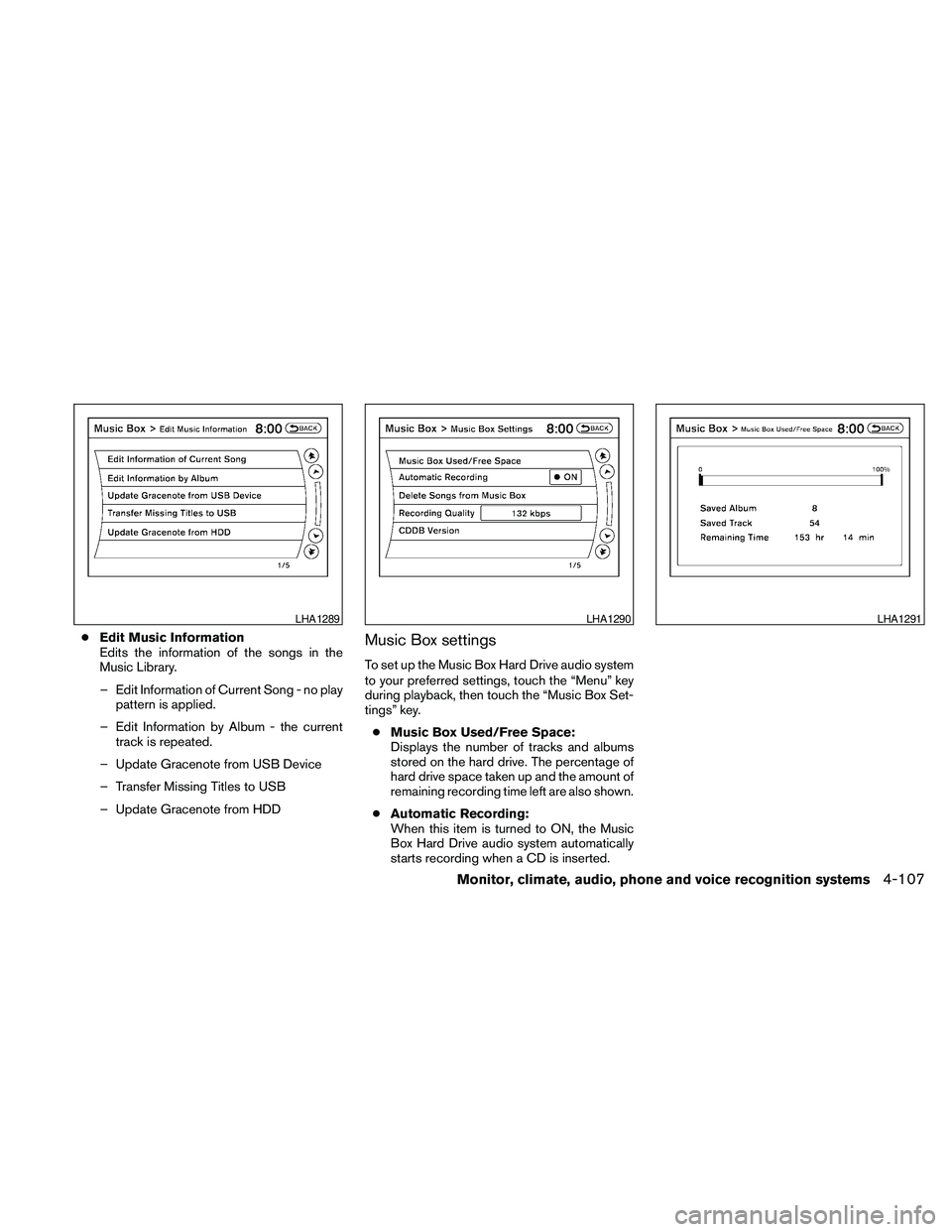
cEdit Music Information
Edits the information of the songs in the
Music Library.
– Edit Information of Current Song - no play
pattern is applied.
– Edit Information by Album - the current
track is repeated.
– Update Gracenote from USB Device
– Transfer Missing Titles to USB
– Update Gracenote from HDDMusic Box settings
To set up the Music Box Hard Drive audio system
to your preferred settings, touch the “Menu” key
during playback, then touch the “Music Box Set-
tings” key.
cMusic Box Used/Free Space:
Displays the number of tracks and albums
stored on the hard drive. The percentage of
hard drive space taken up and the amount of
remaining recording time left are also shown.
cAutomatic Recording:
When this item is turned to ON, the Music
Box Hard Drive audio system automatically
starts recording when a CD is inserted.
LHA1289LHA1290LHA1291
Monitor, climate, audio, phone and voice recognition systems4-107
Page 271 of 457
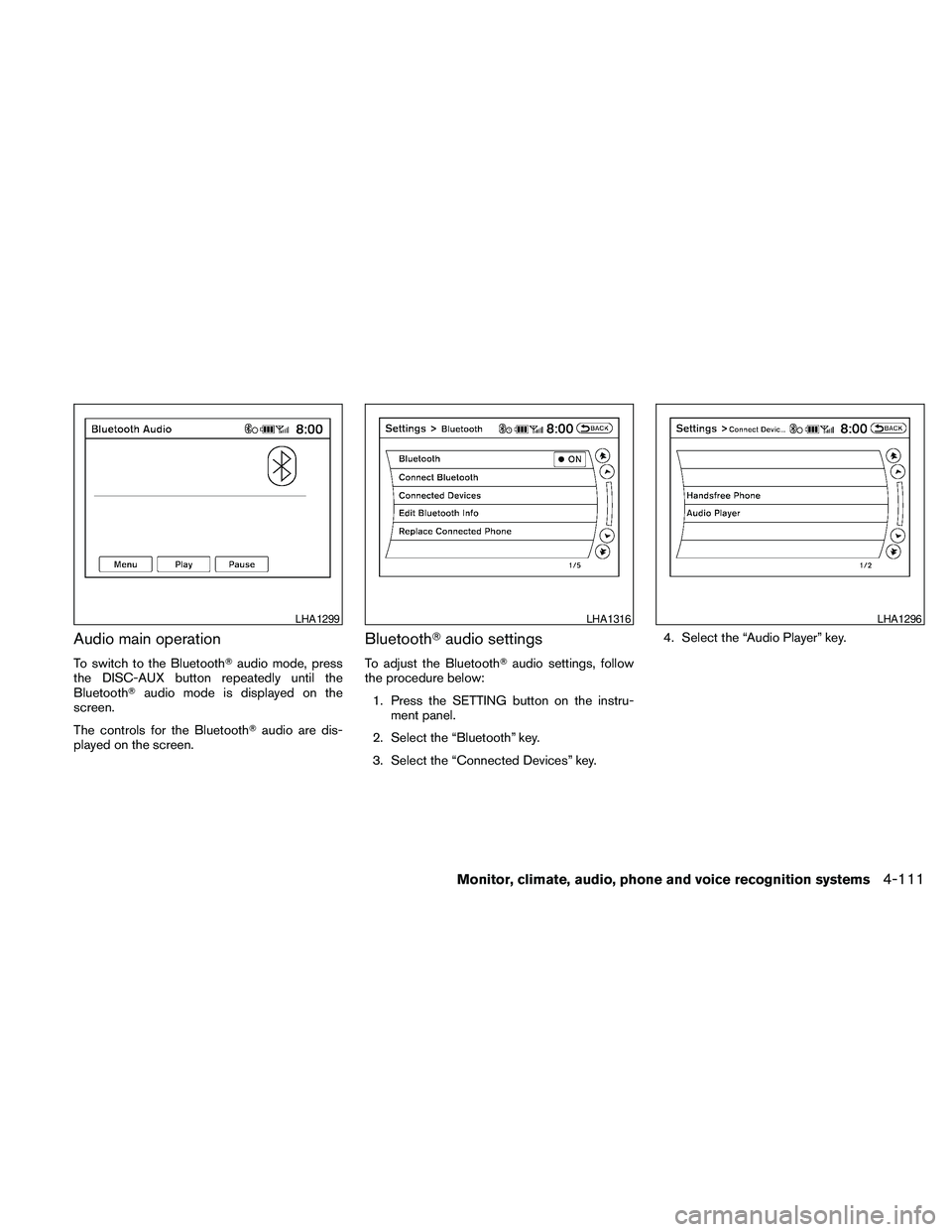
Audio main operation
To switch to the BluetoothTaudio mode, press
the DISC-AUX button repeatedly until the
BluetoothTaudio mode is displayed on the
screen.
The controls for the BluetoothTaudio are dis-
played on the screen.
BluetoothTaudio settings
To adjust the BluetoothTaudio settings, follow
the procedure below:
1. Press the SETTING button on the instru-
ment panel.
2. Select the “Bluetooth” key.
3. Select the “Connected Devices” key.4. Select the “Audio Player” key.
LHA1299LHA1316LHA1296
Monitor, climate, audio, phone and voice recognition systems4-111
Page 272 of 457
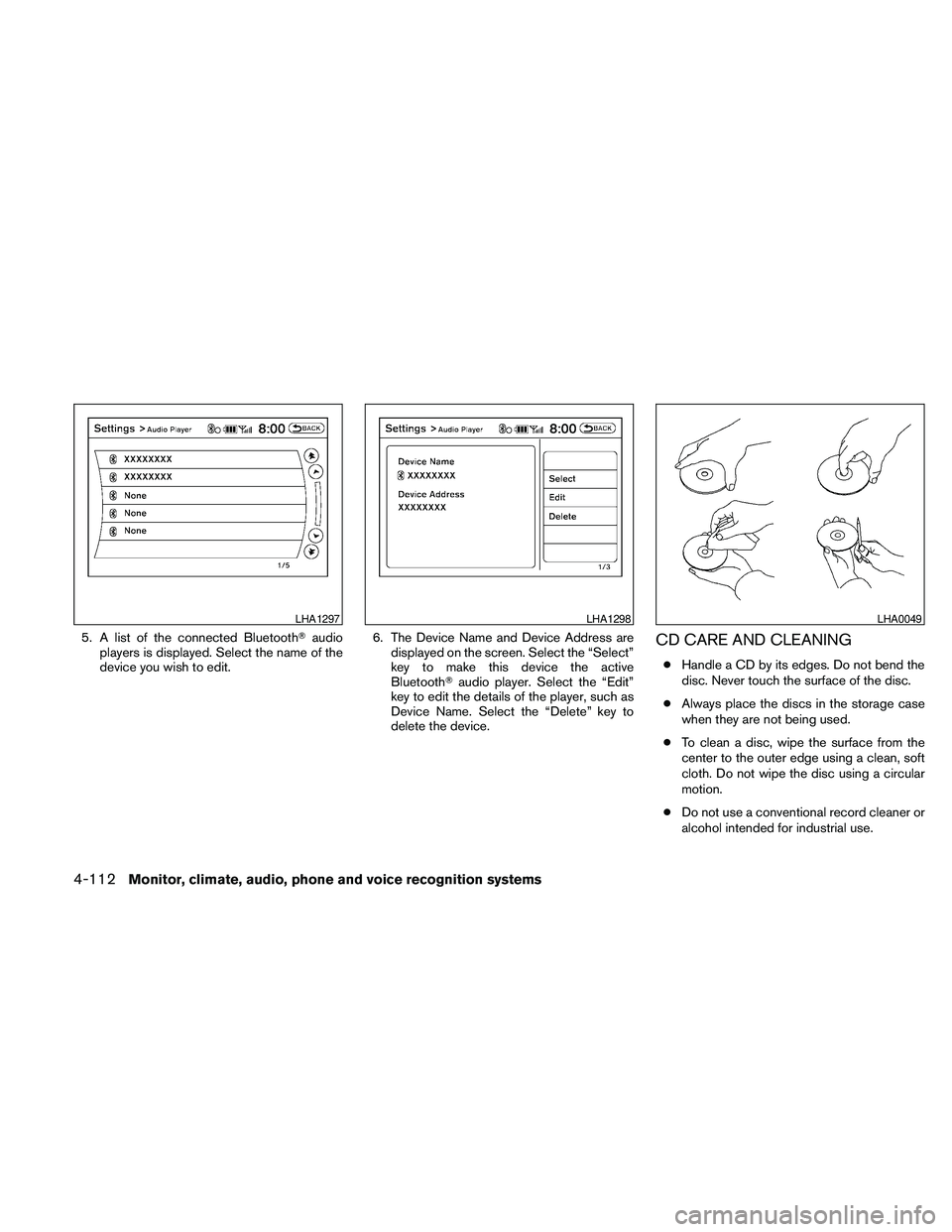
5. A list of the connected BluetoothTaudio
players is displayed. Select the name of the
device you wish to edit.6. The Device Name and Device Address are
displayed on the screen. Select the “Select”
key to make this device the active
BluetoothTaudio player. Select the “Edit”
key to edit the details of the player, such as
Device Name. Select the “Delete” key to
delete the device.CD CARE AND CLEANING
cHandle a CD by its edges. Do not bend the
disc. Never touch the surface of the disc.
cAlways place the discs in the storage case
when they are not being used.
cTo clean a disc, wipe the surface from the
center to the outer edge using a clean, soft
cloth. Do not wipe the disc using a circular
motion.
cDo not use a conventional record cleaner or
alcohol intended for industrial use.
LHA1297LHA1298LHA0049
4-112Monitor, climate, audio, phone and voice recognition systems
Page 274 of 457
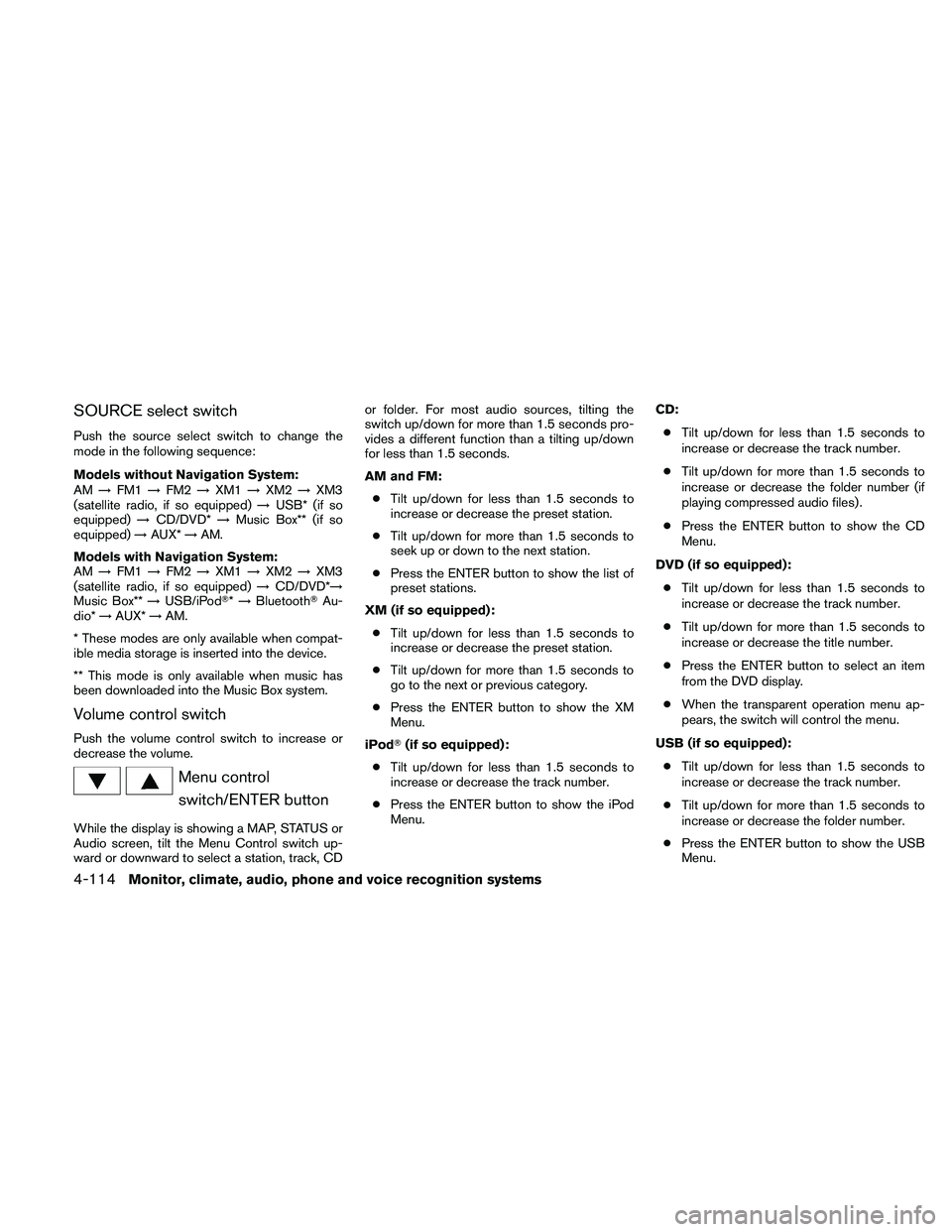
SOURCE select switch
Push the source select switch to change the
mode in the following sequence:
Models without Navigation System:
AM!FM1!FM2!XM1!XM2!XM3
(satellite radio, if so equipped)!USB* (if so
equipped)!CD/DVD*!Music Box** (if so
equipped)!AUX*!AM.
Models with Navigation System:
AM!FM1!FM2!XM1!XM2!XM3
(satellite radio, if so equipped)!CD/DVD*!
Music Box**!USB/iPodT*!BluetoothTAu-
dio*!AUX*!AM.
* These modes are only available when compat-
ible media storage is inserted into the device.
** This mode is only available when music has
been downloaded into the Music Box system.
Volume control switch
Push the volume control switch to increase or
decrease the volume.
Menu control
switch/ENTER button
While the display is showing a MAP, STATUS or
Audio screen, tilt the Menu Control switch up-
ward or downward to select a station, track, CDor folder. For most audio sources, tilting the
switch up/down for more than 1.5 seconds pro-
vides a different function than a tilting up/down
for less than 1.5 seconds.
AM and FM:
cTilt up/down for less than 1.5 seconds to
increase or decrease the preset station.
cTilt up/down for more than 1.5 seconds to
seek up or down to the next station.
cPress the ENTER button to show the list of
preset stations.
XM (if so equipped):
cTilt up/down for less than 1.5 seconds to
increase or decrease the preset station.
cTilt up/down for more than 1.5 seconds to
go to the next or previous category.
cPress the ENTER button to show the XM
Menu.
iPodT(if so equipped):
cTilt up/down for less than 1.5 seconds to
increase or decrease the track number.
cPress the ENTER button to show the iPod
Menu.CD:
cTilt up/down for less than 1.5 seconds to
increase or decrease the track number.
cTilt up/down for more than 1.5 seconds to
increase or decrease the folder number (if
playing compressed audio files) .
cPress the ENTER button to show the CD
Menu.
DVD (if so equipped):
cTilt up/down for less than 1.5 seconds to
increase or decrease the track number.
cTilt up/down for more than 1.5 seconds to
increase or decrease the title number.
cPress the ENTER button to select an item
from the DVD display.
cWhen the transparent operation menu ap-
pears, the switch will control the menu.
USB (if so equipped):
cTilt up/down for less than 1.5 seconds to
increase or decrease the track number.
cTilt up/down for more than 1.5 seconds to
increase or decrease the folder number.
cPress the ENTER button to show the USB
Menu.
4-114Monitor, climate, audio, phone and voice recognition systems
Page 275 of 457
Music Box (if so equipped):
cTilt up/down for less than 1.5 seconds to
increase or decrease the track number.
cTilt up/down for more than 1.5 seconds to
increase or decrease the album (folder)
number (if playing compressed audio files) .
cPress the ENTER button to show the Music
Box Menu.
BluetoothTAudio (if so equipped):
cTilt up/down for less than 1.5 seconds to
increase or decrease the track number.
AUX:
cPress the ENTER button to show the AUX
Menu.
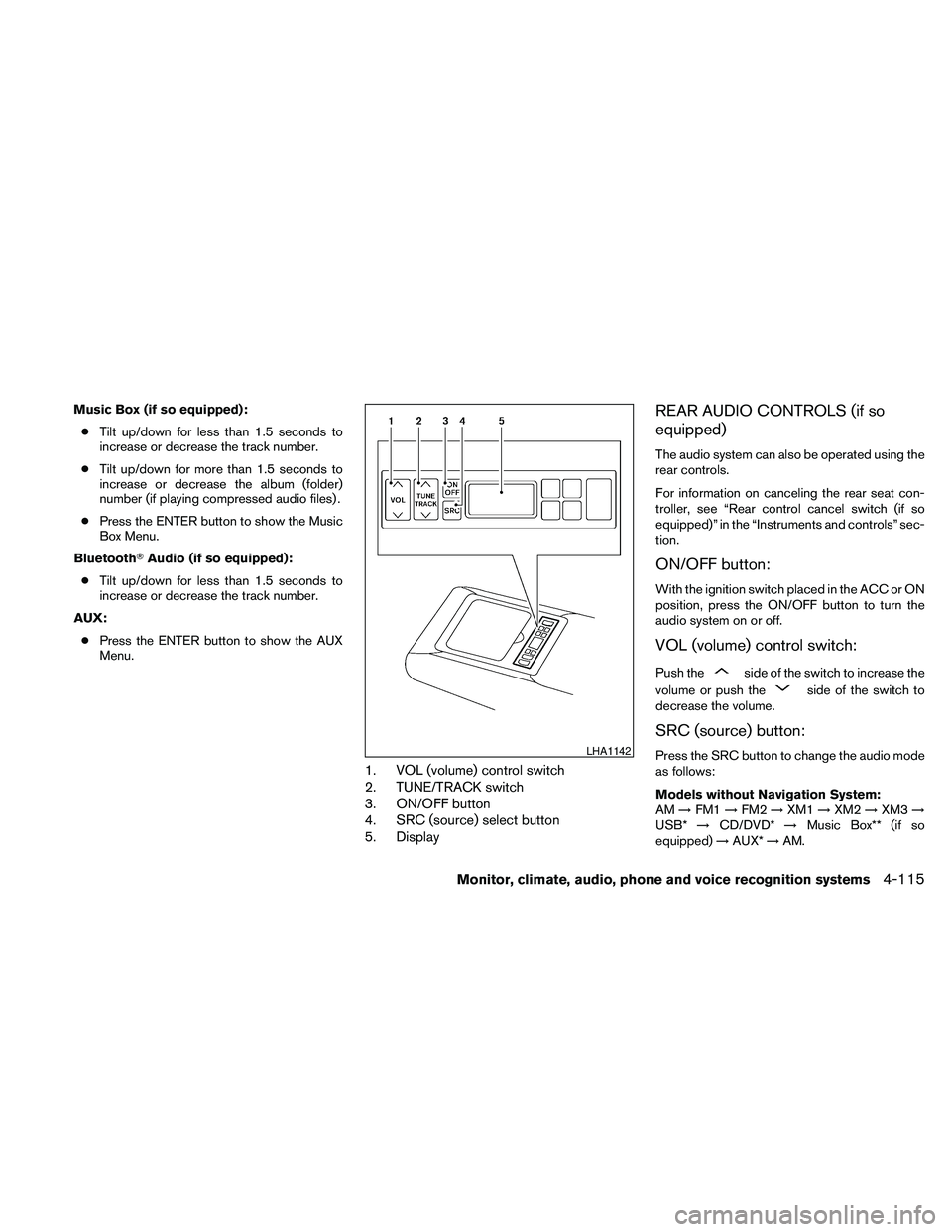
1. VOL (volume) control switch
2. TUNE/TRACK switch
3. ON/OFF button
4. SRC (source) select button
5. Display
REAR AUDIO CONTROLS (if so
equipped)
The audio system can also be operated using the
rear controls.
For information on canceling the rear seat con-
troller, see “Rear control cancel switch (if so
equipped)” in the “Instruments and controls” sec-
tion.
ON/OFF button:
With the ignition switch placed in the ACC or ON
position, press the ON/OFF button to turn the
audio system on or off.
VOL (volume) control switch:
Push theside of the switch to increase the
volume or push the
side of the switch to
decrease the volume.
SRC (source) button:
Press the SRC button to change the audio mode
as follows:
Models without Navigation System:
AM!FM1!FM2!XM1!XM2!XM3!
USB*!CD/DVD*!Music Box** (if so
equipped)!AUX*!AM.LHA1142
Monitor, climate, audio, phone and voice recognition systems4-115
Page 290 of 457
ccall eight oh five four one
ccorrection
cconnect phone
cdial seven four oh one eight
cprevious entry
cdelete
cdial nine seven two six six
ccall seven six three oh one
cgo back
ccall five six two eight zero
cdial six six four three seven
MANUAL CONTROL (if so equipped)
While using the voice recognition system, it is
possible to select menu options by using the
steering wheel controls instead of speaking voice
commands. The manual control mode does not
allow dialing a phone number by digits. The user
may select an entry from the Phonebook or Re-
cent Calls lists. To re-activate voice recognition,
exit the manual control mode by pressing and
holding the PHONE/END (
) button. At that
time, pressing the PHONE/SEND (
) button
will start the Hands Free Phone System.
Operating tips
cTo enter manual control mode, start the
voice recognition system and tilt the tuning
(
) switch up or down. The system will
speak9Showing Manual Options9when
manual controls are initially activated.
cTo browse the menu options, tilt the tuning
(
) switch up or down. The system will
always speak the current menu option. De-
pending on the audio display, it will also
show the current menu option.
cTo select the current menu option, press the
PHONE/SEND (
) button.
cTo go back to the previous menu, press the
PHONE/END (
) button. If the current
menu is the Main Menu, pressing the
PHONE/END (
) button will exit the
Phone system.
cTo exit the manual control mode, press and
hold the PHONE/END (
) button for 5
seconds.
TROUBLESHOOTING GUIDE
The system should respond correctly to all voice
commands without difficulty. If problems are en-
countered, try the following solutions.
Where the solutions are listed by number, try
each solution in turn, starting with number 1, until
the problem is resolved.
4-130Monitor, climate, audio, phone and voice recognition systems
Page 293 of 457
module when the ignition switch is placed in the
ON position with the paired cellular phone turned
on and carried in the vehicle.
You can register up to 5 different BluetoothT
cellular phones to the in-vehicle phone module.
However, you can talk on only one cellular phone
at a time.
NISSAN Voice Recognition system supports the
phone commands, so dialing a phone number
using your voice is possible. For more details, see
“NISSAN Voice Recognition System” in this sec-
tion.
Before using the BluetoothTHands-Free Phone
System, refer to the following notes.
cSet up the wireless connection between a
cellular phone and the in-vehicle phone
module before using the hands-free phone
system.
cSome BluetoothTenabled cellular phones
may not be recognized by the in-vehicle
phone module. Please visit
www.nissanusa.com/bluetooth for a recom-
mended phone list and pairing.
cYou will not be able to use a hands-free
phone under the following conditions:
– Your vehicle is outside of the cellular ser-
vice area.– Your vehicle is in an area where it is
difficult to receive cellular signal; such as
in a tunnel, in an underground parking
garage, near a tall building or in a moun-
tainous area.
– Your cellular phone is locked to prevent it
from being dialed.
cWhen the radio wave condition is not ideal
or ambient sound is too loud, it may be
difficult to hear the other person’s voice dur-
ing a call.
cImmediately after the ignition switch is
placed in the ON position, it may be impos-
sible to receive a call for a short period of
time.
cDo not place the cellular phone in an area
surrounded by metal or far away from the
in-vehicle phone module to prevent tone
quality degradation and wireless connection
disruption.
cWhile a cellular phone is connected through
the BluetoothTwireless connection, the bat-
tery power of the cellular phone may dis-
charge quicker than usual. The BluetoothT
Hands-Free Phone System cannot charge
cellular phones.cIf the hands-free phone system seems to be
malfunctioning, see “Troubleshooting guide”
in this section. You can also visit
www.nissanusa.com/bluetooth for trouble-
shooting help.
cSome cellular phones or other devices may
cause interference or a buzzing noise to
come from the audio system speakers. Stor-
ing the device in a different location may
reduce or eliminate the noise.
cRefer to the cellular phone owner’s manual
regarding the telephone charges, cellular
phone antenna and body, etc.
cThe signal strength display on the monitor
will not coincide with the signal strength
display of some cellular phones.
cIf reception between callers is unclear, ad-
justing the incoming or outgoing call volume
may improve the clarity. See “Call volume” in
this section.
Monitor, climate, audio, phone and voice recognition systems4-133