check engine light NISSAN MAXIMA 2021 Owner´s Manual
[x] Cancel search | Manufacturer: NISSAN, Model Year: 2021, Model line: MAXIMA, Model: NISSAN MAXIMA 2021Pages: 476, PDF Size: 3.32 MB
Page 254 of 476
TURNING THE TRAFFIC SIGN
RECOGNITION (TSR) SYSTEM ON
AND OFF
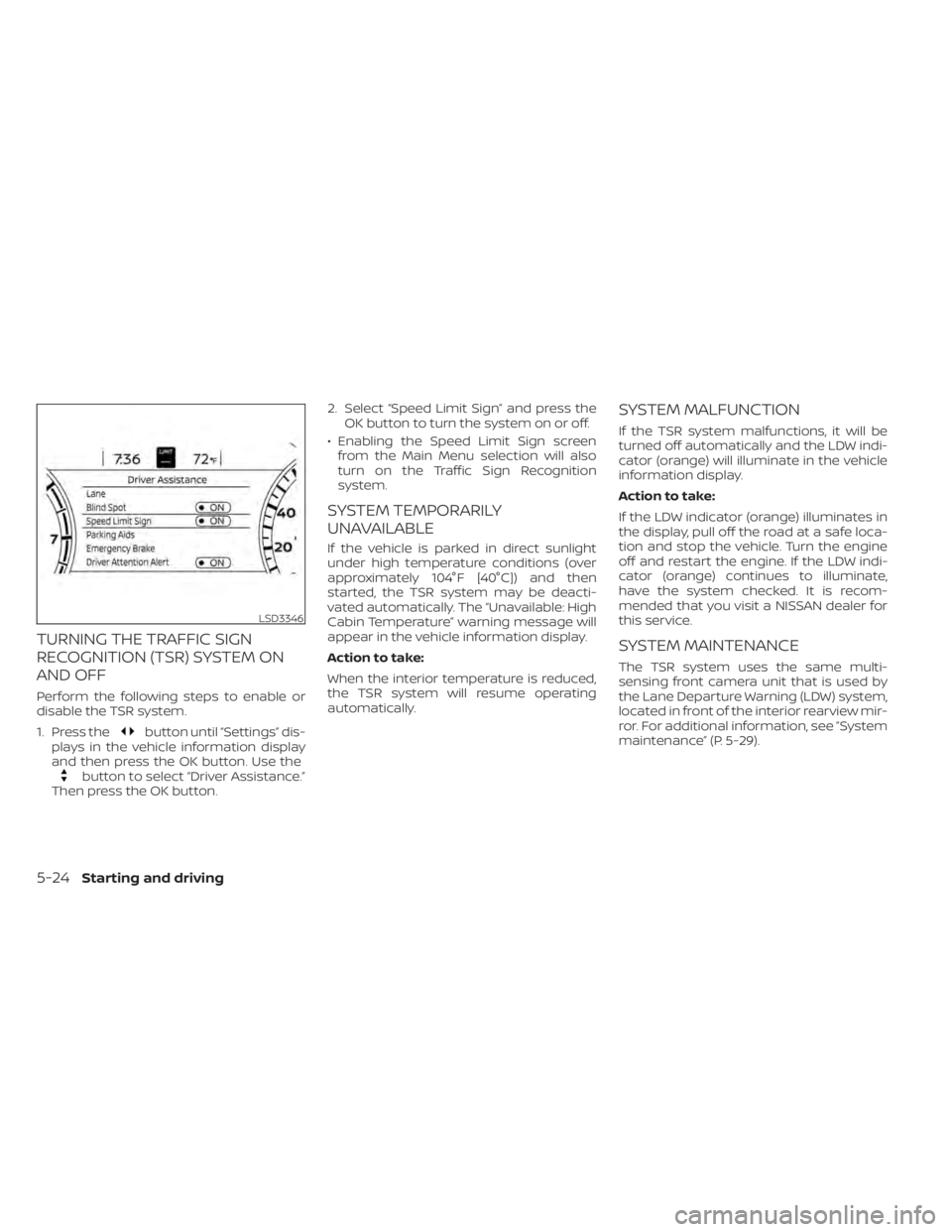
Perform the following steps to enable or
disable the TSR system.
1. Press the
button until “Settings” dis-
plays in the vehicle information display
and then press the OK button. Use the
button to select “Driver Assistance.”
Then press the OK button. 2. Select “Speed Limit Sign” and press the
OK button to turn the system on or off.
• Enabling the Speed Limit Sign screen from the Main Menu selection will also
turn on the Traffic Sign Recognition
system.
SYSTEM TEMPORARILY
UNAVAILABLE
If the vehicle is parked in direct sunlight
under high temperature conditions (over
approximately 104°F [40°C]) and then
started, the TSR system may be deacti-
vated automatically. The “Unavailable: High
Cabin Temperature” warning message will
appear in the vehicle information display.
Action to take:
When the interior temperature is reduced,
the TSR system will resume operating
automatically.
SYSTEM MALFUNCTION
If the TSR system malfunctions, it will be
turned off automatically and the LDW indi-
cator (orange) will illuminate in the vehicle
information display.
Action to take:
If the LDW indicator (orange) illuminates in
the display, pull off the road at a safe loca-
tion and stop the vehicle. Turn the engine
off and restart the engine. If the LDW indi-
cator (orange) continues to illuminate,
have the system checked. It is recom-
mended that you visit a NISSAN dealer for
this service.
SYSTEM MAINTENANCE
The TSR system uses the same multi-
sensing front camera unit that is used by
the Lane Departure Warning (LDW) system,
located in front of the interior rearview mir-
ror. For additional information, see ”System
maintenance” (P. 5-29).
LSD3346
5-24Starting and driving
Page 259 of 476
![NISSAN MAXIMA 2021 Owner´s Manual SYSTEM TEMPORARILY
UNAVAILABLE
If the vehicle is parked in direct sunlight
under high temperature conditions (over
approximately 104°F [40°C]) and then
started, the LDW system may be deacti-
vated a](/img/5/40345/w960_40345-258.png "NISSAN MAXIMA 2021 Owner´s Manual SYSTEM TEMPORARILY
UNAVAILABLE
If the vehicle is parked in direct sunlight
under high temperature conditions (over
approximately 104°F [40°C]) and then
started, the LDW system may be deacti-
vated a")
SYSTEM TEMPORARILY
UNAVAILABLE
If the vehicle is parked in direct sunlight
under high temperature conditions (over
approximately 104°F [40°C]) and then
started, the LDW system may be deacti-
vated automatically and the following
message will appear in the vehicle infor-
mation display: “Unavailable: High Cabin
Temperature.”
When the interior temperature is reduced,
the LDW system will resume operating
automatically.
The LDW system is not designed to warn
under the following conditions:
• When you operate the lane change signaland change traveling lanes in the direc-
tion of the signal. (The LDW system will
become operable again approximately 2
seconds af ter the lane change signal is
turned off.)
• When the vehicle speed lowers to less than approximately 37 mph (60 km/h).
Af ter the above conditions have finished
and the necessary operating conditions
are satisfied, the LDW functions will resume.
SYSTEM MALFUNCTION
If the LDW system malfunctions, it will can-
cel automatically. The LDW indicator (or-
ange) will illuminate in the display. If the
LDW indicator (orange) illuminates in the
display, pull off the road to a safe location
and stop the vehicle. Turn the engine/
motor off and restart the engine/motor. If
the LDW indicator (orange) continues to il-
luminate, have the LDW system checked. It
is recommended that you visit a NISSAN
dealer for this service.
SYSTEM MAINTENANCE
The lane camera unitO1for the LDW sys-
tem is located above the inside mirror. To
keep the proper operation of the LDW sys-
tem and prevent a system malfunction, be
sure to observe the following:
• Always keep the windshield clean.
• Do not attach a sticker (including trans- parent material) or install an accessory
near the camera unit.
LSD3375
Starting and driving5-29
Page 265 of 476
Action to take:
When the above conditions no longer exist,
turn off the I-LI system. Push the dynamic
driver assistance switch again to turn the
I-LI system back on.
Temporary disabled status at high
temperature:
If the vehicle is parked in direct sunlight
under high temperature conditions (over
approximately 104°F [40°C]) and then the
I-LI system is turned on, the I-LI system
may be deactivated automatically and the
following message will appear on the ve-
hicle information display: “Unavailable: High
Cabin Temperature.” When the interior
temperature is reduced, the system will re-
sume operating automatically.
SYSTEM MALFUNCTION
If the I-LI system malfunctions, it will cancel
automatically. The LDW indicator (orange)
will illuminate in the display. If the LDW indi-
cator (orange) illuminates in the display,
pull off the road to a safe location and stop
the vehicle. Turn the engine/motor off and
restart the engine/motor. If the LDW indica-
tor (orange) continues to illuminate, have
the I-LI system checked. It is recom-
mended that you visit a NISSAN dealer for
this service.
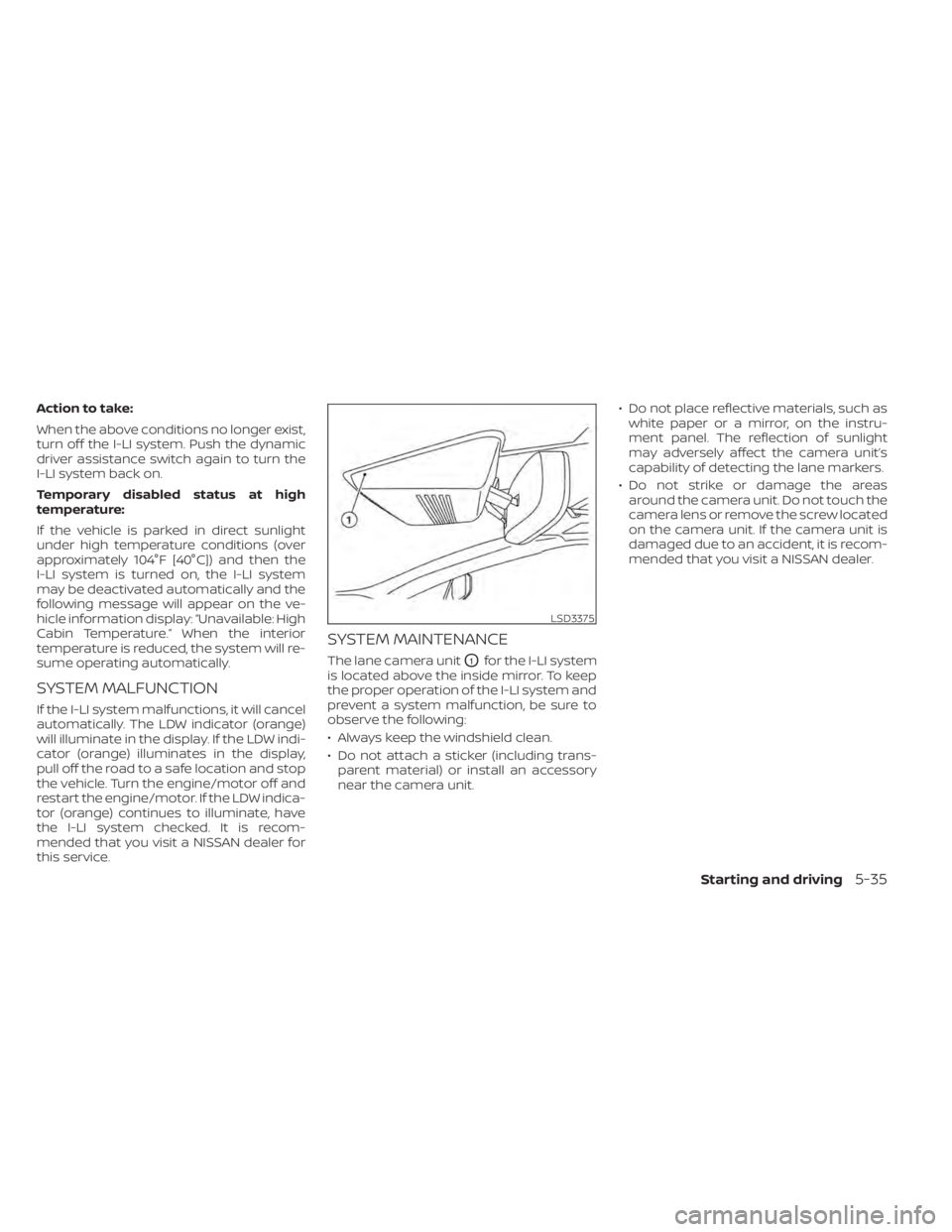
SYSTEM MAINTENANCE
The lane camera unitO1for the I-LI system
is located above the inside mirror. To keep
the proper operation of the I-LI system and
prevent a system malfunction, be sure to
observe the following:
• Always keep the windshield clean.
• Do not attach a sticker (including trans- parent material) or install an accessory
near the camera unit. • Do not place reflective materials, such as
white paper or a mirror, on the instru-
ment panel. The reflection of sunlight
may adversely affect the camera unit’s
capability of detecting the lane markers.
• Do not strike or damage the areas around the camera unit. Do not touch the
camera lens or remove the screw located
on the camera unit. If the camera unit is
damaged due to an accident, it is recom-
mended that you visit a NISSAN dealer.
LSD3375
Starting and driving5-35
Page 303 of 476
Condition B
When there is inclement weather (rain, fog,
snow, etc.) blocking the front radar sensor,
the ICC system will automatically be can-
celed, the chime will sound and the “For-
ward Driving Aids temporarily disabled
Front Sensor blocked See Owner’s Manual”
warning message will appear in the vehicle
information display.
Action to take
When the conditions listed above are no
longer present, the warning message will
no longer be available in the vehicle infor-
mation display and the system will operate
normally. If the “Forward Driving Aids tem-
porarily disabled Front Sensor blocked See
Owner’s Manual” warning message contin-
ues to be displayed, have the system
checked. It is recommended that you visit a
NISSAN dealer for this service.
Condition C
When the radar sensor area of the front
bumper is covered with mud, dirt, snow, ice,
etc., or is obstructed, the ICC system will
automatically be canceled.The chime will sound and the “Forward
Driving Aids temporarily disabled Front
Sensor blocked See Owner’s Manual” warn-
ing message will appear in the vehicle in-
formation display.
Action to take
If the warning message appears, stop the
vehicle in a safe place, place the shif t lever
in the P (Park) position, and turn the engine
off. When the radar signal is temporarily
interrupted, clean the sensor area of the
front bumper and restart the engine. If the
“Forward Driving Aids temporarily disabled
Front Sensor blocked See Owner’s Manual”
warning message continues to be dis-
played, have the system checked. It is rec-
ommended that you visit a NISSAN dealer
for this service.
Condition D
When driving on roads with limited road
structures (for example, long bridges, des-
erts, snow fields, driving next to long walls),
the system may illuminate the system
warning light and display the “Forward
Driving Aids temporarily disabled Front
Sensor blocked See Owner’s Manual”
message.Action to take
When the above driving conditions no lon-
ger exist, turn the system back on.
Condition E
When the ICC system is not operating
properly, a chime sounds and the ICC sys-
tem warning light (orange) will come on.
Starting and driving5-73
Page 304 of 476
Action to take
If the warning light comes on, park the ve-
hicle in a safe place. Turn the engine off,
restart the engine, resume driving and set
the ICC system again.
If it is not possible to set the system or
the indicator stays on, it may indicate
that the system is malfunctioning. Al-
though the vehicle is still drivable under
normal conditions, have the vehicle
checked. It is recommended that you
visit a NISSAN dealer for this service.
NOTE:
If the ICC system is temporarily unavail-
able, the conventional cruise control
mode may still be used. For additional
information, see “Conventional (fixed
speed) cruise control mode” (P. 5-75 ).
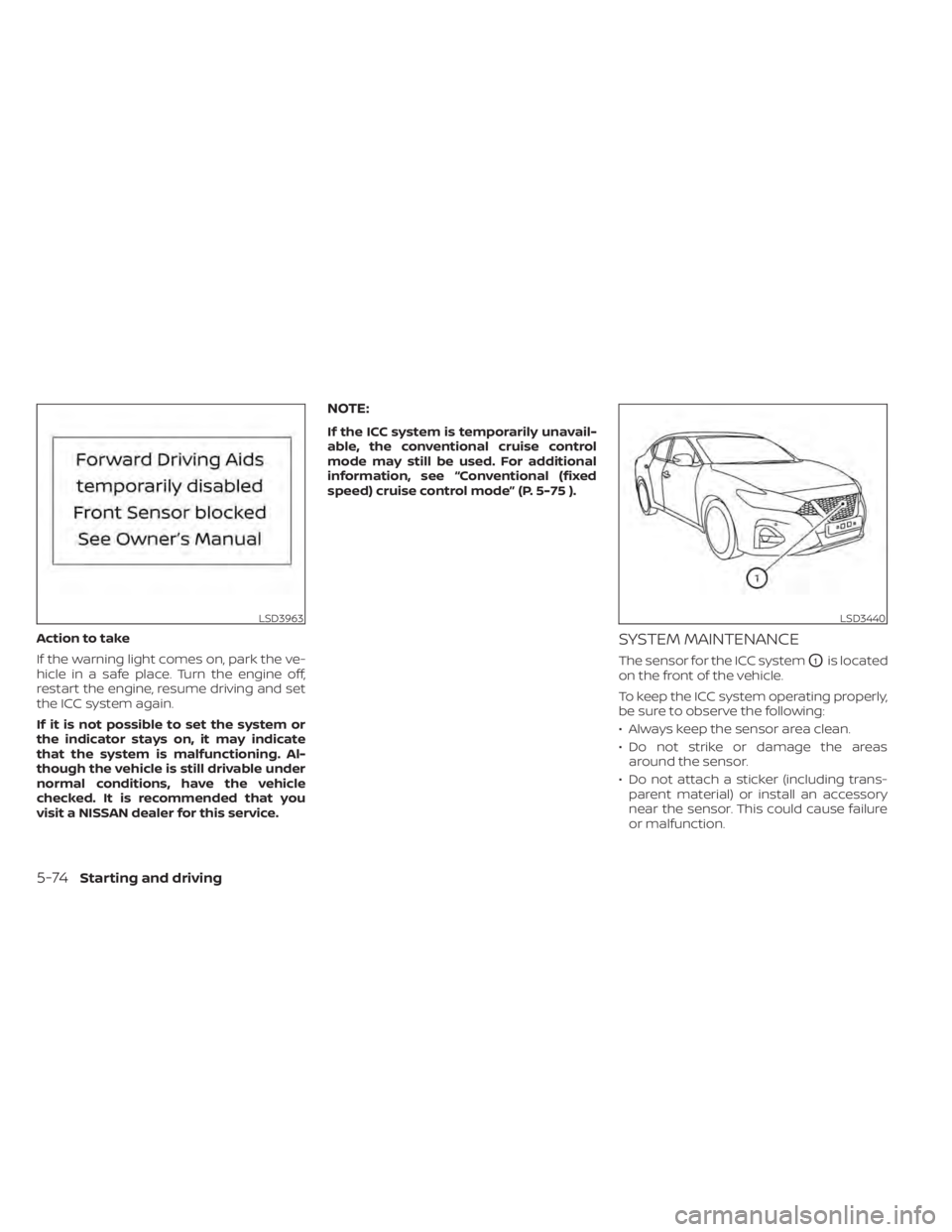
SYSTEM MAINTENANCE
The sensor for the ICC systemO1is located
on the front of the vehicle.
To keep the ICC system operating properly,
be sure to observe the following:
• Always keep the sensor area clean.
• Do not strike or damage the areas around the sensor.
• Do not attach a sticker (including trans- parent material) or install an accessory
near the sensor. This could cause failure
or malfunction.
LSD3963LSD3440
5-74Starting and driving
Page 312 of 476
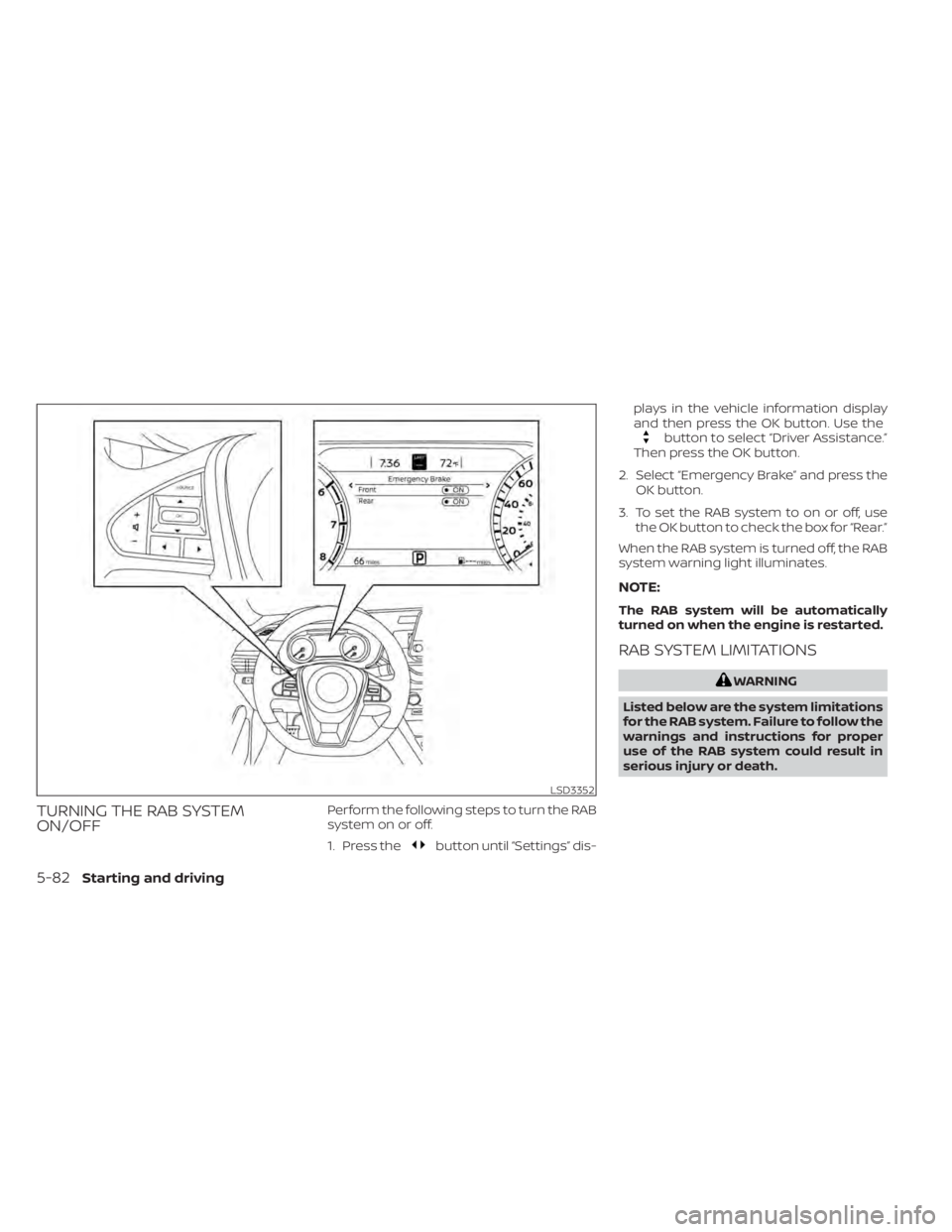
TURNING THE RAB SYSTEM
ON/OFFPerform the following steps to turn the RAB
system on or off.
1. Press the
button until “Settings” dis-plays in the vehicle information display
and then press the OK button. Use the
button to select “Driver Assistance.”
Then press the OK button.
2. Select “Emergency Brake” and press the OK button.
3. To set the RAB system to on or off, use the OK button to check the box for “Rear.”
When the RAB system is turned off, the RAB
system warning light illuminates.
NOTE:
The RAB system will be automatically
turned on when the engine is restarted.
RAB SYSTEM LIMITATIONS
WARNING
Listed below are the system limitations
for the RAB system. Failure to follow the
warnings and instructions for proper
use of the RAB system could result in
serious injury or death.
LSD3352
5-82Starting and driving
Page 314 of 476

–The vehicle is turned sharply by
turning the steering wheel fully.
– Snow chains are used.
– Wheels or tires other than NISSAN
recommended are used.
– The brakes are cold at low ambi-
ent temperatures or immediately
af ter driving has started.
– The braking force becomes poor
due to wet brakes af ter driving
through a puddle or washing the
vehicle.
• Turn the RAB system off in the follow-
ing conditions to prevent the occur-
rence of an unexpected accident re-
sulting from sudden system
operation:
– The vehicle is towed.
– The vehicle is carried on a flatbed
truck.
– The vehicle is on the chassis
dynamometer.
– The vehicle drives on an uneven
road surface.
– The vehicle is towing an object (if
so equipped). –Suspension parts other than those
designated as Genuine NISSAN
parts are used. (If the vehicle height
or the vehicle body inclination is
changed, the system may not de-
tect an obstacle correctly.)
• Excessive noise (e.g., audio system
volume, an open vehicle window) will
interfere with the chime sound, and it
may not be heard.
SYSTEM MALFUNCTION
If the RAB system malfunctions, it will be
turned off automatically, and the RAB sys-
tem warning light will illuminate in the ve-
hicle information display.
Action to take
If the warning light illuminates, park the ve-
hicle in a safe location, turn the engine off,
and restart the engine. If the warning light
continues to illuminate, have the RAB sys-
tem checked. It is recommended that you
visit a NISSAN dealer for this service.
NOTE:
If the RAB system cannot be operated
temporarily, the RAB system warning
light blinks.
SYSTEM MAINTENANCE
Observe the following items to ensure
proper operation of the system:
• Always keep the parking sensors
O1
clean.
• If the parking sensors are dirty, wipe them off with a sof t cloth while being careful to
not damage them.
LSD3380
5-84Starting and driving
Page 322 of 476
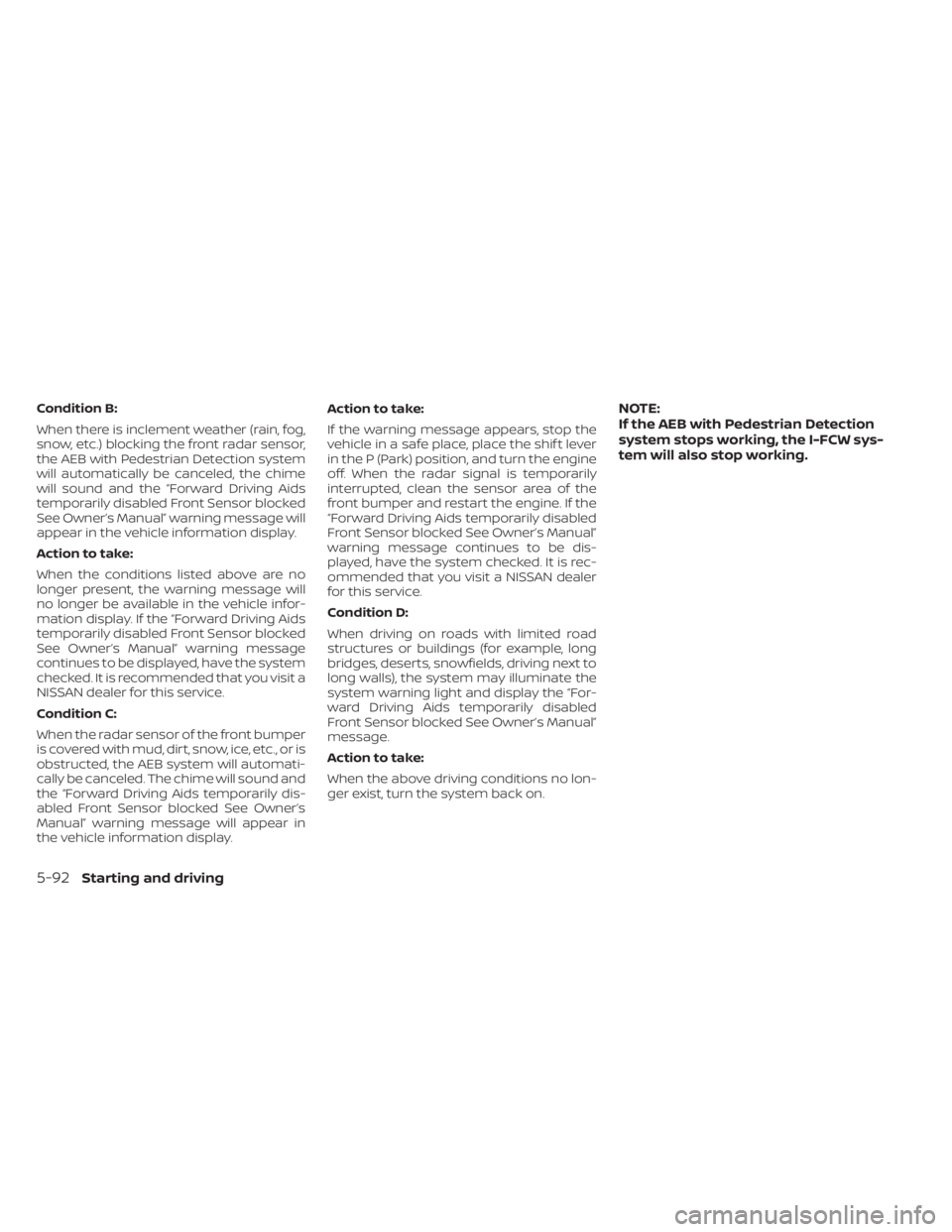
Condition B:
When there is inclement weather (rain, fog,
snow, etc.) blocking the front radar sensor,
the AEB with Pedestrian Detection system
will automatically be canceled, the chime
will sound and the “Forward Driving Aids
temporarily disabled Front Sensor blocked
See Owner’s Manual” warning message will
appear in the vehicle information display.
Action to take:
When the conditions listed above are no
longer present, the warning message will
no longer be available in the vehicle infor-
mation display. If the “Forward Driving Aids
temporarily disabled Front Sensor blocked
See Owner’s Manual” warning message
continues to be displayed, have the system
checked. It is recommended that you visit a
NISSAN dealer for this service.
Condition C:
When the radar sensor of the front bumper
is covered with mud, dirt, snow, ice, etc., or is
obstructed, the AEB system will automati-
cally be canceled. The chime will sound and
the “Forward Driving Aids temporarily dis-
abled Front Sensor blocked See Owner’s
Manual” warning message will appear in
the vehicle information display.Action to take:
If the warning message appears, stop the
vehicle in a safe place, place the shif t lever
in the P (Park) position, and turn the engine
off. When the radar signal is temporarily
interrupted, clean the sensor area of the
front bumper and restart the engine. If the
“Forward Driving Aids temporarily disabled
Front Sensor blocked See Owner’s Manual”
warning message continues to be dis-
played, have the system checked. It is rec-
ommended that you visit a NISSAN dealer
for this service.
Condition D:
When driving on roads with limited road
structures or buildings (for example, long
bridges, deserts, snowfields, driving next to
long walls), the system may illuminate the
system warning light and display the “For-
ward Driving Aids temporarily disabled
Front Sensor blocked See Owner’s Manual”
message.
Action to take:
When the above driving conditions no lon-
ger exist, turn the system back on.NOTE:
If the AEB with Pedestrian Detection
system stops working, the I-FCW sys-
tem will also stop working.
5-92Starting and driving
Page 323 of 476
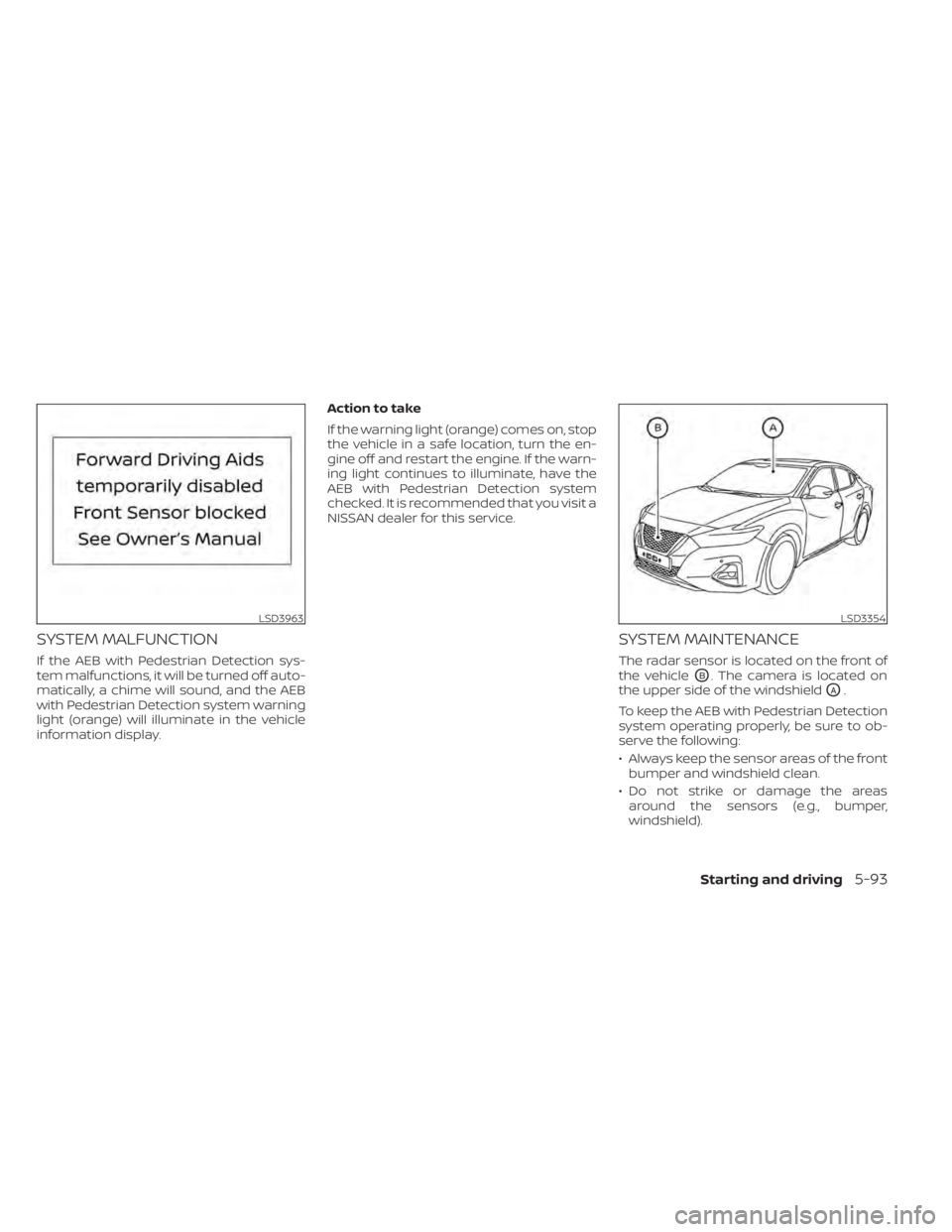
SYSTEM MALFUNCTION
If the AEB with Pedestrian Detection sys-
tem malfunctions, it will be turned off auto-
matically, a chime will sound, and the AEB
with Pedestrian Detection system warning
light (orange) will illuminate in the vehicle
information display.Action to take
If the warning light (orange) comes on, stop
the vehicle in a safe location, turn the en-
gine off and restart the engine. If the warn-
ing light continues to illuminate, have the
AEB with Pedestrian Detection system
checked. It is recommended that you visit a
NISSAN dealer for this service.
SYSTEM MAINTENANCE
The radar sensor is located on the front of
the vehicle
OB. The camera is located on
the upper side of the windshield
OA.
To keep the AEB with Pedestrian Detection
system operating properly, be sure to ob-
serve the following:
• Always keep the sensor areas of the front bumper and windshield clean.
• Do not strike or damage the areas around the sensors (e.g., bumper,
windshield).
LSD3963LSD3354
Starting and driving5-93
Page 334 of 476
Action to take:
When the conditions listed above are no
longer present, the warning message will
no longer be available in the vehicle infor-
mation display. If the “Forward Driving Aids
temporarily disabled Front Sensor blocked
See Owner’s Manual” warning message
continues to be displayed, have the system
checked. It is recommended that you visit a
NISSAN dealer for this service.
Condition C
When the radar sensor of the front bumper
is covered with mud, dirt, snow, ice, etc., or is
obstructed, the AEB system will automati-
cally be canceled. The chime will sound and
the “Forward Driving Aids temporarily dis-
abled Front Sensor blocked See Owner’s
Manual” warning message will appear in
the vehicle information display.
Action to take:
If the warning message appears, stop the
vehicle in a safe place, place the shif t lever
in the P (Park) position, and turn the engine
off. When the radar signal is temporarily
interrupted, clean the sensor area of the
front bumper and restart the engine. If the
“Forward Driving Aids temporarily disabled
Front Sensor blocked See Owner’s Manual”
warning message continues to be dis-played, have the system checked. It is rec-
ommended that you visit a NISSAN dealer
for this service.
Condition D
When driving on roads with limited road
structures or buildings (for example, long
bridges, deserts, snowfields, driving next to
long walls), the system may illuminate the
system warning light and display the “For-
ward Driving Aids temporarily disabled
Front Sensor blocked See Owner’s Manual”
message.
Action to take:
When the above driving conditions no lon-
ger exist, turn the system back on.
NOTE:
If the AEB system stops working, the
I-FCW system will also stop working.
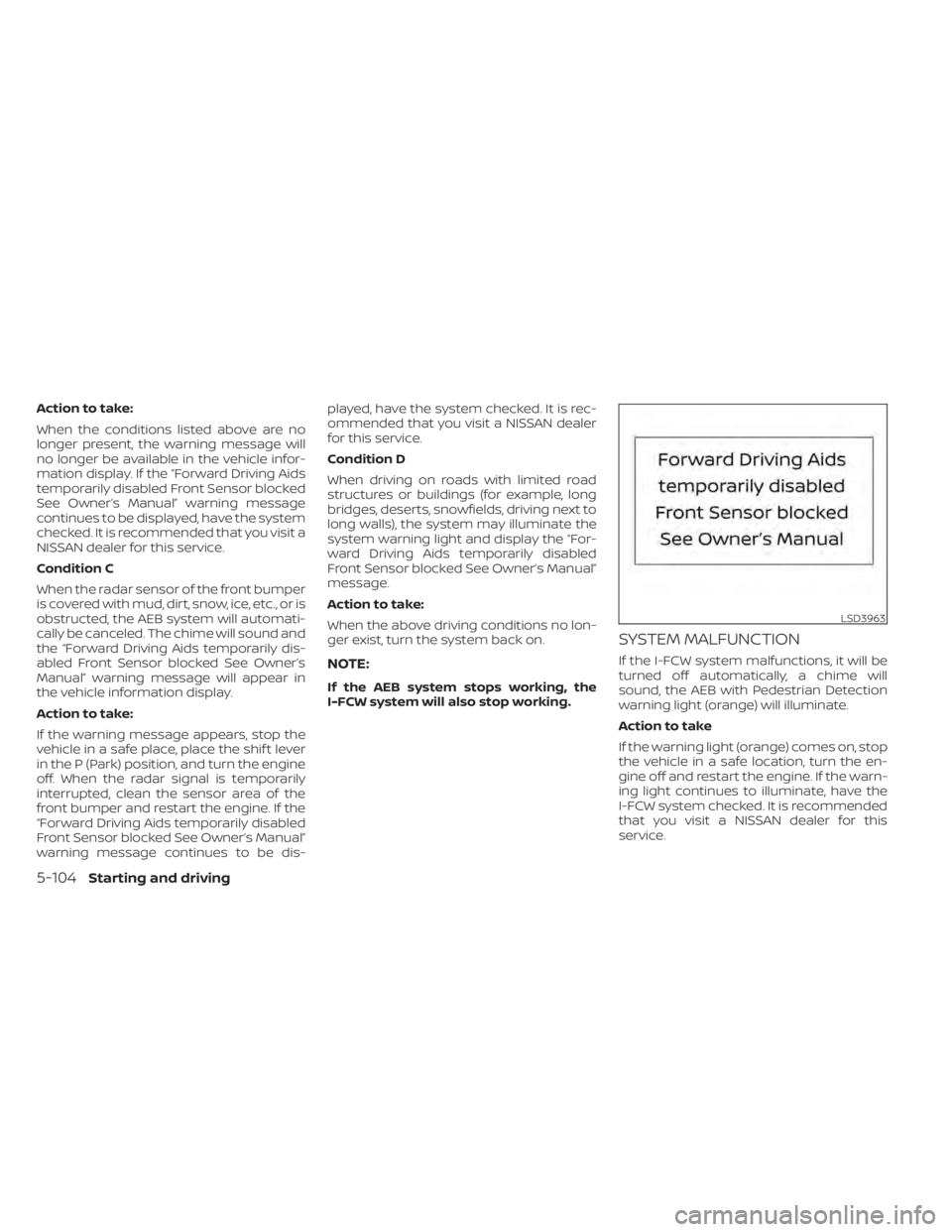
SYSTEM MALFUNCTION
If the I-FCW system malfunctions, it will be
turned off automatically, a chime will
sound, the AEB with Pedestrian Detection
warning light (orange) will illuminate.
Action to take
If the warning light (orange) comes on, stop
the vehicle in a safe location, turn the en-
gine off and restart the engine. If the warn-
ing light continues to illuminate, have the
I-FCW system checked. It is recommended
that you visit a NISSAN dealer for this
service.
LSD3963
5-104Starting and driving