voice NISSAN MURANO 2006 1.G Navigation Manual
[x] Cancel search | Manufacturer: NISSAN, Model Year: 2006, Model line: MURANO, Model: NISSAN MURANO 2006 1.GPages: 272, PDF Size: 5.53 MB
Page 46 of 272
![NISSAN MURANO 2006 1.G Navigation Manual
NAV2742
2. Highlight [Volume and Beeps] and push<ENTER> .
NAV2744
3. Highlight [Guidance Volume] and push
<ENTER> .
NAV2745
4. Adjust the voice guidance volume using the
joystick.
2-40
Getting starte](/img/5/699/w960_699-45.png "NISSAN MURANO 2006 1.G Navigation Manual
NAV2742
2. Highlight [Volume and Beeps] and push<ENTER> .
NAV2744
3. Highlight [Guidance Volume] and push
<ENTER> .
NAV2745
4. Adjust the voice guidance volume using the
joystick.
2-40
Getting starte")
NAV2742
2. Highlight [Volume and Beeps] and push
NAV2744
3. Highlight [Guidance Volume] and push
NAV2745
4. Adjust the voice guidance volume using the
joystick.
2-40
Getting started
Page 127 of 272
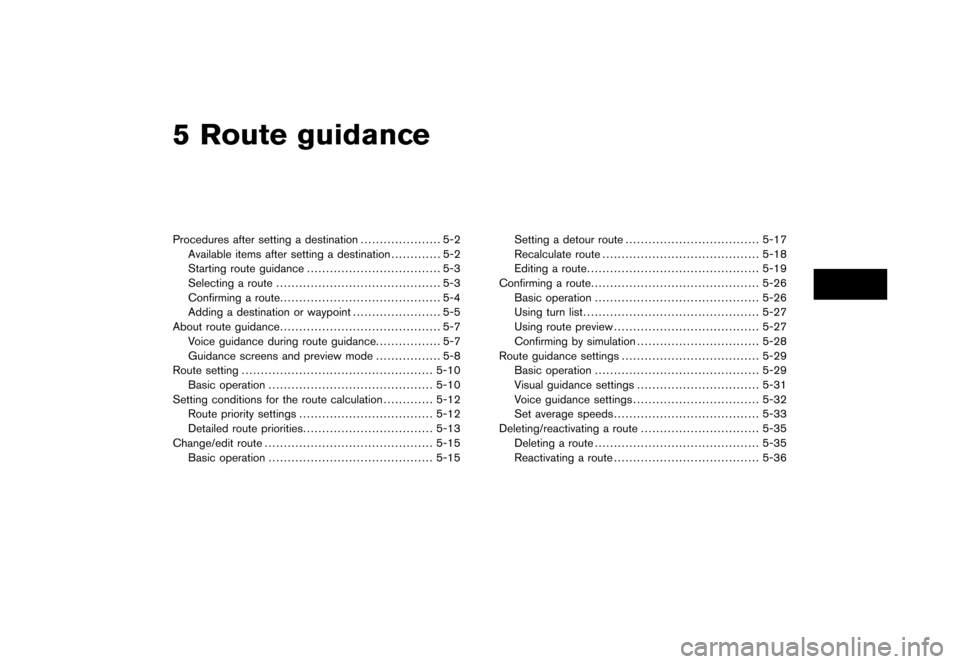
5 Route guidanceProcedures after setting a destination..................... 5-2
Available items after setting a destination ............. 5-2
Starting route guidance ................................... 5-3
Selecting a route ........................................... 5-3
Confirming a route .......................................... 5-4
Adding a destination or waypoint ....................... 5-5
About route guidance .......................................... 5-7
Voice guidance during route guidance. ................ 5-7
Guidance screens and preview mode ................. 5-8
Route setting .................................................. 5-10
Basic operation ........................................... 5-10
Setting conditions for the route calculation ............. 5-12
Route priority settings ................................... 5-12
Detailed route priorities .................................. 5-13
Change/edit route ............................................ 5-15
Basic operation ........................................... 5-15 Setting a detour route
................................... 5-17
Recalculate route ......................................... 5-18
Editing a route ............................................. 5-19
Confirming a route ............................................ 5-26
Basic operation ........................................... 5-26
Using turn list .............................................. 5-27
Using route preview ...................................... 5-27
Confirming by simulation ................................ 5-28
Route guidance settings .................................... 5-29
Basic operation ........................................... 5-29
Visual guidance settings ................................ 5-31
Voice guidance settings ................................. 5-32
Set average speeds ...................................... 5-33
Deleting/reactivating a route ............................... 5-35
Deleting a route ........................................... 5-35
Reactivating a route ...................................... 5-36
Page 133 of 272
![NISSAN MURANO 2006 1.G Navigation Manual
After setting the route, select [Start] to begin
route guidance.
Throughout route guidance, the system navi-
gates you through the guide points using visual
and voice guidance.
CAUTION
The navigation](/img/5/699/w960_699-132.png "NISSAN MURANO 2006 1.G Navigation Manual
After setting the route, select [Start] to begin
route guidance.
Throughout route guidance, the system navi-
gates you through the guide points using visual
and voice guidance.
CAUTION
The navigation")
After setting the route, select [Start] to begin
route guidance.
Throughout route guidance, the system navi-
gates you through the guide points using visual
and voice guidance.
CAUTION
The navigation system’s visual and voice
guidance is for reference purposes only.
The contents of the guidance may be
inappropriate depending on the situa-
tion.
When driving along the suggested route,
follow all traffic regulations (e.g., one-
way traffic) .
“ROUTE GUIDANCE” (page 9-11)
VOICE GUIDANCE DURING ROUTE
GUIDANCEWhen approaching a guide point (intersection or
corner) , destination, etc. during route guidance,
voice guidance announces the remaining dis-
tance and/or turning direction.
Push
voice guidance.
NAI0418
Example of voice guidance&1“In about one quarter mile (400 meters) ,
right (left) turn.”
“Right (left) turn ahead.”
&2“In about one quarter mile (400 meters)
freeway entrance on your right onto (road
number and direction) .”
“Freeway entrance on your right onto (road
number and direction) .”
&3“In about one mile (1.6 kilometers) , exit on
your right.”
“Take the second exit on your right.”
&4“You have arrived at your destination. Ending
route guidance.”
ABOUT ROUTE GUIDANCE
Route guidance
5-7
Page 137 of 272
.Route Information:
Allows you to confirm the route by the route
information or simulation.
“CONFIRMING A ROUTE”
(page 5-26)
. Guidance Settings:
You can set various guidance information to
be displayed during route guidance and
activate or deactivate route and/or voice
guidance.“ROUTE GUIDANCE SETTINGS”
(page 5-29)
Route guidance
5-11
Page 152 of 272
![NISSAN MURANO 2006 1.G Navigation Manual
When the suggested route is displayed after
calculation, you can confirm the route informa-
tion or simulate the suggested route.BASIC OPERATION1. Highlight [Route Information] and push<ENTER> .
2. H](/img/5/699/w960_699-151.png "NISSAN MURANO 2006 1.G Navigation Manual
When the suggested route is displayed after
calculation, you can confirm the route informa-
tion or simulate the suggested route.BASIC OPERATION1. Highlight [Route Information] and push<ENTER> .
2. H")
When the suggested route is displayed after
calculation, you can confirm the route informa-
tion or simulate the suggested route.BASIC OPERATION1. Highlight [Route Information] and push
2. Highlight the preferred item and push
NAV2909
Available items.Turn list:
Displays the details of the suggested route.
“USING TURN LIST” (page 5-27)
. Where am I? (Armada, Maxima, Murano,
Pathfinder, Quest, Titan):
Allows you to display the information about
the vehicle location on the route when
driving according to route guidance.“VIEWING INFORMATION ABOUT
CURRENT VEHICLE LOCATION”
(page 7-3) .
Preview:
Allows you to confirm the suggested route
by scrolling the map.
“USING ROUTE PREVIEW”
(page 5-27)
. Simulation:
Allows you to simulate the suggested route.
This function provides a detailed image of
the route with voice guidance.“CONFIRMING BY SIMULATION”
(page 5-28)
CONFIRMING A ROUTE5-26
Route guidance
Page 155 of 272
![NISSAN MURANO 2006 1.G Navigation Manual
You can set various guidance information to be
displayed during route guidance and activate or
deactivate route and/or voice guidance.BASIC OPERATION1. Highlight [Guidance Settings] and push<ENTER> .](/img/5/699/w960_699-154.png "NISSAN MURANO 2006 1.G Navigation Manual
You can set various guidance information to be
displayed during route guidance and activate or
deactivate route and/or voice guidance.BASIC OPERATION1. Highlight [Guidance Settings] and push<ENTER> .")
You can set various guidance information to be
displayed during route guidance and activate or
deactivate route and/or voice guidance.BASIC OPERATION1. Highlight [Guidance Settings] and push
2. Highlight the preferred item and push
3. Push
/
previous screen. Push
Page 156 of 272
Turn Arrow on Map is displayed.
. Voice Announcements:
Sets how many times voice guidance is
repeated for guide points.
“VOICE GUIDANCE SETTINGS”
(page 5-32)
. Set Average Speeds:
Allows you to set an average vehicle speed
for each type of road, which is reflected in
the calculation of the required time to the
destination.“SET AVERAGE SPEEDS”
(page 5-33)
5-30
Route guidance
Page 158 of 272
![NISSAN MURANO 2006 1.G Navigation Manual
VOICE GUIDANCE SETTINGSYou can set how many times voice guidance is
repeated.
NAV2917
1. Highlight [Voice Announcements] and push<ENTER> .
NAV2918
2. Highlight [Twice] or [Three Times] and push
<ENTE](/img/5/699/w960_699-157.png "NISSAN MURANO 2006 1.G Navigation Manual
VOICE GUIDANCE SETTINGSYou can set how many times voice guidance is
repeated.
NAV2917
1. Highlight [Voice Announcements] and push<ENTER> .
NAV2918
2. Highlight [Twice] or [Three Times] and push
<ENTE")
VOICE GUIDANCE SETTINGSYou can set how many times voice guidance is
repeated.
NAV2917
1. Highlight [Voice Announcements] and push
NAV2918
2. Highlight [Twice] or [Three Times] and push
The indicator for the selected number of
repetitions illuminates.
3. Push
Page 204 of 272
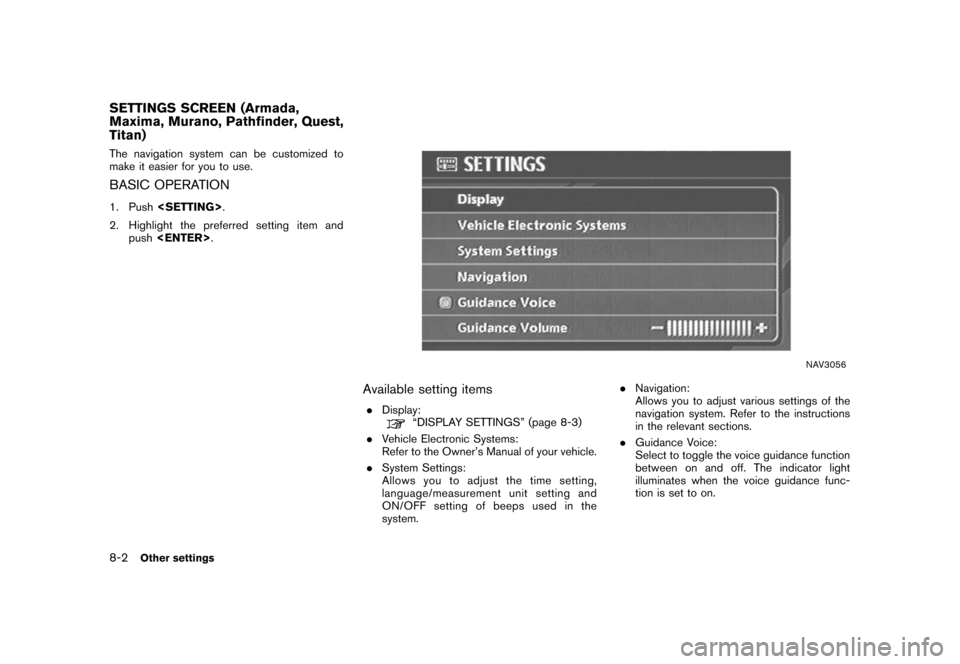
The navigation system can be customized to
make it easier for you to use.BASIC OPERATION1. Push
2. Highlight the preferred setting item and push
NAV3056
Available setting items.
Display:
“DISPLAY SETTINGS” (page 8-3)
. Vehicle Electronic Systems:
Refer to the Owner’s Manual of your vehicle.
. System Settings:
Allows you to adjust the time setting,
language/measurement unit setting and
ON/OFF setting of beeps used in the
system. .
Navigation:
Allows you to adjust various settings of the
navigation system. Refer to the instructions
in the relevant sections.
. Guidance Voice:
Select to toggle the voice guidance function
between on and off. The indicator light
illuminates when the voice guidance func-
tion is set to on.
SETTINGS SCREEN (Armada,
Maxima, Murano, Pathfinder, Quest,
Titan)8-2
Other settings
Page 205 of 272
![NISSAN MURANO 2006 1.G Navigation Manual
.Guidance Volume:
Adjust the volume level of voice guidance by
tilting the joystick in the direction of [+] or
[].DISPLAY SETTINGSThis menu allows you to turn on and off the
display and adjust the i](/img/5/699/w960_699-204.png "NISSAN MURANO 2006 1.G Navigation Manual
.Guidance Volume:
Adjust the volume level of voice guidance by
tilting the joystick in the direction of [+] or
[].DISPLAY SETTINGSThis menu allows you to turn on and off the
display and adjust the i")
.Guidance Volume:
Adjust the volume level of voice guidance by
tilting the joystick in the direction of [+] or
[].DISPLAY SETTINGSThis menu allows you to turn on and off the
display and adjust the image quality.Basic operation1. Highlight [Display] and push
2. Highlight the preferred adjustment item and push
3. Use the joystick to adjust to the preferred setting.
4. After setting, push
/
5. Push
previous screen. Push