light NISSAN MURANO 2008 Manual Online
[x] Cancel search | Manufacturer: NISSAN, Model Year: 2008, Model line: MURANO, Model: NISSAN MURANO 2008Pages: 444, PDF Size: 6.09 MB
Page 227 of 444
Black plate (223,1)
Model "Z51-D" EDITED: 2008/ 6/ 26
CD:
.Pushing DOWN “
”/UP “
” shorter
Next track or the beginning of the current
track
.Pushing DOWN “
”/UP “
” longer
Disc change (When only one disc is loaded,
the 1st track of the disc will be selected.)
CD/CF with MP3/WMA:
.Pushing DOWN “
”/UP “
” shorter
Next track or the beginning of the current
track
.Pushing DOWN “
”/UP “
” longer
Folder change (When the last folder on a
disc is playing, the next disc will be
selected.)
iPod
®:
.Pushing DOWN “
”/UP “
” shorter
Previous or next track (Start/Pause or Menu
can be selected when the ENTER button is
pushed.)
.Pushing DOWN “
”/UP “
” longer
Rewind or fast forward searchMusic Box hard drive:
.Pushing DOWN “
”/UP “
” shorter
Next track or the beginning of the current
track
.Pushing DOWN “
”/UP “
” longer
Playlist change (When the last playlist is
playing, the next playlist will be selected.)
BACK switch
Push this switch to go back to the previous
screen or cancel the selection if it is not
completed.Volume control switchesPush the upper (+) or lower () side switch to
increase or decrease the volume.SOURCE select switch.Models with color display screen
AM?FM?SAT?iPod
®*?Music Box*?
CD?CompactFlash*?DVD*
.Models without color display screen
AM?FM?AUX*?CD
*: if so equipped
ANTENNA
Window antennaThe antenna pattern is printed inside the rear
window.
CAUTION
.Do not place metalized film near the
rear window glass or attach any
metal parts to it. This may cause
poor reception or noise.
.When cleaning the inside of the rear
window, be careful not to scratch or
damage the rear window antenna.
Lightly wipe along the antenna with
a dampened soft cloth.
Monitor, heater, air conditioner, audio, phone and voice recognition systems
4-61
Page 239 of 444
Black plate (235,1)
Model "Z51-D" EDITED: 2008/ 6/ 26
Track/Channel:
Press to skip to the previous or next DVD scene
selection.
Keypad:
: PLAY/PAUSE button: STOP button: FORWARD button: REWIND button: FORWARD button for still images (for
DVD-AUDIO): REWIND button for still images (for DVD-
AUDIO)
CARE AND MAINTENANCEUse a lightly dampened, lint free cloth to clean
the surfaces of your Mobile Entertainment
System. (DVD player face, screen, remote
controller, etc.)
CAUTION
.Do not use any solvents or cleaning
solutions when cleaning the video
system.
.Do not use excessive force on the
monitor screen..Avoid touching or scratching the
monitor screen as it may become
dirty or damaged.
.Do not attempt to operate the
system in extreme temperature con-
ditions [below48F(208C) and
above 1588F (708C)].
.Do not attempt to operate the
system in extreme humidity condi-
tions (less than 10% or more than
75%) .
SAA0451
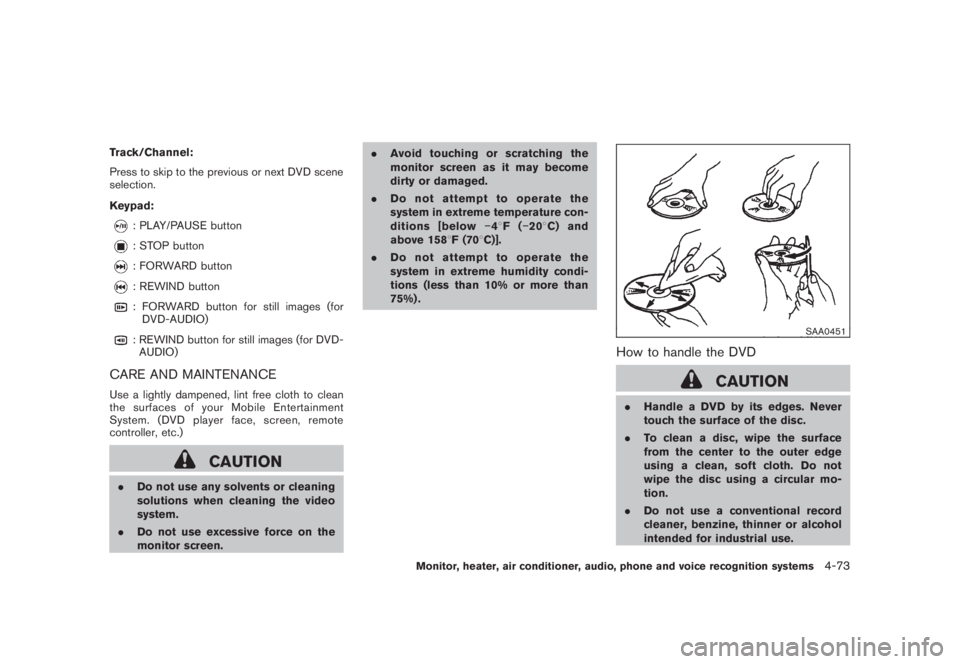
How to handle the DVD
CAUTION
.Handle a DVD by its edges. Never
touch the surface of the disc.
.To clean a disc, wipe the surface
from the center to the outer edge
using a clean, soft cloth. Do not
wipe the disc using a circular mo-
tion.
.Do not use a conventional record
cleaner, benzine, thinner or alcohol
intended for industrial use.
Monitor, heater, air conditioner, audio, phone and voice recognition systems
4-73
Page 240 of 444
Black plate (236,1)
Model "Z51-D" EDITED: 2008/ 6/ 26
.A new disc may be rough on its
inner and outer edges. Remove the
rough edges using the side of a pen
or pencil as illustrated.
.Never attempt to use a DVD that has
been cracked, deformed, or repaired
using adhesive. Doing so may cause
damage to the equipment.
.Handle the DVD carefully to avoid contam-
ination or flaws. Otherwise, signals may not
be read properly.
.Do not write, draw or attach anything on any
side of the DVD.
.Do not store the DVD in locations with direct
sunlight or in high temperatures or humidity.
.Always place discs in the storage case
when they are not being used.
.Do not put on any sticker or write anything
on either surface of the DVD.When installing a car phone or a CB radio in
your NISSAN, be sure to observe the following
cautions, otherwise the new equipment may
adversely affect the electronic control modules
and electronic control system harness.
WARNING
.A cellular telephone should not be
used while driving so full attention
may be given to vehicle operation.
Some jurisdictions prohibit the use
of cellular telephones while driving.
.If you must make a call while your
vehicle is in motion, the hands-free
cellular phone operational mode (if
so equipped) is highly recom-
mended. Exercise extreme caution
at all times so full attention may be
given to vehicle operation.
.If a conversation in a moving vehicle
requires you to take notes, pull off
the road to a safe location and stop
your vehicle before doing so.
CAUTION
.Keep the antenna as far away as
possible from the electronic control
modules.
.Keep the antenna wire more than 8
in (20 cm) away from the electronic
control system harness. Do not
route the antenna wire next to any
harness.
.Adjust the antenna standing-wave
ratio as recommended by the man-
ufacturer.
.Connect the ground wire from the
CB radio chassis to the body.
.For details, consult a NISSAN deal-
er.
CAR PHONE OR CB RADIO
4-74
Monitor, heater, air conditioner, audio, phone and voice recognition systems
Page 275 of 444
Black plate (271,1)
Model "Z51-D" EDITED: 2008/ 6/ 26
NISSAN Voice Recognition allows hands-free
operation of the systems equipped on this
vehicle, such as phone and vehicle information
as a factory default setting (Standard Mode) .
Commands that are available are always shown
on the display and announced by the system.
You can complete your desired operation by
simply following the prompts given by the
system. In this mode, hands-free operation of
Audio, Climate Control and Display is not
available through NISSAN Voice Recognition.
For advanced operation, you can change to an
Alternate Command Mode that enables the
operation of the display, audio, and climate
control through NISSAN Voice Recognition.
When this mode is active, an expanded list of
commands can be spoken after pushing the
TALK
switch, and the voice command
menu prompts are turned off. Note that in this
mode the recognition success rate may be
affected as the number of available commands
and the ways of speaking each command are
increased. (See “NISSAN VOICE RECOGNI-
TION ALTERNATE COMMAND MODE” later in
this section for details about Alternate Com-
mand Mode.)
To improve the recognition success rate when
Alternate Command Mode is active, try using the
Speaker Adaptation Function available in that
mode. (See “SPEAKER ADAPTATION FUNC-
TION” later in this section.) Otherwise, it isrecommended that Alternate Command Mode
be turned off and Standard Mode be used for
the best recognition performance.
For the voice commands for the navigation
system, refer to the Navigation System Owner’s
Manual of your vehicle.
NISSAN VOICE RECOGNITION
STANDARD MODE
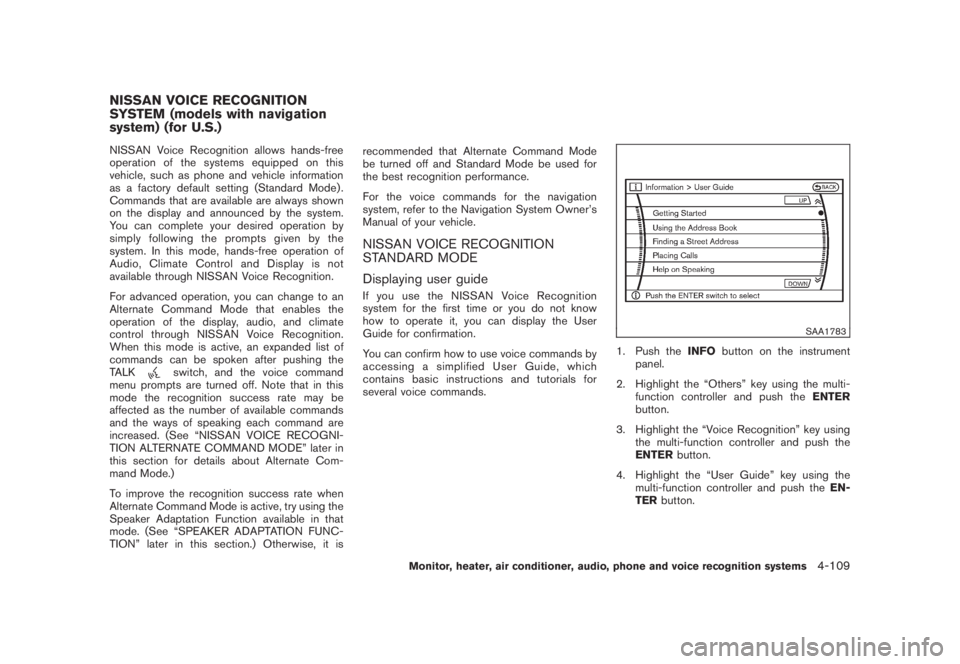
Displaying user guideIfyouusetheNISSANVoiceRecognition
system for the first time or you do not know
how to operate it, you can display the User
Guide for confirmation.
You can confirm how to use voice commands by
accessing a simplified User Guide, which
contains basic instructions and tutorials for
several voice commands.
SAA1783
1. Push theINFObutton on the instrument
panel.
2. Highlight the “Others” key using the multi-
function controller and push theENTER
button.
3. Highlight the “Voice Recognition” key using
the multi-function controller and push the
ENTERbutton.
4. Highlight the “User Guide” key using the
multi-function controller and push theEN-
TERbutton.
NISSAN VOICE RECOGNITION
SYSTEM (models with navigation
system) (for U.S.)
Monitor, heater, air conditioner, audio, phone and voice recognition systems
4-109
Page 276 of 444
Black plate (272,1)
Model "Z51-D" EDITED: 2008/ 6/ 26
SAA1920
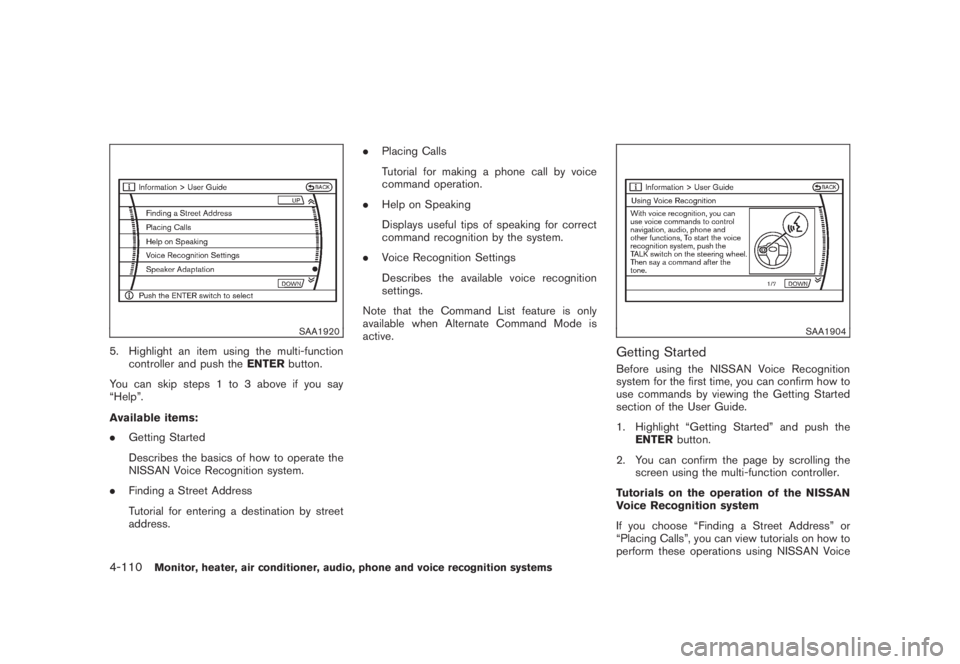
5. Highlight an item using the multi-function
controller and push theENTERbutton.
You can skip steps 1 to 3 above if you say
“Help”.
Available items:
.Getting Started
Describes the basics of how to operate the
NISSAN Voice Recognition system.
.Finding a Street Address
Tutorial for entering a destination by street
address..Placing Calls
Tutorial for making a phone call by voice
command operation.
.Help on Speaking
Displays useful tips of speaking for correct
command recognition by the system.
.Voice Recognition Settings
Describes the available voice recognition
settings.
Note that the Command List feature is only
available when Alternate Command Mode is
active.
SAA1904
Getting StartedBefore using the NISSAN Voice Recognition
system for the first time, you can confirm how to
use commands by viewing the Getting Started
section of the User Guide.
1. Highlight “Getting Started” and push the
ENTERbutton.
2. You can confirm the page by scrolling the
screen using the multi-function controller.
Tutorials on the operation of the NISSAN
Voice Recognition system
If you choose “Finding a Street Address” or
“Placing Calls”, you can view tutorials on how to
perform these operations using NISSAN Voice
4-110
Monitor, heater, air conditioner, audio, phone and voice recognition systems
Page 277 of 444
Black plate (273,1)
Model "Z51-D" EDITED: 2008/ 6/ 26
Recognition.
SAA1905
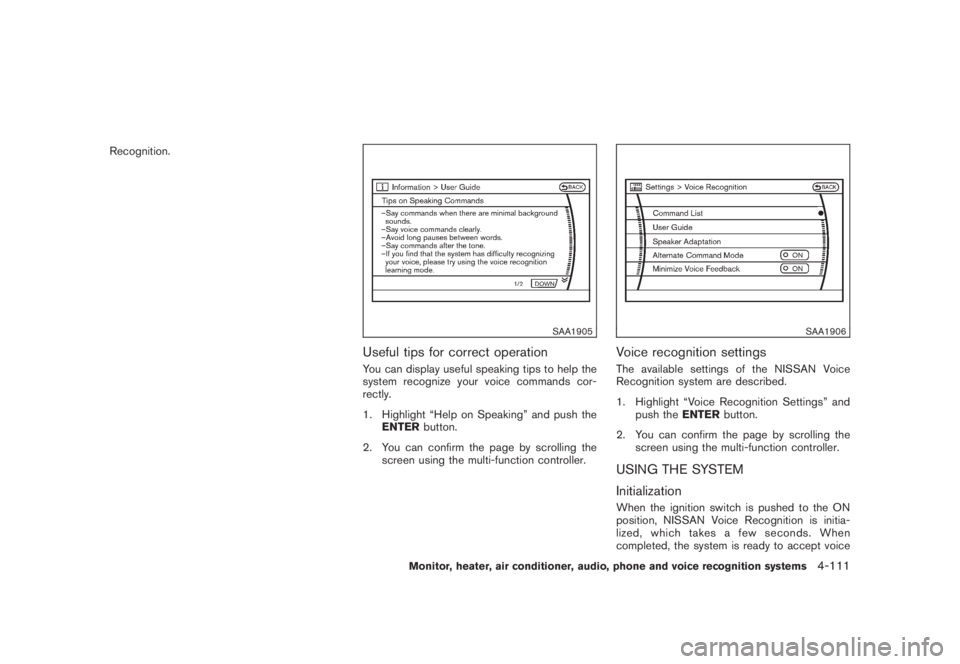
Useful tips for correct operationYou can display useful speaking tips to help the
system recognize your voice commands cor-
rectly.
1. Highlight “Help on Speaking” and push the
ENTERbutton.
2. You can confirm the page by scrolling the
screen using the multi-function controller.
SAA1906
Voice recognition settingsThe available settings of the NISSAN Voice
Recognition system are described.
1. Highlight “Voice Recognition Settings” and
push theENTERbutton.
2. You can confirm the page by scrolling the
screen using the multi-function controller.USING THE SYSTEM
InitializationWhen the ignition switch is pushed to the ON
position, NISSAN Voice Recognition is initia-
lized, which takes a few seconds. When
completed, the system is ready to accept voice
Monitor, heater, air conditioner, audio, phone and voice recognition systems
4-111
Page 286 of 444
Black plate (282,1)
Model "Z51-D" EDITED: 2008/ 6/ 26
SAA1916
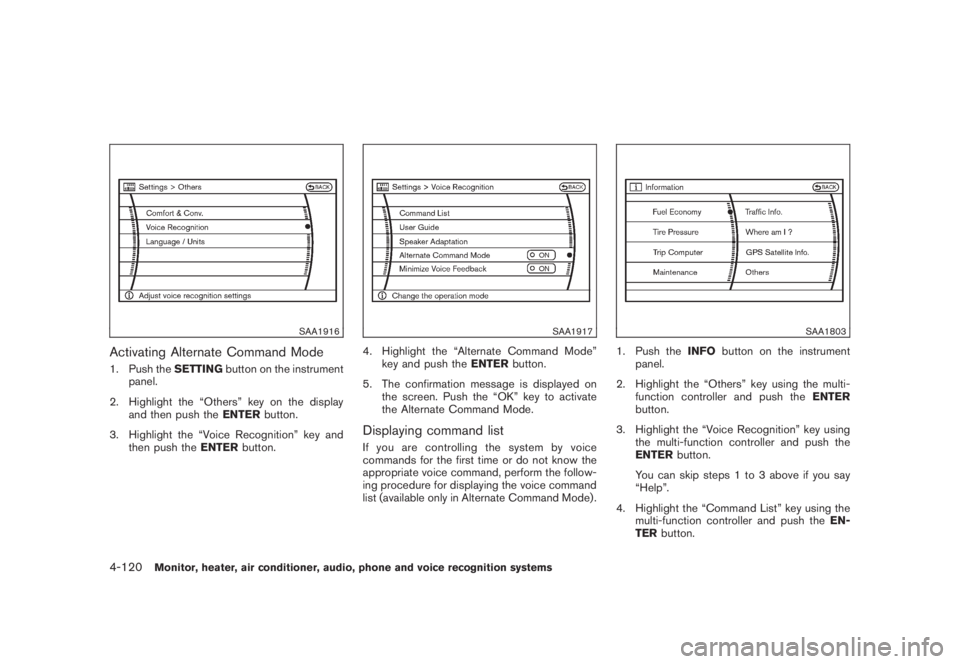
Activating Alternate Command Mode1. Push theSETTINGbutton on the instrument
panel.
2. Highlight the “Others” key on the display
and then push theENTERbutton.
3. Highlight the “Voice Recognition” key and
then push theENTERbutton.
SAA1917
4. Highlight the “Alternate Command Mode”
key and push theENTERbutton.
5. The confirmation message is displayed on
the screen. Push the “OK” key to activate
the Alternate Command Mode.Displaying command listIf you are controlling the system by voice
commands for the first time or do not know the
appropriate voice command, perform the follow-
ing procedure for displaying the voice command
list (available only in Alternate Command Mode) .
SAA1803
1. Push theINFObutton on the instrument
panel.
2. Highlight the “Others” key using the multi-
function controller and push theENTER
button.
3. Highlight the “Voice Recognition” key using
the multi-function controller and push the
ENTERbutton.
You can skip steps 1 to 3 above if you say
“Help”.
4. Highlight the “Command List” key using the
multi-function controller and push theEN-
TERbutton.
4-120
Monitor, heater, air conditioner, audio, phone and voice recognition systems
Page 287 of 444
Black plate (283,1)
Model "Z51-D" EDITED: 2008/ 6/ 26
SAA1901
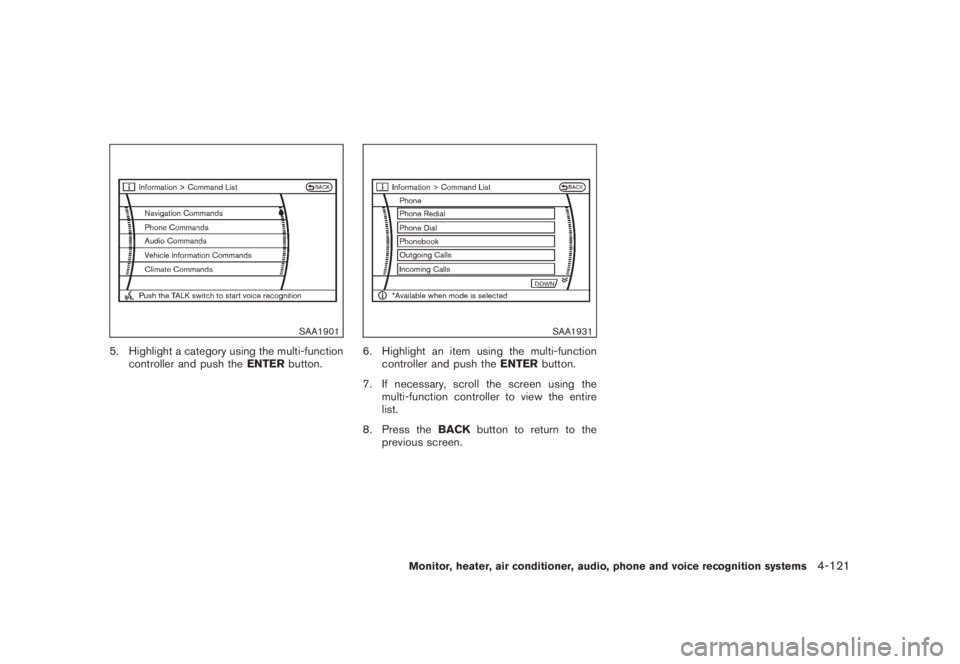
5. Highlight a category using the multi-function
controller and push theENTERbutton.
SAA1931
6. Highlight an item using the multi-function
controller and push theENTERbutton.
7. If necessary, scroll the screen using the
multi-function controller to view the entire
list.
8. Press theBACKbutton to return to the
previous screen.
Monitor, heater, air conditioner, audio, phone and voice recognition systems
4-121
Page 291 of 444
Black plate (287,1)
Model "Z51-D" EDITED: 2008/ 6/ 26
SAA1783
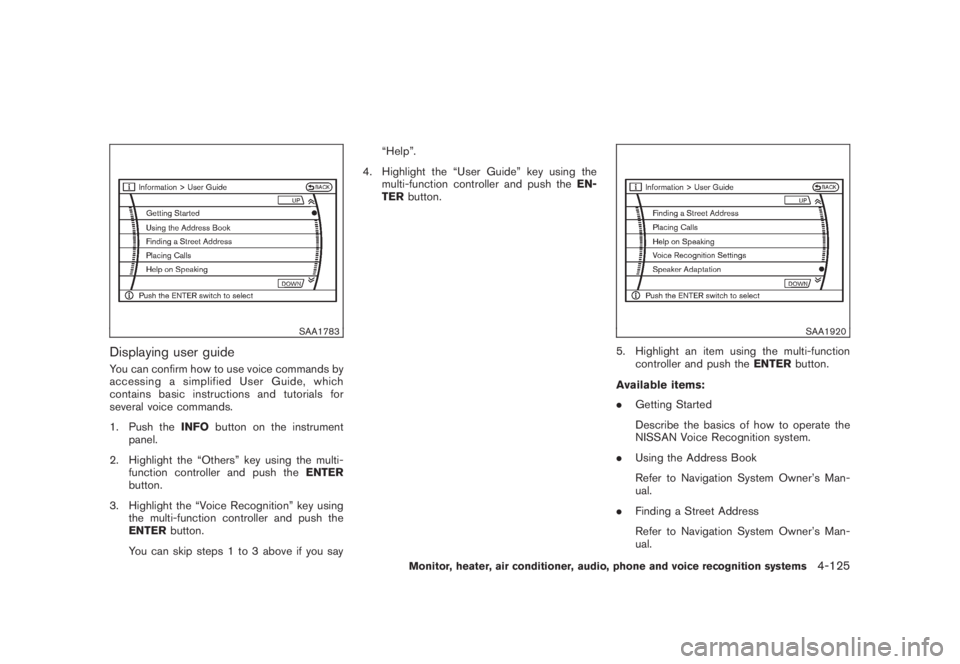
Displaying user guideYou can confirm how to use voice commands by
accessing a simplified User Guide, which
contains basic instructions and tutorials for
several voice commands.
1. Push theINFObutton on the instrument
panel.
2. Highlight the “Others” key using the multi-
function controller and push theENTER
button.
3. Highlight the “Voice Recognition” key using
the multi-function controller and push the
ENTERbutton.
You can skip steps 1 to 3 above if you say“Help”.
4. Highlight the “User Guide” key using the
multi-function controller and push theEN-
TERbutton.
SAA1920
5. Highlight an item using the multi-function
controller and push theENTERbutton.
Available items:
.Getting Started
Describe the basics of how to operate the
NISSAN Voice Recognition system.
.Using the Address Book
Refer to Navigation System Owner’s Man-
ual.
.Finding a Street Address
Refer to Navigation System Owner’s Man-
ual.
Monitor, heater, air conditioner, audio, phone and voice recognition systems
4-125
Page 294 of 444
Black plate (290,1)
Model "Z51-D" EDITED: 2008/ 6/ 26
SAA1907
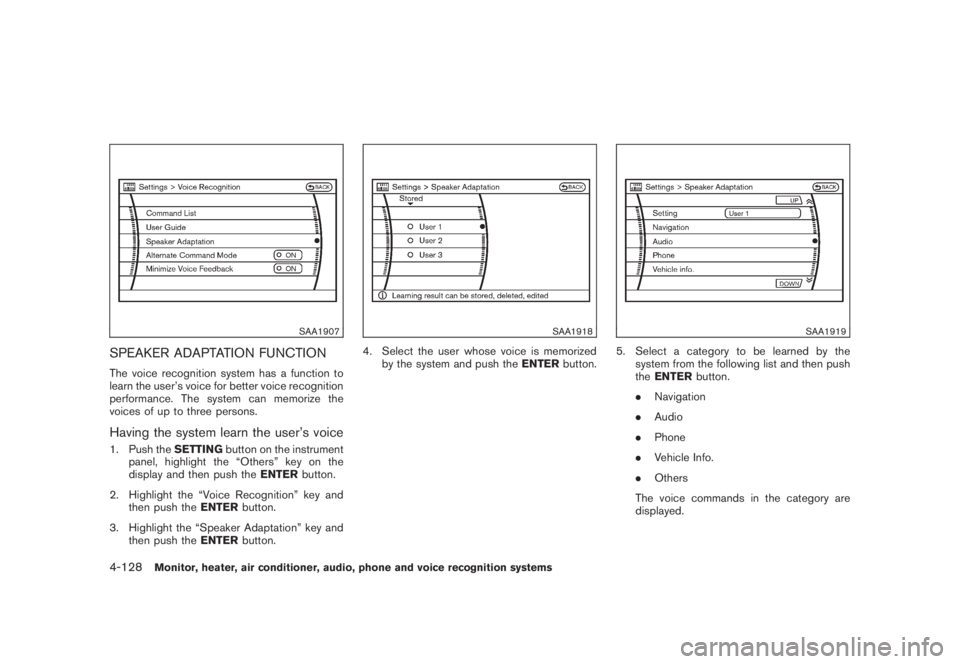
SPEAKER ADAPTATION FUNCTIONThe voice recognition system has a function to
learn the user’s voice for better voice recognition
performance. The system can memorize the
voices of up to three persons.Having the system learn the user’s voice1. Push theSETTINGbutton on the instrument
panel, highlight the “Others” key on the
display and then push theENTERbutton.
2. Highlight the “Voice Recognition” key and
then push theENTERbutton.
3. Highlight the “Speaker Adaptation” key and
then push theENTERbutton.
SAA1918
4. Select the user whose voice is memorized
by the system and push theENTERbutton.
SAA1919
5. Select a category to be learned by the
system from the following list and then push
theENTERbutton.
.Navigation
.Audio
.Phone
.Vehicle Info.
.Others
The voice commands in the category are
displayed.
4-128
Monitor, heater, air conditioner, audio, phone and voice recognition systems