air condition NISSAN MURANO 2009 Owner´s Manual
[x] Cancel search | Manufacturer: NISSAN, Model Year: 2009, Model line: MURANO, Model: NISSAN MURANO 2009Pages: 443, PDF Size: 3.95 MB
Page 304 of 443
Black plate (302,1)
Model "Z51-D" EDITED: 2007/ 10/ 2
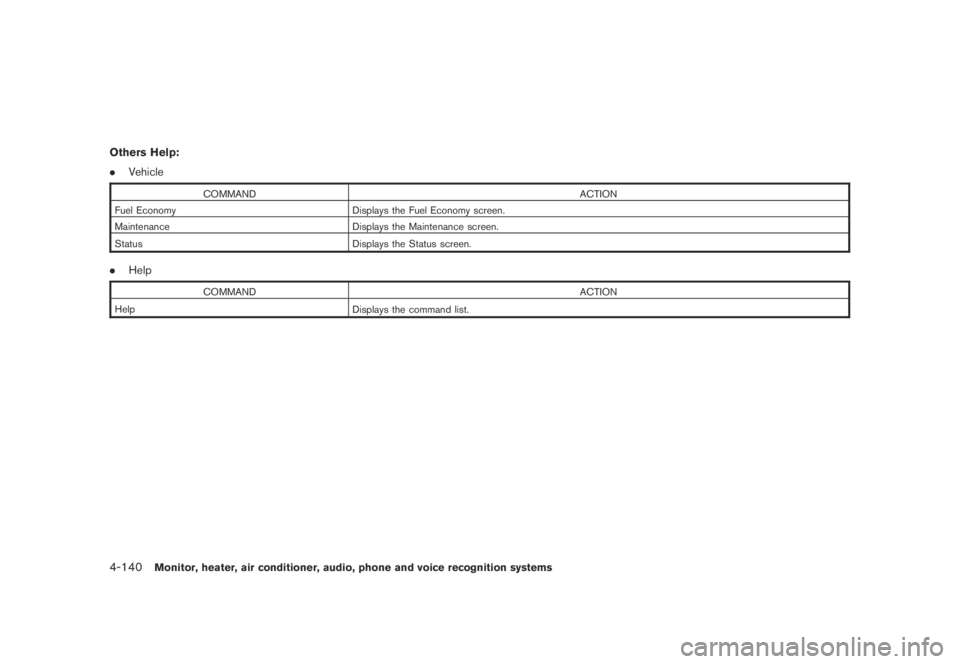
Others Help:
.Vehicle
COMMAND ACTION
Fuel Economy Displays the Fuel Economy screen.
Maintenance Displays the Maintenance screen.
Status
Displays the Status screen.
.Help
COMMAND ACTION
Help
Displays the command list.
4-140Monitor, heater, air conditioner, audio, phone and voice recognition systems
Page 305 of 443
Black plate (303,1)
Model "Z51-D" EDITED: 2007/ 10/ 2
SAA1783
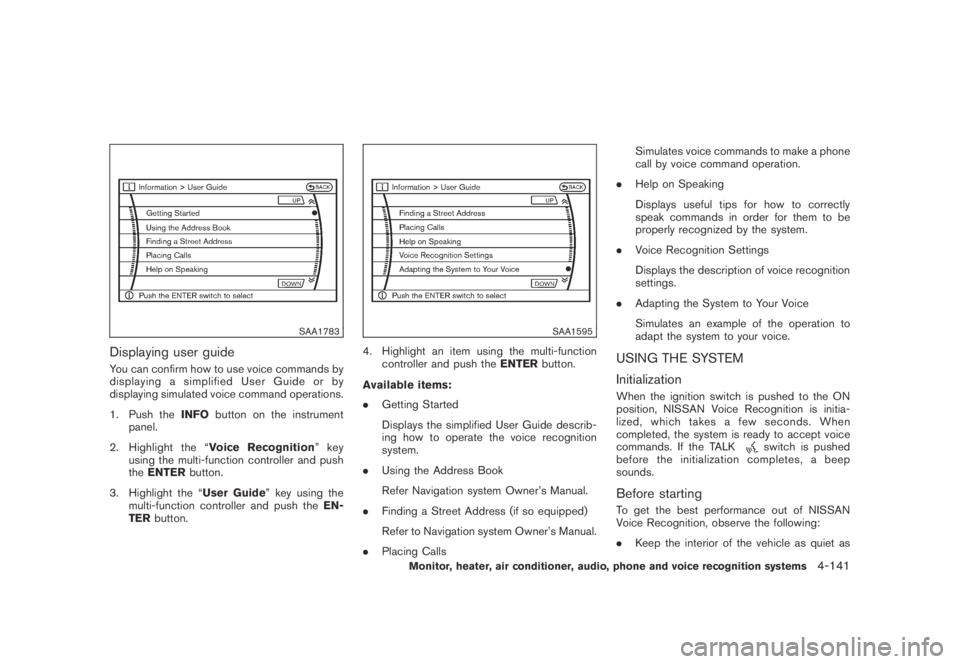
Displaying user guide
You can confirm how to use voice commands by
displaying a simplified User Guide or by
displaying simulated voice command operations.
1. Push theINFObutton on the instrument
panel.
2. Highlight the “Voice Recognition”key
using the multi-function controller and push
theENTERbutton.
3. Highlight the “User Guide” key using the
multi-function controller and push theEN-
TERbutton.
SAA1595
4. Highlight an item using the multi-function
controller and push theENTERbutton.
Available items:
.Getting Started
Displays the simplified User Guide describ-
ing how to operate the voice recognition
system.
.Using the Address Book
Refer Navigation system Owner’s Manual.
.Finding a Street Address (if so equipped)
Refer to Navigation system Owner’s Manual.
.Placing CallsSimulates voice commands to make a phone
call by voice command operation.
.Help on Speaking
Displays useful tips for how to correctly
speak commands in order for them to be
properly recognized by the system.
.Voice Recognition Settings
Displays the description of voice recognition
settings.
.Adapting the System to Your Voice
Simulates an example of the operation to
adapt the system to your voice.USING THE SYSTEM
Initialization
When the ignition switch is pushed to the ON
position, NISSAN Voice Recognition is initia-
lized, which takes a few seconds. When
completed, the system is ready to accept voice
commands. If the TALK
switch is pushed
before the initialization completes, a beep
sounds.
Before starting
To get the best performance out of NISSAN
Voice Recognition, observe the following:
.Keep the interior of the vehicle as quiet as
Monitor, heater, air conditioner, audio, phone and voice recognition systems4-141
Page 306 of 443
Black plate (304,1)
Model "Z51-D" EDITED: 2007/ 10/ 2
possible. Close the windows to eliminate the
surrounding noises (traffic noises, vibration
sounds, etc.) , which may prevent the system
from recognizing the voice commands cor-
rectly.
.When the climate control is in the AUTO
mode, the fan speed decreases automati-
cally for easy recognition.
.Wait until a tone sounds before speaking a
command.
.Speak in a natural voice without pausing
between words.
SAA1859
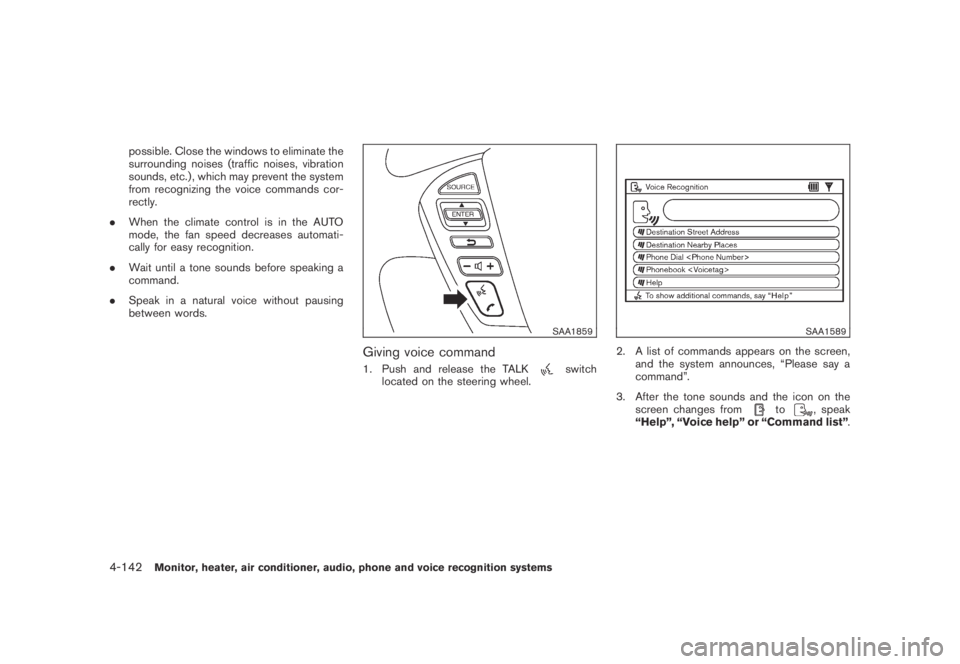
Giving voice command
1. Push and release the TALKswitch
located on the steering wheel.
SAA1589
2. A list of commands appears on the screen,
and the system announces, “Please say a
command”.
3. After the tone sounds and the icon on the
screen changes from
to, speak
“Help”, “Voice help” or “Command list”.
4-142Monitor, heater, air conditioner, audio, phone and voice recognition systems
Page 307 of 443
Black plate (305,1)
Model "Z51-D" EDITED: 2007/ 10/ 2
SAA1935
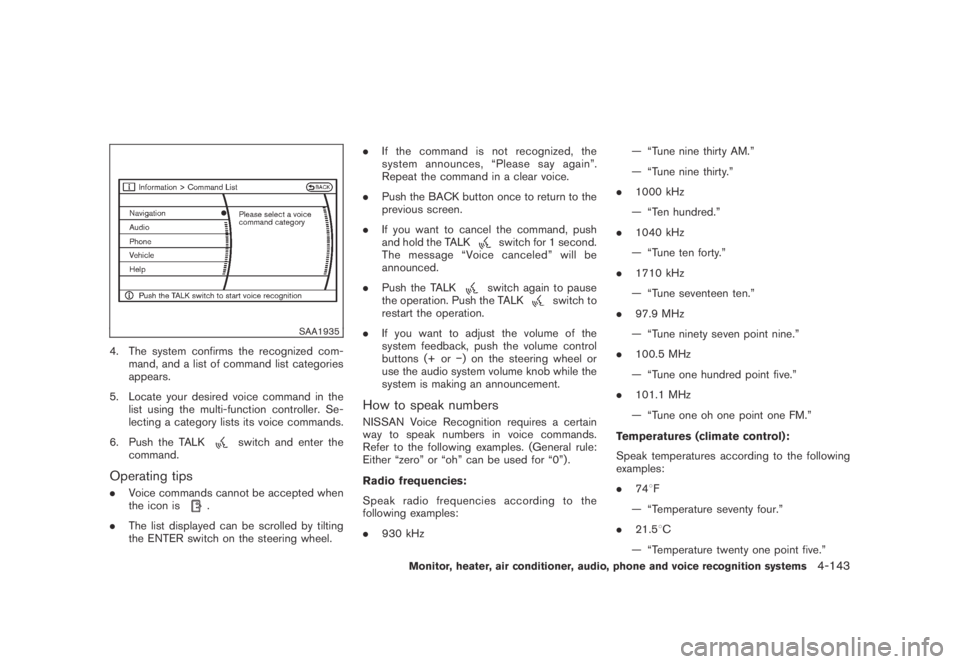
4. The system confirms the recognized com-
mand, and a list of command list categories
appears.
5. Locate your desired voice command in the
list using the multi-function controller. Se-
lecting a category lists its voice commands.
6. Push the TALK
switch and enter the
command.
Operating tips
.Voice commands cannot be accepted when
the icon is.
.The list displayed can be scrolled by tilting
the ENTER switch on the steering wheel..If the command is not recognized, the
system announces, “Please say again”.
Repeat the command in a clear voice.
.Push the BACK button once to return to the
previous screen.
.If you want to cancel the command, push
and hold the TALK
switch for 1 second.
The message “Voice canceled” will be
announced.
.Push the TALK
switch again to pause
the operation. Push the TALKswitch to
restart the operation.
.If you want to adjust the volume of the
system feedback, push the volume control
buttons (+ or−) on the steering wheel or
use the audio system volume knob while the
system is making an announcement.
How to speak numbers
NISSAN Voice Recognition requires a certain
way to speak numbers in voice commands.
Refer to the following examples. (General rule:
Either “zero” or “oh” can be used for “0”) .
Radio frequencies:
Speak radio frequencies according to the
following examples:
.930 kHz— “Tune nine thirty AM.”
— “Tune nine thirty.”
.1000 kHz
— “Ten hundred.”
.1040 kHz
— “Tune ten forty.”
.1710 kHz
— “Tune seventeen ten.”
.97.9 MHz
— “Tune ninety seven point nine.”
.100.5 MHz
— “Tune one hundred point five.”
.101.1 MHz
— “Tune one oh one point one FM.”
Temperatures (climate control):
Speak temperatures according to the following
examples:
.748F
— “Temperature seventy four.”
.21.58C
— “Temperature twenty one point five.”
Monitor, heater, air conditioner, audio, phone and voice recognition systems4-143
Page 308 of 443
Black plate (306,1)
Model "Z51-D" EDITED: 2007/ 10/ 2
— “Temperature twenty one and a half.”
.19.08C
— “Temperature nineteen point zero.”
— “Temperature nineteen point oh.”
— “Temperature nineteen.”
Phone numbers:
Speak phone numbers according to the follow-
ing examples:
.1-800-662-6200
— “Dial one eight oh oh six six two six two oh
oh.”
— “Dial one eight hundred six six two six two
oh oh.”
— “Dial one eight zero zero six six two oh
oh.”
Note 1: For the best voice recognition phone
dialing results, say phone numbers as single
digits.
Note 2: You cannot say 555-6000 as “five five
five six thousands”.
Personal vocabulary (voicetags)
NISSAN Voice Recognition provides the func-
tion called “voicetags,” which can be associated
with the phone and the navigation system (if soequipped) . Using your own voice, 40 voicetags
can be registered in the “Phonebook” (phone)
and 10 locations can be registered in the
“Address Book” (navigation system) .
See “BLUETOOTH
®HANDS-FREE PHONE
SYSTEM WITH NAVIGATION SYSTEM” earlier
in this section and/or the separate Navigation
System Owner’s Manual (if so equipped) for the
method of “voicetag” registration.
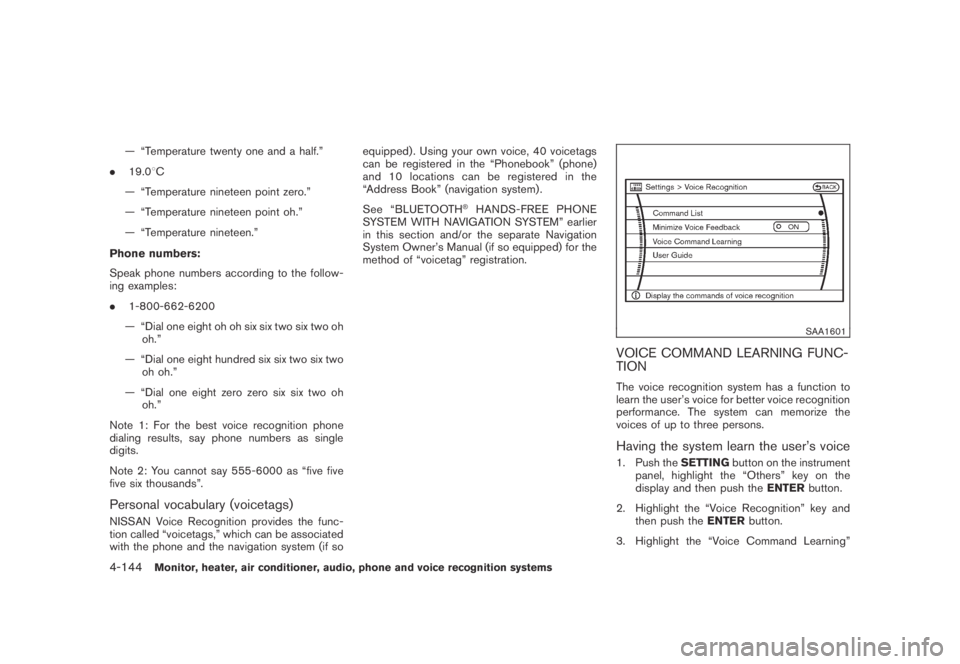
SAA1601
VOICE COMMAND LEARNING FUNC-
TION
The voice recognition system has a function to
learn the user’s voice for better voice recognition
performance. The system can memorize the
voices of up to three persons.
Having the system learn the user’s voice
1. Push theSETTINGbutton on the instrument
panel, highlight the “Others” key on the
display and then push theENTERbutton.
2. Highlight the “Voice Recognition” key and
then push theENTERbutton.
3. Highlight the “Voice Command Learning”
4-144Monitor, heater, air conditioner, audio, phone and voice recognition systems
Page 309 of 443
Black plate (307,1)
Model "Z51-D" EDITED: 2007/ 10/ 2
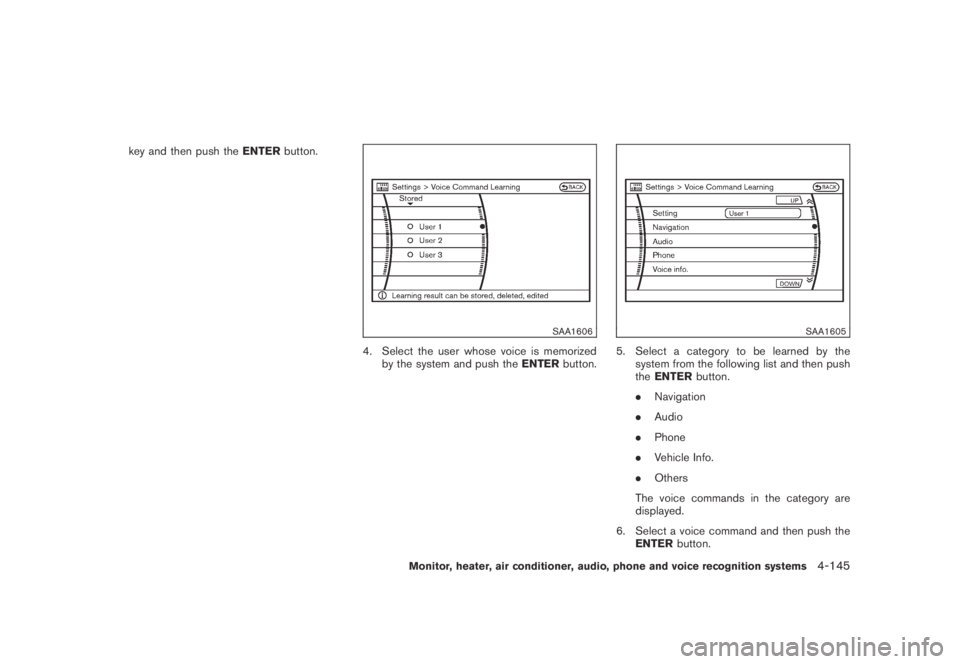
key and then push theENTERbutton.
SAA1606
4. Select the user whose voice is memorized
by the system and push theENTERbutton.
SAA1605
5. Select a category to be learned by the
system from the following list and then push
theENTERbutton.
.Navigation
.Audio
.Phone
.Vehicle Info.
.Others
The voice commands in the category are
displayed.
6. Select a voice command and then push the
ENTERbutton.
Monitor, heater, air conditioner, audio, phone and voice recognition systems4-145
Page 310 of 443
Black plate (308,1)
Model "Z51-D" EDITED: 2007/ 10/ 2
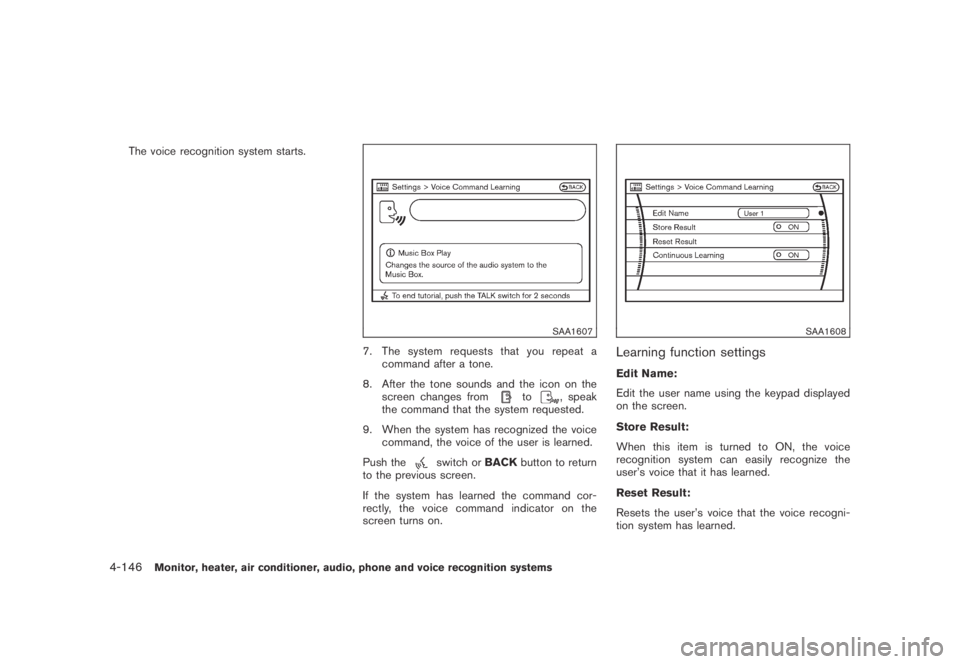
The voice recognition system starts.
SAA1607
7. The system requests that you repeat a
command after a tone.
8. After the tone sounds and the icon on the
screen changes from
to, speak
the command that the system requested.
9. When the system has recognized the voice
command, the voice of the user is learned.
Push the
switch orBACKbutton to return
to the previous screen.
If the system has learned the command cor-
rectly, the voice command indicator on the
screen turns on.
SAA1608
Learning function settings
Edit Name:
Edit the user name using the keypad displayed
on the screen.
Store Result:
When this item is turned to ON, the voice
recognition system can easily recognize the
user’s voice that it has learned.
Reset Result:
Resets the user’s voice that the voice recogni-
tion system has learned.
4-146Monitor, heater, air conditioner, audio, phone and voice recognition systems
Page 311 of 443
Black plate (309,1)
Model "Z51-D" EDITED: 2007/ 10/ 2
Continuous Learning:
When this item is turned to ON, you can have
the system learn the voice commands in
succession, without selecting commands one
by one.
Monitor, heater, air conditioner, audio, phone and voice recognition systems4-147
Page 312 of 443
Black plate (310,1)
Model "Z51-D" EDITED: 2007/ 10/ 2
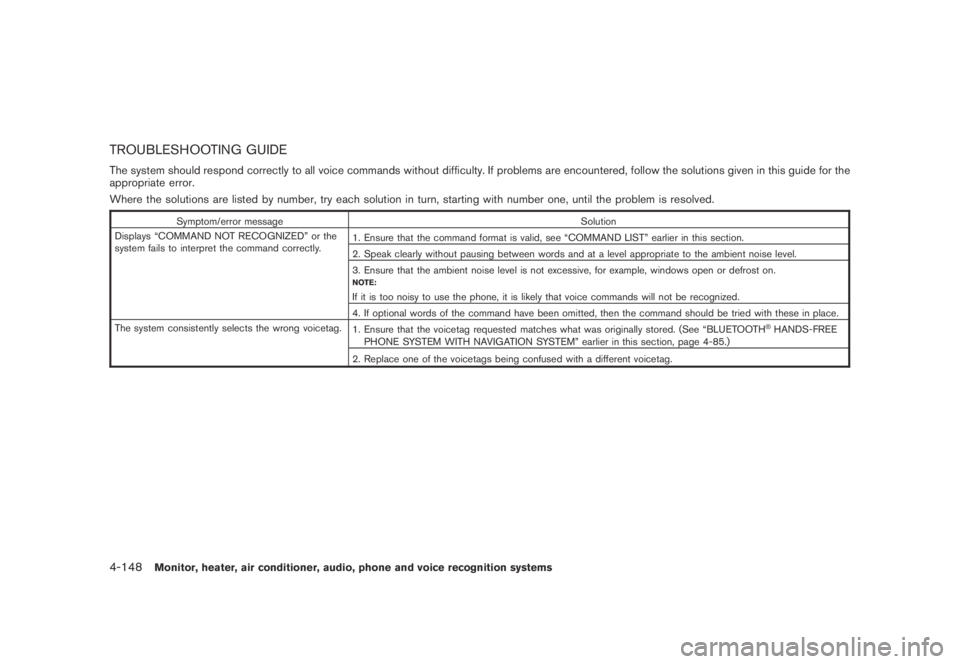
TROUBLESHOOTING GUIDE
The system should respond correctly to all voice commands without difficulty. If problems are encountered, follow the solutions given in this guide for the
appropriate error.
Where the solutions are listed by number, try each solution in turn, starting with number one, until the problem is resolved.
Symptom/error message Solution
Displays “COMMAND NOT RECOGNIZED” or the
system fails to interpret the command correctly.1. Ensure that the command format is valid, see “COMMAND LIST” earlier in this section.
2. Speak clearly without pausing between words and at a level appropriate to the ambient noise level.
3. Ensure that the ambient noise level is not excessive, for example, windows open or defrost on.
NOTE:
If it is too noisy to use the phone, it is likely that voice commands will not be recognized.
4. If optional words of the command have been omitted, then the command should be tried with these in place.
The system consistently selects the wrong voicetag.
1. Ensure that the voicetag requested matches what was originally stored. (See “BLUETOOTH
®HANDS-FREE
PHONE SYSTEM WITH NAVIGATION SYSTEM” earlier in this section, page 4-85.)
2. Replace one of the voicetags being confused with a different voicetag.
4-148Monitor, heater, air conditioner, audio, phone and voice recognition systems
Page 318 of 443
Black plate (318,1)
Model "Z51-D" EDITED: 2007/ 10/ 2
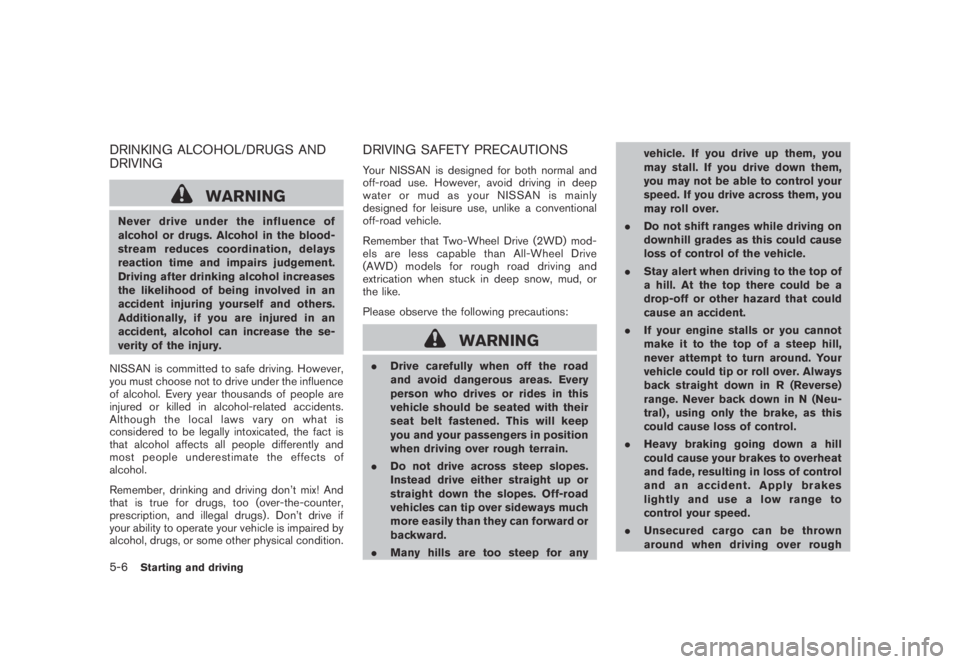
DRINKING ALCOHOL/DRUGS AND
DRIVING
WARNING
Never drive under the influence of
alcohol or drugs. Alcohol in the blood-
stream reduces coordination, delays
reaction time and impairs judgement.
Driving after drinking alcohol increases
the likelihood of being involved in an
accident injuring yourself and others.
Additionally, if you are injured in an
accident, alcohol can increase the se-
verity of the injury.
NISSAN is committed to safe driving. However,
you must choose not to drive under the influence
of alcohol. Every year thousands of people are
injured or killed in alcohol-related accidents.
Although the local laws vary on what is
considered to be legally intoxicated, the fact is
that alcohol affects all people differently and
most people underestimate the effects of
alcohol.
Remember, drinking and driving don’t mix! And
that is true for drugs, too (over-the-counter,
prescription, and illegal drugs) . Don’t drive if
your ability to operate your vehicle is impaired by
alcohol, drugs, or some other physical condition.
DRIVING SAFETY PRECAUTIONS
Your NISSAN is designed for both normal and
off-road use. However, avoid driving in deep
water or mud as your NISSAN is mainly
designed for leisure use, unlike a conventional
off-road vehicle.
Remember that Two-Wheel Drive (2WD) mod-
els are less capable than All-Wheel Drive
(AWD) models for rough road driving and
extrication when stuck in deep snow, mud, or
the like.
Please observe the following precautions:
WARNING
.Drive carefully when off the road
and avoid dangerous areas. Every
person who drives or rides in this
vehicle should be seated with their
seat belt fastened. This will keep
you and your passengers in position
when driving over rough terrain.
.Do not drive across steep slopes.
Instead drive either straight up or
straight down the slopes. Off-road
vehicles can tip over sideways much
more easily than they can forward or
backward.
.Many hills are too steep for anyvehicle. If you drive up them, you
may stall. If you drive down them,
you may not be able to control your
speed. If you drive across them, you
may roll over.
.Do not shift ranges while driving on
downhill grades as this could cause
loss of control of the vehicle.
.Stay alert when driving to the top of
a hill. At the top there could be a
drop-off or other hazard that could
cause an accident.
.If your engine stalls or you cannot
make it to the top of a steep hill,
never attempt to turn around. Your
vehicle could tip or roll over. Always
back straight down in R (Reverse)
range. Never back down in N (Neu-
tral) , using only the brake, as this
could cause loss of control.
.Heavy braking going down a hill
could cause your brakes to overheat
and fade, resulting in loss of control
and an accident. Apply brakes
lightly and use a low range to
control your speed.
.Unsecured cargo can be thrown
around when driving over rough
5-6Starting and driving