phone NISSAN MURANO 2011 Owner´s Manual
[x] Cancel search | Manufacturer: NISSAN, Model Year: 2011, Model line: MURANO, Model: NISSAN MURANO 2011Pages: 433, PDF Size: 3.7 MB
Page 295 of 433
Black plate (293,1)
Model "Z51-D" EDITED: 2010/ 7/ 23
SAA2547
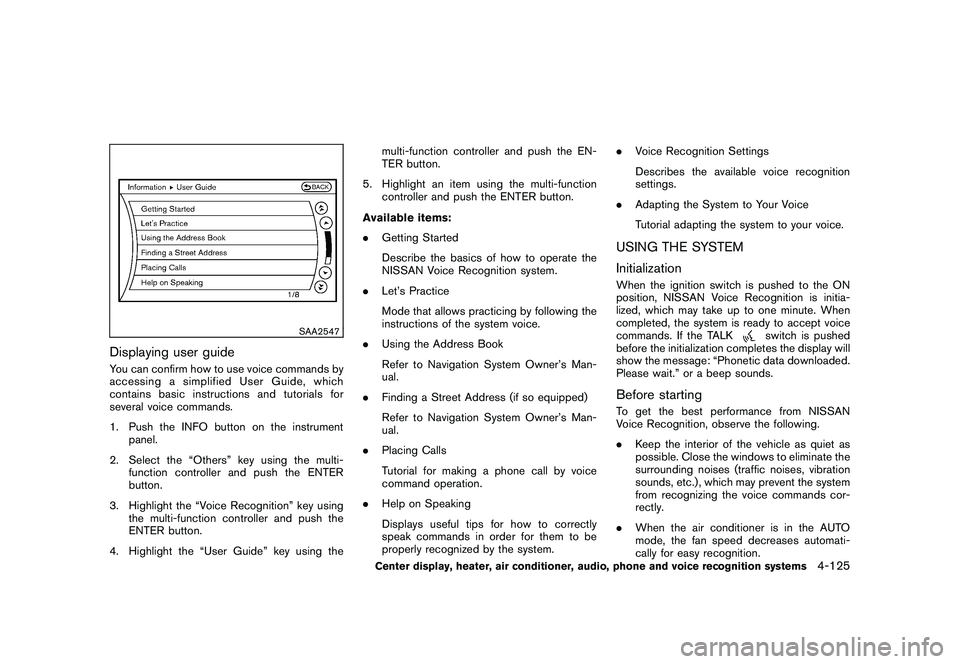
Displaying user guideYou can confirm how to use voice commands by
accessing a simplified User Guide, which
contains basic instructions and tutorials for
several voice commands.
1. Push the INFO button on the instrumentpanel.
2. Select the “Others” key using the multi- function controller and push the ENTER
button.
3. Highlight the “Voice Recognition” key using the multi-function controller and push the
ENTER button.
4. Highlight the “User Guide” key using the multi-function controller and push the EN-
TER button.
5. Highlight an item using the multi-function controller and push the ENTER button.
Available items:
. Getting Started
Describe the basics of how to operate the
NISSAN Voice Recognition system.
. Let’s Practice
Mode that allows practicing by following the
instructions of the system voice.
. Using the Address Book
Refer to Navigation System Owner’s Man-
ual.
. Finding a Street Address (if so equipped)
Refer to Navigation System Owner’s Man-
ual.
. Placing Calls
Tutorial for making a phone call by voice
command operation.
. Help on Speaking
Displays useful tips for how to correctly
speak commands in order for them to be
properly recognized by the system. .
Voice Recognition Settings
Describes the available voice recognition
settings.
. Adapting the System to Your Voice
Tutorial adapting the system to your voice.
USING THE SYSTEM
InitializationWhen the ignition switch is pushed to the ON
position, NISSAN Voice Recognition is initia-
lized, which may take up to one minute. When
completed, the system is ready to accept voice
commands. If the TALK
switch is pushed
before the initialization completes the display will
show the message: “Phonetic data downloaded.
Please wait.” or a beep sounds.
Before startingTo get the best performance from NISSAN
Voice Recognition, observe the following.
. Keep the interior of the vehicle as quiet as
possible. Close the windows to eliminate the
surrounding noises (traffic noises, vibration
sounds, etc.) , which may prevent the system
from recognizing the voice commands cor-
rectly.
. When the air conditioner is in the AUTO
mode, the fan speed decreases automati-
cally for easy recognition.
Center display, heater, air conditioner, audio, phone and voice recognition systems
4-125
Page 296 of 433
Black plate (294,1)
Model "Z51-D" EDITED: 2010/ 7/ 23
.Wait until a tone sounds before speaking a
command.
. Speak in a natural voice without pausing
between words.
SAA1859
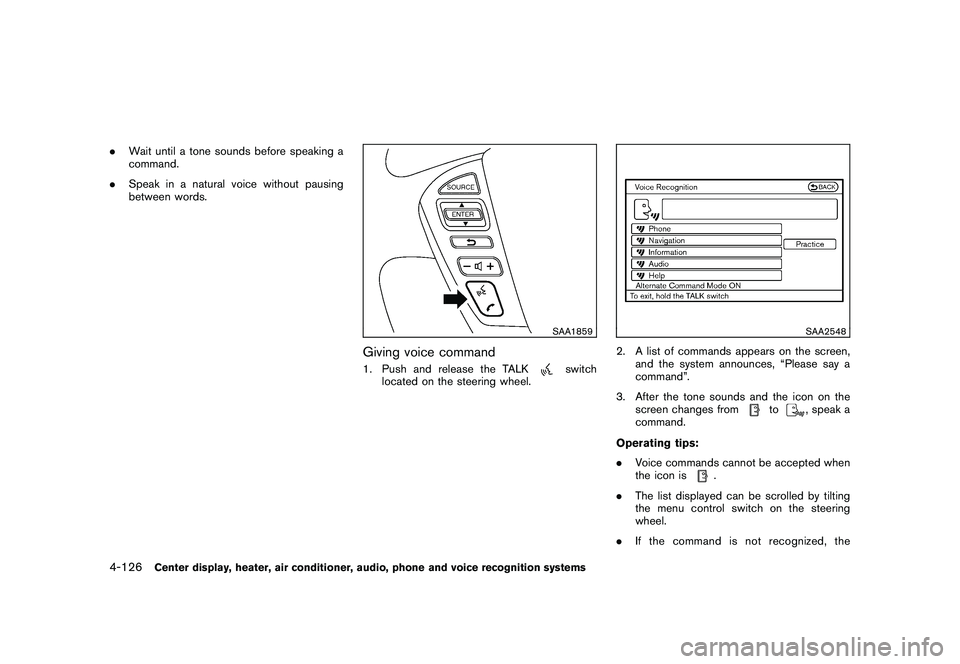
Giving voice command1. Push and release the TALK
switch
located on the steering wheel.
SAA2548
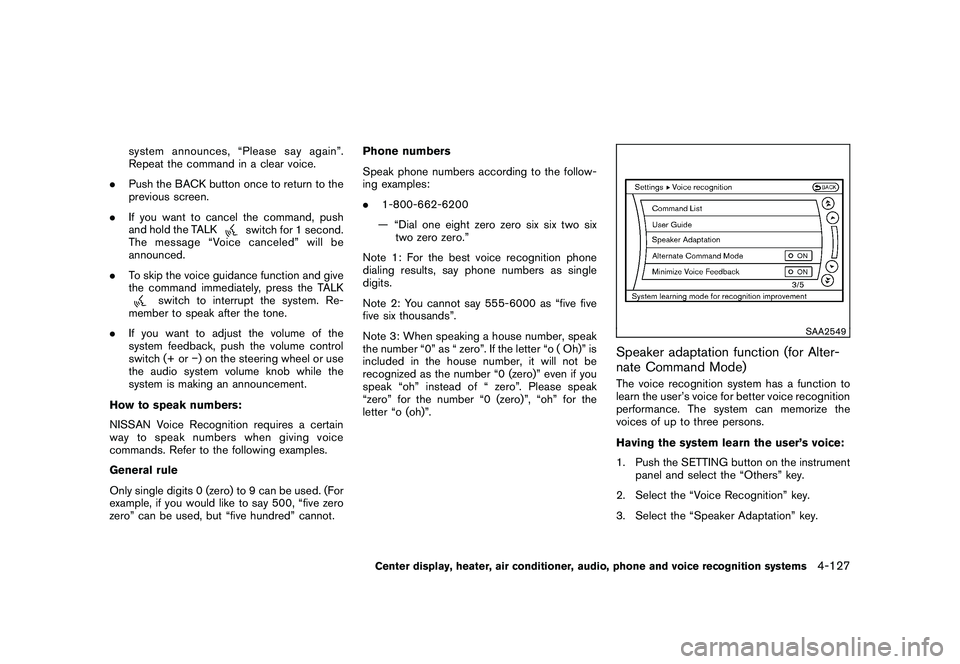
2. A list of commands appears on the screen, and the system announces, “Please say a
command”.
3. After the tone sounds and the icon on the screen changes from
to
, speak a
command.
Operating tips:
. Voice commands cannot be accepted when
the icon is
.
. The list displayed can be scrolled by tilting
the menu control switch on the steering
wheel.
. If the command is not recognized, the
4-126
Center display, heater, air conditioner, audio, phone and voice recognition systems
Page 297 of 433
Black plate (295,1)
Model "Z51-D" EDITED: 2010/ 7/ 23
system announces, “Please say again”.
Repeat the command in a clear voice.
. Push the BACK button once to return to the
previous screen.
. If you want to cancel the command, push
and hold the TALK
switch for 1 second.
The message “Voice canceled” will be
announced.
. To skip the voice guidance function and give
the command immediately, press the TALK
switch to interrupt the system. Re-
member to speak after the tone.
. If you want to adjust the volume of the
system feedback, push the volume control
switch (+ or ) on the steering wheel or use
the audio system volume knob while the
system is making an announcement.
How to speak numbers:
NISSAN Voice Recognition requires a certain
way to speak numbers when giving voice
commands. Refer to the following examples.
General rule
Only single digits 0 (zero) to 9 can be used. (For
example, if you would like to say 500, “five zero
zero” can be used, but “five hundred” cannot. Phone numbers
Speak phone numbers according to the follow-
ing examples:
.
1-800-662-6200
— “Dial one eight zero zero six six two six two zero zero.”
Note 1: For the best voice recognition phone
dialing results, say phone numbers as single
digits.
Note 2: You cannot say 555-6000 as “five five
five six thousands”.
Note 3: When speaking a house number, speak
the number “0” as “ zero”. If the letter “o ( Oh)” is
included in the house number, it will not be
recognized as the number “0 (zero)” even if you
speak “oh” instead of “ zero”. Please speak
“zero” for the number “0 (zero)”, “oh” for the
letter “o (oh)”.
SAA2549
Speaker adaptation function (for Alter-
nate Command Mode)The voice recognition system has a function to
learn the user’s voice for better voice recognition
performance. The system can memorize the
voices of up to three persons.
Having the system learn the user’s voice:
1. Push the SETTING button on the instrument panel and select the “Others” key.
2. Select the “Voice Recognition” key.
3. Select the “Speaker Adaptation” key.
Center display, heater, air conditioner, audio, phone and voice recognition systems
4-127
Page 298 of 433
Black plate (296,1)
Model "Z51-D" EDITED: 2010/ 7/ 23
SAA2550
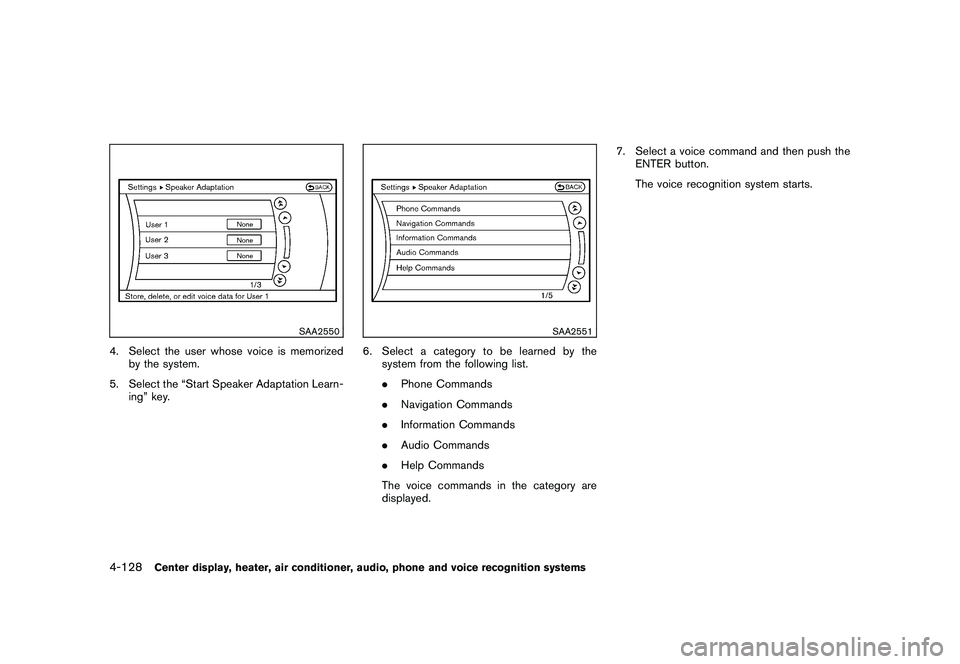
4. Select the user whose voice is memorizedby the system.
5. Select the “Start Speaker Adaptation Learn- ing” key.
SAA2551
6. Select a category to be learned by thesystem from the following list.
.Phone Commands
. Navigation Commands
. Information Commands
. Audio Commands
. Help Commands
The voice commands in the category are
displayed. 7. Select a voice command and then push the
ENTER button.
The voice recognition system starts.
4-128
Center display, heater, air conditioner, audio, phone and voice recognition systems
Page 299 of 433
Black plate (297,1)
Model "Z51-D" EDITED: 2010/ 7/ 23
SAA2552
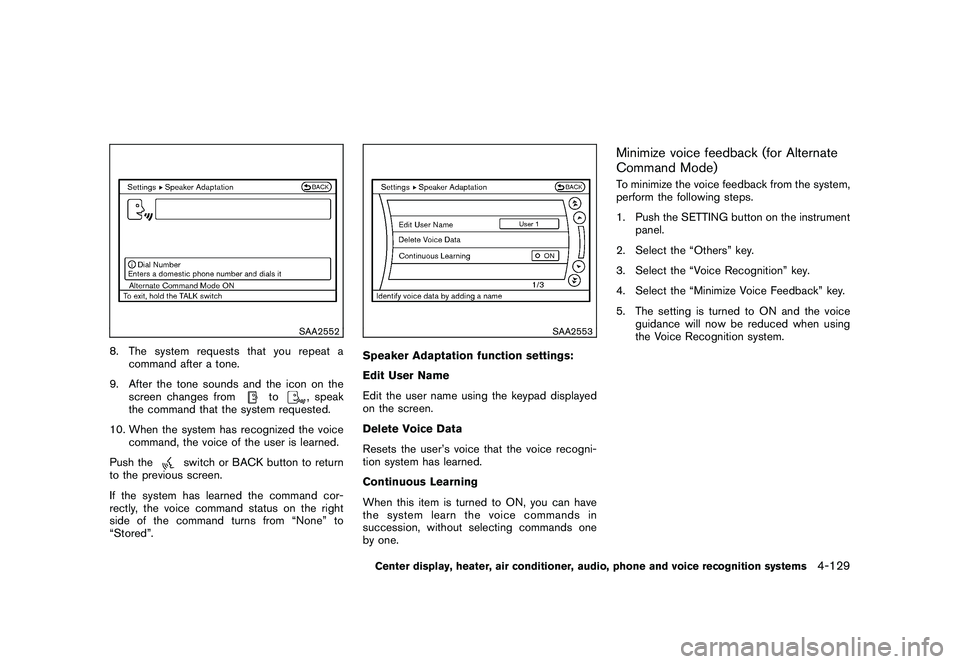
8. The system requests that you repeat acommand after a tone.
9. After the tone sounds and the icon on the screen changes from
to
, speak
the command that the system requested.
10. When the system has recognized the voice command, the voice of the user is learned.
Push the
switch or BACK button to return
to the previous screen.
If the system has learned the command cor-
rectly, the voice command status on the right
side of the command turns from “None” to
“Stored”.
SAA2553
Speaker Adaptation function settings:
Edit User Name
Edit the user name using the keypad displayed
on the screen.
Delete Voice Data
Resets the user’s voice that the voice recogni-
tion system has learned.
Continuous Learning
When this item is turned to ON, you can have
the system learn the voice commands in
succession, without selecting commands one
by one.
Minimize voice feedback (for Alternate
Command Mode)To minimize the voice feedback from the system,
perform the following steps.
1. Push the SETTING button on the instrument panel.
2. Select the “Others” key.
3. Select the “Voice Recognition” key.
4. Select the “Minimize Voice Feedback” key.
5. The setting is turned to ON and the voice guidance will now be reduced when using
the Voice Recognition system.
Center display, heater, air conditioner, audio, phone and voice recognition systems
4-129
Page 300 of 433
Black plate (298,1)
Model "Z51-D" EDITED: 2010/ 7/ 23
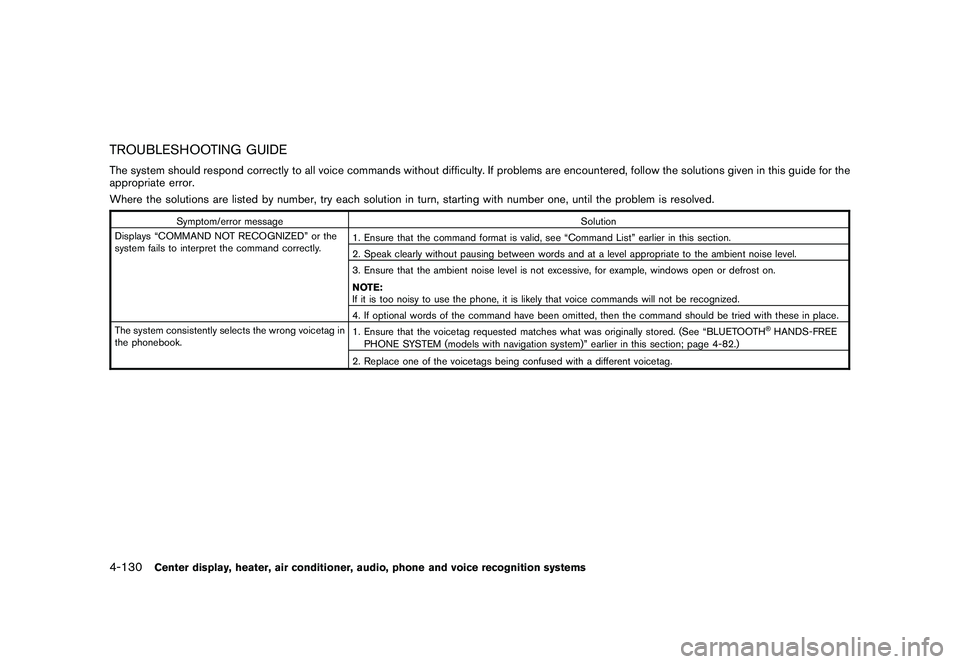
TROUBLESHOOTING GUIDEThe system should respond correctly to all voice commands without difficulty. If problems are encountered, follow the solutions given in this guide for the
appropriate error.
Where the solutions are listed by number, try each solution in turn, starting with number one, until the problem is resolved.
Symptom/error messageSolution
Displays “COMMAND NOT RECOGNIZED” or the
system fails to interpret the command correctly. 1. Ensure that the command format is valid, see “Command List” earlier in this section.
2. Speak clearly without pausing between words and at a level appropriate to the ambient noise level.
3. Ensure that the ambient noise level is not excessive, for example, windows open or defrost on.
NOTE:
If it is too noisy to use the phone, it is likely that voice commands will not be recognized.
4. If optional words of the command have been omitted, then the command should be tried with these in place.
The system consistently selects the wrong voicetag in
the phonebook. 1. Ensure that the voicetag requested matches what was originally stored. (See “BLUETOOTH
®HANDS-FREE
PHONE SYSTEM (models with navigation system)” earlier in this section; page 4-82.)
2. Replace one of the voicetags being confused with a different voicetag.
4-130
Center display, heater, air conditioner, audio, phone and voice recognition systems
Page 301 of 433

Black plate (299,1)
Model "Z51-D" EDITED: 2010/ 7/ 23
MEMO
Center display, heater, air conditioner, audio, phone and voice recognition systems
4-131
Page 302 of 433
Black plate (300,1)
Model "Z51-D" EDITED: 2010/ 7/ 23
MEMO4-132
Center display, heater, air conditioner, audio, phone and voice recognition systems
Page 424 of 433
Black plate (426,1)
Model "Z51-D" EDITED: 2010/ 7/ 23
Genuine NISSAN Service Manuals for this
model year and prior can be purchased. A
genuine NISSAN Service Manual is the best
source of service and repair information for your
vehicle. This manual is the same one used by the
factory trained technicians working at a NISSAN
dealer. Genuine NISSAN Owner’s Manuals can
also be purchased.
In the USA:
For current pricing and availability of genuine
NISSAN Service Manuals, contact:
1-800-450-9491
www.nissan-techinfo.com
For current pricing and availability of genuine
NISSAN Owner’s Manuals , contact:
1-800-247-5321
In Canada:
To purchase a copy of a genuine NISSAN
Service Manual or Owner’s Manual for this
model year and prior, contact a NISSAN dealer.
For the phone number and location of a NISSAN
dealer in your area call the NISSAN Information
Center at 1-800-387-0122 and a bilingual
NISSAN representative will assist you.
IN THE EVENT OF A COLLISIONUnfortunately, accidents do occur. In this
unlikely event, there is some important informa-
tion you should know.
Many insurance companies routinely authorize
the use of non-genuine collision parts in order to
cut costs, among other reasons.Insist on the use of Genuine NISSAN
Collision Parts!If you want your vehicle to be restored using
parts made to NISSAN’s original exacting
specifications — if you want to help it to last
and hold its resale value, the solution is simple.
Tell your insurance agent and your repair
shop to only use Genuine NISSAN Colli-
sion Parts. NISSAN does not warrant non-
NISSAN parts, nor does NISSAN’s warranty
apply to damage caused by a non-genuine part.
Using Genuine NISSAN Parts can help protect
your personal safety, preserve your warranty
protection and maintain the resale value of your
vehicle. And if your vehicle was leased, using
Genuine NISSAN Parts may prevent or limit
unnecessary excess wear and tear expenses at
the end of your lease.
NISSAN designs its hoods with crumple zones
to minimize the risk that the hood will penetrate
the windshield of your vehicle in an accident.
Non-genuine (imitation) parts may not provide such built-in safeguards. Also, non-genuine
parts often show premature wear, rust and
corrosion.
Why should you take a chance?In over 40 states, the law says you must be
advised if non-genuine parts are used to repair
your vehicle. And some states have enacted
laws that restrict insurance companies from
authorizing the use of non-genuine collision
parts during the new vehicle warranty. These
laws help protect you, so you can take action to
protect yourself.It’s your right!If you should need further information visit us at:
www.nissanusa.com
(for U.S. customers) or
www.nissan.ca (for Canadian customers)
OWNER’S MANUAL/SERVICE
MANUAL ORDER INFORMATION9-28
Technical and consumer information
Page 425 of 433
Black plate (1,1)
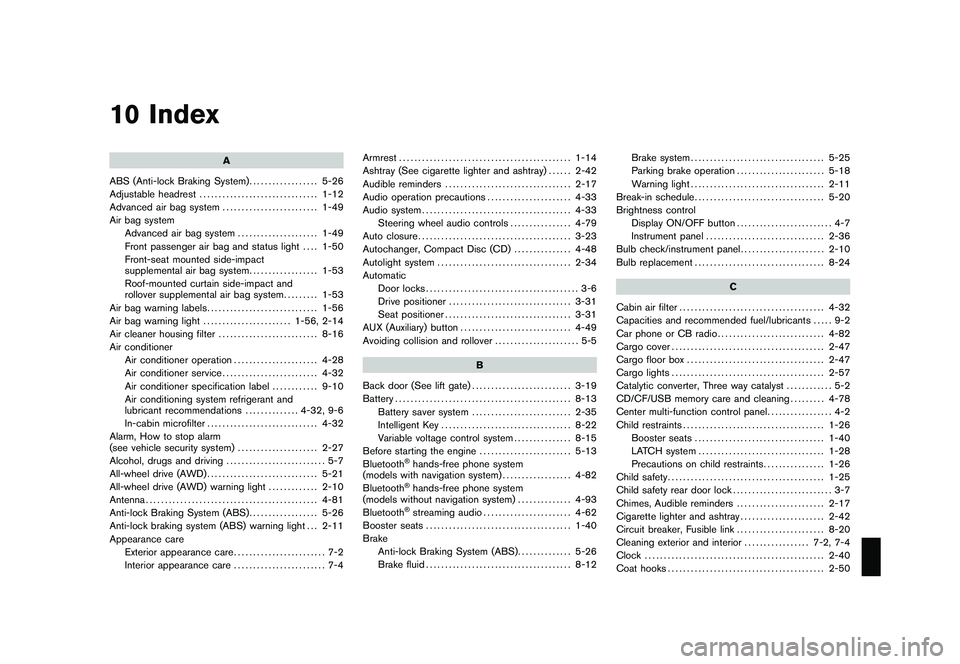
10 Index
A
ABS (Anti-lock Braking System) .................. 5-26
Adjustable headrest ............................... 1-12
Advanced air bag system ......................... 1-49
Air bag system Advanced air bag system ..................... 1-49
Front passenger air bag and status light .... 1-50
Front-seat mounted side-impact
supplemental air bag system .................. 1-53
Roof-mounted curtain side-impact and
rollover supplemental air bag system ......... 1-53
Air bag warning labels ............................. 1-56
Air bag warning light ....................... 1-56, 2-14
Air cleaner housing filter .......................... 8-16
Air conditioner Air conditioner operation ...................... 4-28
Air conditioner service ......................... 4-32
Air conditioner specification label ............ 9-10
Air conditioning system refrigerant and
lubricant recommendations .............. 4-32, 9-6
In-cabin microfilter ............................. 4-32
Alarm, How to stop alarm
(see vehicle security system) ..................... 2-27
Alcohol, drugs and driving .......................... 5-7
All-wheel drive (AWD) ............................. 5-21
All-wheel drive (AWD) warning light ............. 2-10
Antenna ............................................. 4-81
Anti-lock Braking System (ABS) .................. 5-26
Anti-lock braking system (ABS) warning light . . . 2-11
Appearance care Exterior appearance care ........................ 7-2
Interior appearance care ........................ 7-4 Armrest
............................................. 1-14
Ashtray (See cigarette lighter and ashtray) ...... 2-42
Audible reminders ................................. 2-17
Audio operation precautions ...................... 4-33
Audio system ....................................... 4-33
Steering wheel audio controls ................ 4-79
Auto closure ........................................ 3-23
Autochanger, Compact Disc (CD) ............... 4-48
Autolight system ................................... 2-34
Automatic Door locks ........................................ 3-6
Drive positioner ................................ 3-31
Seat positioner ................................. 3-31
AUX (Auxiliary) button ............................. 4-49
Avoiding collision and rollover ...................... 5-5
B
Back door (See lift gate) .......................... 3-19
Battery .............................................. 8-13
Battery saver system .......................... 2-35
Intelligent Key .................................. 8-22
Variable voltage control system ............... 8-15
Before starting the engine ........................ 5-13
Bluetooth
®hands-free phone system
(models with navigation system) .................. 4-82
Bluetooth®hands-free phone system
(models without navigation system) .............. 4-93
Bluetooth®streaming audio ....................... 4-62
Booster seats ...................................... 1-40
Brake Anti-lock Braking System (ABS) .............. 5-26
Brake fluid ...................................... 8-12 Brake system
................................... 5-25
Parking brake operation ....................... 5-18
Warning light ................................... 2-11
Break-in schedule .................................. 5-20
Brightness control Display ON/OFF button ......................... 4-7
Instrument panel ............................... 2-36
Bulb check/instrument panel ...................... 2-10
Bulb replacement .................................. 8-24
C
Cabin air filter ...................................... 4-32
Capacities and recommended fuel/lubricants ..... 9-2
Car phone or CB radio ............................ 4-82
Cargo cover ........................................ 2-47
Cargo floor box .................................... 2-47
Cargo lights ........................................ 2-57
Catalytic converter, Three way catalyst ............ 5-2
CD/CF/USB memory care and cleaning ......... 4-78
Center multi-function control panel ................. 4-2
Child restraints ..................................... 1-26
Booster seats .................................. 1-40
LATCH system ................................. 1-28
Precautions on child restraints ................ 1-26
Child safety ......................................... 1-25
Child safety rear door lock .......................... 3-7
Chimes, Audible reminders ....................... 2-17
Cigarette lighter and ashtray ...................... 2-42
Circuit breaker, Fusible link ....................... 8-20
Cleaning exterior and interior ................. 7-2, 7-4
Clock ............................................... 2-40
Coat hooks ......................................... 2-50
Model "Z51-D" EDITED: 2010/ 7/ 23