bluetooth NISSAN MURANO 2015 3.G User Guide
[x] Cancel search | Manufacturer: NISSAN, Model Year: 2015, Model line: MURANO, Model: NISSAN MURANO 2015 3.GPages: 424, PDF Size: 4.53 MB
Page 232 of 424
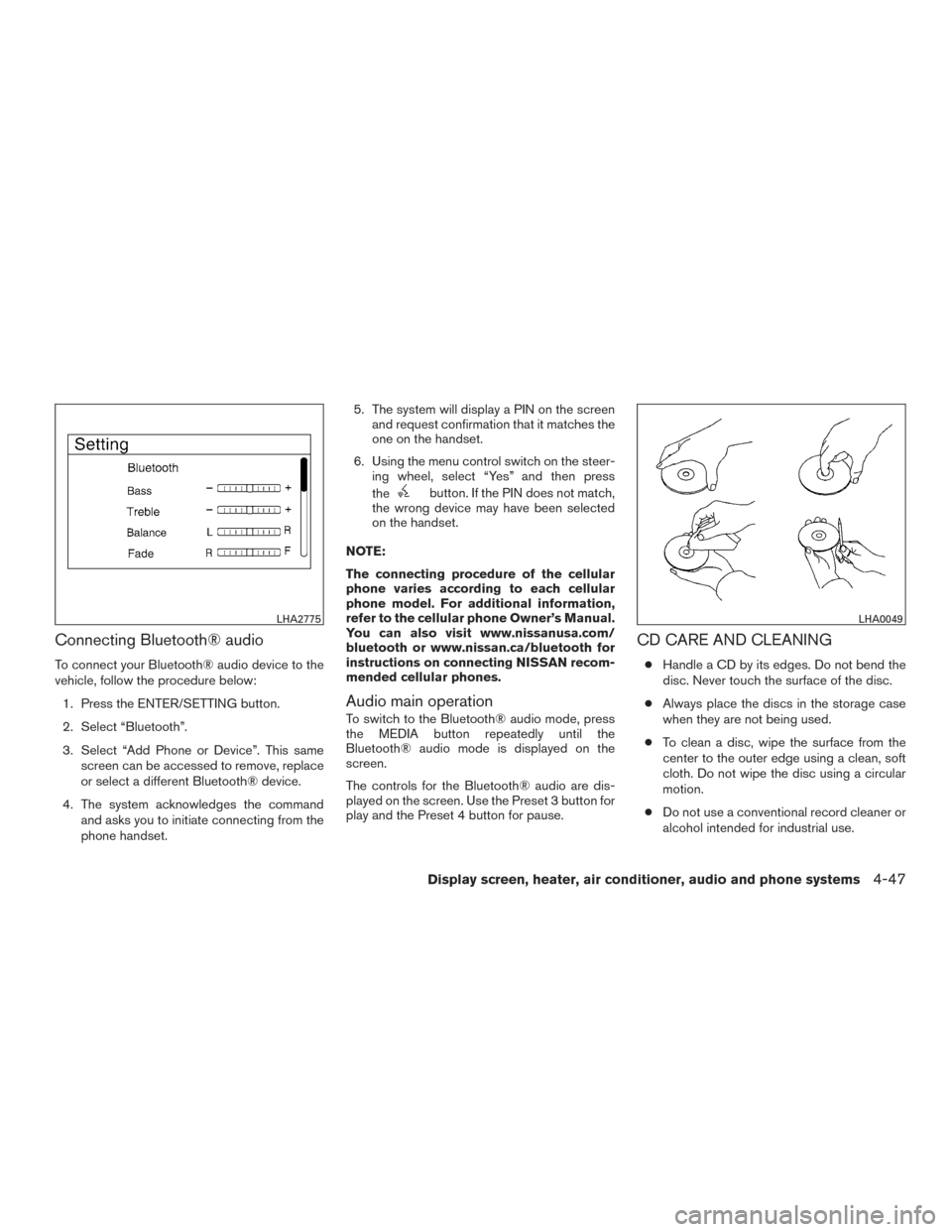
Connecting Bluetooth® audio
To connect your Bluetooth® audio device to the
vehicle, follow the procedure below:1. Press the ENTER/SETTING button.
2. Select “Bluetooth”.
3. Select “Add Phone or Device”. This same screen can be accessed to remove, replace
or select a different Bluetooth® device.
4. The system acknowledges the command and asks you to initiate connecting from the
phone handset. 5. The system will display a PIN on the screen
and request confirmation that it matches the
one on the handset.
6. Using the menu control switch on the steer- ing wheel, select “Yes” and then press
the
button. If the PIN does not match,
the wrong device may have been selected
on the handset.
NOTE:
The connecting procedure of the cellular
phone varies according to each cellular
phone model. For additional information,
refer to the cellular phone Owner’s Manual.
You can also visit www.nissanusa.com/
bluetooth or www.nissan.ca/bluetooth for
instructions on connecting NISSAN recom-
mended cellular phones.
Audio main operation
To switch to the Bluetooth® audio mode, press
the MEDIA button repeatedly until the
Bluetooth® audio mode is displayed on the
screen.
The controls for the Bluetooth® audio are dis-
played on the screen. Use the Preset 3 button for
play and the Preset 4 button for pause.
CD CARE AND CLEANING
● Handle a CD by its edges. Do not bend the
disc. Never touch the surface of the disc.
● Always place the discs in the storage case
when they are not being used.
● To clean a disc, wipe the surface from the
center to the outer edge using a clean, soft
cloth. Do not wipe the disc using a circular
motion.
● Do not use a conventional record cleaner or
alcohol intended for industrial use.
LHA2775LHA0049
Display screen, heater, air conditioner, audio and phone systems4-47
Page 233 of 424
●A new disc may be rough on the inner and
outer edges. Remove the rough edges by
rubbing the inner and outer edges with the
side of a pen or pencil as illustrated.
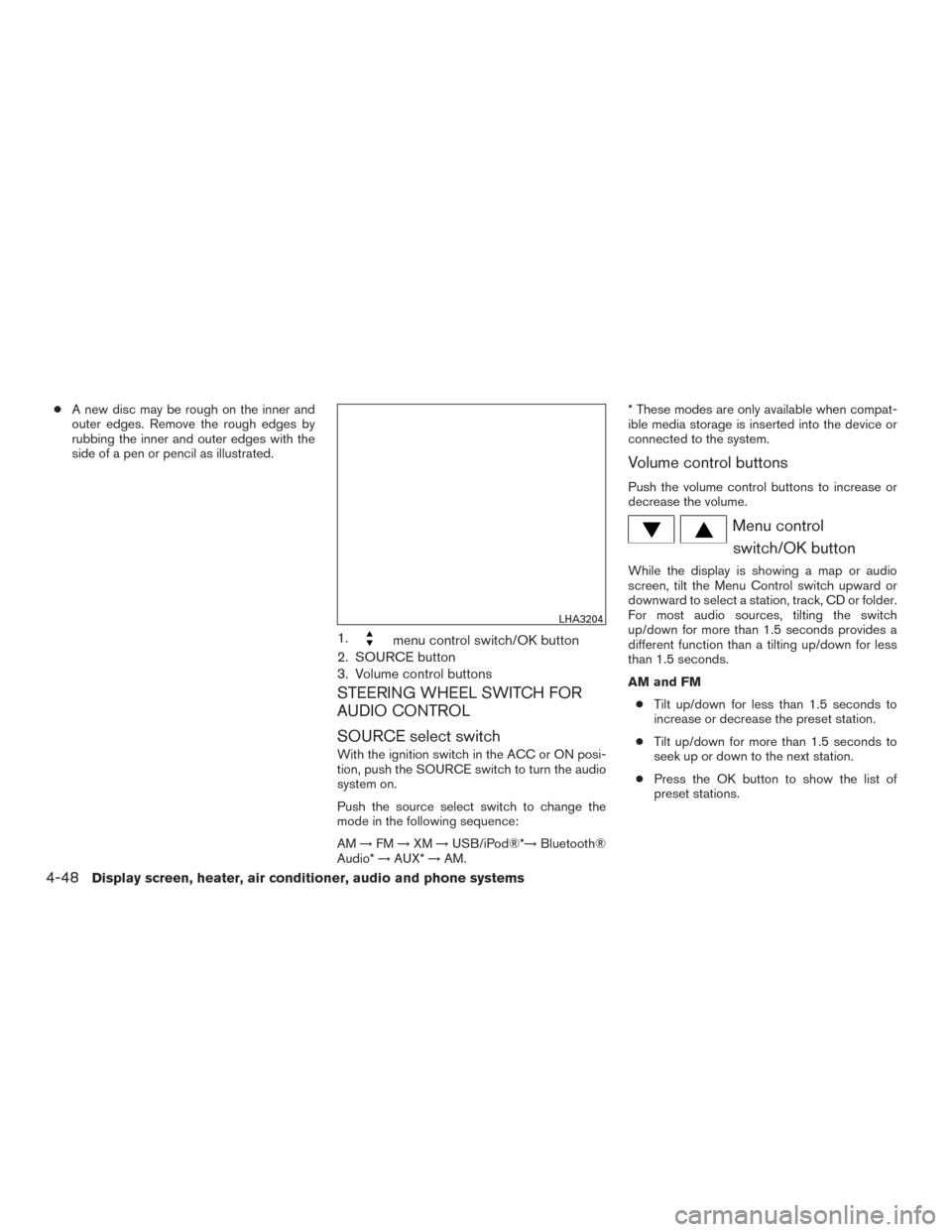
1.menu control switch/OK button
2. SOURCE button
3. Volume control buttons
STEERING WHEEL SWITCH FOR
AUDIO CONTROL
SOURCE select switch
With the ignition switch in the ACC or ON posi-
tion, push the SOURCE switch to turn the audio
system on.
Push the source select switch to change the
mode in the following sequence:
AM →FM →XM →USB/iPod®*→ Bluetooth®
Audio* →AUX* →AM. * These modes are only available when compat-
ible media storage is inserted into the device or
connected to the system.
Volume control buttons
Push the volume control buttons to increase or
decrease the volume.
Menu control
switch/OK button
While the display is showing a map or audio
screen, tilt the Menu Control switch upward or
downward to select a station, track, CD or folder.
For most audio sources, tilting the switch
up/down for more than 1.5 seconds provides a
different function than a tilting up/down for less
than 1.5 seconds.
AM and FM
● Tilt up/down for less than 1.5 seconds to
increase or decrease the preset station.
● Tilt up/down for more than 1.5 seconds to
seek up or down to the next station.
● Press the OK button to show the list of
preset stations.
LHA3204
4-48Display screen, heater, air conditioner, audio and phone systems
Page 234 of 424
XM● Tilt up/down for less than 1.5 seconds to
increase or decrease the preset station.
● Tilt up/down for more than 1.5 seconds to
go to the next or previous channel.
● Press the OK button to show the XM Menu.
iPod® ● Tilt up/down for less than 1.5 seconds to
increase or decrease the track number.
● Press the OK button to show the iPod Menu.
CD ● Tilt up/down for less than 1.5 seconds to
increase or decrease the track number.
● Tilt up/down for more than 1.5 seconds to
increase or decrease the folder number (if
playing compressed audio files) .
● Press the OK button to show the CD Menu. USB
● Tilt up/down for less than 1.5 seconds to
increase or decrease the track number.
● Tilt up/down for more than 1.5 seconds to
increase or decrease the folder number.
● Press the OK button to show the USB Menu.
Bluetooth® Audio ● Tilt up/down for less than 1.5 seconds to
skip ahead or back to the next song.
● Tilt up/down for more than 1.5 seconds to
reverse or fast forward the current song.
AUX ● Press the OK button to show the AUX Menu. This vehicle is equipped with NissanConnectSM
Mobile Apps. This allows many compatible
Smartphone applications to be displayed and
easily controlled through the vehicle’s audio sys-
tem.
NOTE:
A compatible smartphone and registration
is required to use mobile applications or to
access connected features of certain ve-
hicle applications.
REGISTERING NISSANCONNECTSM
MOBILE APPS
To use the NissanConnectSMMobile Apps fea-
ture, it is necessary for the user to register. In
order to register, visit the NissanConnect
SM
website, www.nissanusa.com/connect/ or
https://canada.nissanconnect.com (For Canada) .
Once registered, download the Nissan-
Connect
SMApp from the App Store or Google
Play Store and then log into the application. If you
already have a NISSAN Owner Portal Account,
then you can use this login information to access
the app.
NISSANCONNECTSMMOBILE APPS
Display screen, heater, air conditioner, audio and phone systems4-49
Page 235 of 424
CONNECT PHONE
To use this feature, a compatible smartphone
must be connected via Bluetooth® or USB to the
vehicle. For additional information, refer to
“Bluetooth® Hands-Free Phone System without
Navigation System” regarding connecting your
phone in this section.
NOTE:
Apple iPhone can be paired via Bluetooth®
for NissanConnect
SMApps to function.
NOTE:
Apple certified cables are supported and
some aftermarket cables may not function
correctly with the USB port.
APPLICATION DOWNLOAD
Once connected, the NissanConnectSMApp will
search your phone to determine which compat-
ible applications are currently installed. The user
will then choose which apps they want to bring
into their vehicle from the list of apps within the
“Manage My Apps” section of the Nissan-
Connect
SMApp on their smartphone. The vehicle
will then download the in-vehicle interface for
each of these compatible applications. Once
downloaded, the user can access their selected
smartphone applications through the vehicle in- terface. For additional information on application
availability visit www.nissanusa.com/connect/ or
www.canada.nissanconnect.com
When installing a CB, ham radio or car phone in
your vehicle, be sure to observe the following
precautions; otherwise, the new equipment may
adversely affect the engine control system and
other electronic parts.
WARNING
●
A cellular phone should not be used for
any purpose while driving so full atten-
tion may be given to vehicle operation.
Some jurisdictions prohibit the use of
cellular phones while driving.
● If you must make a call while your ve-
hicle is in motion, the hands free cellu-
lar phone operational mode is highly
recommended. Exercise extreme cau-
tion at all times so full attention may be
given to vehicle operation.
● If you are unable to devote full attention
to vehicle operation while talking on
the phone, pull off the road to a safe
location and stop your vehicle.
CAR PHONE OR CB RADIO
4-50Display screen, heater, air conditioner, audio and phone systems
Page 236 of 424
CAUTION
●Keep the antenna as far away as pos-
sible from the electronic control
modules.
● Keep the antenna wire more than 8 in
(20 cm) away from the electronic control
system harnesses. Do not route the an-
tenna wire next to any harness.
● Adjust the antenna standing-wave ratio
as recommended by the manufacturer.
● Connect the ground wire from the CB
radio chassis to the body.
● For details, consult a NISSAN dealer.
WARNING
●Use a phone after stopping your vehicle
in a safe location. If you have to use a
phone while driving, exercise extreme
caution at all times so full attention may
be given to vehicle operation.
● If you are unable to devote full attention
to vehicle operation while talking on
the phone, pull off the road to a safe
location and stop your vehicle.
CAUTION
To avoid discharging the vehicle battery,
use a phone after starting the engine.
BLUETOOTH® HANDS-FREE PHONE
SYSTEM WITHOUT NAVIGATION
SYSTEM (if so equipped)
Display screen, heater, air conditioner, audio and phone systems4-51
Page 237 of 424
Your NISSAN is equipped with the Bluetooth®
Hands-Free Phone System. If you have a com-
patible Bluetooth® enabled cellular phone, you
can set up the wireless connection between your
cellular phone and the in-vehicle phone module.
With Bluetooth® wireless technology, you canmake or receive a hands-free telephone call with
your cellular phone in the vehicle.
Once your cellular phone is connected to the
in-vehicle phone module, no other phone con-
necting procedure is required. Your phone is
automatically connected with the in-vehiclephone module when the ignition switch is placed
in the ON position with the previously connected
cellular phone turned on and carried in the ve-
hicle.
NOTE:
Some devices require the user to accept
connections to other Bluetooth® devices. If
your phone does not connect automatic
ally to the system, consult the phone’s
Owner’s Manual for details on device op-
eration.
You can connect up to five different Bluetooth®
cellular phones to the in-vehicle phone module.
However, you can talk on only one cellular phone
at a time.
Before using the Bluetooth® Hands-Free Phone
System, refer to the following notes.
● Set up the wireless connection between a
compatible cellular phone and the in-vehicle
phone module before using the hands-free
phone system.
● Some Bluetooth® enabled cellular phones
may not be recognized or work properly.
Please visit www.nissanusa.com/bluetooth
or www.nissan.ca/bluetooth for a recom-
mended phone list and connecting instruc-
tions.
LHA3199
4-52Display screen, heater, air conditioner, audio and phone systems
Page 238 of 424
●You will not be able to use a hands-free
phone under the following conditions:
– Your vehicle is outside of the cellular ser- vice area.
– Your vehicle is in an area where it is difficult to receive a cellular signal; such
as in a tunnel, in an underground parking
garage, near a tall building or in a moun-
tainous area.
– Your cellular phone is locked to prevent it from being dialed.
● When the radio wave condition is not ideal
or ambient sound is too loud, it may be
difficult to hear the other person’s voice dur-
ing a call.
● Do not place the cellular phone in an area
surrounded by metal or far away from the
in-vehicle phone module to prevent tone
quality degradation and wireless connection
disruption.
● While a cellular phone is connected through
the Bluetooth® wireless connection, the
battery power of the cellular phone may dis-
charge quicker than usual. The Bluetooth®
Hands-Free Phone System cannot charge
cellular phones. ●
For additional information, refer to “Trouble-
shooting guide” in this section if the hands-
free phone system seems to be malfunction-
ing.
● Some cellular phones or other devices may
cause interference or a buzzing noise to
come from the audio system speakers. Stor-
ing the device in a different location may
reduce or eliminate the noise.
● For additional information, refer to the cellu-
lar phone Owner’s Manual regarding the
telephone charges, cellular phone antenna
and body, etc.
REGULATORY INFORMATION
FCC Regulatory information
– CAUTION: To maintain compliance with FCC’s RF exposure guidelines, use only the
supplied antenna. Unauthorized antenna,
modification, or attachments could damage
the transmitter and may violate FCC regula-
tions.
– Operation is subject to the following two con- ditions:
1. This device may not cause interference and
2. this device must accept any interference, including interference that may cause unde-
sired operation of the device. IC Regulatory information
– Operation is subject to the following two con-
ditions: (1) this device may not cause interfer-
ence, and (2) this device must accept any
interference, including interference that may
cause undesired operation of the device.
– This Class B digital apparatus meets all re- quirements of the Canadian Interference-
Causing Equipment Regulations.
BLUETOOTH® is a
trademark owned by
Bluetooth SIG, Inc.
and licensed to
Visteon.
USING THE SYSTEM
The NISSAN Voice Recognition system allows
hands-free operation of the Bluetooth® Hands-
Free Phone System.
If the vehicle is in motion, some commands may
not be available so full attention may be given to
vehicle operation.
Display screen, heater, air conditioner, audio and phone systems4-53
Page 240 of 424
CONTROL BUTTONS
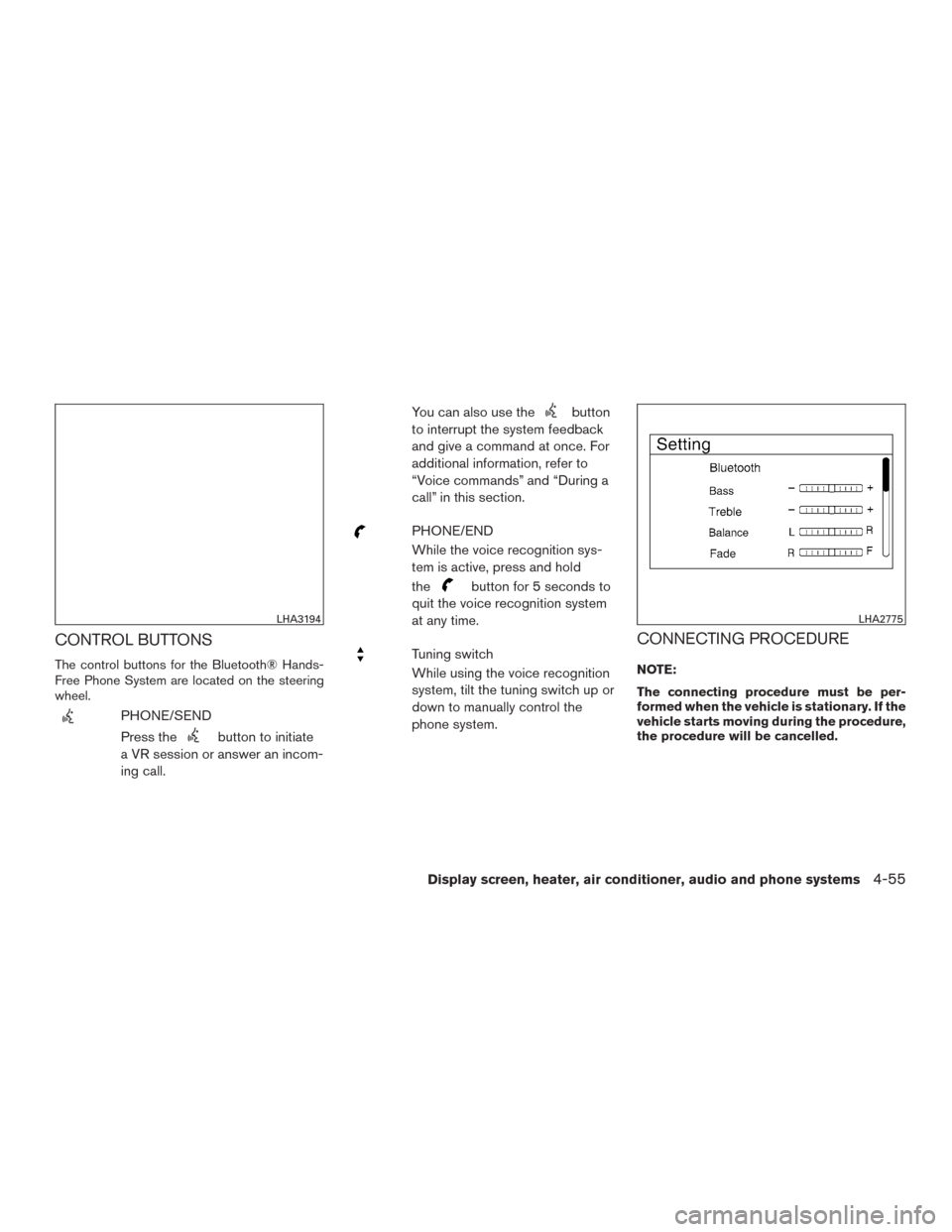
The control buttons for the Bluetooth® Hands-
Free Phone System are located on the steering
wheel.
PHONE/SEND
Press the
button to initiate
a VR session or answer an incom-
ing call. You can also use the
button
to interrupt the system feedback
and give a command at once. For
additional information, refer to
“Voice commands” and “During a
call” in this section.
PHONE/END
While the voice recognition sys-
tem is active, press and hold
the
button for 5 seconds to
quit the voice recognition system
at any time.
Tuning switch
While using the voice recognition
system, tilt the tuning switch up or
down to manually control the
phone system.CONNECTING PROCEDURE
NOTE:
The connecting procedure must be per-
formed when the vehicle is stationary. If the
vehicle starts moving during the procedure,
the procedure will be cancelled.
LHA3194LHA2775
Display screen, heater, air conditioner, audio and phone systems4-55
Page 241 of 424
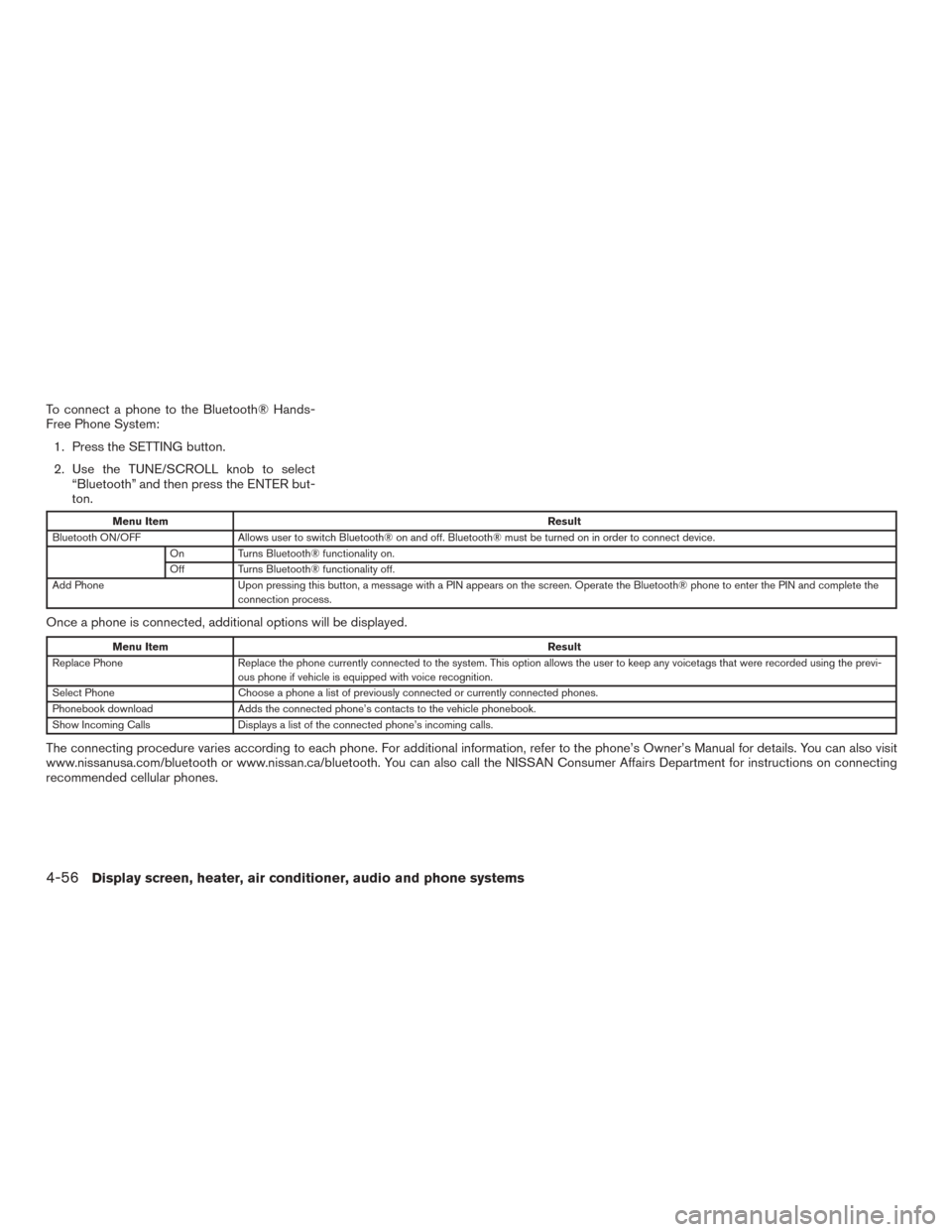
To connect a phone to the Bluetooth® Hands-
Free Phone System:1. Press the SETTING button.
2. Use the TUNE/SCROLL knob to select “Bluetooth” and then press the ENTER but-
ton.
Menu Item Result
Bluetooth ON/OFF Allows user to switch Bluetooth® on and off. Bluetooth® must be turned on in order to connect device.
On Turns Bluetooth® functionality on.
Off Turns Bluetooth® functionality off.
Add Phone Upon pressing this button, a message with a PIN appears on the screen. Operate the Bluetooth® phone to enter the PIN and complete the
connection process.
Once a phone is connected, additional options will be displayed.
Menu Item Result
Replace Phone Replace the phone currently connected to the system. This option allows the user to keep any voicetags that were recorded using the previ -
ous phone if vehicle is equipped with voice recognition.
Select Phone Choose a phone a list of previously connected or currently connected phones.
Phonebook download Adds the connected phone’s contacts to the vehicle phonebook.
Show Incoming Calls Displays a list of the connected phone’s incoming calls.
The connecting procedure varies according to each phone. For additional information, refer to the phone’s Owner’s Manual for details. You can also visit
www.nissanusa.com/bluetooth or www.nissan.ca/bluetooth. You can also call the NISSAN Consumer Affairs Department for instructions on connecting
recommended cellular phones.
4-56Display screen, heater, air conditioner, audio and phone systems
Page 242 of 424
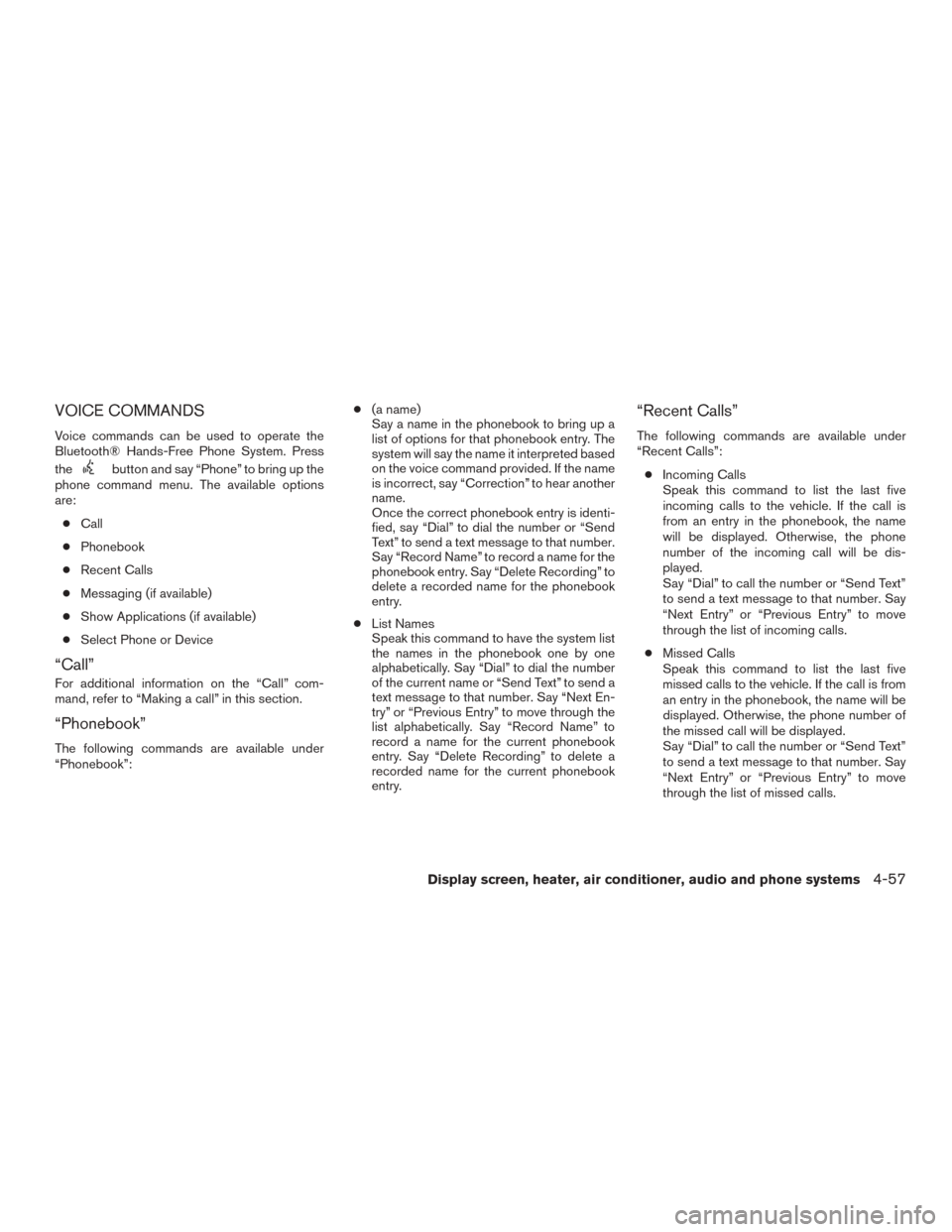
VOICE COMMANDS
Voice commands can be used to operate the
Bluetooth® Hands-Free Phone System. Press
the
button and say “Phone” to bring up the
phone command menu. The available options
are:
● Call
● Phonebook
● Recent Calls
● Messaging (if available)
● Show Applications (if available)
● Select Phone or Device
“Call”
For additional information on the “Call” com-
mand, refer to “Making a call” in this section.
“Phonebook”
The following commands are available under
“Phonebook”: ●
(a name)
Say a name in the phonebook to bring up a
list of options for that phonebook entry. The
system will say the name it interpreted based
on the voice command provided. If the name
is incorrect, say “Correction” to hear another
name.
Once the correct phonebook entry is identi-
fied, say “Dial” to dial the number or “Send
Text” to send a text message to that number.
Say “Record Name” to record a name for the
phonebook entry. Say “Delete Recording” to
delete a recorded name for the phonebook
entry.
● List Names
Speak this command to have the system list
the names in the phonebook one by one
alphabetically. Say “Dial” to dial the number
of the current name or “Send Text” to send a
text message to that number. Say “Next En-
try” or “Previous Entry” to move through the
list alphabetically. Say “Record Name” to
record a name for the current phonebook
entry. Say “Delete Recording” to delete a
recorded name for the current phonebook
entry.
“Recent Calls”
The following commands are available under
“Recent Calls”:
● Incoming Calls
Speak this command to list the last five
incoming calls to the vehicle. If the call is
from an entry in the phonebook, the name
will be displayed. Otherwise, the phone
number of the incoming call will be dis-
played.
Say “Dial” to call the number or “Send Text”
to send a text message to that number. Say
“Next Entry” or “Previous Entry” to move
through the list of incoming calls.
● Missed Calls
Speak this command to list the last five
missed calls to the vehicle. If the call is from
an entry in the phonebook, the name will be
displayed. Otherwise, the phone number of
the missed call will be displayed.
Say “Dial” to call the number or “Send Text”
to send a text message to that number. Say
“Next Entry” or “Previous Entry” to move
through the list of missed calls.
Display screen, heater, air conditioner, audio and phone systems4-57