phone NISSAN MURANO PLATINUM 2018 Owners Manual
[x] Cancel search | Manufacturer: NISSAN, Model Year: 2018, Model line: MURANO PLATINUM, Model: NISSAN MURANO PLATINUM 2018Pages: 460, PDF Size: 4.89 MB
Page 139 of 460
The E-call (SOS) system switch is used in
combination with a NissanConnect® Ser-
vices subscription to call for assistance in
case of an emergency.
Pushing the switch will (with a paid sub-
scription) reach a Response Specialist that
will provide assistance based on the situa-
tion described by the vehicle’s occupant.
For additional information, or to enroll your
vehicle, refer to
www.NissanUSA.com/connect,
www.Nissan.ca/NissanConnect, or
www.Nissan.ca/NissanConnect/fr or call
855–426–6628.
12V OUTLETS
The power outlets are for powering electri-
cal accessories such as cellular tele-
phones. They are rated at 12 volt, 120W (10A)
maximum.
The vehicle’s power outlets are powered
only when the ignition switch is in the ACC
(if so equipped) or ON position.
Open the cap to use a power outlet.
Page 229 of 460
∙ Do not use the MOD system whentowing a trailer. The system may not
function properly.
∙ Excessive noise (for example, audio system volume or open vehicle win-
dow) will interfere with the chime
sound, and it may not be heard.
∙ The MOD system performance will be limited according to environmental
conditions and surrounding objects
such as:
– When there is low contrast be- tween background and the moving
objects.
– When there is a blinking source of light.
– When strong light such as another vehicle’s headlight or sunlight is
present.
– When camera orientation is not in its usual position, such as when a
mirror is folded.
– When there is dirt, water drops or snow on the camera lens. – When the position of the moving
objects in the display is not
changed.
∙ The MOD system might detect flowing water droplets on the camera lens,
white smoke from the muffler, mov-
ing shadows, etc.
∙ The MOD system may not function properly depending on the speed, di-
rection, distance or shape of the mov-
ing objects.
∙ If your vehicle sustains damage to the parts where the camera is installed,
leaving it misaligned or bent, the
sensing zone may be altered and the
MOD system may not detect objects
properly.
∙ When the temperature is extremely high or low, the screen may not dis-
play objects clearly. This is not a
malfunction. NOTE:
The blue MOD icon will change to orange
if one of the following has occurred:
∙ When the system is malfunctioning.
∙ When the component temperature reaches a high level (icon will blink).
∙ When the Rear View camera has de- tected a blockage (icon will blink).
If the icon light continues to illuminate
orange, have the MOD system checked. It
is recommended that you visit a NISSAN
dealer for this service.
Monitor, climate, audio, phone and voice recognition systems4-25
Page 237 of 460
When installing a CB, ham radio or car
phone in your vehicle, be sure to observe
the following precautions; otherwise, the
new equipment may adversely affect the
engine control system and other electronic
parts.
Page 256 of 460
5. To stop the engine, move the shif t leverinto the P (Park) position and push the
ignition switch to the OFF position.
NOTE:
Care should be taken to avoid situations
that can lead to potential battery dis-
charge and potential no-start conditions
such as: 1. Installation or extended use of elec-
tronic accessories that consume bat-
tery power when the engine is not
running (phone chargers, GPS, DVD
players, etc.).
2. The vehicle is not driven regularly
and/or only driven short distances
In these cases, the battery may need to
be charged to maintain battery health.
REMOTE ENGINE START (if so
equipped)
Vehicles started with the Remote Engine
Start require the ignition switch to be
placed in the ON position before the shif t
lever can be moved from the P (Park) posi-
tion. To place the ignition switch in the ON
position, follow these steps: 1. Make sure that the Intelligent Key is on
you.
2. Apply the brake.
3. Push the ignition switch once to the ON position.
For additional information, refer to “NISSAN
Intelligent Key®” in the “Pre-driving checks
and adjustments” section of this manual.
CONTINUOUSLY VARIABLE
TRANSMISSION (CVT)
Page 370 of 460
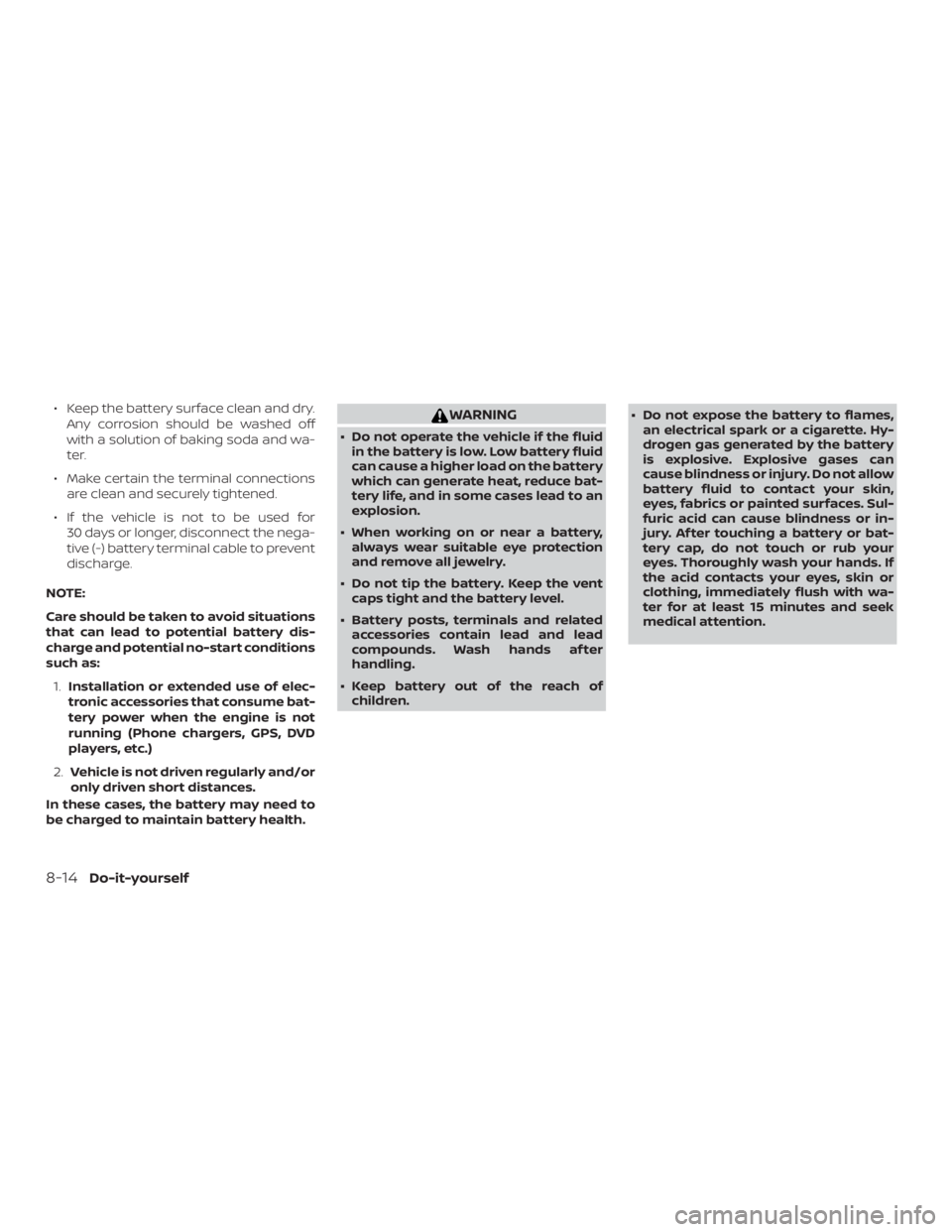
∙ Keep the battery surface clean and dry.Any corrosion should be washed off
with a solution of baking soda and wa-
ter.
∙ Make certain the terminal connections are clean and securely tightened.
∙ If the vehicle is not to be used for 30 days or longer, disconnect the nega-
tive (-) battery terminal cable to prevent
discharge.
NOTE:
Care should be taken to avoid situations
that can lead to potential battery dis-
charge and potential no-start conditions
such as: 1. Installation or extended use of elec-
tronic accessories that consume bat-
tery power when the engine is not
running (Phone chargers, GPS, DVD
players, etc.)
2. Vehicle is not driven regularly and/or
only driven short distances.
In these cases, the battery may need to
be charged to maintain battery health.
Page 449 of 460
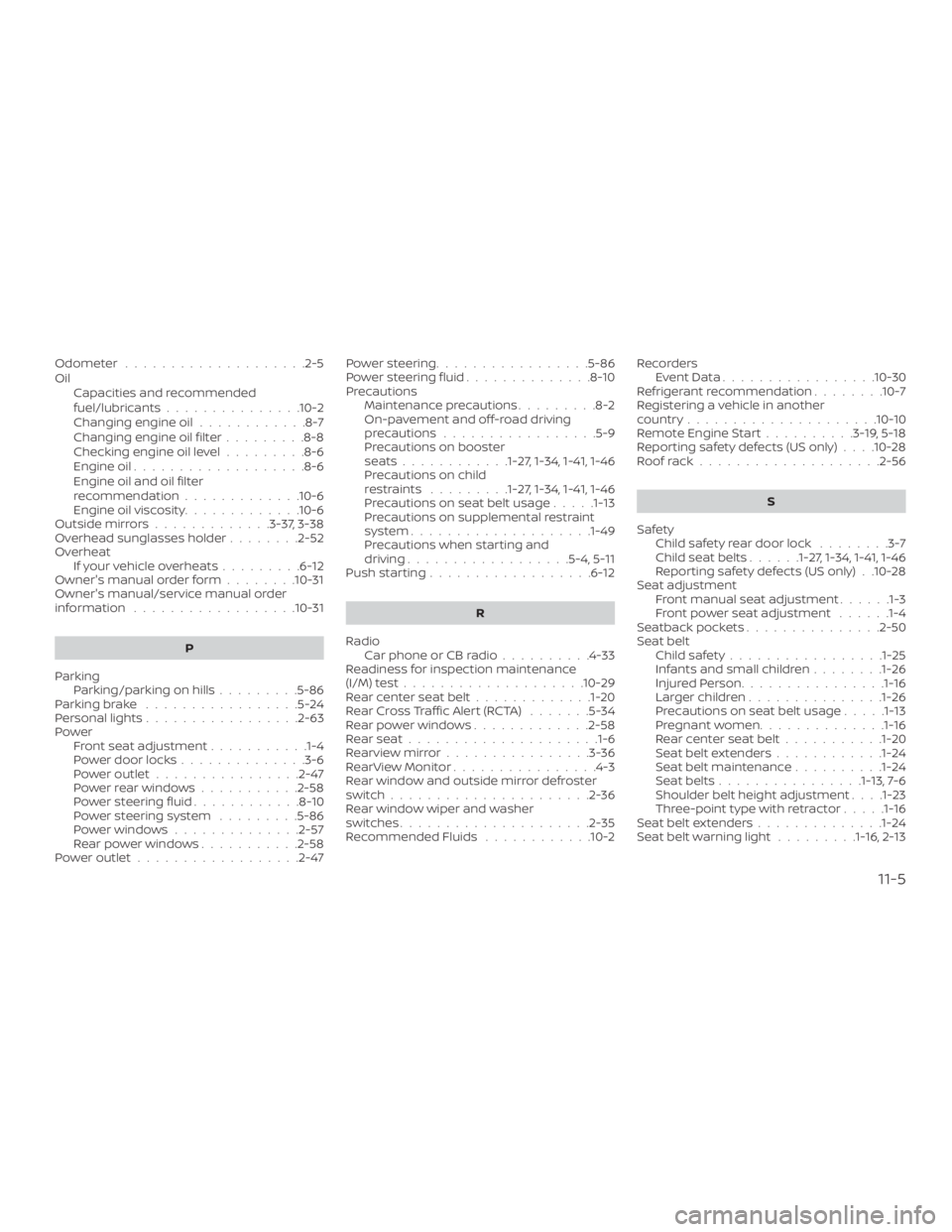
Odometer....................2-5
Oil Capacities and recommended
fuel/lubricants...............10-2
Changing engine oil ............8-7
Changing engine oil filter .........8-8
Checking engine oil level .........8-6
Engine oil ...................8-6
Engine oil and oil filter
recommendation .............10-6
Engine oil viscosity .............10-6
Outsidemirrors.............3-37,3-38
Overhead sunglasses holder ........2-52
Overheat Ifyourvehicleoverheats.........6-12
Owner's manual order form ........10-31
Owner's manual/service manual order
information ..................10-31
P
Parking Parking/parkingonhills.........5-86
Parkingbrake .................5-24
Personal lights .................2-63
Power Front seat adjustment ...........1-4
Power door locks ..............3-6
Poweroutlet................2-47
Powerrearwindows...........2-58
Powersteeringfluid............8-10
Power steering system .........5-86
Powerwindows..............2-57
Rearpowerwindows...........2-58
Poweroutlet..................2-47 Powersteering.................5-86
Powersteeringfluid..............8-10
Precautions
Maintenance precautions .........8-2
On-pavement and off-road driving
precautions .................5-9
Precautions on booster
seats............1-27, 1-34, 1-41, 1-46
Precautions on child
restraints .........1-27, 1-34, 1-41, 1-46
Precautions on seat belt usage .....1-13
Precautions on supplemental restraint
system ................... .1-49
Precautions when starting and
driving..................5-4,5-11
Push starting ..................6-12
R
Radio Car phone or CB radio ..........4-33
Readiness for inspection maintenance
(I/M) test ....................10-29
Rearcenterseatbelt.............1-20
RearCrossTrafficAlert(RCTA) .......5-34
Rearpowerwindows.............2-58
Rearseat.................... .1-6
Rearviewmirror................3-36
RearViewMonitor................4-3
Rear window and outside mirror defroster
switch......................2-36
Rear window wiper and washer
switches .....................2-35
Recommended Fluids ............10-2 Recorders
EventData.................10-30
Refrigerant recommendation ........10-7
Registering a vehicle in another
country .....................10-10
Remote Engine Start ..........3-19,5-18
Reporting safety defects (US only) . . . .10-28
Roofrack....................2-56
S
Safety Child safety rear door lock ........3-7
Childseatbelts......1-27, 1-34, 1-41, 1-46
Reporting safety defects (US only) . .10-28
Seat adjustment Front manual seat adjustment ......1-3
Front power seat adjustment ......1-4
Seatback pockets ...............2-50
Seat belt Childsafety.................1-25
Infants and small children ........1-26
I
njuredPerson............... .1-16
Largerchildren.............. .1-26
Precautionsonseatbeltusage.....1-13
Pregnant women ..............1-16
Rearcenterseatbelt...........1-20
Seat belt extenders ............1-24
Seat belt maintenance ..........1-24
Seatbelts................1-13, 7-6
Shoulder belt height adjustment . . . .1-23
Three-pointtypewithretractor.....1-16
Seat belt extenders ..............1-24
Seatbeltwarninglight.........1-16, 2-13
11-5