check engine NISSAN NOTE 2016 Service Repair Manual
[x] Cancel search | Manufacturer: NISSAN, Model Year: 2016, Model line: NOTE, Model: NISSAN NOTE 2016Pages: 3641, PDF Size: 28.72 MB
Page 3470 of 3641
![NISSAN NOTE 2016 Service Repair Manual CVT FLUIDTM-229
< PERIODIC MAINTENANCE > [CVT: RE0F11A]
C
EF
G H
I
J
K L
M A
B
TM
N
O P
Hold the lever at each position for 5 seconds.
13. Check that the CONSULT “Data monitor” in “FLUID TEMPâ€](/img/5/57363/w960_57363-3469.png "NISSAN NOTE 2016 Service Repair Manual CVT FLUIDTM-229
< PERIODIC MAINTENANCE > [CVT: RE0F11A]
C
EF
G H
I
J
K L
M A
B
TM
N
O P
Hold the lever at each position for 5 seconds.
13. Check that the CONSULT “Data monitor” in “FLUID TEMPâ€")
CVT FLUIDTM-229
< PERIODIC MAINTENANCE > [CVT: RE0F11A]
C
EF
G H
I
J
K L
M A
B
TM
N
O P
Hold the lever at each position for 5 seconds.
13. Check that the CONSULT “Data monitor” in “FLUID TEMP” is 35°C (95°F) to 45 °C (113 °F).
14. Stop the engine.
15. Lift up the vehicle.
16. Remove the drain plug, and then drain CVT fluid from oil pan.
17. Repeat steps 6 to 16 (one time).
18. Install the overflow tube. Refer to TM-242, "
Removal and Installation".
CAUTION:
Be sure to tighten to the specified torque. If it is not tightened to the specified torque, the tube may
be damaged.
19. Install the charging pipe set (KV311039S0) (A) into the drain hole.
CAUTION:
Tighten the charging pipe by hand.
20. Install the ATF changer hose (B) to the charging pipe. CAUTION:
Press the ATF changer hose all the way onto the charging
pipe until it stops.
21. Fill approximately 3 liter (2-5 /8 lmp qt) of the CVT fluid.
22. Remove the ATF changer hose and charging pipe, then install the drain plug.
NOTE:
Perform this work quickly because CVT fluid leaks.
23. Lift down the vehicle.
24. Start the engine.
25. While depressing the brake pedal, shift the selector leve r to the entire position from “P” to “L”, and shift it
to the “P” position.
NOTE:
Hold the lever at each position for 5 seconds.
26. Check that the CONSULT “Data monitor” in “FLUID TEMP” is 35°C (95°F) to 45 °C (113 °F).
27. Lift up the vehicle.
28. Remove the drain plug and confirm that the CV T fluid is drained from the overflow tube.
CAUTION:
Perform this work with the vehicle idling.
NOTE:
If the CVT fluid is not drained, refer to “Adjustment” and refill with the CVT fluid.
29. When the flow of CVT fluid slows to a drip, tighten the drain plug to the specified torque. TM-242,
"Removal and Installation".
CAUTION:
Never reuse drain plug gasket.
30. Lift down the vehicle.
31. Select “Work Support” in “T RANSMISSION” using CONSULT.
32. Select “CONFORM CVTF DETERIORTN”.
33. Select “Erase”.
34. Stop the engine.
AdjustmentINFOID:0000000012431174
CAUTION:
• Use only Genuine NISSAN CVT Fluid NS-3. Using transmission fluid other than Genuine NISSAN CVT Fluid NS-3 will damage the CVT, which is not covered by the (NISSAN new vehicle limited) war-
ranty.
JSDIA1876ZZ
CVT fluid : Refer to TM-265, "General Specification".
Fluid capacity : Refer to TM-265, "
General Specification".
Revision: August 2015 2016 Versa Note
cardiagn.com
Page 3471 of 3641
![NISSAN NOTE 2016 Service Repair Manual TM-230
< PERIODIC MAINTENANCE >[CVT: RE0F11A]
CVT FLUID
• During adjustment of the CVT fluid level, check CO
NSULT so that the oil temperature may be main-
tained from 35 to 45 °C (95 to 113 °F).](/img/5/57363/w960_57363-3470.png "NISSAN NOTE 2016 Service Repair Manual TM-230
< PERIODIC MAINTENANCE >[CVT: RE0F11A]
CVT FLUID
• During adjustment of the CVT fluid level, check CO
NSULT so that the oil temperature may be main-
tained from 35 to 45 °C (95 to 113 °F).")
TM-230
< PERIODIC MAINTENANCE >[CVT: RE0F11A]
CVT FLUID
• During adjustment of the CVT fluid level, check CO
NSULT so that the oil temperature may be main-
tained from 35 to 45 °C (95 to 113 °F).
• Use caution when looking into the drain hole as th ere is a risk of dripping fluid entering the eye.
1. Check that the selector lever is in the “P ” position, then completely engage the parking brake.
2. Start the engine.
3. Adjust the CVT fluid temperature to be approximately 40 °C (104° F).
NOTE:
The CVT fluid is largely affected by temperature. Therefore be sure to use CONSULT and check the
“FLUID TEMP” under “TRANSMISSION” in “Data Monitor” while adjusting.
4. While depressing the brake pedal, shift the selector lever to the entire position from “P” to “L”, and shift it to the “P” position.
NOTE:
Hold the lever at each position for 5 seconds.
5. Lift up the vehicle.
6. Check that there is no CVT fluid leakage.
7. Remove the drain plug. Refer to TM-242, "
Removal and Installation".
8. Install the charging pipe set (KV311039S0) (A) into the drain plug hole.
CAUTION:
Tighten the charging pipe by hand.
9. Install the ATF changer hose (B) to the charging pipe. CAUTION:
Press the ATF changer hose all the way onto the charging
pipe until it stops.
10. Fill approximately 0.5 liter (1/2 lmp qt) of the CVT fluid.
11. Remove the ATF changer hose from the charging pipe, and check that the CVT fluid drains out from the charging pipe. If it
does not drain out, perform charging again.
CAUTION:
Perform this work with the vehicle idling.
12. When the flow of CVT fluid slows to a drip, remove the charging pipe from the oil pan.
13. Tighten the drain plug to the specified torque. Refer to TM-242, "
Removal and Installation".
CAUTION:
Never reuse drain plug gasket.
14. Lift down the vehicle.
15. Stop the engine.
JSDIA1876ZZ
Revision: August 2015 2016 Versa Note
cardiagn.com
Page 3494 of 3641
![NISSAN NOTE 2016 Service Repair Manual WATER HOSETM-253
< REMOVAL AND INSTALLATION > [CVT: RE0F11A]
C
EF
G H
I
J
K L
M A
B
TM
N
O P
InspectionINFOID:0000000012431209
INSPECTION AFTER INSTALLATION
Start the engine and check visually that th](/img/5/57363/w960_57363-3493.png "NISSAN NOTE 2016 Service Repair Manual WATER HOSETM-253
< REMOVAL AND INSTALLATION > [CVT: RE0F11A]
C
EF
G H
I
J
K L
M A
B
TM
N
O P
InspectionINFOID:0000000012431209
INSPECTION AFTER INSTALLATION
Start the engine and check visually that th")
WATER HOSETM-253
< REMOVAL AND INSTALLATION > [CVT: RE0F11A]
C
EF
G H
I
J
K L
M A
B
TM
N
O P
InspectionINFOID:0000000012431209
INSPECTION AFTER INSTALLATION
Start the engine and check visually that there is no leakage of engine coolant.
Water hose (1) Installation side
tube (2) Hose clamp (3)
Dieection of tab Clamping position
Water hose A Water outlet Upward
5 - 7 mm (0.20 - 0.28
in) (A) from hose end
CVT oil warmer Frontward
Water hose B CVT oil warmer Leftward
Water bypass pipe Rightward
Water hose C Water bypass pipe
Upward and 45
°
frontward
Water outlet Upward and 45
°
frontward
JSDIA2424ZZ
Revision: August 2015 2016 Versa Note
cardiagn.com
Page 3497 of 3641
![NISSAN NOTE 2016 Service Repair Manual TM-256
< REMOVAL AND INSTALLATION >[CVT: RE0F11A]
CVT OIL WARMER
CVT OIL WARMER
Exploded ViewINFOID:0000000012431217
Removal and InstallationINFOID:0000000012431218
REMOVAL
WARNING:
Never remove the r](/img/5/57363/w960_57363-3496.png "NISSAN NOTE 2016 Service Repair Manual TM-256
< REMOVAL AND INSTALLATION >[CVT: RE0F11A]
CVT OIL WARMER
CVT OIL WARMER
Exploded ViewINFOID:0000000012431217
Removal and InstallationINFOID:0000000012431218
REMOVAL
WARNING:
Never remove the r")
TM-256
< REMOVAL AND INSTALLATION >[CVT: RE0F11A]
CVT OIL WARMER
CVT OIL WARMER
Exploded ViewINFOID:0000000012431217
Removal and InstallationINFOID:0000000012431218
REMOVAL
WARNING:
Never remove the radiator cap when the engine is hot. Serious burns coul
d occur from high pressure
engine coolant escaping from the radiator. Wrap a thick cloth ar ound the cap. Slowly turn it a quarter
turn to allow built-up pressure to escape. Carefully remove the cap by turning it all the way.
CAUTION:
Perform these steps after the coolant temperature has cooled sufficiently.
1. Pull out water hose from CVT oil warmer. Refer to TM-251, "
Removal and Installation".
2. Pull out fluid cooler hose from CVT oil warmer. Refer to TM-254, "
Removal and Installation".
3. Remove CVT oil warmer.
4. Remove O-ring from CVT oil warmer.
INSTALLATION
Note the followings and install in the reverse order of removal.
CAUTION:
• Never reuse O-ring.
• Apply CVT fluid to O-ring.
InspectionINFOID:0000000012431219
INSPECTION AFTER INSTALLATION
Start the engine and check visually that ther e is no leakage of CVT fluid and engine coolant.
ADJUSTMENT AFTER INSTALLATION
Adjust CVT fluid level. Refer to TM-229, "Adjustment".
1. Transaxle assembly 2. CVT oil warmer 3. O-ring
: Always replace after every disassembly.
: N·m (kg-m, in-lb)
: Apply CVT fluid
JSDIA5447GB
Revision: August 2015 2016 Versa Note
cardiagn.com
Page 3499 of 3641
![NISSAN NOTE 2016 Service Repair Manual TM-258
< REMOVAL AND INSTALLATION >[CVT: RE0F11A]
CVT FLUID FILTER
3. Turn fluid filter cover (1) counterclockwise and remove it from
transaxle.
CAUTION:
Do not reuse fluid filter cover.
4. Remove CVT](/img/5/57363/w960_57363-3498.png "NISSAN NOTE 2016 Service Repair Manual TM-258
< REMOVAL AND INSTALLATION >[CVT: RE0F11A]
CVT FLUID FILTER
3. Turn fluid filter cover (1) counterclockwise and remove it from
transaxle.
CAUTION:
Do not reuse fluid filter cover.
4. Remove CVT")
TM-258
< REMOVAL AND INSTALLATION >[CVT: RE0F11A]
CVT FLUID FILTER
3. Turn fluid filter cover (1) counterclockwise and remove it from
transaxle.
CAUTION:
Do not reuse fluid filter cover.
4. Remove CVT fluid filter (1) from transaxle. CAUTION:
Do not reuse CVT fluid filter.
INSTALLATION
Note the following and install in the reverse order of removal.
NOTE:
Inspect the CVT fluid level. Refer to TM-228, "
Inspection".
CAUTION:
• Never reuse CVT fluid filter and fluid filter cover.
• Apply CVT fluid to O-ring of fluid filter cover.
InspectionINFOID:0000000012431222
INSPECTION AFTER INSTALLATION
Start the engine and check visually that there is no leakage of CVT fluid.
ADJUSTMENT AFTER INSTALLATION
Adjust CVT fluid level. Refer to TM-229, "Adjustment".
JSDIA5048ZZ
JSDIA5049ZZ
JSDIA5450ZZ
Revision: August 2015 2016 Versa Note
cardiagn.com
Page 3501 of 3641
![NISSAN NOTE 2016 Service Repair Manual TM-260
< UNIT REMOVAL AND INSTALLATION >[CVT: RE0F11A]
TRANSMISSION ASSEMBLY
• Primary speed sensor harness connector
• Secondary speed sensor harness connector
• Output speed sensor harness con](/img/5/57363/w960_57363-3500.png "NISSAN NOTE 2016 Service Repair Manual TM-260
< UNIT REMOVAL AND INSTALLATION >[CVT: RE0F11A]
TRANSMISSION ASSEMBLY
• Primary speed sensor harness connector
• Secondary speed sensor harness connector
• Output speed sensor harness con")
TM-260
< UNIT REMOVAL AND INSTALLATION >[CVT: RE0F11A]
TRANSMISSION ASSEMBLY
• Primary speed sensor harness connector
• Secondary speed sensor harness connector
• Output speed sensor harness connector
• Ground
3. Rotate the crankshaft and remove the nuts that secure the drive plate to the torque converter from the sta- tor motor mount.
CAUTION:
When turning crankshaft, turn it clockwise as viewed from the front of the engine.
4. Remove the bolts (engine to transaxle) that fasten the transaxle assembly and engine assembly.
5. Remove transaxle assembly from engine. CAUTION:
• Secure torque converter to prevent it from dropping.
• Secure transaxle assembly to a suitable jack.
INSTALLATION
Installation is in the reverse order of removal.
CAUTION:
• Do not reuse O-rings.
• Apply Genuine NISSAN CVT Fluid NS-3 to the O-rings.
• When installing the transaxle assembly onto the engine assembly,
check the engagement of the dowel pins ( ).
• When using suitable tool (A) for alignment, install it to the align- ment stud bolt used to align the torque converter to the drive plate.
JSDIA1839ZZ
Bolt position ABC D
Direction of insertion Transaxle assembly
⇒
Engine assembly Engine assembly
⇒ Transaxle assembly
Q ua ntit y 2213
JSDIA1184ZZ
JPDIA0683ZZ
Revision: August 2015 2016 Versa Note
cardiagn.com
Page 3502 of 3641
![NISSAN NOTE 2016 Service Repair Manual TRANSMISSION ASSEMBLYTM-261
< UNIT REMOVAL AND INSTALLATION > [CVT: RE0F11A]
C
EF
G H
I
J
K L
M A
B
TM
N
O P
• Rotate the crankshaft so that the alignment hole (A) of drive plate aligns with the pos](/img/5/57363/w960_57363-3501.png "NISSAN NOTE 2016 Service Repair Manual TRANSMISSION ASSEMBLYTM-261
< UNIT REMOVAL AND INSTALLATION > [CVT: RE0F11A]
C
EF
G H
I
J
K L
M A
B
TM
N
O P
• Rotate the crankshaft so that the alignment hole (A) of drive plate aligns with the pos")
TRANSMISSION ASSEMBLYTM-261
< UNIT REMOVAL AND INSTALLATION > [CVT: RE0F11A]
C
EF
G H
I
J
K L
M A
B
TM
N
O P
• Rotate the crankshaft so that the alignment hole (A) of drive plate aligns with the position of the torque converter alignment stud bolt.
CAUTION:
• Rotate the crankshaft clockwise (as viewed from the front of
the engine).
• Be careful that torque converter stud bolts are aligned to the
drive plate holes. Otherwise the stud bolts contact the drive
plate.
• Insert the alignment stud bolt of torque converter into the align-
ment hole of the drive plate, ali gning the drive plate holes with the
torque converter stud bolts.
CAUTION:
Be careful not to strike the drive plate with the torque converter stud bolts.
• When installing the torque converter nuts, temporarily tighten the nuts. Then, after installing the engine and transaxle assembly bolts tighten the nuts to the specified torque.
CAUTION:
• Rotate the crankshaft clockwise (as vi ewed from the front of the engine).
• Check the tightening torque for the crankshaft pulley bolts after th e bolts fastening the drive plate
and torque converter have been tightened an d the crankshaft pulley bolts have been secured.
Refer to EM-51, "
Removal and Installation".
• Install the transaxle assembly and engine assembly bolts accord- ing to the following standards.
Inspection and AdjustmentINFOID:0000000012431225
INSPECTION BEFORE INSTALLATION
Check the distance (A) between the converter housing and torque
converter. Tightening torque : 51 N·m (5.2 kg-m, 38 ft-lb)
JPDIA0684ZZ
JSDIA1839ZZ
Bolt position
ABC D
Direction of insertion Transaxle assembly
⇒
Engine assembly Engine assembly
⇒ Transaxle assembly
Q uan tit y 2213
Nominal length [mm (in)] 40 (1.57) 44 (1.73)69 (2.72) 49 (1.93)
Tightening torque
N·m (kg-m, ft-lb) 48.0 (4.9, 35)
(B)
: Scale
(C) : Straightedge
Dimension (A) : TM-265, "Torque Converter"
JSDIA1840ZZ
Revision: August 2015 2016 Versa Note
cardiagn.com
Page 3503 of 3641
![NISSAN NOTE 2016 Service Repair Manual TM-262
< UNIT REMOVAL AND INSTALLATION >[CVT: RE0F11A]
TRANSMISSION ASSEMBLY
INSPECTION AFTER INSTALLATION
Check the following items:
• For CVT position, refer to
TM-232, "
Inspection".
• Before](/img/5/57363/w960_57363-3502.png "NISSAN NOTE 2016 Service Repair Manual TM-262
< UNIT REMOVAL AND INSTALLATION >[CVT: RE0F11A]
TRANSMISSION ASSEMBLY
INSPECTION AFTER INSTALLATION
Check the following items:
• For CVT position, refer to
TM-232, \"
Inspection\".
• Before")
TM-262
< UNIT REMOVAL AND INSTALLATION >[CVT: RE0F11A]
TRANSMISSION ASSEMBLY
INSPECTION AFTER INSTALLATION
Check the following items:
• For CVT position, refer to
TM-232, "
Inspection".
• Before starting engine, check oil/fluid levels incl uding engine coolant and engine oil. If less than required
quantity, fill to the specified level. Refer to MA-11, "
Fluids and Lubricants".
• Use procedure below to check for fuel leakage.
• Turn ignition switch ON (with engine stopped). With fuel pressure applied to fuel piping, check for fuel leak-
age at connection points.
• Start engine. With engine speed increased, che ck again for fuel leakage at connection points.
• Run engine to check for unusual noise and vibration. NOTE:
If hydraulic pressure inside timing chain tensioner drops after removal and installation, slack in the guide
may generate a pounding noise during and just after engine start. However, this is normal. Noise will stop
after hydraulic pressure rises.
• Warm up engine thoroughly to make sure there is no leakage of fuel, exhaust gas, or any oils/fluids including engine oil and engine coolant.
• Bleed air from passages in lines and hoses, such as in cooling system.
• After cooling down engine, again check oil/fluid levels including engine oil and engine coolant. Refill to spec- ified level, if necessary.
• Summary of the inspection items:
*Power steering fluid, brake fluid, etc.
ADJUSTMENT AFTER INSTALLATION
• Adjust the CVT fluid level. TM-229, "Adjustment".
• Perform "ADDITIONAL SERVICE WHEN REPL ACING TRANSAXLE ASSEMBLY". Refer to TM-127,
"Description".
ItemBefore starting engine Engine runningAfter engine stopped
Engine coolant LevelLeakage Level
Engine oil LevelLeakage Level
Transmission/
transaxle fluid A/T and CVT Models
LeakageLevel/Leakage Leakage
M/T Models Level/Leakage LeakageLevel/Leakage
Other oils and fluids* LevelLeakage Level
Fuel LeakageLeakageLeakage
Exhaust gas —Leakage —
Revision: August 2015 2016 Versa Note
cardiagn.com
Page 3508 of 3641

VTL-2
< PRECAUTION >
PRECAUTIONS
PRECAUTION
PRECAUTIONS
Precaution for Supplemental Restraint System (SRS) "AIR BAG" and "SEAT BELT
PRE-TENSIONER"
INFOID:0000000012430544
The Supplemental Restraint System such as “A IR BAG” and “SEAT BELT PRE-TENSIONER”, used along
with a front seat belt, helps to reduce the risk or severity of injury to the driver and front passenger for certain
types of collision. Information necessary to service the system safely is included in the SR and SB section of
this Service Manual.
WARNING:
• To avoid rendering the SRS inopera tive, which could increase the risk of personal injury or death in
the event of a collision which would result in air bag inflation, all maintenance must be performed by
an authorized NISSAN/INFINITI dealer.
• Improper maintenance, including in correct removal and installation of the SRS, can lead to personal
injury caused by unintent ional activation of the system. For re moval of Spiral Cable and Air Bag
Module, see the SR section.
• Do not use electrical test equipmen t on any circuit related to the SRS unless instructed to in this
Service Manual. SRS wiring harn esses can be identified by yellow and/or orange harnesses or har-
ness connectors.
PRECAUTIONS WHEN USING POWER TOOLS (AIR OR ELECTRIC) AND HAMMERS
WARNING:
• When working near the Airbag Diagnosis Sensor Unit or other Airbag System sensors with the Igni-
tion ON or engine running, DO NOT use air or electri c power tools or strike near the sensor(s) with a
hammer. Heavy vibration could activate the sensor( s) and deploy the air bag(s), possibly causing
serious injury.
• When using air or electric power tools or hammers , always switch the Ignition OFF, disconnect the
battery and wait at least three minutes before performing any service.
Precaution for WorkINFOID:0000000012430545
• When removing or disassembling each component, be careful not to damage or deform it. If a component may be subject to interference, be sure to protect it with a shop cloth.
• When removing (disengaging) components with a screwdriver or similar tool, be sure to wrap the component with a shop cloth or vinyl tape to protect it.
• Protect the removed parts with a shop cloth and prevent them from being dropped.
• Replace a deformed or damaged clip.
• If a part is specified as a non-reusable part, always replace it with a new one.
• Be sure to tighten bolts and nuts securely to the specified torque.
• After installation is complete, be sure to check that each part works properly.
• Follow the steps below to clean components:
- Water soluble dirt:
• Dip a soft cloth into lukewarm water, wring the water out of the cloth and wipe the dirty area.
• Then rub with a soft, dry cloth.
- Oily dirt:
• Dip a soft cloth into lukewarm water with mild detergent (concentration: within 2 to 3%) and wipe the dirty area.
• Then dip a cloth into fresh water, wring the water out of the cloth and wipe the detergent off.
• Then rub with a soft, dry cloth.
- Do not use organic solvent such as thinner, benzene, alcohol or gasoline.
- For genuine leather seats, use a genuine leather seat cleaner.
Revision: August 2015 2016 Versa Note
cardiagn.com
Page 3529 of 3641
WCS-14
< SYSTEM DESCRIPTION >
DIAGNOSIS SYSTEM (COMBINATION METER)
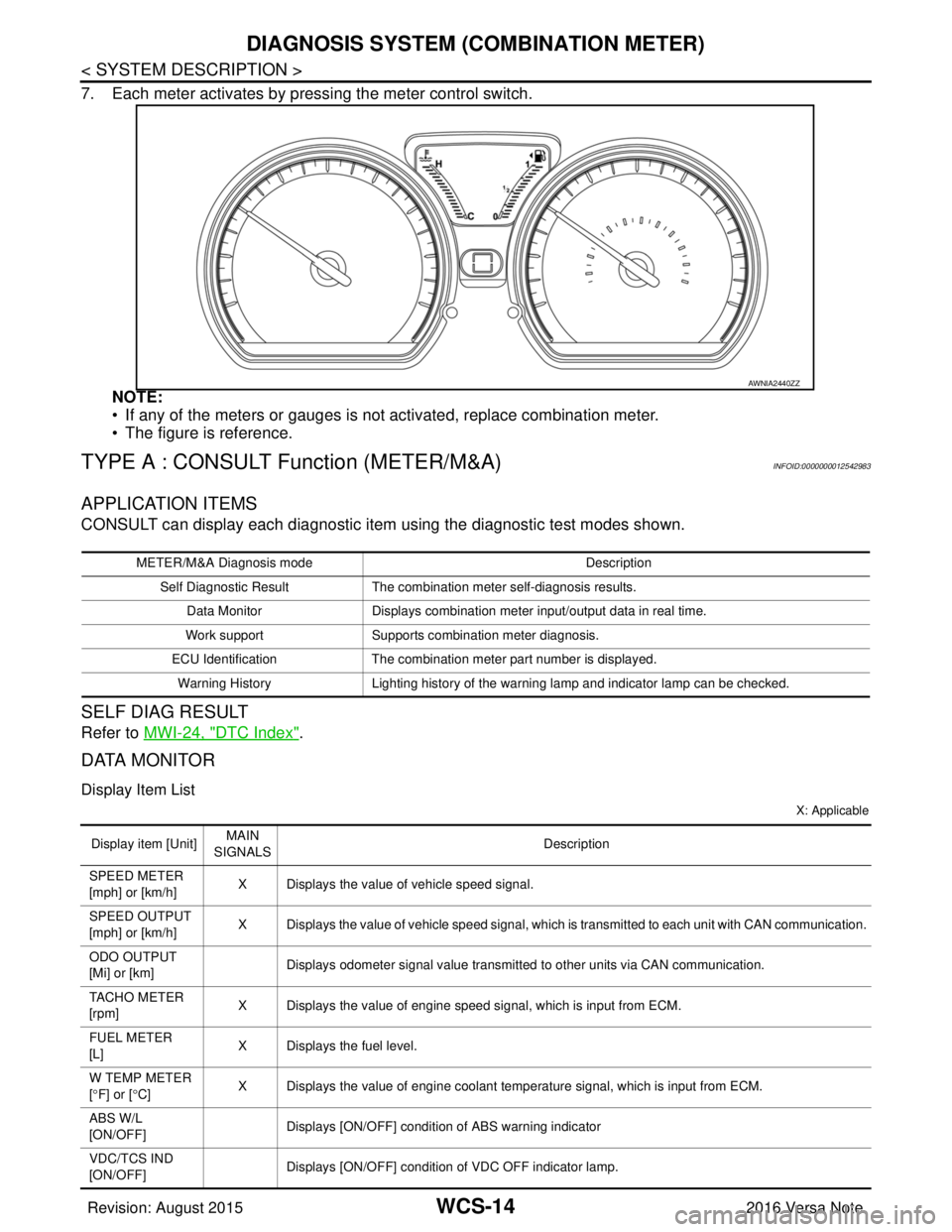
7. Each meter activates by pressing the meter control switch.NOTE:
• If any of the meters or gauges is not activated, replace combination meter.
• The figure is reference.
TYPE A : CONSULT Function (METER/M&A)INFOID:0000000012542983
APPLICATION ITEMS
CONSULT can display each diagnostic item using the diagnostic test modes shown.
SELF DIAG RESULT
Refer to MWI-24, "DTC Index".
DATA MONITOR
Display Item List
X: Applicable
AWNIA2440ZZ
METER/M&A Diagnosis mode Description
Self Diagnostic Result The combination meter self-diagnosis results.
Data Monitor Displays combination meter input/output data in real time.
Work support Supports combination meter diagnosis.
ECU Identification The combination meter part number is displayed.
Warning History Lighting history of the warning lamp and indicator lamp can be checked.
Display item [Unit]MAIN
SIGNALS Description
SPEED METER
[mph] or [km/h] X Displays the value of vehicle speed signal.
SPEED OUTPUT
[mph] or [km/h] X Displays the value of vehicle speed signal, which is transmitted to each unit with CAN communication.
ODO OUTPUT
[Mi] or [km] Displays odometer signal value transmitted to other units via CAN communication.
TACHO METER
[rpm] X Displays the value of engine speed signal, which is input from ECM.
FUEL METER
[L] X Displays the fuel level.
W TEMP METER
[ ° F] or [ °C] X Displays the value of engine coolant temperature signal, which is input from ECM.
ABS W/L
[ON/OFF] Displays [ON/OFF] conditio
n of ABS warning indicator
VDC/TCS IND
[ON/OFF] Displays [ON/OFF] condition
of VDC OFF indicator lamp.
Revision: August 2015 2016 Versa Note
cardiagn.com