warning NISSAN PATHFINDER 2020 Owner´s Manual
[x] Cancel search | Manufacturer: NISSAN, Model Year: 2020, Model line: PATHFINDER, Model: NISSAN PATHFINDER 2020Pages: 482, PDF Size: 5.51 MB
Page 101 of 482
SUPPLEMENTAL AIR BAG WARNING
LIGHT
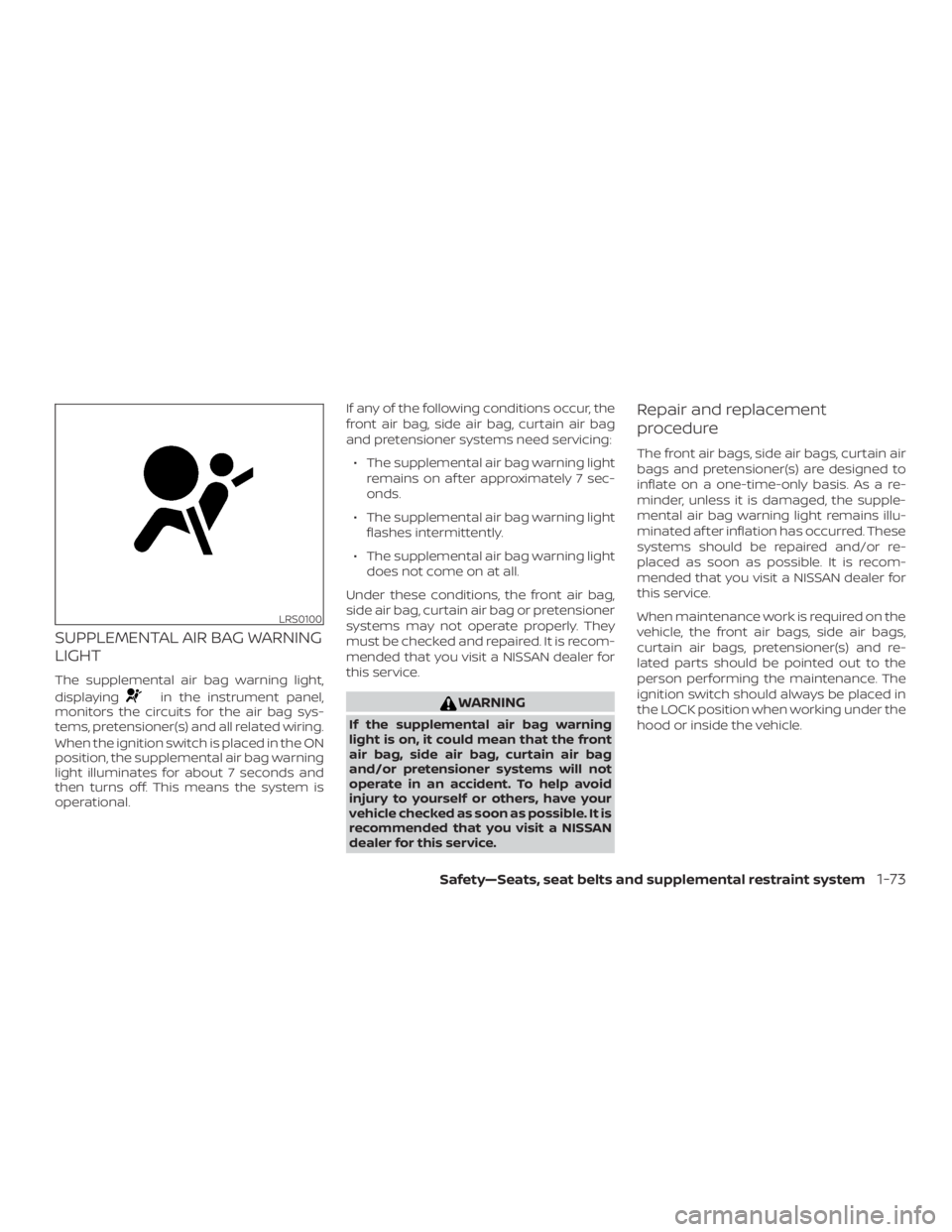
The supplemental air bag warning light,
displaying
in the instrument panel,
monitors the circuits for the air bag sys-
tems, pretensioner(s) and all related wiring.
When the ignition switch is placed in the ON
position, the supplemental air bag warning
light illuminates for about 7 seconds and
then turns off. This means the system is
operational. If any of the following conditions occur, the
front air bag, side air bag, curtain air bag
and pretensioner systems need servicing:
∙ The supplemental air bag warning light remains on af ter approximately 7 sec-
onds.
∙ The supplemental air bag warning light flashes intermittently.
∙ The supplemental air bag warning light does not come on at all.
Under these conditions, the front air bag,
side air bag, curtain air bag or pretensioner
systems may not operate properly. They
must be checked and repaired. It is recom-
mended that you visit a NISSAN dealer for
this service.WARNING
If the supplemental air bag warning
light is on, it could mean that the front
air bag, side air bag, curtain air bag
and/or pretensioner systems will not
operate in an accident. To help avoid
injury to yourself or others, have your
vehicle checked as soon as possible. It is
recommended that you visit a NISSAN
dealer for this service.
Repair and replacement
procedure
The front air bags, side air bags, curtain air
bags and pretensioner(s) are designed to
inflate on a one-time-only basis. As a re-
minder, unless it is damaged, the supple-
mental air bag warning light remains illu-
minated af ter inflation has occurred. These
systems should be repaired and/or re-
placed as soon as possible. It is recom-
mended that you visit a NISSAN dealer for
this service.
When maintenance work is required on the
vehicle, the front air bags, side air bags,
curtain air bags, pretensioner(s) and re-
lated parts should be pointed out to the
person performing the maintenance. The
ignition switch should always be placed in
the LOCK position when working under the
hood or inside the vehicle.
LRS0100
Safety—Seats, seat belts and supplemental restraint system1-73
Page 102 of 482
WARNING
∙ Once a front air bag, side air bag, orcurtain air bag has inflated, the air
bag module will not function again
and must be replaced. Additionally,
the activated pretensioner(s) must
also be replaced. The air bag module
and pretensioner(s) should be re-
placed. It is recommended that you
visit a NISSAN dealer for this service.
However, the air bag module and pre-
tensioner(s) cannot be repaired.
∙ The front air bag, side air bag, curtain air bag systems and the pretensioner
system should be inspected if there is
any damage to the front end or side
portion of the vehicle. It is recom-
mended that you visit a NISSAN dealer
for this service.
∙ If you need to dispose of the supple- mental air bag or pretensioner sys-
tems or scrap the vehicle, it is recom-
mended that you visit a NISSAN
dealer. Incorrect disposal procedures
could cause personal injury. ∙ If there is an impact to your vehicle
from any direction, your Occupant
Classification Sensor (OCS) should be
checked to verif y it is still functioning
correctly. It is recommended that you
visit a NISSAN dealer for this service.
The OCS should be checked even if no
air bags deploy as a result of the im-
pact. Failure to verif y proper OCS
function may result in an improper air
bag deployment resulting in injury or
death.
1-74Safety—Seats, seat belts and supplemental restraint system
Page 104 of 482
2 Instruments and controls
Instrument panel................................2-2
Meters and gauges ..............................2-4
Speedometer and odometer .................2-4
Tachometer ..................................2-6
Engine coolant temperature gauge ..........2-6
Fuel gauge ................................... 2-7
Distance To Empty (DTE) ...................... 2-7
Compass (if so equipped) .......................2-8
Compass display .............................2-8
Warning lights, indicator lights and audible
reminders ....................................... 2-11
Checking lights ............................... 2-11
Warning lights ............................... 2-12
Indicator lights .............................. 2-16
Audible reminders ........................... 2-19
Vehicle information display .....................2-19
How to use the vehicle information
display ...................................... 2-20
Startup display .............................. 2-20
Resetting the trip computer .................2-21
Settings ..................................... 2-21
Vehicle information display warnings
and indicators ............................... 2-29
Security systems ............................... 2-34Vehicle security system
.....................2-34
NISSAN Vehicle Immobilizer System .........2-35
Wiper and washer switch .......................2-37
Switch operation ............................ 2-37
Rear switch operation .......................2-38
Rear window and outside mirror
(if so equipped) defroster switch ................2-39
Headlight and turn signal switch ...............2-40
Headlight control switch .....................2-40
LED Daytime Running Lights (DRL)
system ...................................... 2-43
Instrument brightness control ...............2-43
Turn signal switch ........................... 2-43
Fog light switch (if so equipped) .............2-44
Horn ........................................... 2-45
Climate controlled seat switches
(if so equipped) ................................. 2-45
He
ated seat switches (if so equipped) ..........2-46
Heated 2nd row seat switches
(if so equipped) .................................2-47
Heated steering wheel switch Type A
(if so equipped) ................................. 2-48
Heated steering wheel Type B (if so equipped) . . 2-49
Vehicle Dynamic Control (VDC) OFF switch ......2-50
Page 105 of 482
Hill descent control switch (if so equipped)......2-50
Warning systems switch (if so equipped) .......2-51
Power inverter switch (if so equipped) ..........2-52
TOW mode switch .............................. 2-53
E-call (SOS) button (if so equipped) .............2-53
Rear Door Alert ................................. 2-54
Power outlets .................................. 2-55
12v outlets ................................... 2-55
120v outlet (if so equipped) ..................2-56
Extended storage switch .......................2-57
Storage ........................................ 2-58
Front-door pockets .......................... 2-58
Console side pockets ........................ 2-58
Seatback pockets ........................... 2-59
Storagetrays................................ 2-59
Glovebox.................................... 2-60
Console box ................................. 2-60
Overhead sunglasses storage ...............2-61
Cup holders ................................. 2-62
Cargo area storage bin ......................2-64
Luggage hooks .............................. 2-64Roofrack....................................
2-65
Windows ....................................... 2-66
Power windows ............................. 2-66
Dual panel moonroof (if so equipped) ...........2-69
Power moonroof ............................ 2-69
Interior lights ................................... 2-72
Console light ................................ 2-73
Map lights ................................... 2-73
Personal lights .............................. 2-73
Cargo light ..................................2-74
HomeLink® Universal Transceiver
(if so equipped) .................................2-74
Programming HomeLink® ...................2-75
Programming HomeLink® for Canadian
customers and gate openers ................2-77
Operating the HomeLink® Universal
Transceiver .................................. 2-77
Pr
ogramming trouble-diagnosis ............2-77
Clearing the programmed information ......2-78
Reprogramming a single HomeLink®
button....................................... 2-78
If your vehicle is stolen .......................2-78
Page 106 of 482
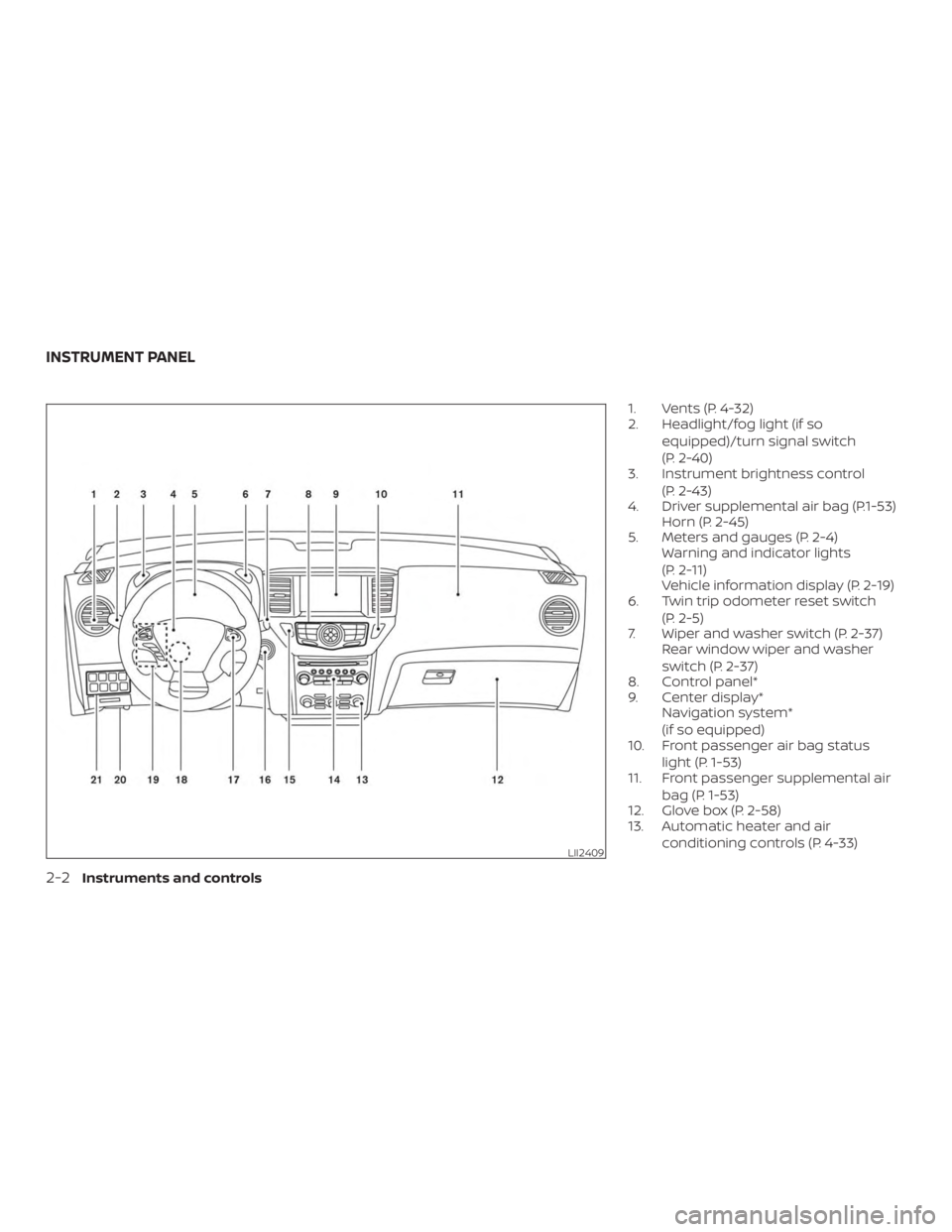
1. Vents (P. 4-32)
2. Headlight/fog light (if soequipped)/turn signal switch
(P. 2-40)
3. Instrument brightness control
(P. 2-43)
4. Driver supplemental air bag (P.1-53) Horn (P. 2-45)
5. Meters and gauges (P. 2-4) Warning and indicator lights
(P. 2-11)
Vehicle information display (P. 2-19)
6. Twin trip odometer reset switch
(P. 2-5)
7. Wiper and washer switch (P. 2-37) Rear window wiper and washer
switch (P. 2-37)
8. Control panel*
9. Center display* Navigation system*
(if so equipped)
10. Front passenger air bag status
light (P. 1-53)
11. Front passenger supplemental air
bag (P. 1-53)
12. Glove box (P. 2-58)
13. Automatic heater and air
conditioning controls (P. 4-33)
LII2409
INSTRUMENT PANEL
2-2Instruments and controls
Page 107 of 482
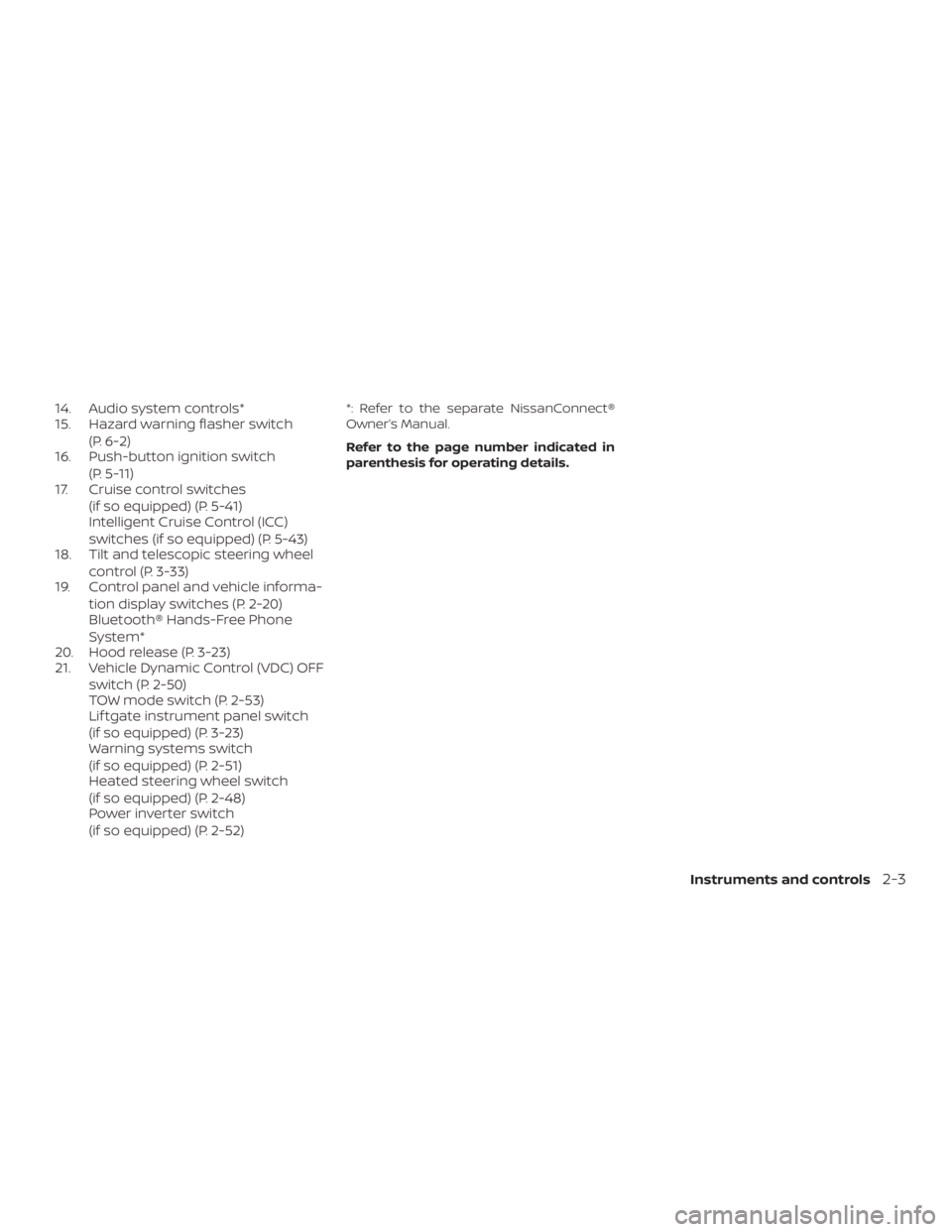
14. Audio system controls*
15. Hazard warning flasher switch(P. 6-2)
16. Push-button ignition switch
(P. 5-11)
17. Cruise control switches
(if so equipped) (P. 5-41)
Intelligent Cruise Control (ICC)
switches (if so equipped) (P. 5-43)
18. Tilt and telescopic steering wheel
control (P. 3-33)
19. Control panel and vehicle informa-
tion display switches (P. 2-20)
Bluetooth® Hands-Free Phone
System*
20. Hood release (P. 3-23)
21. Vehicle Dynamic Control (VDC) OFF
switch (P. 2-50)
TOW mode switch (P. 2-53)
Lif tgate instrument panel switch
(if so equipped) (P. 3-23)
Warning systems switch
(if so equipped) (P. 2-51)
Heated steering wheel switch
(if so equipped) (P. 2-48)
Power inverter switch
(if so equipped) (P. 2-52)*: Refer to the separate NissanConnect®
Owner’s Manual.
Refer to the page number indicated in
parenthesis for operating details.
Instruments and controls2-3
Page 108 of 482
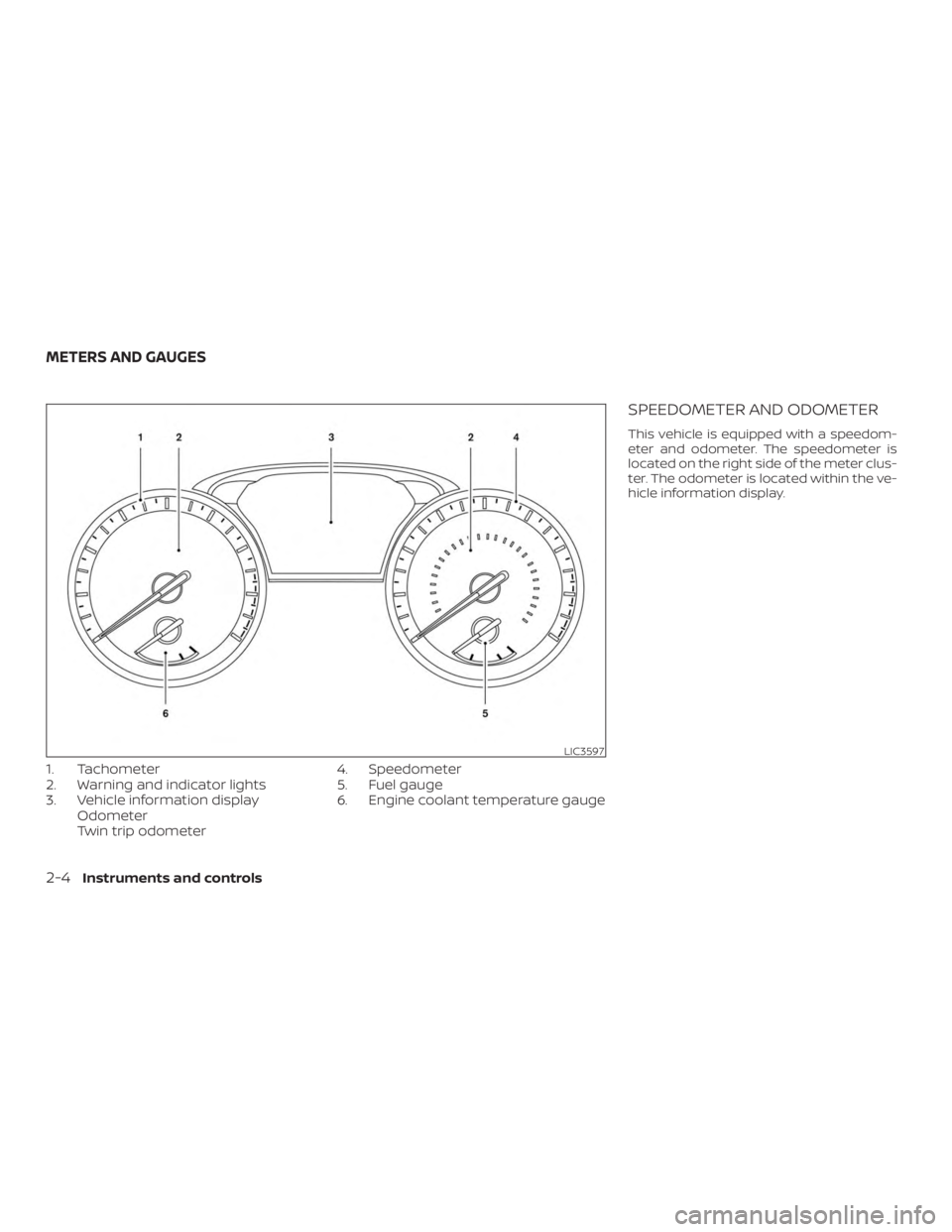
1. Tachometer
2. Warning and indicator lights
3. Vehicle information displayOdometer
Twin trip odometer 4. Speedometer
5. Fuel gauge
6. Engine coolant temperature gauge
SPEEDOMETER AND ODOMETER
This vehicle is equipped with a speedom-
eter and odometer. The speedometer is
located on the right side of the meter clus-
ter. The odometer is located within the ve-
hicle information display.
LIC3597
METERS AND GAUGES
2-4Instruments and controls
Page 111 of 482
FUEL GAUGE
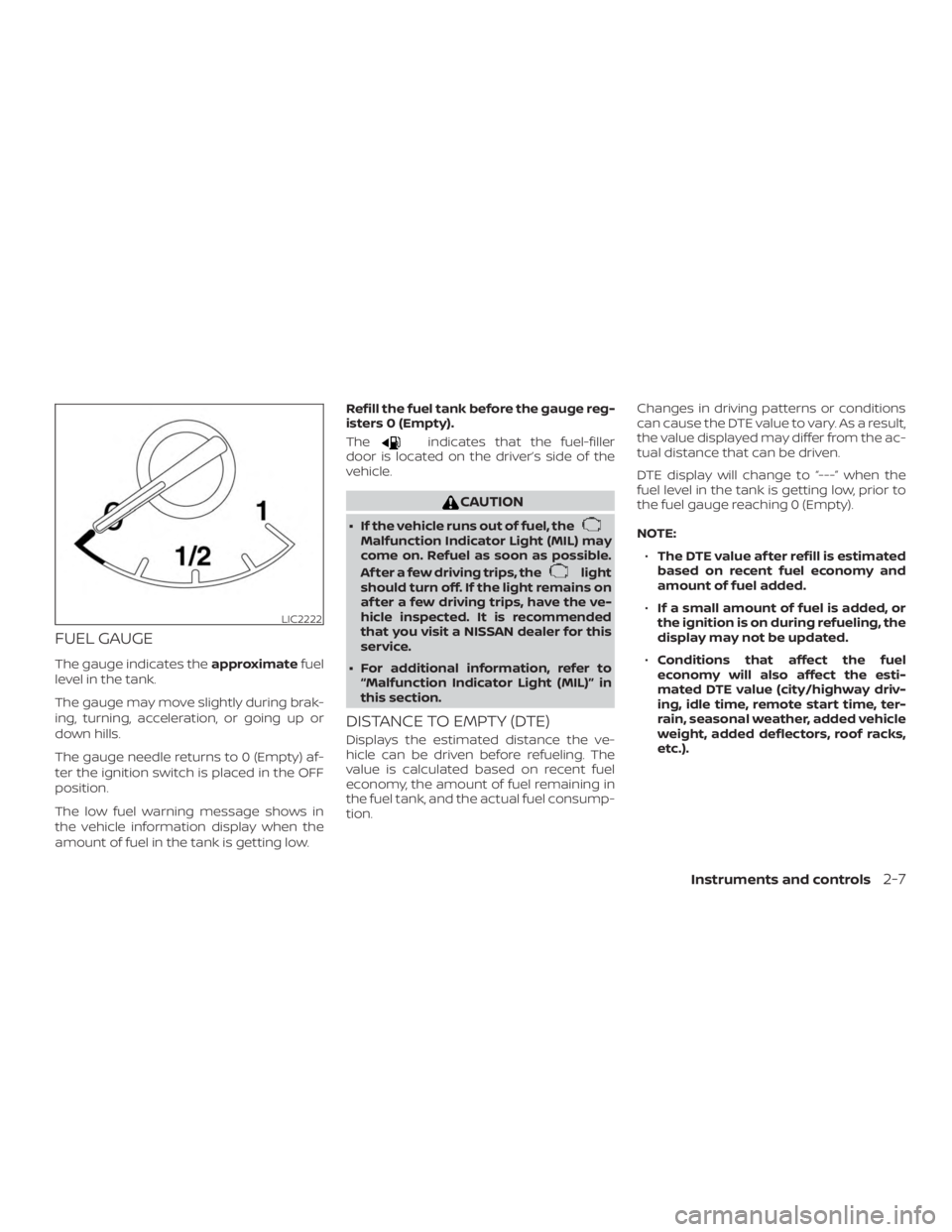
The gauge indicates theapproximatefuel
level in the tank.
The gauge may move slightly during brak-
ing, turning, acceleration, or going up or
down hills.
The gauge needle returns to 0 (Empty) af-
ter the ignition switch is placed in the OFF
position.
The low fuel warning message shows in
the vehicle information display when the
amount of fuel in the tank is getting low. Refill the fuel tank before the gauge reg-
isters 0 (Empty).
The
indicates that the fuel-filler
door is located on the driver’s side of the
vehicle.
CAUTION
∙ If the vehicle runs out of fuel, theMalfunction Indicator Light (MIL) may
come on. Refuel as soon as possible.
Af ter a few driving trips, the
light
should turn off. If the light remains on
af ter a few driving trips, have the ve-
hicle inspected. It is recommended
that you visit a NISSAN dealer for this
service.
∙ For additional information, refer to “Malfunction Indicator Light (MIL)” in
this section.
DISTANCE TO EMPTY (DTE)
Displays the estimated distance the ve-
hicle can be driven before refueling. The
value is calculated based on recent fuel
economy, the amount of fuel remaining in
the fuel tank, and the actual fuel consump-
tion. Changes in driving patterns or conditions
can cause the DTE value to vary. As a result,
the value displayed may differ from the ac-
tual distance that can be driven.
DTE display will change to “---” when the
fuel level in the tank is getting low, prior to
the fuel gauge reaching 0 (Empty).
NOTE:
∙ The DTE value af ter refill is estimated
based on recent fuel economy and
amount of fuel added.
∙ If a small amount of fuel is added, or
the ignition is on during refueling, the
display may not be updated.
∙ Conditions that affect the fuel
economy will also affect the esti-
mated DTE value (city/highway driv-
ing, idle time, remote start time, ter-
rain, seasonal weather, added vehicle
weight, added deflectors, roof racks,
etc.).
LIC2222
Instruments and controls2-7
Page 115 of 482
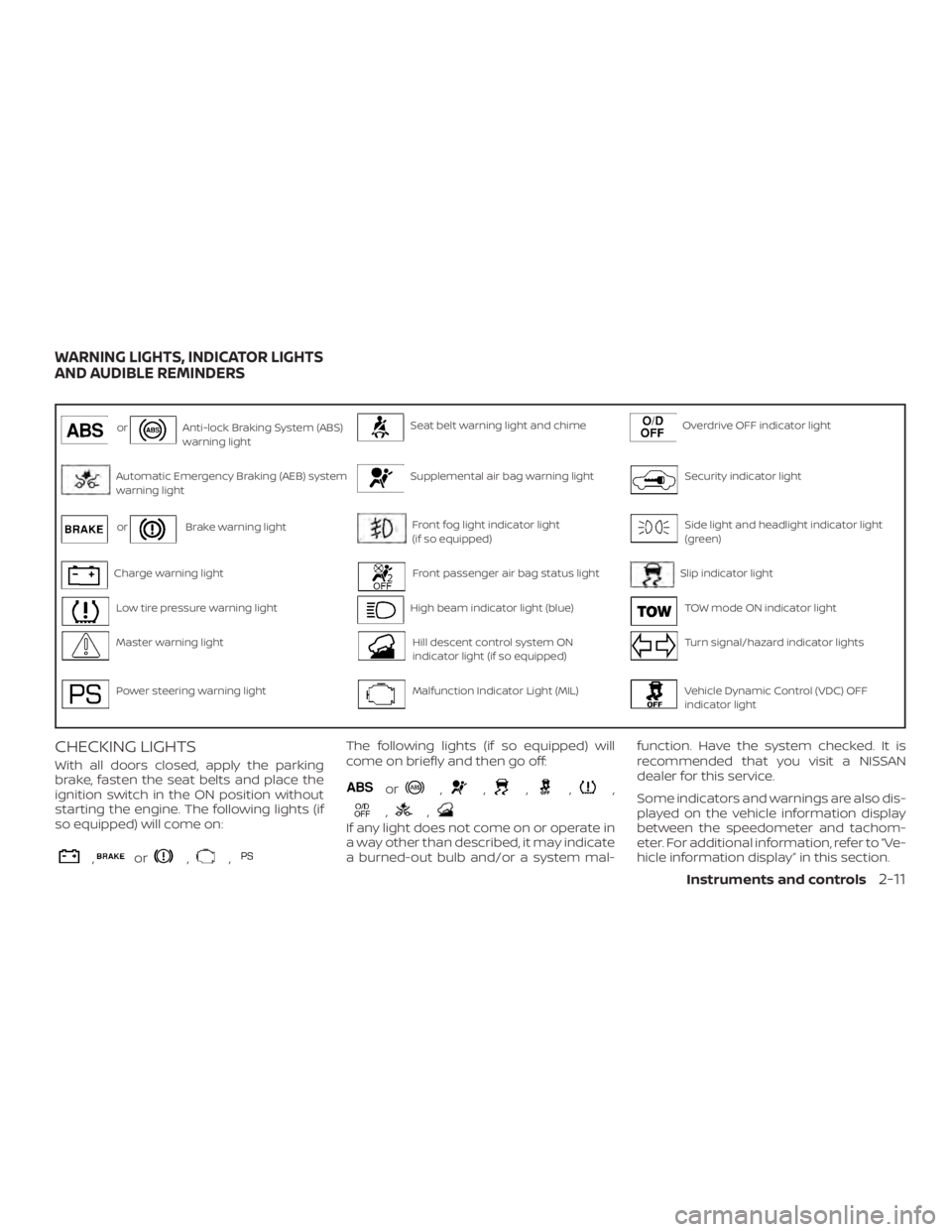
orAnti-lock Braking System (ABS)
warning lightSeat belt warning light and chimeOverdrive OFF indicator light
Automatic Emergency Braking (AEB) system
warning lightSupplemental air bag warning lightSecurity indicator light
orBrake warning lightFront fog light indicator light
(if so equipped)Side light and headlight indicator light
(green)
Charge warning lightFront passenger air bag status lightSlip indicator light
Low tire pressure warning lightHigh beam indicator light (blue)TOW mode ON indicator light
Master warning lightHill descent control system ON
indicator light (if so equipped)Turn signal/hazard indicator lights
Power steering warning lightMalfunction Indicator Light (MIL)Vehicle Dynamic Control (VDC) OFF
indicator light
CHECKING LIGHTS
With all doors closed, apply the parking
brake, fasten the seat belts and place the
ignition switch in the ON position without
starting the engine. The following lights (if
so equipped) will come on:
,or,,
The following lights (if so equipped) will
come on briefly and then go off:
or,,,,,
,,
If any light does not come on or operate in
a way other than described, it may indicate
a burned-out bulb and/or a system mal-function. Have the system checked. It is
recommended that you visit a NISSAN
dealer for this service.
Some indicators and warnings are also dis-
played on the vehicle information display
between the speedometer and tachom-
eter. For additional information, refer to “Ve-
hicle information display” in this section.
WARNING LIGHTS, INDICATOR LIGHTS
AND AUDIBLE REMINDERS
Instruments and controls2-11
Page 116 of 482
WARNING LIGHTS
For additional information on warnings
and indicators, refer to “Vehicle information
display” in this section.
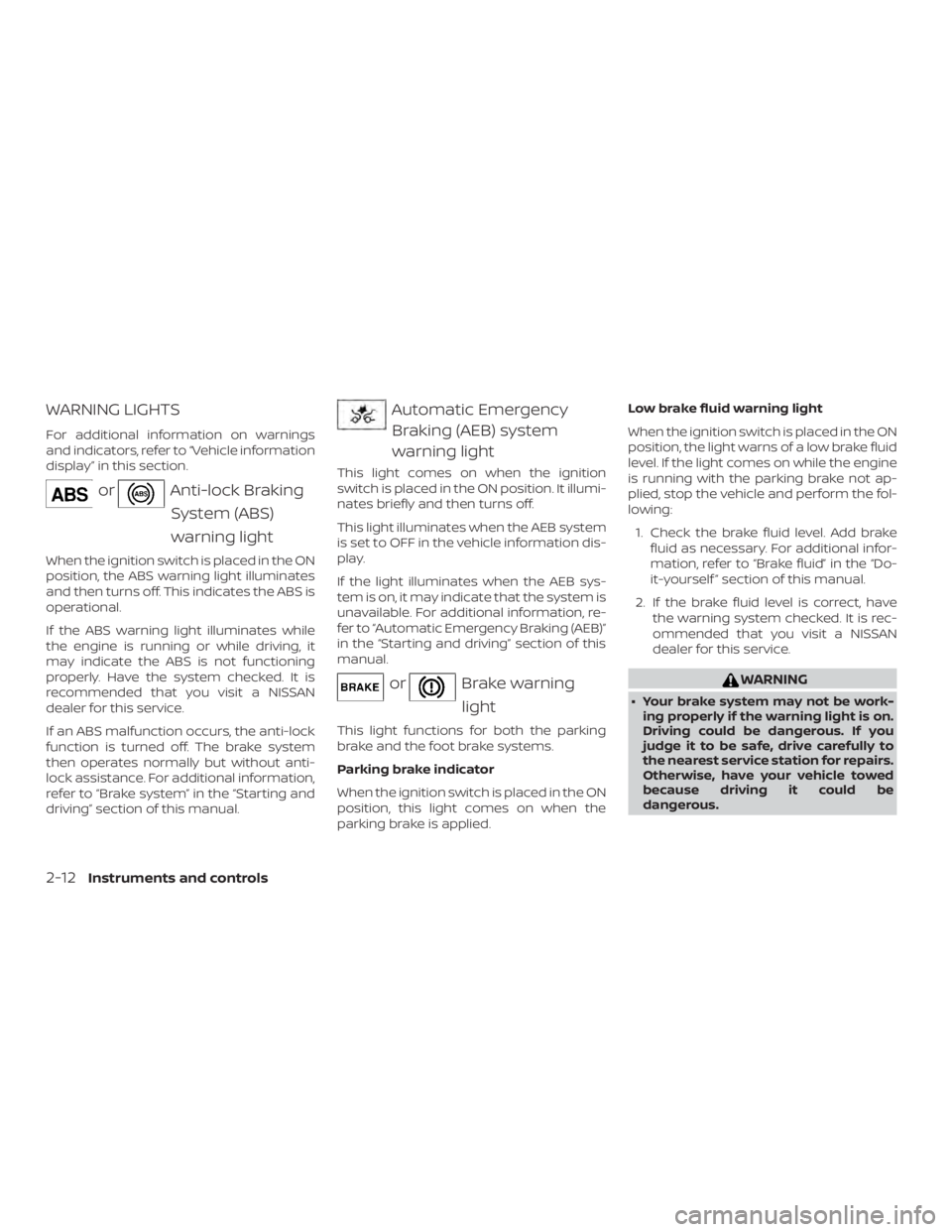
orAnti-lock BrakingSystem (ABS)
warning light
When the ignition switch is placed in the ON
position, the ABS warning light illuminates
and then turns off. This indicates the ABS is
operational.
If the ABS warning light illuminates while
the engine is running or while driving, it
may indicate the ABS is not functioning
properly. Have the system checked. It is
recommended that you visit a NISSAN
dealer for this service.
If an ABS malfunction occurs, the anti-lock
function is turned off. The brake system
then operates normally but without anti-
lock assistance. For additional information,
refer to “Brake system” in the “Starting and
driving” section of this manual.
Automatic EmergencyBraking (AEB) system
warning light
This light comes on when the ignition
switch is placed in the ON position. It illumi-
nates briefly and then turns off.
This light illuminates when the AEB system
is set to OFF in the vehicle information dis-
play.
If the light illuminates when the AEB sys-
tem is on, it may indicate that the system is
unavailable. For additional information, re-
fer to “Automatic Emergency Braking (AEB)”
in the “Starting and driving” section of this
manual.
orBrake warning
light
This light functions for both the parking
brake and the foot brake systems.
Parking brake indicator
When the ignition switch is placed in the ON
position, this light comes on when the
parking brake is applied. Low brake fluid warning light
When the ignition switch is placed in the ON
position, the light warns of a low brake fluid
level. If the light comes on while the engine
is running with the parking brake not ap-
plied, stop the vehicle and perform the fol-
lowing:
1. Check the brake fluid level. Add brake fluid as necessary. For additional infor-
mation, refer to “Brake fluid” in the “Do-
it-yourself ” section of this manual.
2. If the brake fluid level is correct, have the warning system checked. It is rec-
ommended that you visit a NISSAN
dealer for this service.
WARNING
∙ Your brake system may not be work-ing properly if the warning light is on.
Driving could be dangerous. If you
judge it to be safe, drive carefully to
the nearest service station for repairs.
Otherwise, have your vehicle towed
because driving it could be
dangerous.
2-12Instruments and controls