fuel NISSAN PATHFINDER 2022 Owner´s Manual
[x] Cancel search | Manufacturer: NISSAN, Model Year: 2022, Model line: PATHFINDER, Model: NISSAN PATHFINDER 2022Pages: 647, PDF Size: 8.48 MB
Page 333 of 647
When canceling the manual shif t mode,
move the shif t lever to the D (Drive) position
again. The transmission returns to the nor-
mal driving mode.
When you pull the paddle shif ter while in
the D (Drive) position, the transmission will
shif t to the upper or lower range temporar-
ily. The transmission will automatically re-
turn to the D (Drive) position af ter a short
period of time. If you want to return to the D
(Drive) position manually, pull and hold the
paddle shif ter for about 1.5 seconds.
In the manual shif t mode, the shif t range is
displayed in the vehicle information
display.
Shif t ranges up or down one by one as
follows:
1M⇔2M⇔3M ⇔4M ⇔5M ⇔6M ⇔7M ⇔8M
⇔ 9M
9M (9th) and 8M (8th)
Use this position for all normal forward
driving at highway speeds.
7M (7th), 6M (6th) and 5M (5th)
Use these positions when driving up long
slopes, or for engine braking when driving
down long slopes.
4M (4th), 3M (3rd) and 2M (2nd)
Use these positions for hill climbing or en-
gine braking on downhill grades.
1M (1st)
Use this position when climbing steep hills
slowly or driving slowly through deep snow,
or for maximum engine braking on steep
downhill grades.
• Remember not to drive at high speeds for
extended periods of time in lower than
the 8th range. This reduces fuel economy.
• Pulling the same paddle shif ter twice will shif t the ranges in succession. However, if
this motion is rapidly done, the second
shif ting may not be completed properly.
• In the manual shif t mode, the trans-
mission may not shif t to the selected
gear. This helps maintain driving per-
formance and reduces the chance of
vehicle damage or loss of control.
• In the manual shif t mode, the trans-
mission may shif t up automatically to a
higher range than selected if the en-
gine speed is too high. When the ve-
hicle speed decreases, the transmis-
sion automatically shif ts down and
shif ts to 1st gear before the vehicle
comes to a stop.
Accelerator downshif t
— in D (Drive) position —
For passing or hill climbing, depress the
accelerator pedal to the floor. This shif ts
the transmission down into a lower gear,
depending on the vehicle speed.
High fluid temperature protection
mode
This transmission has a high fluid tem-
perature protection mode. If the fluid tem-
perature becomes too high (for example,
when climbing steep grades in high tem-
peratures with heavy loads, such as when
towing a trailer), engine power and, under
some conditions, vehicle speed will be de-
creased automatically to reduce the
chance of transmission damage. Vehicle
speed can be controlled with the accelera-
tor pedal, but the engine and vehicle speed
may be limited.
5-22Starting and driving
Page 340 of 647
NOTE:
When the Drive Mode Selector switch se-
lects a mode, the mode may not switch
immediately. This is not a malfunction.
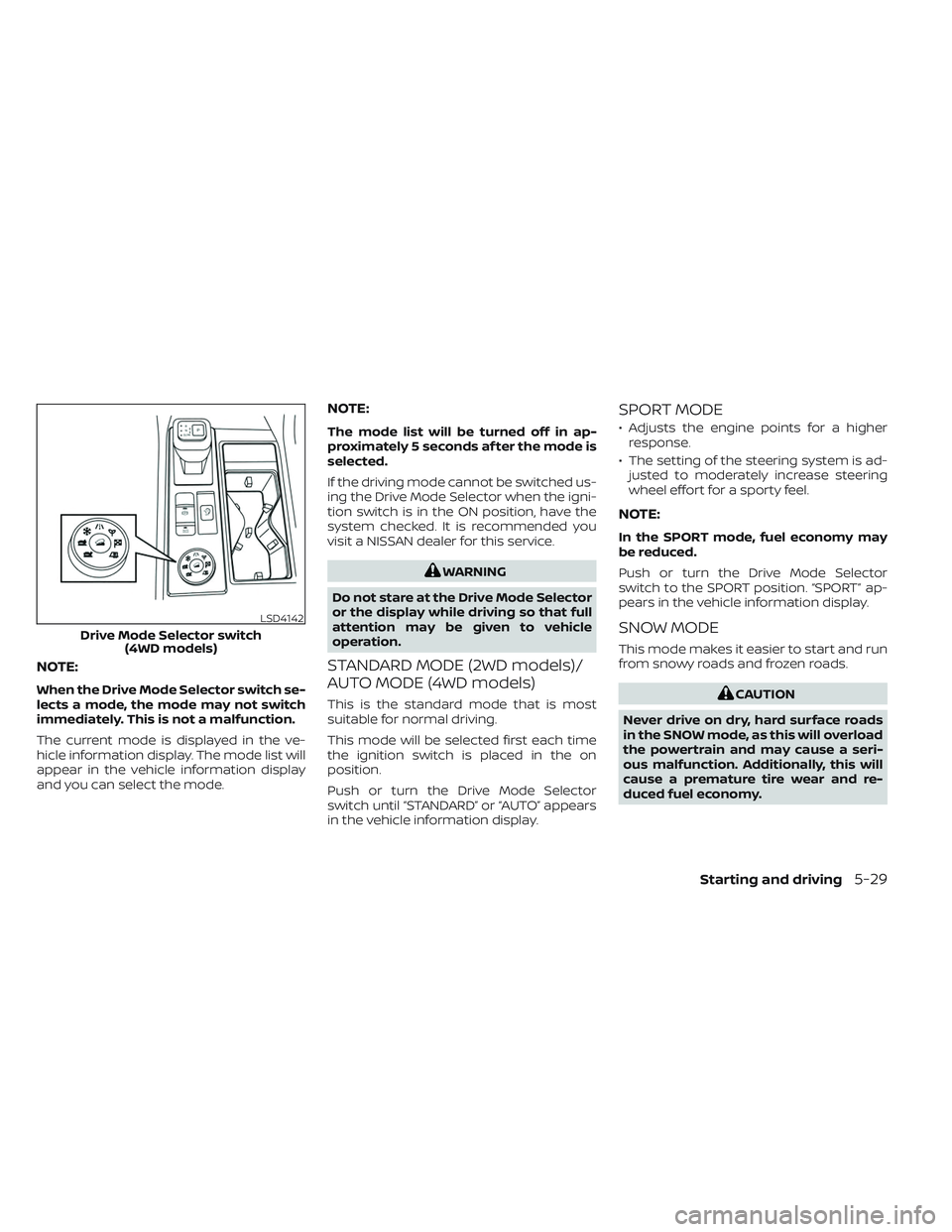
The current mode is displayed in the ve-
hicle information display. The mode list will
appear in the vehicle information display
and you can select the mode.
NOTE:
The mode list will be turned off in ap-
proximately 5 seconds af ter the mode is
selected.
If the driving mode cannot be switched us-
ing the Drive Mode Selector when the igni-
tion switch is in the ON position, have the
system checked. It is recommended you
visit a NISSAN dealer for this service.
WARNING
Do not stare at the Drive Mode Selector
or the display while driving so that full
attention may be given to vehicle
operation.
STANDARD MODE (2WD models)/
AUTO MODE (4WD models)
This is the standard mode that is most
suitable for normal driving.
This mode will be selected first each time
the ignition switch is placed in the on
position.
Push or turn the Drive Mode Selector
switch until “STANDARD” or “AUTO” appears
in the vehicle information display.
SPORT MODE
• Adjusts the engine points for a higher response.
• The setting of the steering system is ad- justed to moderately increase steering
wheel effort for a sporty feel.
NOTE:
In the SPORT mode, fuel economy may
be reduced.
Push or turn the Drive Mode Selector
switch to the SPORT position. “SPORT” ap-
pears in the vehicle information display.
SNOW MODE
This mode makes it easier to start and run
from snowy roads and frozen roads.
CAUTION
Never drive on dry, hard surface roads
in the SNOW mode, as this will overload
the powertrain and may cause a seri-
ous malfunction. Additionally, this will
cause a premature tire wear and re-
duced fuel economy.
LSD4142
Drive Mode Selector switch (4WD models)
Starting and driving5-29
Page 341 of 647
When the SNOW mode is selected, small
vibration in cornering may occur. This is not
a malfunction.
Push or turn the Drive Mode Selector
switch to the SNOW position. “SNOW ” ap-
pears in the vehicle information display.
TOW MODE
Using the tow mode is recommended
when pulling a heavy trailer or hauling a
heavy load.
The Idling Stop System is disabled when
the vehicle is in TOW mode.
Push or turn the Drive Mode Selector
switch to the TOW position. “TOW ” appears
in the vehicle information display.
MUD/RUT MODE (4WD models
only)
This mode allows for easier driving or start-
ing on a bumpy road surface such as an
uneven dirt road or a steep uphill slope or
through sand.
CAUTION
Never drive on dry, hard surface roads
in the MUD/RUT mode, as this will over-
load the powertrain and may cause a
serious malfunction. Additionally, this
will cause premature tire wear and re-
duced fuel economy.
NOTE:
When the MUD/RUT mode is selected,
small tight-corner braking phenomenon
or small vibration in cornering may oc-
cur. This is not a malfunction
Turn the Drive Mode Selector switch to the
MUD/RUT position. “MUD/RUT” appears in
the vehicle information display.
SAND MODE (4WD models only)
This mode allows for easier driving or start-
ing on a bumpy road surface such as an
uneven dirt road or a steep uphill slope or
through sand.
CAUTION
Never drive on dry, hard surface roads
in the SAND mode, as this will overload
the powertrain and may cause a seri-
ous malfunction. Additionally, this will
cause premature tire wear and reduced
fuel economy.
NOTE:
When the SAND mode is selected, small
tight-corner braking phenomenon or
small vibration in cornering may occur.
This is not a malfunction
Turn the Drive Mode Selector switch to the
SAND position. “SAND” appears in the ve-
hicle information display.
ECO MODE
Assists the driver’s ECO-driving. The engine
points are adjusted for improved fuel
economy, providing such driving features
as smooth starting or constant cruising.
NOTE:
Selecting this ECO mode will not necessar-
ily improve fuel economy as many driving
factors influence its effectiveness.
5-30Starting and driving
Page 342 of 647
Operation
Select the ECO mode using the Drive Mode
Selector. The ECO indicator illuminates.
When the accelerator pedal is depressed
within the range of economy drive, the ECO
drive indicator illuminates in green. When
the accelerator pedal is depressed above
the range of economy drive, the ECO drive
indicator turns off.
The ECO drive indicator will not illuminate
in the following cases:
• When the shif t lever is in the R (Reverse)position.
• When the vehicle speed is below 2 mph (3.2 km/h) or over 90 mph (144 km/h).
• When the Cruise Control (if so equipped) or Intelligent Cruise Control (ICC) system
(if so equipped) is operated.
ECO Customize
The “ECO Customize” is a function that can
change the priority from the Cruise Control
(if so equipped) or Intelligent Cruise Control
(ICC) (if so equipped) to fuel efficiency im-
provements. It can be set when the ECO
mode is selected. To activate or deactivate
this function, see “ECO Mode Setting”
(P. 2-28) or (P. 2-52).
• Cruise Control
When the setting is ON, the fuel efficiency
while cruising will be improved by lower-
ing acceleration target from normal
(setting OFF) mode.
NOTE:
When the vehicle speed is reduced (for
example, when the vehicle is driven on
an uphill road from a flat road), it will take
more time to return to the previously set
speed than normal mode.
Tire Pres ECO advice
The “Tire Pres ECO advice” is a function to
show ECO advice information in the vehicle
information display when low tire pressure
is detected. To activate or deactivate this
function, see “ECO Mode Setting” (P. 2-28) or
(P. 2-52).
When the setting is on, the ECO Drive Re-
port display shows “See Tire Pressures”. You
can switch the display to the Tire Pressures
display by selecting it in the vehicle infor-
mation display.
Starting and driving5-31
Page 481 of 647
Follow these easy-to-use Fuel Efficient
Driving Tips to help you achieve the most
fuel economy from your vehicle.
1.Use Smooth Accelerator and Brake
Pedal Application
• Avoid rapid starts and stops.
• Use smooth, gentle accelerator and brake application whenever possible.
• Maintain constant speed while com- muting and coast whenever possible.
2. Maintain Constant Speed
• Look ahead to try and anticipate and minimize stops.
• Synchronizing your speed with traffic lights allows you to reduce your num-
ber of stops.
• Maintaining a steady speed can mini- mize red light stops and improve fuel
efficiency.
3. Use Air Conditioning (A/C) at Higher
Vehicle Speeds
• Below 40 mph (64 km/h), it is more efficient to open windows to cool the
vehicle due to reduced engine load.
• Above 40 mph (64 km/h), it is more efficient to use A/C to cool the vehicle
due to increased aerodynamic drag. • Recirculating the cool air in the cabin
when the A/C is on reduces cooling
load.
4. Drive at Economical Speeds and
Distances
• Observing the speed limit and not ex- ceeding 60 mph (97 km/h) (where le-
gally allowed) can improve fuel effi-
ciency due to reduced aerodynamic
drag.
• Maintaining a safe following distance behind other vehicles reduces unnec-
essary braking.
• Safely monitoring traffic to anticipate changes in speed permits reduced
braking and smooth acceleration
changes.
• Select a gear range suitable to road conditions.
5. Use Cruise Control
• Using cruise control during highway driving helps maintain a steady speed.
• Cruise control is particularly effective in providing fuel savings when driving
on flat terrains.
6. Plan for the Shortest Route
• Utilize a map or navigation system to determine the best route to save time. 7.
Avoid Idling
• Shutting off your engine when safe for stops exceeding 30–60 seconds saves
fuel and reduces emissions.
8. Buy an Automated Pass for Toll Roads
• Automated passes permit drivers to use special lanes to maintain cruising
speed through the toll and avoid stop-
ping and starting.
9. Winter Warm Up
• Limit idling time to minimize impact to fuel economy.
• Vehicles typically need no more than 30 seconds of idling at start-up to ef-
fectively circulate the engine oil before
driving.
• Your vehicle will reach its ideal operat- ing temperature more quickly while
driving versus idling.
10. Keeping your Vehicle Cool
• Park your vehicle in a covered parking area or in the shade whenever
possible.
• When entering a hot vehicle, opening the windows will help to reduce the
inside temperature faster, resulting in
reduced demand on your A/C system.
FUEL EFFICIENT DRIVING TIPS
5-170Starting and driving
Page 482 of 647
• Keep your engine tuned up.
• Follow the recommended scheduledmaintenance.
• Keep the tires inflated to the correct pres- sure. Low tire pressure increases tire
wear and lowers fuel economy.
• Keep the wheels in correct alignment. Im- proper alignment increases tire wear and
lowers fuel economy.
•
Use the recommended viscosity engine
oil. For additional information, see “Engine
oil and oil filter recommendations” (P. 8-10).
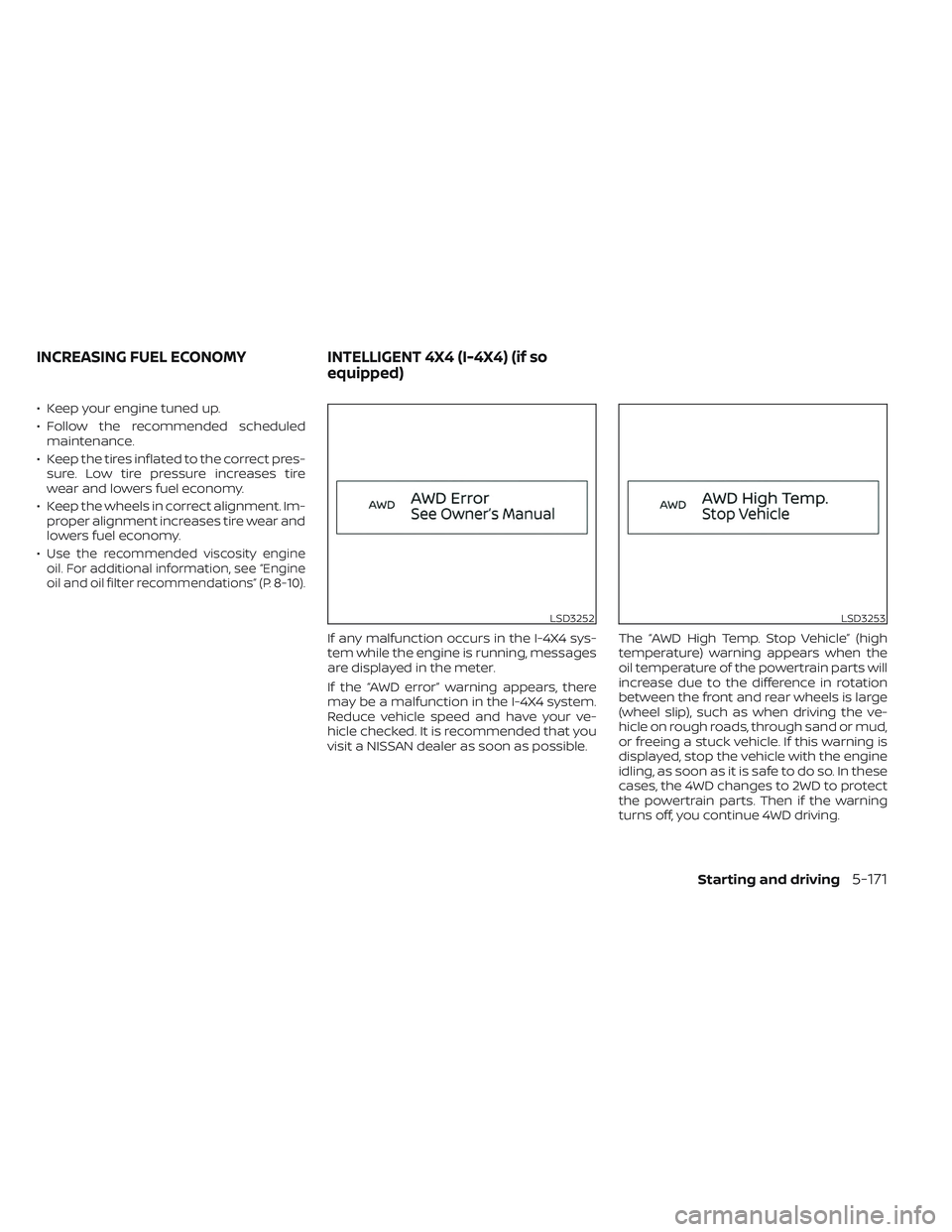
If any malfunction occurs in the I-4X4 sys-
tem while the engine is running, messages
are displayed in the meter.
If the “AWD error” warning appears, there
may be a malfunction in the I-4X4 system.
Reduce vehicle speed and have your ve-
hicle checked. It is recommended that you
visit a NISSAN dealer as soon as possible. The “AWD High Temp. Stop Vehicle” (high
temperature) warning appears when the
oil temperature of the powertrain parts will
increase due to the difference in rotation
between the front and rear wheels is large
(wheel slip), such as when driving the ve-
hicle on rough roads, through sand or mud,
or freeing a stuck vehicle. If this warning is
displayed, stop the vehicle with the engine
idling, as soon as it is safe to do so. In these
cases, the 4WD changes to 2WD to protect
the powertrain parts. Then if the warning
turns off, you continue 4WD driving.
LSD3252LSD3253
INCREASING FUEL ECONOMY
INTELLIGENT 4X4 (I-4X4) (if so
equipped)
Starting and driving5-171
Page 500 of 647
• If the sonar sensors are dirty, wipe themoff with a sof t cloth while being careful to
not damage them.
• The sonar sensors may be blocked by temporary ambient conditions such as
splashing water, mist or fog. The blocked
condition may also be caused by objects
such as ice, frost or dirt obstructing the
sonar sensors. Check for and remove ob-
jects obstructing the area around the so-
nar sensors.
• Do not subject the area around the sonar sensors to strong impact. Also, do not
remove or disassemble the sonar sen-
sors. If the sonar sensors and peripheral
areas are deformed in an accident, etc.,
have the sonar sensors checked by a
NISSAN dealer.
• Do not attach stickers (including trans- parent material), install accessories or
apply additional paint on the sonar sen-
sors and their surrounding areas. This
may cause a malfunction or improper
operation.
• When washing the vehicle using a high- pressure washer, do not apply direct
washer pressure on the sonar sensors.
This may cause a malfunction of the so-
nar sensors. The Idling Stop System activates to prevent
unnecessary fuel consumption, exhaust
emissions and noise.
• When you stop the vehicle, the engine is
turned off automatically.
• When you release the brake pedal to be- gin moving again, the engine is turned on
automatically.
WARNING
The engine restarts if the vehicle
moves at approximately 1 mph (2
km/h) or more (on a downhill grade,
etc.) while the engine is turned off by
the Idling Stop System. Depress the
brake pedal immediately to stop the
vehicle to prevent an accident.
CAUTION
At the end of the journey the engine
must be stopped and ignition switch be
pushed off. Lock the vehicle as normal.
Pushing the ignition switch off will shut
down all electrical systems. Failure to
do this may result in a discharged
battery.
NOTE:
The Idling Stop System will not activate
under the following conditions:
• When the vehicle is in TOW mode.
• When the engine is kept idling without
the vehicle being driven af ter the en-
gine is turned on.
• When the engine coolant temperature
is low.
• When the battery capacity is low.
• When the battery temperature is low or
extremely high
• When the vehicle is moving.
• When a negative pressure booster
decreases.
• When the engine hood is opened with
the engine running.
• When the engine is turned on with the
engine hood open.
• When the driver’s seat belt is not
fastened.
• When the driver’s door is open.
• When the steering wheel is operated.
• When the Idling Stop System indicator
blinks at a low speed.
IDLING STOP SYSTEM
Starting and driving5-189
Page 503 of 647
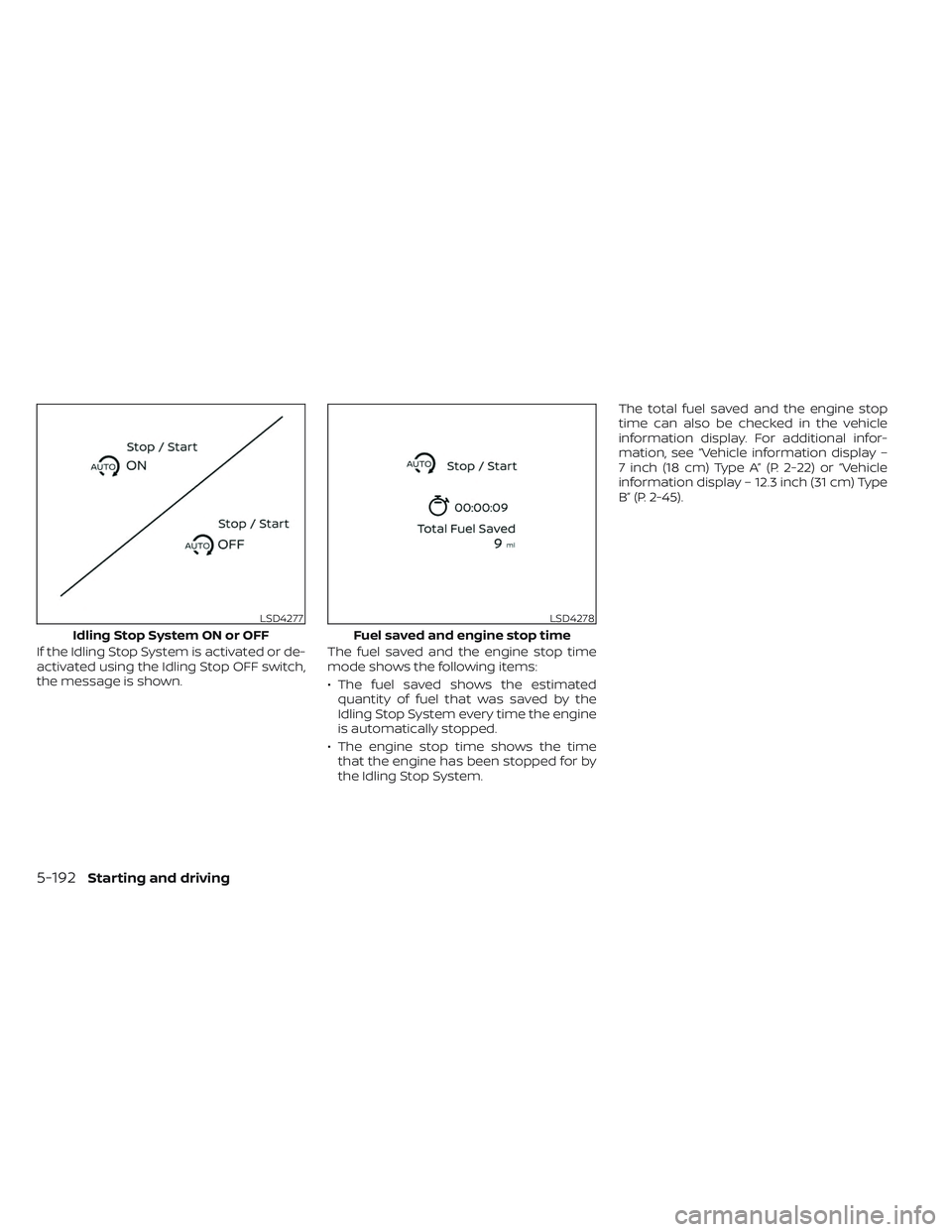
If the Idling Stop System is activated or de-
activated using the Idling Stop OFF switch,
the message is shown.The fuel saved and the engine stop time
mode shows the following items:
• The fuel saved shows the estimated
quantity of fuel that was saved by the
Idling Stop System every time the engine
is automatically stopped.
• The engine stop time shows the time that the engine has been stopped for by
the Idling Stop System. The total fuel saved and the engine stop
time can also be checked in the vehicle
information display. For additional infor-
mation, see “Vehicle information display –
7 inch (18 cm) Type A” (P. 2-22) or “Vehicle
information display – 12.3 inch (31 cm) Type
B” (P. 2-45).
LSD4277
Idling Stop System ON or OFF
LSD4278
Fuel saved and engine stop time
5-192Starting and driving
Page 533 of 647
CAUTION
• NEVER remove dirt, sand or other de-
bris from the passenger compart-
ment by washing it out with a hose.
Remove dirt with a vacuum cleaner
or broom.
• Never allow water or other liquids to
come in contact with electronic com-
ponents inside the vehicle as this
may damage them.
Chemicals used for road surface de-icing
are extremely corrosive. They accelerate
corrosion and deterioration of underbody
components such as the exhaust system,
fuel and brake lines, brake cables, floor pan
and fenders.
In winter, the underbody must be
cleaned periodically.
For additional protection against rust and
corrosion, which may be required in some
areas, it is recommended that you visit a
NISSAN dealer.
7-8Appearance and care
Page 535 of 647
When performing any inspection or main-
tenance work on your vehicle, always take
care to prevent serious accidental injury to
yourself or damage to the vehicle. The fol-
lowing are general precautions which
should be closely observed.
WARNING
• Park the vehicle on a level surface,
apply the parking brake securely and
block the wheels to prevent the ve-
hicle from moving. Push the park
button to shif t to the P (Park)
position.
• Be sure the ignition switch is in the
OFF or LOCK position when perform-
ing any parts replacement or repairs.
• If you must work with the engine run-
ning, keep your hands, clothing, hair
and tools away from moving fans,
belts and any other moving parts.
• It is advisable to secure or remove
any loose clothing and remove any
jewelry, such as rings, watches, etc.
before working on your vehicle.
• Always wear eye protection when-
ever you work on your vehicle. •
Your vehicle is equipped with an au-
tomatic engine cooling fan. It may
come on at any time without warn-
ing, even if the ignition switch is in
the OFF position and the engine is
not running. To avoid injury, always
disconnect the negative battery
cable before working near the fan.
• If you must run the engine in an en-
closed space such as a garage, be
sure there is proper ventilation for
exhaust gases to escape.
• Never get under the vehicle while it is
supported only by a jack. If it is nec-
essary to work under the vehicle,
support it with safety stands.
• Keep smoking materials, flame and
sparks away from the fuel tank and
battery.
• Because the fuel lines on gasoline
engine models are under high pres-
sure even when the engine is off, it is
recommended that you visit a
NISSAN dealer for service of the fuel
filter or fuel lines.
CAUTION
• Do not work under the hood while
the engine is hot. Turn the engine off
and wait until it cools down.
• Avoid contact with used engine oil
and coolant. Improperly disposed
engine oil, engine coolant and/or
other vehicle fluids can damage the
environment. Always conform to lo-
cal regulations for disposal of vehicle
fluid.
• Never leave the engine or automatic
transmission related component
harnesses disconnected while the
ignition switch is in the ON position.
• Never connect or disconnect the bat-
tery or any transistorized compo-
nent while the ignition switch is in
the ON position.
NOTE:
If the battery is completely drained the
transmission will not manually shif t to
other positions.
This “Do-it-yourself ” section gives instruc-
tions regarding only those items which are
relatively easy for an owner to perform.
MAINTENANCE PRECAUTIONS
8-2Do-it-yourself