Drive mode NISSAN PATHFINDER 2022 Owner´s Manual
[x] Cancel search | Manufacturer: NISSAN, Model Year: 2022, Model line: PATHFINDER, Model: NISSAN PATHFINDER 2022Pages: 647, PDF Size: 8.48 MB
Page 429 of 647

Before customizing or restoring the front
bumper, it is recommended that you visit a
NISSAN dealer.
The camera sensor is located above the
inside mirror.
To keep the proper operation of the sys-
tems and prevent a system malfunction,
be sure to observe the following:
• Always keep the windshield clean.
• Do not attach a sticker (including trans-parent material) or install an accessory
near the camera unit.
• Do not place reflective materials, such as white paper or a mirror, on the instru-
ment panel. The reflection of sunlight
may adversely affect the camera unit’s
capability of detecting the lane markers.
• Do not strike or damage the areas around the camera unit. Do not touch the
camera lens or remove the screw located
on the camera unit.
If the camera unit is damaged due to an
accident, it is recommended that you visit a
NISSAN dealer.STEERING ASSIST
WARNING
Failure to follow the warnings and in-
structions for proper use of the Steer-
ing Assist could result in serious injury
or death.
• The Steering Assist is not a replace-
ment for proper driving procedures
and is not designed to correct care-
less, inattentive or absent-minded
driving. The Steering Assist will not
always steer the vehicle to keep it in
the lane. It is not designed to prevent
loss of control. It is the driver’s re-
sponsibility to stay alert, drive safely,
keep the vehicle in the traveling lane,
and be in control of the vehicle at all
times.
• As there is a performance limit to the
Steering Assist’s capability, never
rely solely on the system. The Steer-
ing Assist does not function in all
driving, traffic, weather, and road
conditions. Always drive safely, pay
attention to the operation of the ve-
hicle, and manually control your ve-
hicle appropriately. •
The Steering Assist is intended for
use on well-developed freeways or
highways with gentle (moderate)
curves. To avoid risk of an accident,
do not use this system on local or
non-highway roads.
• The Steering Assist only steers the
vehicle to maintain its position in the
center of a lane. The vehicle will not
steer to avoid objects in the road in
front of the vehicle or to avoid a ve-
hicle moving into your lane.
• It is the driver’s responsibility to stay
alert, drive safely, keep the vehicle in
the traveling lane, and be in control of
the vehicle at all times. Never take
your hands off the steering wheel
when driving. Always keep your
hands on the steering wheel and
drive your vehicle safely.
5-118Starting and driving
Page 435 of 647
•For the ProPILOT Assist system to op-
erate properly, the windshield in
front of the camera must be clean.
Replace worn wiper blades. The cor-
rect size wiper blades must be used
to help make sure the windshield is
kept clean. Only use Genuine NISSAN
wiper blades, or equivalent wiper
blades, that are specifically designed
for use on your vehicle model and
model year. It is recommended that
you visit a NISSAN dealer for the cor-
rect parts for your vehicle.
Steering Assist temporary
standby
Automatic standby due to driving
operation:
When the driver activates the turn signal,
the Steering Assist is temporarily placed in
a standby mode. (The Steering Assist re-
starts automatically when the operating
conditions are met again.)
Automatic standby:
In the following cases, a chime sounds and
the Steering Assist is placed in a temporary
standby mode. (The Steering Assist re-
starts automatically when the operating
conditions are met again.) • When lane markers on both sides are no
longer detected
• When a vehicle ahead is no longer de- tected under approximately 37 mph (60
km/h)
Steering Assist cancel
Under the following conditions, the Steer-
ing Assist cancels, a warning message is
displayed and the Steering Assist status
indicator and the Steering Assist indicator
turn off:
• When unusual lane markers appear inthe traveling lane or when the lane
marker cannot be correctly detected for
some time due to certain conditions (for
example, a snow rut, the reflection of light
on a rainy day, the presence of several
unclear lane markers)
• When the windshield wiper operates in the high (HI) speed operation (the Steer-
ing Assist is disabled when the wiper op-
erates for more than approximately 10
seconds)
Action to take:
Turn the ICC system off using the CANCEL
switch. When the conditions listed above
are no longer present, turn the ICC system
on again.
Steering Assist malfunction
When the system malfunctions, it turns off
automatically. The Steering Assist status
warning illuminates (orange). A chime may
sound depending on the situation.
Action to take:
Stop the vehicle in a safe location, place the
vehicle in the P (Park) position, turn the en-
gine off, restart the engine, resume driving,
and set the Intelligent Cruise Control sys-
tem again. If the warning (orange) contin-
ues to illuminate, the Steering Assist is mal-
functioning. Although the vehicle is still
drivable under normal conditions, have the
system checked. It is recommended that
you visit a NISSAN dealer for this service.
Steering Assist maintenance
The camera sensor is located above the
inside mirror.
To keep the proper operation of the system
and prevent a system malfunction, be sure
to observe the following:
• Always keep the windshield clean.
• Do not attach a sticker (including trans- parent material) or install an accessory
near the camera unit.
5-124Starting and driving
Page 483 of 647
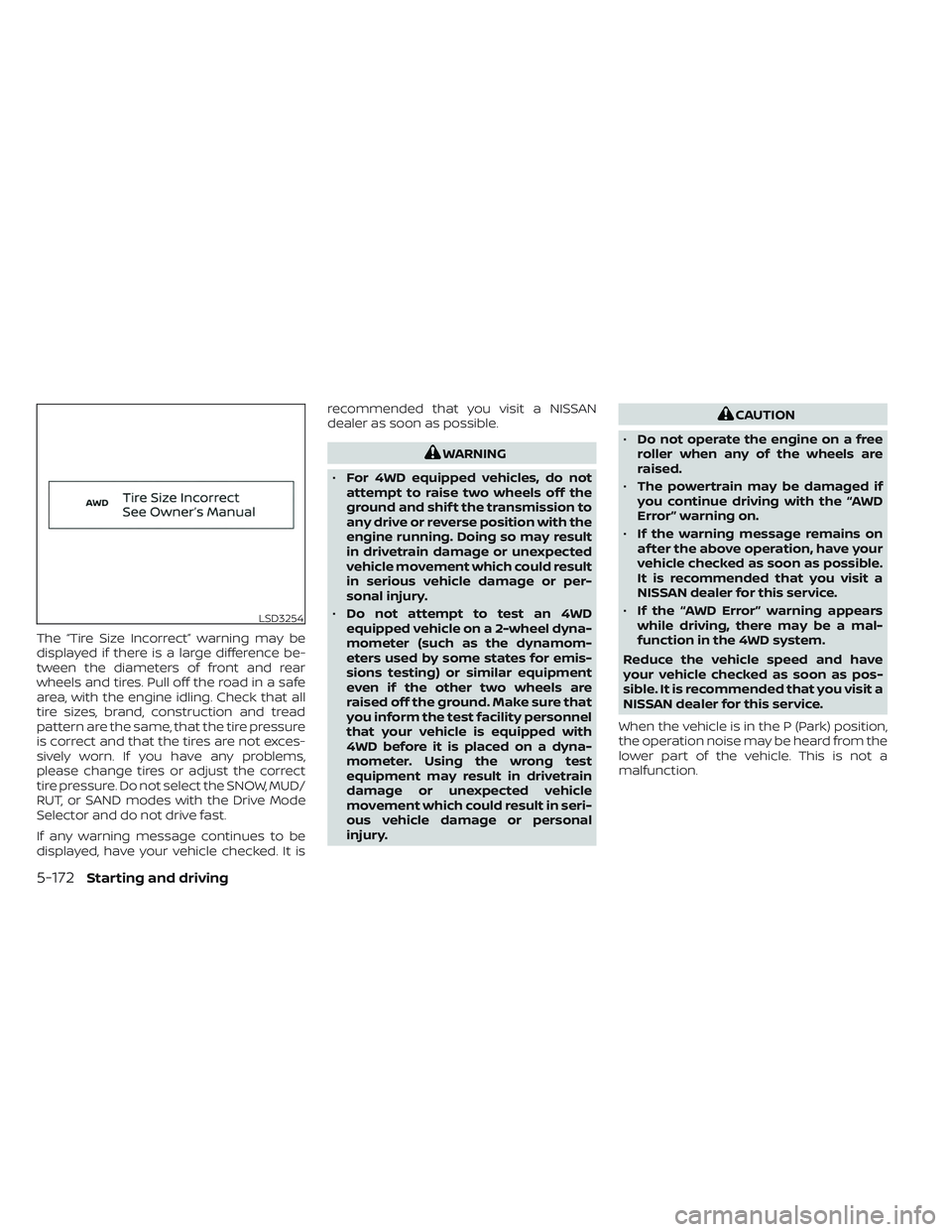
The “Tire Size Incorrect” warning may be
displayed if there is a large difference be-
tween the diameters of front and rear
wheels and tires. Pull off the road in a safe
area, with the engine idling. Check that all
tire sizes, brand, construction and tread
pattern are the same, that the tire pressure
is correct and that the tires are not exces-
sively worn. If you have any problems,
please change tires or adjust the correct
tire pressure. Do not select the SNOW, MUD/
RUT, or SAND modes with the Drive Mode
Selector and do not drive fast.
If any warning message continues to be
displayed, have your vehicle checked. It isrecommended that you visit a NISSAN
dealer as soon as possible.
WARNING
• For 4WD equipped vehicles, do not
attempt to raise two wheels off the
ground and shif t the transmission to
any drive or reverse position with the
engine running. Doing so may result
in drivetrain damage or unexpected
vehicle movement which could result
in serious vehicle damage or per-
sonal injury.
• Do not attempt to test an 4WD
equipped vehicle on a 2-wheel dyna-
mometer (such as the dynamom-
eters used by some states for emis-
sions testing) or similar equipment
even if the other two wheels are
raised off the ground. Make sure that
you inform the test facility personnel
that your vehicle is equipped with
4WD before it is placed on a dyna-
mometer. Using the wrong test
equipment may result in drivetrain
damage or unexpected vehicle
movement which could result in seri-
ous vehicle damage or personal
injury.
CAUTION
• Do not operate the engine on a free
roller when any of the wheels are
raised.
• The powertrain may be damaged if
you continue driving with the “AWD
Error” warning on.
• If the warning message remains on
af ter the above operation, have your
vehicle checked as soon as possible.
It is recommended that you visit a
NISSAN dealer for this service.
• If the “AWD Error” warning appears
while driving, there may be a mal-
function in the 4WD system.
Reduce the vehicle speed and have
your vehicle checked as soon as pos-
sible. It is recommended that you visit a
NISSAN dealer for this service.
When the vehicle is in the P (Park) position,
the operation noise may be heard from the
lower part of the vehicle. This is not a
malfunction.
LSD3254
5-172Starting and driving
Page 491 of 647
•Do not modif y the vehicle’s suspen-
sion. If suspension parts such as
shock absorbers, struts, springs, sta-
bilizer bars, bushings and wheels are
not NISSAN recommended for your
vehicle or are extremely deterio-
rated, the VDC system may not oper-
ate properly. This could adversely af-
fect vehicle handling performance,
and the
indicator light may flash
or both theandindicator
lights may illuminate.
• If brake related parts such as brake
pads, rotors and calipers are not
NISSAN recommended or are ex-
tremely deteriorated, the VDC sys-
tem may not operate properly and
both the
and theindicator
lights may illuminate.
• If engine control related parts are not
NISSAN recommended or are ex-
tremely deteriorated, both the
andindicator lights may
illuminate. •
When driving on extremely inclined
surfaces such as higher banked cor-
ners, the VDC system may not oper-
ate properly and the
indicator
light may flash or both theandindicator lights may illuminate.
Do not drive on these types of roads.
• When driving on an unstable surface
such as a turntable, ferry, elevator or
ramp, the
indicator light may
flash or both theandindi-
cator lights may illuminate. This is
not a malfunction. Restart the engine
af ter driving onto a stable surface.
• If wheels or tires other than the
NISSAN recommended ones are
used, the VDC system may not oper-
ate properly and the
indicator
light may flash or both theandindicator lights may illuminate.
• The VDC system is not a substitute
for winter tires or tire chains on a
snow covered road. The chassis control is an electric control
module that includes the following
functions:
• Intelligent Trace Control
• Active Ride Control (if so equipped)
INTELLIGENT TRACE CONTROL
(I-TC)
This system senses driving based on the
driver’s steering and acceleration/braking
patterns, and controls brake pressure at
individual wheels to aid tracing at corners
and help smooth vehicle response.
When the VDC system is turned off, the I-TC
is also turned off.
The amount of brake control is changed
based on Drive Mode Selector.
When the I-TC is not functioning properly,
the master warning light illuminates, and
the warning message “Chassis Control
System Error” will also appear in the vehicle
information display.
CHASSIS CONTROL
5-180Starting and driving
Page 500 of 647
• If the sonar sensors are dirty, wipe themoff with a sof t cloth while being careful to
not damage them.
• The sonar sensors may be blocked by temporary ambient conditions such as
splashing water, mist or fog. The blocked
condition may also be caused by objects
such as ice, frost or dirt obstructing the
sonar sensors. Check for and remove ob-
jects obstructing the area around the so-
nar sensors.
• Do not subject the area around the sonar sensors to strong impact. Also, do not
remove or disassemble the sonar sen-
sors. If the sonar sensors and peripheral
areas are deformed in an accident, etc.,
have the sonar sensors checked by a
NISSAN dealer.
• Do not attach stickers (including trans- parent material), install accessories or
apply additional paint on the sonar sen-
sors and their surrounding areas. This
may cause a malfunction or improper
operation.
• When washing the vehicle using a high- pressure washer, do not apply direct
washer pressure on the sonar sensors.
This may cause a malfunction of the so-
nar sensors. The Idling Stop System activates to prevent
unnecessary fuel consumption, exhaust
emissions and noise.
• When you stop the vehicle, the engine is
turned off automatically.
• When you release the brake pedal to be- gin moving again, the engine is turned on
automatically.
WARNING
The engine restarts if the vehicle
moves at approximately 1 mph (2
km/h) or more (on a downhill grade,
etc.) while the engine is turned off by
the Idling Stop System. Depress the
brake pedal immediately to stop the
vehicle to prevent an accident.
CAUTION
At the end of the journey the engine
must be stopped and ignition switch be
pushed off. Lock the vehicle as normal.
Pushing the ignition switch off will shut
down all electrical systems. Failure to
do this may result in a discharged
battery.
NOTE:
The Idling Stop System will not activate
under the following conditions:
• When the vehicle is in TOW mode.
• When the engine is kept idling without
the vehicle being driven af ter the en-
gine is turned on.
• When the engine coolant temperature
is low.
• When the battery capacity is low.
• When the battery temperature is low or
extremely high
• When the vehicle is moving.
• When a negative pressure booster
decreases.
• When the engine hood is opened with
the engine running.
• When the engine is turned on with the
engine hood open.
• When the driver’s seat belt is not
fastened.
• When the driver’s door is open.
• When the steering wheel is operated.
• When the Idling Stop System indicator
blinks at a low speed.
IDLING STOP SYSTEM
Starting and driving5-189
Page 501 of 647
•When the fan speed control is in any
position other than “OFF,” (0) while the
air flow control is in the front defogger
position.
• When the front defroster switch is on.
• When the rear window defroster switch
is on.
• When the temperature inside the ve-
hicle is lower than approximately 20°C
(68°F), unless the Air Conditioning ECO
customize option is selected, and the
ECO driving mode is on.
• When the temperature inside the ve-
hicle is higher than approximately 30°C
(86°F), unless the Air Conditioning ECO
customize option is selected, and the
ECO driving mode is on. (When the air
conditioner is off, the Idling Stop Sys-
tem will operate.)
• When the fan speed of the air condi-
tioner is set to the maximum speed,
unless the Air Conditioning ECO cus-
tomize option is selected, and the ECO
driving mode is on.
• When the Idling Stop OFF switch is
turned on.
• When the power consumption is large.
• When the vehicle is traveling at alti-
tudes higher than 6,562 f t (2,000 m). •
When the accelerator pedal is
depressed.
• When the shif t lever is in the R (Reverse)
position.
• When the brake pedal is not firmly
depressed.
• When stopping the vehicle on steep
sloping roads.
NOTE:
The engine will not restart even if the
brake pedal is released while the Idling
Stop System is activated under the fol-
lowing conditions: (The engine may re-
start by the other engine restart condi-
tions.)
• When the shif t position is in the P (Park)
position.
NOTE:
It may take some time until the Idling
Stop System activates under the follow-
ing conditions:
• When the battery is discharged.
• When the outside temperature is low or
high.
•
When the battery is replaced or the bat-
tery terminal is disconnected for ex-
tended periods and then reconnected.
NOTE:
When the Idling Stop System indicator
light illuminates, the engine starts run-
ning automatically under at least one of
the following conditions:
• The brake pedal is released with the
shif t lever in the D (Drive) or N (Neutral)
position.
• The shif t position is placed in the D
(Drive) or R (Reverse) position from the
N (Neutral) or P (Park) position.
• The driver’s seat belt is unfastened, or
the driver’s door is open.
• The battery voltage becomes low (due
to electrical load from other vehicle
systems like headlights, heaters, etc.,
or auxiliary devices connected to the
12 volt socket inside the vehicle).
• The vehicle speed is above about 1 mph
(2 km/h).
• When the rear window defroster is
operated.
• When the temperature inside the ve-
hicle is lower than approximately 68°F
(20°C), unless the Air Conditioning ECO
customize option is selected, and the
ECO driving mode is on.
5-190Starting and driving
Page 502 of 647
•When the temperature inside the ve-
hicle is higher than approximately 86°F
(30°C), unless the Air Conditioning ECO
customize option is selected, and the
ECO driving mode is on. (When the air
conditioner is off, the Idling Stop Sys-
tem will operate.)
• When the front defroster is turned on.
• When more than 3 minutes have
elapsed since the Idling Stop System
was active.
• When the accelerator pedal is
depressed.
• When the steering wheel is operated.
(The steering wheel operation may be-
come heavy, but this is not a
malfunction.)
• When the battery capacity is low.
• When the power consumption is high.
• When the shif t lever is placed in the R
(Reverse) position.
• When the Idling Stop OFF switch is
pushed.
• When the negative pressure of the
brake system is not sufficiently applied
by depressing the brake pedal several
times.NOTE:
The following condition will prevent the
Idling Stop System from automatically
restarting the engine. Starting the en-
gine with the ignition switch operation is
then necessary:
• The hood is open.
Use this system while waiting at a stop
light, etc. When the vehicle is stopped for
long periods of time, turn off the engine.
When the engine is stopped by the Idling
Stop System, heating, cooling and dehu-
midif ying functions will be deactivated. To
avoid the air conditioning functions from
being deactivated, turn off the Idling Stop
System by pushing the Idling Stop OFF
switch.
RETROGRADE MOVEMENT
CONTROL FUNCTION
This system is designed to reduce the ret-
rograde movement that occurs while the
driver’s foot changes from depressing the
brake pedal to the accelerator pedal when
moving the vehicle while the Idling Stop
System is active on a hilly road.
IDLING STOP SYSTEM DISPLAY
The status of the Idling Stop System can be
checked in the vehicle information display.
Starting and driving5-191
Page 505 of 647
• When the Idling Stop System is deacti-vated af ter the engine has been auto-
matically stopped by the Idling Stop Sys-
tem, the engine will immediately restart if
suitable conditions are present. The en-
gine will then be prevented from auto-
matically stopping during the same
journey.
NOTE:
• The Idling Stop System ON or OFF mes- sage is displayed for a few seconds in
the vehicle information display when
the Idling Stop System OFF switch is
pushed. For additional information,
see “Idling Stop System ON or OFF”
(P. 5-191).
• The Idling Stop System resets to ON every time the ignition switch is
switched from the OFF position to the
ON position.
• It is best to disable the ISS system when towing a trailer. You can do this
by either pushing the Idling Stop OFF
switch, or by selecting TOW mode with
the Drive Mode Selector.
FREEING A FROZEN DOOR LOCK
To prevent a door lock from freezing, apply
de-icer through the key hole. If the lock
becomes frozen, heat the key before in-
serting it into the key hole, or use the
NISSAN Intelligent Key®.
ANTIFREEZE
In the winter when it is anticipated that the
temperature will drop below 32°F (0°C),
check the antifreeze to assure proper win-
ter protection. For additional information,
see “Engine cooling system” (P. 8-5).
BATTERY
If the battery is not fully charged during
extremely cold weather conditions, the
battery fluid may freeze and damage the
battery. To maintain maximum efficiency,
the battery should be checked regularly.
For additional information, see “Battery”
(P. 8-14).
DRAINING OF COOLANT WATER
If the vehicle is to be lef t outside without
antifreeze, drain the cooling system, includ-
ing the engine block. Refill before operating
the vehicle. For additional information, see
“Changing engine coolant” (P. 8-6).
TIRE EQUIPMENT
1. SUMMER tires have a tread designed to provide superior performance on dry
pavement. However, the performance of
these tires will be substantially reduced
in snowy and icy conditions. If you oper-
ate your vehicle on snowy or icy roads,
NISSAN recommends the use of MUD &
SNOW or ALL SEASON TIRES on all four
wheels. It is recommended that you visit
a NISSAN dealer for the tire type, size,
speed rating and availability information.
2. For additional traction on icy roads, studded tires may be used. However,
some U.S. states and Canadian prov-
inces prohibit their use. Check local,
state and provincial laws before install-
ing studded tires.
Skid and traction capabilities of studded
snow tires on wet or dry surfaces may be
poorer than that of non-studded snow
tires.
3. Tire chains may be used. For additional information, see “Tire chains” (P. 8-37).
COLD WEATHER DRIVING
5-194Starting and driving
Page 506 of 647
4-Wheel Drive (4WD) model
If you install snow tires, they must also be
the same size, brand, construction and
tread patter on all four wheels.
SPECIAL WINTER EQUIPMENT
It is recommended that the following items
be carried in the vehicle during winter:
• A scraper and stiff-bristled brush to re-move ice and snow from the windows
and wiper blades.
• A sturdy, flat board to be placed under the jack to give it firm support.
• A shovel to dig the vehicle out of snowdrif ts.
• Extra washer fluid to refill the windshield- washer fluid reservoir.
DRIVING ON SNOW OR ICE
WARNING
• Wet ice (32°F, 0°C and freezing rain),
very cold snow or ice can be slick and
very hard to drive on. The vehicle will
have much less traction or “grip” un-
der these conditions. Try to avoid
driving on wet ice until the road is
salted or sanded. •
Whatever the condition, drive with
caution. Accelerate and slow down
with care. If accelerating or down-
shif ting too fast, the drive wheels will
lose even more traction.
• Allow more stopping distance under
these conditions. Braking should be
started sooner than on dry
pavement.
• Allow greater following distances on
slippery roads.
• Watch for slippery spots (glare ice).
These may appear on an otherwise
clear road in shaded areas. If a patch
of ice is seen ahead, brake before
reaching it. Try not to brake while on
the ice, and avoid any sudden steer-
ing maneuvers.
• Do not use the cruise control on slip-
pery roads.
• Snow can trap dangerous exhaust
gases under your vehicle. Keep snow
clear of the exhaust pipe and from
around your vehicle.
ENGINE BLOCK HEATER (if so
equipped)
Engine block heaters are used to assist
with cold temperature starting. The engine block heater should be used
when the outside temperature is 20°F (-7°C)
or lower.
WARNING
• Do not use your engine block heater
with an ungrounded electrical sys-
tem or a 2-pronged adapter. You can
be seriously injured by an electrical
shock if you use an ungrounded
connection.
• Disconnect and properly store the
engine block heater cord before
starting the engine. Damage to the
cord could result in an electrical
shock and can cause serious injury.
• Use a heavy-duty 3-wire, 3-pronged
extension cord rated for at least 10 A.
Plug the extension cord into a
Ground Fault Interrupt (GFI) pro-
tected, grounded 110-VAC outlet.
Failure to use the proper extension
cord or a grounded outlet can result
in a fire or electrical shock and cause
serious personal injury.
Starting and driving5-195
Page 520 of 647
CAUTION
• Always connect positive (+) to posi-
tive (+) and negative (−) to body
ground (for example, strut mounting
bolt, engine lif t bracket, etc.) — not to
the battery.
• Make sure the jumper cables do not
touch moving parts in the engine
compartment and that the cable
clamps do not contact any other
metal.
5. Start the engine of the booster vehicle and let it run for a few minutes.
6. Keep the engine speed of the booster vehicle at about 2,000 rpm and start the
engine of the vehicle being jump
started.
CAUTION
Do not keep the starter motor engaged
for more than 10 seconds. If the engine
does not start right away, place the ig-
nition switch in the OFF position and
wait 3 to 4 seconds before trying again.
7. Af ter starting the engine, carefully dis- connect the negative cable and then the
positive cable.
CAUTION
Automatic transmission models can-
not be push-started. Attempting to do
so may cause transmission damage.WARNING
• Do not continue to drive if your ve-
hicle overheats. Doing so could cause
engine damage or a vehicle fire.
• To avoid the danger of being scalded,
never remove the radiator or coolant
reservoir cap while the engine is still
hot. When the radiator or coolant res-
ervoir cap is removed, pressurized
hot water will spurt out, possibly
causing serious injury.
• Do not open the hood if steam is
coming out.
If your vehicle is overheating (indicated by
an extremely high temperature gauge
reading and the Low Oil Pressure: See
Owner’s Manual warning message ap-
pears in the vehicle information display), or
if you feel a lack of engine power, detect
abnormal noise, etc. take the following
steps:
1. Move the vehicle safely off the road, ap- ply the parking brake.
2. Push the park button to shif t to the P (Park) position.
Do not stop the engine.
PUSH STARTING IF YOUR VEHICLE OVERHEATS
In case of emergency6-13