phone NISSAN PATHFINDER 2023 Workshop Manual
[x] Cancel search | Manufacturer: NISSAN, Model Year: 2023, Model line: PATHFINDER, Model: NISSAN PATHFINDER 2023Pages: 665, PDF Size: 4.64 MB
Page 320 of 665
•Heated 2nd row seat switches (if so
equipped) For additional information,
see “Heated 2nd row seat switches”
(P. 2-92).
• ON-OFF button Turns rear automatic air
conditioning system on and off.
• Air flow control buttons controls air flow
and selects the air outlet.
• AUTO button Turns rear automatic air
conditioning system on, AUTO mode on. The air conditioner system in your NISSAN
vehicle is charged with a refrigerant de-
signed with the environment in mind.
This refrigerant does not harm the
earth's ozone layer.
Special charging equipment and lubricant
is required when servicing your NISSAN air
conditioner. Using improper refrigerants or
lubricants will cause severe damage to
your air conditioner system. For additional
information, see “Air conditioner system re-
frigerant and oil recommendations”
(P. 10-8).
It is recommended that you visit a NISSAN
dealer to service your “environmentally
friendly ” air conditioner system.
WARNING
The air conditioner system contains re-
frigerant under high pressure. To avoid
personal injury, any air conditioner ser-
vice should be done only by an experi-
enced technician with proper
equipment.
ROOF MOUNTED ANTENNA
The antenna is located on the rear part of
the vehicle roof.
CAUTION
• A build-up of ice on the antenna can
affect radio performance. Remove
the ice to restore radio reception.
• When removing snow from the roof,
do not apply strong force to the an-
tenna. That may cause broken an-
tenna and roof panel dent.
• When using a high pressure car wash,
keep the high pressure nozzle away
from the antenna. The seal may be
deformed or damaged.
• The radio performance may be af-
fected if cargo carried on the roof
blocks the radio signal. If possible, do
not put cargo near the antenna.
SERVICING AIR CONDITIONER ANTENNA
Monitor, climate, audio, phone and voice recognition systems4-39
Page 321 of 665
When installing a CB, ham radio or car
phone in your vehicle, be sure to observe
the following precautions; otherwise, the
new equipment may adversely affect the
engine control system and other electronic
parts.
WARNING
• A cellular phone should not be used
for any purpose while driving so full
attention may be given to vehicle op-
eration. Some jurisdictions prohibit
the use of cellular phones while
driving.
• If you must make a call while your
vehicle is in motion, the hands free
cellular phone operational mode is
highly recommended. Exercise ex-
treme caution at all times so full at-
tention may be given to vehicle
operation.
• If you are unable to devote full atten-
tion to vehicle operation while talk-
ing on the phone, pull off the road to
a safe location and stop your vehicle.
CAUTION
• Keep the antenna as far away as pos-
sible from the electronic control
modules.
• Keep the antenna wire more than 8 in
(20 cm) away from the electronic
control system harnesses. Do not
route the antenna wire next to any
harness.
• Adjust the antenna standing-wave
ratio as recommended by the
manufacturer.
• Connect the ground wire from the CB
radio chassis to the body.
• For additional information, it is rec-
ommended that you visit a NISSAN
dealer for servicing. “Made for iPod”, “Made for iPhone” and
“Made for iPad” mean that an electronic
accessory has been designed to connect
specifically to iPod, iPhone or iPad, respec-
tively, and has been certified by the devel-
oper to meet Apple performance stan-
dards. Apple is not responsible for the
operation of this device or its compliance
with safety and regulatory standards.
Please note that the use of this accessory
with iPod, iPhone or iPad may affect wire-
less performance.
iPad, iPhone, iPod classic, iPod nano, iPod
shuffle and iPod touch are trademarks of
Apple Inc., registered in the U.S. and other
countries. Lightning is a trademark of
Apple Inc.
CAR PHONE OR CB RADIO
iPod®/iPhone®
4-40Monitor, climate, audio, phone and voice recognition systems
Page 322 of 665

MEMO
Monitor, climate, audio, phone and voice recognition systems4-41
Page 338 of 665
Af ter a period of time, functions such as
radio, navigation (if so equipped), and
Bluetooth® Hands-Free Phone System
may be restarted by turning on the audio
system (see separate NissanConnect®
Owner’s Manual), or by pushing the UN-
LOCK button on the Intelligent Key for up to
a total of 30 minutes.
EMERGENCY ENGINE SHUT OFF
To shut off the engine in an emergency
situation while driving, perform the follow-
ing procedure:
• Rapidly push the ignition switch threeconsecutive times in less than 1.5 sec-
onds, or
• Push and hold the ignition switch for more than 2 seconds.
NISSAN INTELLIGENT KEY®
BATTERY DISCHARGE
If the battery of the NISSAN Intelligent Key®
is discharged or environmental conditions
interfere with the Intelligent Key operation,
start the engine according to the following
procedure:
1. Push the park button to shif t to the P (Park) position.
2. Firmly apply the foot brake.
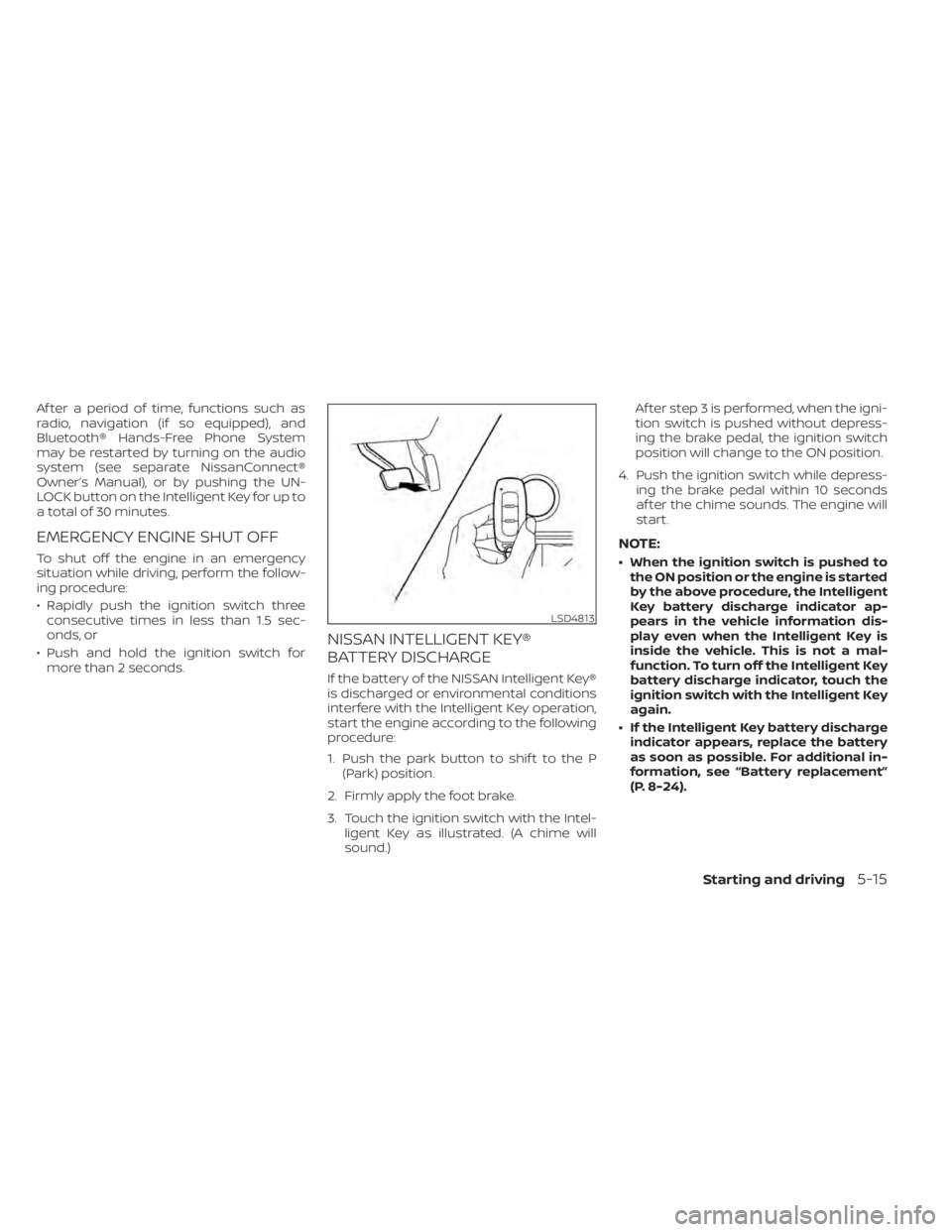
3. Touch the ignition switch with the Intel- ligent Key as illustrated. (A chime will
sound.) Af ter step 3 is performed, when the igni-
tion switch is pushed without depress-
ing the brake pedal, the ignition switch
position will change to the ON position.
4. Push the ignition switch while depress- ing the brake pedal within 10 seconds
af ter the chime sounds. The engine will
start.
NOTE:
• When the ignition switch is pushed tothe ON position or the engine is started
by the above procedure, the Intelligent
Key battery discharge indicator ap-
pears in the vehicle information dis-
play even when the Intelligent Key is
inside the vehicle. This is not a mal-
function. To turn off the Intelligent Key
battery discharge indicator, touch the
ignition switch with the Intelligent Key
again.
• If the Intelligent Key battery discharge indicator appears, replace the battery
as soon as possible. For additional in-
formation, see “Battery replacement”
(P. 8-24).
LSD4813
Starting and driving5-15
Page 340 of 665
your foot off the accelerator pedal by
depressing the brake pedal and push-
ing the ignition switch to start the en-
gine. If the engine starts, but fails to
run, repeat the above procedure.
CAUTION
Do not operate the starter for more
than 15 seconds at a time. If the engine
does not start, push the ignition switch
to the OFF position and wait 10 seconds
before cranking again, otherwise the
starter could be damaged.
4. Warm-up:
Allow the engine to idle for at least 30
seconds af ter starting. Do not race the
engine while warming it up. Drive at a
moderate speed for a short distance
first, especially in cold weather. In cold
weather, keep the engine running for a
minimum of 2 to 3 minutes before shut-
ting it off. Starting and stopping the en-
gine over a short period of time may
make the vehicle more difficult to start. 5. To stop the engine, push the park button
to shif t to the P (Park) position, and push
the ignition switch to the OFF position.
NOTE:
Care should be taken to avoid situa-
tions that can lead to potential battery
discharge and potential no-start con-
ditions such as:
1. Installation or extended use of elec- tronic accessories that consume bat-
tery power when the engine is not
running (phone chargers, GPS, DVD
players, etc.).
2. The vehicle is not driven regularly and/or only driven short distances.
In these cases, the battery may need to
be charged to maintain battery health.
REMOTE ENGINE START (if so
equipped)
Vehicles started with the Remote Engine
Start require the ignition switch to be
placed in the ON position before the shif t
position can be shif ted from the P (Park)
position. To place the ignition switch in the
ON position, follow these steps:
1. Make sure that the Intelligent Key is on you.
2. Apply the brake.
3. Push the ignition switch once to the ON position.
For additional information, see “NISSAN In-
telligent Key® system” (P. 3-7).
Starting and driving5-17
Page 561 of 665
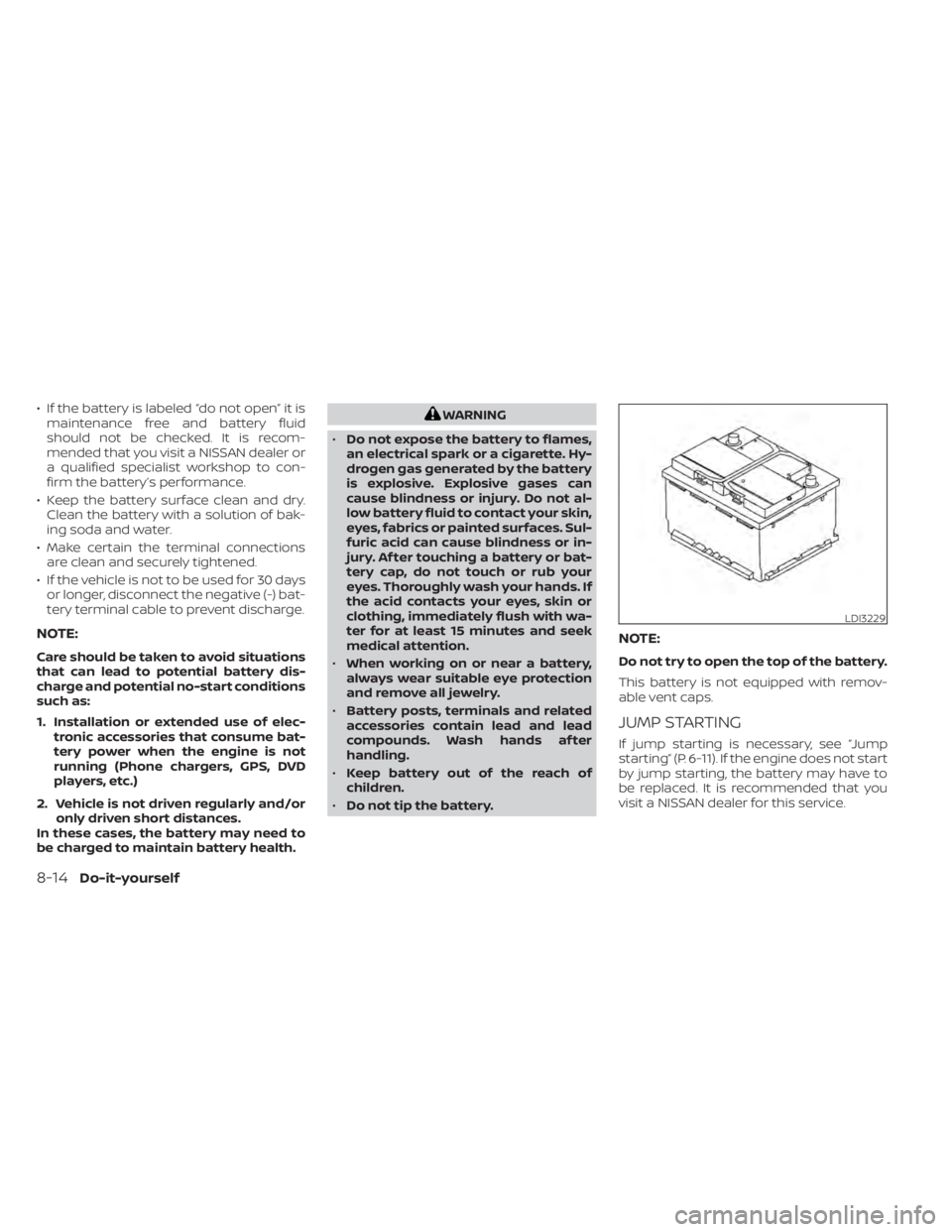
• If the battery is labeled “do not open” it ismaintenance free and battery fluid
should not be checked. It is recom-
mended that you visit a NISSAN dealer or
a qualified specialist workshop to con-
firm the battery’s performance.
• Keep the battery surface clean and dry. Clean the battery with a solution of bak-
ing soda and water.
• Make certain the terminal connections are clean and securely tightened.
• If the vehicle is not to be used for 30 days or longer, disconnect the negative (-) bat-
tery terminal cable to prevent discharge.
NOTE:
Care should be taken to avoid situations
that can lead to potential battery dis-
charge and potential no-start conditions
such as:
1. Installation or extended use of elec- tronic accessories that consume bat-
tery power when the engine is not
running (Phone chargers, GPS, DVD
players, etc.)
2. Vehicle is not driven regularly and/or only driven short distances.
In these cases, the battery may need to
be charged to maintain battery health.
WARNING
• Do not expose the battery to flames,
an electrical spark or a cigarette. Hy-
drogen gas generated by the battery
is explosive. Explosive gases can
cause blindness or injury. Do not al-
low battery fluid to contact your skin,
eyes, fabrics or painted surfaces. Sul-
furic acid can cause blindness or in-
jury. Af ter touching a battery or bat-
tery cap, do not touch or rub your
eyes. Thoroughly wash your hands. If
the acid contacts your eyes, skin or
clothing, immediately flush with wa-
ter for at least 15 minutes and seek
medical attention.
• When working on or near a battery,
always wear suitable eye protection
and remove all jewelry.
• Battery posts, terminals and related
accessories contain lead and lead
compounds. Wash hands af ter
handling.
• Keep battery out of the reach of
children.
• Do not tip the battery.
NOTE:
Do not try to open the top of the battery.
This battery is not equipped with remov-
able vent caps.
JUMP STARTING
If jump starting is necessary, see “Jump
starting” (P. 6-11). If the engine does not start
by jump starting, the battery may have to
be replaced. It is recommended that you
visit a NISSAN dealer for this service.
LDI3229
8-14Do-it-yourself
Page 593 of 665
Parking brake:Check the parking brake
operation regularly. The vehicle should be
securely held on a fairly steep hill with only
the parking brake applied. If the parking
brake needs adjustment, it is recom-
mended that you visit a NISSAN dealer for
this service.
Seats: Check seat position controls such
as seat adjusters, seatback recliner, etc., to
ensure they operate smoothly and all
latches lock securely in every position.
Check that the head restraints/headrests
move up and down smoothly and the locks
(if so equipped) hold securely in all latched
positions.
Seat belts: Check that all parts of the seat
belt system (for example, buckles, anchors,
adjusters and retractors) operate properly
and smoothly, and are installed securely.
Check the belt webbing for cuts, fraying,
wear or damage.
Steering wheel: Check for changes in the
steering system, such as excessive free
play, hard steering or strange noises.
Transmission P (Park) position mecha-
nism: On a fairly steep hill check that the
vehicle is held securely with the shif t posi-
tion in the P (Park) position without apply-
ing any brakes. Warning lights and chimes:
Make sure all
warning lights and chimes are operating
properly.
Windshield defroster: Check that the air
comes out of the defroster outlets properly
and in sufficient quantity when operating
the heater or air conditioner.
Windshield wiper and washer*: Check
that the wipers and washer operate prop-
erly and that the wipers do not streak.
Under the hood and vehicle
The maintenance items listed here should
be checked periodically (for example, each
time you check the engine oil or refuel).
Battery* (for maintenance free batter-
ies): This vehicle is equipped with a sealed
maintenance free battery. It is recom-
mended that you visit a NISSAN dealer for
service.
NOTE:
Care should be taken to avoid situations
that can lead to potential battery dis-
charge and potential no-start conditions
such as:
1. Installation or extended use of elec- tronic accessories that consume bat-
tery power when the engine is not
running (Phone chargers, GPS, DVD
players, etc.).
2. Vehicle is not driven regularly and/or only driven short distances.
In these cases, the battery may need to
be charged to maintain battery health.
Brake fluid level*: Make sure that the brake
fluid level is between the MAX and MIN lines
on the reservoir.
Engine coolant level*: Check the coolant
level when the engine is cold.
Engine drive belts*: Make sure the drive
belts are not frayed, worn, cracked or oily.
Engine oil level*: Check the level af ter
parking the vehicle on a level spot and
turning off the engine. Wait more than 15
minutes for the oil to drain back into the oil
pan.
9-4Maintenance and schedules
Page 649 of 665
Genuine NISSAN Service Manuals for this
model year and prior can be purchased. A
Genuine NISSAN Service Manual is the best
source of service and repair information for
your vehicle. This manual is the same one
used by the factory-trained technicians
working at NISSAN dealerships. Genuine
NISSAN Owner’s Manuals can also be
purchased.
For USA
For current pricing and availability of
GenuineNISSAN Service Manuals,
contact:
www.nissan-techinfo.com
For current pricing and availability of
Genuine NISSAN Owner's Manuals,
contact:
1-800-247-5321
For Canada
To purchase a copy of a Genuine NISSAN
Service Manual or Owner’s Manual, for this
model year and prior, please contact your
nearest NISSAN dealer. For the phone num-
ber and location of a NISSAN dealer in your
area, call the NISSAN Information Center at
1-800-387-0122 and a bilingual NISSAN rep-
resentative will assist you.
OWNER'S MANUAL/SERVICE
MANUAL ORDER INFORMATION
10-38Technical and consumer information
Page 650 of 665
11 Index
A
Active Brake Limited Slip (ABLS)
system....................5-180Active Ride Control.............5-181Air bag (See supplemental restraint
system).....................1-59Air bag system
Front (See supplemental front impact air
bag system)
................1-67Air bag warning labels............1-80Air bag warning light.........1-80, 2-16Air bag warning light,
supplemental.............1-80, 2-16Air cleaner...................8-17Air cleaner housing filter..........8-17Air conditionerAir conditioner operation........4-33Air conditioner specification label. .10-13Air conditioner system refrigerant and oil
recommendations............10-8Air conditioner system refrigerant
recommendations............10-8Heater and air conditioner controls. .4-33Servicing air conditioner........4-39Alarm system (See vehicle security
system).....................2-76Anchor point locations...........1-40Antenna................... .4-39Anti-lock Braking System (ABS).....5-175Antifreeze...................5-196
Approach unlock function.........3-17Armrests....................1-10Autolight switch...............2-83Automatic
Automatic power window switch. .2-119Driving with automatic transmission.5-18Automatic anti-glare inside mirror. . . .3-37Automatic brake hold............5-28Automatic door locks.............3-6Automatic Emergency Braking
(AEB)....................2-17,2-71Automatic Emergency Braking (AEB) with
Pedestrian Detection............5-137
B
Battery.................5- 196, 8-13Charge warning light...........2-15Battery replacement............8-24Key fob...................8-24NISSAN Intelligent Key®.........8-24Before starting the engine.........5-16Belt (See drive belt)..............8-15Blind Spot Warning (BSW).........5-52Booster seats.................1-56Brake
Anti-lock Braking System (ABS). . . .5-175Brake fluid..................8-11Brake light (See stop light).......8-26Brake system...............5-175
Brake warning light............2-14Brake wear indicators......2-23,8-20Parking brake operation.........5-26Self-adjusting brakes..........8-20Brake Assist.................5-177Brake fluid...................8-11Brake system................5-175Brakes.....................8-20Break-in schedule.............5-169Brightness controlInstrument panel.............2-88Bulb check/instrument panel.......2-14Bulb replacement..............8-26
C
C.M.V.S.S. certification label........10-12Camera Aiding Sonar (parking sensor).4-23Capacities and recommended
fuel/lubricants................10-2Car phone or CB radio...........4-40Cargo (See vehicle loading
information)................ .10-15Cargo area storage bin..........2-114Cargo light..................2-124Chassis control...............5-181Check tire pressure..........2-43, 2-70Child restraint with top tether strap. . .1-40Child restraints.......1-30, 1-31, 1-33, 1-35
Page 654 of 665
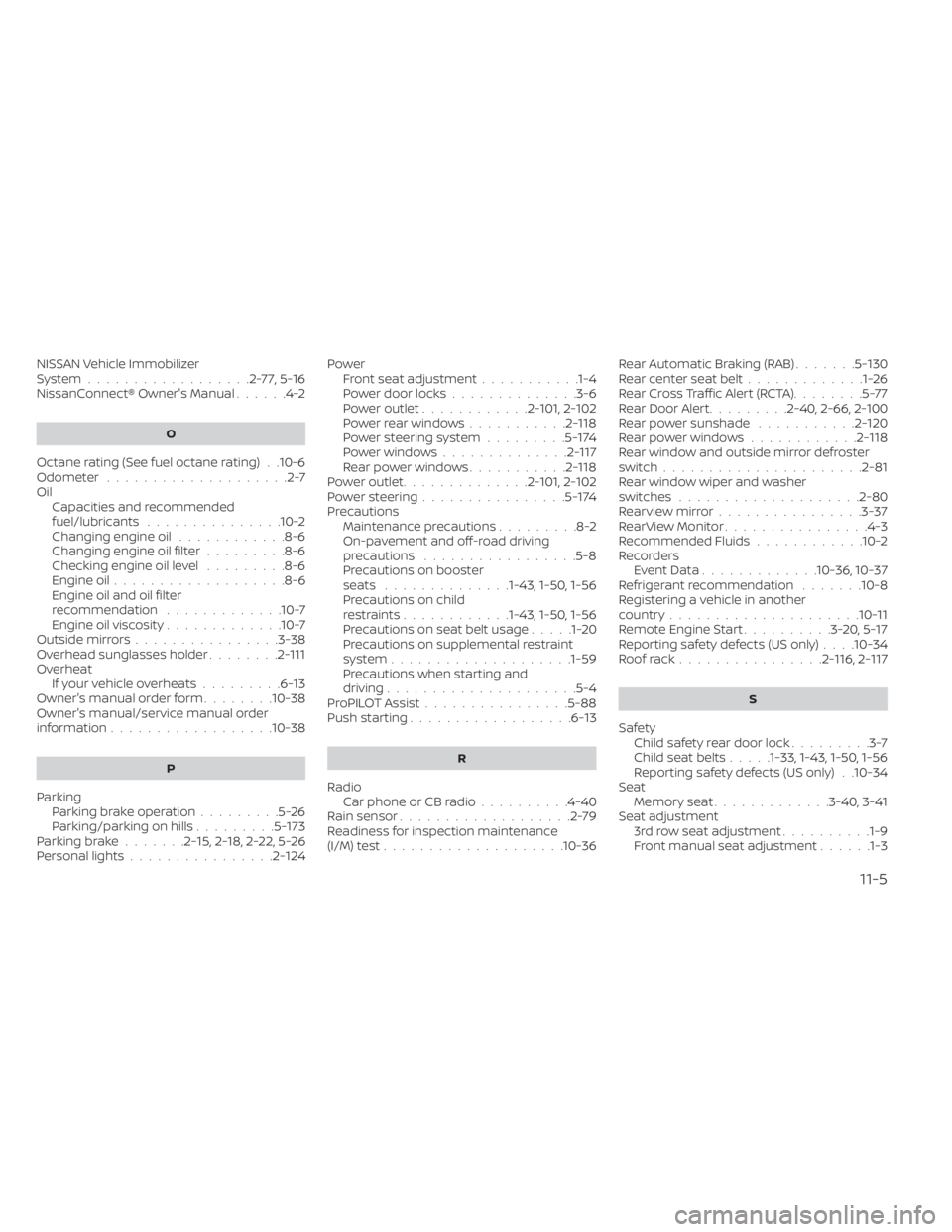
NISSAN Vehicle Immobilizer
System..................2-77,5-16NissanConnect® Owner's Manual......4-2
O
Octane rating (See fuel octane rating). .10-6Odometer....................2-7OilCapacities and recommended
fuel/lubricants
...............10-2Changing engine oil............8-6Changing engine oil filter.........8-6Checking engine oil level.........8-6Engine oil.................. .8-6Engine oil and oil filter
recommendation.............10-7Engine oil viscosity.............10-7Outside mirrors................3-38Overhead sunglasses holder........2-111Overheat
If your vehicle overheats.........6-13Owner's manual order form........10-38Owner's manual/service manual order
information................. .10-38
P
Parking
Parking brake operation.........5-26Parking/parking on hills.........5-173Parking brake.......2-15,2-18,2-22,5-26Personal lights................2-124
PowerFront seat adjustment...........1-4Power door locks..............3-6Power outlet............2- 101, 2-102Powerrearwindows...........2-118Power steering system.........5-174Power windows..............2-117Rear power windows...........2-118Power outlet..............2- 101, 2-102Power steering................5-174Precautions
Maintenance precautions.........8-2On-pavement and off-road driving
precautions................ .5-8Precautions on booster
seats..............1-43, 1-50, 1-56Precautions on child
restraints............1-43, 1-50, 1-56Precautions on seat belt usage.....1-20Precautions on supplemental restraint
system................... .1-59Precautions when starting and
driving.................... .5-4ProPILOT Assist................5-88Push starting..................6-13
R
Radio
Car phone or CB radio..........4-40Rain sensor...................2-79Readiness for inspection maintenance
(I/M) test................... .10-36
Rear Automatic Braking (RAB).......5-130Rear center seat belt.............1-26Rear Cross Traffic Alert (RCTA)........5-77Rear Door Alert.........2-40, 2-66, 2-100Rear power sunshade...........2-120Rear power windows............2-118Rear window and outside mirror defroster
switch..................... .2-81Rear window wiper and washer
switches....................2-80Rearview mirror................3-37RearView Monitor................4-3Recommended Fluids............10-2Recorders
Event Data.............10-36, 10-37Refrigerant recommendation.......10-8Registering a vehicle in another
country.................... .10-11Remote Engine Start..........3-20,5-17Reporting safety defects (US only). . . .10-34Roof rack................2-116, 2-117
S
Safety
Child safety rear door lock.........3-7Child seat belts.....1-33, 1-43, 1-50, 1-56Reporting safety defects (US only). .10-34SeatMemory seat.............3-40, 3-41Seat adjustment3rd row seat adjustment..........1-9Front manual seat adjustment......1-3
11-5