door NISSAN PATHFINDER 2023 Manual PDF
[x] Cancel search | Manufacturer: NISSAN, Model Year: 2023, Model line: PATHFINDER, Model: NISSAN PATHFINDER 2023Pages: 665, PDF Size: 4.64 MB
Page 308 of 665
WARNING
• Failure to follow the warnings and in-
structions for proper use of the Mov-
ing Object Detection system could
result in serious injury or death.
• The MOD system is not a substitute
for proper vehicle operation and is
not designed to prevent contact with
objects surrounding the vehicle.
When maneuvering, always use the
outside mirrors and rearview mirror
and turn and check the surroundings
to ensure it is safe to maneuver.
• The system is deactivated at speeds
above 6 mph (10 km/h). It is reacti-
vated at lower speeds.
• The MOD system is not designed to
detect surrounding stationary
objects.
The MOD system can inform the driver of
moving objects near the vehicle when
backing out of garages, maneuvering in
parking lots and in other such instances.
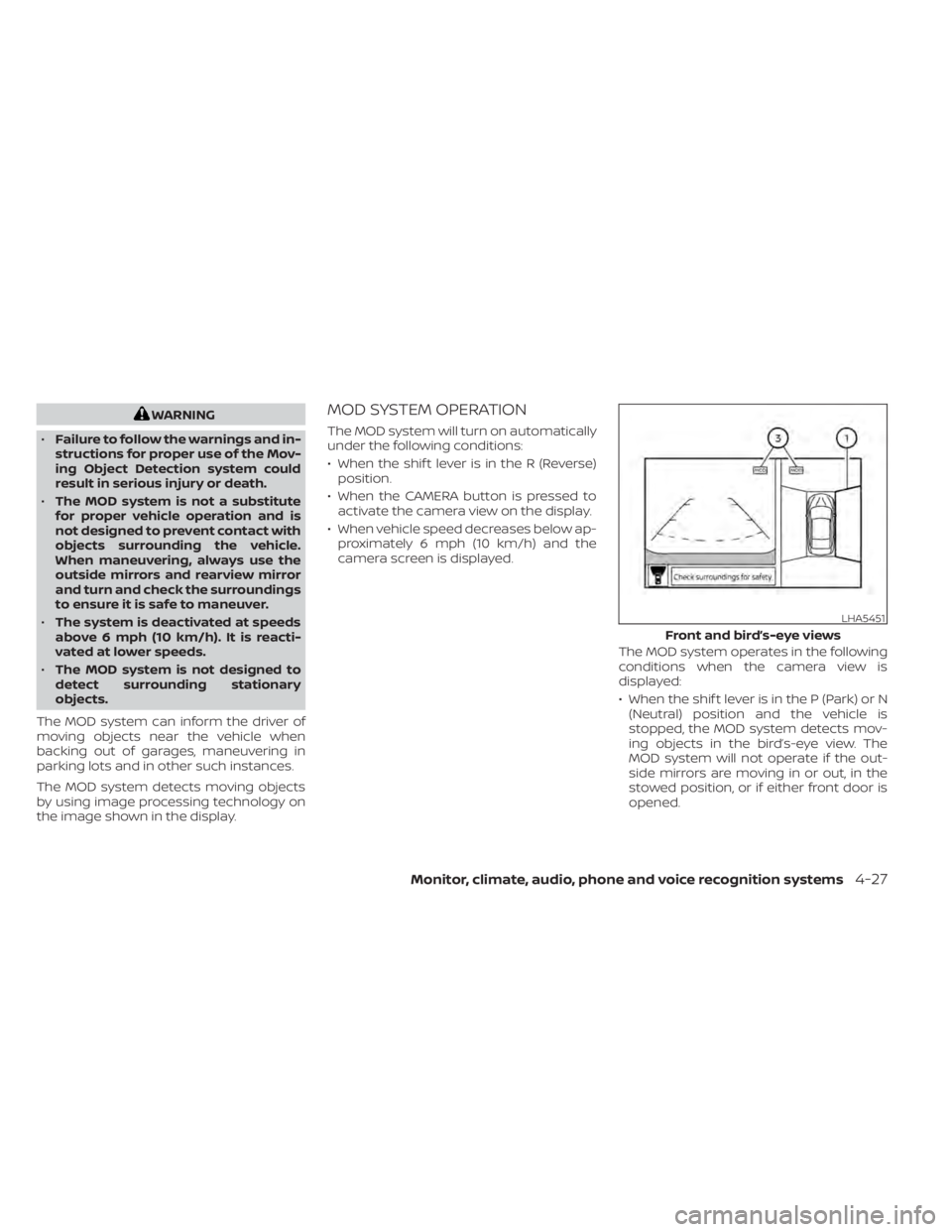
The MOD system detects moving objects
by using image processing technology on
the image shown in the display.MOD SYSTEM OPERATION
The MOD system will turn on automatically
under the following conditions:
• When the shif t lever is in the R (Reverse) position.
• When the CAMERA button is pressed to activate the camera view on the display.
• When vehicle speed decreases below ap- proximately 6 mph (10 km/h) and the
camera screen is displayed.
The MOD system operates in the following
conditions when the camera view is
displayed:
• When the shif t lever is in the P (Park) or N(Neutral) position and the vehicle is
stopped, the MOD system detects mov-
ing objects in the bird’s-eye view. The
MOD system will not operate if the out-
side mirrors are moving in or out, in the
stowed position, or if either front door is
opened.
LHA5451
Front and bird’s-eye views
Monitor, climate, audio, phone and voice recognition systems4-27
Page 326 of 665
Chassis control............................... 5-181
Intelligent Trace Control (I-TC) ..............5-181
Active Ride Control (ARC)
(if so equipped) ............................. 5-181
Hill descent control system (if so equipped) . . . 5-182
Hill start assist system ........................5-183
Front and Rear Sonar System
(if so equipped) ................................ 5-183
System operation .......................... 5-184
How to enable/disable the front and
rear sonar system .......................... 5-186
Sonar limitations ........................... 5-187
System temporarily unavailable ............5-188
System maintenance ......................5-188Idling Stop System
............................ 5-189
Retrograde movement control function ....5-191
Idling Stop System display ..................5-191
Idling Stop OFF switch ......................5-195
Cold weather driving .......................... 5-196
Freeing a frozen door lock ..................5-196
Antifreeze .................................. 5-196
Battery..................................... 5-196
Draining of coolant water ..................5-196
Tire equipment ............................. 5-196
Special winter equipment ..................5-196
Driving on snow or ice ......................5-196
Engine block heater (if so equipped) ........5-197
Page 327 of 665
WARNING
• Do not leave children or adults who
would normally require the assis-
tance of others alone in your vehicle.
Pets should also not be lef t alone.
They could accidentally injure them-
selves or others through inadvertent
operation of the vehicle. Also, on hot,
sunny days, temperatures in a closed
vehicle could quickly become high
enough to cause severe or possibly
fatal injuries to people or animals.
• Properly secure all cargo with ropes
or straps to help prevent it from slid-
ing or shif ting. Do not place cargo
higher than the seatbacks. In a sud-
den stop or collision, unsecured
cargo could cause personal injury.
EXHAUST GAS (carbon monoxide)
WARNING
• Do not breathe exhaust gases; they
contain colorless and odorless car-
bon monoxide. Carbon monoxide is
dangerous. It can cause uncon-
sciousness or death. •
If you suspect that exhaust fumes
are entering the vehicle, drive with all
windows fully open, and have the ve-
hicle inspected immediately.
• Do not run the engine in closed
spaces such as a garage.
• Do not park the vehicle with the en-
gine running for any extended length
of time.
• Keep the rear vent windows, lif t-
gates, doors and trunk lids (if so
equipped) closed while driving, oth-
erwise exhaust gases could be
drawn into the passenger compart-
ment. If you must drive with one of
these open, follow these precau-
tions:
1. Open all the windows.
2. Set the
air recirculation but-
ton to off and the fan control dial
to high to circulate the air.
• If electrical wiring or other cable con-
nections must pass to a trailer
through the seal on the lif tgate or the
body, follow the manufacturer's rec-
ommendation to prevent carbon
monoxide entry into the vehicle. •
The exhaust system and body should
be inspected by a qualified mechanic
whenever:
a. The vehicle is raised for service.
b. You suspect that exhaust fumes are entering into the passenger
compartment.
c. You notice a change in the sound of the exhaust system.
d. You have had an accident involv- ing damage to the exhaust sys-
tem, underbody, or rear of the
vehicle.
THREE-WAY CATALYST
The three-way catalyst is an emission con-
trol device installed in the exhaust system.
Exhaust gases in the three-way catalyst
are burned at high temperatures to help
reduce pollutants.
WARNING
• The exhaust gas and the exhaust
system are very hot. Keep people,
animals or flammable materials
away from the exhaust system
components.
PRECAUTIONS WHEN STARTING AND
DRIVING
5-4Starting and driving
Page 329 of 665
Additional information:
• When using a wheel without the TPMSsuch as the spare tire, the TPMS does not
monitor the tire pressure of the spare tire.
• The TPMS will activate only when the ve- hicle is driven at speeds above 16 mph (25
km/h). Also, this system may not detect a
sudden drop in tire pressure (for example,
a flat tire while driving).
• The low tire pressure warning light does not automatically turn off when the tire
pressure is adjusted. Af ter the tire is in-
flated to the recommended pressure, the
vehicle must be driven at speeds above
16 mph (25 km/h) to activate the TPMS
and turn off the low tire pressure warning
light. Use a tire pressure gauge to check
the tire pressure.
• The “Tire Pressure Low - Add Air” warning appears in the vehicle information dis-
play when the low tire pressure warning
light is illuminated and low tire pressure is
detected. The “Tire Pressure Low - Add
Air” warning turns off when the low tire
pressure warning light turns off.
• The “Tire Pressure Low - Add Air” warning appears each time the ignition switch is
placed in the ON position as long as the
low tire pressure warning light remains
illuminated. • The “Tire Pressure Low - Add Air” warning
does not appear if the low tire pressure
warning light illuminates to indicate a
TPMS malfunction.
• Tire pressure rises and falls depending on the heat caused by the vehicle’s opera-
tion and the outside temperature. Do not
reduce the tire pressure af ter driving be-
cause the tire pressure rises af ter driving.
Low outside temperature can lower the
temperature of the air inside the tire
which can cause a lower tire inflation
pressure. This may cause the low tire
pressure warning light to illuminate. If the
warning light illuminates, check the tire
pressure for all four tires.
• The Tire and Loading Information label is located in the driver's door opening.
• You can also check the pressure of all tires (except the spare tire) on the vehicle
information display screen. The order of
the tire pressure figures displayed on the
screen corresponds with the actual order
of the tire position.
For additional information, see “Low tire
pressure warning light” (P. 2-18) and “Tire
Pressure Monitoring System (TPMS)” (P. 6-3).WARNING
• Radio waves could adversely affect
electric medical equipment. Those
who use a pacemaker should contact
the electric medical equipment
manufacturer for the possible influ-
ences before use.
• If the low tire pressure warning light
illuminates while driving, avoid sud-
den steering maneuvers or abrupt
braking, reduce vehicle speed, pull
off the road to a safe location and
stop the vehicle as soon as possible.
Driving with under-inflated tires may
permanently damage the tires and
increase the likelihood of tire failure.
Serious vehicle damage could occur
and may lead to an accident and
could result in serious personal in-
jury. Check the tire pressure for all
four tires. Adjust the tire pressure to
the recommended COLD tire pres-
sure shown on the Tire and Loading
Information label to turn the low tire
pressure warning light off. If you have
a flat tire, replace it with a spare tire
as soon as possible. For additional
information, see “Flat tire” (P. 6-3).
5-6Starting and driving
Page 336 of 665
WARNING
Do not operate the push-button igni-
tion switch while driving the vehicle ex-
cept in an emergency. (The engine will
stop when the ignition switch is pushed
three consecutive times in quick suc-
cession or the ignition switch is pushed
and held for more than 2 seconds.) If
the engine stops while the vehicle is
being driven, this could lead to a crash
and serious injury.
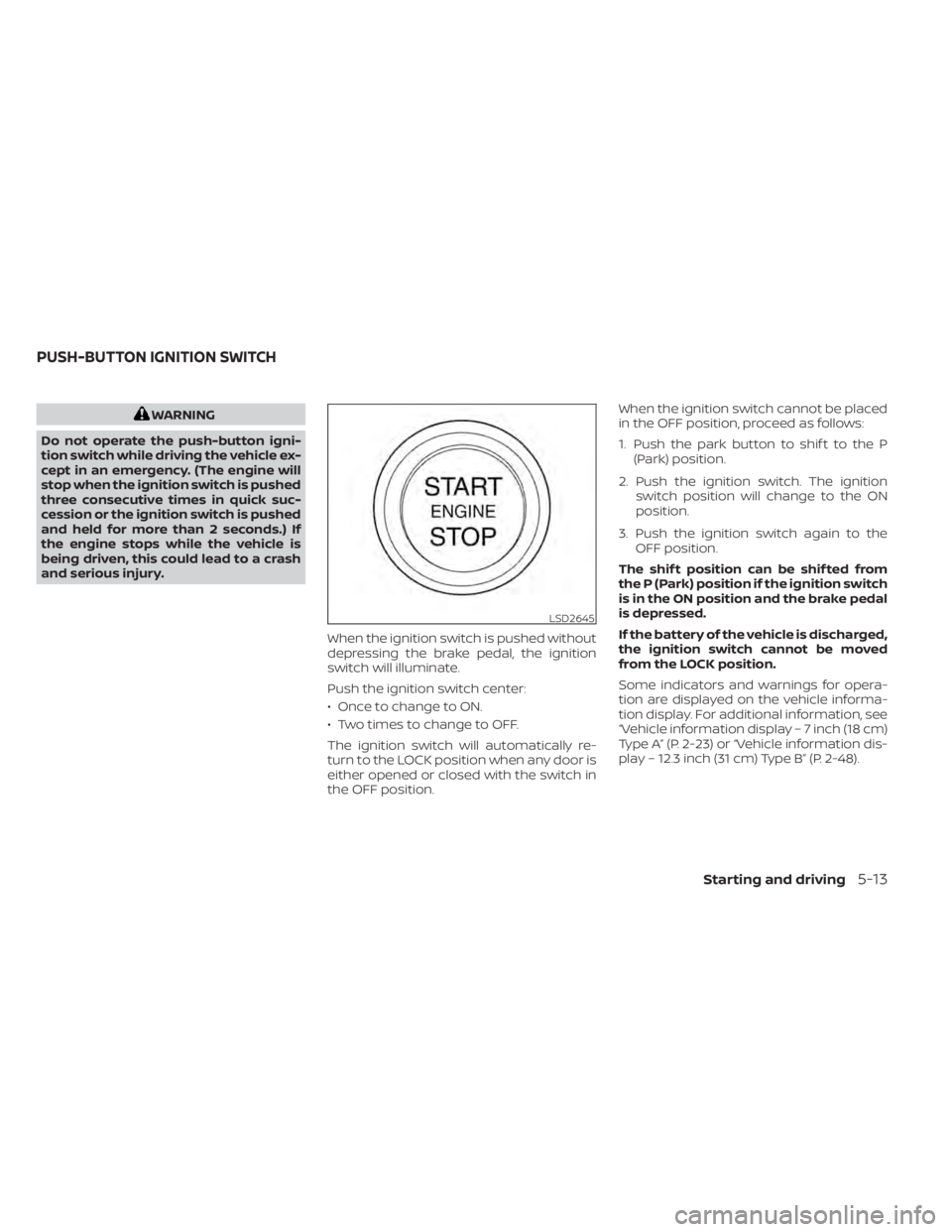
When the ignition switch is pushed without
depressing the brake pedal, the ignition
switch will illuminate.
Push the ignition switch center:
• Once to change to ON.
• Two times to change to OFF.
The ignition switch will automatically re-
turn to the LOCK position when any door is
either opened or closed with the switch in
the OFF position. When the ignition switch cannot be placed
in the OFF position, proceed as follows:
1. Push the park button to shif t to the P
(Park) position.
2. Push the ignition switch. The ignition switch position will change to the ON
position.
3. Push the ignition switch again to the OFF position.
The shif t position can be shif ted from
the P (Park) position if the ignition switch
is in the ON position and the brake pedal
is depressed.
If the battery of the vehicle is discharged,
the ignition switch cannot be moved
from the LOCK position.
Some indicators and warnings for opera-
tion are displayed on the vehicle informa-
tion display. For additional information, see
“Vehicle information display – 7 inch (18 cm)
Type A” (P. 2-23) or “Vehicle information dis-
play – 12.3 inch (31 cm) Type B” (P. 2-48).
LSD2645
PUSH-BUTTON IGNITION SWITCH
Starting and driving5-13
Page 337 of 665
OPERATING RANGE
The Intelligent Key functions can only be
used when the Intelligent Key is within the
specified operating range.
When the Intelligent Key battery is almost
discharged or strong radio waves, noises
are present near the operating location,
the Intelligent Key system’s operating
range becomes narrower and may not
function properly.
If the Intelligent Key is within the operating
range, it is possible for anyone, even some-one who does not carry the Intelligent Key,
to push the ignition switch to start the
engine.
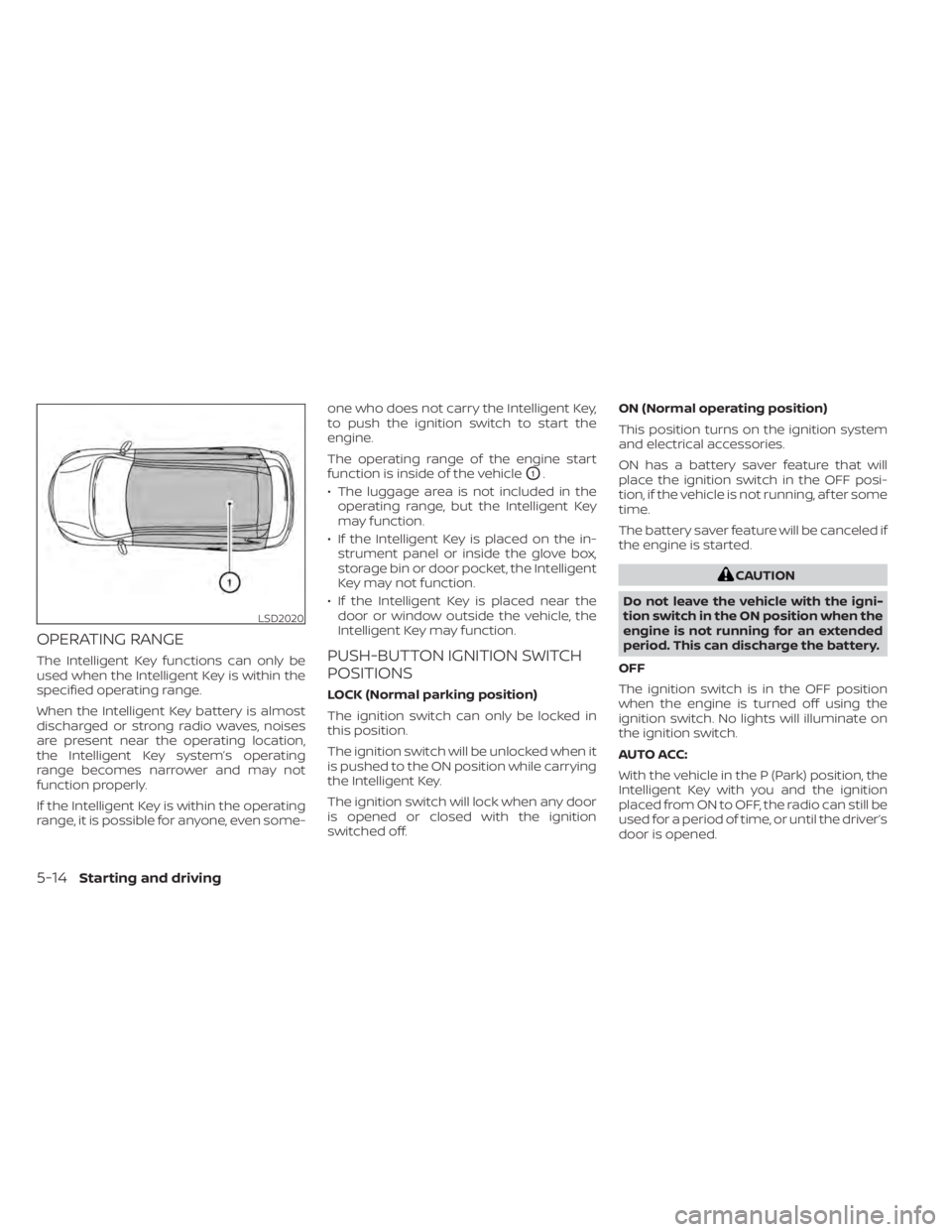
The operating range of the engine start
function is inside of the vehicle
O1.
• The luggage area is not included in the operating range, but the Intelligent Key
may function.
• If the Intelligent Key is placed on the in- strument panel or inside the glove box,
storage bin or door pocket, the Intelligent
Key may not function.
• If the Intelligent Key is placed near the door or window outside the vehicle, the
Intelligent Key may function.
PUSH-BUTTON IGNITION SWITCH
POSITIONS
LOCK (Normal parking position)
The ignition switch can only be locked in
this position.
The ignition switch will be unlocked when it
is pushed to the ON position while carrying
the Intelligent Key.
The ignition switch will lock when any door
is opened or closed with the ignition
switched off. ON (Normal operating position)
This position turns on the ignition system
and electrical accessories.
ON has a battery saver feature that will
place the ignition switch in the OFF posi-
tion, if the vehicle is not running, af ter some
time.
The battery saver feature will be canceled if
the engine is started.
CAUTION
Do not leave the vehicle with the igni-
tion switch in the ON position when the
engine is not running for an extended
period. This can discharge the battery.
OFF
The ignition switch is in the OFF position
when the engine is turned off using the
ignition switch. No lights will illuminate on
the ignition switch.
AUTO ACC:
With the vehicle in the P (Park) position, the
Intelligent Key with you and the ignition
placed from ON to OFF, the radio can still be
used for a period of time, or until the driver’s
door is opened.
LSD2020
5-14Starting and driving
Page 339 of 665
NISSAN VEHICLE IMMOBILIZER
SYSTEM
The NISSAN Vehicle Immobilizer System
will not allow the engine to start without
the use of the registered key.
If the engine fails to start using a registered
key (for example, when interference is
caused by another registered key, an auto-
mated toll road device or automatic pay-
ment device on the key ring), restart the
engine using the following procedure:
1. Leave the ignition switch in the ON posi-tion for approximately 5 seconds.
2. Place the ignition switch in the OFF or LOCK position, and wait approximately
10 seconds.
3. Repeat steps 1 and 2.
4. Restart the engine while holding the de- vice (which may have caused the inter-
ference) separate from the registered
key.
If the no start condition re-occurs, NISSAN
recommends placing the registered key on
a separate key ring to avoid interference
from other devices. • Make sure the area around the vehicle is
clear.
• Check fluid levels such as engine oil, cool- ant, brake fluid, and windshield-washer
fluid as frequently as possible, or at least
whenever you refuel.
• Check that all windows and lights are clean.
• Visually inspect tires for their appearance and condition. Also check tires for proper
inflation.
• Lock all doors.
• Position seat and adjust headrests/head restraints.
• Adjust inside and outside mirrors.
• Fasten seat belts and ask all passengers to do likewise.
• Check the operation of warning lights when the ignition switch is pushed to the
ON position. For additional information,
see “Warning lights, indicator lights and
audible reminders” (P. 2-12). 1. Apply the parking brake.
2. Confirm that the vehicle is in the P (Park)
position.
The Intelligent Key must be carried
when operating the ignition switch.
3. Push the ignition switch to the ON posi- tion. Depress the brake pedal and push
the ignition switch to start the engine.
To start the engine immediately, push
and release the ignition switch while de-
pressing the brake pedal with the igni-
tion switch in any position.
• If the engine is very hard to start in extremely cold weather or when re-
starting, depress the accelerator
pedal a little (approximately 1/3 to the
floor) and while holding, crank the en-
gine. Release the accelerator pedal
when the engine starts.
• If the engine is very hard to start be- cause it is flooded, depress the accel-
erator pedal all the way to the floor
and hold it. Push the ignition switch to
the ON position to start cranking the
engine. Af ter 5 or 6 seconds, stop
cranking by pushing the ignition
switch to the LOCK position. Af ter
cranking the engine, release the accel-
erator pedal. Crank the engine with
BEFORE STARTING THE ENGINE STARTING THE ENGINE
5-16Starting and driving
Page 345 of 665
In the event of a malfunction of the vehi-
cle’s electronics, the transmission may lock
in the P (Park) position. Have the vehicle’s
electronics checked immediately. It is rec-
ommended that you visit a NISSAN dealer
for this service.
The P (Park) position is automatically en-
gaged if:
• You place the ignition switch in the OFFposition
• You unfasten the driver’s seat belt and open the driver side door when the ve-
hicle is stationary or driving at very low
speed and the transmission is in the D
(Drive) position, the N (Neutral) position,
the R (Reverse) position or M (Manual)
mode with your foot off the brake.
CAUTION
To avoid A/T malfunction, you must
manually place the shif t position in the
P (Park) position under the above
conditions.
R (Reverse)
CAUTION
• To prevent transmission damage,
use the R (Reverse) position only
when the vehicle is completely
stopped and the brake is pressed.
Use the R (Reverse) position to back up.
Make sure the vehicle is completely
stopped before selecting the R (Reverse)
position. The brake pedal must be de-
pressed and the shif t lever button
pressed to move the shif t lever from the
home position to R (Reverse). If the ve-
hicle is placed in R (Reverse) position
while the vehicle is moving forward, the
chime will sound and the vehicle will
switch into the N (Neutral) position.
NOTE:
If the vehicle is moving over 5 mph (8
km/h ), when shif ting to D (Drive) from R
(Reverse), the N (Neutral) position will au-
tomatically be selected. A buzzer will
sound, noting that D (Drive) was not se-
lected. When selecting D (Drive) while re-
versing below 5 mph (8 km/h), the range
will change normally.
N (Neutral)
Neither forward nor reverse gear is en-
gaged when the vehicle is completely
stopped, and the brake is pressed. The en-
gine can be started in this position. You
may shif t to the N (Neutral) position and
restart a stalled engine while the vehicle is
moving.
You can select this position by holding the
shif t lever at this position for 0.5 seconds.
D (Drive)
Use this position for all normal forward
driving when the vehicle is completely
stopped, and the brake is pressed. The A/T
changes gears automatically. All forward
gears are available. If the vehicle is placed
in the D (Drive) position while the vehicle
is reversing, the chime will sound and the
vehicle will switch into the N (Neutral)
position.
5-22Starting and driving
Page 350 of 665
WARNING
• Before leaving the vehicle, move the
shif t position to the P (Park) position
and check that the electronic parking
brake warning light is illuminated to
confirm that the electronic parking
brake is applied. The electronic park-
ing brake warning light will remain
on for a period of time af ter the driv-
er’s door is locked.
CAUTION
When parking in an area where the out-
side temperature is below 32°F (0°C),
the parking brake, if applied, may
freeze in place and may be difficult to
release.
For safe parking, it is recommended
that you place the shif t lever in the P
(Park) position and securely block the
wheels.
NOTE:
• To keep the electronic parking brake released af ter the engine is turned off,
place the ignition switch in the OFF po-
sition, depress the brake pedal and
push down the parking brake switch
before opening the driver’s door.
• If a malfunction occurs in the elec- tronic parking brake system (for ex-
ample, due to battery discharge), it is
recommended that you visit a NISSAN
dealer.
• Under the following conditions the electronic parking brake will automati-
cally be applied and the braking force
of the automatic brake hold will be
released:– The braking force is applied by the automatic brake hold function for 3
minutes or longer.
– The vehicle is in the P (Park) position.
– The electronic parking brake is ap- plied manually.
– The driver’s seat belt is unfastened.
– The driver’s door is opened.
– The ignition switch is placed in the OFF position.
– A malfunction occurs in the auto- matic brake hold function.
Manual operation
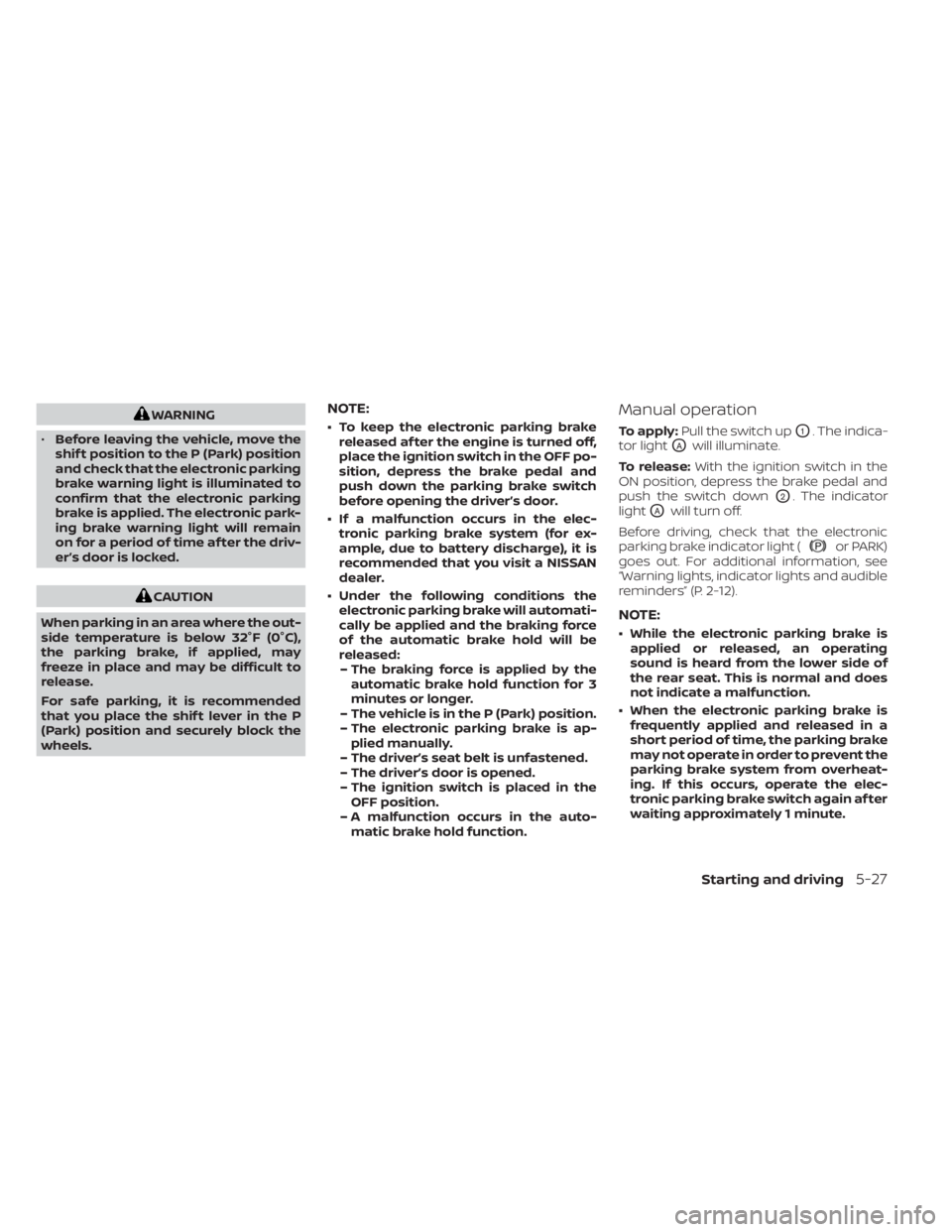
To apply: Pull the switch upO1. The indica-
tor light
OAwill illuminate.
To release: With the ignition switch in the
ON position, depress the brake pedal and
push the switch down
O2. The indicator
light
OAwill turn off.
Before driving, check that the electronic
parking brake indicator light (
or PARK)
goes out. For additional information, see
“Warning lights, indicator lights and audible
reminders” (P. 2-12).
NOTE:
• While the electronic parking brake is applied or released, an operating
sound is heard from the lower side of
the rear seat. This is normal and does
not indicate a malfunction.
• When the electronic parking brake is frequently applied and released in a
short period of time, the parking brake
may not operate in order to prevent the
parking brake system from overheat-
ing. If this occurs, operate the elec-
tronic parking brake switch again af ter
waiting approximately 1 minute.
Starting and driving5-27
Page 354 of 665
Parking
When the vehicle is in the P (Park) position
with the brake force maintained by the au-
tomatic brake hold function, the parking
brake will automatically be applied and the
brake force of the automatic brake hold will
be released. The automatic brake hold in-
dicator light turns off. When the parking
brake is applied with the brake force main-
tained by the automatic brake hold func-
tion, the brake force of the automatic brake
hold will be released. The automatic brake
hold indicator light turns off.
NOTE:
• When the vehicle stops, but the brakeforce is not automatically applied, de-
press the brake pedal firmly until the
automatic brake hold indicator light
(green) or automatic brake hold indica-
tor (green) illuminates.
• Under the following conditions the electronic parking brake will automati-
cally be applied and the braking force
of the automatic brake hold will be
released:– The braking force is applied by the automatic brake hold function for 3
minutes or longer.
– The vehicle is in the P (Park) position. – The electronic parking brake is ap-
plied manually.
– The driver’s seat belt is unfastened.
– The driver’s door is opened.
– The ignition switch is placed in the OFF position.
– A malfunction occurs in the auto- matic brake hold function.
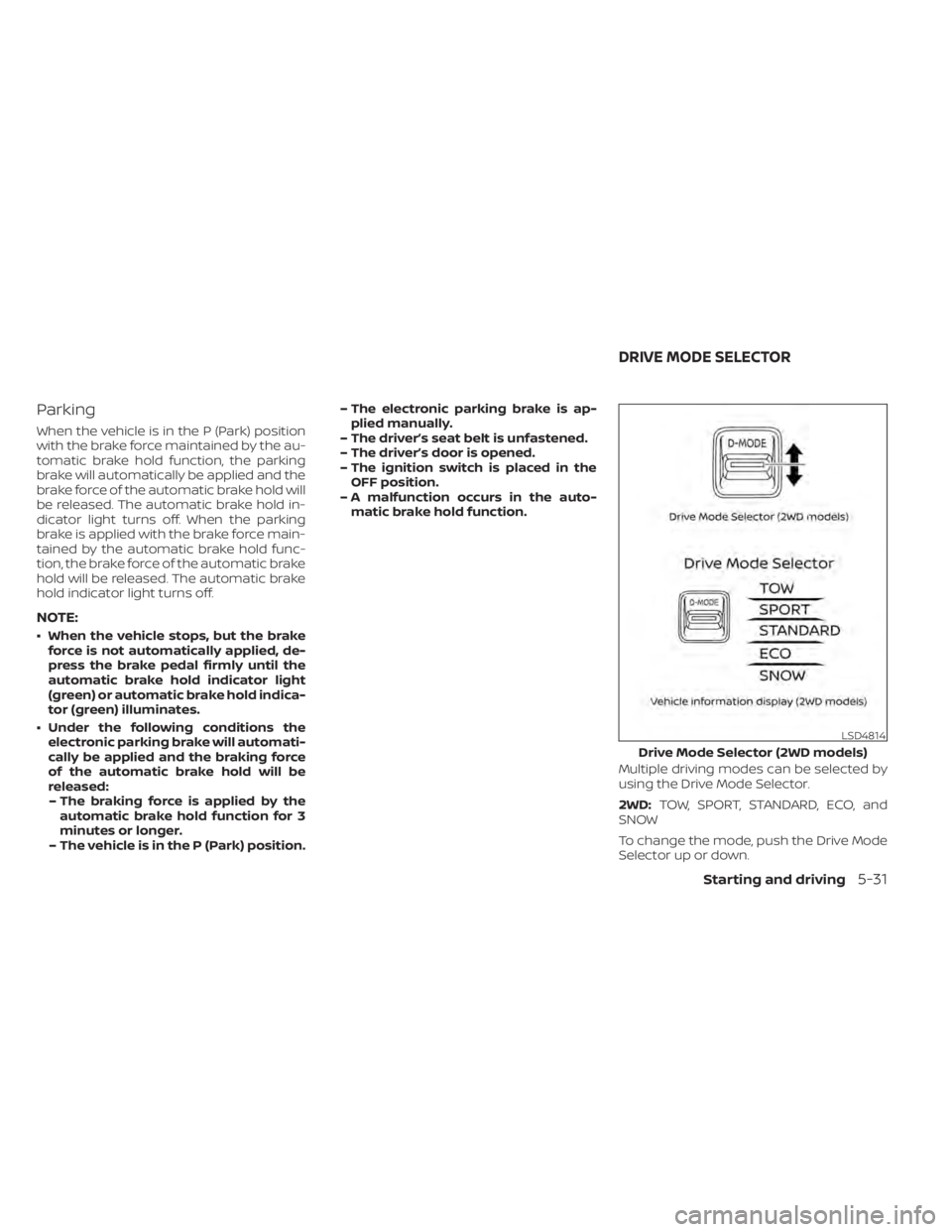
Multiple driving modes can be selected by
using the Drive Mode Selector.
2WD:TOW, SPORT, STANDARD, ECO, and
SNOW
To change the mode, push the Drive Mode
Selector up or down.
LSD4814
Drive Mode Selector (2WD models)
DRIVE MODE SELECTOR
Starting and driving5-31